The 11 Best Computer Cases
From sleek ATX mid-towers to everyday laptop sleeves, picking the right computer case protects your gear and shapes your entire setup. Here are the options worth your money.
 By Kevin Hunt
Updated July 26, 2026
By Kevin Hunt
Updated July 26, 2026

Choosing the right case for your computer setup matters more than most people realize.
Whether you are housing a full ATX gaming rig or slipping a MacBook into a bag for a commute, the case protects your investment, shapes your workspace aesthetic, and in the case of desktop enclosures, directly influences thermal performance and build quality.
The market spans everything from budget-friendly laptop sleeves to premium walnut-paneled mid-tower enclosures, making it genuinely difficult to know where to start.
If you are building a new PC, pairing the right enclosure with quality motherboards, processors, and RAM will define the longevity of your entire system.
At REMOVU, we researched and scored every option below by analyzing manufacturer specifications, synthesizing expert review consensus across the enthusiast community, and weighing verified buyer feedback from confirmed purchasers.
Our picks span desktop enclosures from Fractal Design, NZXT, CORSAIR, Okinos, and Lian Li, as well as laptop carriers from MOSISO, YTONET, Voova, BAGSMART, CISSOOK, and Hsmienk, covering a wide range of budgets and use cases.
Read on for our top picks, followed by a practical buying guide that explains exactly what to look for.
| Award | Product | REMOVU Score About REMOVU ScoreThe REMOVU Score is our own rating from 0 to 10, based on performance, design and build, ease of use, and value. It reflects independent research and is never influenced by manufacturers, retailers, or affiliate commissions. Learn more › | Price | |
|---|---|---|---|---|
| Best Overall |
 Fractal Design North Mid Tower Case with Walnut Front
|
8.3/10 | Buy | |
| Best Premium |
 Corsair Frame 4000D RS ARGB Mid-Tower Case
|
8.2/10 | Buy | |
| Best Value |
 NZXT H5 Flow Mid-Tower ATX Case
|
7.8/10 | Buy | |
 Okinos Cypress 7 Walnut Wood ATX Case with 360mm Radiator Support
|
7.5/10 | Buy | ||
 Lian Li Vector V100 ATX Mid-Tower Case
|
7.4/10 | Buy | ||
 Voova 17-Inch Laptop Briefcase with Expandable Capacity
|
7.2/10 | Buy | ||
| Best Budget |
 BAGSMART 15.6-Inch Laptop Sleeve with Shoulder Strap
|
7.0/10 | Buy | |
 YTONET 15.6-Inch Laptop Sleeve, Water-Resistant
|
6.8/10 | Buy | ||
 MOSISO 13.3-Inch Laptop Sleeve with Front Pocket
|
6.5/10 | Buy | ||
 CISSOOK Floral Hard Shell for MacBook Pro 14
|
6.3/10 | Buy | ||
 Hsmienk 15.6-Inch Laptop Sleeve with Accessory Pocket
|
6.2/10 | Buy |
Fractal Design North Mid Tower Case with Walnut Front
A Scandinavian-designed mid tower that prioritizes aesthetics without sacrificing airflow. Real walnut or oak front panels and brass details transform a gaming PC into a living room centerpiece, while mesh ventilation and included 140mm fans keep thermals in check. Best suited for builders who value design craftsmanship alongside practical cooling performance.
Pros
- Premium natural wood construction (sustainably sourced walnut/oak) with brass accents creates genuine design appeal
- Practical airflow engineering through open front mesh and full mesh side panels balances style with ventilation
- Intuitive interior layout with generous GPU clearance (up to 355mm) and flexible drive mounts for ATX/mATX/ITX boards
- Two 140mm Aspect PWM fans included to get your build started
- Thoughtful accessibility with integrated top panel tab and easy-to-remove side panels
Cons
- Premium materials and Scandinavian design come at a higher price point than standard gaming cases
- Wood panels require occasional care to maintain appearance and prevent dust accumulation in grain patterns
- Limited RGB integration compared to mainstream gaming cases, reflecting minimalist design philosophy
Corsair Frame 4000D RS ARGB Mid-Tower Case
A modular mid-tower case built around customization, featuring the InfiniRail mounting system that lets you position fans flexibly and three pre-installed RS ARGB fans for solid airflow. The frame-based design means you can swap components like the motherboard tray or I/O panel as your build evolves, though this modularity comes at the cost of a less traditional setup experience.
Pros
- Modular FRAME system allows upgrading and swapping internal components without replacing the entire case
- InfiniRail mounting offers flexible fan placement with support for dual 360mm radiators
- Three pre-installed RS ARGB fans with daisy-chainable connectors and Zero RPM mode for quiet operation
- 3D Y-Pattern airflow panel optimizes cooling efficiency with minimal air restriction
- Supports next-gen high-end GPUs (430mm length, 158mm width with 90° cables)
Cons
- Modular design may require learning curve compared to conventional case builds
- Limited motherboard compatibility due to frame-specific mounting requirements
- Higher cost compared to standard mid-tower alternatives at this capacity level
NZXT H5 Flow Mid-Tower ATX Case
A compact mid-tower built for builders prioritizing airflow and expandability. The dual 120mm pre-installed fans and perforated PSU shroud deliver solid cooling out of the box, while support for up to 360mm front and 240mm top radiators opens the door to liquid cooling upgrades. Ultra-fine mesh panels across top, front, and sides balance intake with dust filtration.
Pros
- Two 120mm fans pre-installed for immediate use without additional purchase
- Generous radiator support (360mm front, 240mm top) enables future liquid cooling builds
- Perforated PSU shroud optimizes GPU airflow intake
- Ultra-fine mesh design across multiple panels maximizes airflow while filtering dust
- Wide cable management channels and straps simplify routing and concealment
Cons
- Compact mid-tower form factor limits drive bays and expansion slots compared to full-size cases
- Additional 120mm fans required for optimal two-fan intake setup (not included)
- Limited internal space may challenge cable management with certain motherboard layouts or large power supplies
Okinos Cypress 7 Walnut Wood ATX Case with 360mm Radiator Support
A mid-range ATX case that merges natural walnut wood aesthetics with practical cooling flexibility, featuring pre-installed PWM fans and support for up to 360mm radiators on top. Best suited for builders who prioritize both design and thermal performance without breaking the bank, though GPU compatibility requires careful planning.
Pros
- Pre-installed 4x PWM fans with 200 CFM airflow intake eliminate need for immediate fan purchases
- Supports 360mm radiator on top plus flexible side-mounted cooling options for custom water loop builders
- Type-C 3.2 Gen 2 port and magnetic tempered glass panel offer modern connectivity and easy maintenance
- Up to 5 SSD storage capacity provides excellent expansion for performance-focused builds
- Genuine walnut wood exterior blends premium aesthetics with functional steel chassis design
Cons
- GPU compatibility is restrictive: front fan supports up to 415mm cards, but 240mm side AIO installation limits GPUs wider than 280mm, creating layout conflicts
- Does not support vertical GPU mounting, only horizontal orientation, reducing aesthetic flexibility for showcase builds
- Limited PSU length support at 240mm maximum may require careful power supply selection
Lian Li Vector V100 ATX Mid-Tower Case
A spacious mid-tower designed for high-end builds, the Vector V100 ships with four pre-installed ARGB fans and an integrated LED strip for straightforward lighting setup. It accommodates large GPUs up to 420mm and 360mm radiators, making it well-suited for enthusiasts balancing performance cooling with aesthetic customization.
Pros
- Four pre-installed 120mm ARGB PWM fans with daisy-chain connectivity eliminate extra fan purchases and simplify initial setup
- Tool-less side panels enable quick internal access without tools, streamlining component installation and maintenance
- Supports GPUs up to 420mm and 360mm top-mounted radiators, offering flexibility for high-end cooling and graphics hardware
- Integrated 26-LED ARGB strip with full spectrum control and motherboard software sync enhances visibility and aesthetics
- Broad motherboard compatibility including ATX, Micro-ATX, Mini-ITX, and back-connect layouts for flexible build options
Cons
- Pre-installed fans operate at 26.5-30.8 dB at max speed, which may be audible during heavy workloads in quiet environments
- Requires motherboard with PWM and ARGB headers for full fan and lighting control; non-RGB motherboards cannot synchronize aesthetics
Voova 17-Inch Laptop Briefcase with Expandable Capacity
This messenger-style briefcase accommodates 17 to 17.3-inch laptops and combines organizational compartments with an expandable main section that adds 30% extra storage. Built from water-resistant polyester with padded laptop protection, it works equally well for business travel, daily commutes, or college use, earning strong ratings from thousands of verified buyers.
Pros
- Fits most 17-17.3 inch laptops including MacBook Pro 17, ASUS ROG, Dell Inspiron, HP Envy, and Lenovo IdeaPad models
- Expandable bottom zipper extends capacity by approximately 1.77 inches for additional gear during trips
- Multiple organized compartments including front pocket with pen holders, card slots, and back hidden zipper pocket for documents
- Water-resistant Oxford polyester exterior with padded inner laptop sleeve and cushioned protection against drops and spills
- Convertible carrying options with removable adjustable shoulder strap and top grab handle for hand or shoulder carry
Cons
- Padded laptop compartment is relatively slim at 1.8 inches deep, which may limit protection for thicker devices or cases
- Shoulder strap padding details not specified, potentially uncomfortable during extended wear with heavy loads
- Expandable feature requires manual zipper operation, adding bulk when fully extended rather than seamless expansion
BAGSMART 15.6-Inch Laptop Sleeve with Shoulder Strap
This quilted laptop sleeve fits 15.6-inch and smaller notebooks with a soft, padded interior and fabric-wrapped edge guards for impact protection. The detachable shoulder strap and grab handles make it versatile for daily commuting or travel, while the front storage pocket keeps accessories organized. Best suited for users seeking a lightweight, straightforward protective case rather than a full-featured backpack.
Pros
- Compatible with major laptop brands (MacBook Pro 16, HP, Dell, Asus, Acer, Lenovo) up to 15.6 inches
- Multiple carrying options: detachable shoulder strap, grab handles, and compact design for slipping into larger bags
- Lightweight polyester construction with quilted design and soft fabric lining reduces carrying burden
- Front storage pocket for accessories like chargers, mouse, and documents
- Durable edge protection with fabric-wrapped guards to prevent laptop damage
Cons
- Limited internal organization beyond one front pocket, unlike multi-compartment backpacks
- No reviews available yet to verify real-world durability and fit consistency across laptop models
- Shoulder strap functionality not detailed, leaving questions about comfort during extended wear
YTONET 15.6-Inch Laptop Sleeve, Water-Resistant
A slim, padded laptop sleeve designed for 15-16 inch laptops with broad brand compatibility across MacBook, Dell, HP, Lenovo, and Acer. The three-layer construction and water-resistant nylon fabric provide solid everyday protection, while the TSA-friendly design with dual zippers and extra mesh pocket keeps essentials organized during commutes and travel.
Pros
- Strong compatibility across major laptop brands with detailed model listings
- Three-layered padded construction with water-resistant nylon fabric for impact and moisture protection
- Compact, lightweight design slides easily into backpacks or briefcases without bulk
- TSA-friendly with smooth dual zippers and 90-180 degree opening for quick access
- Extra mesh pocket for accessories like cables, mouse, and earphones
- High rating of 4.6 stars from 24,687 verified reviews
Cons
- No shoulder strap included, limiting standalone carry options beyond sliding into other bags
- Requires checking exact laptop dimensions against internal compartment (14.6 x 10.6 x 1.6 inches) to ensure proper fit
- Slim design prioritizes portability over storage capacity for larger accessory loads
MOSISO 13.3-Inch Laptop Sleeve with Front Pocket
A slim, lightweight protective sleeve designed for 13-inch laptops and compatible with MacBook Air/Pro, Surface, Dell, HP, and Lenovo models. The polyester construction with foam padding and fleece lining absorbs bumps and scratches, while a front pocket stores accessories like mice and earphones. Best for users who need minimal bulk when sliding their laptop into a larger bag.
Pros
- Wide device compatibility across MacBook M-series, Surface, Dell, HP, Lenovo, and Acer models
- Polyester foam padding and soft fleece lining provide solid shock and scratch protection
- Slim profile and lightweight design won't bulk up your carry setup
- Dual top-opening zippers allow smooth, convenient access
- Front pocket adds practical storage for small accessories
- Highly rated with 4.7 stars from over 62,000 reviews
Cons
- No shoulder strap or handles mentioned in core features, limiting carrying options compared to full laptop bags
- Slim design means minimal extra space for documents or larger accessories beyond the front pocket
- Polyester material, while durable, may not match premium leather or neoprene alternatives in feel
CISSOOK Floral Hard Shell for MacBook Pro 14
A slim plastic hard case designed specifically for MacBook Pro 14 models (M1-M5, 2021-2026) featuring printed floral aesthetics and a two-piece snap-on design. The bundle includes keyboard cover, screen protector, USB adapter, and webcam cover, making it practical for users seeking all-in-one protection without bulk.
Pros
- Two-piece snap-on design allows easy on/off without removing case for port access
- Slim profile with soft-touch surface maintains MacBook's original aesthetic
- Comprehensive bundle package adds value with keyboard cover, screen protector, and accessories
- Bottom cover includes heat dissipation design and rubberized feet for stability
- High user rating of 4.6 stars from 571 reviews indicates consistent satisfaction
Cons
- Strict model compatibility limited to specific MacBook Pro 14 models (A3434, A3427, etc.) - purchasing wrong variant is easy
- No cutout design means full case coverage, which may limit customization or access flexibility
- Premium plastic material durability over extended use not detailed in specifications
Hsmienk 15.6-Inch Laptop Sleeve with Accessory Pocket
A slim, lightweight sleeve designed for 15.6-inch laptops with three-layer shock protection and a front pocket for cables and accessories. The smooth-gliding zipper and compact profile make it easy to slip into a backpack or carry standalone, earning strong user satisfaction across thousands of reviews.
Pros
- Three-layer protection with shockproof foam and soft fleece lining effectively absorbs impacts and prevents scratches
- Slim, portable design fits easily into larger bags or works as a standalone briefcase without bulk
- Front accessory pocket keeps chargers, cables, and small items organized and accessible
- Smooth top-loading zipper allows convenient access without jamming or snagging
- Compatible with most major laptop brands at 15.6 inches (HP, Dell, ASUS, Lenovo, Acer, etc.)
Cons
- Slim profile means minimal padding compared to thicker protective cases, better for everyday carry than heavy-duty protection
- Internal dimensions are slightly smaller than external (15.3 x 10.9 inches vs 15.7 x 11.2 inches), so exact fit depends on device size
- Single front pocket may feel limiting for users who need extensive compartmentalization
Computer Cases Buying Guide
The term “computer case” covers a surprisingly broad range of products.
On one end you have full ATX mid-tower enclosures designed to house high-powered components with room for elaborate cooling setups; on the other, you have slim neoprene sleeves intended to protect a laptop during a commute.
Understanding which category actually fits your situation is the first decision to make before evaluating any specific product.
Our PC cases guide covers the desktop side in greater depth, while the sections below focus on the criteria that matter across all form factors.
Form Factor and Compatibility
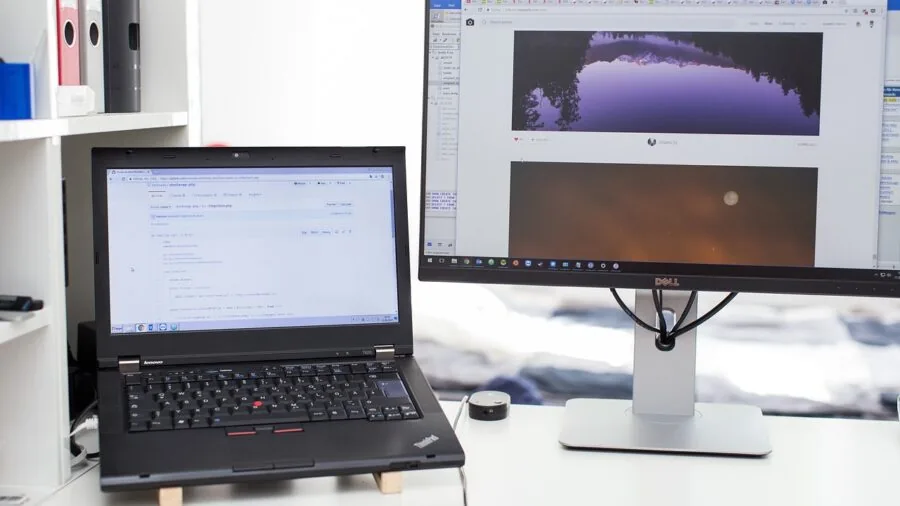
For desktop enclosures, motherboard form factor compatibility is the single most important specification to verify before purchasing. ATX mid-towers are the most common choice because they accommodate full-size ATX motherboards while still fitting under most desks.
If you are working with a more constrained space, mini-ITX cases offer dramatically smaller footprints, though they require ITX-specific motherboards and impose tighter limits on cooling options and drive bays.
Always cross-reference the case’s supported motherboard sizes against your planned or existing board before committing.
For laptop cases and sleeves, the critical measurement is the interior sleeve dimension relative to your specific laptop model.
A case listed as “15.6 inch” will often be too loose for a 14-inch machine and may not accommodate a 16-inch model with thick bezels.
When in doubt, check the product’s listed internal dimensions in millimeters rather than relying solely on the screen size designation.
Pay particular attention to cases that claim compatibility with MacBook Pro models, as Apple’s machines are thinner and lighter than many Windows laptops of the same screen size, so padding and snug-fit design matter more.
Airflow and Thermal Management

For desktop PC cases, airflow design is a critical factor that directly affects component longevity and sustained performance.
Cases with mesh front panels allow substantially more intake air than solid tempered glass fronts, which is why enthusiast-oriented enclosures increasingly use perforated steel or fine-mesh panels.
Look for cases that include pre-installed fans rather than shipping empty, since adequate fan coverage from the factory gives you a working baseline without additional expense.
Radiator support is equally important if you plan to use an all-in-one liquid cooler: verify the maximum radiator size the case supports at the front, top, and rear mounts.
Our top picks for airflow-focused PC cases go deeper on this topic if thermals are your primary concern.
GPU clearance is a related consideration that is easy to overlook. Modern graphics cards have grown substantially in length and thickness, with some three-slot designs exceeding 330 mm.
Always check the case’s published maximum GPU length and compare it to the card you plan to install.
A case that ships with a GPU bracket or riser, like the Lian Li Vector V100, provides added assurance that long cards will be supported safely and will not sag over time.
If you are still selecting your graphics hardware, see our overview of graphics cards to understand current size trends before finalizing a case.
Build Quality and Materials
Desktop case build quality is largely determined by panel thickness, frame rigidity, and the quality of the tempered glass or side panel material.
Cases constructed from SGCC steel (standard galvanized cold-rolled steel) at 0.8 mm or thicker tend to resist flex and feel premium in hand.
Tempered glass panels should sit flush and be secured by proper thumb screws rather than plastic clips, which degrade over time.
A growing subset of cases incorporates genuine wood accents, such as walnut front panels, which add warmth and differentiation to a build.
These designs have proven genuinely popular among home-office builders who want their PC to look at home on a desk rather than hidden under it.
For laptop sleeves and bags, material quality determines both protection and longevity. Polyester sleeves are lightweight and affordable, but vary significantly in the density of their padding. Higher-denier polyester and neoprene-lined interiors offer meaningfully better shock absorption during drops.
Water resistance is a common marketing claim that requires scrutiny: a DWR-coated exterior will repel light rain and coffee splashes, but it is not the same as waterproof construction, and most laptop bags in this price range are not genuinely waterproof.
Check whether the zipper is covered or exposed, as exposed zippers are a common water ingress point.
Front I/O and Connectivity
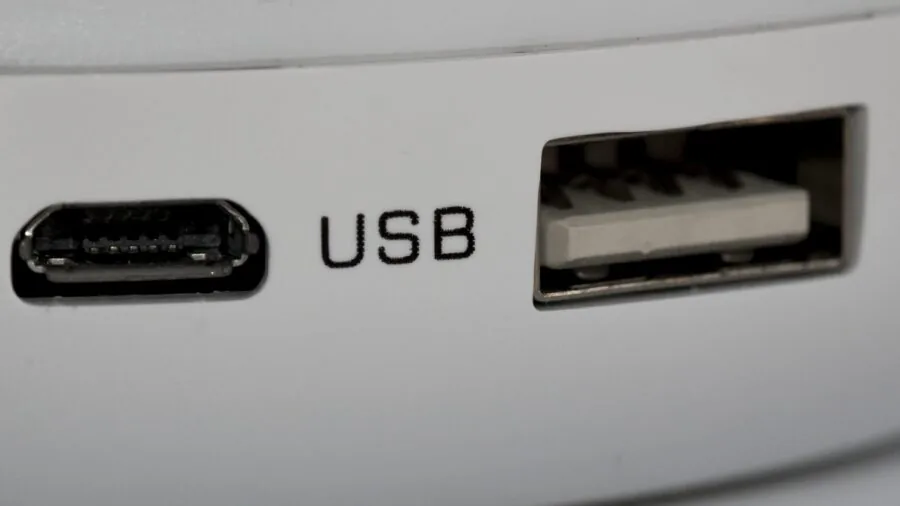
Modern desktop cases should include a USB-C port on the front I/O panel, as this has become a standard connection for fast external drives, phones, and peripherals.
Verify that the case’s front USB-C connector uses a USB 3.2 Gen 2 internal header rather than a slower Gen 1 or USB 2.0 header, since the speed difference is significant for file transfers.
Audio jacks and at least two USB-A ports round out a sensible front panel configuration. Some high-end cases separate the power button from the front I/O cluster entirely, which can be inconvenient; check the layout before buying.
For bags and sleeves, organizational pockets serve a similar function. A dedicated accessory pocket for chargers, cables, and adapters saves time at security checkpoints and prevents cable clutter inside the main compartment.
Bags intended for travel benefit from a luggage pass-through strap, while bags designed for daily commuting benefit from a padded shoulder strap with an anti-slip backing.
TSA-friendly laptop bags, which allow the laptop to lie flat and pass through the scanner without removal, are a specific feature worth verifying if you travel frequently.
Aesthetic Design and Customization

RGB lighting has shifted from a niche enthusiast preference to a mainstream feature in mid-range desktop cases. ARGB fans and lighting strips, combined with tempered glass side panels, allow elaborate lighting effects synchronized across components via motherboard headers.
If RGB is a priority, confirm that the case ships with ARGB-capable fans and that the fan headers are compatible with your motherboard’s addressable RGB header.
However, if you are building a workstation-focused or home-office PC, understated cases without visible lighting effects are increasingly popular and tend to look more at home in professional environments.
Our ATX PC cases roundup covers a broader selection of designs if aesthetic variety is important to you.
For laptop cases, color and finish are largely personal choices, but they influence visibility and professionalism.
Neutral tones like black, grey, and navy work well in office environments, while patterned or brightly colored cases, like floral hard-shell options, are better suited to personal or creative use.
Hard-shell cases for MacBooks offer the additional benefit of impact protection that soft sleeves cannot provide, though they add thickness and weight to a machine that is often chosen specifically for its slim profile.
Cable Management and Internal Layout

A well-organized build is easier to maintain and benefits from improved airflow through the main chamber.
Look for desktop cases that offer a dedicated PSU shroud, routing holes with rubber grommets, and sufficient cable management space behind the motherboard tray (typically 20 mm or more).
Modular case designs, such as those using a tool-free drive mounting system or a removable fan bracket, make it easier to add or swap components later without completely disassembling the build.
These features matter more the longer you plan to keep the system, since upgrades to solid state drives, CPU coolers, or power supplies are far simpler in a well-designed enclosure.
Dust filtration is another practical consideration that affects long-term maintenance.
Removable magnetic dust filters on front intakes and the PSU bottom vent make cleaning straightforward, while cases without filters require more frequent compressed-air maintenance to prevent dust accumulation on fans and heatsinks.
If your PC will live on a carpet or in a dusty environment, prioritize cases with thorough filtration coverage over those with purely aesthetic mesh openings.
Pair your enclosure with quality storage to ensure your whole build is as reliable as its housing.
Why You Should Trust Us
REMOVU is an independent review publication. Every product in this guide received a REMOVU Score on a scale of 0 to 10, assigned using a consistent set of criteria applied uniformly across the category.
Our evaluation process synthesizes manufacturer specifications, expert review consensus drawn from the enthusiast and professional community, verified buyer feedback from confirmed purchasers, and published benchmark and reliability data with traceable sources.
We do not conduct our own product trials; our evaluations are grounded in research, published data, expert review consensus, and verified buyer feedback.
We assess desktop enclosures on airflow design, build quality, front I/O specification, fan and radiator support, cable management features, and value relative to the competitive landscape.
Laptop cases and bags are assessed on protection level, material quality, organizational features, fit range, and portability. Products are scored and ranked strictly on these merit-based criteria.
REMOVU may earn a commission if you purchase through a link in this article, but affiliate relationships have no influence on our scores, rankings, or editorial selections.
We recommend only products that performed well on our research criteria regardless of commission potential.
Final Thoughts
This list covers a wide spectrum of computer case types, and the right pick depends almost entirely on what you are housing.
For desktop builders, the standout options come from established PC hardware brands that have earned strong reputations for airflow engineering and build quality.
For laptop users, the best choice depends on how much protection you need and how often you carry your machine. Below are our top recommendations by use case, each earning its position through strong REMOVU Score performance within its category.
- Best Overall: Fractal Design North ATX Mid-Tower earns the top spot with the highest REMOVU Score in this roundup, combining genuine walnut wood aesthetics, mesh side panels for excellent airflow, and a well-executed front I/O layout that includes USB-C. It is a rare case that appeals equally to enthusiasts and home-office builders.
- Best Modular Mid-Tower: CORSAIR 4000D RS ARGB Frame earns the second-highest REMOVU Score in this guide, standing out for its InfiniRail mounting system that simplifies fan and radiator installation, plus broad compatibility with major BTF motherboard ecosystems from ASUS, MSI, and Gigabyte.
- Best Compact ATX Case: NZXT H5 Flow is the pick for builders who want a mid-tower footprint without the bulk, with front radiator support up to 360 mm and a tempered glass panel that keeps the build visible without compromising airflow.
- Best Budget Desktop Case: Lian Li Vector V100 offers four ARGB PWM fans, a USB-C side I/O, GPU bracket support for cards up to 420 mm, and 360 mm radiator compatibility at an accessible mid-range price point, making it one of the strongest value propositions in its segment.
- Best Laptop Bag for Travel: Voova 17.3-Inch Laptop Messenger Bag is the highest-scoring laptop carrier in this guide, offering an expandable compartment, a removable shoulder strap, and a business-appropriate design that handles both commuting and travel without looking like a hiking pack.
Whichever direction your build or carry needs take you, pairing a quality case with well-matched internal components makes a meaningful difference in both performance and longevity.
If you are still assembling your desktop, our guides to PC components and gaming PCs under budget can help you round out your build with confidence.
Frequently Asked Questions
What Is the Difference Between an ATX Mid-Tower and a Full-Tower PC Case?
An ATX mid-tower is the most common desktop enclosure size, supporting full-size ATX motherboards (up to 305 x 244 mm) along with most CPU coolers and graphics cards available today.
A full-tower is physically larger and typically supports E-ATX motherboards, more drive bays, and taller CPU coolers, but occupies significantly more desk or floor space.
For the vast majority of gaming and productivity builds, an ATX mid-tower provides more than enough room. Full-towers are primarily relevant for workstation and server builds with unusual storage or cooling requirements.
Does the PC Case Affect Performance?
Yes, meaningfully so. A case with poor airflow restricts the volume of cool air reaching the CPU and GPU, which causes components to throttle their clock speeds under sustained loads.
Cases with mesh front panels and adequate pre-installed fans maintain lower internal temperatures than enclosed designs with limited intake area. Over time, consistently high internal temperatures also accelerate component degradation.
The impact is most noticeable during extended gaming sessions or rendering workloads, where thermals plateau rather than spike briefly.
Cable management is an indirect contributor as well: a tidy build with cables routed behind the motherboard tray reduces airflow obstruction in the main chamber. Good pre-built desktop systems account for this at the factory, but custom builders need to be deliberate about it.
How Do I Know Which Laptop Sleeve Size to Buy?
The safest approach is to measure your laptop’s physical dimensions (length, width, and thickness) in millimeters and compare them to the sleeve’s listed interior dimensions rather than trusting screen size labeling alone.
Laptop manufacturers vary in bezel width, chassis thickness, and overall footprint even among machines with the same screen size.
MacBook Pro models, for example, are considerably thinner than most Windows laptops with equivalent screen sizes, so a sleeve optimized for Windows machines may feel loose around an Apple laptop.
Checking verified buyer reviews from owners of the same laptop model is a reliable shortcut.
Are Hard Shell Laptop Cases Better Than Soft Sleeves?
They serve different purposes. Hard shell cases, like snap-on plastic shells for MacBook models, provide scratch and minor impact protection while adding minimal bulk to the laptop itself.
They are ideal when you carry the laptop inside a bag and want it protected inside a backpack alongside other items.
Soft sleeves with foam padding are better for standalone carrying when the laptop moves frequently in and out of a bag, as the padded exterior absorbs shock from drops that a hard shell alone would not.
For maximum protection, many users combine both: a hard shell on the laptop and a padded sleeve for transport.
If you frequently carry a laptop alongside a 2-in-1 convertible, a sleeve with a rigid back panel tends to offer the best combined protection.
How Many Fans Should a Good PC Case Have?
A baseline configuration of three fans, two intakes at the front and one exhaust at the rear, provides adequate positive pressure airflow for most mid-range builds.
Cases that ship with only one rear exhaust fan and no front intake fans will require you to purchase additional fans to achieve reasonable internal temperatures under load.
High-performance builds, particularly those pairing a current-generation CPU with a power-hungry GPU, benefit from four or more fans in a balanced intake/exhaust arrangement.
Cases with 360 mm radiator support at the front allow three 120 mm fans to function as both a CPU liquid cooler and a primary intake simultaneously, which is one of the most thermally efficient configurations available at the mid-tower form factor.
What Should I Look for in a Laptop Bag for Daily Commuting?
For daily commuting, prioritize a padded shoulder strap with anti-slip backing, a dedicated laptop compartment that holds the machine snugly without movement, and at least one organizational pocket for cables, chargers, and accessories.
Water-resistant material is a practical bonus for unpredictable weather.
Weight is a consideration many buyers overlook: a heavy bag on a long commute becomes tiring quickly, so lighter materials at the cost of some structure are often a sensible trade-off for everyday carry.
If your commute involves public transit, a slim profile prevents the bag from catching on turnstiles or crowded aisle seats.
Buyers who also need a capable portable computer alongside their bag may find our guide to convertible laptops a useful companion resource.
About the author
Kevin is REMOVU's SSD writer, comparing NVMe and SATA drives on speed, endurance, and price per gigabyte. He helps readers pick the SSD that delivers the biggest real-world speed boost for their PC.