The 9 Best Motherboards
Picking the right motherboard shapes everything else in your PC build. Our research covers socket compatibility, VRM quality, storage options, and connectivity across nine boards from ASUS, MSI, and GIGABYTE.
 By Isabella Reyes
Updated July 26, 2026
By Isabella Reyes
Updated July 26, 2026
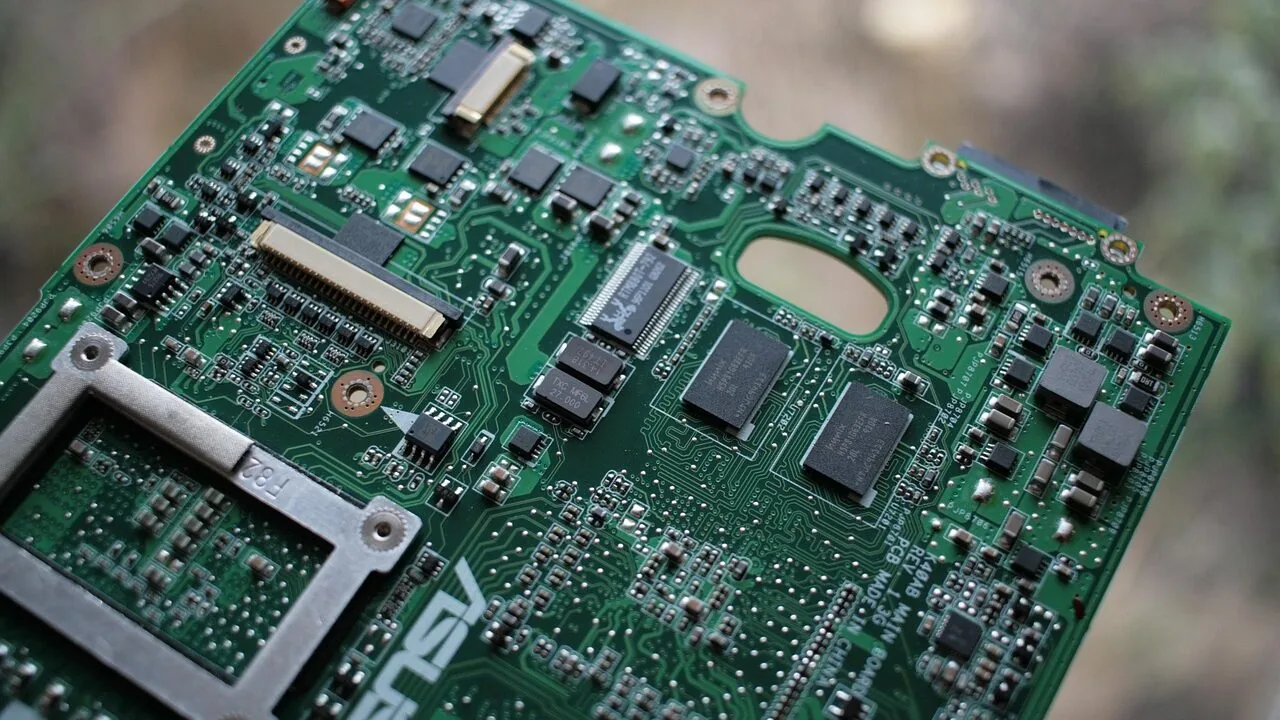
Choosing the right motherboard is one of the most consequential decisions in any PC build.
It determines which processors you can use, how much memory your system supports, what storage options are available, and how much headroom you have for future upgrades.
Whether you are assembling a budget gaming rig around AMD’s AM4 platform, building a high-performance workstation on Intel’s LGA 1700 socket, or future-proofing a creative workstation with AMD’s AM5 ecosystem, the motherboard you pick sets the ceiling for everything else.
A mismatched or underpowered board can bottleneck an otherwise excellent CPU and GPU combination, while the right one unlocks every watt of performance your components can deliver.
Pairing your board thoughtfully with the right processor and RAM is essential from the start.
At REMOVU, we cut through the marketing noise by synthesizing manufacturer specifications, expert review consensus, and verified buyer feedback to surface the boards that genuinely deliver on their promises.
Our picks span multiple sockets, chipsets, and price tiers, so whether you are hunting for a capable budget option or a feature-packed flagship, you will find a well-reasoned recommendation below.
Here are the best motherboards available right now, ranked by REMOVU Score.
| Award | Product | REMOVU Score About REMOVU ScoreThe REMOVU Score is our own rating from 0 to 10, based on performance, design and build, ease of use, and value. It reflects independent research and is never influenced by manufacturers, retailers, or affiliate commissions. Learn more › | Price | |
|---|---|---|---|---|
| Best Value |
 ASUS ROG Strix B850-A Gaming WiFi AM5
|
8.6/10 | Buy | |
 MSI MAG B850 Tomahawk Max WiFi AM5 Motherboard
|
8.2/10 | Buy | ||
 ASUS TUF Gaming Z790-Plus WiFi ATX Motherboard
|
7.6/10 | Buy | ||
| Best Budget |
 GIGABYTE B650 Eagle AX AM5 Motherboard
|
8.2/10 | Buy | |
| Best Overall |
 Asus ROG Strix B550-F WiFi II AM4 Motherboard
|
8.6/10 | Buy | |
 Gigabyte B550 Eagle WiFi6 AM4 Motherboard
|
7.5/10 | Buy | ||
| Best Premium |
 MSI MPG X570 Gaming Plus AM4 Motherboard
|
7.2/10 | Buy | |
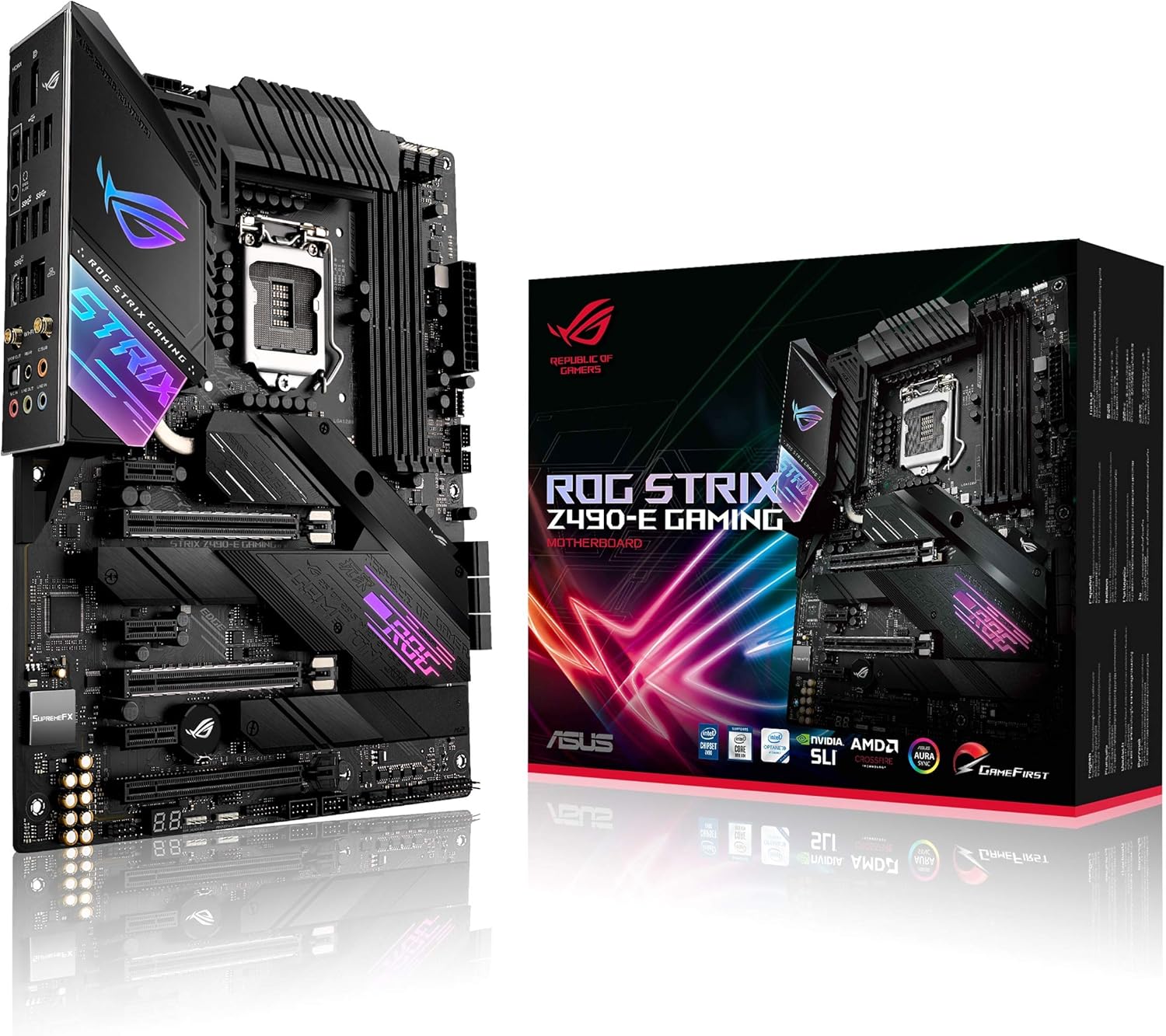 ASUS ROG Strix Z490-E Gaming Motherboard
|
7.1/10 | Buy | ||
 GIGABYTE Z390 AORUS Ultra ATX Motherboard
|
6.8/10 | Buy |
ASUS ROG Strix B850-A Gaming WiFi AM5
A feature-rich AM5 motherboard built for Ryzen 9000 and next-gen AI workloads. The 14+2+2 power delivery, DDR5 support with AEMP, and PCIe 5.0 connectivity make it a solid choice for high-performance builds, though it's positioned at the premium end of the B850 segment.
Pros
- Robust 14+2+2 power solution rated for 80A per stage, suited for multi-core Ryzen processors
- Comprehensive connectivity: WiFi 7 with Q-Antenna, 2.5G LAN, USB 20Gbps Type-C, and four M.2 slots with PCIe 5.0 support
- AI-focused features including ASUS AI Advisor and AI Networking II for simplified configuration and optimized performance
- Substantial thermal design with thick heatsinks and high-conductivity thermal pads for sustained stability
- Strong user satisfaction with 4.6/5 rating from 408 verified reviews
Cons
- Premium pricing reflects feature density, making it less accessible for budget-conscious builders
- Complex feature set may require learning curve for users unfamiliar with ASUS AI utilities and advanced BIOS tuning
- B850 chipset offers incremental improvements over B800, so value proposition depends on specific upgrade needs
MSI MAG B850 Tomahawk Max WiFi AM5 Motherboard
A solid mid-to-premium B850 platform for Ryzen 9000/8000/7000 builders seeking PCIe 5.0 and DDR5 support without the X870 premium. The 14-phase VRM and comprehensive cooling stack handle modern high-end CPUs well, while Wi-Fi 7 and 5G LAN round out connectivity for gamers and content creators.
Pros
- Robust 14 Duet Rail (80A) VRM with dual 8-pin CPU connectors handles Ryzen 9000 flagship processors reliably
- PCIe 5.0 x16 slot and dual M.2 Gen5 connectors future-proof for next-gen GPUs and NVMe drives
- Comprehensive thermal design with FROZR Guard heatsinks, MOSFET pads, and M.2 Shield Frozr II prevents throttling
- Wi-Fi 7 with Bluetooth 5.4 and 5G LAN provide modern connectivity without compromise
- Strong 4.5-star rating across 402 verified reviews signals consistent user satisfaction
Cons
- B850 chipset lacks some premium features found on X870/E models, limiting appeal for extreme enthusiasts
- Four M.2 slots include only two Gen5 connectors; third and fourth slots drop to Gen4, reducing future flexibility for multi-drive setups
- ATX form factor and feature density may be overkill for budget-focused builds or compact cases
ASUS TUF Gaming Z790-Plus WiFi ATX Motherboard
A solid mid-to-premium Z790 platform built for stability and gaming performance. The TUF Gaming Z790-Plus WiFi combines military-grade components, PCIe 5.0 support, and comprehensive cooling to handle 12th through 14th gen Intel processors without breaking stride. Best suited for gamers and content creators who prioritize durability and thermal management over cutting-edge features.
Pros
- Robust 16+1 DrMOS power delivery with six-layer PCB ensures stable performance under load
- Comprehensive cooling system with enlarged VRM and M.2 heatsinks keeps temperatures in check
- Next-gen connectivity: PCIe 5.0, WiFi 6E, Thunderbolt 4 header, and 2.5Gb LAN for future-proofing
- Four M.2 slots with NVMe RAID support and DDR5 compatibility unlock high-speed storage configurations
- Military-grade TUF components and proven design deliver long-term reliability
Cons
- No PCIe 5.0 M.2 slots; only four PCIe 4.0 M.2 sockets limit next-gen NVMe adoption
- WiFi 6E and Thunderbolt 4 are header-based, requiring compatible add-on cards rather than onboard connectors
- Premium positioning may feel overkill for budget builds or users with modest upgrade timelines
GIGABYTE B650 Eagle AX AM5 Motherboard
A solid mid-range AM5 platform built for Ryzen 7000/8000/9000 processors with DDR5 support and modern connectivity. The B650 Eagle AX balances performance features like PCIe 5.0 storage and WiFi 6E with practical thermal management, making it a reliable choice for builders seeking stable overclocking and smooth daily operation without premium pricing.
Pros
- PCIe 5.0 M.2 slot for future-ready NVMe storage alongside two PCIe 4.0 slots
- 12+2+2 phase digital VRM with dedicated thermal guards for stable power delivery and SSD performance
- WiFi 6E and Gigabit LAN for comprehensive networking options
- DDR5 compatibility with AMD EXPO and Intel XMP support for flexible memory tuning
- 4.6-star rating across 965 reviews indicates consistent user satisfaction
Cons
- ATX form factor takes up full case space, limiting options for compact builds
- B650 chipset sits between entry-level B550 and high-end X870E, offering less cutting-edge features than flagship models
- No information on BIOS update frequency or long-term driver support consistency
Asus ROG Strix B550-F WiFi II AM4 Motherboard
A feature-rich B550 platform built for AMD Ryzen 3000 and 5000 series processors, combining PCIe 4.0 storage, WiFi 6E, and 2.5Gb Ethernet for gaming and content creation workloads. The robust power delivery, comprehensive cooling options, and premium audio processing make it a solid choice for enthusiasts seeking balanced performance and connectivity without premium-tier pricing.
Pros
- Dual M.2 slots with PCIe 4.0 support on one slot for fast NVMe storage
- WiFi 6E and 2.5Gb Ethernet provide strong wireless and wired connectivity options
- 12+2 power stages with quality components support stable overclocking and multitasking
- AI noise-canceling microphone and SupremeFX audio codec deliver competitive streaming and gaming audio quality
- BIOS FlashBack, pre-mounted I/O shield, and Q-LEDs simplify building and troubleshooting
- Aura Sync RGB ecosystem with dedicated headers allows extensive lighting customization
Cons
- B550 chipset lacks PCIe 5.0 support found on newer X670 platforms, limiting future-proofing
- Only one M.2 slot supports PCIe 4.0, the second remains on PCIe 3.0
- Premium positioning relative to other B550 boards means you're paying for aesthetics and software integration that budget alternatives don't include
Gigabyte B550 Eagle WiFi6 AM4 Motherboard
A solid mid-range AM4 platform for Ryzen 5000/4000/3000 builds with modern connectivity essentials. The 10+3 VRM design and PCIe 4.0 support handle both gaming and productivity workloads competently, while WiFi 6 and USB 3.2 Gen 2 Type-C keep you future-proofed. Best suited for builders prioritizing stability and feature density over cutting-edge power delivery.
Pros
- Strong 10+3 digital VRM with thermal armor ensures reliable power delivery for Ryzen overclocking
- PCIe 4.0 x16 slot and M.2 socket future-proof for next-gen storage and GPUs
- WiFi 6 and Gigabit LAN provide solid network performance for gaming and streaming
- PCIe EZ-Latch and WiFi EZ-Plug simplify DIY assembly
- Supports DDR4 up to 4733 MT/s with AMD EXPO memory compatibility
- High user satisfaction with 4.6-star rating across 691 reviews
Cons
- Limited to single PCIe 4.0 x16 slot, which may restrict multi-GPU or high-end expansion options
- B550 chipset lacks PCIe 5.0 support compared to newer X870/B850 platforms
- No details on audio codec quality or extensive rear I/O port count in available specs
MSI MPG X570 Gaming Plus AM4 Motherboard
A straightforward gaming platform for AM4 Ryzen builders who prioritize thermal stability and fast storage. The Frozr heatsink design keeps the X570 chipset cool under load, while M.2 Shield Frozr prevents SSD throttling. Audio Boost 4 and gaming-focused software round out the feature set for competitive play.
Pros
- Active cooling design with extended heatsink and M.2 Shield Frozr prevents thermal throttling on high-speed storage
- PCIe 4.0 support with up to 64GB/s bandwidth for future-ready GPU and NVMe expansion
- Audio Boost 4 with Nahimic delivers dedicated audio processing isolated from motherboard circuitry
- Core Boost power delivery system provides stable, efficient CPU power for overclocking
- Highly rated by verified buyers (4.6 stars from 3,116 reviews)
Cons
- Limited to 2 PCIe x16 slots compared to higher-end X570 models, restricting multi-GPU or expansion card setups
- Only 2 M.2 connectors, less flexibility for high-speed storage expansion than premium variants
- No Wi-Fi or dual LAN options, requiring separate adapters for wireless or multi-network connectivity
ASUS ROG Strix Z490-E Gaming Motherboard
A feature-rich Z490 board built for Intel 10th gen processors with robust power delivery and comprehensive cooling options. The 14+2 power stages, WiFi 6, and 2.5G Ethernet make it well-suited for high-performance gaming and content creation builds. AI-assisted overclocking and network optimization tools lower the barrier for users new to tweaking.
Pros
- Solid 14+2 power stage design with ProCool II connector handles demanding 10th gen Intel CPUs reliably
- Dual M.2 slots with flexible support for both SATA and NVMe configurations
- WiFi 6 and Intel 2.5G Ethernet provide modern networking with measurable speed advantages
- Extensive thermal design with multiple heatsinks, heatpipes, and configurable fan headers via AI Cooling
- AI Overclocking and GameFirst VI utilities simplify optimization for all skill levels
Cons
- Designed exclusively for 10th gen Intel Core processors, limiting upgrade path as newer generations emerge
- Premium positioning means higher cost compared to standard Z490 alternatives without sacrificing core functionality
- Full feature utilization requires ASUS software ecosystem and compatible WiFi 6 routers for optimal performance
GIGABYTE Z390 AORUS Ultra ATX Motherboard
A well-rounded Z390 board designed for Intel 8th and 9th gen processors, balancing thermal performance with gaming features. The triple M.2 slots with dedicated thermal guards and robust 12+1 phase VRM make it appealing to enthusiasts who prioritize storage speed and stability. Strong 4.6-star rating from over 1,300 users suggests solid reliability.
Pros
- Triple M.2 NVMe slots with thermal guards prevent SSD throttling during sustained loads
- Advanced thermal design with direct touch heatpipe and multi-zone heatsink for sustained overclocking
- Integrated Intel WiFi 802.11ac (up to 1.73 Gbps) plus Gigabit LAN reduces connectivity bottlenecks
- Smart Fan 5 with multiple temperature sensors and hybrid headers offer granular cooling control
- RGB Fusion lighting with multi-zone support and addressable LED compatibility for customization
Cons
- Limited to Intel 8th and 9th gen CPUs, making it obsolete for newer processor generations
- No onboard USB 3.2 Gen 2 headers mentioned, which became standard on later boards
- ALC1220-VB audio codec is competent but not premium compared to higher-tier AORUS variants
Motherboards Buying Guide
Motherboards look intimidating on spec sheets, but breaking down the decision into a handful of focused criteria makes it manageable.
The sections below cover what actually matters when you are comparing boards side by side, so you can match the right feature set to your specific build goals rather than paying for capabilities you will never use.
Socket and Chipset Compatibility
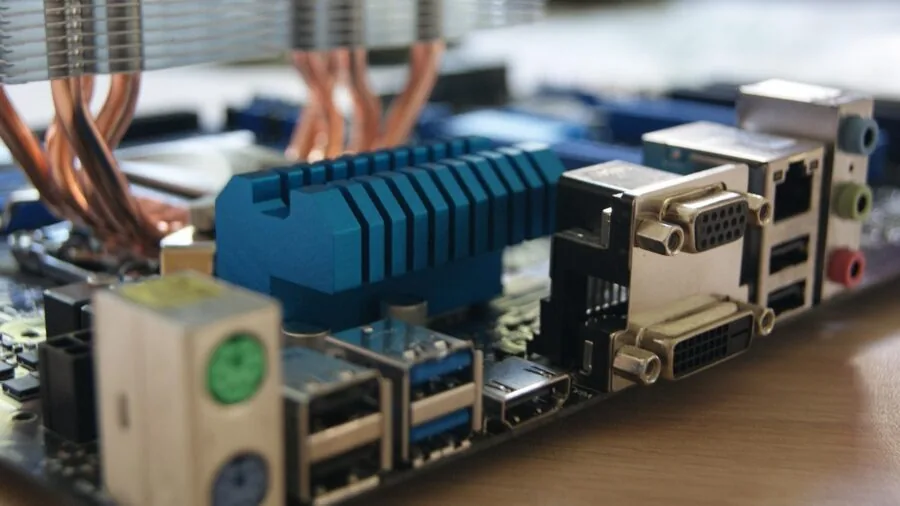
The CPU socket is the single most important compatibility check. AMD’s AM4 socket covers Ryzen 3000, 4000, and 5000 series processors and pairs with chipsets ranging from B450 up through X570.
AMD’s newer AM5 socket is home to Ryzen 7000 and 9000 series chips and brings DDR5 memory and PCIe 5.0 support as standard, but it requires a fresh board purchase even if you are upgrading from a late-generation AM4 CPU.
Intel’s LGA 1200 socket supports 10th and 11th Gen Core processors, while LGA 1700 covers 12th, 13th, and 14th Gen. Understanding which socket your chosen processor uses before you shop is non-negotiable.
Chipset tier matters nearly as much as socket. Entry-level chipsets like B550 and B650 cover the needs of most mainstream builders, offering PCIe 4.0, multiple M.2 slots, and adequate USB connectivity at a sensible price.
Stepping up to X570 or Z790 adds more PCIe lanes, greater overclocking headroom, and additional I/O options, which matters most for enthusiasts running multiple high-speed storage drives, professional capture cards, or several GPU configurations.
If you are not planning to push CPU clocks beyond stock, a B-series board almost always delivers better value for the money.
VRM Quality and Power Delivery

The voltage regulator module (VRM) is responsible for delivering clean, stable power to your CPU. A weak VRM throttles performance under sustained load and shortens component lifespan, especially with higher-TDP processors like AMD’s Ryzen 9 or Intel’s Core i9 chips.
When evaluating VRM quality, look for the number of power phases and the per-phase amperage rating rather than just the phase count alone.
A board advertising 16 power stages with 60A per phase delivers substantially more headroom than one with 10 phases at 40A, even if the marketing language sounds similar.
For mid-range processors running at stock speeds, most B-series boards have perfectly adequate power delivery.
If you intend to overclock or pair the board with a flagship CPU, prioritize boards with robust heatsink coverage over the VRM area and good thermal dissipation.
Expert reviews frequently flag VRM temperature data as a differentiator between similarly priced options, and verified buyer feedback on high-end builds often confirms whether a board sustains performance under extended all-core workloads.
Keeping thermals under control here also helps the longevity of components around it, including your CPU cooler solution.
Memory Support: DDR4 vs. DDR5 and Capacity
DDR4 platforms (AM4, LGA 1200, LGA 1700 with B660/H670/Z690) are mature and benefit from lower kit prices and wide availability at high frequencies.
DDR5, mandated on AM5 and available on newer Intel Z790 and B760 boards, brings higher theoretical bandwidth that benefits memory-intensive workloads and future CPU generations, but kits at equivalent speeds still carry a modest price premium over DDR4.
For most gaming scenarios today, the practical performance gap between high-frequency DDR4 and DDR5 is smaller than platform marketing suggests, though the gap widens in productivity and creative applications that saturate memory bandwidth.
Pay attention to the number of DIMM slots (two vs. four) and the maximum supported capacity, particularly if you plan to run 64 GB or more for video editing or virtual machines. Also check the board’s XMP/EXPO support list.
Some budget boards technically support high-speed kits on paper but struggle to POST reliably at rated speeds without extensive manual tuning.
Our picks in the RAM for gaming roundup pair well with several boards featured here, so cross-referencing compatibility is straightforward.
For a deeper look at which memory kits work reliably on these platforms, the RAM category covers validated options across budgets.
Storage Options: M.2 Slots and SATA Ports
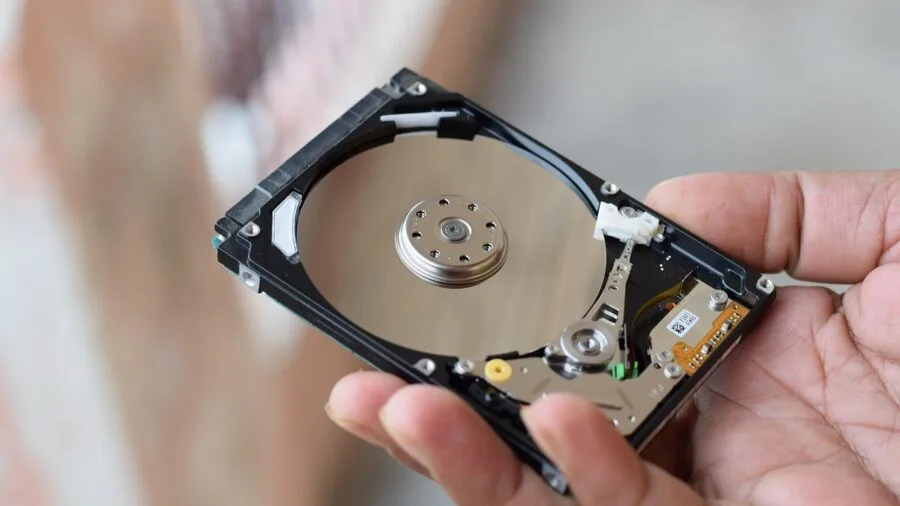
Modern motherboards vary widely in the number and generation of M.2 slots they offer. A board with a single M.2 slot may be limiting if you want a fast OS drive plus a secondary high-speed scratch disk.
Boards targeting content creators or enthusiasts increasingly offer three or four M.2 slots, and premium options include at least one PCIe 5.0-capable slot for next-generation NVMe drives that saturate 10,000 MB/s sequential read speeds.
For most users, PCIe 4.0 M.2 drives hit a practical sweet spot of performance and cost, and boards offering two PCIe 4.0 slots cover the majority of use cases comfortably.
SATA port count matters if you are migrating from an older build with multiple 2.5-inch or 3.5-inch drives. Many current boards ship with four to six SATA ports, which is adequate for most builds.
Note that some M.2 slots share bandwidth with SATA ports, disabling a SATA connector when an M.2 drive is installed. This quirk is documented in the manual but is easy to overlook during planning.
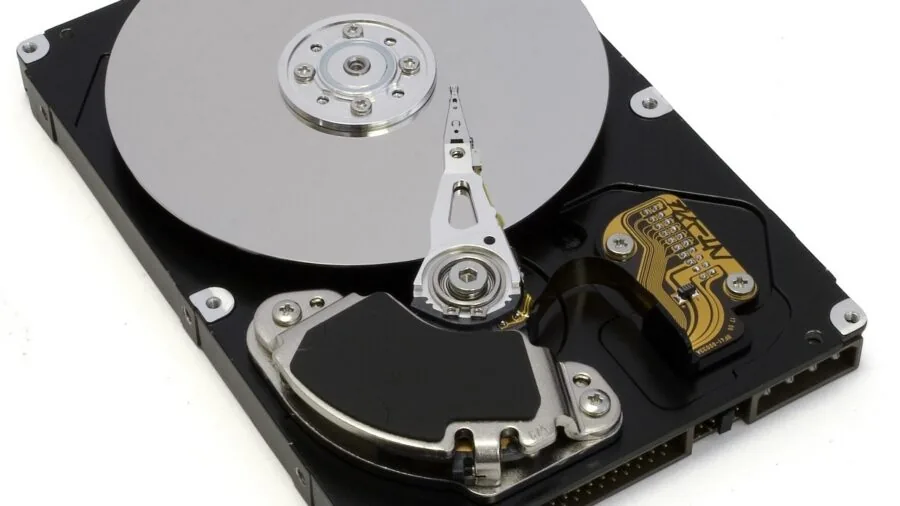
Our solid state drives guide covers which NVMe options are worth pairing with these boards, and our hard drives category is a useful reference if you are adding bulk spinning storage to your setup.
Connectivity: USB, Networking, and Wireless
Rear I/O has become a significant differentiator as USB standards fragment across generations. A board with USB 3.2 Gen 2×2 Type-C (20 Gbps) on the rear panel offers meaningful real-world throughput advantages for fast external SSDs and modern peripherals.
Front-panel header quality matters equally: a front-panel USB-C header (especially one rated at 20 Gbps) is increasingly important as cases standardize on Type-C front connectors.
Boards skimping here force you to reach around to the rear panel for daily connections, which gets old fast.
Networking options have evolved rapidly. Gigabit Ethernet remains common on value boards, but 2.5 Gb LAN is now standard on most mid-range and premium options, offering a meaningful throughput improvement for NAS transfers and high-bandwidth home networks.
Wi-Fi 6E (6 GHz band support) is worth prioritizing if your router supports it, cutting wireless congestion significantly in dense environments.
Wi-Fi 7, appearing on top-tier boards like the ASUS ROG Strix B850-A, adds multi-link operation for lower latency and higher aggregate throughput. Bluetooth 5.3 or higher rounds out wireless connectivity for peripherals.
If networking matters to your setup, these specs are worth scrutinizing beyond just the presence or absence of Wi-Fi.
Form Factor and Case Compatibility

ATX (305 x 244 mm) is the dominant form factor for desktop builds and fits the vast majority of mid-tower and full-tower cases. It offers the most expansion slots, the most M.2 slots, and the highest feature density.
Micro-ATX trims the board down and reduces slot count, which suits compact mid-towers and smaller builds without sacrificing CPU performance.
Mini-ITX pushes further still into truly compact territory, but limits you to a single PCIe slot and typically two DIMM slots, making it a specialist choice for small form factor enthusiasts.
All nine boards in this roundup are ATX, making them broadly compatible with any standard mid-tower or full-tower enclosure.
When finalizing your build, remember that the motherboard sits at the heart of the system and interacts with every other component.
A well-chosen PC case with good airflow supports the motherboard’s thermal performance, and a properly rated power supply ensures stable delivery to the VRM under load.
Pairing a capable graphics card with a board that has sufficient PCIe bandwidth keeps frame rates consistent in demanding games, which matters especially if you are building a dedicated gaming system.
Why You Should Trust Us
REMOVU is an independent review publication with no manufacturer partnerships, sponsored placements, or retail relationships that influence our rankings.
Every motherboard in this roundup is evaluated against a consistent set of criteria covering socket compatibility, VRM quality, memory support, storage options, connectivity, and value.
Each model receives a REMOVU Score on a 0 to 10 scale, calculated by synthesizing published specifications, expert review consensus drawn from qualified technical publications, and verified buyer feedback from confirmed purchasers.
We do not conduct our own product trials; our evaluations are grounded in research, published data, expert review consensus, and verified buyer feedback.
In the interest of full transparency: REMOVU may earn an affiliate commission if you purchase through links on this page. That relationship has no bearing on which products are included, how they are ranked, or what scores they receive.
Our editorial decisions are made independently, and affiliate income does not determine placement. If a product scores poorly against our criteria, it does not appear in our recommendations regardless of commercial considerations.
Our goal is to give you the clearest possible picture of how these boards compare so you can make a confident decision for your specific build.
Final Thoughts
The motherboard market spans a wide range of sockets, chipsets, and feature sets, but a handful of options consistently rise above the noise when evaluated across real-world criteria.
ASUS, MSI, and GIGABYTE each have strong entries here, and the right pick comes down to your platform, your budget, and how much headroom you want for future upgrades. Here are our standout picks by category:
- Best Overall: ASUS ROG Strix B550-F Gaming WiFi II earns the top REMOVU Score in this roundup by combining PCIe 4.0, Wi-Fi 6E, 2.5 Gb LAN, HDMI 2.1, and BIOS Flashback on a mature AM4 platform at a mid-range price that is hard to argue with. It is the most well-rounded board in the group for AMD builders who want premium features without a flagship price.
- Best for AMD AM5 Builders: ASUS ROG Strix B850-A Gaming WiFi delivers Wi-Fi 7, four M.2 slots, PCIe 5.0, USB 20 Gbps Type-C, and robust 14+2+2 power delivery for Ryzen 7000 and 9000 series processors. It is the strongest AM5 option in this group for builders who want a genuinely future-proof foundation.
- Best Mid-Range Value: MSI MAG B850 Tomahawk MAX WiFi brings an 80A SPS VRM, DDR5 support beyond 8000 MT/s, PCIe 5.0 x16, M.2 Gen 5, and Wi-Fi 7 at a competitive price point. It is the most capable board per dollar for AM5 builders who want headroom without spending up to the flagship tier.
- Best Intel Platform Pick: ASUS TUF Gaming Z790-Plus WiFi supports Intel 12th, 13th, and 14th Gen processors with PCIe 5.0, DDR5, four M.2 slots, Thunderbolt 4, and a 16+1 DrMOS power stage configuration. It is the most complete Intel LGA 1700 option in this roundup for builders who want feature depth without jumping to a Z790 flagship.
- Best Budget Entry Point: GIGABYTE B550 Eagle WIFI6 offers a compelling entry into the AM4 ecosystem with PCIe 4.0, Wi-Fi 6, USB-C, and dual M.2 slots at a budget-friendly price. For builders who want a capable foundation for a Ryzen 5000 series build without stretching the budget, it is the most sensible starting point in the group.
Whichever board you choose, pairing it thoughtfully with compatible memory, a well-matched CPU, and a reliable power supply will get the most out of your investment.
Our PC components hub is a good starting point if you are building out the rest of your system and want guidance across every major component category.
Frequently Asked Questions
What is the difference between B-series and Z-series motherboards?
B-series chipsets (B550, B650, B760) target mainstream builders and cover the needs of the vast majority of gaming and productivity builds. They support PCIe 4.0 or 5.0 depending on generation, multiple M.2 slots, and standard overclocking of memory via XMP or EXPO.
Z-series chipsets (Z490, Z590, Z690, Z790) add unlocked CPU overclocking on Intel platforms, more PCIe lanes, additional USB controllers, and greater flexibility for multi-GPU or high-speed peripheral setups.
Unless you are overclocking an Intel CPU beyond stock or running a complex multi-device workstation, a B-series board almost always offers a better value proposition. AMD’s X-series chipsets follow a similar logic on the AM4 and AM5 platforms.
Can I use a DDR4 CPU with a DDR5 motherboard?
No. DDR4 and DDR5 memory modules are physically incompatible and use different DIMM slots. A board designed for DDR5 will not accept DDR4 sticks, and vice versa.
On platforms like Intel LGA 1700, some motherboard manufacturers produced both DDR4 and DDR5 variants of the same board model, so it is important to confirm which memory type a specific board supports before purchasing.
AMD’s AM5 platform is DDR5-only with no DDR4 variant available. AM4 is DDR4-only. Always cross-check the board’s specifications and your memory kit’s compatibility before finalizing your purchase.
How many M.2 slots do I actually need?
For a typical gaming or general-purpose build, two M.2 slots are sufficient: one for your OS and primary applications, and one for a secondary fast storage drive.
Builders running large media libraries, video editing scratch disks, or tiered storage arrays will benefit from three or four M.2 slots, which several boards in this roundup provide.
Keep in mind that some M.2 slots share bandwidth with SATA ports, potentially disabling a SATA connector when occupied. Checking the board’s manual for bandwidth sharing rules before finalizing your storage layout avoids unpleasant surprises during assembly.
Is Wi-Fi built into these motherboards necessary, or can I add it separately?
Onboard Wi-Fi is a genuine convenience, especially in builds where running an Ethernet cable to the motherboard is impractical.
Most boards in this roundup include Wi-Fi 6E or Wi-Fi 7 integrated on the board, which simplifies the build and avoids occupying a PCIe slot with an add-in card.
If your build location has reliable Ethernet access, onboard Wi-Fi becomes a secondary consideration, though having it available adds flexibility.
Wi-Fi 7, available on the top-tier AM5 options here, offers the lowest wireless latency and highest throughput currently available, which matters for online gaming and high-bandwidth file transfers over wireless connections.
If you are also building a home theater PC and want wireless audio flexibility, pairing your board with capable gaming headsets for PC or a well-regarded smart speaker completes the experience without cluttering your desk with extra receivers.
Do I need to update the BIOS before installing a new CPU?
Potentially yes, particularly if you are pairing a board with a recently released processor. Motherboard manufacturers regularly release BIOS updates to add support for newer CPU revisions within the same socket family.
For example, early B550 boards required BIOS updates to fully support Ryzen 5000 series chips.
Features like BIOS Flashback (available on select ASUS boards in this roundup) allow you to update the BIOS without a compatible CPU installed, which is a significant practical advantage.
Always check the manufacturer’s CPU support list and the board’s current BIOS version before assuming compatibility, especially with newer processor releases on established socket platforms.
What should I look for in a motherboard if I also care about gaming performance?
For gaming specifically, the motherboard itself rarely limits frame rates as directly as the CPU and GPU do. That said, a few specs make a meaningful difference.
Strong VRM power delivery ensures your CPU sustains boost clocks under sustained gaming load without throttling. PCIe 4.0 or 5.0 x16 bandwidth future-proofs your build for current and next-generation graphics cards.
High-speed USB on the front panel simplifies connecting peripherals without cable clutter. Low-latency networking via 2.5 Gb LAN or Wi-Fi 6E reduces online gaming jitter in bandwidth-contested environments.
Beyond the board itself, your overall gaming experience is heavily shaped by your display setup and audio.
If you are building a dedicated gaming system, browsing high-performance computing guides and pairing your rig with quality gaming headsets rounds out the experience significantly.
About the author
Isabella writes about smart rings for REMOVU, weighing sensor accuracy, comfort, and subscription costs for sleep and recovery tracking. She helps readers decide whether a ring beats a wrist wearable.