The 12 Best Motherboards for Overclocking
Overclocking potential starts with the motherboard. These picks from ASUS, GIGABYTE, and MSI cover AMD and Intel platforms with the VRM muscle and BIOS depth to push your CPU further.
 By Carmen Kuhn
Updated July 26, 2026
By Carmen Kuhn
Updated July 26, 2026
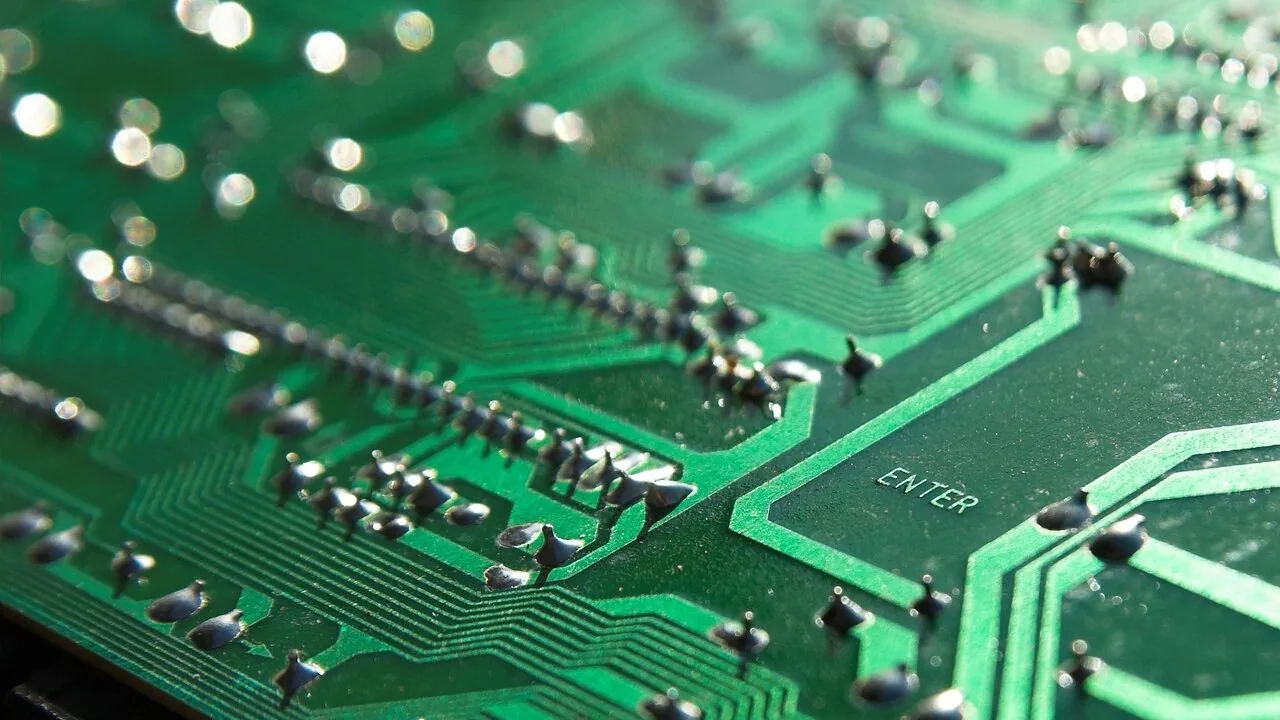
Overclocking is one of the most effective ways to squeeze extra performance out of your CPU without spending more on a processor upgrade. But the motherboard you choose can make or break that effort.
A board with a robust power delivery system, advanced BIOS controls, and sufficient thermal headroom separates a stable 5 GHz all-core overclock from a frustrating system that throttles under load.
Whether you are pairing a Ryzen or Intel chip with a high-end cooler or pushing DDR5 memory to its limits, the right board matters as much as the chip itself.
This guide covers the best motherboards for overclocking across a range of budgets and platforms, from affordable AM5 and LGA 1700 options to flagship-tier boards built for serious tuning.
REMOVU’s recommendations are grounded in a rigorous research process: we analyze published specifications, weigh expert review consensus from the enthusiast community, and factor in verified buyer feedback to surface the picks that genuinely deliver.
Our top-ranked options span boards from ASUS, GIGABYTE, and MSI, covering both AMD and Intel ecosystems. Read on for our ranked picks, followed by a practical buying guide to help you choose the right board for your overclocking goals.
| Award | Product | REMOVU Score About REMOVU ScoreThe REMOVU Score is our own rating from 0 to 10, based on performance, design and build, ease of use, and value. It reflects independent research and is never influenced by manufacturers, retailers, or affiliate commissions. Learn more › | Price | |
|---|---|---|---|---|
| Best Overall |
 Asus ROG Strix B550-F WiFi II AM4 Motherboard
|
8.6/10 | Buy | |
| Best Premium |
 ASUS ROG Strix X870-A Gaming WiFi AM5
|
8.3/10 | Buy | |
| Best Value |
 MSI MAG B850 Tomahawk Max WiFi AM5 Motherboard
|
8.2/10 | Buy | |
 ASUS TUF Gaming B850-PLUS WiFi AM5 Motherboard
|
8.1/10 | Buy | ||
 ASUS TUF Gaming Z790-Plus WiFi ATX Motherboard
|
7.6/10 | Buy | ||
 MSI MPG X570 Gaming Plus AM4 Motherboard
|
7.2/10 | Buy | ||
 Gigabyte X570 AORUS Elite Wi-Fi
|
7.1/10 | Buy | ||
 GIGABYTE Z790 AORUS Elite AX LGA 1700 Motherboard
|
6.5/10 | Buy | ||
 MSI PRO B760-P WiFi DDR4 ATX Motherboard
|
7.1/10 | Buy | ||
 GIGABYTE B650 AORUS Elite AX AM5 Motherboard
|
6.3/10 | Buy | ||
| Best Budget |
 GIGABYTE B650 Eagle AX AM5 Motherboard
|
8.2/10 | Buy | |
 Gigabyte B550M K Micro-ATX AM4 Motherboard
|
6.2/10 | Buy |
Asus ROG Strix B550-F WiFi II AM4 Motherboard
A feature-rich B550 platform built for AMD Ryzen 3000 and 5000 series processors, combining PCIe 4.0 storage, WiFi 6E, and 2.5Gb Ethernet for gaming and content creation workloads. The robust power delivery, comprehensive cooling options, and premium audio processing make it a solid choice for enthusiasts seeking balanced performance and connectivity without premium-tier pricing.
Pros
- Dual M.2 slots with PCIe 4.0 support on one slot for fast NVMe storage
- WiFi 6E and 2.5Gb Ethernet provide strong wireless and wired connectivity options
- 12+2 power stages with quality components support stable overclocking and multitasking
- AI noise-canceling microphone and SupremeFX audio codec deliver competitive streaming and gaming audio quality
- BIOS FlashBack, pre-mounted I/O shield, and Q-LEDs simplify building and troubleshooting
- Aura Sync RGB ecosystem with dedicated headers allows extensive lighting customization
Cons
- B550 chipset lacks PCIe 5.0 support found on newer X670 platforms, limiting future-proofing
- Only one M.2 slot supports PCIe 4.0, the second remains on PCIe 3.0
- Premium positioning relative to other B550 boards means you're paying for aesthetics and software integration that budget alternatives don't include
ASUS ROG Strix X870-A Gaming WiFi AM5
A premium AM5 motherboard built for high-end Ryzen builds and AI workloads. The X870-A combines robust power delivery, next-gen connectivity standards like WiFi 7 and USB4, and ASUS's AI-assisted overclocking tools. Best suited for enthusiasts and content creators willing to invest in a flagship platform.
Pros
- Strong 16+2+2 power stages rated for 90A, solid for multi-core Ryzen 9000 processors and overclocking
- Modern I/O: WiFi 7, USB4, PCIe 5.0, and 4x M.2 slots for fast storage expansion
- ASUS AI features (AI OCing, AI Cooling II, AI Networking) simplify tuning for less experienced builders
- Clean white PCB design with quality capacitors and ProCool II connectors
- High user satisfaction: 4.5-star rating from 696 reviews indicates reliable performance
Cons
- Premium pricing reflects feature set, not ideal for budget-conscious builders
- AI overclocking tools may be overkill for users who prefer manual tuning or standard operation
- X870 platform is new, so long-term stability data and driver maturity are still being established
MSI MAG B850 Tomahawk Max WiFi AM5 Motherboard
A solid mid-to-premium B850 platform for Ryzen 9000/8000/7000 builders seeking PCIe 5.0 and DDR5 support without the X870 premium. The 14-phase VRM and comprehensive cooling stack handle modern high-end CPUs well, while Wi-Fi 7 and 5G LAN round out connectivity for gamers and content creators.
Pros
- Robust 14 Duet Rail (80A) VRM with dual 8-pin CPU connectors handles Ryzen 9000 flagship processors reliably
- PCIe 5.0 x16 slot and dual M.2 Gen5 connectors future-proof for next-gen GPUs and NVMe drives
- Comprehensive thermal design with FROZR Guard heatsinks, MOSFET pads, and M.2 Shield Frozr II prevents throttling
- Wi-Fi 7 with Bluetooth 5.4 and 5G LAN provide modern connectivity without compromise
- Strong 4.5-star rating across 402 verified reviews signals consistent user satisfaction
Cons
- B850 chipset lacks some premium features found on X870/E models, limiting appeal for extreme enthusiasts
- Four M.2 slots include only two Gen5 connectors; third and fourth slots drop to Gen4, reducing future flexibility for multi-drive setups
- ATX form factor and feature density may be overkill for budget-focused builds or compact cases
ASUS TUF Gaming B850-PLUS WiFi AM5 Motherboard
A solid mid-range AM5 platform built for Ryzen 9000, 8000, and 7000 series processors with robust power delivery and modern connectivity. The B850-PLUS WiFi combines 14+2+1 power stages, Wi-Fi 7, and PCIe 5.0 support in an ATX form factor, making it a capable choice for gamers and content creators who want future-ready features without premium pricing.
Pros
- Strong power delivery with 14+2+1 80A DrMOS stages and 8-layer PCB ensures stable performance for high-end Ryzen chips
- Wi-Fi 7 and 2.5Gb Ethernet provide modern connectivity options
- PCIe 5.0 x16 slot plus three M.2 slots (one PCIe 5.0, two PCIe 4.0) with heatsinks support fast NVMe storage expansion
- Comprehensive USB connectivity including 20Gbps and 10Gbps Type-C ports, plus Thunderbolt header support
- 4.5-star rating from 407 verified reviews indicates reliable real-world performance
Cons
- B850 chipset is mid-range, lacking some premium features found in X870-E boards like additional M.2 slots or enhanced power delivery
- Limited details on cooling performance and VRM thermal management under sustained heavy loads
- ATX form factor takes up more case space compared to micro-ATX alternatives
ASUS TUF Gaming Z790-Plus WiFi ATX Motherboard
A solid mid-to-premium Z790 platform built for stability and gaming performance. The TUF Gaming Z790-Plus WiFi combines military-grade components, PCIe 5.0 support, and comprehensive cooling to handle 12th through 14th gen Intel processors without breaking stride. Best suited for gamers and content creators who prioritize durability and thermal management over cutting-edge features.
Pros
- Robust 16+1 DrMOS power delivery with six-layer PCB ensures stable performance under load
- Comprehensive cooling system with enlarged VRM and M.2 heatsinks keeps temperatures in check
- Next-gen connectivity: PCIe 5.0, WiFi 6E, Thunderbolt 4 header, and 2.5Gb LAN for future-proofing
- Four M.2 slots with NVMe RAID support and DDR5 compatibility unlock high-speed storage configurations
- Military-grade TUF components and proven design deliver long-term reliability
Cons
- No PCIe 5.0 M.2 slots; only four PCIe 4.0 M.2 sockets limit next-gen NVMe adoption
- WiFi 6E and Thunderbolt 4 are header-based, requiring compatible add-on cards rather than onboard connectors
- Premium positioning may feel overkill for budget builds or users with modest upgrade timelines
MSI MPG X570 Gaming Plus AM4 Motherboard
A straightforward gaming platform for AM4 Ryzen builders who prioritize thermal stability and fast storage. The Frozr heatsink design keeps the X570 chipset cool under load, while M.2 Shield Frozr prevents SSD throttling. Audio Boost 4 and gaming-focused software round out the feature set for competitive play.
Pros
- Active cooling design with extended heatsink and M.2 Shield Frozr prevents thermal throttling on high-speed storage
- PCIe 4.0 support with up to 64GB/s bandwidth for future-ready GPU and NVMe expansion
- Audio Boost 4 with Nahimic delivers dedicated audio processing isolated from motherboard circuitry
- Core Boost power delivery system provides stable, efficient CPU power for overclocking
- Highly rated by verified buyers (4.6 stars from 3,116 reviews)
Cons
- Limited to 2 PCIe x16 slots compared to higher-end X570 models, restricting multi-GPU or expansion card setups
- Only 2 M.2 connectors, less flexibility for high-speed storage expansion than premium variants
- No Wi-Fi or dual LAN options, requiring separate adapters for wireless or multi-network connectivity
Gigabyte X570 AORUS Elite Wi-Fi
A feature-rich X570 motherboard designed for AMD Ryzen 3000-series builds, combining PCIe 4.0 support with integrated Wi-Fi and robust power delivery. The board delivers solid performance and connectivity for gaming and content creation workloads, earning consistent praise from verified buyers for its stability and component quality.
Pros
- PCIe 4.0 support with dual M.2 slots and thermal guards for fast NVMe storage
- 12+2 phase VRM with advanced heatsink design handles Ryzen 3000-series processors reliably
- Built-in Intel Wi-Fi 5 (802.11ac) and Bluetooth 4.2 eliminate need for separate cards
- Q-Flash Plus BIOS update without CPU/RAM installed simplifies initial setup
- RGB Fusion 2.0 with multi-zone LED control and integrated I/O shield for clean aesthetics
Cons
- X570 chipset requires active cooling, generating more noise than B550 alternatives under load
- No Wi-Fi 6 support, limiting future-proofing for newer wireless standards
- Limited to DDR4 memory, missing DDR5 compatibility of newer platforms
GIGABYTE Z790 AORUS Elite AX LGA 1700 Motherboard
A mid-range Z790 platform designed for 12th and 13th gen Intel builds seeking solid core features without premium pricing. This board packs DDR5 support, PCIe 5.0, and robust power delivery (16+1+2 phases), making it reliable for gaming and productivity workloads. Best suited for builders balancing performance and value in the current generation.
Pros
- Strong power design with 16+1+2 phase VRM and 70A power stages, supporting stable overclocking
- Comprehensive connectivity including 4x PCIe 4.0 M.2 slots, USB-C 3.2 Gen 2x2, WiFi 6E, and 2.5GbE LAN
- DDR5 memory support with XMP 3.0 for out-of-box performance optimization
- PCIe 5.0 ready for future graphics and storage upgrades
- Solid user satisfaction with 4.4-star rating across 1,306 verified reviews
Cons
- Limited to 12th and 13th gen Intel support, no 14th gen confirmation in actual specifications despite title mention
- Mid-tier feature set compared to higher-end Z790 models, with fewer M.2 slots and less premium audio/networking
- Requires discrete graphics for operation, limiting flexibility for office or light-use builds
MSI PRO B760-P WiFi DDR4 ATX Motherboard
A business-focused ATX motherboard built for Intel's 12th-14th gen processors with solid thermal management and modern connectivity. The extended heatsink design, M.2 Shield Frozr, and reinforced PCIe slots cater to users running sustained workloads, while Wi-Fi 6E and 2.5G LAN provide reliable networking for productivity-heavy setups.
Pros
- Robust power delivery with 12+1 Duet Rail system and dual CPU power connectors for stable heavy-load performance
- Comprehensive thermal solution including extended VRM heatsink, MOSFET thermal pads, and M.2 Shield Frozr to prevent throttling
- Modern connectivity: Wi-Fi 6E, Bluetooth 5.3, 2.5Gbps LAN, and USB 3.2 Gen 2 Type-C for fast data transfers
- DDR4 support up to 5333MHz OC with Memory Boost for optimized overclocking stability
- PCIe 4.0 slots with Steel Armor reinforcement for better signal integrity and heavier GPU support
Cons
- DDR4-only memory support limits future upgrade path compared to DDR5 alternatives on newer platforms
- B760 chipset is mid-range, so lacks some premium features found on Z790 boards for enthusiasts
- Only 2 Gen4 M.2 slots, with just one featuring active cooling, which may constrain multi-SSD storage configurations
GIGABYTE B650 AORUS Elite AX AM5 Motherboard
A solid mid-range AM5 platform built for Ryzen 7000/8000/9000 processors with DDR5 support and modern connectivity. The 14+2+1 power delivery and PCIe 5.0 M.2 slot deliver stable performance for gaming and productivity workloads, while WiFi 6E and 2.5GbE networking cover current connectivity needs.
Pros
- Robust 14+2+1 phase power delivery with 70A stages handles high-end Ryzen CPUs reliably
- PCIe 5.0 NVMe support future-proofs storage without premium pricing
- Comprehensive thermal design with heatpipes, MOSFET heatsinks, and M.2 guards maintains stable operation under load
- WiFi 6E and 2.5GbE networking cover gaming and content creation demands
- Four DDR5 DIMM slots with EXPO and XMP support for flexible memory configuration
Cons
- Limited PCIe 5.0 adoption means the full bandwidth advantage requires compatible NVMe drives at higher price points
- ATX form factor takes up more case space than micro-ATX alternatives for similar feature set
- Modest 4.4-star rating with 1,551 reviews suggests occasional BIOS stability reports worth monitoring
GIGABYTE B650 Eagle AX AM5 Motherboard
A solid mid-range AM5 platform built for Ryzen 7000/8000/9000 processors with DDR5 support and modern connectivity. The B650 Eagle AX balances performance features like PCIe 5.0 storage and WiFi 6E with practical thermal management, making it a reliable choice for builders seeking stable overclocking and smooth daily operation without premium pricing.
Pros
- PCIe 5.0 M.2 slot for future-ready NVMe storage alongside two PCIe 4.0 slots
- 12+2+2 phase digital VRM with dedicated thermal guards for stable power delivery and SSD performance
- WiFi 6E and Gigabit LAN for comprehensive networking options
- DDR5 compatibility with AMD EXPO and Intel XMP support for flexible memory tuning
- 4.6-star rating across 965 reviews indicates consistent user satisfaction
Cons
- ATX form factor takes up full case space, limiting options for compact builds
- B650 chipset sits between entry-level B550 and high-end X870E, offering less cutting-edge features than flagship models
- No information on BIOS update frequency or long-term driver support consistency
Gigabyte B550M K Micro-ATX AM4 Motherboard
A budget-friendly micro-ATX board built for Ryzen 5000, 4000, and 3000 series CPUs. The 3+3 VRM design and PCIe 4.0 support offer solid value for mid-range builds, though it skips some premium features found on higher-end models. Best suited for builders prioritizing core stability over extensive connectivity.
Pros
- PCIe 4.0 support on both x16 slot and one M.2 slot for future-proofing
- Dual M.2 slots (one PCIe 4.0, one PCIe 3.0) for flexible storage expansion
- Solid 3+3 digital VRM with quality chokes and capacitors for stable power delivery
- DDR4 support with 4 DIMM slots and XMP compatibility for memory tuning
- Chipset thermal armor aids passive cooling in compact cases
Cons
- Micro-ATX form factor limits expansion compared to full-size ATX boards
- 3+3 VRM is modest for heavy overclocking or high-end Ryzen chips
- Limited USB 3.2 Gen 1 ports (4 total) may feel sparse for connectivity-heavy setups
Motherboards for Overclocking Buying Guide
Choosing the right overclocking motherboard means looking past marketing language and evaluating the engineering that actually limits your ceiling.
Below are the key factors our research consistently shows matter most, whether you are building around an AMD Ryzen or an Intel Core processor.
For a broader look at what separates great boards from average ones across all use cases, our guide to motherboards for every build and budget is a helpful starting point.
VRM Quality and Power Delivery
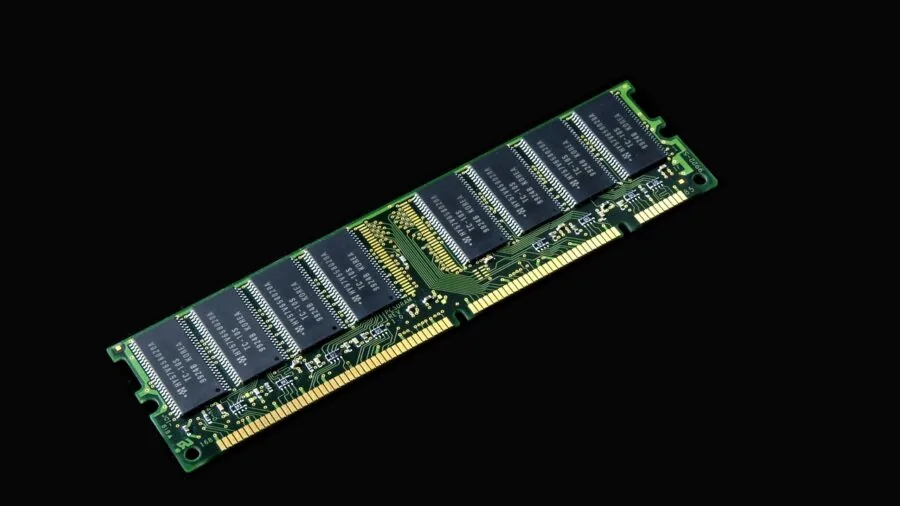
The voltage regulator module (VRM) is the single most important overclocking-specific feature on any motherboard.
A VRM converts the power from your PSU into the precise voltage your CPU needs, and when you push clock speeds beyond stock settings, the processor demands significantly more power delivery stability.
Boards with more power phases, higher-rated DrMOS components, and good thermal management around the VRM area will sustain those higher voltages without degrading or throttling.
Look for boards that clearly specify the number of power stages and their amperage rating. A 16+1 or 14+2 configuration with 80A DrMOS stages is a meaningful indicator of sustained headroom for heavy CPU overclocking.
Budget boards often list phase counts but use doublers rather than true phases, which reduces real-world capacity. Cross-referencing spec sheets with expert teardown analysis is the only reliable way to verify what you are actually getting.
Thermal design around the VRM matters too. Heatsinks that make direct contact with MOSFET components, combined with decent airflow from your PC case, keep temperatures in check during sustained all-core workloads.
Boards with poor VRM cooling can hit thermal throttle points even when the processor itself still has headroom left.
Chipset and Platform Support

Not every chipset allows overclocking. On the Intel side, only Z-series chipsets (Z690, Z790, Z890) unlock CPU multiplier control, meaning boards based on B760 or H610 are limited to memory overclocking at best.
On the AMD side, overclocking is permitted across a broader range of chipsets including X570, B550, X670E, and B650, though higher-tier chipsets typically offer more PCIe lanes and better connectivity options alongside the tuning features.
Platform generation also matters for memory overclocking. AM5 boards supporting DDR5 have native EXPO profiles that can push memory well beyond standard speeds, while AM4 boards with DDR4 still benefit from XMP support.
For Intel builders, our roundup of motherboards for Intel builds covers chipset-specific trade-offs in more detail, and AMD-focused builders will find our AMD Ryzen motherboard picks equally useful for understanding platform differences.
BIOS and Overclocking Software
A motherboard’s BIOS is your primary interface for overclocking, and the quality of that interface varies enormously between manufacturers.
The best BIOS implementations give you granular control over CPU multipliers, core voltage, memory timings, and power limits, all presented in a logical layout with reliable stability profiles.
Features like ASUS’s AI Overclocking, MSI’s Game Boost, or GIGABYTE’s Auto-Tuning can serve as starting points, but experienced overclockers will always prefer manual fine-tuning access.
BIOS update frequency is another underrated factor. Boards that receive regular firmware updates tend to improve stability profiles, memory compatibility, and performance tuning options over time.
Features like BIOS Flashback, which lets you update firmware without a CPU installed, are particularly useful if you plan to run a newer processor that requires a BIOS update before it is compatible with the board.
Companion software for in-Windows tuning is a secondary consideration. Tools like ASUS’s Armoury Crate or GIGABYTE’s EasyTune offer convenience, but the best overclockers still rely on BIOS-level settings for anything serious.
What you want is software that does not conflict with your manual BIOS settings rather than one that overrides them.
Memory Support and Topology
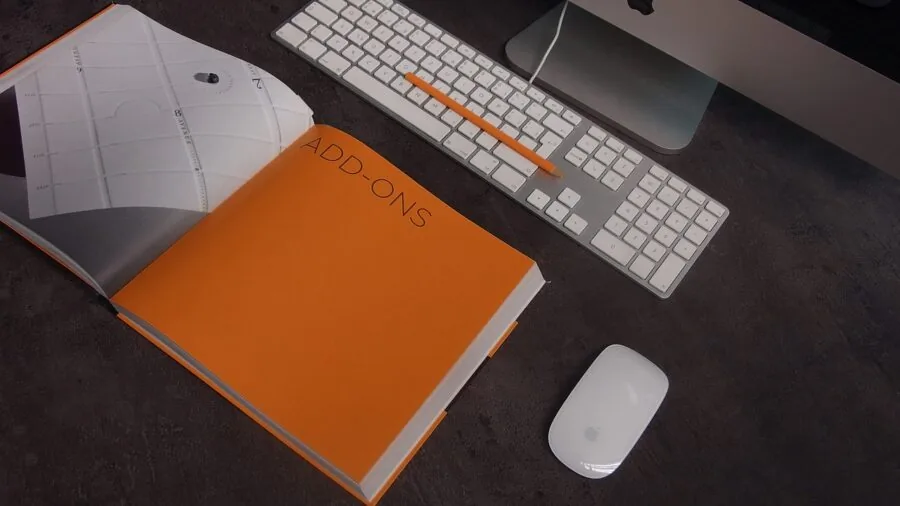
Memory overclocking on modern platforms can deliver measurable gains in CPU-sensitive workloads, and the motherboard’s memory trace routing plays a significant role in how far you can push it.
Daisy-chain topology, used by most consumer boards with two DIMM slots occupied, generally allows higher raw frequencies. T-topology, which routes traces to all four slots evenly, is better for stability when all slots are populated.
For DDR5 platforms, look for boards that explicitly support EXPO or XMP 3.0 profiles and list a high validated memory speed ceiling. Some AM5 boards are rated for DDR5 memory at speeds well above the JEDEC standard with the right kit.
Matching your RAM to a board’s validated QVL (Qualified Vendor List) significantly reduces the trial-and-error involved in reaching higher memory clocks.
Connectivity and Expansion for an Overclock-Ready Build
Overclocking-focused builds tend to be high-performance systems overall, which means you will likely want strong connectivity alongside the tuning headroom.
PCIe 5.0 support for the primary x16 slot ensures your graphics card is not bandwidth-constrained on modern platforms, and multiple M.2 slots with PCIe 4.0 or 5.0 support keep storage from being a bottleneck alongside your overclocked CPU.
USB connectivity matters too, especially for high-speed peripherals and external drives. Look for at least one front-panel USB 3.2 Gen 2 Type-C header, rear USB4 or Thunderbolt 4 on premium options, and enough USB-A ports for your peripherals without requiring a hub.
Networking should include at minimum 2.5GbE; Wi-Fi 6E or Wi-Fi 7 on wireless-equipped boards adds versatility for builds where a wired connection is not practical.
For builds where thermal management of your processor is central, pairing your board with one of the better CPU coolers is equally important to realizing the full benefit of your overclocking headroom.
Form Factor and Build Planning

ATX remains the dominant form factor for overclocking boards because it provides the physical space for larger VRM heatsinks, more expansion slots, and better component layout.
Micro-ATX boards can still overclock, but they tend to make compromises on power delivery and cooling that show up under sustained workloads. If your case supports ATX, it is generally the better choice for a dedicated overclocking build.
If budget is a constraint and you are not chasing extreme overclocks, mid-range boards on capable chipsets like B550 or B650 can still push a processor meaningfully beyond stock.
Our guide to motherboards under $200 highlights which mid-range options punch above their price for builders who want performance without a flagship-tier investment.
Planning your power supply capacity alongside your overclock target is also essential since higher voltages and clock speeds translate directly to higher system power draw.
Why You Should Trust Us
REMOVU is an independent review publication. We do not have commercial relationships with the brands we cover, and our rankings are never influenced by advertising or sponsored placement.
Every product in this guide was evaluated using a consistent, research-driven process: we assess published specifications, weigh expert review consensus from the enthusiast community, analyze verified buyer feedback from confirmed purchasers, and reference publicly available benchmark data and technical teardowns.
Each product receives a REMOVU Score on a 0 to 10 scale reflecting its overall merit relative to the category, based on that multi-source evaluation.
We do not conduct our own product trials; our evaluations are grounded in research, published data, expert review consensus, and verified buyer feedback.
This approach allows us to cover a broader range of products with consistent scoring criteria rather than limiting our recommendations to a small set of review samples. Our PC components coverage follows the same methodology across every category.
REMOVU may earn a commission if you purchase through links in this article. That affiliate relationship has no bearing on which products we recommend, how we score them, or where they rank. Our editorial process is independent of commercial outcomes.
Final Thoughts
After researching the full field of overclocking-oriented motherboards available in 2026, a few standout picks consistently rose to the top across platforms and price points. Here are our key recommendations with the REMOVU Score context that supports each one:
- Best Overall: ASUS ROG Strix B550-F Gaming WiFi II earns the top REMOVU Score in this roundup with a compelling combination of robust power delivery, PCIe 4.0 support, Wi-Fi 6E, and one of the most refined BIOS experiences available on an AM4 platform. It is an exceptional choice for Ryzen overclockers who want proven stability without committing to a flagship-tier price.
- Best for AMD AM5 Overclocking: ASUS ROG Strix X870-A Gaming WiFi stands out on the AM5 platform with its Dynamic OC Switcher, AI-assisted overclocking tools, Wi-Fi 7, and four M.2 slots. The 16+2+2 power stage configuration gives it genuine headroom for pushing Ryzen 9000 and 7000 series processors hard.
- Best for Intel Overclocking: ASUS TUF Gaming Z790-Plus WiFi delivers a well-rounded Z790 experience with a 16+1 DrMOS power stage design, PCIe 5.0, four M.2 slots, and Thunderbolt 4 support. It hits a strong balance between overclocking capability and long-term platform investment for Intel 12th, 13th, and 14th Gen builds.
- Best High-Value AM5 Pick: MSI MAG B850 Tomahawk MAX WiFi punches well above its price bracket with an 80A SPS VRM, PCIe 5.0 x16, M.2 Gen5, Wi-Fi 7, and 5G LAN. For builders who want serious AM5 headroom at a mid-range investment, it is the most complete package in this roundup at its price tier.
- Best Budget Overclocking Board: ASUS TUF Gaming B850-PLUS WiFi offers an accessible entry point into the AM5 overclocking ecosystem with 14+2+1 80A power stages, PCIe 5.0, Wi-Fi 7, and BIOS Flashback. For builders managing their budget carefully, it provides the foundation for meaningful memory and CPU tuning without requiring flagship spending.
Regardless of which board you choose, pairing it with a quality SSD and a properly rated power supply will ensure your system performs consistently at higher clock speeds. A well-matched build always outperforms an expensive motherboard paired with weak supporting components.
Frequently Asked Questions
Do I need a special motherboard to overclock my CPU?
For Intel processors, yes. Only Z-series chipset boards (such as Z790 or Z690) allow CPU multiplier overclocking.
For AMD Ryzen on AM4 or AM5, overclocking is permitted on a wider range of chipsets including B550, X570, B650, and X670E, though higher-tier chipsets offer additional features and connectivity alongside the overclocking access.
What is the most important motherboard feature for overclocking?
VRM quality is the most critical factor. A board with a robust power delivery design, including a high number of true power phases and well-cooled MOSFET components, can sustain elevated voltages and clock speeds without throttling.
A strong BIOS with granular tuning controls is the second most important consideration, since it determines how much manual control you have over your overclock.
Can I overclock RAM on any motherboard?
Memory overclocking via XMP (Intel) or EXPO (AMD) profiles is supported on a broad range of motherboards, including many mid-range options.
However, reaching very high memory frequencies depends on both the board’s memory trace layout and the specific RAM kit you use. Checking the board’s QVL for your memory kit before purchasing reduces compatibility issues significantly.
Is overclocking safe for my components?
Moderate overclocking within manufacturer-supported voltage limits carries low risk when paired with adequate cooling. The key risks come from excessive voltage, poor cooling, or unstable power delivery over long periods.
A quality CPU cooler, a well-ventilated case, and a board with reliable VRM hardware significantly reduce the thermal and electrical stress associated with sustained overclocking. Running a proper stability validation after each tuning session is always advisable.
Should I choose an AMD or Intel platform for overclocking in 2026?
Both platforms offer strong overclocking options, but the choice depends on your processor. AMD’s AM5 platform with Ryzen 7000 and 9000 series offers broad overclocking access across B- and X-series chipsets, plus EXPO support for aggressive DDR5 memory tuning.
Intel’s Z790 platform provides deep voltage and multiplier control for 12th through 14th Gen Core processors, with a mature ecosystem of BIOS tools. Either platform can produce excellent overclocking results when paired with the right board and cooling.
For more detail on platform-specific picks, our AMD Ryzen motherboard guide and Intel motherboard guide break down the options in depth.
Does a better motherboard always mean better overclocking results?
Not automatically, but the ceiling a board allows is real. A flagship board with premium VRM hardware will sustain higher voltages and thermal loads more reliably than a budget option running the same chip.
For moderate overclocks within typical enthusiast ranges, a mid-range board on the right chipset is often sufficient. The returns from spending more on a motherboard diminish quickly once you have adequate power delivery and BIOS control for your overclock target.
Investing in a better CPU cooler often unlocks more headroom than stepping up to a more expensive board alone.
About the author
Carmen writes about cable modems for REMOVU, matching DOCSIS support and speed tiers to real internet plans so readers can drop monthly rental fees. She flags which models are worth buying and which quietly bottleneck a connection.