The 12 Best Monitors Under $200
Sharp panels, high refresh rates, and real ergonomics are no longer luxuries. These monitors from Dell, Samsung, Acer, and Philips deliver the most value under $200, ranked by REMOVU's research-backed scoring.
 By Carmen Kuhn
Updated July 26, 2026
By Carmen Kuhn
Updated July 26, 2026

Finding a solid monitor without spending a fortune has never been more realistic.
The sub-$200 segment has matured dramatically, with IPS panels, 100Hz-plus refresh rates, and ergonomic adjustability now accessible at price points that would have seemed impossible just a few years ago.
Whether you’re building a home office setup, upgrading an aging display, or adding a second screen to a prebuilt gaming PC, the options from brands like Dell, Samsung, Acer, and Philips have genuinely raised the bar for budget-conscious buyers.
REMOVU analyzed specifications, expert review consensus, and verified buyer feedback across dozens of candidates to surface the monitors that deliver the most value in this competitive price range. Here are our top picks.
This guide covers the full spectrum of use cases within the budget monitor space: everyday productivity, casual gaming, creative work, and general home use.
We weighed panel quality, refresh rate, connectivity, ergonomics, and long-term reliability to give you a focused shortlist you can trust.
Scroll down to see our ranked recommendations, then use the buying guide below to match the right display to your specific needs.
| Award | Product | REMOVU Score About REMOVU ScoreThe REMOVU Score is our own rating from 0 to 10, based on performance, design and build, ease of use, and value. It reflects independent research and is never influenced by manufacturers, retailers, or affiliate commissions. Learn more › | Price | |
|---|---|---|---|---|
| Best Premium |
 Dell S2425HSM 24-inch 144Hz FHD Monitor
|
7.4/10 | Buy | |
| Best Budget |
 Sceptre E225W-FW144 22-Inch 144Hz Gaming Monitor
|
7.4/10 | Buy | |
 Acer KB272 27-Inch 120Hz IPS Monitor
|
7.1/10 | Buy | ||
 Dell SE2426H 24-inch 144Hz IPS Monitor
|
6.7/10 | Buy | ||
 Acer KB242Y 23.8-inch 120Hz IPS Monitor
|
6.2/10 | Buy | ||
| Best Overall |
 Philips 22E2N1100 22-Inch Full HD IPS Monitor
|
7.8/10 | Buy | |
 Samsung 27" S36GD Curved Monitor 100Hz
|
6.4/10 | Buy | ||
| Best Value |
 Samsung LS24D304G 24" IPS Monitor with 100Hz
|
7.5/10 | Buy | |
 Philips 241V8LB 24-inch FHD VA Monitor 100Hz
|
6.2/10 | Buy | ||
 AmazonBasics 24-inch Full HD IPS Monitor, 75 Hz
|
7.2/10 | Buy | ||
 Acer KB220Q 21.5" Full HD Monitor with 100Hz Adaptive-Sync
|
6.9/10 | Buy | ||
 Philips 221V8LB 22-inch FHD VA Monitor
|
6.2/10 | Buy |
Dell S2425HSM 24-inch 144Hz FHD Monitor
This 24-inch Dell monitor pairs gaming-focused specs with everyday usability, delivering 144Hz refresh rates and 1ms response times for smooth motion alongside built-in dual speakers and ergonomic adjustability. The TÜV 4-star eye comfort certification and blue light reduction appeal to extended-use scenarios, while AMD FreeSync support rounds out the entertainment package without premium pricing.
Pros
- 144Hz refresh rate with 1ms MPRT response time provides tear-free performance for gaming and fast-motion content
- Integrated dual 3W speakers with five preset sound profiles eliminate need for external audio in casual viewing
- Comprehensive ergonomic adjustments (height, tilt, pivot, swivel) accommodate various desk setups and postures
- TÜV 4-star certified with blue light reduction maintains visual comfort during extended use
- ENERGY STAR certified with 100% recyclable packaging demonstrates sustainability commitment
Cons
- 1920x1080 FHD resolution may feel limiting for detailed creative work or larger screen sizes compared to 1440p alternatives
- Dual HDMI connectivity only, lacks DisplayPort which some users prefer for gaming or professional workflows
- Built-in speakers, while convenient, are unlikely to match standalone audio quality for serious music or movie enthusiasts
Sceptre E225W-FW144 22-Inch 144Hz Gaming Monitor
A compact 22-inch gaming monitor delivering 1080p visuals at up to 144Hz refresh rates, paired with integrated speakers and blue light reduction technology. The minimal bezel design makes it suitable for dual-monitor setups, while built-in audio eliminates the need for external speakers on smaller desks. Best suited for budget-conscious gamers and office workers prioritizing refresh rate and eye comfort.
Pros
- 144Hz refresh rate for smooth gaming performance at 1080p resolution
- Built-in speakers reduce desk clutter and provide baseline audio without external equipment
- Blue-Light Shift technology helps reduce eye strain during extended viewing sessions
- Minimal bezel design enables seamless multi-monitor configurations
- Solid 4.5-star rating from nearly 1,000 verified reviews indicates reliable user satisfaction
Cons
- 22-inch screen is relatively small for competitive gaming or detailed work, limiting immersion and workspace visibility
- 1080p resolution on a gaming monitor at this size may feel dated compared to 1440p alternatives in the same price range
- No specifications provided regarding brightness, contrast ratio, or response time, making it difficult to assess color accuracy and gaming responsiveness
Acer KB272 27-Inch 120Hz IPS Monitor
This 27-inch Acer monitor delivers solid performance for everyday computing and casual gaming with its 1920x1080 IPS display, 120Hz refresh rate, and FreeSync support. The 1ms response time and Adaptive-Sync eliminate tearing during video playback and gaming, while the 99% sRGB coverage ensures accurate color reproduction across viewing angles.
Pros
- 1ms response time and up to 120Hz refresh rate for smooth motion without ghosting or smearing
- Adaptive-Sync (FreeSync) support matches monitor refresh rate with graphics card for tear-free gameplay
- 99% sRGB color accuracy and IPS panel deliver consistent color performance from wide viewing angles
- Frameless bezel design and thin enclosure for modern aesthetics
- Eye protection technology reduces strain during extended viewing sessions
Cons
- 1920x1080 resolution on a 27-inch screen results in lower pixel density compared to 1440p or 4K alternatives
- 250 nits brightness may be insufficient for very bright rooms or outdoor viewing
- Limited to HDMI and VGA connectivity, lacking modern ports like DisplayPort or USB-C
Dell SE2426H 24-inch 144Hz IPS Monitor
This Dell 24-inch display pairs a 144Hz refresh rate with IPS color accuracy, making it a solid choice for both gaming and creative work. The 1ms response time and AMD FreeSync support deliver smooth motion, while TÜV Rheinland 3-star certification prioritizes eye comfort without sacrificing color quality.
Pros
- 144Hz refresh rate with 1ms MPRT response time for fluid, tear-free motion
- IPS panel ensures excellent color accuracy and 178-degree viewing angles
- TÜV Rheinland 3-star eye comfort certification reduces blue light exposure
- Ultra-thin bezels maximize screen real estate
- AMD FreeSync support eliminates screen tearing for AMD GPU users
Cons
- Limited to 1920x1080 resolution on a 24-inch screen, resulting in moderate pixel density
- No USB-C or DisplayPort connectivity mentioned, only HDMI inputs
- 144Hz performance optimized for gaming, less relevant for static work or office use
Acer KB242Y 23.8-inch 120Hz IPS Monitor
A budget-friendly 1080p IPS monitor with adaptive sync support and a sleek frameless design. The 120Hz refresh rate and 1ms response time make it versatile for both content creation and casual gaming, while the zero-frame bezel maximizes screen real estate. Best suited for users seeking a well-rounded display without breaking the bank.
Pros
- Zero-frame design maximizes visible screen area with minimal bezels
- IPS panel delivers accurate colors and wide viewing angles across the screen
- 120Hz refresh rate with 1ms response time handles both productivity and light gaming smoothly
- FreeSync adaptive sync eliminates screen tearing without requiring premium hardware
- High contrast ratio (100,000,000:1) and sRGB 99% accuracy for color-critical work
- Eye protect technology reduces strain during extended viewing sessions
Cons
- 1920x1080 resolution on a 23.8-inch panel may feel low-density for detailed design or spreadsheet work
- 250 nits brightness is moderate and may struggle in very bright rooms or with HDR content
- Limited connectivity with only HDMI and VGA ports, no USB-C or DisplayPort options
Philips 22E2N1100 22-Inch Full HD IPS Monitor
A compact Full HD monitor built for office work and casual gaming, combining a 120Hz overclocked refresh rate with IPS color accuracy and wide viewing angles. The 1ms response time and Adaptive-Sync minimize motion blur and screen tearing, while eye-comfort features like Flicker-Free and Low Blue Light support extended work sessions. Best suited for budget-conscious users prioritizing productivity and smooth visuals over high-end gaming performance.
Pros
- 120Hz overclocked refresh rate with 1ms MPRT response time delivers noticeably smoother motion than standard 60Hz monitors
- IPS panel with 178-degree viewing angles and Full HD resolution ensures accurate colors and consistent image quality across work and content consumption
- Eye-comfort suite (Flicker-Free, Low Blue Light, EasyRead mode) reduces fatigue during long working hours
- Adaptive-Sync technology minimizes screen tearing and stuttering for fluid gameplay without premium pricing
- Ultra slim bezels and VESA mount compatibility make it practical for multi-monitor office setups
Cons
- 22-inch screen size is relatively small for immersive gaming or detailed design work compared to larger alternatives
- Overclocking to 120Hz requires manual setup and may not be stable on all systems, limiting plug-and-play convenience
- Limited connectivity with only HDMI 1.4 and VGA, missing modern ports like DisplayPort or USB-C
Samsung 27" S36GD Curved Monitor 100Hz
This 27-inch curved display brings immersive gaming and everyday computing to a budget-friendly package. The 1800R curve and 100Hz refresh rate work together to reduce motion blur and enhance depth perception, while TÜV-certified eye comfort features help minimize strain during extended sessions. Best suited for casual gamers and office workers who value screen real estate without breaking the bank.
Pros
- 1800R curved panel enhances immersion and reduces peripheral distractions
- 100Hz refresh rate delivers smoother motion for gaming and video playback
- Advanced eye comfort technology with blue light reduction and flicker control certified by TÜV
- Game Mode optimizes color and contrast for better visibility in dark scenes
- Dual connectivity with HDMI and D-Sub for flexible device compatibility
Cons
- FHD resolution on a 27-inch screen results in lower pixel density compared to 1440p alternatives
- Default refresh rate set to 60Hz, requires manual adjustment in settings to unlock 100Hz capability
- VA panel technology may have narrower viewing angles than IPS alternatives in the comparison lineup
Samsung LS24D304G 24" IPS Monitor with 100Hz
This 24-inch Samsung delivers vibrant colors and smooth motion through its IPS panel and 100Hz refresh rate, making it versatile for both everyday work and casual gaming. The slim bezels and eye-care features keep extended viewing sessions comfortable, though the tilt-only stand limits positioning flexibility.
Pros
- IPS panel provides consistent color accuracy and wide viewing angles without color washing
- 100Hz refresh rate reduces lag and motion blur for smoother gaming and video playback
- Game Mode with adjustable color and contrast settings optimizes visuals for different titles
- Blue light reduction and flicker-free technology minimize eye strain during long sessions
- Ultra-thin bezels and lightweight design create a modern, space-efficient setup
Cons
- Tilt-only stand lacks height, pivot, and swivel adjustments, requiring aftermarket arm for ergonomic positioning
- 100Hz is entry-level for competitive gaming compared to higher refresh rate alternatives
- Limited connectivity details provided, unclear port selection for various device types
Philips 241V8LB 24-inch FHD VA Monitor 100Hz
A solid 24-inch office and light gaming monitor that balances work and entertainment. The VA panel delivers strong contrast and wide viewing angles, while 100Hz refresh rate with Adaptive Sync handles everyday tasks and casual gaming without breaking the bank. Eye-care features like flicker-free technology and low blue light make it suitable for extended screen time.
Pros
- VA panel with 178-degree viewing angles ensures consistent colors from any seat
- 100Hz refresh rate with Adaptive Sync for smooth motion in work and gaming scenarios
- Flicker-free technology and low blue light mode reduce eye strain during long sessions
- Nearly bezel-free three-side design enables seamless multi-monitor setups
- 4ms response time and 16.7 million colors provide crisp visuals for professional work
Cons
- 100Hz refresh rate is modest compared to modern gaming monitors, limiting competitive advantage
- Limited connectivity with only HDMI 1.4, lacking modern DisplayPort or USB-C options
- VA panel may show slower pixel transitions in fast-paced content despite 4ms rating
AmazonBasics 24-inch Full HD IPS Monitor, 75 Hz
A straightforward 24-inch office monitor built on AOC technology, delivering solid Full HD clarity with IPS color accuracy across viewing angles. The adjustable stand and multiple inputs (HDMI, DisplayPort, VGA) make it flexible for mixed setups, while Energy Star certification keeps power use reasonable. Best suited for everyday work and video calls rather than gaming or content creation.
Pros
- IPS panel ensures consistent color and contrast from side angles
- Multiple connectivity options (HDMI 1.4, DisplayPort, VGA, audio jack)
- Tilting stand with VESA wall-mount compatibility for layout flexibility
- Built-in speakers included for basic audio needs
- Energy Star certified for efficient power consumption
Cons
- 75 Hz refresh rate limits responsiveness for fast-motion content or gaming
- No USB hub or advanced ergonomic adjustments beyond tilt
- 1080p resolution on 24 inches offers modest pixel density compared to 1440p alternatives
Acer KB220Q 21.5" Full HD Monitor with 100Hz Adaptive-Sync
A compact Full HD monitor built for everyday computing and casual gaming, the KB220Q combines a near bezel-less design with 100Hz refresh rate and FreeSync support to minimize screen tearing. Its 1ms response time and flicker-free display make it comfortable for extended work sessions, while the space-saving ZeroFrame frame allows for multi-monitor setups.
Pros
- ZeroFrame design enables seamless multi-monitor configurations without thick bezels
- 100Hz refresh rate with Adaptive-Sync (FreeSync) delivers smooth motion for gaming and video
- 1ms response time reduces ghosting and smearing during fast-moving scenes
- sRGB 99% color accuracy supports content creation and everyday viewing
- Flicker-free, low blue light technology reduces eye strain during long sessions
Cons
- 21.5-inch screen is relatively small for desk work or multitasking compared to larger monitors
- Limited to HDMI and VGA ports, lacking modern connectivity options like DisplayPort
- 100Hz refresh rate is modest compared to modern gaming monitors at 144Hz or higher
Philips 221V8LB 22-inch FHD VA Monitor
A budget-friendly 22-inch display built for everyday work and casual gaming. The VA panel delivers strong contrast and wide viewing angles, while the 100Hz refresh rate and Adaptive-Sync technology handle video smoothly without breaking the bank. Eye-care features like flicker-free tech and low blue light make it practical for extended screen time.
Pros
- Excellent contrast and color depth from VA panel with 16.7 million colors
- Wide 178-degree viewing angles prevent color shift when viewed off-axis
- 100Hz refresh rate with Adaptive-Sync for smooth motion in video and light gaming
- Flicker-free display with low blue light mode reduces eye strain during long work sessions
- 4-year advance replacement warranty provides solid long-term protection
Cons
- 22-inch screen is relatively small for detailed CAD or spreadsheet work despite the marketing claims
- 4ms response time is adequate but not competitive for fast-paced gaming compared to modern IPS or TN panels
- Limited to HDMI 1.4 connectivity without modern alternatives like DisplayPort
Monitors Under $200 Buying Guide
Budget monitors vary far more than their price tags suggest. Two displays listed at similar prices can deliver wildly different experiences depending on panel type, refresh rate, and build quality.
The sections below walk through every major decision point so you can zero in on the right screen without second-guessing yourself.
Panel Type: IPS, VA, or TN?

Panel technology is arguably the single most important spec to understand before buying.
IPS (In-Plane Switching) panels deliver accurate colors and wide viewing angles, making them the go-to choice for office work, content consumption, and anyone who shares their screen with others.
You’ll find IPS options from Dell and Acer that carry strong sRGB coverage ratings, which matters if color accuracy is part of your workflow.
VA (Vertical Alignment) panels offer deeper blacks and higher contrast ratios than IPS, which translates into a more cinematic feel for movies and darker gaming environments.
The Philips 241V8LB and the Samsung 27-inch curved Essential monitor both use VA technology. The tradeoff is that VA panels can exhibit some smearing in fast-motion content, so they’re less ideal for competitive gaming.
TN panels are largely absent from this guide because IPS and VA options have become so affordable that TN’s only remaining advantage, raw response time, is now matched by the best IPS panels in this segment.
If you’re pairing your monitor with a gaming PC, prioritize IPS for well-rounded performance. If you’re using your display mainly for streaming and general browsing, a VA panel’s contrast depth can be genuinely satisfying at these price points.
Refresh Rate: How High Do You Actually Need to Go?

Refresh rate measures how many times per second a display updates its image, expressed in Hz. For years, 60Hz was the budget standard.
Today, nearly every monitor in this guide hits 100Hz or higher, with several reaching 120Hz and one hitting 144Hz.
That shift matters because smoother motion is perceptible not just in games but in everyday tasks like scrolling through documents or dragging windows.
For casual users and office workers, 100Hz is plenty.
For anyone who plays fast-paced games, the jump to 120Hz or 144Hz will feel noticeably smoother, especially when paired with a capable graphics card that can push frame rates high enough to take advantage of it.
The Sceptre E225W-FW144 and the Dell S2425HSM both top out at 144Hz, which is exceptional value at their respective price points.
Also look for Adaptive-Sync support (marketed as FreeSync by AMD). Every monitor in this guide supports it, meaning frame rates sync dynamically with your GPU output to eliminate screen tearing without the premium price of G-Sync hardware.
If competitive gaming is your priority, also browse our dedicated gaming monitors category for higher-end options with faster panels.
Resolution and Screen Size: 1080p Still Makes Sense
Every monitor in this guide uses Full HD (1920×1080) resolution. At sizes between 21 and 27 inches, 1080p delivers a pixel density that looks sharp for everyday use.
The main advantage of sticking with 1080p at this budget is that it demands far less GPU horsepower to run smoothly, which directly benefits gaming frame rates and overall system fluidity.
Screen size shapes how the resolution feels. On a 22-inch panel, 1080p looks crisp. On a 27-inch panel it’s a little softer, but most users working at a normal desk distance find it perfectly acceptable.
If you sit close to a 27-inch display and pixel density bothers you, a 24-inch option like the Dell SE2426H or the Samsung S30GD might be the better fit.
Larger screens reward users who work with multiple windows side by side or who use their monitor as a media display from a couch or standing desk.
Note that these budget monitors are not substitutes for a dedicated smart TV in a living room setup. For dedicated home theater use, a larger TV with HDR support will outperform any 1080p desktop monitor of this size.
Connectivity: Ports That Match Your Setup
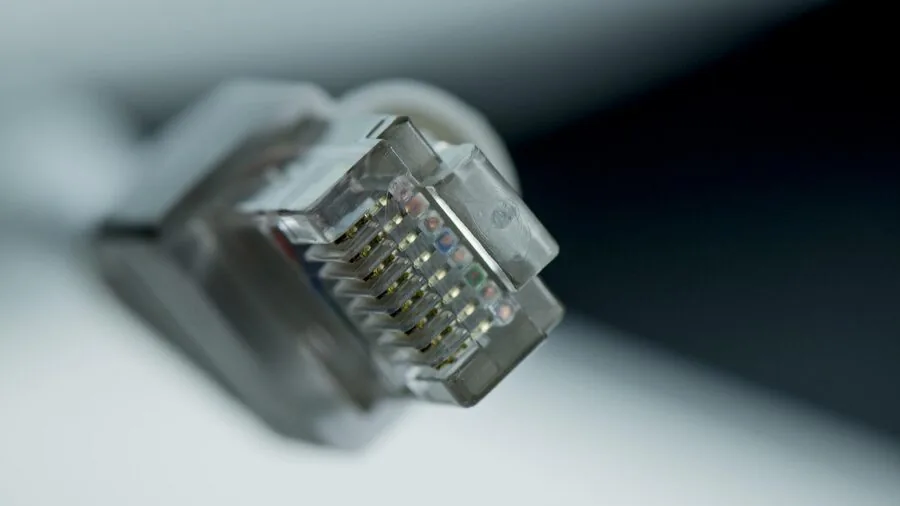
Before buying any monitor, inventory the outputs on your computer. Most modern systems ship with HDMI and DisplayPort; some laptops rely on USB-C. Almost every monitor in this roundup includes at least one HDMI port, and several also offer DisplayPort.
The Amazon Basics 24-inch stands out for including HDMI, DisplayPort, and VGA, covering legacy and modern systems alike.
VGA is largely obsolete but useful if you’re connecting an older desktop or a secondary machine without HDMI.
DisplayPort is preferred for high refresh rates because it can carry 144Hz signals reliably, while some HDMI 1.4 implementations cap out at lower frame rates depending on resolution.
Always verify the cable standard your monitor ships with or plan to supply your own. If you’re running a multi-monitor workstation, a docking station with multiple display outputs can simplify cable management significantly.
Built-in speakers are a secondary consideration but worth noting. The Dell S2425HSM includes dual 3W speakers, which is a genuine convenience for video calls and casual audio without requiring a separate soundbar.
If audio quality matters, pairing any monitor with even a modest speaker setup will outperform integrated display drivers.
Ergonomics and Adjustability: More Important Than People Think

Ergonomic flexibility separates monitors you enjoy using all day from ones that cause neck and shoulder fatigue. Tilt adjustment is standard across every monitor in this guide.
Height adjustment, swivel, and pivot (portrait rotation) are rarer at budget prices but meaningfully improve long sessions.
The Dell S2425HSM is notable for offering height, tilt, pivot, and swivel adjustability, which is exceptional for its price class and makes it a strong choice for home office users who spend hours at their desk.
VESA compatibility (typically 75x75mm or 100x100mm) lets you mount the panel on a third-party arm or wall bracket, which frees up desk space and allows precise positioning. The Amazon Basics 24-inch and several Philips models confirm VESA support.
If you plan to use a monitor arm, verify the VESA pattern matches before purchasing. A good ergonomic setup extends well beyond the screen: a proper chair and a stable desk surface matter just as much for daily comfort.
Eye comfort features like flicker-free backlights and low blue light modes appear across the Philips lineup, which also backs its monitors with a four-year advance replacement warranty, a meaningful differentiator in this segment where most brands offer one or two years.
Color Accuracy and sRGB Coverage: Does It Matter at This Price?

For most office workers and students, factory color accuracy is not a dealbreaker. But for anyone doing photo editing, graphic design, or content creation, sRGB coverage becomes a meaningful spec.
Several Acer monitors in this guide advertise 99% sRGB coverage, which is excellent for budget displays and means colors are represented accurately without needing calibration for standard digital work.
If your work involves print or professional photography where DCI-P3 or AdobeRGB coverage would be required, you’ll likely need to step outside the budget monitor tier. For YouTube content creation or streaming, though, a high-sRGB IPS panel is entirely workable.
Pairing an accurate monitor with a quality camcorder for YouTube means what you see on screen will closely match how your footage renders for viewers.
Always check if claimed sRGB figures are factory-calibrated or just panel specifications, as real-world coverage can vary.
Why You Should Trust Us
REMOVU is an independent review publication with no manufacturer affiliations and no products of our own to sell.
Every monitor in this guide was assessed using the REMOVU Score system, a consistent 0-to-10 rating scale applied uniformly across the monitors category.
Our evaluations draw on published specifications, expert review consensus from verified industry sources, and verified buyer feedback gathered across retail platforms.
We do not conduct our own product trials; our evaluations are grounded in research, published data, expert review consensus, and verified buyer feedback.
Each candidate in this roundup was scored against the same set of criteria: panel quality, refresh rate, color accuracy, connectivity, ergonomics, warranty terms, and overall value relative to its price tier.
Monitors that scored below a meaningful threshold were excluded regardless of brand recognition. REMOVU may earn a commission if you purchase through a link on this page.
That affiliate relationship has no influence on which products are included, how they are ranked, or what scores they receive. Our recommendations reflect editorial judgment based on research quality, not commission rates.
Final Thoughts
The monitors in this guide represent the strongest options available within this budget tier, and each earns its place based on a distinct set of strengths. Here is how we’d summarize the standout picks:
- Best Overall: Philips 22E2N1100 earns the top REMOVU Score in this roundup with its 120Hz overclocked IPS panel, 1ms MPRT response, flicker-free backlight, four-year advance replacement warranty, and strong color fidelity at a genuinely competitive price.
- Best for Home Office Versatility: Dell S2425HSM stands out for its full ergonomic range, height, tilt, pivot, and swivel adjustability, plus built-in speakers and a 144Hz IPS panel, making it the most adaptable daily-driver in the group.
- Best Budget Gaming Pick: Sceptre E225W-FW144 delivers a 144Hz panel with DisplayPort and built-in speakers at one of the lowest prices in this roundup, making it the obvious choice for gamers who want high refresh rates without stretching their budget.
- Best for Eye Comfort: Samsung S30GD combines an IPS panel with Samsung’s Advanced Eye Care features and a clean ergonomic design, earning one of the highest REMOVU Scores in the group for users who prioritize long-session comfort.
- Best Large-Screen Value: Acer KB272 offers a 27-inch IPS display with 120Hz refresh and 99% sRGB coverage at a price that undercuts many smaller competitors, making it the best pick for users who want more screen real estate without overspending.
Whichever display you choose from this list, you’re getting meaningfully more than what budget monitors offered just a few years ago.
Pair your new screen with a reliable SSD for faster load times or a quality mechanical keyboard to complete your desk setup. Browse the full monitors and peripherals category for more recommendations across every display tier.
Frequently Asked Questions
Is 1080p still worth buying in 2026?
Yes, for most users at desk distances of two to three feet, 1080p on a 24-inch or smaller display looks sharp and remains the most practical resolution for budget setups.
It also requires less GPU performance to reach high frame rates, which benefits gamers on mid-range hardware. Where 1080p starts to look soft is on panels 27 inches and above, viewed up close.
If pixel density is important to you at larger sizes, consider stepping up to 1440p, though that moves outside this budget tier.
What is the difference between IPS and VA panels for everyday use?
IPS panels offer wider viewing angles and more accurate colors out of the box, making them better for tasks like photo editing, spreadsheets viewed at an angle, or any situation where multiple people look at the screen.
VA panels offer higher contrast ratios, which means deeper blacks and a more immersive feel for movies and dark-themed games. Both technologies are well-represented in this guide, and neither is universally superior.
Match the panel type to your primary use case rather than treating either as the default right answer.
Do I need a monitor with built-in speakers?
Built-in monitor speakers are convenient for video calls, casual YouTube watching, and general desktop audio without extra clutter. Most budget monitor speakers are adequate but not impressive sonically.
If audio quality matters for music, streaming, or gaming immersion, a dedicated pair of bookshelf speakers or a soundbar will deliver noticeably better results. Treat built-in speakers as a backup convenience rather than a primary audio solution.
How important is Adaptive-Sync (FreeSync) for gaming monitors?
Adaptive-Sync eliminates screen tearing by synchronizing the monitor’s refresh rate with the GPU’s output frame rate in real time. For anyone playing fast-paced games, this results in smoother, tear-free visuals without the input lag penalty of V-Sync.
Every monitor in this guide supports FreeSync, which means AMD GPU users benefit automatically. Many also work with NVIDIA GPUs via G-Sync Compatible mode.
If you’re building or upgrading a system specifically for gaming, Adaptive-Sync support should be treated as a baseline requirement rather than a premium feature.
Can I use a budget monitor for photo or video editing?
Yes, with some caveats. Monitors in this guide that advertise 99% sRGB coverage are genuinely capable for digital photo editing and video color grading intended for online distribution.
For print work or professional production requiring wide color gamut coverage beyond sRGB, a purpose-built color-accurate display would be a better investment.
If you’re a hobbyist or a content creator producing for YouTube or social media, a high-sRGB IPS panel from Acer or Philips in this roundup is more than workable.
You may also want to consider a portable monitor as a secondary screen for on-location editing.
What should I look for in a monitor warranty at this price range?
Most monitors in this segment ship with a one or two-year manufacturer warranty. Philips is an outlier, offering a four-year advance replacement warranty on its monitors, which means a technician sends a replacement before you return the defective unit.
That level of coverage is rare at budget price points and adds long-term peace of mind. Dell and Samsung both offer standard coverage with reasonably responsive support channels.
Always register your monitor after purchase to ensure warranty eligibility, and verify whether the warranty covers dead pixels, which policies vary significantly between brands.
About the author
Carmen writes about cable modems for REMOVU, matching DOCSIS support and speed tiers to real internet plans so readers can drop monthly rental fees. She flags which models are worth buying and which quietly bottleneck a connection.