The 8 Best Gaming PCs
GPU generation, RAM speed, PSU headroom, and cooling design all determine whether a prebuilt gaming PC holds up long-term. Here are the picks that deliver on every front.
 By Emma Gonzales
Updated July 26, 2026
By Emma Gonzales
Updated July 26, 2026

Picking the right gaming PC in 2026 is harder than it looks. The market spans a wide range of configurations, from budget-friendly rigs powered by entry-level GPUs to high-end towers packing the latest RTX 5000-series graphics and next-generation DDR5 memory.
Whether you are upgrading from an aging system, switching from console, or building your first desktop setup, the sheer number of prebuilt options from brands like CyberPowerPC, MSI, ZOTAC, Lenovo, Skytech, and KOTIN can make the decision feel overwhelming.
A gaming desktop offers upgradability, raw thermal headroom, and sustained performance that no gaming laptop can match at the same price point, making it the go-to choice for serious players who game at a desk.
At REMOVU, we cut through the noise by synthesizing manufacturer specifications, expert review consensus, and verified buyer feedback to surface the picks that genuinely deliver.
Our research covers processor and GPU pairing, thermal design, memory and storage configurations, connectivity, and real-world value at each price tier. Every product in this guide carries a REMOVU Score that reflects how well it performs across all those criteria.
Read on for our top-ranked prebuilt gaming PCs available right now.
| Award | Product | REMOVU Score About REMOVU ScoreThe REMOVU Score is our own rating from 0 to 10, based on performance, design and build, ease of use, and value. It reflects independent research and is never influenced by manufacturers, retailers, or affiliate commissions. Learn more › | Price | |
|---|---|---|---|---|
| Best Budget |
 CyberPowerPC Gamer Xtreme i7-14700F RTX 5060 Ti
|
8.3/10 | Buy | |
| Best Value |
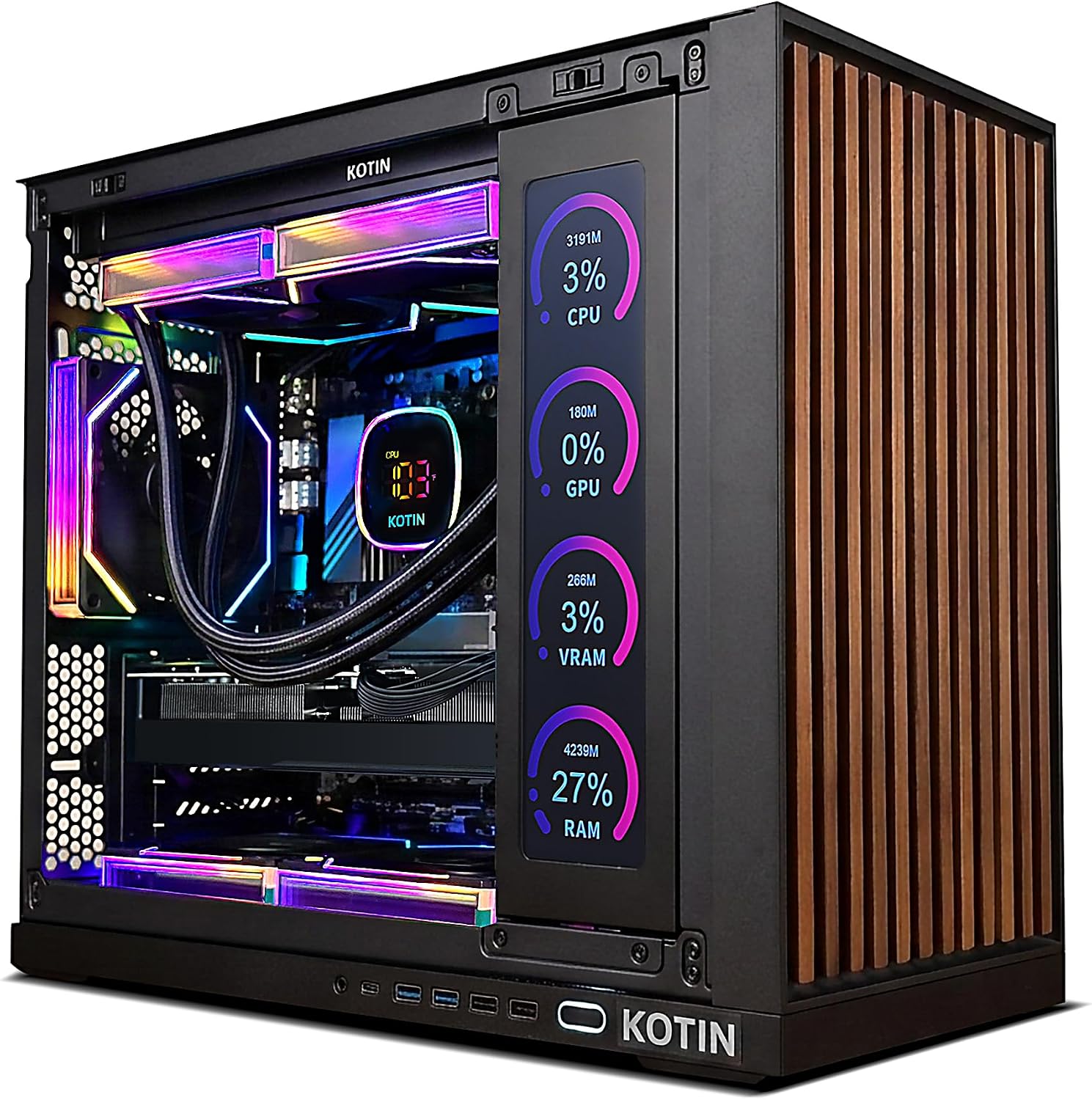 KOTIN RTX 5070 Gaming PC with Built-in Display
|
8.6/10 | Buy | |
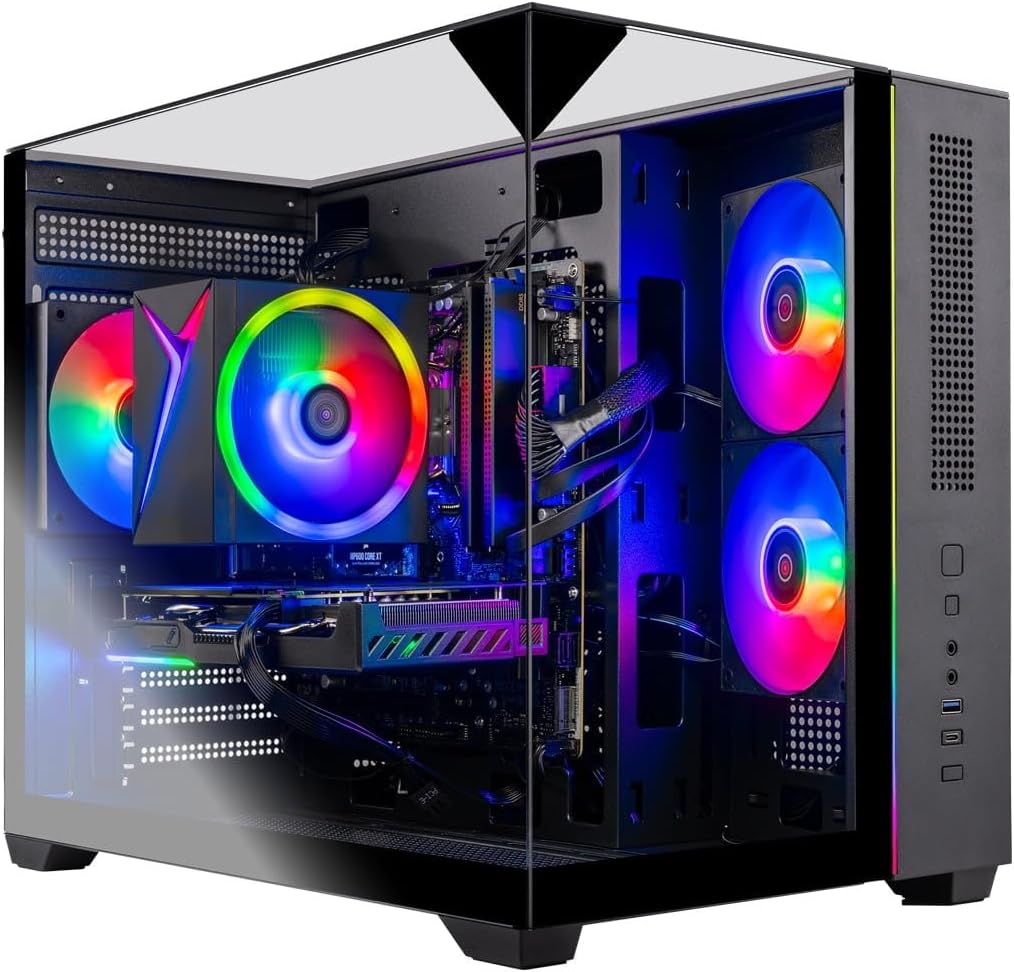 Skytech Crystal Gaming PC with Ryzen 7 5700 and RTX 5060
|
6.5/10 | Buy | ||
| Best Overall |
 MSI Codex Z2 AMD R7-8700F RTX 5070 Gaming Desktop
|
8.9/10 | Buy | |
 ZOTAC MEK Gaming PC with RTX 5060 Ti 16GB
|
8.4/10 | Buy | ||
| Best Premium |
 Lenovo Legion Tower 5i with RTX 5070 Ti
|
7.6/10 | Buy | |
 Skytech Archangel 5 Ryzen 7 RTX 5060 Gaming PC
|
7.1/10 | Buy | ||
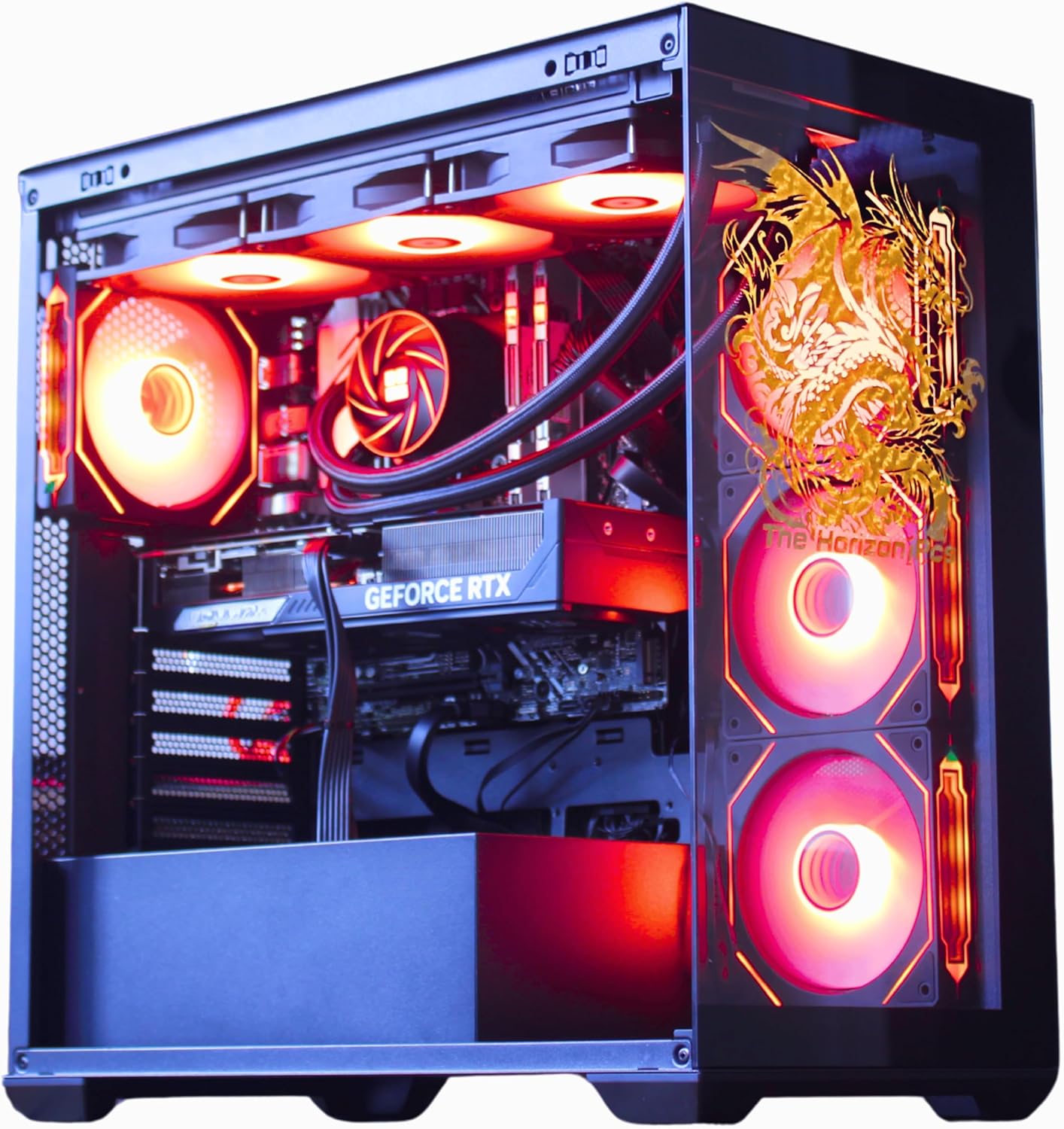 TheHorizonPcs Autherium Dragon RTX 5070 Gaming PC
|
6.3/10 | Buy |
CyberPowerPC Gamer Xtreme i7-14700F RTX 5060 Ti
A mid-range gaming desktop built around Intel's 14th-gen Core i7 and RTX 5060 Ti, designed for 1440p gaming and content creation without breaking the bank. The 16GB DDR5 RAM and fast NVMe storage keep performance snappy, while built-in WiFi 6 and Bluetooth eliminate cable clutter. Best suited for gamers who want solid frame rates at high settings without premium pricing.
Pros
- Intel Core i7-14700F delivers strong multi-threaded performance for gaming and streaming simultaneously
- RTX 5060 Ti handles 1440p gaming at high-to-ultra settings with good frame consistency
- 16GB DDR5 RAM and 1TB PCIe 4.0 SSD provide responsive everyday performance
- WiFi 6 and Bluetooth 5.3 built-in, eliminating need for separate adapters
- Includes keyboard, mouse, and lifetime tech support; 1-year parts and labor warranty
Cons
- RTX 5060 Ti is entry-level for 4K gaming and demanding AAA titles at maximum settings
- 16GB RAM is adequate but some content creators may want 32GB for heavy multitasking
- Limited upgrade documentation in base specs, potential for proprietary power supply constraints
KOTIN RTX 5070 Gaming PC with Built-in Display
This prebuilt desktop pairs an RTX 5070 and Ryzen 7 9700X to handle 1440p and 4K gaming without assembly hassle. The standout feature is an integrated 11.3-inch smart display that monitors system temps and performance in real-time, making it visually distinctive. Best for gamers and creators who want a plug-and-play rig with premium cooling and WiFi 7 connectivity.
Pros
- Strong GPU and CPU combo delivers solid 1440p and 4K gaming performance
- Integrated smart display adds functional aesthetics and live system monitoring
- 360mm liquid cooling and 850W Gold PSU support sustained performance and future upgrades
- Fully assembled, reviewed, and ships with Windows 11 pre-installed
- Lifetime free technical support and one-year warranty included
Cons
- 1TB SSD may require expansion for large game libraries and content creation projects
- Smart display is a niche feature that adds cost and may not appeal to all buyers
- No detailed information on case design, noise levels, or thermals under sustained loads
Skytech Crystal Gaming PC with Ryzen 7 5700 and RTX 5060
A mid-range gaming desktop built with brand-name components and assembled in the USA. The Ryzen 7 5700 CPU paired with RTX 5060 GPU handles popular titles at 1080p ultra settings with 60+ FPS. Includes 32GB RAM, 1TB NVMe SSD, and a stylish tempered glass case, making it a solid all-in-one option for gamers who want plug-and-play convenience without assembly hassle.
Pros
- Strong 1080p gaming performance at ultra settings across major titles (Call of Duty, Fortnite, Baldur's Gate 3, etc.)
- Fully assembled and pre-installed with Windows 11 and drivers, ready to use out of the box
- Generous 32GB DDR4 RAM and 1TB NVMe SSD for gaming and multitasking
- Uses standard ATX components from recognized brands (AMD, NVIDIA, ASUS, MSI, Gigabyte), allowing future upgrades
- US-based support with 1-year parts and labor warranty plus free lifetime technical support
- Includes free gaming keyboard and mouse
Cons
- RTX 5060 is entry-level for the GPU tier, limiting performance at higher resolutions or maximum settings in demanding games
- Component brands and specific models may vary during manufacturing, reducing consistency between units
- No dedicated high-end cooling solution mentioned beyond standard air cooler, which may limit overclocking potential
MSI Codex Z2 AMD R7-8700F RTX 5070 Gaming Desktop
A mid-to-high-end gaming tower built around AMD's 8-core Ryzen 7 8700F and NVIDIA's latest Blackwell-based RTX 5070, designed to handle modern AAA titles and streaming simultaneously. The 32GB DDR5 memory and 2TB NVMe SSD provide solid performance headroom, while the multi-fan cooling setup keeps thermals in check during extended sessions. Best suited for gamers who want current-generation performance without extreme flagship pricing.
Pros
- Ryzen 7 8700F delivers reliable 8-core performance up to 5.0 GHz for gaming and multitasking
- RTX 5070 brings meaningful generational leap in rasterization and ray tracing over prior architectures
- 32GB DDR5 and 2TB NVMe SSD provide ample storage and memory for modern games and applications
- Four-fan cooling design (three front, one rear) with ARGB cooler maintains effective thermal management
- RGB lighting customization via MSI Center software and LED button cycling
Cons
- Windows 11 Home included, though MSI recommends Pro for business workflows, requiring potential upgrade
- No dedicated details on upgrade path or component accessibility for future modifications
- Rating based on 229 reviews suggests mixed user experiences beyond core specifications
ZOTAC MEK Gaming PC with RTX 5060 Ti 16GB
A fully assembled gaming desktop built around NVIDIA's latest Blackwell GPU and AMD's Ryzen 7 9700X processor, offering solid 1080p and 1440p performance out of the box. Ships with Windows 11 Home pre-installed and includes a 360mm AIO liquid cooler, making it a practical choice for gamers who want to skip the build process. The 32GB DDR5 RAM and 1TB NVMe SSD handle both gaming and multitasking without compromise.
Pros
- Pre-built and ready to use with Windows 11 Home already installed; no assembly or OS setup required
- Solid specs for the price: RTX 5060 Ti 16GB, Ryzen 7 9700X, 32GB DDR5, 1TB NVMe SSD, and 850W 80+ Gold PSU
- Advanced cooling with 360mm AIO liquid cooler and smart RGB fans plus built-in digital display for system monitoring
- Strong warranty coverage: 1-year complete system warranty and 3-year GPU warranty with no registration needed
- Multiple display outputs (HDMI 2.1b, DisplayPort 2.1b) and WiFi 6E connectivity for modern gaming setups
Cons
- RTX 5060 Ti is an entry-level current-gen GPU; demanding games at high settings may require DLSS to maintain smooth frame rates at 1440p
- Warranty return shipping only available for U.S. addresses, limiting support options for international buyers
- 1TB storage may feel tight for users with large game libraries, requiring early SSD upgrades
Lenovo Legion Tower 5i with RTX 5070 Ti
A high-end gaming tower built around Intel's Core Ultra 7 265F and NVIDIA's RTX 5070 Ti GPU, delivering strong performance for AAA gaming and content creation. The system includes 32GB DDR5 memory, tool-free upgradability, and three months of PC Game Pass. Best suited for serious gamers and streamers who want expandable hardware without the premium price tag of boutique builders.
Pros
- RTX 5070 Ti GPU handles ray tracing and DLSS for demanding modern games at high frame rates
- 32GB DDR5 memory with expansion capability up to 128GB for future-proofing
- Tool-less side panel and transparent design simplify upgrades and component showcasing
- Legion Coldfront cooling maintains thermal performance during extended gaming sessions
- WiFi 6E and 2.5G Ethernet provide low-latency connectivity for competitive play and streaming
- Includes three months of PC Game Pass and EA Play
Cons
- Core Ultra 7 265F is a solid but not top-tier CPU choice compared to higher-end Ryzen or Intel options in the gaming segment
- 1TB storage may require additional drives for large game libraries typical of modern AAA titles
- RGB lighting customization and Nahimic audio software add complexity that some users may find unnecessary
Skytech Archangel 5 Ryzen 7 RTX 5060 Gaming PC
A mid-range gaming desktop built around AMD Ryzen 7 7700 and RTX 5060 graphics, designed to handle modern AAA titles at 1080p Ultra settings with 60+ FPS. Comes fully assembled in the USA with Windows 11 pre-installed and includes a year's warranty plus free technical support. Best suited for gamers seeking plug-and-play performance without custom-build complexity.
Pros
- Solid 1080p gaming performance at Ultra settings across major titles like Baldur's Gate 3, Black Myth Wukong, and Elden Ring
- 32GB DDR5 RAM and 1TB NVMe SSD provide ample capacity for gaming and streaming workloads
- Fully assembled in the USA with brand-name components (AMD, NVIDIA, ASUS, MSI, Gigabyte partnership) and comprehensive 1-year warranty
- Includes free keyboard, mouse, and Windows 11 Home pre-installed with drivers reviewed before shipping
- Standard ATX case and components allow for future upgrades without proprietary lock-in
Cons
- RTX 5060 is entry-level for 1440p or higher resolution gaming, limiting future-proofing for demanding titles
- Component brands may vary during manufacturing, so specific GPU, cooler, or PSU models are not guaranteed
- No mention of upgrade options or customization at purchase, limiting ability to tailor specs to individual needs
TheHorizonPcs Autherium Dragon RTX 5070 Gaming PC
A high-end gaming desktop built around the RTX 5070 and Core i9 processor, paired with 64GB RAM and 5TB storage for serious gamers and content creators. The signature dragon-etched glass panel and AI-controlled cooling system deliver both aesthetic appeal and thermal management, though the premium positioning and large footprint limit accessibility for casual users.
Pros
- Exceptional storage capacity at 5TB total with hybrid SSD/HDD setup supports large game libraries and media projects
- 64GB RAM substantially exceeds standard gaming builds, enabling smooth multitasking and future-proofing
- Comprehensive cooling solution with 360mm AIO and 11 total fans maintains quiet operation during intensive sessions
- Strong warranty coverage at 3-year parts and 5-year labor, backed by specialist support team
- Factory-overclocked RTX 5070 with DLSS 4.0 support delivers consistent frame rates at high resolutions
Cons
- Premium pricing reflects high-end components, making it less accessible for budget-conscious builders
- Extensive cooling system and large case footprint require significant desk or tower space
- Heavy specification focus on gaming and VR may include features unnecessary for general computing use
Gaming PCs Buying Guide
Not every gaming PC is built the same way, and the right choice depends heavily on what you plan to play, at what resolution, and with how much room to grow.
The six criteria below are the ones that matter most when you evaluate a prebuilt tower, and understanding them will help you read spec sheets with confidence rather than guesswork.
CPU and GPU Pairing: The Performance Foundation

The processor and graphics card are the two components that determine almost every frame-rate outcome.
A GPU bottleneck occurs when a powerful graphics card is paired with a weak CPU, while the reverse, a strong CPU starved by an aging GPU, wastes money on the processor side.
The best prebuilts match these two components so neither is holding the other back at the resolution you intend to play.
For 1080p gaming, pairing a mid-range GPU with a six-core or eight-core processor is well-balanced.
At 1440p and 4K, the GPU does far more of the heavy lifting, so it is worth prioritizing a more powerful graphics chip, such as the RTX 5070 or RTX 5070 Ti, even if the CPU is only a mid-tier option.
Look for systems where the CPU generation is current or at most one cycle behind; an older processor on a new platform can limit PCIe bandwidth and memory speed in ways that compound over time.
AI-assisted frame generation features like NVIDIA DLSS 4 Multi Frame Generation are exclusive to RTX 50-series GPUs, which means the generation of graphics card matters beyond raw rasterization performance.
If you game on a high-refresh-rate display or plan to, an RTX 5060 Ti or above gives you access to these upscaling tools as a genuine frame-rate multiplier.
Memory: Capacity, Speed, and Generation

RAM capacity is the most visible memory spec, but speed and generation matter almost as much. DDR5 platforms paired with AMD Ryzen 7000 and 9000 series CPUs, as well as Intel’s Core Ultra lineup, benefit noticeably from faster memory clocks.
A 6000 MHz DDR5 kit on a Ryzen 7000 system, for example, hits the memory controller’s sweet spot and can deliver measurably better minimum frame rates in CPU-sensitive titles compared with a slower kit.
For most modern games in 2026, 32 GB of RAM is the practical sweet spot. It leaves enough headroom for game memory usage, streaming software, Discord, and a browser open simultaneously without any perceptible stutter.
Systems shipping with 16 GB are workable for single-game sessions but will feel constrained as game world sizes grow.
Avoid prebuilts that use a single RAM stick in a dual-channel capable motherboard; single-channel memory can reduce GPU-bound performance by five to fifteen percent depending on the title.
Storage: NVMe Speed and Capacity
Modern games are enormous. A single AAA title can demand 100 GB or more of storage, and many competitive players keep several titles installed simultaneously.
A 1 TB NVMe SSD is the reasonable floor for a primary gaming drive in 2026, but 2 TB is the more comfortable long-term option if you plan to maintain a large library.
Check whether the prebuilt ships with a PCIe 4.0 or PCIe 5.0 SSD; the difference in sequential read speeds matters most for open-world level streaming and load times rather than in-game frame rates.
Also check whether the motherboard included in the prebuilt has additional M.2 slots available.
A system with one occupied M.2 slot and one open slot is far easier to expand than one where every slot is already populated or where the board only has a single M.2 connector.
Prebuilts rarely advertise free expansion slots prominently, so it is worth cross-referencing the listed motherboard model against its spec sheet before buying.
Cooling and Thermal Headroom
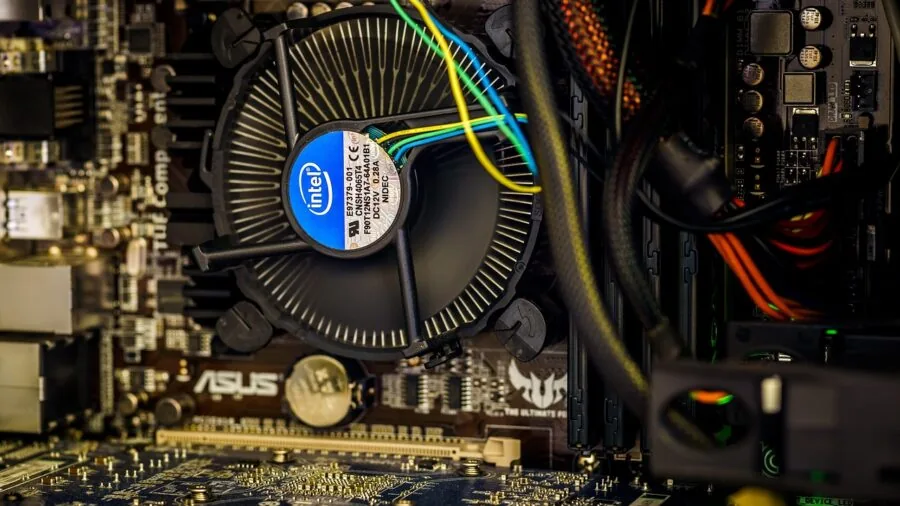
Thermal management in a prebuilt matters more than most buyers realize.
A system that throttles its CPU under sustained load, say during a long gaming session or while streaming and gaming simultaneously, will deliver inconsistent performance even when its spec sheet looks impressive.
Look for towers that use a 240 mm or 360 mm all-in-one liquid cooler on the CPU rather than a stock air cooler, especially when the processor is a high-TDP chip like an Intel Core i9 or AMD Ryzen 9.
Airflow inside the case matters too. A case with good front intake and rear or top exhaust keeps GPU temperatures lower during long sessions, which directly affects sustained clock speeds under load.
Budget prebuilts sometimes cut corners on case quality and fan count even when the GPU is capable; this is worth checking in community teardown videos and verified buyer reviews before committing.
Power Supply: Wattage and Efficiency Rating
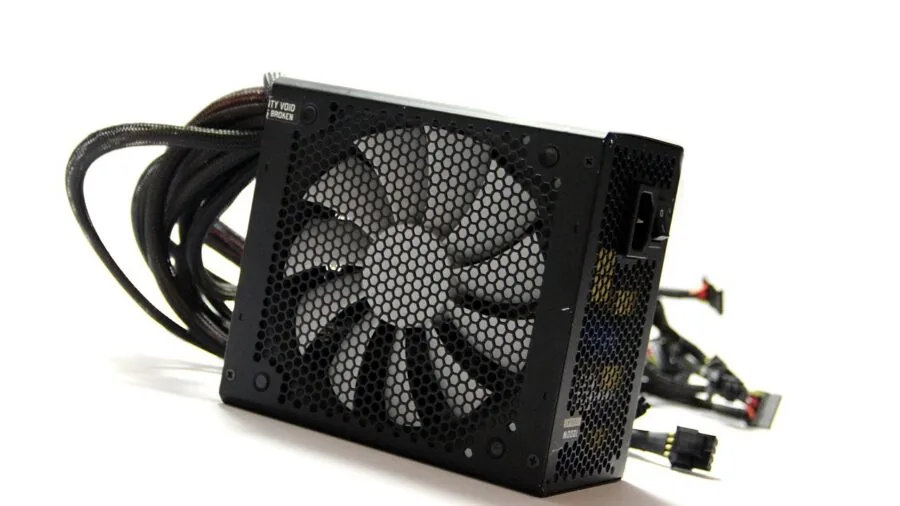
The power supply unit is among the most overlooked components in a prebuilt purchase decision and one of the most consequential.
An undersized PSU running near its maximum capacity will degrade faster, run hotter, and in worst cases cause instability during GPU power spikes.
RTX 5070 Ti and RTX 5070 cards can pull significant transient power during demanding scenes, so a 750 W to 850 W unit with 80 Plus Gold certification is the sensible minimum for those configurations.
80 Plus Gold certification means the PSU operates at eighty or more percent efficiency at typical loads, reducing heat output and electricity cost over the system’s lifetime.
Prebuilts with 80 Plus Bronze units are not necessarily problematic at lower wattages, but if you plan to upgrade the GPU in the future, a higher-wattage Gold or Platinum PSU gives you more upgrade headroom without needing to replace the power supply too.
Connectivity and Expandability

A gaming desktop should be ready for your entire peripheral ecosystem from day one and capable of growing with it.
Check the rear I/O and front panel for USB-A and USB-C ports, making sure there are enough for your keyboard, mouse, headset, controller, and any capture or audio gear.
WiFi standard matters too: WiFi 6 is the practical minimum in 2026, while WiFi 6E and WiFi 7 offer lower latency on congested networks, which is meaningful for competitive online play.
On the display output side, confirm the GPU’s HDMI and DisplayPort versions align with your monitor.
HDMI 2.1 supports 4K at up to 144 Hz and is the right connector for high-refresh 4K panels, while DisplayPort 2.1 is needed for the very highest bandwidth configurations.
A gaming headset connected via USB rather than the 3.5 mm jack will depend on available USB ports, so count them before assuming the rear I/O has enough room for every device.
For peripherals and audio gear, also consider whether the system’s front panel audio jack is wired directly to the motherboard or routed through a header, as the latter can introduce interference.
Why You Should Trust Us
REMOVU is an independent review platform with no brand relationships that influence our rankings.
Every product in this guide was assessed using our standardized REMOVU Score methodology, which runs from 0 to 10 and weighs each product across consistent criteria: performance specifications, CPU and GPU tier, memory and storage configuration, thermal design, PSU quality, connectivity, and verified owner satisfaction.
We do not conduct our own product trials; our evaluations are grounded in research, published data, expert review consensus, and verified buyer feedback.
We cross-reference manufacturer spec sheets against independent expert assessments and aggregate sentiment from verified purchasers to surface patterns that single-source reviews can miss.
When expert consensus and buyer feedback diverge, we weight both and reflect that tension transparently in our scoring.
REMOVU may earn a commission when you purchase through links in this guide. That affiliate relationship has no bearing on product selection, ranking order, or REMOVU Score.
Products are ranked on merit as determined by our research criteria, not on commission rates. Our goal is to help you buy confidently, not to steer you toward any particular price point.
Final Thoughts
The prebuilt gaming PC market in 2026 is genuinely competitive, and several of the systems in this guide represent strong value at their respective tiers.
Whether you are pairing your new tower with a high-refresh-rate monitor or setting up your first serious gaming station, the right pick comes down to matching GPU tier to your target resolution, ensuring the PSU has upgrade headroom, and choosing a platform with the connectivity and expandability your peripheral setup demands.
Pair your new desktop with a quality headset for PC gaming to complete the experience.
Here are our standout picks from this guide, each earning a distinct recognition based on what it does best:
- Best Overall: MSI Codex Z2 Gaming Desktop. The highest REMOVU Score in this roundup. The RTX 5070 GPU, 32 GB DDR5, and 2 TB NVMe SSD make it a complete, well-balanced system for 1440p and 4K gaming without meaningful compromise.
- Best Value Powerhouse: KOTIN Prebuilt Gaming PC RTX 5070. A Ryzen 7 9700X paired with an RTX 5070 12 GB, 360 mm liquid cooler, WiFi 7, and an 11.3-inch smart display panel makes this one of the most feature-rich options at a mid-range price point, earning it the second-highest REMOVU Score in the group.
- Best Mid-Range Pick: ZOTAC MEK Gaming Desktop. The RTX 5060 Ti 16 GB GDDR7 variant combined with a Ryzen 7 9700X and an 850 W Gold PSU gives this system strong thermal and upgrade headroom for its price tier, backed by a REMOVU Score that reflects its well-rounded configuration.
- Best Entry-Level RTX 5000 System: CyberPowerPC Gamer Xtreme. For buyers stepping into the RTX 50-series without a premium outlay, the Intel Core i7-14700F paired with an RTX 5060 Ti and DDR5 memory offers a capable 1080p to 1440p experience from a builder with a long track record in the prebuilt space.
- Best AI-Powered Platform: Lenovo Legion Tower 5i. The Intel Core Ultra 7 265F processor brings dedicated NPU capability alongside RTX 5070 Ti graphics, positioning this system for workflows that blend gaming with AI-accelerated creative tasks and productivity.
Frequently Asked Questions
How much RAM do I actually need in a gaming PC in 2026?
For the vast majority of modern games, 32 GB of DDR5 RAM is the practical sweet spot. It handles demanding titles, background applications, and streaming software simultaneously without running out of headroom.
Systems with 16 GB are still functional for light gaming use but may require closing background apps to stay stable in heavier workloads.
64 GB or more is only relevant for content creators who run video editing or 3D rendering software alongside gaming.
Is a prebuilt gaming PC worth buying, or should I build my own?
Prebuilt gaming PCs have closed the value gap with DIY builds significantly, particularly during GPU shortages or when builders offer bulk component pricing.
Prebuilts also come with warranties that cover the whole system, saving the diagnostic headache of troubleshooting a self-built machine. The trade-off is less control over individual component quality, particularly the power supply and cooling solution.
If you are comfortable researching those components and verifying them against the listed motherboard, prebuilts represent solid value in 2026 without the assembly time.
What resolution should I target when choosing a GPU tier?
The GPU tier you choose should match your monitor’s resolution and refresh rate rather than a generic price bracket. An RTX 5060 or RTX 5060 Ti is well-suited to 1080p at high refresh rates and capable at 1440p in most titles.
An RTX 5070 becomes the right choice if you are gaming at 1440p on a high-refresh display or targeting playable 4K frame rates.
The RTX 5070 Ti is the pick for 4K high-refresh gaming or for buyers who want headroom for the next few years without GPU upgrade pressure.
If you also use your system for programming or content work, see our guide to the laptops for programming for how GPU compute fits into those workflows differently.
Can I upgrade components inside a prebuilt gaming PC?
Most prebuilt towers support standard component upgrades including RAM, storage, and GPU, though the degree of flexibility varies by manufacturer.
Cases from established builders like CyberPowerPC, MSI, and Lenovo typically use ATX or micro-ATX motherboards with standard slot layouts, making GPU swaps and RAM upgrades straightforward.
The PSU is the most important constraint: a system with a 650 W Bronze PSU may not support a future high-end GPU upgrade without also replacing the power supply. Check the PSU wattage and form factor (ATX vs.
SFX) before assuming any prebuilt is upgrade-friendly. Also verify the desktop PC category for additional options if you need a non-gaming tower as a secondary machine.
Does WiFi generation matter for online gaming?
For competitive online gaming, a wired Ethernet connection will always provide the most stable and lowest-latency link to your router.
When a wired connection is not practical, WiFi 6 or WiFi 6E is the minimum worth accepting in a new system purchased in 2026.
WiFi 6E’s 6 GHz band reduces congestion in environments with many wireless devices, which translates to more consistent ping rather than raw throughput gains.
WiFi 7, found in a few of the higher-end systems in this guide, adds multi-link operation for further latency improvements, though real-world benefits depend heavily on your router supporting the same standard.
What peripherals should I pair with a new gaming PC?
A capable monitor is the single most impactful peripheral investment after the PC itself, since even a top-tier GPU cannot compensate for a 60 Hz panel in fast-paced games.
Beyond the display, a quality gaming headset with good positional audio meaningfully improves competitive awareness in multiplayer titles. For creators who stream or record, a dedicated streaming microphone is a worthwhile addition that a prebuilt’s onboard audio cannot replicate.
Finally, if your setup includes a home theater arrangement, pairing the PC with a well-matched soundbar with subwoofer can fill a living room gaming space with convincing spatial audio without the complexity of a full speaker system.
About the author
Emma is REMOVU's workout headphone writer, comparing secure fit, sweat resistance, and durable builds. She helps readers find earbuds and headphones that stay put through any session.