The 9 Best Gaming Keyboards for Mmo
MMO players need more than a standard gaming board. This guide breaks down the keyboards with the macro depth, switch quality, and layout practicality to handle complex ability bars across long sessions.
 By Amy Snyder
Updated July 26, 2026
By Amy Snyder
Updated July 26, 2026
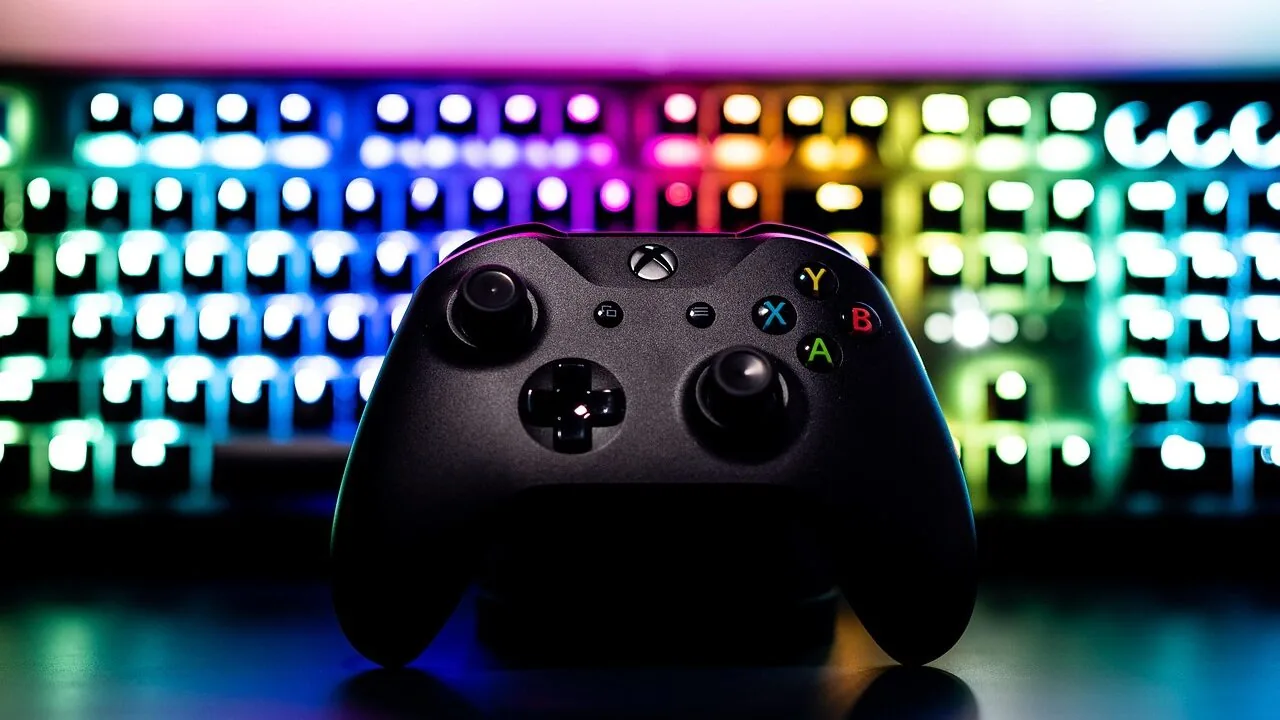
MMO gaming puts unique demands on your keyboard.
Unlike fast-paced shooters where raw speed is everything, massively multiplayer online games reward players who can bind dozens of spells, macros, and situational abilities at a moment’s notice, all without breaking their typing flow or losing track of what’s mapped where.
Whether you’re raiding in a fantasy epic, managing a fleet in a space MMO, or juggling a full ability rotation in an action RPG, the right keyboard can meaningfully reduce errors, shorten your reaction time, and make long sessions far less fatiguing.
The market has exploded with options across every budget and form factor, which makes picking the right one harder than it should be.
To help narrow it down, the REMOVU team researched specifications, analyzed expert review consensus from across the hardware press, and cross-referenced verified buyer feedback to identify the strongest performers in this category.
Every pick below has been assigned a REMOVU Score based on that process.
Whether you need dedicated macro keys for complex ability rotations, a robust switch that holds up through marathon raids, or wireless freedom to clean up your desk, you’ll find a well-matched option in the ranked list below.
For a broader look at gaming peripherals, our best gaming keyboards guide covers picks across every play style and budget.
| Award | Product | REMOVU Score About REMOVU ScoreThe REMOVU Score is our own rating from 0 to 10, based on performance, design and build, ease of use, and value. It reflects independent research and is never influenced by manufacturers, retailers, or affiliate commissions. Learn more › | Price | |
|---|---|---|---|---|
| Best Overall |
 SteelSeries Apex Pro TKL Gen 3 Gaming Keyboard
|
9.1/10 | Buy | |
| Best Premium |
 ASUS ROG Strix Scope II 96 Wireless Mechanical Keyboard
|
8.9/10 | Buy | |
 Logitech G PRO Mechanical TKL Gaming Keyboard
|
8.3/10 | Buy | ||
| Best Value |
 HyperX Origins 2 1800 Mechanical Gaming Keyboard
|
7.9/10 | Buy | |
 Razer BlackWidow V4 X Mechanical Gaming Keyboard
|
7.6/10 | Buy | ||
 AULA F75 Pro 75% Wireless Mechanical Keyboard
|
7.3/10 | Buy | ||
| Best Budget |
 Redragon K580 104-Key Mechanical Gaming Keyboard
|
7.2/10 | Buy | |
 SteelSeries Apex 3 RGB Gaming Keyboard
|
6.8/10 | Buy | ||
 Razer Ornata V3 Low-Profile Gaming Keyboard
|
6.4/10 | Buy |
SteelSeries Apex Pro TKL Gen 3 Gaming Keyboard
A tenkeyless gaming keyboard featuring OmniPoint 3.0 magnetic switches with adjustable actuation from 0.1mm to 4.0mm, plus exclusive Rapid Trigger, Rapid Tap, and Protection Mode features activated via QuickSet auto-presets. Best for competitive gamers and typists who value precision customization and responsive keystrokes.
Pros
- Adjustable actuation levels (0.1mm to 4.0mm) let you dial in sensitivity precisely, reducing accidental keypresses in intense gaming
- Rapid Trigger and Rapid Tap features reset keys instantly for faster competitive gaming inputs, with Protection Mode reducing nearby key mistakes
- OLED Smart Display allows onboard settings adjustment and media control without leaving games, with configurations saved locally
- Premium build quality with PBT keycaps, aluminum top plate, per-key lubrication, and triple-layer dampening for durability and quieter keystrokes
- Per-key RGB lighting with Prism Sync support for seamless multi-device customization
Cons
- Non-hotswap switches mean you cannot easily replace individual switches if they fail or wear out
- Positioned at a premium price point relative to standard mechanical gaming keyboards
- Windows PC only, not compatible with Mac or other operating systems
ASUS ROG Strix Scope II 96 Wireless Mechanical Keyboard
A compact 96% mechanical keyboard that delivers full-size functionality without eating your desk space. Built around ASUS's SpeedNova wireless tech and factory-lubed ROG NX Snow switches, it handles gaming, streaming, and daily work equally well. The tri-mode connectivity and 1,500-hour battery life make it genuinely versatile for users who switch between devices.
Pros
- Space-saving 96% layout retains number pad and arrow keys while staying just 1cm wider than 80% boards
- Tri-mode connectivity (USB, 2.4GHz wireless with low latency, Bluetooth for up to 3 devices) covers most use cases
- Hot-swappable switches and web-based Gear Link software let you customize without installing bloatware
- Dual dampening system (silicone layer plus switch pads) effectively reduces pinging for cleaner acoustics
- Excellent 4.6-star rating from over 1,000 reviews indicates consistent real-world satisfaction
Cons
- Premium positioning means it costs more than entry-level gaming keyboards with fewer connectivity options
- Web-based software dependency could be frustrating if you prefer offline control or need offline macro editing
- Limited to ROG NX Snow or Storm switches out of box; switching to third-party switches requires compatibility verification
Logitech G PRO Mechanical TKL Gaming Keyboard
A tournament-grade tenkeyless keyboard designed with esports athletes in mind. The compact form factor and detachable cable make it travel-friendly, while GX Blue clicky switches deliver responsive, audible feedback. Best suited for competitive gamers who prioritize desk space for low-sensitivity mouse movement.
Pros
- GX Blue clicky switches provide reliable tactile and audible feedback for precision gaming
- Ultra-portable tenkeyless design frees up significant desk real estate for mousing
- Detachable Micro USB cable with three-pronged connector ensures secure transport and tournament portability
- LIGHTSYNC RGB with onboard profile storage allows customization without G HUB software at competition venues
- 3-step angle adjustment and rubber feet provide stability and ergonomic flexibility during extended play
Cons
- Programmable macros limited to F-keys only, fewer options than full-size gaming keyboards with dedicated macro keys
- No dedicated media controls; volume and playback functions routed through F-key combinations
- Requires G HUB software for lighting customization and macro programming, adding software dependency
HyperX Origins 2 1800 Mechanical Gaming Keyboard
A compact 1800-layout gaming keyboard with hot-swappable switches, 8k polling rate, and customizable RGB lighting via NGENUITY software. Delivers responsive performance and premium build quality for both gaming and productivity work.
Pros
- Hot-swappable 5-pin switches allow easy customization without soldering
- 8k polling rate ensures near-instantaneous input capture for competitive gaming
- 1800 compact layout preserves numpad functionality while saving desk space
- O-ring mounted with silicon dampening provides comfortable, quieter typing experience
- Factory-lubed HyperX Linear Red switches rated for 80 million keystrokes with smooth actuation
Cons
- Linear switches produce quieter typing sound, which some users may find less satisfying than tactile or clicky options
- Tighter key spacing in compact form factor requires adjustment period for users accustomed to full-size keyboards
- Software customization limited to Windows 11 minimum requirement
Razer BlackWidow V4 X Mechanical Gaming Keyboard
A mechanical gaming keyboard built around speed and customization, the BlackWidow V4 X pairs linear Yellow switches with six programmable macro keys and per-key RGB lighting. The addition of Snap Tap technology appeals to competitive FPS players seeking faster input response, while the multi-function roller and media controls streamline in-game adjustments without reaching for your mouse.
Pros
- Linear Yellow switches deliver quiet, rapid-fire inputs at 1.2mm actuation with minimal force required
- Six dedicated macro keys plus Snap Tap technology cater to competitive gaming workflows
- Per-key Chroma RGB with 16.8 million color options and game integration across hundreds of titles
- Doubleshot ABS keycaps resist label wear and withstand extended gaming sessions
- Multi-function roller and secondary media keys for convenient brightness and volume control
Cons
- ABS keycaps, while durable, may develop shine over time compared to premium alternatives
- Macro key layout and Snap Tap require software configuration, adding setup complexity for casual users
- No wireless option; corded connection limits desk flexibility despite cable routing grooves
AULA F75 Pro 75% Wireless Mechanical Keyboard
A compact 75% mechanical keyboard built for gamers and professionals who want flexibility without sacrificing desk space. The tri-mode connectivity (Bluetooth, 2.4GHz, USB-C) lets you jump between five devices seamlessly, while the hot-swappable design and pre-lubed Reaper switches deliver smooth, creamy typing right out of the box. The multi-function knob and programmable keys add practical control for gaming and office work alike.
Pros
- Tri-mode connectivity with five-device pairing simplifies switching between PC, laptop, tablet, and phone
- Hot-swappable socket supports both 3-pin and 5-pin switches for easy customization without soldering
- Pre-lubricated stabilizers and Reaper switches provide smooth keystroke feel with minimal rattle
- 4000mAh battery delivers extended wireless runtime on a single charge
- Side-printed PBT keycaps resist fading and sweat, with gradient finish that complements RGB lighting
- Multi-function knob controls brightness and media in one tactile control
Cons
- 75% layout removes numpad and some function keys, which may inconvenience heavy spreadsheet users
- RGB customization requires driver software installation for full macro and lighting effect access
- Limited information on actual battery life duration under typical use conditions
Redragon K580 104-Key Mechanical Gaming Keyboard
A full-size wired gaming keyboard built for MMO and MOBA players, featuring five programmable macro keys that work without software and Blue switches for tactile feedback. The 18 RGB modes plus dedicated media controls make it a practical mid-range option for gamers who want macro support and customization without complexity.
Pros
- Five on-board macro keys record combos directly on the keyboard with no software installation required
- Blue switches deliver distinct tactile feedback with audible click, rated for 50 million keystrokes
- Full 104-key anti-ghosting ensures accurate multi-key input during fast-paced gameplay
- RGB lighting customizable per-key without software, plus five side-edge lighting modes
- Dedicated media wheel and play/pause/skip controls for quick access during gaming
Cons
- Wired-only connection limits desk setup flexibility compared to wireless alternatives
- Blue switches are clicky and loud, which may disturb others in shared spaces
- No hot-swap socket mentioned, meaning switch replacement requires soldering if needed
SteelSeries Apex 3 RGB Gaming Keyboard
A full-size gaming keyboard with whisper-quiet switches, 10-zone RGB lighting, and IP32 water resistance. Built for durability with a magnetic wrist rest and dedicated media controls, it delivers solid performance at a budget-friendly price point.
Pros
- Exceptionally quiet typing experience ideal for shared spaces and streaming
- Durable construction with solid build quality and premium feel
- Magnetic wrist rest adds genuine comfort without bulk
- Bright, customizable RGB lighting without requiring software for basic use
- Excellent value for a full-featured gaming keyboard
Cons
- Standard key height feels too tall for users with low-profile preferences or laptop typing backgrounds
- Right-click key replaced with SteelSeries key that cannot be remapped even through official software
- Full-size layout may be less suitable for users with smaller hands
Razer Ornata V3 Low-Profile Gaming Keyboard
This wired gaming keyboard combines mecha-membrane switches with low-profile keys for a balanced feel between mechanical snap and conventional comfort. The UV-coated keycaps resist fade and wear, while the magnetic wrist rest and 10-zone RGB lighting round out a capable mid-range option for PC gamers.
Pros
- Hybrid switch design appeals to users wanting mechanical feedback without full mechanical keyboard characteristics
- Durable keycaps with UV coating hold up better against legend wear than standard alternatives
- Low-profile design enables comfortable all-day typing with less fatigue
- Included magnetic wrist rest adds ergonomic value without extra purchase
- Solid 4.6-star rating across 1,000+ reviews indicates consistent user satisfaction
Cons
- Wired-only connection limits desk positioning flexibility compared to wireless models
- Mecha-membrane switches may not satisfy purists seeking either full mechanical response or quieter membrane typing
- No customizable key remapping or advanced software features mentioned in available specifications
Gaming Keyboards for MMO Buying Guide
Buying a keyboard specifically for MMO play is a different exercise than buying one for productivity or even for other game genres.
The factors below are the ones that genuinely move the needle in real MMO sessions, drawn from patterns seen across expert evaluations and long-term owner reports.
Read through each section before committing to a purchase, because a feature that sounds impressive on a spec sheet sometimes matters far less in daily use than ergonomics or macro depth.
Macro Keys and Programmability

This is the single most MMO-specific criterion on the list.
Dedicated macro keys placed to the left of the main board give you extra bindable buttons that are physically separated from your normal typing area, reducing the risk of accidentally pressing a movement key when you meant to trigger a cooldown.
A keyboard with five or more dedicated macro positions, each programmable across multiple profiles, can replace a lot of in-game workarounds.
On-board memory matters too. If your profiles are stored on the keyboard itself rather than requiring companion software to stay active, your bindings travel with you to any PC without reinstalling drivers.
Look for keyboards that offer at least three saved profiles in hardware memory. Companion software quality also varies significantly: some ecosystems allow complex conditional macros and timed sequences, others only handle simple key remapping.
Check that the software supports your operating system before buying.
Full-size and 1800-compact layouts tend to dominate MMO setups because they preserve the numpad, which players often bind for quick item swaps or target selection.
Tenkeyless keyboards can still work well if you rely heavily on side macro buttons or mouse-side macros, but give up some of that natural binding real estate.
If you also play FPS games alongside your MMO sessions, a TKL layout can be a reasonable compromise since it frees up mouse space.
Switch Type and Actuation Feel

MMO play involves a lot of repeated key presses over very long sessions. Switch choice affects both fatigue and accuracy.
Tactile switches with a noticeable bump give you confirmation that a keypress registered without requiring full bottom-out travel, which reduces finger strain during multi-hour raids.
Linear switches are smoother and quieter but require discipline to avoid accidental presses when your fingers are hovering over many keys at once.
Actuation force is worth paying attention to. Switches in the 45g to 60g range tend to balance speed with deliberateness for skill-heavy MMO ability bars.
Very light switches under 40g can lead to misfire inputs when resting fingers on the home row, a real issue for classes that have situational abilities they should only activate at specific moments.
Pre-lubed switches, increasingly common on mid-range and premium boards, noticeably reduce scratchiness and wobble right out of the box without requiring you to disassemble the keyboard yourself.
Analog magnetic switches, a newer category exemplified by boards using OmniPoint-style technology, go a step further by allowing per-key actuation point adjustment.
For MMO players, this means you can set ability keys to actuate shallower for faster reaction abilities and set macro keys slightly deeper to prevent accidental triggers.
It is a premium feature that commands a premium price, but for serious players it represents a genuine performance advantage.
Layout and Form Factor
Full-size layouts (100%) and 1800-compact layouts (which keep the numpad but trim some spacing) are the most popular among MMO players because they maximize the number of keys available for binding without adding a separate keypad peripheral.
The numpad doubles as an ability macro bank in many popular titles, and having it integrated reduces the footprint while preserving functionality.
96% and tenkeyless layouts are valid choices for players who pair their keyboard with a dedicated side macro pad, or whose game of choice does not lean heavily on numpad bindings.
Compact layouts like 75% and 65% generally trade too much binding real estate to serve as a primary MMO keyboard, though they work for casual play.
Make sure to audit your usual keybinding layout against the physical key count of any keyboard you are considering, especially if you are switching from a full-size board.
Wired Versus Wireless Connectivity

Wireless keyboards have matured substantially. Modern 2.4 GHz wireless connections offer latency figures low enough that they are imperceptible in normal play, including during high-stakes raid encounters.
The practical advantages of going wireless are a cleaner desk, no cable drag during repositioning, and the ability to use the board from a couch setup if you play on a TV-connected PC.
The main tradeoffs are battery life management and the need to charge before long sessions.
Tri-mode keyboards that support 2.4 GHz wireless, Bluetooth, and wired USB-C give you the most flexibility: you can run wireless during normal sessions and plug in via USB-C during marathon raid nights to eliminate any battery anxiety.
If your desk setup is stable and cable management is not a concern, a wired-only keyboard is perfectly competitive and usually less expensive at the same feature tier.
Hot-Swap Support and Long-Term Value

Hot-swappable switch sockets let you pull out and replace individual switches without soldering. For MMO players who spend hundreds of hours on the same board, this feature significantly extends the useful life of the keyboard.
If a switch fails or you decide you want a different feel after a few months, you replace only the affected switches rather than the entire board.
It is an underrated value factor that rarely gets as much attention as RGB lighting.
PBT keycaps are more resistant to shine and legend fade than the more common ABS plastic.
MMO play involves a relatively limited set of frequently hammered keys, especially ability row keys, so PBT’s durability advantage shows up faster than it would on an office keyboard.
Side-printed legends on PBT keycaps are particularly durable since the characters are not on the top surface at all. If the keyboard you are considering ships with ABS keycaps, factor a potential aftermarket keycap upgrade into your total budget.
Ergonomics for Long Sessions

MMO players often sit at their keyboards far longer than players of other genres. Wrist angle, keyboard tilt, and palm support become health considerations over time, not just comfort preferences.
A magnetic wrist rest that attaches cleanly to the base of the keyboard can noticeably reduce wrist fatigue during extended sessions, provided it is sized to match the keyboard’s width properly.
Adjustable tilt feet allow you to dial in the typing angle that keeps your wrists in a neutral position.
Most keyboards offer two or three tilt positions; a flat or very shallow angle is generally recommended by ergonomics guidance for extended typing, while a steeper angle may feel better for gaming postures where your hands approach from above.
Water resistance ratings such as IP32 add a layer of protection against the inevitable desk drink spill, which is worth noting for anyone who keeps beverages nearby during long play sessions.
A stable, well-chosen gaming desk also contributes meaningfully to comfort over long sessions by giving your keyboard proper height and surface area.
Why You Should Trust Us
REMOVU is an independent review publication. We have no retail arm, no product fulfilment operation, and no relationship with manufacturers that influences our recommendations.
Every keyboard in this roundup was assessed through structured research: we analyzed published specifications, evaluated expert review consensus drawn from across the hardware press, and incorporated verified buyer feedback to identify consistent patterns in real-world use.
We do not conduct our own product trials; our evaluations are grounded in research, published data, expert review consensus, and verified buyer feedback.
Each product earns a REMOVU Score on a scale of 0 to 10. That score reflects performance across the criteria most relevant to the product category, weighted by importance to the target use case.
For gaming keyboards aimed at MMO play, we weighted macro depth, switch quality, layout practicality, build longevity, and connectivity flexibility most heavily. Products are ranked in the list above by REMOVU Score, with the highest-scoring pick appearing first.
Transparency note: REMOVU may earn a commission if you purchase through a link on this page. That affiliate relationship does not affect rankings, scores, or which products are included.
Our recommendations are determined solely by the merit of each product against the criteria described above, not by commission rates or brand relationships.
Final Thoughts
The right keyboard for MMO play depends on where you sit on the spectrum between competitive performance and everyday comfort, and how much your budget allows.
The picks in this list span from capable budget options to fully featured flagship boards. Here is how the top performers break down by role:
- Best Overall: SteelSeries Apex Pro TKL Gen 3 earns the top spot by combining OmniPoint 3.0 analog magnetic switches with per-key actuation adjustment, a feature set that gives MMO players precise control over how each key registers. Its REMOVU Score is the highest in this roundup, reflecting its exceptional switch technology, build quality, and overall polish.
- Best Wireless MMO Keyboard: ASUS ROG Strix Scope II 96 Wireless delivers tri-mode connectivity with pre-lubed ROG NX Snow linear switches and a 96% layout that retains the numpad in a more compact footprint. It earns one of the highest scores in the group and is the clear recommendation for players who want wireless freedom without performance compromise.
- Best Full-Size Pick for Macro Depth: Razer BlackWidow V4 X ships with six dedicated macro keys alongside a full roller and media controls, making it one of the most binding-friendly keyboards in the mid-range tier. Its linear yellow switches keep noise low during long sessions, and Chroma RGB integration suits players already in the Razer ecosystem.
- Best Budget MMO Keyboard: Redragon K580 packs five dedicated on-board keybinding buttons and a media wheel into an affordable full-size package with tactile blue switches. For players building their first dedicated MMO setup, it offers genuine macro utility at a price point that leaves budget for other peripherals like a quality game controller or headset.
- Best for Versatility Across Setups: AULA F75 Pro Wireless is the pick for players who want hot-swap flexibility, multi-mode wireless, and a compact 75% layout at a mid-range price. Its pre-lubed Reaper switches and side-printed PBT keycaps represent a level of build refinement usually reserved for higher-priced boards.
Whichever board you choose, pairing it with a capable gaming headset and a well-configured monitor makes the full MMO experience noticeably more immersive.
If you are still deciding on a display, our roundup of gaming monitors under budget covers the most practical options at accessible price points.
Frequently Asked Questions
Do I need dedicated macro keys for MMO gaming?
Dedicated macro keys are not strictly required, but they are a meaningful advantage.
Most MMOs allow you to bind almost any key on the board, so experienced players often repurpose the numpad, function row, or rarely-used keys as their ability overflow area.
That said, keyboards with physical macro key columns to the left of the main board provide a cleaner separation between your standard typing area and your gaming bindings, which reduces misfire risk during tense encounters.
If you play classes with 20 or more active abilities in rotation, dedicated macro keys are worth prioritizing.
Is a full-size keyboard better than a TKL for MMOs?
For most MMO players, yes. The numpad provides a natural extension of your ability bar without requiring you to awkwardly stretch to function keys or share bindings with movement keys.
A full-size or 1800-compact layout maximizes the total number of bindable keys on a single board. TKL keyboards make sense if you use a separate side keypad, prioritize mouse space, or play genres alongside MMOs where TKL is the norm.
The best FPS keyboards roundup is a good reference if you split your time between genres and need a single board that compromises sensibly between both.
Are wireless keyboards reliable enough for MMO raiding?
Modern 2.4 GHz wireless keyboards operate at latency levels that are effectively indistinguishable from wired connections in practical MMO play.
The consensus among hardware reviewers and long-term owners is that wireless is now a non-issue for all but the most latency-sensitive competitive scenarios, and MMO raiding does not push the limits the way tournament-level FPS does.
The main practical concern is battery management: make sure the board is charged before a long raid night, or choose a tri-mode keyboard that lets you plug in via USB-C when needed.
Bluetooth mode, while convenient for desk-sharing or casual use, does introduce more latency and is not recommended for active raiding.
What switch type works best for long MMO sessions?
Tactile switches with moderate actuation force are the most commonly recommended choice for extended MMO play because the physical bump confirms each keypress without requiring full travel, reducing cumulative finger strain.
Linear switches are preferred by players who want quieter, faster actuation and do not mind the absence of tactile feedback.
Clicky switches can work well but generate significant noise that can be disruptive in household or shared spaces, especially during late-night sessions. If you are new to mechanical switches, tactile mid-weight options are the safest starting point.
Hot-swap keyboards let you experiment with different switch types after purchase without voiding anything.
How important is companion software for an MMO keyboard?
Companion software is important if you plan to build complex macros with timed sequences, conditional inputs, or profile switching tied to specific game windows.
Most major gaming keyboard ecosystems, including those from SteelSeries, Razer, ASUS ROG, and Logitech, offer mature software with solid MMO-relevant features.
For players who primarily want simple key remapping and profile storage, on-board memory matters more than software sophistication since it means your bindings work without installing anything on a new machine.
Always verify that the companion software supports your operating system version before purchasing, and check community forums for the specific game you play to see whether other players have reported compatibility issues.
For a look at how broader gaming peripherals fit together, the gaming peripherals hub is a useful starting point.
Can I use an MMO keyboard for regular typing and productivity work?
Absolutely. Most keyboards marketed toward MMO players are mechanically identical to standard gaming keyboards with the addition of macro keys and programmable profiles. Full-size layouts with standard key spacing type comfortably for office work, writing, or any other productivity task.
The extra macro keys simply sit unused when you are not gaming.
If you work from home and game on the same machine, an MMO-oriented keyboard is a practical dual-purpose investment that does not require you to switch peripherals between tasks.
A well-chosen docking station can make switching between work and gaming modes even smoother if you use a laptop as your primary machine.
About the author
Amy is REMOVU's CPU cooler writer, comparing air and liquid options on cooling headroom, noise, and value. She helps builders keep a processor quiet and stable without overspending.