The 10 Best Gaming Mice
Sensor quality, weight, and wireless reliability separate a good gaming mouse from a great one. Here are the top picks for every playstyle and price range.
 By Amy Snyder
Updated July 26, 2026
By Amy Snyder
Updated July 26, 2026

A great gaming mouse can be the difference between a clutch play and a frustrating miss.
Whether you’re grinding ranked matches, pulling off precision shots in an FPS, or simply wanting a more responsive desktop experience, the sensor quality, weight, shape, and connectivity of your mouse matter far more than most peripherals.
The market has exploded with options across every price tier, from budget wired picks to sub-50g wireless flagships, making it genuinely hard to know where to start.
Pairing your setup with the right mouse, alongside a solid keyboard tuned for FPS play, can meaningfully sharpen your competitive edge.
To cut through the noise, our team at REMOVU researched and assessed every mouse in this roundup by analyzing manufacturer specifications, cross-referencing expert review consensus from the broader peripheral community, and weighing verified buyer feedback gathered from thousands of confirmed purchases.
Every pick carries a REMOVU Score on our 0 to 10 scale, so you can compare value at a glance.
Read on for our top picks, followed by a practical buying guide to help you match the right mouse to your playstyle and budget.
| Award | Product | REMOVU Score About REMOVU ScoreThe REMOVU Score is our own rating from 0 to 10, based on performance, design and build, ease of use, and value. It reflects independent research and is never influenced by manufacturers, retailers, or affiliate commissions. Learn more › | Price | |
|---|---|---|---|---|
| Best Overall |
 Logitech G PRO X Superlight 2 Wireless Gaming Mouse
|
8.9/10 | Buy | |
| Best Premium |
 Logitech G PRO X2 SUPERSTRIKE Wireless Gaming Mouse
|
8.8/10 | Buy | |
 Razer Viper V4 Pro 49g Wireless Gaming Mouse
|
8.7/10 | Buy | ||
| Best Value |
 Razer Viper V3 Pro 54g Wireless Gaming Mouse
|
8.6/10 | Buy | |
| Best Budget |
 Logitech G305 Lightspeed Wireless Gaming Mouse
|
7.8/10 | Buy | |
 Razer Basilisk V3 26K DPI Ergonomic Gaming Mouse
|
7.6/10 | Buy | ||
 Razer Cobra Pro Wireless Gaming Mouse 30K
|
7.4/10 | Buy | ||
 Logitech G502 Hero 25,600 DPI Wired Gaming Mouse
|
7.2/10 | Buy | ||
 Logitech G203 Wired Gaming Mouse
|
6.5/10 | Buy | ||
 Redragon M612 Predator 8000 DPI Gaming Mouse
|
6.2/10 | Buy |
Logitech G PRO X Superlight 2 Wireless Gaming Mouse
A championship-grade wireless gaming mouse weighing just 60g, featuring the HERO 2 sensor, 8 kHz polling rate, and 95-hour battery life. Built for competitive esports and fast-paced gaming, it delivers exceptional precision and responsiveness across FPS titles and aim trainers alike.
Pros
- Ultralight 60g design enables faster flick shots and reduces fatigue during extended sessions
- HERO 2 sensor with 8 kHz polling rate and 44K DPI delivers accurate tracking up to 888 IPS with zero smoothing
- Exceptional 95-hour battery life means charging roughly every 1.5-2 weeks under typical use
- LIGHTFORCE hybrid switches combine optical speed with mechanical feel and proven durability
- Symmetrical low-profile shape and PTFE feet provide smooth, consistent glide across mousepads
Cons
- Premium pricing limits accessibility for casual or budget-conscious gamers
- Right-hand only design excludes left-handed users
- Loud clicks reported by some users, which may be distracting in quiet environments or office settings
Logitech G PRO X2 SUPERSTRIKE Wireless Gaming Mouse
A wireless esports mouse built with haptic switches instead of mechanical ones, delivering up to 30ms faster clicks through the Haptic Inductive Trigger System. Offers extensive customization via G HUB with adjustable actuation points and click haptics, backed by 60-90 hour battery life and 8kHz polling.
Pros
- Innovative haptic switch technology eliminates mechanical switch reliability concerns and enables precise latency reduction
- Deep customization ecosystem through G HUB lets users dial in actuation and feedback to match their exact playstyle
- Exceptional battery endurance minimizes charging interruptions during competitive play
- Developed with professional esports athletes from top organizations, field-proven performance
Cons
- Premium positioning means higher cost than conventional gaming mice with comparable specs
- Haptic customization features require G HUB software; on-device-only players lose some flexibility
- No independent user reviews available yet to validate real-world durability and long-term reliability of the new haptic system
Razer Viper V4 Pro 49g Wireless Gaming Mouse
An ultra-lightweight wireless esports mouse weighing just 49g, designed for competitive players who prioritize speed and precision. Features an 8K polling rate, 50K DPI optical sensor, optical switches rated for 100 million clicks, and up to 180 hours of battery life at standard polling.
Pros
- Exceptionally lightweight at 49g, 9% lighter than previous generation
- Impressive battery endurance up to 180 hours at standard polling rates
- Optical scroll wheel and switches reduce mechanical wear compared to traditional designs
- High sensor specifications (50K DPI, 930 IPS, 90G acceleration) support competitive gameplay
- Flexible polling rate options allow players to balance performance and battery life
Cons
- No user reviews available yet to validate real-world performance claims
- Battery life drops significantly to 45 hours when using maximum 8000Hz polling mode
- Premium positioning limits appeal to casual or budget-conscious gamers
Razer Viper V3 Pro 54g Wireless Gaming Mouse
An ultra-lightweight wireless esports mouse built for competitive play, featuring an 8000 Hz polling rate, 35K DPI sensor, and up to 95 hours of battery life. Best suited for claw and fingertip grip players seeking minimal lag in fast-paced games.
Pros
- Extremely lightweight with flawless weight distribution, reducing arm fatigue during long sessions
- 8000 Hz polling rate delivers responsive wireless performance indistinguishable from wired mice in competitive environments
- Excellent build quality and durability, with optical switches rated for 90 million clicks and no reported debounce issues
- Versatile shape accommodates both claw and fingertip grips, praised by users across multiple competitive titles
Cons
- Premium pricing positions it as a high-end investment rather than budget-friendly option
- Smaller, non-ergonomic shape uncomfortable for palm grip users and those with smaller hands
- 8000 Hz polling significantly drains battery, making lower polling rates (2000-4000 Hz) more practical for extended use
Logitech G305 Lightspeed Wireless Gaming Mouse
A lightweight wireless gaming mouse built for competitive play, the G305 delivers 1ms lag-free performance via Logitech's Lightspeed technology and a precise 12,000 DPI Hero sensor. Its standout feature is exceptional battery efficiency, powering through up to 250 hours on a single AA battery, making it practical for both desktop and travel gaming without constant charging interruptions.
Pros
- Ultra-long battery life (250 hours on 1 AA) reduces charging friction during extended gaming sessions
- Lightweight at 99g with symmetrical design balances comfort and agility for long play periods
- Lightspeed wireless delivers 1ms responsiveness comparable to wired mice with no noticeable lag
- Hero 12k sensor offers precise 200-12,000 DPI tracking with zero acceleration or smoothing
- Compact with built-in nano receiver storage makes it genuinely portable for laptop gaming
Cons
- Symmetrical design may not suit gamers who prefer ergonomic right-handed or left-handed contours
- 6 programmable buttons are modest compared to higher-end gaming mice with 8-12 side buttons
- Requires Logitech G HUB software for full customization, adding setup dependency for casual users
Razer Basilisk V3 26K DPI Ergonomic Gaming Mouse
A right-handed ergonomic gaming mouse built for customization with 11 programmable buttons, a versatile dual-mode scroll wheel, and 26K DPI optical sensor. Its extensive RGB lighting and responsive switches appeal to players who prioritize setup personalization and precision aiming.
Pros
- Extensive programmable button layout covers most gaming and work scenarios
- Versatile scroll wheel modes balance speed and precision control
- Fast 0.2ms optical switch actuation eliminates input lag
- Widespread Chroma integration provides dynamic lighting immersion
Cons
- Wired connection limits mobility compared to wireless alternatives
- Right-handed design excludes left-handed users
- No customer reviews yet to validate real-world reliability
Razer Cobra Pro Wireless Gaming Mouse 30K
A premium wireless gaming mouse with dual connectivity (2.4GHz HyperSpeed and Bluetooth), 30K optical sensor, and customizable RGB lighting across 11 zones. The Gen-3 optical switches deliver 90-million click durability with 0.2ms actuation, making it suited for competitive gamers who value precision and long battery life (170 hours on Bluetooth).
Pros
- Extended battery life, up to 170 hours on Bluetooth, 100 hours on HyperSpeed wireless
- High-precision Focus Pro 30K optical sensor with glass surface compatibility
- Gen-3 optical switches rated for 90 million clicks with zero double-click issues
- 10 programmable buttons and 5 onboard memory profiles for game-specific configurations
- 11-zone Chroma RGB lighting with dynamic game integration and underglow
Cons
- Wireless charging dock and HyperPolling dongle sold separately, adding to total cost
- No user reviews available to verify real-world performance and build quality durability
- Heavier than some competitors at 77 grams, which may affect flick movements for some players
Logitech G502 Hero 25,600 DPI Wired Gaming Mouse
A feature-rich wired gaming mouse built around Logitech's Hero 25K sensor, offering precise tracking up to 25,600 DPI with zero acceleration or smoothing. The adjustable weight system, 11 programmable buttons, and customizable RGB lighting make it versatile for both competitive gaming and productivity work, though the heavier build and complex software setup may not suit all users.
Pros
- Excellent sensor precision across the full DPI range makes it reliable for competitive gaming and precise daily work
- Adjustable weights let you customize the feel to match your preference, from lighter to noticeably heavier
- 11 programmable buttons provide extensive customization for games, macros, and productivity shortcuts
- Build quality is solid with metal scroll wheel and reinforced button hinges that feel durable long-term
- Works with Logitech G HUB for game-specific profiles and syncs seamlessly with other Logitech peripherals
Cons
- Software setup is convoluted with multiple conflicting options (G HUB, Logitech Gaming Software, Onboard Memory Manager), requiring research to avoid frustration
- Heavier overall weight than some lightweight gaming mice, which may feel fatiguing during extended sessions if you prefer minimal bulk
- Some programmable buttons are difficult to reach with smaller hands, limiting practical accessibility for all users
Logitech G203 Wired Gaming Mouse
A budget-friendly wired gaming mouse with an 8,000 DPI optical sensor, customizable LIGHTSYNC RGB lighting, and six programmable buttons via Logitech G HUB. Delivers solid performance for competitive gaming and everyday use, with praise for smooth tracking and build quality, though scroll wheel durability concerns emerge after extended use.
Pros
- Smooth, consistent tracking with low-friction underside that won't scratch mousepads
- Intuitive Logitech G HUB software for easy DPI and lighting customization without mandatory login
- Crisp, responsive mechanical primary buttons with satisfying click feedback
- Lightweight yet durable construction that reviewers report lasting multiple years
- Works reliably without additional software on Linux systems
Cons
- Scroll wheel has shown durability issues around 1.5 years of daily use in some cases
- Wired connection limits mobility compared to wireless alternatives
- Smaller side buttons may feel cramped for users with larger hands
Redragon M612 Predator 8000 DPI Gaming Mouse
A wired gaming mouse built for FPS players with 11 programmable buttons, customizable DPI levels, and ergonomic claw-grip design. The dedicated macro key and rapid-fire button offer task-specific shortcuts, while RGB backlighting and comfortable grip make it suitable for extended gaming sessions.
Pros
- Dedicated macro and rapid-fire buttons designed specifically for FPS gameplay out of the box
- Highly customizable via M612 software with independent XY coordinate DPI adjustment across 5 levels
- Comfortable ergonomic grip with dual-texture design (frosted coating plus reinforced rubber side) that reduces hand fatigue
- 11 programmable buttons allow extensive keybind remapping for games and work
- RGB lighting modes add aesthetic appeal without compromising performance
Cons
- No wireless connectivity option, corded design limits desk setup flexibility
- No customer reviews available to verify real-world durability or performance claims
- Software customization required for full feature access, adding setup complexity for casual users
Gaming Mice Buying Guide
Sensor Quality and DPI Range
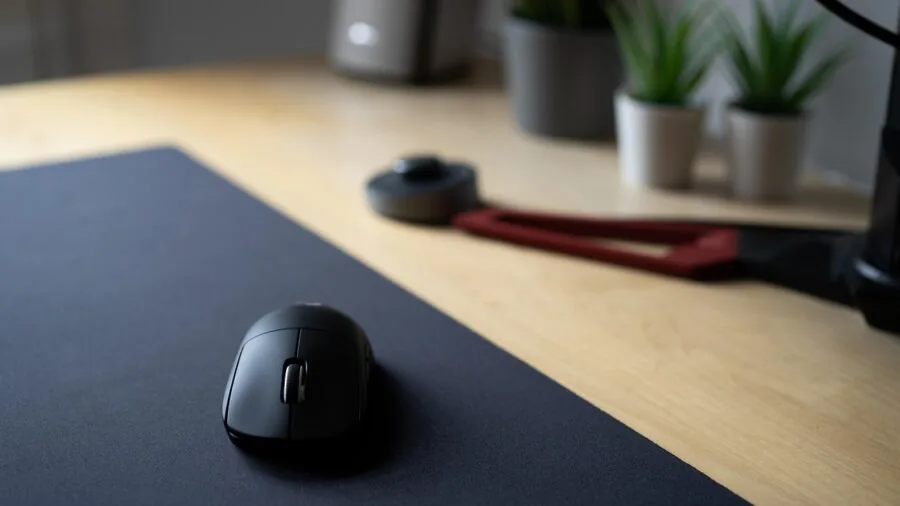
The sensor is the single most important component inside any gaming mouse. Modern optical sensors from leading manufacturers are largely flawless at typical gaming speeds, meaning spin-outs and acceleration issues that plagued older hardware are nearly gone.
What you should focus on instead is whether the sensor’s maximum DPI ceiling and tracking accuracy match your play surface and sensitivity preferences.
Competitive FPS players often run surprisingly low DPI settings (400 to 1,600 DPI) for precision, while MOBA or general desktop users frequently prefer mid-range settings around 3,000 to 6,000 DPI.
Top-tier sensors like the Logitech HERO 25K, the Razer Focus Pro 35K, and their successors found in the flagship picks in this list offer exceptionally consistent tracking with near-zero signal noise even at very high speeds.
For most gamers, any sensor scoring above roughly 7.5 on our REMOVU Scale will cover all practical use cases reliably. Budget options still perform well at moderate speeds but may show minor inconsistencies at extreme tracking velocities.
If you run a high-DPI workflow on a high-refresh-rate gaming monitor, prioritize sensors rated for smooth low-speed micro-movement resolution.
Polling rate is closely tied to sensor performance. A higher polling rate (measured in Hz) means the mouse reports its position to your PC more frequently.
Traditional 1,000 Hz polling has been standard for years, but newer flagship mice now offer 4,000 Hz or even 8,000 Hz modes for near-instantaneous response.
The real-world difference is most noticeable in ultra-fast movement scenarios; casual players may not perceive it at all, but esports-focused users chasing every millisecond will appreciate the upgrade.
Wired vs. Wireless Connectivity

Wireless gaming mice have reached parity with wired alternatives in virtually every technical performance metric that matters. Proprietary 2.4 GHz connections, such as Logitech Lightspeed and Razer HyperSpeed, operate at latency levels indistinguishable from a physical cable under controlled conditions.
The stigma against wireless for competitive gaming is largely outdated. Unless you’re on a very tight budget, wireless is worth considering for the cable-drag-free freedom it provides during extended sessions.
That said, wired mice still hold two practical advantages: no need to think about battery life, and a lower entry price for equivalent sensor performance.
If you share a workspace with many wireless devices or game in an environment with potential 2.4 GHz interference, a wired connection eliminates any theoretical signal risk.
Wired models in this roundup represent excellent value, particularly for players who want a capable mouse without spending on the wireless premium.
For a broader picture of how input hardware fits into a competitive rig, browse the gaming peripherals category where we cover everything from controllers to VR headsets.
Bluetooth connectivity is a third option worth mentioning, found on several mice in this list. It extends battery life significantly and is ideal for travel or multi-device setups, but introduces higher latency that makes it unsuitable for serious gaming.
Treat Bluetooth as a convenience mode rather than a competitive one.
Weight, Shape, and Ergonomics
Mouse weight has become one of the most debated specs in the gaming community. The broad shift toward ultra-lightweight designs (under 60 grams) has been driven largely by competitive FPS players who benefit from faster, less fatiguing arm movements.
Mice like the Logitech G PRO X Superlight 2 and the Razer Viper V4 Pro demonstrate that cutting weight does not require sacrificing structural rigidity or click feel.
If you play for several hours daily, a lighter mouse will noticeably reduce wrist and forearm fatigue over time.
Shape preference is deeply personal and difficult to judge from specifications alone.
Ambidextrous symmetrical designs suit players who switch hands or prefer a neutral palm position, while right-handed ergonomic shapes (such as the Razer Basilisk V3) provide natural thumb support and a contoured finger rest.
Grip style matters too: palm grippers need a longer, higher-profile mouse; claw and fingertip grippers generally prefer shorter, flatter mice. When in doubt, symmetrical mid-sized shapes have the broadest compatibility across hand sizes and grip styles.
Button placement and actuation force are secondary ergonomic factors that accumulate in long sessions. Side buttons should be reachable without repositioning your thumb grip.
Main click switches have a meaningful impact on how responsive the mouse feels: optical switches offer near-zero debounce delay and resistance to double-click failures over time, while mechanical switches deliver a more traditional tactile feel.
Players building a full ergonomic setup should also think about a supportive gaming desk and chair to reduce strain from long gaming sessions.
Battery Life for Wireless Models

Battery life in wireless gaming mice ranges enormously, from around 40 hours on RGB-heavy models to well over 170 hours on efficiency-focused designs with RGB disabled.
For daily competitive use, a mouse that delivers at least 60 to 70 hours of practical runtime comfortably survives a full week of heavy gaming between charges, removing anxiety about dying mid-session.
The Razer Viper V4 Pro stands out with an extraordinary battery rating in this category, making it one of the most worry-free wireless options available.
RGB lighting is one of the biggest battery drains on wireless mice. Most mid-range and flagship wireless models allow you to dim or fully disable RGB to reclaim significant runtime.
If you’re choosing between two otherwise similar mice, the one that retains long battery life with lighting off is the more practical everyday tool.
Charging interfaces also matter: USB-C is now standard on premium models and allows convenient top-ups using the same cables you use for other devices.
Programmable Buttons and Software Ecosystem

For MMO players and streamers, a high button count opens up complex macro bindings and quick-access commands without lifting your hand from the mouse.
For FPS players, fewer buttons kept in accessible positions is usually more practical, since accidental mis-clicks in a firefight can be costly.
Most mice in this roundup include between five and eleven programmable controls, covering the full spectrum of use cases.
Software quality shapes the long-term ownership experience more than the button count itself. Logitech G Hub and Razer Synapse are mature ecosystems that support DPI customization, button remapping, RGB sync, and on-board profile storage.
On-board memory is a particularly useful feature: it lets you store your preferred settings directly on the mouse so your configuration follows you to any PC without needing to install software.
Budget mice often rely on simpler utilities with fewer customization options, which is a reasonable trade-off at their price point but worth knowing before you buy.
A complete gaming peripheral setup is worth rounding out with quality input devices across the board, so also consider pairing your mouse with one of the picks from our gaming keyboards guide for a cohesive, low-latency rig.
Value and Budget Considerations

Gaming mice span a wide price spectrum from entry-level budget options to premium flagship models. Budget wired mice like the Logitech G203 and the Redragon M612 deliver genuinely capable sensors and reliable switches for casual and entry-level competitive play.
They are an excellent starting point for players who are new to PC gaming or who want a capable second mouse without significant investment.
Mid-range options represent the sweet spot for the majority of gamers.
The Logitech G305 and the Razer Basilisk V3 in this roundup demonstrate that you don’t need to spend at the flagship level to get a high-quality sensor, solid build, and competitive performance.
The jump from mid-range to flagship is mainly about ultra-low weight, cutting-edge polling rates, and premium switch technology, features that competitive players will genuinely notice but that casual gamers may not prioritize.
Flagship wireless mice command a premium that is justified for players who demand the absolute best in responsiveness, longevity, and finish quality.
The Logitech G PRO X Superlight 2 and the Razer Viper V4 Pro sit at the top of our REMOVU Score rankings precisely because they represent the current ceiling of what gaming mice can do.
If your budget extends there, both are genuinely outstanding long-term investments for anyone serious about their game. Rounding out your peripheral kit with a quality game controller gives you flexibility across different game genres on the same setup.
Why You Should Trust Us
REMOVU is an independent review publication with no brand affiliations or promotional agreements that influence our editorial decisions.
Every gaming mouse in this roundup was evaluated using our structured research methodology: we analyze manufacturer-published specifications, cross-reference expert review consensus from trusted sources across the peripheral community, and weigh verified buyer feedback drawn from thousands of confirmed purchase reviews.
We do not conduct our own product trials; our evaluations are grounded in research, published data, expert review consensus, and verified buyer feedback.
Each product is assigned a REMOVU Score on a consistent 0 to 10 scale, assessed across the same criteria set for every mouse in the category: sensor performance, connectivity, ergonomics and weight, battery life (for wireless models), software ecosystem, and overall value for money.
This uniform scoring framework ensures that a budget wired mouse and a flagship wireless model are compared on a fair, structured basis rather than on marketing claims alone.
Transparency about commercial relationships matters to us. REMOVU may earn a commission if you purchase a product through a link in this article.
That affiliate relationship has no bearing on which products are included, how they are ranked, or what scores they receive. Our recommendations are determined entirely by the quality of each product’s research evaluation, not by commission rates or brand relationships.
Final Thoughts
After a thorough review of the gaming mice landscape in 2026, the picks in this roundup cover every meaningful niche, from sub-20-dollar wired starters to elite wireless esports tools. Here is how we’d summarize the standout choices by use case:
- Best Overall: Logitech G PRO X Superlight 2 earns the top REMOVU Score in this roundup with its remarkable sub-60g weight, flawless HERO 2 sensor, and class-leading Lightspeed wireless implementation, the closest thing to a perfect competitive mouse available right now.
- Best Runner-Up Wireless: Logitech G PRO X2 SUPERSTRIKE steps ahead of the pack with its innovative magnetic analog switches and adjustable click haptics, a genuinely next-generation input device for players who want more control over how their mouse feels.
- Best Lightweight Esports Mouse: Razer Viper V4 Pro impresses with a 49g frame, a class-leading 180-hour battery rating, and Razer’s latest Gen-4 optical switches, making it arguably the most competition-ready wireless mouse Razer has ever shipped.
- Best Mid-Range Wireless Pick: Razer Viper V3 Pro delivers elite-tier sensor performance and an 8,000 Hz polling rate at a price point well below the flagship ceiling, an outstanding value for serious competitive players who want top specs without paying maximum.
- Best Budget Wireless Mouse: Logitech G305 Lightspeed remains one of the best-value wireless gaming mice ever made, delivering Lightspeed 1ms connectivity and the proven HERO sensor in a light, long-lasting package at an accessible price point that is hard to beat in its tier.
Whichever tier you’re shopping in, the picks above represent the strongest research-backed options available right now.
Pair your new mouse with the right surface, a responsive gaming monitor, and a comfortable gaming desk setup, and you’ll have a rig built for long-term performance.
For headset recommendations to complete the picture, our gaming headsets guide covers top picks across platforms.
Frequently Asked Questions
Are wireless gaming mice as good as wired ones for competitive play?
Yes, in 2026 the performance gap between premium wireless and wired gaming mice has effectively closed. Proprietary 2.4 GHz wireless technologies like Logitech Lightspeed and Razer HyperSpeed deliver click-to-screen latency that is indistinguishable from a cable in real-world use.
The main remaining advantages of wired mice are zero battery management and a lower price for comparable sensor quality. For most competitive players, wireless is the better long-term choice if budget allows.
What DPI setting should I use for gaming?
DPI is one of the most misunderstood specs in gaming peripherals. Higher DPI does not automatically mean better performance. Most competitive FPS players use settings between 400 and 1,600 DPI combined with higher in-game sensitivity, which gives them precise control over micro-adjustments.
MOBA and RTS players often prefer 1,600 to 3,200 DPI for faster cursor travel across larger screens.
The best DPI for you depends on your mouse pad size, monitor resolution, game genre, and personal comfort, and it’s worth spending time experimenting rather than copying a pro’s settings blindly.
Does mouse weight actually matter for gaming performance?
Weight matters, though its importance scales with how seriously and how long you play. For casual gaming sessions of an hour or two, the difference between a 70g and a 50g mouse is subtle.
For players who game three or more hours daily over long periods, a lighter mouse meaningfully reduces cumulative wrist and forearm fatigue. It also allows for faster directional changes in fast-paced games.
That said, the benefit is strongest for arm-aiming FPS players; wrist aimers and MOBA players may not find the upgrade as impactful.
Is a high polling rate worth it?
For most gamers, 1,000 Hz polling is more than sufficient and the practical difference over 8,000 Hz is imperceptible in everyday play.
High polling rates above 4,000 Hz are primarily relevant for top-level competitive players running high-refresh-rate displays who can genuinely perceive the smoother tracking.
One caveat: very high polling rates require more CPU processing overhead, so if your system is running close to its limit, enabling 8,000 Hz mode could introduce frame time inconsistencies.
For a system built around high-frame-rate gaming, also ensure your storage is keeping up with fast load times by checking our SSD recommendations.
How many programmable buttons do I really need?
It depends entirely on what you play. FPS players generally benefit from a minimal button count (five to six buttons) to avoid accidental inputs during tense moments.
MMO and MOBA players can take advantage of eight or more programmable controls to bind spells, macros, and quick-access commands for faster execution.
If you play multiple genres, look for mice with on-board memory that can store different button profiles switchable on the fly without needing software open.
Pairing your mouse with a well-mapped gaming keyboard is also a smart way to distribute complex bindings across both hands comfortably.
What is the best gaming mouse for someone on a tight budget?
Budget buyers are well-served in 2026. The Logitech G203 offers a reliable optical sensor, six programmable buttons, and LIGHTSYNC RGB in a lightweight wired package that punches well above its modest price.
For those who want wireless at a lower cost, the Logitech G305 is a long-standing benchmark for affordable wireless performance, with Lightspeed connectivity and a well-regarded sensor in an unpretentious design.
Both options earn respectable REMOVU Scores and represent strong starting points for new PC gamers building their first competitive setup. For a complete beginner peripheral setup, our coverage of gaming gear includes guides to every major peripheral category.
About the author
Amy is REMOVU's CPU cooler writer, comparing air and liquid options on cooling headroom, noise, and value. She helps builders keep a processor quiet and stable without overspending.