The 8 Best Gaming Keyboards for Fps
Fast switches, rapid trigger, and the right layout can sharpen your FPS performance. Here are the gaming keyboards worth buying across every budget.
 By Logan Foster
Updated July 26, 2026
By Logan Foster
Updated July 26, 2026

In fast-paced shooters where a split-second separates a clean headshot from a respawn screen, your keyboard is far more than a typing tool.
The switch type, actuation point, polling rate, and overall build quality all feed directly into how quickly and reliably your inputs register in-game.
Whether you play competitively or just want every tactical advantage in your favourite FPS titles, upgrading to a purpose-built gaming keyboard is one of the highest-return investments you can make at your desk.
Pairing a great keyboard with a quality gaming peripheral setup can meaningfully elevate your overall performance.
To build this list, the REMOVU team researched specifications, analyzed expert review consensus across the enthusiast community, and weighed verified buyer feedback to surface keyboards that genuinely serve FPS players across different budgets and preferences.
Every pick here ranges from value-focused compact layouts to flagship magnetic-switch boards with Hall Effect precision. Read on for our top picks, then scroll to the buying guide to find the right match for your playstyle.
| Award | Product | REMOVU Score About REMOVU ScoreThe REMOVU Score is our own rating from 0 to 10, based on performance, design and build, ease of use, and value. It reflects independent research and is never influenced by manufacturers, retailers, or affiliate commissions. Learn more › | Price | |
|---|---|---|---|---|
| Best Overall |
 SteelSeries Apex Pro TKL Gen 3 Gaming Keyboard
|
9.1/10 | Buy | |
| Best Premium |
 ASUS ROG Strix Scope II 96 Wireless Mechanical Keyboard
|
8.9/10 | Buy | |
 ASUS ROG Strix Scope II X Full-Size Mechanical Keyboard
|
8.1/10 | Buy | ||
| Best Value |
 Logitech G413 TKL SE Mechanical Gaming Keyboard
|
7.8/10 | Buy | |
 AULA F75 Pro 75% Wireless Mechanical Keyboard
|
7.3/10 | Buy | ||
 Womier SK80 75% Mechanical Keyboard with Display
|
7.1/10 | Buy | ||
| Best Budget |
 AULA WIN68 HE 60% Gaming Keyboard, Hall Effect, 8000Hz
|
7.7/10 | Buy | |
 SteelSeries Apex 3 RGB Gaming Keyboard
|
6.8/10 | Buy |
SteelSeries Apex Pro TKL Gen 3 Gaming Keyboard
A tenkeyless gaming keyboard featuring OmniPoint 3.0 magnetic switches with adjustable actuation from 0.1mm to 4.0mm, plus exclusive Rapid Trigger, Rapid Tap, and Protection Mode features activated via QuickSet auto-presets. Best for competitive gamers and typists who value precision customization and responsive keystrokes.
Pros
- Adjustable actuation levels (0.1mm to 4.0mm) let you dial in sensitivity precisely, reducing accidental keypresses in intense gaming
- Rapid Trigger and Rapid Tap features reset keys instantly for faster competitive gaming inputs, with Protection Mode reducing nearby key mistakes
- OLED Smart Display allows onboard settings adjustment and media control without leaving games, with configurations saved locally
- Premium build quality with PBT keycaps, aluminum top plate, per-key lubrication, and triple-layer dampening for durability and quieter keystrokes
- Per-key RGB lighting with Prism Sync support for seamless multi-device customization
Cons
- Non-hotswap switches mean you cannot easily replace individual switches if they fail or wear out
- Positioned at a premium price point relative to standard mechanical gaming keyboards
- Windows PC only, not compatible with Mac or other operating systems
ASUS ROG Strix Scope II 96 Wireless Mechanical Keyboard
A compact 96% mechanical keyboard that delivers full-size functionality without eating your desk space. Built around ASUS's SpeedNova wireless tech and factory-lubed ROG NX Snow switches, it handles gaming, streaming, and daily work equally well. The tri-mode connectivity and 1,500-hour battery life make it genuinely versatile for users who switch between devices.
Pros
- Space-saving 96% layout retains number pad and arrow keys while staying just 1cm wider than 80% boards
- Tri-mode connectivity (USB, 2.4GHz wireless with low latency, Bluetooth for up to 3 devices) covers most use cases
- Hot-swappable switches and web-based Gear Link software let you customize without installing bloatware
- Dual dampening system (silicone layer plus switch pads) effectively reduces pinging for cleaner acoustics
- Excellent 4.6-star rating from over 1,000 reviews indicates consistent real-world satisfaction
Cons
- Premium positioning means it costs more than entry-level gaming keyboards with fewer connectivity options
- Web-based software dependency could be frustrating if you prefer offline control or need offline macro editing
- Limited to ROG NX Snow or Storm switches out of box; switching to third-party switches requires compatibility verification
ASUS ROG Strix Scope II X Full-Size Mechanical Keyboard
A premium wired gaming keyboard built for customization, featuring hot-swappable pre-lubed ROG NX Snow V2 switches and durable PBT doubleshot keycaps. The aluminum construction, sound-dampening foam, and included wrist rest make it comfortable for extended gaming and work sessions. Best suited for enthusiasts who want to fine-tune their setup without breaking the bank on connectivity options.
Pros
- Hot-swappable switches let you swap between ROG NX Snow linear or Storm clicky types to match your preference
- Pre-lubed V2 switches with dust-proof design deliver smooth, consistent keystrokes out of the box
- PBT doubleshot keycaps resist shine and wear better than standard ABS alternatives
- Integrated sound-dampening foam and stabilizer tuning reduce pinging and echo for cleaner acoustics
- Detachable wrist rest and three-angle adjustment accommodate different hand positions for comfort
- Pre-programmed hotkeys for Xbox Game Bar and recording, plus fully programmable macros via Armoury Crate
Cons
- Wired USB-C only, no wireless or Bluetooth option for desk flexibility
- Full-size layout takes up significant desk real estate compared to compact alternatives
- Premium pricing reflects the customization features, which may not justify the cost for casual users
Logitech G413 TKL SE Mechanical Gaming Keyboard
A compact tenkeyless mechanical keyboard built for competitive gaming with durable PBT keycaps and tactile switches. The aluminum chassis and anti-ghosting performance appeal to players prioritizing reliability and durability, though the wired connection and white-only LED lighting limit setup flexibility.
Pros
- PBT keycaps deliver superior heat and wear resistance compared to standard ABS materials
- 6-key rollover anti-ghosting ensures reliable input during intense gameplay
- Brushed aluminum top case minimizes flex and provides a premium, durable construction
- Tactile mechanical switches offer consistent, responsive performance for gaming
- Twelve FN media controls for quick access to volume, lighting, and system functions
Cons
- USB wired connection removes mobility and adds cable clutter to your desk setup
- White LED lighting only, with no RGB customization for users wanting color variety
- Tenkeyless layout eliminates the number pad, which may frustrate users who need it for productivity or spreadsheet work
AULA F75 Pro 75% Wireless Mechanical Keyboard
A compact 75% mechanical keyboard built for gamers and professionals who want flexibility without sacrificing desk space. The tri-mode connectivity (Bluetooth, 2.4GHz, USB-C) lets you jump between five devices seamlessly, while the hot-swappable design and pre-lubed Reaper switches deliver smooth, creamy typing right out of the box. The multi-function knob and programmable keys add practical control for gaming and office work alike.
Pros
- Tri-mode connectivity with five-device pairing simplifies switching between PC, laptop, tablet, and phone
- Hot-swappable socket supports both 3-pin and 5-pin switches for easy customization without soldering
- Pre-lubricated stabilizers and Reaper switches provide smooth keystroke feel with minimal rattle
- 4000mAh battery delivers extended wireless runtime on a single charge
- Side-printed PBT keycaps resist fading and sweat, with gradient finish that complements RGB lighting
- Multi-function knob controls brightness and media in one tactile control
Cons
- 75% layout removes numpad and some function keys, which may inconvenience heavy spreadsheet users
- RGB customization requires driver software installation for full macro and lighting effect access
- Limited information on actual battery life duration under typical use conditions
Womier SK80 75% Mechanical Keyboard with Display
A compact 75% gaming keyboard that stands out with its built-in color multimedia screen for customizable GIF animations and system info. The gasket-mounted design with pre-lubed linear switches delivers a smooth, creamy typing feel out of the box, while extensive RGB lighting and macro software give gamers plenty of personalization options. Best suited for users who value compact layouts without sacrificing features.
Pros
- Unique multimedia display screen with customizable GIF animations and system status indicators
- Hot-swappable PCB compatible with both 3-pin and 5-pin switches for easy customization
- Pre-lubed linear switches provide smooth keystroke feel with minimal setup required
- Gasket mounting design reduces noise and enhances stability
- 19 RGB lighting effects with adjustable brightness and music syncing mode
- Compatible with both Mac and Windows systems
Cons
- Display screen has delicate internal wiring that can be easily damaged if keyboard is disassembled
- Wired connection only (no wireless option despite some product line variants offering Bluetooth/2.4G)
- Gasket mounting and display screen design may limit deep customization compared to standard mechanical keyboards
AULA WIN68 HE 60% Gaming Keyboard, Hall Effect, 8000Hz
A compact 60% mechanical keyboard with Hall Effect magnetic switches, 8000Hz polling rate, and adjustable actuation points down to 0.1mm. Built for gamers and coders seeking a space-saving layout without sacrificing responsiveness, though it requires Windows for full software customization.
Pros
- Industry-leading 8000Hz polling rate with 0.3ms latency for minimal input delay
- Adjustable actuation points (0.02-3.44mm) with per-key customization for precise control
- Compact 60% layout saves significant desk space while retaining arrow keys and function access
- Smooth Hall Effect magnetic switches with quiet operation compared to traditional mechanical keyboards
- 16.8 million RGB colors with 14 preset effects and per-key lighting control
- Includes extra magnetic switches and keycap puller in box
Cons
- Software driver only supports Windows, not macOS, limiting customization on Apple systems
- Some users report occasional key ghosting or false trigger events after extended use, suggesting potential durability concerns
- RGB lighting not particularly bright in well-lit rooms despite 16.8 million color options
SteelSeries Apex 3 RGB Gaming Keyboard
A full-size gaming keyboard with whisper-quiet switches, 10-zone RGB lighting, and IP32 water resistance. Built for durability with a magnetic wrist rest and dedicated media controls, it delivers solid performance at a budget-friendly price point.
Pros
- Exceptionally quiet typing experience ideal for shared spaces and streaming
- Durable construction with solid build quality and premium feel
- Magnetic wrist rest adds genuine comfort without bulk
- Bright, customizable RGB lighting without requiring software for basic use
- Excellent value for a full-featured gaming keyboard
Cons
- Standard key height feels too tall for users with low-profile preferences or laptop typing backgrounds
- Right-click key replaced with SteelSeries key that cannot be remapped even through official software
- Full-size layout may be less suitable for users with smaller hands
Gaming Keyboards for FPS Buying Guide
Choosing the right FPS keyboard is less about chasing specifications sheets and more about understanding which features translate to real in-game advantage. The sections below walk through the criteria that matter most, so you can filter the picks above to your specific needs and budget.
Switch Type and Actuation

The switch is the single most important component in any FPS keyboard.
Linear switches, which move smoothly from top to bottom without a tactile bump, are overwhelmingly preferred by competitive FPS players because they allow faster repeated keypresses and produce less fatigue during extended sessions.
Tactile switches can work well for players who prefer auditory or physical feedback, but the bump adds a small amount of resistance that some find disruptive during high-tempo play.
Beyond the basic switch category, pay close attention to actuation force and travel distance. A lighter actuation force (around 40 to 45 grams) means your keystrokes register with less physical effort, which compounds over hundreds of presses per minute.
Pre-lubed switches, now common on mid-range and premium boards, reduce scratch and rattle so that every keypress feels consistent from the first hour of play to the thousandth.
The most advanced option available right now is the Hall Effect magnetic switch, which uses magnets rather than physical contact points to detect keypress position.
This eliminates wear-based inconsistency entirely and enables features like adjustable actuation and rapid trigger, which are game-changing for FPS movement and shooting mechanics. If those features matter to you, prioritize boards built around Hall Effect or analog magnetic technology.
Rapid Trigger and Adjustable Actuation

Rapid trigger is arguably the most significant FPS-specific feature to emerge in recent years. On a standard keyboard, a key must physically return past its actuation point before it can register another press.
Rapid trigger eliminates that dead zone: the key can re-actuate the moment it begins moving upward, making counter-strafing and directional changes meaningfully faster and more precise.
In titles like CS2 where movement mechanics are central to gunfight outcomes, this capability can be a genuine competitive differentiator.
Adjustable actuation lets you set exactly how far the key must travel before the signal fires, anywhere from a hair-trigger shallow depth to a deliberate deeper press.
The ability to fine-tune this per key, or even per game profile, gives competitive players a level of customization that was not possible with traditional mechanical switches.
Look for boards that offer these settings through dedicated software or on-board configuration rather than requiring a cloud connection.
Polling Rate
Polling rate describes how frequently a keyboard reports its state to your PC, measured in hertz. A standard 1,000 Hz polling rate means the keyboard checks in 1,000 times per second, which is more than adequate for most players.
However, premium FPS-focused boards now offer 4,000 Hz or even 8,000 Hz polling rates, reducing the maximum possible input lag to fractions of a millisecond.
Whether you can perceive the difference between 1,000 Hz and 8,000 Hz in real gameplay is debated even among professional players, but the headroom matters: at very high frame rates, particularly above 240 fps, a higher polling rate ensures that no frame is left without a fresh input sample.
If you are running a high-refresh monitor, which you can read more about in our guide to monitors for every desk setup, pairing it with a high-polling-rate keyboard closes the last gap in input latency.
Form Factor and Layout

FPS players tend to favour compact keyboard layouts because they allow a more natural, centred mouse position. A full-size keyboard pushes your mouse arm outward, which can affect aim consistency during long sessions.
Tenkeyless (TKL) keyboards drop the numpad and are the most popular format in competitive play because they maintain most of the key real estate while freeing up meaningful desk space.
Sixty-five percent and 75% layouts go even further, making them a smart choice for players who want maximum mouse room without sacrificing arrow keys or navigation clusters.
If you also use your keyboard heavily for productivity or work, a full-size or 96% layout may be a better compromise. Consider how much time you spend away from gaming before committing to an ultra-compact form factor.
A solid gaming desk setup can also help you organize your peripherals efficiently regardless of keyboard size.
Connectivity: Wired vs. Wireless
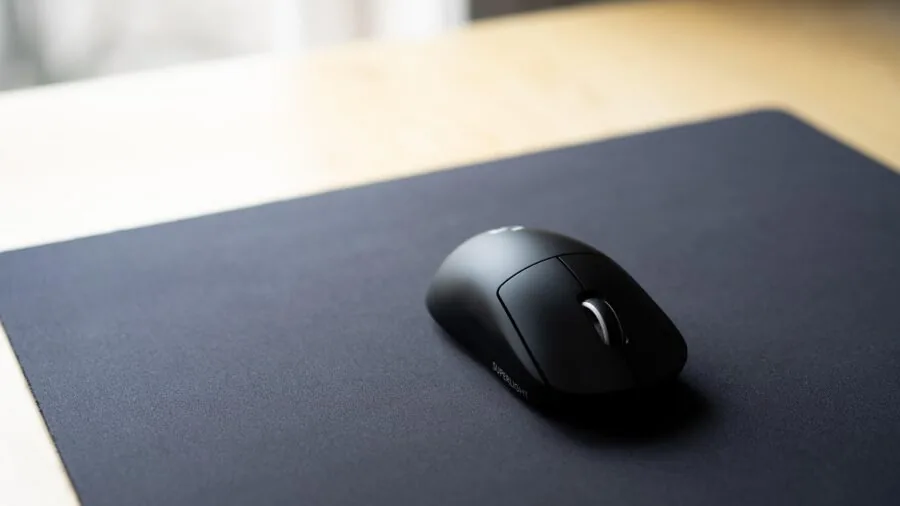
Wired USB-C connections remain the gold standard for competitive FPS play because they offer zero-latency consistency with no battery management required. However, modern 2.4 GHz wireless technology has closed the gap substantially.
High-quality wireless keyboards using dedicated USB dongles now deliver polling rates and latency figures that are effectively indistinguishable from wired in controlled comparisons, making wireless a legitimate option even at the highest levels of play.
Bluetooth connectivity is generally less suitable for competitive gaming due to its higher and more variable latency, but it is convenient for multi-device setups or casual use.
Boards that offer tri-mode connectivity, covering 2.4 GHz, Bluetooth, and wired USB-C, give you maximum flexibility without compromise. Battery life is another variable: look for advertised figures above 30 hours at typical RGB brightness levels to avoid interruptions during long gaming sessions.
Build Quality and Hot-Swap Support

Keyboard build quality affects both longevity and sound profile, which matters more than many buyers anticipate. A gasket-mounted or top-mount design absorbs typing force and produces a quieter, less fatiguing keypress feel compared to a rigid tray-mounted board.
For FPS players who spend hours at a time on their keyboard, the cumulative comfort difference is real. Pre-lubed stabilizers on the spacebar and modifier keys eliminate rattle that can become distracting during high-pressure moments.
Hot-swap support means you can remove and replace individual switches without soldering, which is increasingly common even on mid-range boards.
This matters if you want to experiment with different switch feels down the road or if a single switch fails and needs replacement.
PBT keycaps, which are thicker and more resistant to shine than standard ABS plastic, are another quality indicator worth looking for: they feel better under the fingers and hold their texture far longer under daily use.
For a broader look at how these build factors apply across keyboard categories, our roundup of mechanical keyboards for Mac covers many of the same quality benchmarks.
Why You Should Trust Us
REMOVU is an independent review publication with no affiliation to any keyboard brand or retailer.
Every product in this guide was evaluated and assigned a REMOVU Score on a 0 to 10 scale based on a consistent, multi-criteria framework covering switch technology, build quality, FPS-specific features, connectivity, value, and verified user satisfaction.
We do not conduct our own product trials; our evaluations are grounded in research, published data, expert review consensus, and verified buyer feedback.
Our research process draws on publicly available specifications, analysis from experienced hardware reviewers in the enthusiast community, and aggregated feedback from verified purchasers across major retail platforms.
Each criterion is weighted according to its relevance to FPS gaming use specifically, rather than general typing or productivity use.
This means factors like polling rate, rapid trigger support, and switch actuation characteristics carry more weight here than they would in a general-purpose keyboard roundup.
REMOVU may earn a commission if you purchase through a link in this article. That affiliate relationship has no bearing on which products are included, how they are ranked, or the REMOVU Score assigned to any product.
Our recommendations are editorially independent. We do not accept payment for placement, and no brand has reviewed or approved this content before publication.
Final Thoughts
The best gaming keyboards for FPS span a wide price range and a variety of feature sets, but the picks in this guide represent the strongest options available based on our research.
Here is how we would summarize the standouts by use case, each linked to the full product details above.
- Best Overall: SteelSeries Apex Pro TKL Gen 3 earns the top REMOVU Score in this group thanks to its OmniPoint 3.0 analog magnetic switches, built-in rapid trigger and SOCD handling, and an impressive polling rate that puts it at the absolute forefront of FPS-ready technology. It is the pick for serious competitors who want every advantage their hardware can provide.
- Best Wireless Pick: ASUS ROG Strix Scope II 96 Wireless stands out as the strongest wireless option in the lineup, combining tri-mode connectivity with hot-swappable pre-lubed linear switches and a 96% layout that keeps the keyboard compact without sacrificing function keys. It earns one of the highest REMOVU Scores in the group and is ideal for players who want wireless freedom without compromising on build or switch quality.
- Best Full-Size Option: ASUS ROG Strix Scope II X is the go-to if you want a 100% layout with premium hot-swappable NX Snow V2 linear switches and PBT keycaps. Its REMOVU Score reflects strong all-round capability for players who need a full key complement alongside solid FPS performance.
- Best Budget Hall Effect Board: AULA WIN68 HE delivers Hall Effect magnetic switches and an 8,000 Hz polling rate in a 60% form factor at a budget-friendly price point, making it one of the most compelling value propositions in the FPS keyboard space right now. Its REMOVU Score reflects solid performance per dollar.
- Best Mid-Range Mechanical Pick: Logitech G413 TKL SE earns a strong REMOVU Score for its reliable tactile switches, clean anti-ghosting implementation, and proven build quality from a trusted brand, all at a mid-range price that suits players who want a dependable board without premium features they may not use.
Whichever board you choose, pairing it with a capable desktop PC and a low-latency display will ensure your hardware is not the bottleneck in your FPS setup.
You might also consider rounding out your peripheral kit with well-reviewed wireless mice and a quality headset, since audio cues are just as critical as fast inputs in competitive shooters.
Our picks for noise-cancelling headphones under budget are worth a look if you need to focus in a noisy environment.
Frequently Asked Questions
What type of switches are best for FPS gaming?
Linear switches are the most popular choice among FPS players because they actuate smoothly without a tactile bump, allowing faster repeated keypresses and less finger fatigue.
For the highest level of performance, Hall Effect magnetic switches add adjustable actuation and rapid trigger capability on top of the linear feel, making them the current top choice for competitive play.
Is rapid trigger actually worth it for FPS games?
For games where counter-strafing and precise directional input matter, such as CS2, rapid trigger provides a measurable mechanical advantage.
It allows the key to re-actuate the instant it begins returning upward rather than waiting for it to pass a fixed reset point, making movement mechanics faster and more consistent.
If your game rewards precise movement timing, it is worth prioritizing.
Should I use a wired or wireless keyboard for competitive FPS?
Wired remains the most reliable option for competitive play with zero latency variability. However, premium 2.4 GHz wireless boards have reached a level where latency differences are negligible for most players in practice.
If you choose wireless, use the dedicated USB dongle rather than Bluetooth for the lowest possible latency. Keep the dongle close to the keyboard and away from USB 3.0 interference sources.
What keyboard size is best for FPS gaming?
Tenkeyless (TKL) is the most common format in competitive FPS because it removes the numpad while keeping all functional keys, freeing up desk space for a larger mouse area.
Sixty-five percent and 75% layouts go further and are popular with players who use low mouse sensitivity and need maximum mouse room. Full-size layouts are better suited to players who also do heavy productivity work at the same desk.
Does polling rate matter for keyboard gaming performance?
At 1,000 Hz, the performance difference versus higher polling rates is minimal for most players. At very high frame rates (above 240 fps), a higher polling rate such as 4,000 Hz or 8,000 Hz ensures input samples are never skipped between frames.
The benefit is most noticeable when combined with a high-refresh-rate display and a game engine that processes inputs frequently. For casual FPS play, 1,000 Hz is more than sufficient.
Serious competitors chasing every millisecond may find the upgrade worthwhile, much like selecting a capable graphics card that keeps frame rates high enough to justify those polling rate gains.
Are gaming keyboards compatible with consoles or only PC?
Most gaming keyboards connect over USB-C or standard USB-A and will work with any device that supports USB HID input, including some current-generation consoles.
However, advanced features like rapid trigger, adjustable actuation, and high polling rates are almost exclusively supported on PC platforms, since consoles typically cap keyboard input at standard USB HID polling speeds.
Check your console’s keyboard support documentation before purchasing if cross-platform use is a priority. You can also explore our game consoles category for compatible peripheral guidance.
About the author
Logan covers smart speakers for REMOVU, comparing sound, assistant features, and smart-home control across ecosystems. He helps readers pick the right voice speaker for their setup.