The 12 Best Gaming Monitors Under $200
High refresh rates, adaptive sync, and accurate color panels are all within reach. Here are the best gaming monitors under $200, vetted across specs, expert consensus, and verified buyer feedback.
 By Jerry Daniels
Updated July 26, 2026
By Jerry Daniels
Updated July 26, 2026
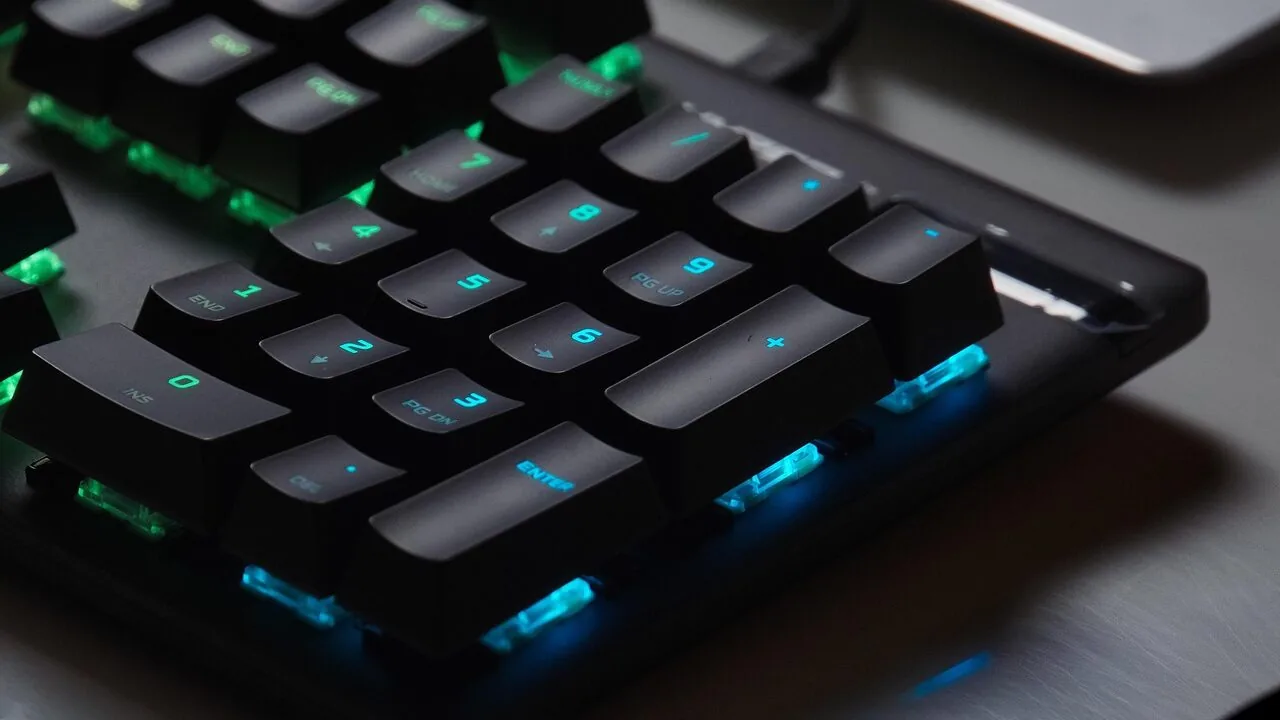
Finding a capable gaming monitor without breaking the bank has never been more realistic.
The budget segment has matured considerably, with brands like Samsung, ASUS, Acer, AOC, and KTC now packing high-refresh-rate panels, adaptive sync, and respectable color coverage into displays priced well within reach.
Whether you’re building your first gaming rig around a solid mid-range gaming PC or simply upgrading from an aging office screen, the options in this price bracket can genuinely surprise you.
To cut through the noise, our team at REMOVU researched specifications, analyzed expert review consensus across the display community, and weighed verified buyer feedback for every model in this guide.
We do not conduct our own product trials; every pick here is grounded in published data and real-world owner experiences.
Our goal is to give you the clearest picture of which gaming monitors under that budget ceiling deliver genuine value, so you can scroll straight to the picks below and find the right panel for your setup.
| Award | Product | REMOVU Score About REMOVU ScoreThe REMOVU Score is our own rating from 0 to 10, based on performance, design and build, ease of use, and value. It reflects independent research and is never influenced by manufacturers, retailers, or affiliate commissions. Learn more › | Price | |
|---|---|---|---|---|
| Best Overall |
 Samsung Odyssey G55C 32" QHD Curved Gaming Monitor
|
8.6/10 | Buy | |
| Best Premium |
 ASUS TUF Gaming VG279QM5A 27" 240Hz Monitor
|
7.6/10 | Buy | |
| Best Budget |
 KTC H25T7 24.5" 180Hz FHD Gaming Monitor
|
8.2/10 | Buy | |
 SANSUI 24-Inch 180Hz Gaming Monitor
|
7.8/10 | Buy | ||
| Best Value |
 AOC 24G51F 144Hz Gaming Monitor
|
7.6/10 | Buy | |
 KOORUI E2411K 24-Inch 144Hz Gaming Monitor
|
7.5/10 | Buy | ||
 MSI PRO MP243L E14 24-inch 144Hz Gaming Monitor
|
7.3/10 | Buy | ||
 Acer Nitro KG241Y 23.8" 165Hz Gaming Monitor
|
6.2/10 | Buy | ||
 Sceptre E225W-FW144 22-Inch 144Hz Gaming Monitor
|
7.4/10 | Buy | ||
 Sceptre C248W 24-inch 1080p Curved Gaming Monitor
|
6.2/10 | Buy | ||
 Samsung 27" S36GD Curved Monitor 100Hz
|
6.4/10 | Buy | ||
 Acer KB242Y 23.8-inch 120Hz IPS Monitor
|
6.2/10 | Buy |
Samsung Odyssey G55C 32" QHD Curved Gaming Monitor
Samsung's 32-inch curved gaming monitor delivers sharp QHD visuals with a 165Hz refresh rate and 1ms response time, designed to minimize motion blur during fast-paced gameplay. The aggressive 1000R curve and AMD FreeSync support create an immersive experience, while HDR10 and Eye Saver Mode add visual depth and reduce strain during extended sessions. Best suited for competitive gamers prioritizing smooth performance over ultra-high resolution.
Pros
- 1.7x pixel density over 1080p delivers noticeably sharper detail at QHD resolution
- 165Hz refresh rate with 1ms MPRT response time provides smooth, responsive gameplay
- 1000R curved VA panel fills peripheral vision and enhances immersion
- AMD FreeSync eliminates tearing for fluid motion in compatible games
- Eye Saver Mode with blue light filter reduces fatigue during long gaming sessions
- HDR10 support brings deeper blacks and brighter highlights to supported content
Cons
- VA panel technology has narrower viewing angles compared to IPS alternatives
- No built-in speakers or USB connectivity, unlike pricier models in Samsung's lineup
- 1ms response time requires 'Extreme mode' setting to achieve, results vary by content and monitor calibration
- 165Hz refresh rate trails behind higher-end 180Hz or 240Hz gaming monitors
ASUS TUF Gaming VG279QM5A 27" 240Hz Monitor
A competitive 27-inch 1080p gaming monitor built for high-refresh esports and fast-paced titles. The 240Hz panel and 0.3ms response time deliver smooth motion, while G-SYNC and FreeSync compatibility cover most GPU setups. Gaming-focused features like Dynamic Crosshair AI and DisplayWidget customization add practical value for serious players.
Pros
- 240Hz refresh rate with 0.3ms response time ensures sharp, fluid motion in competitive games
- G-SYNC Compatible and AMD FreeSync Premium support plus ELMB SYNC reduces tearing and ghosting
- Gaming AI features including dynamic crosshair and AI Visual automatically optimize settings for different games
- DisplayWidget Center allows mouse-based OSD control and easy import of pro streamer configurations
- 99% sRGB color coverage and Fast IPS panel provide vibrant visuals beyond typical TN monitors
- Flicker-free and Low Blue Light technology reduce eye strain during extended sessions
Cons
- 1920x1080 resolution on a 27-inch screen results in lower pixel density compared to 1440p competitors at the same size
- No reviews yet available, limiting real-world user feedback on long-term reliability and actual performance claims
- Fast IPS panels typically have slightly slower response times than TN alternatives, despite the 0.3ms specification
KTC H25T7 24.5" 180Hz FHD Gaming Monitor
A budget-friendly 24.5-inch gaming monitor built for competitive play, offering a fast 180Hz refresh rate, 1ms response time, and Adaptive Sync to reduce tearing. The Fast IPS panel delivers decent color accuracy with 128% sRGB and HDR10 support, while eye-care features like flicker-free technology make extended sessions more comfortable. Best suited for esports and fast-paced gamers who prioritize smooth motion over resolution.
Pros
- Fast 180Hz refresh rate (up to 200Hz) with 1ms MPRT response time for competitive gaming
- Adaptive Sync technology eliminates screen tearing without introducing ghosting
- Eye-care features including flicker-free and low blue light reduce fatigue during long play sessions
- Wide viewing angles and three-sided frameless design ideal for multi-monitor setups
- Solid connectivity with dual HDMI 2.0 and DisplayPort 1.4 for console and PC compatibility
- Strong customer satisfaction with 4.6 out of 5 stars from nearly 2,000 reviews
Cons
- FHD 1080p resolution limits detail compared to QHD alternatives at the same screen size
- Tilt-only adjustment lacks height, pivot, and swivel options for ergonomic positioning
- No built-in speakers, requiring separate audio solution
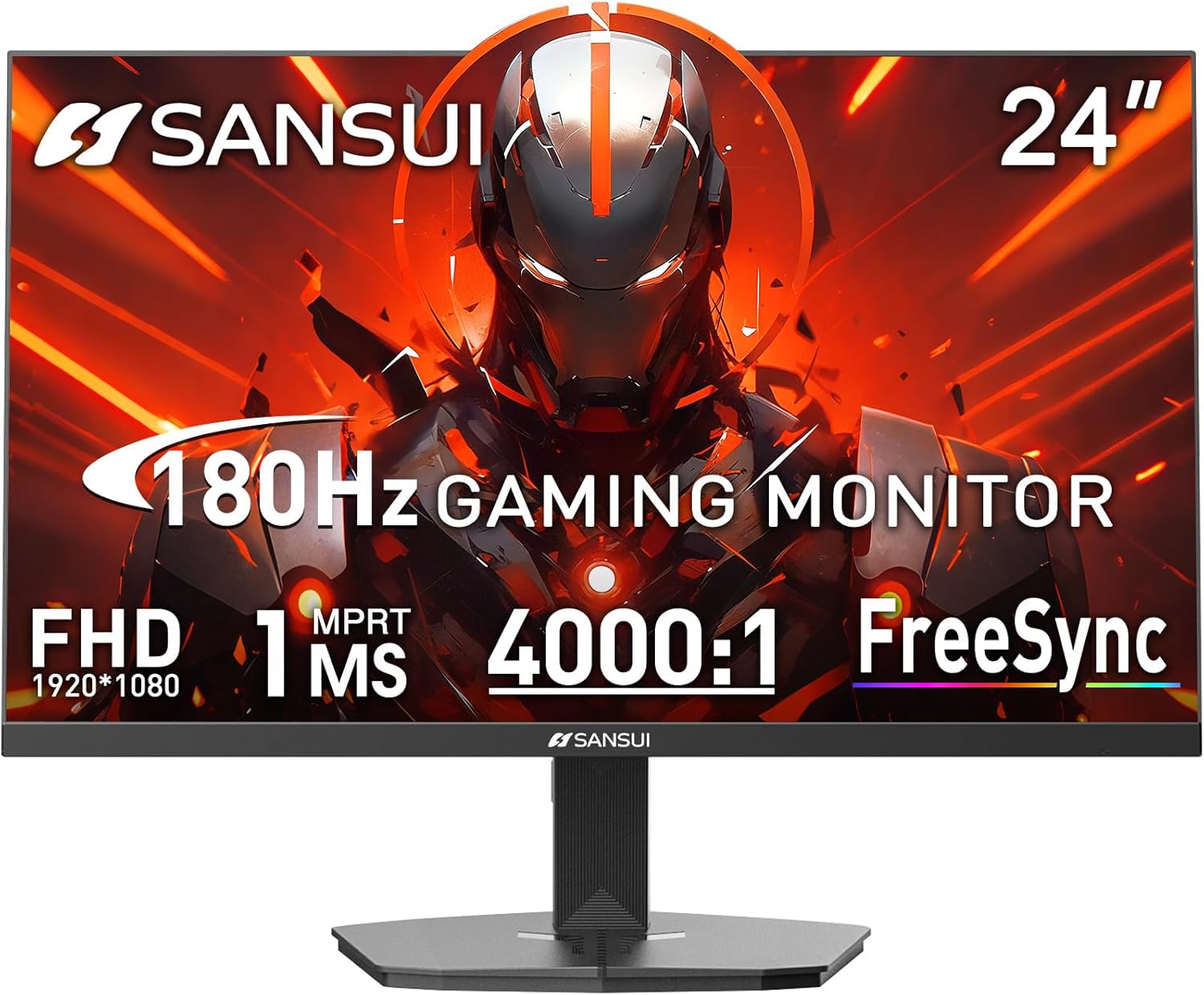
SANSUI 24-Inch 180Hz Gaming Monitor
A budget-friendly 1080p gaming display built around speed and refresh rate. The 180Hz panel with 1ms response time targets competitive gamers who prioritize frame rate over resolution, while the included game overlays and color accuracy features add versatility for office work. Best suited for esports players or streamers on a tighter budget.
Pros
- High 180Hz refresh rate with 1ms MPRT response time for smooth competitive gaming
- Dual connectivity with HDMI 2.1 and DisplayPort 1.4, both supporting 180Hz output
- 110% sRGB color gamut and HDR support for decent color reproduction beyond gaming
- Built-in game assist tools including crosshair, timer, and mode presets for different genres
- 30-day money-back guarantee and lifetime technical support
Cons
- 1080p resolution may feel dated for non-competitive gaming or content creation work
- No built-in speakers, requiring external audio solution
- Limited color accuracy metrics disclosed (DCI-P3 80% is modest compared to professional monitors)
AOC 24G51F 144Hz Gaming Monitor
A straightforward 24-inch gaming monitor built for competitive play, pairing a 144Hz refresh rate with a 1ms response time to minimize lag during fast-paced action. The IPS panel delivers solid color accuracy and the Adaptive-Sync tech handles screen tearing, making it a practical choice for both PC and console gamers who prioritize responsiveness over premium features.
Pros
- Fast 144Hz refresh rate and 1ms MPRT response time for smooth, competitive gaming
- Adaptive-Sync eliminates screen tearing and stuttering
- Wide 116% sRGB color gamut for accurate, vivid visuals
- Three-sided frameless design enables clean multi-monitor setups
- Console-ready with low input lag mode and 120Hz support
- VESA mount compatible and tilt-adjustable for flexible positioning
Cons
- 1080p resolution on a 24-inch screen is standard but less sharp than 1440p alternatives
- Limited to HDMI 2.0 and DisplayPort 1.4, which may constrain future high-refresh connectivity needs
- No height or swivel adjustment built-in, requiring VESA mount for full ergonomic control
KOORUI E2411K 24-Inch 144Hz Gaming Monitor
A 24-inch IPS gaming monitor built for competitive play and content creation. The 144Hz refresh rate with FreeSync support delivers smooth motion, while the 99% sRGB panel ensures accurate colors for both gamers and creative professionals. Eye care features like flicker-free tech and low blue light mode make extended sessions more comfortable.
Pros
- 144Hz refresh rate with FreeSync for smooth, tear-free gaming
- 99% sRGB color accuracy with IPS panel and wide viewing angles, suitable for content creators
- Flicker-free technology and low blue light mode reduce eye strain during long sessions
- Flexible ergonomic design with tilt adjustment (-5° to 15°) and 100x100mm VESA mount support
- Multiple connectivity options including HDMI and VGA with dedicated audio-out port
Cons
- No built-in speakers, requiring external audio solution for complete setup
- 1920x1080 resolution may feel limited for larger workspace or professional multi-tasking
- 3ms response time is adequate for gaming but slower than 1ms alternatives in the monitor category
MSI PRO MP243L E14 24-inch 144Hz Gaming Monitor
A 24-inch Full HD IPS monitor built for gamers and productivity users who want smooth motion without breaking the bank. The 144Hz refresh rate and AMD FreeSync eliminate screen tearing, while certified flicker-free and low blue light tech reduce eye strain during long sessions. Best suited for casual competitive gaming and office work rather than professional color-critical tasks.
Pros
- 144Hz refresh rate delivers noticeably smoother motion than standard 60Hz monitors, ideal for fast-paced games
- AMD FreeSync syncs with compatible GPUs to eliminate screen tearing and stuttering
- TUV Rheinland certified flicker-free and low blue light tech minimizes eye fatigue
- IPS panel with 178-degree viewing angles and 1500:1 contrast ratio ensures accurate colors from any position
- Tilt-adjustable stand and VESA mount compatibility offer flexible desk setup options
Cons
- 1920x1080 resolution on a 24-inch screen may feel dated compared to newer 1440p gaming monitors at similar price points
- FreeSync only works with AMD GPUs; NVIDIA users won't benefit from the adaptive sync feature
- No USB hub or advanced connectivity beyond HDMI 2.0 and VGA ports
Acer Nitro KG241Y 23.8" 165Hz Gaming Monitor
A competitive gaming monitor built around speed and smoothness. The 165Hz refresh rate and 1ms response time deliver fluid motion for fast-paced titles, while AMD FreeSync Premium eliminates screen tearing. Full HD resolution keeps performance snappy, though the 23.8-inch size suits desk-focused gamers more than those seeking expansive immersion.
Pros
- 165Hz refresh rate with 1ms response time minimizes input lag and ghosting for responsive gameplay
- AMD FreeSync Premium syncs monitor refresh with GPU output, eliminating screen tearing
- VA panel with HDR10 support and multiple gaming modes for customizable color profiles
- Zero-frame design and compact footprint allow side-by-side multi-monitor setups
- Flicker-free, low-dimming ComfyView technology reduces eye strain during long sessions
Cons
- Full HD resolution at 23.8 inches leaves less screen real estate than 1440p alternatives at similar sizes
- VA panel may have narrower viewing angles compared to IPS panels, affecting off-axis visibility
- Limited to 72% NTSC color saturation, making it less ideal for content creation or color-critical work
Sceptre E225W-FW144 22-Inch 144Hz Gaming Monitor
A compact 22-inch gaming monitor delivering 1080p visuals at up to 144Hz refresh rates, paired with integrated speakers and blue light reduction technology. The minimal bezel design makes it suitable for dual-monitor setups, while built-in audio eliminates the need for external speakers on smaller desks. Best suited for budget-conscious gamers and office workers prioritizing refresh rate and eye comfort.
Pros
- 144Hz refresh rate for smooth gaming performance at 1080p resolution
- Built-in speakers reduce desk clutter and provide baseline audio without external equipment
- Blue-Light Shift technology helps reduce eye strain during extended viewing sessions
- Minimal bezel design enables seamless multi-monitor configurations
- Solid 4.5-star rating from nearly 1,000 verified reviews indicates reliable user satisfaction
Cons
- 22-inch screen is relatively small for competitive gaming or detailed work, limiting immersion and workspace visibility
- 1080p resolution on a gaming monitor at this size may feel dated compared to 1440p alternatives in the same price range
- No specifications provided regarding brightness, contrast ratio, or response time, making it difficult to assess color accuracy and gaming responsiveness
Sceptre C248W 24-inch 1080p Curved Gaming Monitor
This 24-inch curved display brings immersive gaming to a budget-friendly package with its 1800R curvature and 1080p resolution. The 75Hz refresh rate and dual HDMI inputs make it accessible for casual gamers and general productivity work, backed by strong user satisfaction ratings of 4.6 stars from over 22,000 reviews.
Pros
- 1800R curved screen creates an immersive, wrap-around visual experience
- 98% sRGB color accuracy delivers solid color reproduction for gaming and media
- Dual HDMI and VGA inputs provide flexible connectivity with multiple devices
- VESA wall mount ready for space-saving setups
- Built-in speakers eliminate need for external audio solution
- Durable metal design with smooth brush finish
Cons
- 75Hz refresh rate is entry-level, limiting smooth performance in fast-paced competitive games
- 1080p resolution on 24 inches shows visible pixels compared to 1440p alternatives at this size
- No USB hub or advanced ergonomic adjustment options mentioned in specifications
Samsung 27" S36GD Curved Monitor 100Hz
This 27-inch curved display brings immersive gaming and everyday computing to a budget-friendly package. The 1800R curve and 100Hz refresh rate work together to reduce motion blur and enhance depth perception, while TÜV-certified eye comfort features help minimize strain during extended sessions. Best suited for casual gamers and office workers who value screen real estate without breaking the bank.
Pros
- 1800R curved panel enhances immersion and reduces peripheral distractions
- 100Hz refresh rate delivers smoother motion for gaming and video playback
- Advanced eye comfort technology with blue light reduction and flicker control certified by TÜV
- Game Mode optimizes color and contrast for better visibility in dark scenes
- Dual connectivity with HDMI and D-Sub for flexible device compatibility
Cons
- FHD resolution on a 27-inch screen results in lower pixel density compared to 1440p alternatives
- Default refresh rate set to 60Hz, requires manual adjustment in settings to unlock 100Hz capability
- VA panel technology may have narrower viewing angles than IPS alternatives in the comparison lineup
Acer KB242Y 23.8-inch 120Hz IPS Monitor
A budget-friendly 1080p IPS monitor with adaptive sync support and a sleek frameless design. The 120Hz refresh rate and 1ms response time make it versatile for both content creation and casual gaming, while the zero-frame bezel maximizes screen real estate. Best suited for users seeking a well-rounded display without breaking the bank.
Pros
- Zero-frame design maximizes visible screen area with minimal bezels
- IPS panel delivers accurate colors and wide viewing angles across the screen
- 120Hz refresh rate with 1ms response time handles both productivity and light gaming smoothly
- FreeSync adaptive sync eliminates screen tearing without requiring premium hardware
- High contrast ratio (100,000,000:1) and sRGB 99% accuracy for color-critical work
- Eye protect technology reduces strain during extended viewing sessions
Cons
- 1920x1080 resolution on a 23.8-inch panel may feel low-density for detailed design or spreadsheet work
- 250 nits brightness is moderate and may struggle in very bright rooms or with HDR content
- Limited connectivity with only HDMI and VGA ports, no USB-C or DisplayPort options
Gaming Monitors Under $200 Buying Guide
Budget gaming monitors vary far more than their price tags suggest. Panel technology, refresh rate ceiling, resolution, and port selection can each make a meaningful difference to your daily experience.
The subsections below cover the criteria that matter most so you can match a monitor to how you actually play, rather than just chasing the highest number on a spec sheet.
Panel Type: IPS, VA, or Fast IPS

Panel technology shapes everything from color accuracy to motion clarity. IPS panels are the workhorses of the budget display segment: they deliver wide viewing angles, accurate color reproduction typically covering 99 percent sRGB or more, and reliable consistency across the screen.
Fast IPS, a newer variant found in options like the ASUS TUF VG279QM5A and the AOC 24G51F, pushes response times down to sub-millisecond levels, which meaningfully reduces ghosting in fast-paced competitive titles.
If you play shooters or racing games where motion blur costs you real in-game precision, a Fast IPS panel is worth prioritizing even over a small step up in refresh rate.
VA panels, such as those in the Samsung Odyssey G55C and the Samsung S36GD, trade some response speed for dramatically higher native contrast ratios, typically 3000:1 or better compared to around 1000:1 on IPS.
The result is deeper blacks and more cinematic shadow detail, which benefits open-world games, horror titles, and any content watched in a darker room. The tradeoff is visible smearing on very fast dark-to-dark transitions, which competitive players may notice.
If you split time between gaming and media consumption, VA’s contrast advantage can feel more meaningful day-to-day than the response-time gap suggests.
When comparing panels, ignore marketing labels like “1ms” in isolation since manufacturers measure response time differently across panel types. Look instead at the panel technology itself alongside verified owner impressions of real-world motion performance.
Fast IPS models tend to deliver the most consistent motion clarity in this price range regardless of how the spec sheet phrases response time.
Refresh Rate: How High Is High Enough
Refresh rate is the most-marketed specification in gaming monitors, and for good reason. Moving from a 60 Hz panel to 144 Hz produces a noticeable improvement in perceived smoothness that most users can see without any side-by-side comparison.
At this price point you can realistically choose between 144 Hz, 165 Hz, 180 Hz, and even 240 Hz options, so knowing where diminishing returns kick in for your use case matters.
Pairing a high-refresh panel with a capable gaming desktop or a graphics card that can consistently push frame rates past 144 frames per second is what unlocks the full benefit.
For most casual to mid-core gamers, 144 Hz to 165 Hz is a sweet spot that leaves budget for better panel quality or a larger screen.
Options like the Acer Nitro KG241Y at 165 Hz or the KTC H25T7 at 180 Hz (overclockable to 200 Hz) show that you no longer need to sacrifice refresh rate for a modest outlay.
The ASUS TUF VG279QM5A pushes to 240 Hz for those who play competitive titles where every millisecond of input latency matters, and its Fast IPS panel keeps motion clean at that cadence.
One practical note: a 240 Hz display only provides its full advantage when your PC can actually render 240+ frames per second in the game you are playing.
If your GPU is delivering 120 to 160 frames per second in most titles, a 165 Hz or 180 Hz monitor is a smarter buy than chasing the highest refresh number at the expense of panel quality or screen size.
Resolution and Screen Size
Almost every option in this price range ships at 1080p Full HD, which remains an excellent match for 24-inch and 24.5-inch screens.
At that size and resolution the pixel density sits comfortably above 90 pixels per inch, producing sharp text and clean game visuals without demanding excessive GPU horsepower.
If you want pixel-dense visuals at a larger size, the Samsung Odyssey G55C stands out as the exception in this lineup: it offers QHD 1440p resolution at 32 inches, giving you noticeably more desktop real estate and sharper imagery while still fitting the budget ceiling at its regular price.
Screen size affects both immersion and desk ergonomics. A 24-inch monitor at a typical arm’s-length viewing distance covers your peripheral vision comfortably, while a 27-inch or 32-inch curved panel can feel more enveloping for RPGs and simulation games.
Curved models with tight 1500R or 1800R curvatures, like those from Samsung’s lineup, wrap the image around your natural field of view.
Flat panels from AOC, ASUS, and KOORUI keep geometry accurate, which some competitive players prefer for consistent target tracking across the full screen width.
For users whose monitors will pull double duty as a productivity display alongside gaming sessions, a 27-inch QHD or a larger 1080p curved screen offers noticeably more comfortable multitasking space.
Pair your monitor choice with a solid peripheral setup including mechanical keyboards and wireless mice that match your gaming style.
Adaptive Sync: FreeSync vs. G-SYNC Compatible

Adaptive sync technology synchronizes the monitor’s refresh rate to your GPU’s output frame rate in real time, eliminating the screen tearing and stuttering that appears when those two numbers fall out of step.
Every monitor in this guide supports either AMD FreeSync or FreeSync Premium, and several are also certified G-SYNC Compatible, meaning they work with NVIDIA graphics cards as well.
If you game on an AMD Radeon GPU, any FreeSync-certified display will deliver full variable refresh benefits. NVIDIA users should look for G-SYNC Compatible certification or at least verify community reports confirming stable VRR behavior over DisplayPort.
FreeSync Premium, featured on the Acer Nitro KG241Y among others, adds a mandatory low framerate compensation requirement, meaning the display will continue to sync smoothly even when your frame rate dips below the monitor’s minimum VRR threshold.
This is a small but meaningful advantage for anyone who plays demanding titles that dip into the 40 to 60 frame-per-second range during heavy scenes.
Budget FreeSync panels without the Premium certification can still perform well, but LFC support is worth confirming before you buy if GPU performance variability is a concern for your rig.
Connectivity and Ergonomics
Port selection matters more than it is often given credit for. Most monitors in this tier include two HDMI ports and a DisplayPort input, which gives you flexibility to connect a gaming PC, a console, and a laptop simultaneously.
DisplayPort is preferred for PC gaming at high refresh rates because it supports higher bandwidth than HDMI 1.4, and several models here include HDMI 2.0, which handles 1080p at 144 Hz over HDMI without issue.
VGA inclusion on some budget models like the KOORUI E2411K and the MSI PRO MP243L ensures compatibility with older hardware, though VGA will limit you to lower refresh rates in practice.
Ergonomic adjustment is a common omission at budget price points. Most monitors in this range offer tilt adjustment only, which handles the most essential angle tuning.
VESA mount compatibility is widespread across the lineup, meaning you can invest in an aftermarket monitor arm for height, swivel, and pivot control without being locked to the stock stand.
If neck comfort during long sessions is a priority, a VESA-compatible arm is a cost-effective upgrade.
Some models worth noting also include built-in speakers, which covers basic audio needs, though a dedicated gaming headset will deliver far superior positional audio for competitive play.
Zero-frame and slim-bezel designs, found across Acer, AOC, and KOORUI models here, are largely aesthetic but do benefit multi-monitor setups by minimizing the visual gap between screens.
If you are planning a dual-monitor arrangement alongside your display setup, thin bezels on both panels produce a cleaner combined image with less interruption at the join.
Color Coverage and HDR Claims
Color coverage specifications such as sRGB percentage and DCI-P3 coverage describe how wide a range of colors a monitor can reproduce. For gaming, 99 percent sRGB or higher ensures that game art, streaming content, and UI elements appear as developers intended.
Several options in this guide, including the KTC H25T7 at 128 percent sRGB and the SANSUI gaming monitor at 110 percent sRGB, exceed the standard sRGB gamut, which can make vibrant game palettes pop with extra saturation.
The caveat is that wider-than-sRGB coverage needs proper color management to avoid oversaturation in applications that are only calibrated for standard sRGB.
HDR labeling at this price point warrants realistic expectations.
HDR10 support, listed on several models here, means the monitor can accept an HDR signal, but true HDR impact requires high peak brightness and full-array local dimming that budget panels cannot achieve.
Treat HDR on these monitors as a compatibility feature for HDR game signals rather than a transformative visual upgrade.
The contrast and brightness performance of a well-chosen VA panel or a well-calibrated IPS panel will contribute more to actual visual quality than an HDR badge alone.
Why You Should Trust Us
REMOVU is an independent review site with no manufacturer relationships influencing our coverage.
Every product in this guide was assessed using the REMOVU Score system, a 0 to 10 rating built around a consistent set of criteria applied uniformly across every model we evaluate.
For gaming monitors, those criteria cover panel technology and motion performance, refresh rate and adaptive sync implementation, resolution and pixel density, color accuracy and coverage, build quality and ergonomics, connectivity, and verified owner satisfaction drawn from confirmed purchasers.
We do not conduct our own product trials; our evaluations are grounded in research, published data, expert review consensus, and verified buyer feedback.
When expert reviews disagree, we weight consensus patterns and look for corroboration in owner feedback before drawing conclusions. Published specifications are cross-referenced against independent teardowns and display measurement data where available.
This approach lets us cover a wide range of products rigorously without the artificial limitations of a single lab environment.
REMOVU may earn an affiliate commission when you purchase through a link on this page. That relationship has no influence on which products we include, how we score them, or where they rank.
Our scores and rankings are determined entirely by the evaluation criteria described above. We disclose this clearly because transparency is the foundation of any recommendation worth reading.
Final Thoughts
The current market for budget gaming monitors is genuinely strong.
Across this lineup you will find panels from established names like Samsung, ASUS, and Acer sitting alongside value-focused brands like KTC, SANSUI, and KOORUI that have significantly closed the quality gap.
Whether your priority is the sharpest resolution at this price, the fastest motion for competitive play, or simply the most panel for the least outlay, a well-matched option exists here.
For a complete picture of what pairs well with any of these displays, see our roundup of gaming PCs built for high-refresh gaming and our guide to portable monitors if you need a secondary screen on the go.
Here are our top award picks from this guide, each reflecting consistent strengths across our evaluation criteria:
- Best Overall: Samsung 32″ Odyssey G55C QHD Curved Gaming Monitor earns the top spot with the highest REMOVU Score in this lineup, combining a QHD 1440p resolution, a 1000R curved VA panel with strong contrast, 165 Hz refresh rate, and HDR10 support at a price that sits at the very top of this budget range but justifies every cent.
- Best Value Pick: KTC 24.5″ H25T7 Fast IPS Gaming Monitor delivers an impressive combination of a Fast IPS panel, up to 200 Hz refresh, 128 percent sRGB coverage, and HDR10 at a budget-friendly outlay, earning one of the highest REMOVU Scores in the sub-$100 tier.
- Best for Competitive Gaming: ASUS TUF Gaming VG279QM5A stands out for its 240 Hz Fast IPS panel with 0.3ms response time and G-SYNC Compatible certification, making it the go-to choice for players who prioritize motion clarity and input responsiveness above all else.
- Best Budget Entry: SANSUI 24-Inch 180 Hz Gaming Monitor punches above its modest price with a 180 Hz refresh rate, 1ms response, and 110 percent sRGB coverage, backed by solid verified buyer satisfaction for those stepping into gaming displays for the first time.
- Best for Desk Space: Sceptre 22-Inch 144 Hz Gaming Monitor is the most compact option in the lineup and the most affordable, making it an ideal fit for smaller desks or secondary screen roles where footprint and price matter more than screen real estate.
Frequently Asked Questions
Is 1080p still worth buying for gaming monitors in 2026?
Yes, absolutely. At 24 to 24.5 inches, 1080p Full HD produces pixel density well above the threshold where individual pixels become visible at normal viewing distances.
It also places less demand on your GPU, which means higher and more consistent frame rates in demanding titles.
For competitive gaming at high refresh rates, 1080p remains the standard resolution of choice because the lower rendering load lets your graphics card push frames above 144 per second far more consistently than 1440p or 4K would allow with the same hardware.
What refresh rate should I prioritize in this price range?
For most gamers, 144 Hz to 165 Hz is the practical sweet spot where the smoothness improvement over 60 Hz is dramatic and the GPU requirements remain achievable with mid-range hardware.
If you play fast-paced shooters competitively and your PC can sustain very high frame rates, a 240 Hz option like the ASUS TUF VG279QM5A is available within the budget ceiling and offers a real edge in motion clarity.
The jump from 165 Hz to 240 Hz is smaller and more situational than the jump from 60 Hz to 144 Hz, so prioritize panel quality and adaptive sync before chasing the highest refresh number.
Do I need FreeSync Premium or is standard FreeSync sufficient?
Standard FreeSync covers the core variable refresh rate benefit and works well when your frame rate stays within the monitor’s VRR range.
FreeSync Premium adds low framerate compensation, which kicks in when frames dip below the minimum sync threshold and prevents the display from reverting to fixed-rate behavior.
If your GPU regularly delivers steady frame rates above 60 per second in the titles you play most, standard FreeSync is perfectly capable. FreeSync Premium becomes more meaningful if you play GPU-demanding open-world titles where frame rates can dip unpredictably.
Either way, both technologies are well-represented in this lineup and both outperform playing without any adaptive sync at all.
Can these monitors be used with a PlayStation or Xbox console as well as a PC?
Yes. Every monitor in this guide includes at least one HDMI port, and several include two, making console connections straightforward.
Current-generation consoles output 1080p at up to 120 Hz over HDMI 2.1, and most monitors here support 120 Hz input over HDMI 2.0 at 1080p.
Keep in mind that adaptive sync compatibility between consoles and monitors varies: PlayStation 5 VRR works over HDMI 2.1 at supported refresh ranges, which these monitors do not all guarantee.
For console plus PC dual-use setups, models with two HDMI ports and one DisplayPort input offer the most connection flexibility without requiring a separate switch.
If you also want quality audio for your console sessions, a dedicated gaming headset for consoles pairs naturally with any of these displays.
How important is VESA mount compatibility at this price range?
VESA compatibility is a genuinely useful feature even in the budget tier because it future-proofs your setup. Most monitors here support 100x100mm VESA mounting, which is compatible with the vast majority of aftermarket monitor arms.
An arm allows full height, tilt, swivel, and pivot adjustment that the stock stand cannot provide, which makes a real ergonomic difference over long gaming sessions.
The cost of a decent single-arm mount is modest, and the ability to free up desk space by getting the monitor stand off the surface entirely is a worthwhile quality-of-life upgrade that pairs well with any of the displays in this guide.
For a full peripheral refresh, see our coverage of monitors and peripherals to find complementary accessories worth considering.
What is the difference between IPS and VA for gaming specifically?
IPS panels offer wider viewing angles and faster pixel response times, making them the preferred choice for competitive gaming where motion clarity and consistent color at off-angles both matter.
VA panels offer significantly higher native contrast ratios, producing deeper blacks that make dark game environments, cutscenes, and horror titles look more dramatic than IPS can achieve at the same brightness.
Fast IPS variants close the response gap considerably, while VA panels continue to lead on contrast by a wide margin. If you game primarily in a dark room and enjoy immersive single-player titles, VA’s contrast advantage is tangible and worthwhile.
If you play competitive multiplayer in a well-lit room and care most about sharp motion rendering, Fast IPS is the stronger technical choice.
Both technologies are well-represented in this lineup, which makes it possible to match your panel to how you actually use the display.
About the author
Jerry covers camcorders for REMOVU, weighing zoom range, stabilization, and battery endurance for events and long-form video. He helps families and creators pick a dedicated recorder that outlasts a phone.