The 10 Best Capture Cards
Picking the right capture card means matching resolution, passthrough support, and software compatibility to your actual setup. Here are the options worth buying.
 By Kevin Hunt
Updated July 26, 2026
By Kevin Hunt
Updated July 26, 2026

Whether you’re livestreaming on Twitch, recording console gameplay for YouTube, or producing professional video content, a reliable capture card is the piece of hardware that makes it all possible.
The market ranges from bare-bones budget dongles costing less than a night out to premium units with HDMI 2.1 passthrough that keep your gaming experience completely uncompromised.
Choosing the wrong one means dropped frames, audio sync nightmares, or a bottleneck that holds back your entire setup, especially now that PS5, Xbox Series X, and Nintendo Switch 2 all push higher resolutions and refresh rates than ever before.
To help you cut through the noise, REMOVU’s editorial team analyzed specifications, synthesized expert review consensus across the capture card category, and weighed verified buyer feedback to surface picks across every budget and use case.
Whether you need a plug-and-play USB dongle for casual streaming or a full-featured internal card for 4K production, the ranked list below covers the capture cards worth your money right now.
| Award | Product | REMOVU Score About REMOVU ScoreThe REMOVU Score is our own rating from 0 to 10, based on performance, design and build, ease of use, and value. It reflects independent research and is never influenced by manufacturers, retailers, or affiliate commissions. Learn more › | Price | |
|---|---|---|---|---|
| Best Overall |
 Elgato 4K X Capture Card, HDMI 2.1, 4K144
|
9.1/10 | Buy | |
| Best Premium |
 AVerMedia GC553G2 4K60 Capture Card with HDMI 2.1
|
8.9/10 | Buy | |
 Acer OCB5B0 USB 3.0 Capture Card, 1080p60 with 4K Pass-Through
|
7.5/10 | Buy | ||
 UGREEN 2K@30Hz HDMI to USB 3.0 Capture Card
|
6.2/10 | Buy | ||
| Best Value |
 XIIXMASK USB 3.0 HDMI Capture Card, 1080p 60fps
|
7.1/10 | Buy | |
 Vixlw 4K HDMI Capture Card, USB 3.0, 1080P 60FPS Output
|
6.8/10 | Buy | ||
 Dcyfol 4K HDMI Capture Card USB 3.0, 1080P 60FPS
|
6.5/10 | Buy | ||
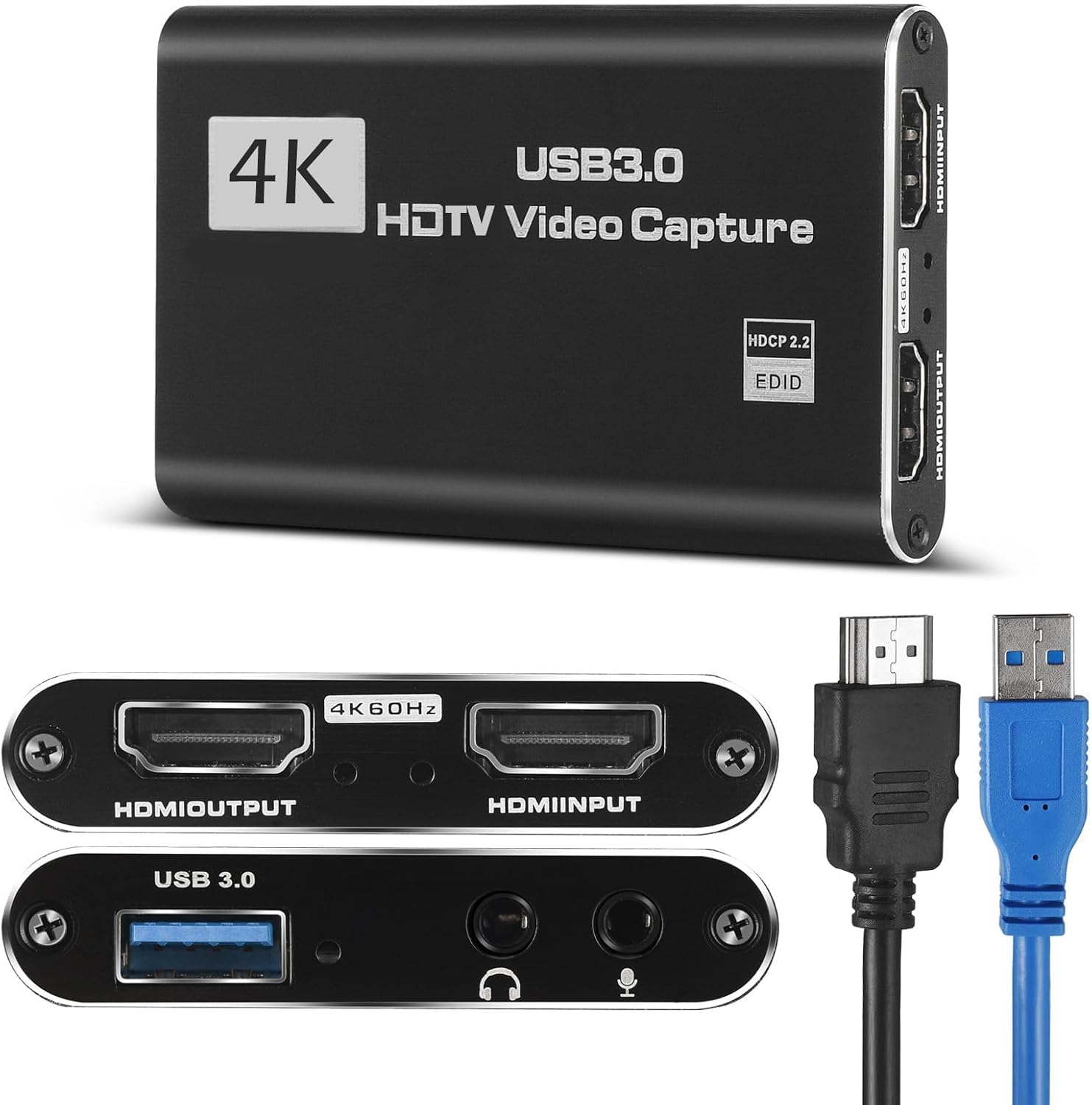 HeavenBird 4K HDMI Capture Card, 1080P 60FPS USB 3.0
|
6.3/10 | Buy | ||
 Audio Express AXHDCAP USB 2.0 HDMI Capture Card 1080p
|
7.6/10 | Buy | ||
| Best Budget |
 Guermok HDMI to USB-C Capture Card, 1080P 60FPS
|
8.3/10 | Buy |
Elgato 4K X Capture Card, HDMI 2.1, 4K144
A premium capture card built for serious streamers and content creators, delivering 4K144 capture with ultra-low latency and seamless passthrough for PS5, Xbox, Switch, and PC. Setup is straightforward with strong video quality, though cable durability and audio configuration require care.
Pros
- Captures up to 4K at 144fps or 1080p at 240fps, with lag-free HDMI passthrough for zero gameplay interruption
- Ultra-low latency via USB 3.2 Gen 2 keeps broadcast and gameplay synchronized with minimal delay
- VRR passthrough eliminates screen tearing for smooth, uninterrupted gaming visuals
- Works with OBS, Streamlabs, and major streaming platforms, plus supports PS5, Xbox, Switch, Steam Deck, and Mac
- Compact design, straightforward setup under 10 minutes, included HDMI 2.1 and USB 3.2 cables
Cons
- Sensitive to cable movement and vibration, with users reporting audio issues if connections shift slightly
- Requires USB 3.2 Gen 2 port for full 4K capture, USB 3.2 Gen 1 reduces resolution capability
- Audio setup can be finicky and may need adjustment depending on your voice routing configuration
AVerMedia GC553G2 4K60 Capture Card with HDMI 2.1
External capture card built for modern gaming consoles and PC streamers, offering 4K60 recording with 4K144 HDR passthrough and 5.1 audio support. Strong performance for most use cases, though higher frame rate recording has documented stability issues.
Pros
- Delivers stable 4K60 recording and smooth passthrough with minimal frame drops during extended streams
- Built-in party chat support eliminates need for separate audio cables or mixer setup
- Wide format compatibility including ultrawide resolutions, useful for specialized gaming setups
- Works reliably across Windows 10/11 and macOS with straightforward OBS configuration when using custom video settings
Cons
- 4K144 frame rate capture remains problematic in practice, with audio sync and playback speed issues reported by users despite software claims
- Requires USB 3.2 Gen 2 Type-C port and compatible cable, third-party cables often cause connection errors
- Device runs hot during extended use and AVerMedia software RGB lighting integration is unreliable, requiring Windows settings workaround
Acer OCB5B0 USB 3.0 Capture Card, 1080p60 with 4K Pass-Through
This budget-friendly capture card handles 1080p60 recording from gaming consoles and cameras with zero-hassle plug-and-play setup, plus built-in mic input for live commentary. It passes 4K video to your display while capturing at 1080p, making it ideal for streamers and content creators who want solid performance without proprietary software headaches.
Pros
- Genuine plug-and-play with no driver installation required, works immediately with Windows, Mac, Linux, and apps like OBS
- 4K loop-out lets you game in 4K on your main display while capturing 1080p60 simultaneously
- Integrated 3.5mm mic input embeds audio directly at the hardware level, eliminating post-sync issues
- Compact aluminum chassis with solid build quality, dual USB-A and USB-C ports for broad device compatibility
- Works across PS5, PS4, Switch 1 and 2, Xbox, DSLR cameras, and other HDMI sources without adapters
Cons
- Capture output is strictly 1080p60, not suitable for those needing true 4K recording
- Some users report audio dropout issues after extended use (6+ hours), requiring device reconnection
- HDMI passthrough can introduce noticeable lag on longer cables when monitoring playback on a secondary display, impacting gameplay response
UGREEN 2K@30Hz HDMI to USB 3.0 Capture Card
A compact, driver-free capture card that converts 4K HDMI input to 2K output at 30Hz, or 1080p at 60Hz, with broad compatibility across Switch, PS4/PS5, Xbox, and Mac. Setup is straightforward and plug-and-play, making it practical for streamers, content creators, and anyone needing reliable video capture without complex configuration.
Pros
- Minimal setup required, works with major platforms including Switch 2, PS5, Xbox Series X, and Mac without drivers
- Dual USB-A and USB-C ports provide flexibility across laptops, tablets, phones, and Quest 3 devices
- Low-latency 5 Gbps USB 3.0 transfers preserve video quality for post-production editing at 4K input
- Durable aluminum casing with tinned copper conductors resists EMI and corrosion
- 24-month warranty and consistent 4.6-star rating across 794 verified reviews
Cons
- Some users report minor latency during live streaming, though described as negligible after adjustment
- Requires HDCP to be disabled on PS5 and PS4 for compatibility
- Limited to HDMI input only, does not support other video source formats
XIIXMASK USB 3.0 HDMI Capture Card, 1080p 60fps
Budget-friendly USB 3.0 capture card that accepts 4K HDMI input and loops it out to your display while capturing clean 1080p 60fps or 2K 30fps video. Works plug-and-play with PS5, Switch, cameras, and PC via OBS without requiring drivers, making it accessible for beginner streamers and content creators.
Pros
- 4K HDMI loop-out lets you play games at full 4K 60Hz on your display while capturing at 1080p 60fps simultaneously
- Plug-and-play setup with no driver installation needed; recognized immediately by OBS and other capture software
- Aluminum alloy construction with strong heat dissipation handles extended recording sessions without throttling
- Ultra-low latency and stable connection reported across verified purchases with PS5, Xbox, Switch, and DSLR sources
- Includes 3.5mm mic-in port for adding commentary or external audio during streams
Cons
- Captures only at 1080p 60fps or 2K 30fps maximum, despite accepting 4K input - marketing emphasizes 4K passthrough rather than capture resolution
- USB cable included is short; may require additional cable depending on desk setup between capture source and PC
- Audio capture requires manual configuration in OBS (adding as separate audio source); some users report confusion around this setup step
Vixlw 4K HDMI Capture Card, USB 3.0, 1080P 60FPS Output
A plug-and-play capture card that accepts 4K 60Hz input and outputs 1080P 60FPS, suitable for streamers and content creators using consoles, cameras, or set-top boxes. No external power or drivers required, with HDMI loop-out for zero-delay monitoring during live broadcasts.
Pros
- 4K input capture with stable performance and zero-delay loop-out for live streaming
- Cross-platform compatibility including Windows, Mac, Linux, and Android
- True plug-and-play setup without driver installation or external power requirements
- Includes cables and manual in the box for immediate use
- Affordable solution for console and content creator streaming
Cons
- Output limited to 1080P 60Hz despite 4K input support, downscaling video quality
- Does not support 4K 120Hz or 144Hz output, restricting high-refresh capture
- No customer reviews available, limiting real-world reliability feedback
Dcyfol 4K HDMI Capture Card USB 3.0, 1080P 60FPS
A budget-friendly capture card that delivers solid 1080p 60fps performance with plug-and-play setup for Switch, PS5, PS4, and Xbox. Works reliably across Windows and Mac with OBS, though audio configuration and USB connection stability require attention.
Pros
- Delivers sharp, clear 1080p 60fps video output with excellent color reproduction
- True plug-and-play operation with instant recognition on Windows and Mac systems
- HDMI loop-out allows zero-lag gameplay monitoring while recording
- Compact metal build feels durable and portable for creators on the go
- Exceptional value for the feature set at budget pricing
Cons
- Audio setup requires manual configuration in OBS (adding audio input capture source), and volume control options are limited
- USB 3.0 connection can be fragile; disconnection during use freezes streams and requires manual reset rather than automatic reconnection
- No HDR passthrough support and occasional reports of freezing during extended recording sessions
HeavenBird 4K HDMI Capture Card, 1080P 60FPS USB 3.0
A plug-and-play capture card designed for streamers and content creators who want zero-driver setup on Windows, Mac, and Linux. It delivers 1080P 60FPS capture with built-in mic input and audio mixing, making it accessible for beginners stepping into streaming.
Pros
- Truly plug-and-play setup without driver hassle, ideal for beginners
- Built-in audio mixing solves common sync problems between game and voice
- Works with any HDMI source, including gaming consoles and DSLRs
- Recognized as a webcam by all major OS, compatible with OBS and streaming platforms
Cons
- Advertises 4K in title but specifications confirm only 1080P max capture resolution
- No verified buyer reviews available to assess real-world reliability and audio quality
- Warranty listed as 1 year in specs, conflicting with 2-year claim in description
Audio Express AXHDCAP USB 2.0 HDMI Capture Card 1080p
A budget-friendly HDMI to USB capture card designed for streamers and content creators on a tight budget. It captures 4K input and outputs 1080p at 30fps with plug-and-play operation, making it accessible for gaming streams, video calls, and basic live broadcasts without requiring external drivers or power.
Pros
- True plug-and-play design eliminates setup friction for beginners
- Broad platform compatibility covers most streaming software and operating systems
- Aluminum casing provides durability for frequent use
- Lifetime warranty with responsive customer support
- Compact form factor makes it travel-friendly for content creators
Cons
- USB 2.0 bandwidth limits output to 1080p 30fps, not suitable for high-frame-rate gaming or professional work
- Requires high-quality HDMI cables under 10 feet and stable USB power to avoid signal dropouts and frame drops
- Performance issues during fast-motion sequences in games may result in pixel misalignment and frame drops
Guermok HDMI to USB-C Capture Card, 1080P 60FPS
Budget-friendly capture card that handles 4K input and outputs up to 1080P at 60fps or 2K at 30fps, making it suitable for streamers and content creators on a tight budget. Plug-and-play setup with broad device compatibility across consoles, cameras, and computers. Works best with established capture software like OBS Studio rather than standalone streaming.
Pros
- No drivers or external power required, plug-and-play operation
- Wide compatibility across PS5, Switch, Xbox, Quest 3, iPad, Mac, Windows, and Android devices
- Supports multiple video capture software including OBS Studio, VLC, Potplayer, and platform-specific apps
- Aluminum alloy construction with heat dissipation for sustained use
- Compact and portable design suitable for mobile streaming setups
Cons
- Output limited to 1080P 60fps or 2K 30fps despite 4K input support, requiring resolution compromise
- Requires dedicated capture software to function, not suitable for direct display output to monitors or TVs
- USB 3.0 recognition issues reported when using adapters, sometimes requiring device reconnection or flipping the card
Capture Cards Buying Guide
Picking the right capture card comes down to matching hardware specs to your actual workflow. A card that’s perfect for a console streamer is completely different from what a full-time content creator needs for a professional multicam recording setup.
The subsections below walk through every meaningful criterion so you can match the right card to your situation, budget, and platform.
Maximum Capture Resolution and Frame Rate

The headline spec on almost every capture card listing is some combination of input resolution and capture resolution, and these are not the same thing.
Input resolution is what the card accepts from your console or camera, while capture resolution is what it actually writes to your recording software.
Most budget cards accept a 4K signal but only capture at 1080p 60fps, which is perfectly adequate for streaming to Twitch or YouTube at the resolutions those platforms currently recommend.
If you’re producing archive-quality footage, editing cinematic gameplay, or streaming at 1440p and above, you’ll want a card that captures at a higher native resolution.
Cards like the AVerMedia GC553G2 are built for exactly this use case, handling 4K60 capture natively and passing through 4K144 so your TV or monitor never suffers during play.
For most streamers, 1080p60 capture is the sweet spot, but knowing the difference protects you from being misled by marketing claims.
Frame rate matters as much as resolution for motion clarity. A 1080p30 capture looks noticeably choppier than 1080p60, especially in fast-action games.
Always confirm both the resolution and the frame rate at which a card captures before purchasing, and cross-reference with the output requirements of your streaming platform or video editor.
HDMI Passthrough and Gaming Experience
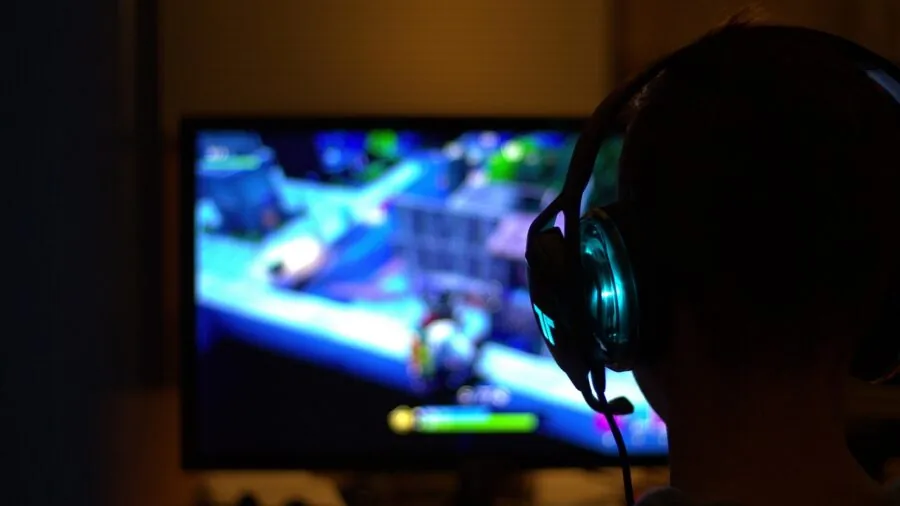
Passthrough is the feature that lets your TV or monitor receive a clean, full-fidelity signal while the capture card simultaneously records a separate stream.
Without passthrough, your display sees the same compressed signal that goes to your software, which means latency, reduced quality, or both. For competitive gaming or any session where you’re playing on the same display you record from, passthrough is non-negotiable.
Premium capture cards with HDMI 2.1 support passthrough at 4K120 or even 4K144, preserving VRR (variable refresh rate) and HDR10 so your gaming experience on a high-refresh 4K display remains completely intact.
Mid-range cards typically offer 4K60 passthrough, which is sufficient for most current-gen console owners. Budget cards and USB dongles sometimes skip passthrough entirely or cap it at 1080p, which is a significant trade-off worth understanding before you buy.
If you’re capturing from a camera, a second PC, or a device where you monitor gameplay on a separate screen, passthrough becomes less critical.
Content creators who feed a DSLR or mirrorless camera into a capture card for video conferencing or YouTube production can often get by without it entirely.
USB vs. PCIe Interface and Bandwidth
External USB capture cards are the dominant form factor in this roundup for good reason: they’re portable, require no PC disassembly, and work on laptops as well as desktops.
USB 3.0 (also labeled USB 3.2 Gen 1) provides up to 5 Gbps of bandwidth, which is enough for 1080p60 capture with headroom to spare.
USB 3.2 Gen 2, found on premium cards like the Elgato 4K X, doubles that to 10 Gbps, enabling stable 4K capture and high-bitrate recordings without dropped frames.
If you’re buying a USB capture card, always confirm your PC or laptop has a compatible USB 3.0 or better port, because plugging a USB 3.0 card into a USB 2.0 port will severely limit performance.
Internal PCIe capture cards slot directly into your desktop motherboard and generally offer higher sustained throughput with lower CPU overhead. They’re the traditional choice for professional broadcast setups and multi-channel recording rigs.
For gaming and streaming, however, the convenience of external USB cards has made internal cards a niche choice unless you have very specific production requirements or you’re building a dedicated capture PC setup.
Software Compatibility and Latency
Virtually every capture card on the market is advertised as compatible with OBS Studio, the free and open-source streaming software that has become the industry standard. What varies significantly is how well cards integrate with OBS and proprietary software suites.
Elgato’s 4K Capture Utility and AVerMedia’s RECentral are both mature, regularly updated applications with features like scene management and stream scheduling.
Budget cards from lesser-known brands often rely on generic UVC drivers, meaning they work with OBS but offer no dedicated software ecosystem.
Preview latency, the delay between your source output and what you see in the capture software, is a separate concern from gaming latency.
High preview latency makes it difficult to sync commentary or manage a live stream, even if your actual gameplay feels fine.
Cards from established brands like Elgato and AVerMedia have invested heavily in minimizing preview latency, and this is consistently reflected in expert reviews and verified buyer reports.
Pairing your capture workflow with a dedicated streaming microphone and a solid audio setup also reduces post-production headaches significantly.
Platform and Device Compatibility
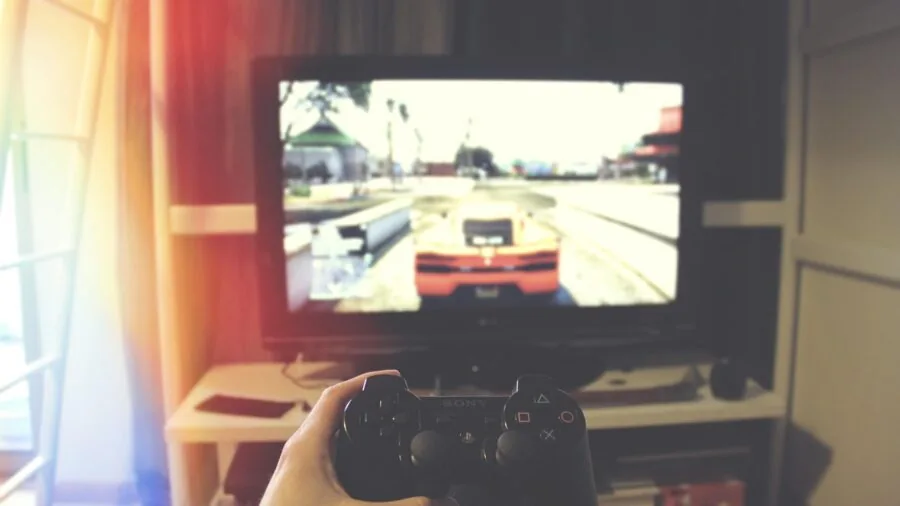
Most capture cards in this roundup support the major consoles: PS5, PS4, Xbox Series X/S, Xbox One, and Nintendo Switch. However, there are nuances.
Some Sony consoles have HDCP (content protection) enabled by default on certain games, which blocks capture entirely regardless of hardware quality. You’ll need to disable HDCP in your PS5 settings before any capture card will work with it.
Nintendo Switch works seamlessly in docked mode with an HDMI output, and Switch 2 support is now featured prominently in newer card listings.
macOS compatibility is another area of divergence. Plug-and-play UVC cards typically work on Mac without drivers, but proprietary software suites may be Windows-only.
If you’re on a MacBook and want full software support, check explicitly for macOS compatibility rather than assuming it. Budget cards from lesser-known brands are the most likely to have driver or compatibility gaps on Mac.
For a broader look at how capture cards fit into a complete streaming setup, the streaming gear category covers complementary accessories worth exploring.
Budget, Brand Reliability, and Longevity
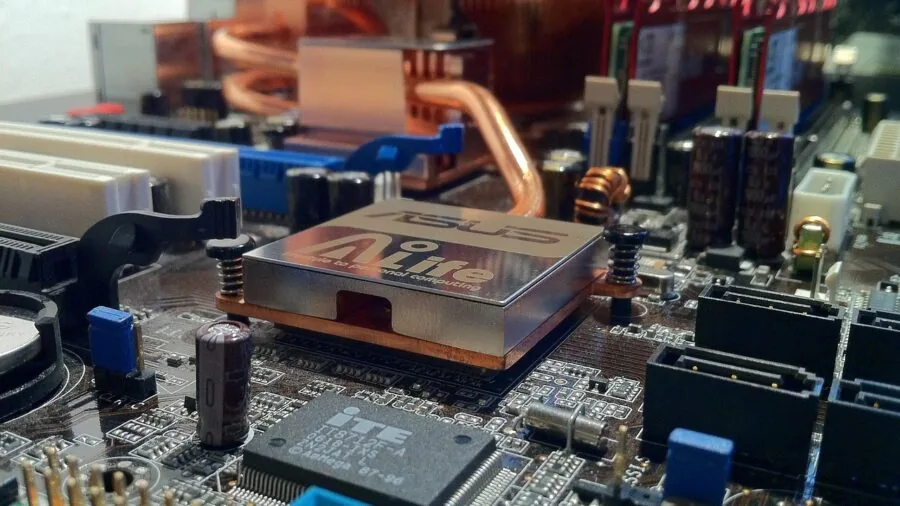
The capture card market is heavily stratified.
At the budget end, generic USB dongles from brands with short track records can deliver acceptable 1080p60 performance at entry-level prices, but they carry real risks around driver stability, build quality, and long-term firmware support.
At the premium end, Elgato and AVerMedia have decades of product history, active community support, and firmware update commitments that protect your investment over multiple console generations.
Mid-range cards from brands like GUERMOK and Audio Express sit in an interesting middle ground: verified buyers consistently report solid performance for basic streaming tasks, and they represent genuine value for hobbyists who don’t need 4K capture.
If you’re just getting started and want to understand capture workflows before committing to a premium setup, starting with a well-reviewed budget card is a reasonable path.
Just be aware that driver updates and long-term software support are far less guaranteed than with established brands.
Consider the full ecosystem cost too. A premium capture card pairs best with a capable PC, a fast SSD for recording large video files, and a reliable microphone.
If your recording machine is underpowered, even the best capture card will produce dropped frames or CPU bottlenecks. A fast storage drive is especially important when recording high-bitrate 4K footage, where write speeds directly impact file integrity.
Why You Should Trust Us
REMOVU is an independent editorial publication. We have no manufacturer relationships that influence our rankings, and no product appears on this list because of advertising or commercial agreements.
Every capture card in this roundup was evaluated using REMOVU’s structured research methodology: we assess published specifications, synthesize expert review consensus from across the enthusiast and professional communities, and weigh verified buyer feedback to understand real-world performance beyond what spec sheets reveal.
Each product is then assigned a REMOVU Score on a 0 to 10 scale based on consistent, category-specific criteria applied uniformly across all candidates.
We do not conduct our own product trials; our evaluations are grounded in research, published data, expert review consensus, and verified buyer feedback.
This methodology allows us to cover a broader range of products more consistently than single-reviewer physical evaluation would permit, while drawing on a much larger pool of real-world usage data.
REMOVU may earn a commission if you purchase through links on this page. That affiliate relationship has no influence on which products are included, how they are ranked, or what scores they receive. Our recommendations are editorially independent.
We are not a retailer and cannot assist with orders, returns, or warranty claims.
Final Thoughts
The right capture card depends almost entirely on what you’re trying to do and what hardware you’re working with.
For most streamers, the priority is a plug-and-play USB device that works reliably with OBS, handles 1080p60 without fuss, and doesn’t introduce audio sync issues.
For serious creators and competitive gamers who need full-resolution passthrough and future-proof connectivity, investing in a premium card pays off over multiple hardware generations. Here are our top picks across the key categories:
- Best Overall: Elgato 4K X Capture Card earns the top REMOVU Score in this roundup by combining HDMI 2.1 passthrough, ultra-low latency, VRR support, and USB 3.2 Gen 2 bandwidth into the most complete capture solution available for PS5 and Xbox Series X users who refuse to compromise on either gaming or recording quality.
- Best for Serious Streamers on a Tighter Budget: AVerMedia Live Gamer Ultra 2.1 (GC553G2) is the runner-up pick for creators who want professional-grade 4K60 capture and 4K144 passthrough from a brand with a proven track record of firmware support and software polish, at a lower price than the Elgato flagship.
- Best Value Budget Pick: Guermok 4K USB 3.0 Capture Card stands out among entry-level options with a strong REMOVU Score for its class, offering USB-C compatibility, broad device support including Quest 3 and Switch 2, and solid verified buyer satisfaction at one of the lowest price points in the roundup.
- Best Ultra-Budget Option: Audio Express AXHDCAP Capture Card delivers functional HDMI to USB 2.0 capture at a price point suited to students, educators, and casual users who need basic livestreaming or video conferencing capture without spending more than necessary.
- Best Plug-and-Play Mid-Range Pick: Acer USB 3.0 Video Capture Card offers a well-rounded combination of 4K loop-out passthrough, dual USB-A and USB-C connectivity, and Switch 2 and PS5 support in a driver-free design that appeals to streamers who want flexibility without complex setup.
Whichever direction you choose, pairing your capture card with a capable machine and quality peripherals makes the biggest practical difference. A sturdy ergonomic chair and a well-organized gaming desk also contribute to long, productive streaming sessions.
If you’re building a complete streaming PC from scratch, our guides to gaming PCs and mechanical keyboards are worth a read alongside this one.
Frequently Asked Questions
Do I Need a Capture Card If I Already Have a Gaming PC?
If you’re recording or streaming PC gameplay exclusively, you likely don’t need a dedicated capture card. Software like OBS can capture your desktop or game window directly using your GPU’s hardware encoder.
Capture cards become necessary when you want to record from an external source: a PS5, Xbox, Switch, DSLR camera, or a second PC.
They’re also useful for professional setups where you want to isolate the recording process on a dedicated machine to reduce CPU and GPU load on your gaming rig.
What Is HDMI Passthrough and Do I Need It?
HDMI passthrough sends your console’s full-quality signal to your TV or monitor while the capture card simultaneously records a separate stream. Without it, your display receives the compressed capture feed, which introduces latency and lower image quality.
If you play and record on the same display, passthrough is essential. If you record on a PC while playing on a dedicated TV and the capture card sits between them, passthrough keeps the gaming experience unaffected.
Budget cards and simple USB dongles sometimes omit passthrough entirely, so always confirm before buying.
Will a Capture Card Work with My PS5 or Xbox Series X?
Yes, but with one important caveat for PS5 users: HDCP (High-bandwidth Digital Content Protection) must be disabled in your PS5 settings before any capture card can record gameplay. Navigate to Settings, System, HDMI, and toggle off Enable HDCP.
Xbox consoles do not enforce HDCP restrictions in the same way and generally work out of the box with most capture cards.
Both platforms output at 4K, so pairing them with a capture card that handles at least 1080p60 capture and 4K passthrough is recommended for an uncompromised experience.
For more on console-adjacent gaming hardware, our category pages cover accessories and peripherals in detail.
Can I Use a Capture Card for Video Conferencing or Online Teaching?
Absolutely. Capture cards are widely used to connect DSLR cameras, mirrorless cameras, or camcorders to a PC as a high-quality webcam source for Zoom, Teams, or any video conferencing platform.
If your camera has an HDMI output, a capture card turns it into a webcam with far better image quality than any built-in laptop camera.
Budget USB dongles at the entry-level price tier are often more than sufficient for this use case since you don’t need high-resolution capture or passthrough for a video call.
This is also a common workflow for educators who use dedicated video cameras for recorded lessons.
Is a More Expensive Capture Card Always Better?
Not always. For casual streamers broadcasting at 1080p60, a well-reviewed mid-range or budget card delivers perfectly acceptable results.
The premium price on cards like the Elgato 4K X is justified by HDMI 2.1 bandwidth, 4K native capture, VRR passthrough, and long-term software ecosystem support, features that matter primarily to serious creators and next-gen console owners who stream at the highest quality.
If you’re just starting out or evaluation the waters, a budget-friendly card is a sensible entry point.
As your setup grows, investing in faster storage, better audio, and a more powerful PC will have as much impact on stream quality as upgrading to a flagship capture card.
What Software Do Capture Cards Work With?
OBS Studio is the universal standard and works with virtually every capture card in this roundup via standard UVC (USB Video Class) drivers, requiring no additional software installation.
Premium brands like Elgato and AVerMedia also ship dedicated companion apps with added features like scene switching, stream scheduling, and clip editing. If you want a simple plug-and-play experience with no software ecosystem dependency, any UVC-compatible card will work.
If you want deeper integration with your streaming workflow and a polished interface, opting for an established brand with active software support is worth the premium.
You can explore the broader world of streaming gear to build out a complete, well-matched content creation setup.
About the author
Kevin is REMOVU's SSD writer, comparing NVMe and SATA drives on speed, endurance, and price per gigabyte. He helps readers pick the SSD that delivers the biggest real-world speed boost for their PC.