The 8 Best Capture Cards for Nintendo Switch
Choosing the right capture card for your Switch means balancing passthrough quality, USB bandwidth, and software stability. Here are the strongest picks across every budget.
 By Jacqueline Ryan
Updated July 26, 2026
By Jacqueline Ryan
Updated July 26, 2026
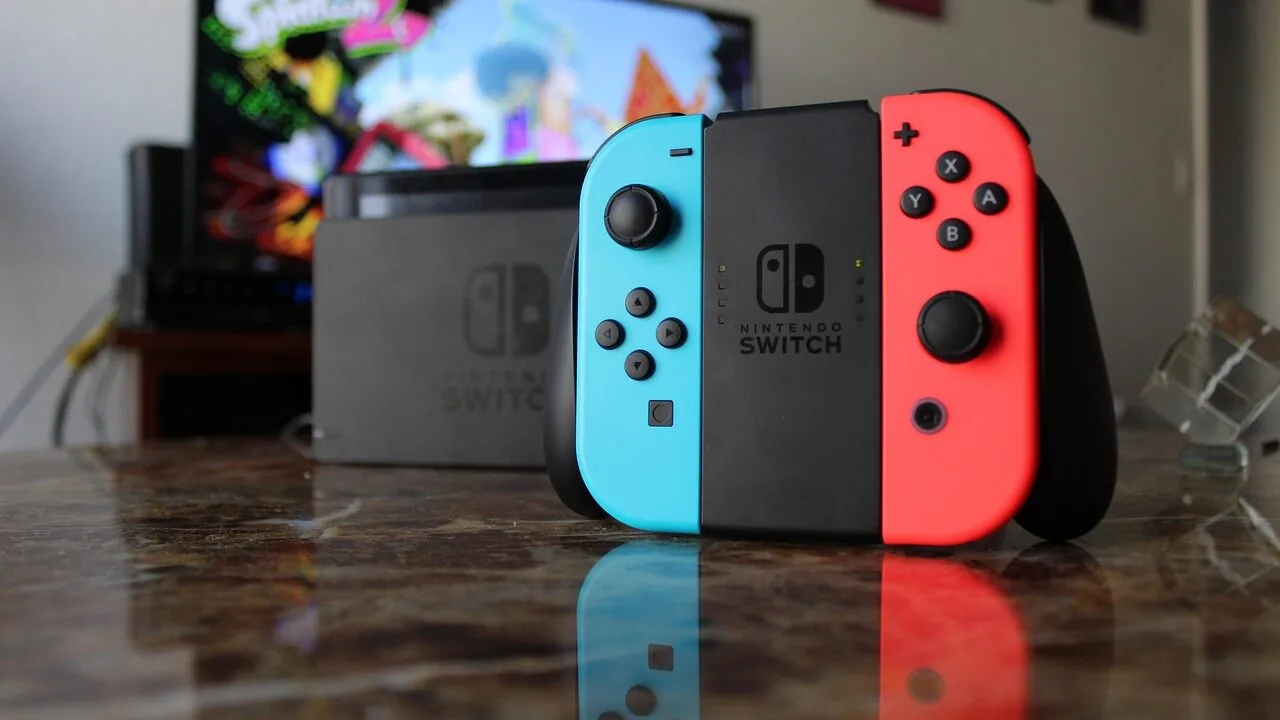
Capturing Nintendo Switch gameplay has never been more accessible, and the right capture card can turn casual play sessions into polished content for YouTube, Twitch, or personal archives.
Whether you own the original Switch, the OLED model, or the newer Switch 2, getting clean 1080p footage to your PC requires hardware that handles HDMI passthrough without lag and delivers reliable compatibility with software like OBS.
The market ranges from ultra-affordable sticks that get the job done to professional-grade cards with 4K passthrough and near-zero latency, which means choosing without guidance can feel overwhelming.
This guide cuts through the noise by evaluating eight capture cards suited to Switch owners at every level, from first-time streamers on a tight budget to experienced creators who demand broadcast-quality output.
REMOVU assembled this list through comprehensive research: manufacturer specifications, expert review consensus, and verified buyer feedback across thousands of real-world purchases.
The picks below represent the strongest options available right now, spanning a wide $8.99 – $139.99 to cover every use case. Scroll down to see our ranked top picks.
| Award | Product | REMOVU Score About REMOVU ScoreThe REMOVU Score is our own rating from 0 to 10, based on performance, design and build, ease of use, and value. It reflects independent research and is never influenced by manufacturers, retailers, or affiliate commissions. Learn more › | Price | |
|---|---|---|---|---|
| Best Overall |
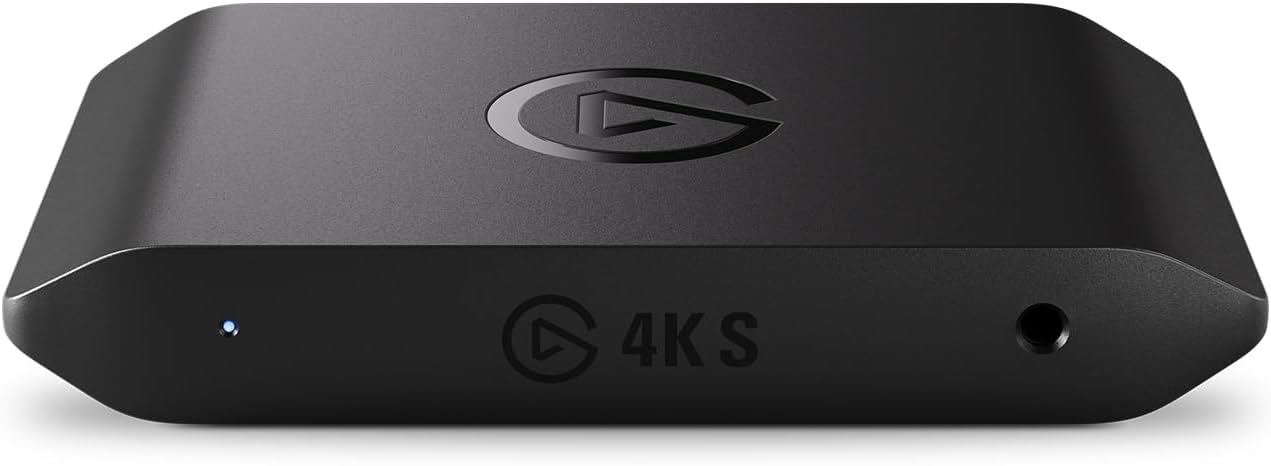 Elgato 4K S USB-C Capture Card for PS5, Xbox, Switch
|
9.0/10 | Buy | |
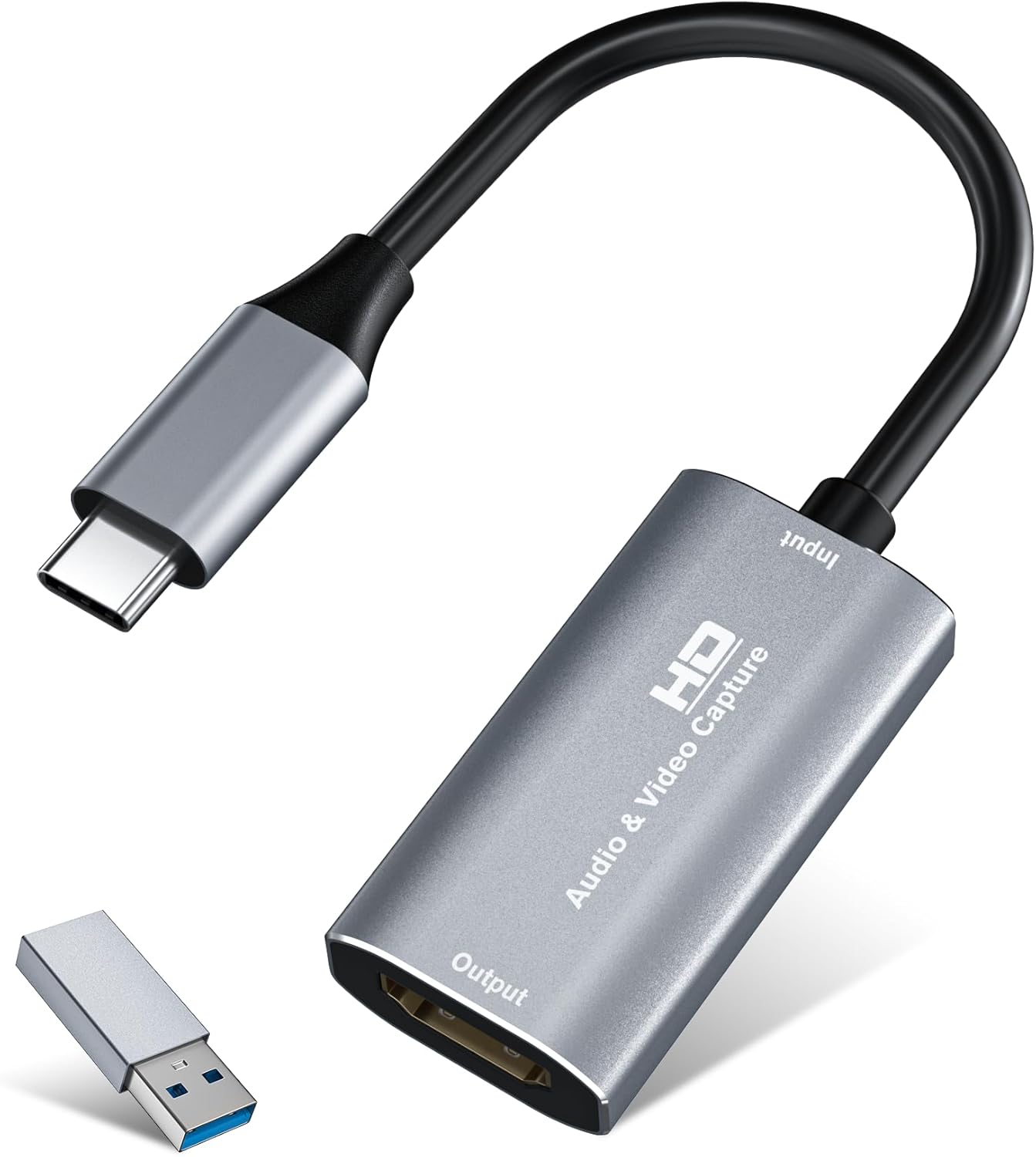 VIXLW U168-1 4K HDMI Capture Card, 1080P60 Recording
|
6.6/10 | Buy | ||
| Best Budget |
 Guermok HDMI to USB-C Capture Card, 1080P 60FPS
|
8.3/10 | Buy | |
| Best Value |
 Acer OCB5B0 USB 3.0 Capture Card, 1080p60 with 4K Pass-Through
|
7.5/10 | Buy | |
 VIXLW V316 1080P 60FPS HDMI Capture Card USB 3.0
|
6.4/10 | Buy | ||
 WARRKY WARRKY-AV-CC05 USB-C Capture Card with 100W Power Delivery
|
6.3/10 | Buy | ||
 VIXLW 4K HDMI Capture Card 1080P 60FPS USB 3.0
|
6.2/10 | Buy | ||
| Best Premium |
 XIIXMASK USB 3.0 HDMI Capture Card, 1080p 60fps
|
7.1/10 | Buy |
Elgato 4K S USB-C Capture Card for PS5, Xbox, Switch
A plug-and-play capture card that records up to 4K60 with near-zero latency across consoles and PC, supported by strong user feedback on setup simplicity and video quality. Best suited for streamers and content creators seeking reliable 4K capture without complex installation.
Pros
- Plug-and-play setup with no driver installation required on Windows, Mac, and iPad
- Captures up to 4K60 with HDR10 support on Windows and near-zero latency passthrough
- Compact design (90g) with HDMI 2.0 and USB-C cables included in box
- Compatible with PS5, Xbox Series X/S, Switch 2, and dual-PC streaming setups
- OBS Studio integration works out of the box for streaming and recording
Cons
- HDR10 capture limited to 1080p60 on Windows, despite 4K60 passthrough capability
- Users report audio setup can be finicky, sometimes requiring adjustments or external solutions like Chat Link Pro
- Sensitive to physical movement and cable tension, which can trigger audio glitches per verified reviewer feedback
VIXLW U168-1 4K HDMI Capture Card, 1080P60 Recording
A plug-and-play capture card designed for streamers and gamers, supporting 4K HDMI input with 1080P60 or 2K30 recording via USB 3.0. Compact, driver-free, and compatible with Windows, Mac, and popular streaming software like OBS and Zoom.
Pros
- Accepts 4K input, making it future-compatible even if recording at lower resolutions
- Truly plug-and-play with no driver installation required on modern systems
- Dual-channel audio capture and output via USB
- Ranked #1 in Internal TV Tuner & Video Capture Cards category
- Includes USB-C adapter for versatile connectivity options
Cons
- Records at maximum 2K30Hz or 1080P60Hz despite 4K input capability, not true 4K recording
- No user reviews available to verify real-world performance and reliability
- Requires adequate host system processing power for smooth 1080p capture
Guermok HDMI to USB-C Capture Card, 1080P 60FPS
Budget-friendly capture card that handles 4K input and outputs up to 1080P at 60fps or 2K at 30fps, making it suitable for streamers and content creators on a tight budget. Plug-and-play setup with broad device compatibility across consoles, cameras, and computers. Works best with established capture software like OBS Studio rather than standalone streaming.
Pros
- No drivers or external power required, plug-and-play operation
- Wide compatibility across PS5, Switch, Xbox, Quest 3, iPad, Mac, Windows, and Android devices
- Supports multiple video capture software including OBS Studio, VLC, Potplayer, and platform-specific apps
- Aluminum alloy construction with heat dissipation for sustained use
- Compact and portable design suitable for mobile streaming setups
Cons
- Output limited to 1080P 60fps or 2K 30fps despite 4K input support, requiring resolution compromise
- Requires dedicated capture software to function, not suitable for direct display output to monitors or TVs
- USB 3.0 recognition issues reported when using adapters, sometimes requiring device reconnection or flipping the card
Acer OCB5B0 USB 3.0 Capture Card, 1080p60 with 4K Pass-Through
This budget-friendly capture card handles 1080p60 recording from gaming consoles and cameras with zero-hassle plug-and-play setup, plus built-in mic input for live commentary. It passes 4K video to your display while capturing at 1080p, making it ideal for streamers and content creators who want solid performance without proprietary software headaches.
Pros
- Genuine plug-and-play with no driver installation required, works immediately with Windows, Mac, Linux, and apps like OBS
- 4K loop-out lets you game in 4K on your main display while capturing 1080p60 simultaneously
- Integrated 3.5mm mic input embeds audio directly at the hardware level, eliminating post-sync issues
- Compact aluminum chassis with solid build quality, dual USB-A and USB-C ports for broad device compatibility
- Works across PS5, PS4, Switch 1 and 2, Xbox, DSLR cameras, and other HDMI sources without adapters
Cons
- Capture output is strictly 1080p60, not suitable for those needing true 4K recording
- Some users report audio dropout issues after extended use (6+ hours), requiring device reconnection
- HDMI passthrough can introduce noticeable lag on longer cables when monitoring playback on a secondary display, impacting gameplay response
VIXLW V316 1080P 60FPS HDMI Capture Card USB 3.0
A plug-and-play capture card designed for console and PC streaming that handles 1080P at 60FPS without requiring external drivers or power. Best suited for streamers working with OBS or VLC who need straightforward HDMI passthrough and optional mic input for commentary.
Pros
- True plug-and-play operation identified automatically as USB 3.0 device with no CPU overhead when properly configured
- HDMI loop-out delivers passthrough video to monitor with no perceptible delay during live gameplay
- Supports multiple input formats including 4K30/60Hz input (outputs up to 1080P 60FPS) and mic-in for commentary
- Affordable budget option for console streamers transitioning from capture to streaming software
- Works across Windows 7 through Windows 11 with broad software compatibility
Cons
- Captures at 1080P maximum despite accepting 4K input, does not support 4K output or 4K120/144Hz recording
- Requires detailed OBS audio configuration with multiple system settings adjustments to avoid echoing or audio device conflicts
- No verified buyer reviews available to assess real-world reliability and user experience
WARRKY WARRKY-AV-CC05 USB-C Capture Card with 100W Power Delivery
A compact HDMI-to-USB-C capture card built for VR streamers and mobile creators, featuring a right-angle connector designed specifically for Quest 3 and iPad. Captures up to 1080p at 60fps with 100W fast charging support and aerospace-grade aluminum construction for durability.
Pros
- Right-angle USB-C design eliminates cable strain on Quest 3 and iPad ports
- Simultaneous 100W charging and video capture reduces downtime for mobile creators
- Low 0.05s latency supports real-time streaming and competitive VR gameplay
- Durable aerospace-grade aluminum dissipates heat 40% faster than plastic alternatives
- Broad device and software compatibility across major gaming and streaming platforms
Cons
- Captures at 1080p@60fps maximum, not 4K, despite supporting 4K@30fps input
- No verified buyer reviews available yet, making real-world reliability assessment difficult
- Premium pricing for a single-input capture card limits value for budget streamers
VIXLW 4K HDMI Capture Card 1080P 60FPS USB 3.0
A budget-friendly capture card that handles 1080p 60fps streaming from consoles and cameras via USB 3.0, working with OBS, Twitch, and Discord without requiring external power. Setup demands careful configuration, particularly for audio routing, but users report solid performance once properly configured.
Pros
- Plug-and-play design with no driver or external power needed
- Full HD 1080p at 60fps with HDMI loop-out for zero-delay gaming
- Works across Windows and Mac OS with compatibility for PS4, PS5, Xbox, Nintendo Switch, and cameras
- Includes 3.5mm microphone input for commentary during streams
- Affordable entry point compared to premium capture cards with comparable output quality
Cons
- Audio setup is complex and requires multiple OBS and system-level configurations to function properly
- Minor latency and occasional freezing reported if settings aren't optimized correctly
- Requires USB 3.0 port; USB 2.0 connection produces garbled or monochrome video output
XIIXMASK USB 3.0 HDMI Capture Card, 1080p 60fps
Budget-friendly USB 3.0 capture card that accepts 4K HDMI input and loops it out to your display while capturing clean 1080p 60fps or 2K 30fps video. Works plug-and-play with PS5, Switch, cameras, and PC via OBS without requiring drivers, making it accessible for beginner streamers and content creators.
Pros
- 4K HDMI loop-out lets you play games at full 4K 60Hz on your display while capturing at 1080p 60fps simultaneously
- Plug-and-play setup with no driver installation needed; recognized immediately by OBS and other capture software
- Aluminum alloy construction with strong heat dissipation handles extended recording sessions without throttling
- Ultra-low latency and stable connection reported across verified purchases with PS5, Xbox, Switch, and DSLR sources
- Includes 3.5mm mic-in port for adding commentary or external audio during streams
Cons
- Captures only at 1080p 60fps or 2K 30fps maximum, despite accepting 4K input - marketing emphasizes 4K passthrough rather than capture resolution
- USB cable included is short; may require additional cable depending on desk setup between capture source and PC
- Audio capture requires manual configuration in OBS (adding as separate audio source); some users report confusion around this setup step
Capture Cards for Nintendo Switch Buying Guide
Picking the right capture card comes down to understanding how your Switch fits into your broader setup.
The console outputs video over HDMI, which means any card that handles standard HDMI input will work at a basic level, but the gap between an adequate card and an excellent one shows up in passthrough quality, latency, driver stability, and long-term reliability.
Use the criteria below to match a card to your actual workflow rather than chasing specs you will never use.
If you also stream console games on other platforms, our coverage of streaming gear has additional context worth reading before you buy.
Capture Resolution and Frame Rate
The Nintendo Switch outputs a maximum of 1080p at 60fps when docked, so any card advertising capture above that is effectively future-proofing rather than delivering a practical benefit for Switch gameplay right now.
That said, 1080p60 capture is the floor you should insist on. Cards that only manage 1080p30 will produce noticeably choppy recordings of fast-paced games, and the difference is visible even to casual viewers.
If you plan to capture Switch 2 footage, the picture changes.
Nintendo’s newer hardware supports higher output resolutions, so a card capable of 4K capture or at least 1440p becomes a worthwhile investment if you intend to keep using the same card for years.
Cards advertising 2K30 or 4K passthrough are not overkill in this context; they are a sensible hedge against hardware you already own or plan to own.
Keep in mind that capture resolution and passthrough resolution are separate specs. Capture resolution is what gets recorded to your PC. Passthrough resolution is what your TV or monitor receives while you play.
Always verify both figures before purchasing, and prioritize passthrough quality if you care about a smooth experience on your main display during recording sessions.
Passthrough Latency
Latency in the passthrough signal is one of the most underappreciated purchase criteria.
Budget cards that lack a dedicated passthrough path route the signal through the capture chip, which introduces delays of anywhere from a few frames to a full second.
Playing a platformer or a rhythm game through a laggy passthrough is genuinely uncomfortable, even if the recording itself looks fine.
Premium cards solve this with hardware-level, near-zero-latency passthrough that keeps the gameplay feel intact on your monitor while the capture happens independently.
If you game on a high-refresh-rate display or a panel with its own low-latency mode, pairing it with a card that has genuine hardware passthrough will make a meaningful difference to how the session feels.
For streamers who preview gameplay through OBS rather than through a dedicated passthrough output, latency matters less in day-to-day use.
But if you ever want to show friends or family while you play, or if you use a single monitor for both output and the OBS preview, a true passthrough card is worth the premium.
USB Version and PC Bandwidth
Nearly every capture card in this guide connects via USB, and the version matters more than most buyers realise. USB 2.0 cards struggle to sustain uncompressed 1080p60 streams, leading to dropped frames, compression artifacts, and unreliable recordings.
USB 3.0 is the practical minimum for clean 1080p60 capture, and it is what you will find across the better options in this roundup.
USB-C connectivity is increasingly common and offers the same bandwidth with a reversible connector, which is convenient when plugging and unplugging frequently.
Your PC also needs a USB port that actually delivers USB 3.0 throughput. Some older laptops label ports as USB 3.0 but connect them through a shared hub that throttles bandwidth under load.
If you experience dropped frames despite buying a capable card, try a different port or use a powered USB hub before assuming the card is faulty.
Software Compatibility and Driver Stability
OBS Studio is the dominant choice for Switch capture, and every card in this guide claims OBS compatibility. In practice, compatibility quality varies.
Cards from established brands with dedicated Windows and macOS drivers tend to show up in OBS as clean, stable sources.
Budget options that rely entirely on generic UVC drivers can work well on some systems but cause issues on others, particularly after Windows updates or macOS major version upgrades.
Check verified buyer reviews specifically for mentions of driver conflicts or software crashes before committing to a lesser-known brand.
The spec sheet will always claim broad compatibility; real-world buyer feedback tells you whether that holds up after six months of weekly use.
Cards that ship with their own capture software alongside OBS support give you a useful fallback if the OBS integration ever develops issues.
Mac users should pay particular attention here. Several budget cards in the under-twenty-dollar category are Windows-centric in practice, with macOS support that is functional but less polished.
If you stream from a MacBook, prioritise cards that explicitly confirm macOS driver quality in recent buyer feedback rather than relying solely on the product listing.
Form Factor and Portability

Capture cards for Switch come in two physical formats: compact dongle-style sticks that hang directly off a USB port, and slightly larger box-format cards with separate cables.
Dongle cards are convenient for portable setups or travel, while box-format cards with a flat profile tend to sit more securely on a desk and put less mechanical stress on your laptop’s USB port.
If you use a Switch primarily in docked mode at a fixed desk, form factor is a minor consideration.
If you travel to events, take your Switch to a friend’s setup, or share a capture card between a Switch and another console like a PS5 or Xbox, a compact card that lives in your bag with minimal footprint is worth prioritising.
Some users also appreciate cards with right-angle USB-C connectors specifically designed not to strain the port on slim tablets or laptops used alongside a Switch, particularly for Quest 3 or iPad passthrough workflows.
Budget vs. Premium: Where to Draw the Line

The capture card market has a dramatic price cliff between budget options and premium cards from brands like Elgato.
Budget cards in the under-twenty-five-dollar range deliver competent 1080p60 capture and work reliably for most streamers, but they compromise on passthrough latency, build durability, long-term driver support, and higher-resolution capture for future hardware.
They are a sensible starting point if you are not yet sure whether streaming will become a regular habit.
Premium cards justify their higher price with near-zero-latency hardware passthrough, support for HDR10, higher capture resolutions, and ecosystem software that integrates tightly with broadcast workflows.
For serious content creators who publish consistently or who stream at high quality, the investment pays off over time.
The key is being honest about your actual output: a card that captures perfect 4K footage you will downscale to 1080p before uploading provides no visible quality advantage over a mid-range option.
Match the card to your real workflow, not the ceiling of its specifications.
If you are also investing in audio quality for your stream, pairing your setup with a quality microphone makes a bigger difference to viewer experience than any jump in capture resolution.
Why You Should Trust Us
REMOVU is an independent review platform with no affiliation to any manufacturer, retailer, or platform.
Every product in this guide was evaluated using the REMOVU Score, a consistent 0 to 10 rating system applied across specifications analysis, expert review consensus from published sources, and verified buyer feedback drawn from thousands of confirmed purchases.
We do not conduct our own product trials; our evaluations are grounded in research, published data, expert review consensus, and verified buyer feedback.
This methodology means our rankings reflect how products perform for real users across a range of setups and use cases, not just how they perform under ideal conditions on a single reference machine.
We weight long-term reliability and software stability heavily in our scoring, because a capture card that drops frames after a driver update or stops working with a new OBS version is a worse product regardless of its peak spec sheet numbers.
REMOVU may earn a commission if you purchase through links on this page. That affiliate relationship does not influence our rankings, scores, or product selection in any way. Products are included and ordered based on their evaluated merit.
We would give the same recommendations whether or not a commission existed.
Final Thoughts
The eight cards in this guide cover a wide spectrum of needs, from first-time streamers looking for an inexpensive entry point to dedicated creators who want the most capable hardware available for Switch 2 and beyond.
Here is how our top picks break down by use case, each reflecting their REMOVU Score standing among the group.
- Best Overall: Elgato 4K S Capture Card earns the top position with the highest REMOVU Score in this roundup. Its 4K60 capture capability, 1440p120 and 1080p240 passthrough options, HDR10 support, and near-zero-latency hardware passthrough represent the most complete feature set available, making it the right choice for serious Switch 2 and cross-platform creators who demand broadcast-ready output.
- Best Budget Pick: Guermok 4K USB 3.0 HDMI Capture Card delivers a strong REMOVU Score among budget options, offering reliable 1080p60 capture and USB-C connectivity at an entry-level price. It punches well above its cost tier for streamers who want solid performance without a premium investment.
- Best Mid-Range Value: Acer USB 3.0 Video Capture Card stands out in the mid-range tier with a 4K loop-out, dual USB-A and USB-C connectivity, and Switch 2 compatibility noted in its specs, making it a versatile and well-rounded option for streamers who want more than the basics without stepping up to a flagship price.
- Best for Compact and Mobile Setups: vixlw 4K USB 3.0 HDMI Capture Card offers the most accessible entry point in the group, with a compact form factor that suits streamers who need a card they can throw in a bag alongside their Switch and a laptop. Its REMOVU Score reflects solid functional performance at a highly affordable price, making it a natural first capture card for anyone new to streaming.
- Best for Quest 3 and iPad Workflows: WARRKY Video Capture Card brings a thoughtful design with its 100W power delivery and right-angle USB-C connector, built specifically for creators who use a Quest 3 or iPad as their capture host alongside a Switch. It addresses a niche that most generic cards ignore entirely.
Whichever card you choose, pairing it with a capable PC or Mac and a stable USB 3.0 port will get you most of the way to a clean stream.
For more coverage of gaming peripherals and accessories, explore our gaming hub or browse our roundup of handheld consoles if you are building out a portable gaming setup around your Switch.
Frequently Asked Questions
Do I Need a Capture Card to Stream Nintendo Switch to Twitch?
Yes, the Nintendo Switch does not support direct native streaming to Twitch or YouTube through the console itself in the way some other platforms do.
A capture card is the standard solution: it takes the HDMI output from your Switch dock, converts it to a USB signal your PC can read, and lets software like OBS broadcast the gameplay live or record it locally.
Without a capture card, your options are limited to Nintendo’s own screenshot and video clip sharing features, which do not support live streaming.
Will a Capture Card Work With the Nintendo Switch OLED?
Yes. The Switch OLED uses the same HDMI output through its dock as the original Switch, so any capture card that works with the standard Switch will work identically with the OLED model.
The OLED screen itself is irrelevant to the capture signal; the dock outputs standard 1080p over HDMI regardless of which model you own.
The Switch Lite does not have a dock or HDMI output and cannot be captured with a standard card.
What Software Should I Use With a Capture Card for Switch?
OBS Studio is the most widely used option and is free on Windows and macOS.
It supports virtually every capture card through standard UVC drivers or dedicated plugins and gives you full control over stream settings, scene layouts, and recording quality. Streamlabs OBS is a popular alternative with a more guided interface for beginners.
Some premium cards like the Elgato 4K S also come with proprietary capture software that handles recording and basic streaming without needing OBS, which can be a useful starting point before you invest time in a full OBS setup.
If you also create content involving vocal recording or screen capture on a dedicated machine, a quality webcam rounds out a complete streaming rig alongside your capture card.
Can I Use a Capture Card With a MacBook Instead of a Windows PC?
Yes, most capture cards in this guide list macOS compatibility. In practice, macOS support quality varies by brand and card. Elgato products have historically offered the most consistent macOS experience, with dedicated drivers that update reliably alongside macOS versions.
Budget cards using generic UVC drivers also function on macOS but may be less stable after system updates.
If your primary machine is a MacBook, check recent buyer reviews specifically for macOS feedback before purchasing a budget card, and verify that OBS on your macOS version recognises the card correctly before committing to a streaming schedule.
Is There a Difference Between a Capture Card and a Video Encoder?
A capture card converts the HDMI signal from your console into a digital stream your PC can receive and process.
A video encoder, in the context of streaming, is software or hardware that compresses that stream into a format suitable for uploading to Twitch or YouTube.
Your capture card handles the input side; your PC’s CPU or GPU handles the encoding side through OBS or similar software.
Some high-end streaming devices combine both functions in a single standalone box, but for Switch streaming to a PC, a USB capture card paired with OBS on a reasonably capable computer covers both roles effectively.
Creators building a more comprehensive content setup may also find value in a Thunderbolt dock to consolidate cables and keep their workspace tidy alongside the capture card.
Does Capture Card Quality Affect Gameplay Performance on My TV?
It depends on the card’s passthrough implementation. Budget cards that lack a dedicated hardware passthrough route the video signal through the capture chip before sending it to your TV, which introduces latency.
This can make fast games feel sluggish or unresponsive on your display even though the recording looks normal.
Cards with true hardware passthrough, such as the Elgato 4K S, send the signal directly to your TV at full quality and with negligible delay, keeping your gameplay experience intact.
If you game on a display optimised for low-latency performance alongside a gaming monitor, investing in a card with genuine hardware passthrough is worth the additional cost.
About the author
Jacqueline covers microphones for REMOVU, comparing USB and XLR options for streaming, podcasting, and music. She matches the right mic to each reader's setup and how they plan to record.