The 11 Best 4K Monitors
Sharp text, rich color, and expansive screen real estate: 4K monitors have never been more accessible. We compared panels across refresh rate, color accuracy, connectivity, and ergonomics to find the top picks.
 By Myrtle Baker
Updated July 26, 2026
By Myrtle Baker
Updated July 26, 2026

Upgrading to a 4K monitor is one of the most noticeable improvements you can make to any desktop setup, whether you spend most of your time editing photos, building spreadsheets, gaming, or simply browsing the web.
The jump from 1080p or 1440p to a 3840×2160 display brings sharper text, richer detail in images and video, and more screen real estate for multitasking without actually needing a larger panel.
The market has matured considerably, and sharp 4K panels are now available at price points that would have seemed impossible a few years ago, from budget-friendly 27-inch IPS displays to feature-rich 32-inch monitors with Thunderbolt 4 hubs and wide-gamut color coverage for professional creative work.
Choosing the right 4K monitor, however, is genuinely tricky. Refresh rate, panel type, color accuracy, connectivity, and ergonomics all interact in ways that matter differently depending on your use case.
A monitor that earns top marks for a video editor may frustrate a competitive gamer, and vice versa.
To help you cut through the noise, REMOVU’s editorial team analyzed specifications, synthesized expert review consensus across dozens of published sources, and incorporated verified buyer feedback to surface the strongest options across a range of budgets and use cases.
Our picks below represent the best 4K monitors available right now, each scored on our 0-to-10 REMOVU Score system so you can compare them at a glance.
| Award | Product | REMOVU Score About REMOVU ScoreThe REMOVU Score is our own rating from 0 to 10, based on performance, design and build, ease of use, and value. It reflects independent research and is never influenced by manufacturers, retailers, or affiliate commissions. Learn more › | Price | |
|---|---|---|---|---|
| Best Premium |
 Dell UltraSharp U2725QE 27-Inch 4K 120Hz Monitor
|
8.9/10 | Buy | |
 Dell S2725QS 27-inch 4K 120Hz Monitor
|
6.8/10 | Buy | ||
 Samsung ViewFinity S8 32-inch 4K Monitor
|
7.8/10 | Buy | ||
| Best Budget |
 Samsung ViewFinity S7 32-Inch 4K Monitor
|
7.6/10 | Buy | |
| Best Value |
 LG 32UR550K-B 32-inch 4K UHD Monitor
|
7.4/10 | Buy | |
 LG 32UP83AK-W 32-inch 4K UHD Monitor
|
7.3/10 | Buy | ||
 LG 27US500-W 27-Inch 4K UltraFine Monitor
|
7.2/10 | Buy | ||
 LG 27US550-W 27-inch 4K UHD IPS Monitor
|
7.1/10 | Buy | ||
 LG 27UP650K-W 27-inch 4K IPS Monitor
|
7.0/10 | Buy | ||
 Samsung Odyssey G7 27" Dual-Mode 4K/360Hz Gaming Monitor
|
6.2/10 | Buy | ||
| Best Overall |
 Alienware AW3425DWM 34-inch Ultrawide Gaming Monitor
|
8.9/10 | Buy |
Dell UltraSharp U2725QE 27-Inch 4K 120Hz Monitor
A professional-grade 4K monitor built for creatives and knowledge workers who demand color accuracy and seamless connectivity. The 27-inch IPS display delivers factory-calibrated DCI-P3 99% coverage with DisplayHDR 600 brightness, while Thunderbolt 4 integration consolidates video, data, and up to 140W laptop charging through a single cable. Fully ergonomic with thoughtful features like ComfortView Plus and ambient light sensing.
Pros
- Factory-calibrated color accuracy (Delta E < 1.5) with 99% DCI-P3 coverage, ideal for photo and video work
- Thunderbolt 4 hub with up to 140W power delivery eliminates cable clutter for laptop users
- 120Hz refresh rate and 5ms response time smooth multitasking and fast-paced workflows
- Comprehensive ergonomic adjustments (height, tilt, swivel, pivot) for personalized comfort during long sessions
- Rich port selection including HDMI 2.1, USB-C, USB-A, and Ethernet for versatile connectivity
Cons
- Premium pricing reflects professional positioning, making it less accessible for casual users or budget-conscious buyers
- 27-inch 4K resolution delivers high pixel density that may require scaling adjustments on some systems
- Thunderbolt 4 daisy-chain support limited to two additional 4K monitors, restricting extreme multi-display setups
Dell S2725QS 27-inch 4K 120Hz Monitor
A 4K IPS display built for both work and entertainment, delivering sharp visuals with 99% sRGB coverage and smooth 120Hz performance via AMD FreeSync Premium. The ComfortView Plus technology reduces blue light for extended viewing sessions, while height-adjustable stand and multiple connectivity options make it flexible for various setups.
Pros
- Excellent color accuracy with 99% sRGB and 95% DCI-P3 coverage for creative work
- Smooth 120Hz refresh rate with AMD FreeSync Premium for gaming and video playback
- ComfortView Plus reduces blue light emissions to 35% or less, supporting all-day comfort
- Versatile connectivity with dual HDMI, DisplayPort 1.4, and USB-C
- Height adjustable stand with swivel and pivot for ergonomic positioning
- Energy Star certified with sustainable packaging using 100% renewable materials
Cons
- Response time specs show conflicting data (1ms vs 0.03ms mentioned), creating uncertainty about actual performance
- VA panel contrast ratio listed as both 1,500:1 and 3,000:1 in product description, indicating inconsistent specifications
- Premium pricing may limit appeal for budget-conscious buyers seeking basic 4K monitors
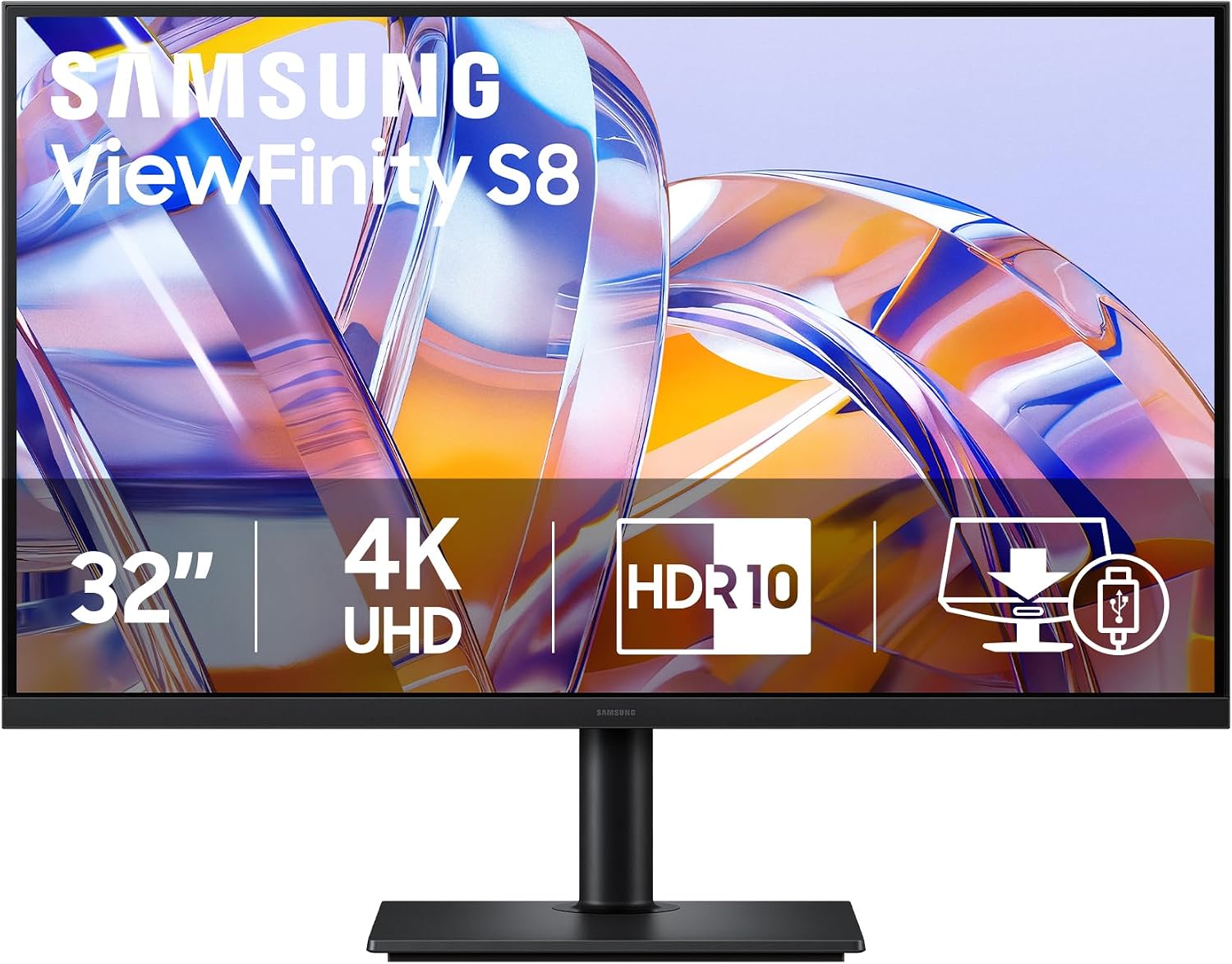
Samsung ViewFinity S8 32-inch 4K Monitor
A 4K professional monitor built for detail-focused work, the ViewFinity S8 combines high pixel density with practical connectivity through USB-C charging and built-in KVM switching. Its ergonomic stand and Eye Saver Mode certification make it suitable for extended editing and design sessions, though it's positioned as a premium productivity tool rather than a budget option.
Pros
- 4K UHD resolution with high pixel density delivers sharp visuals for photo and video editing
- USB-C with 90W charging plus built-in LAN eliminates cable clutter on professional desks
- HDR10+ support with accurate color gamut and contrast optimization
- TÜV-certified Eye Saver Mode reduces blue light and flicker for long working hours
- Ergonomic stand with tilt and swivel for flexible positioning and comfort
Cons
- Premium pricing limits accessibility for casual users or small budgets
- 32-inch size may feel oversized for compact workspaces
- No information on refresh rate or response time, suggesting it's optimized for static content rather than gaming or fast-paced work
Samsung ViewFinity S7 32-Inch 4K Monitor
A 32-inch 4K display built for professionals who need sharp detail and color accuracy across extended work sessions. The 178-degree viewing angle and HDR10 support deliver consistent visuals from multiple positions, while Eye Saver Mode with TÜV certification helps reduce fatigue during long hours at the desk.
Pros
- 4K UHD resolution (3840x2160) with high pixel density for detailed work in photo, video, and design
- HDR10 support with accurate color gamut, deeper blacks, and brighter highlights
- Wide 178-degree viewing angle maintains brightness and clarity across the screen
- Eye Saver Mode reduces blue light and flicker, certified by TÜV for eye comfort
- Samsung Display Manager enables split-screen, PIP/PBP, KVM, and precise calibration
Cons
- 32-inch size requires adequate desk space and viewing distance to fully appreciate 4K detail
- Limited information on response time and refresh rate, suggesting this prioritizes productivity over gaming
- No built-in speakers or USB hub mentioned, limiting connectivity options beyond HDMI and DisplayPort
LG 32UR550K-B 32-inch 4K UHD Monitor
A spacious 32-inch 4K display built for creators and multitaskers who need sharp detail and accurate color. The 90% DCI-P3 coverage and HDR10 support deliver rich visuals, while the fully adjustable stand and Switch app for screen splitting make it practical for extended work sessions. Gaming features like Dynamic Action Sync and Black Stabilizer add responsiveness, though the 60Hz refresh rate limits competitive gaming appeal.
Pros
- Sharp 4K resolution (3840 x 2160) with 90% DCI-P3 color coverage for detailed creative work
- Comprehensive stand adjustments: height, tilt, and pivot for ergonomic positioning
- Switch app enables multitasking with up to 6 customizable screen sections
- Built-in stereo speakers with Waves MaxxAudio for integrated audio
- Strong user rating of 4.5 stars across 576 reviews
Cons
- 60Hz refresh rate limits responsiveness for competitive gaming despite gaming-focused features
- Software installation required for full Switch app functionality
- Limited connectivity compared to higher-end UltraFine models (no USB-C or Thunderbolt)
LG 32UP83AK-W 32-inch 4K UHD Monitor
A 32-inch 4K IPS monitor built for creative work and gaming, delivering sharp visuals across 3840x2160 resolution with HDR10 support and 95% DCI-P3 color accuracy. The USB Type-C connection with 60W power delivery simplifies desk setup, while gaming features like Dynamic Action Sync and Black Stabilizer add responsiveness. Best suited for professionals and gamers who prioritize screen real estate and color fidelity over high refresh rates.
Pros
- Large 4K IPS panel with excellent viewing angles and consistent color from any position
- USB Type-C with 60W Power Delivery enables single-cable connection for display, data, and device charging
- HDR10 with 95% DCI-P3 color gamut for accurate color representation in creative workflows
- Fully adjustable ergonomic stand with height, tilt, and pivot for comfortable positioning
- Gaming-focused features including Black Stabilizer and Dynamic Action Sync with reduced input lag
Cons
- 60Hz refresh rate limits competitive gaming performance compared to higher refresh rate alternatives
- 5ms response time is adequate but not optimized for fast-paced esports titles
- No mention of built-in USB hub beyond power delivery, limiting peripheral connectivity options
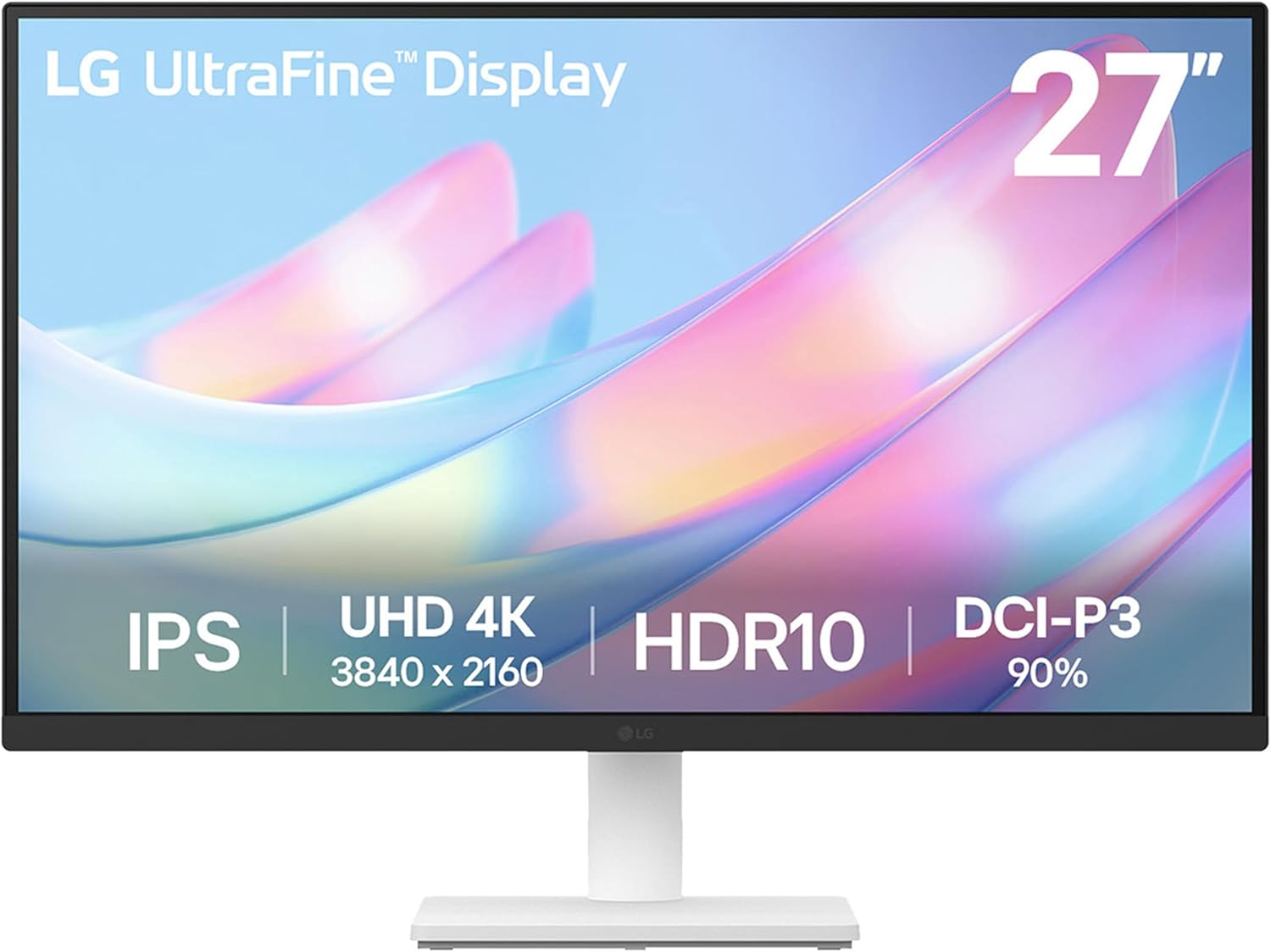
LG 27US500-W 27-Inch 4K UltraFine Monitor
A solid 4K monitor built for creative work, delivering 3840x2160 resolution with HDR10 support and 90% DCI-P3 color coverage on an IPS panel. The ergonomic tilt stand and LG Switch app for workspace customization make it practical for professionals, though the 60Hz refresh rate and basic stand adjustment limit its appeal beyond stationary creative setups.
Pros
- 4K UHD resolution with 1000:1 contrast ratio for detailed imagery and deeper blacks
- HDR10 with up to 90% DCI-P3 color gamut for accurate color reproduction
- IPS panel with wide viewing angles, ideal for collaborative work environments
- LG Switch app enables easy display splitting and monitor settings customization
- Includes HDMI cable and power adapter in the box; budget-friendly entry point for 4K creative work
Cons
- 60Hz refresh rate limits responsiveness for motion-heavy workflows
- Stand offers only tilt adjustment, no height, swivel, or pivot options compared to higher-end UltraFine models
- 5ms response time is slower than gaming or fast-paced editing monitors
LG 27US550-W 27-inch 4K UHD IPS Monitor
This LG UltraFine delivers sharp 4K resolution on a 27-inch IPS panel with HDR10 support and 90% DCI-P3 color coverage, making it well-suited for creative work and content consumption. The fully adjustable stand and LG Switch app for screen multitasking add practical value for productivity-focused setups. However, the 60Hz refresh rate and lack of USB-C connectivity limit its appeal for gaming or modern workflows requiring high-speed device switching.
Pros
- 4K UHD resolution (3840 x 2160) with IPS panel delivers vibrant colors and wide viewing angles for detailed work
- HDR10 with up to 90% DCI-P3 color gamut brings rich color expression to creative tasks
- Fully adjustable stand with tilt, height, swivel, and pivot for ergonomic customization
- LG Switch app enables screen splitting into up to 6 sections and multi-device management
- 1000:1 contrast ratio produces deeper blacks and stronger color separation
Cons
- 60Hz refresh rate is standard for work monitors but unsuitable for gaming or fast-paced content
- No USB-C connectivity or USB-C Power Delivery, unlike higher-end UltraFine models
- No built-in speakers, requiring external audio solution for multimedia use
LG 27UP650K-W 27-inch 4K IPS Monitor
A 27-inch 4K IPS monitor built for content creators and professionals who demand accurate color reproduction. With 95% DCI-P3 gamut coverage and DisplayHDR 400 support, it delivers vibrant visuals across photo, video, and design work. The fully adjustable stand and dual connectivity options make it flexible for various setups.
Pros
- Excellent color accuracy with 95% DCI-P3 gamut and DisplayHDR 400 for HDR content
- Sharp 4K resolution (3840 x 2160) on 27-inch IPS panel with wide viewing angles
- Comprehensive ergonomic adjustments: height, tilt, and pivot for comfort
- Dual HDMI and DisplayPort 1.4 connectivity for multi-device workflows
- Strong customer rating of 4.6 out of 5 from 283 reviews
Cons
- 60Hz refresh rate limits suitability for fast-paced gaming or motion-heavy work
- No built-in speakers, requiring external audio solution
- No USB-C connectivity with power delivery, unlike some competing 4K monitors at similar price points
Samsung Odyssey G7 27" Dual-Mode 4K/360Hz Gaming Monitor
Samsung's Odyssey G7 is a premium gaming monitor that bridges high-resolution visuals and extreme refresh rates through its dual-mode design. Switch between 4K at 180Hz for cinematic detail or Full HD at 360Hz for competitive precision, backed by Fast IPS clarity, 1ms response time, and both G-Sync and FreeSync support. Best suited for gamers who want flexibility across different genres without compromising on either fidelity or speed.
Pros
- Dual-mode flexibility: toggle between 4K UHD (180Hz) and Full HD (360Hz) depending on your game and priorities
- Fast IPS panel delivers consistent color accuracy and clarity across the entire screen
- 1ms response time (GtG) minimizes input lag for competitive gaming
- Compatible with both NVIDIA G-Sync and AMD FreeSync Premium for tear-free gameplay
- Ergonomic stand with tilt, height, and pivot adjustments for extended gaming sessions
Cons
- Dual-mode switching may require manual toggling in monitor settings rather than automatic game detection
- Premium pricing reflects the dual-mode capability, which not all gamers may prioritize
- Fast IPS panels typically have slightly slower response times compared to TN panels, though 1ms is competitive
Alienware AW3425DWM 34-inch Ultrawide Gaming Monitor
This 34-inch ultrawide delivers immersive gaming with a 1500R curve, WQHD resolution, and 180Hz refresh rate for smooth, responsive performance. The 1ms response time and AMD FreeSync Premium support make it solid for competitive play, while DCI-P3 95% color accuracy and DisplayHDR 400 certification handle visuals well. Best suited for gamers prioritizing field of view and visual clarity over pixel density.
Pros
- 180Hz refresh rate with 1ms gray-to-gray response time for fluid gameplay
- 34-inch ultrawide format with aggressive 1500R curve maximizes immersion and peripheral vision
- DCI-P3 95% color coverage and DisplayHDR 400 certification deliver vibrant, detailed visuals
- AMD FreeSync Premium and VESA Adaptive Sync reduce screen tearing across compatible systems
- Thoughtful ergonomic design with adjustable stand, compact footprint, and improved cable management
Cons
- WQHD resolution on ultrawide panel results in lower pixel density compared to standard 16:9 monitors at same screen size
- Ultrawide format limits compatibility with some games and applications that don't support ultrawide aspect ratios
- Premium category pricing reflects specialized form factor rather than mainstream gaming monitor segment
4K Monitors Buying Guide
With so many 4K monitors competing for your attention, knowing which specifications actually affect everyday use is essential.
The sections below walk through the criteria that matter most, from panel technology to connectivity, so you can match the right display to your workflow.
If you are also building or upgrading the rest of your desk, pairing your new monitor with a capable mini PC or a full laptop will determine how well the system performs at native 4K resolution.
Panel Type and Image Quality

The vast majority of 4K monitors in the mainstream price range use IPS (In-Plane Switching) panels, and for good reason.
IPS technology delivers accurate colors, wide viewing angles, and consistent brightness across the screen, making it the default choice for content creators, home office workers, and anyone who values color fidelity.
VA (Vertical Alignment) panels, which appear in monitors like the LG 32UR550K-B, offer higher native contrast ratios, meaning deeper blacks in dark scenes, at the cost of slightly narrower viewing angles and occasional color shift when viewed off-center.
For professional photo or video work, pay close attention to color gamut coverage. A monitor rated for 95% or higher DCI-P3 coverage is meaningfully more accurate for creative workflows than one that only covers sRGB.
DisplayHDR certifications, ranging from DisplayHDR 400 to DisplayHDR 600 and beyond, indicate the panel’s peak brightness capability and whether local dimming is involved. DisplayHDR 600 is the practical threshold where HDR content starts to look visually distinct rather than just marginally brighter.
IPS Black is a newer panel variant worth noting. It delivers roughly twice the contrast ratio of standard IPS by tightening light leakage, which reduces the characteristic IPS glow in dark scenes.
The Dell UltraSharp U2725QE uses an IPS Black panel, and expert reviewers consistently highlight it as one of the more significant quality differentiators in this generation of premium 4K displays.
Refresh Rate and Response Time

For years, 60Hz was the standard for 4K monitors, and many well-regarded panels in this roundup still ship at 60Hz.
If your primary activities are productivity tasks, document work, photo editing, or casual video streaming, 60Hz is perfectly adequate and frees budget for better panel quality or more connectivity options. The experience will feel smooth for everything except fast-motion gaming.
The landscape shifted when manufacturers began offering 4K panels at 120Hz and above without enormous price premiums.
Monitors like the Dell UltraSharp U2725QE and the Dell S2725QS now operate at 120Hz, which noticeably improves cursor smoothness, window animation fluidity, and the general feel of navigating macOS or Windows at high resolution.
For gamers, the Samsung Odyssey G7 pushes to 180Hz in 4K mode, which is exceptional but requires a very capable GPU to exploit fully.
If you are building a gaming-focused system, pairing a high-refresh 4K monitor with the right graphics card is critical since pushing 4K at 120Hz or higher demands serious rendering horsepower.
Response time figures (quoted in milliseconds GtG) affect how much motion blur appears during fast content. Most IPS 4K monitors quote 5ms GtG, which is acceptable for general use.
Gaming-focused panels with fast IPS technology can reach 1ms, which matters if you play competitive titles at high frame rates.
Do not confuse GtG response time with input lag, which is the delay between a GPU outputting a frame and the panel displaying it. Gaming monitors typically publish both figures; productivity monitors often only quote GtG.
Screen Size and Pixel Density
At 4K resolution, screen size and pixel density are closely linked, and both affect how you actually use the monitor day to day.
A 27-inch 4K panel delivers approximately 163 pixels per inch, which produces text and UI elements so sharp they rival a high-DPI laptop screen.
This is excellent for text clarity and detailed image work but may require display scaling in Windows or macOS depending on your eyesight and viewing distance.
Most users sit the monitor relatively close on a desk, and 27 inches at 4K generally allows comfortable use at 100% to 125% scaling.
A 32-inch 4K panel drops to around 138 PPI. The image still looks sharp, especially compared to 1080p or 1440p at the same size, but the primary advantage shifts toward screen real estate rather than sheer pixel density.
At 32 inches you can comfortably tile multiple windows side by side without scaling, which appeals to developers, analysts, and power users.
Buyers who frequently work with multiple documents or split their screen between a browser and a design tool often find the extra inches more useful than marginal pixel density gains.
Connectivity and USB-C Power Delivery

Connectivity is increasingly a deciding factor, especially for laptop users who want a single-cable desk solution. DisplayPort 1.4 is the standard interface for driving 4K at 60Hz on desktop GPUs.
For 4K at 120Hz, you need DisplayPort 1.4 with DSC compression, HDMI 2.1, or Thunderbolt 4.
If your primary device is a MacBook, Surface, or any USB-C laptop, check whether the monitor supports USB-C with DisplayPort Alt Mode and, critically, how many watts of Power Delivery it provides.
A monitor with 60W USB-C PD can charge a mid-range laptop; 90W or higher handles most demanding ultrabooks and larger machines.
The Samsung ViewFinity S8 ships with 90W USB-C PD, while the Dell UltraSharp U2725QE goes further with a full Thunderbolt 4 hub delivering up to 140W, which covers even power-hungry 16-inch laptops.
Built-in USB hubs add practical desk value. A monitor with a 4-port hub means your keyboard, mouse, and external drive connect through the monitor rather than directly to a laptop with limited ports.
Thunderbolt 4 hubs in premium monitors like the Dell UltraSharp U2725QE also allow daisy-chaining to a second display, which is a genuine convenience for multi-monitor setups.
For buyers who need to connect a wide range of peripherals, browsing our full docking stations category is worth doing alongside selecting a monitor, since a good dock can compensate for a monitor with limited connectivity.
Speakers are worth mentioning, even though dedicated monitor speakers are rarely impressive. The LG 32UP83AK-W includes built-in speakers, which can cover casual video calls and media consumption without a separate audio device.
If audio quality matters to you, however, a dedicated pair of bookshelf speakers paired with a quality source will outperform any monitor audio system.
Ergonomics and Stand Adjustability

Ergonomics matter significantly over long working hours and are often underweighted by buyers focused on display specifications.
A monitor with full ergonomic adjustment, including height, tilt, swivel, and pivot (portrait rotation), allows you to position the screen at exactly the right angle and height without relying on monitor arms or books under the base.
Most of the monitors in this roundup include height-adjustable stands, but range varies. Check that the height range is sufficient for your desk and chair combination before assuming any stand will work.
Pivot rotation to portrait orientation is a niche but genuinely useful feature for developers reading long code files, lawyers reviewing documents, or anyone who regularly scrolls long vertical content.
Monitors with VESA mount compatibility (typically 75×75mm or 100×100mm) give you the option to swap in a third-party monitor arm later, which is a worthwhile upgrade if you share desk space with others or want precise cable management.
Nearly all monitors in this guide include VESA compatibility, so confirm the hole pattern if you plan to use an arm.
Eye Care Features and Software

Flicker-free backlighting and blue-light reduction modes have become standard on quality 4K monitors, and most panels in this guide include both. LG’s Reader Mode reduces blue light output and warms the color temperature for comfortable long-form reading.
Samsung’s Eye Saver Mode and the Samsung Display Manager app add software controls for quick profile switching.
These features genuinely help reduce eye fatigue during long sessions, though their effectiveness depends on your ambient lighting as much as the monitor’s settings.
LG’s Switch App enables quick input switching between connected devices from a smartphone, which is a convenience feature for users who alternate between a work laptop and a personal desktop.
It is not a deal-breaker either way, but it illustrates how software ecosystems increasingly differentiate monitors beyond raw panel specifications.
If you plan to pair your new display with a keyboard and mouse upgrade, our mechanical keyboards and wireless mice guides cover the peripherals that round out a comfortable 4K workstation.
Why You Should Trust Us
REMOVU is an independent review publication. We do not take money from manufacturers, we do not run sponsored placements, and we do not allow advertising relationships to influence our recommendations.
Every monitor in this guide was evaluated using a consistent, multi-factor methodology: we analyze published specifications, synthesize expert review consensus from professional display reviewers and technology publications, and incorporate verified buyer feedback from confirmed purchasers across major retail platforms.
We do not conduct our own product trials; our evaluations are grounded in research, published data, expert review consensus, and verified buyer feedback.
Each product receives a REMOVU Score on a 0-to-10 scale that reflects aggregate performance across the criteria most relevant to its category.
For 4K monitors, those criteria include panel quality and color accuracy, resolution and pixel density, refresh rate and motion handling, connectivity and USB-C Power Delivery, ergonomics, and overall value relative to price.
Monitors are ranked by REMOVU Score, with ties broken by value and breadth of use-case coverage. We update our recommendations when new models launch or when sustained buyer feedback reveals meaningful real-world issues not captured at launch.
Transparency note: REMOVU may earn a commission if you purchase through links in this article. That affiliate relationship has no bearing on which products we recommend, how we rank them, or what REMOVU Score they receive.
Our editorial team’s sole obligation is to give you accurate, useful guidance so you can make a confident buying decision. For a broader look at display categories, visit our monitors and peripherals hub.
Final Thoughts
The 4K monitor market in 2026 is more competitive than it has ever been, which is genuinely good news for buyers.
You no longer have to spend a premium to get a well-calibrated IPS panel with solid connectivity and a proper ergonomic stand.
At the same time, meaningful quality differences remain between budget, mid-range, and premium tiers, and understanding where those differences lie helps you spend wisely rather than overspending on features you will never use.
Below are our editorial picks for standout performers, each earning a specific recognition based on where it excels.
- Best Overall: Dell UltraSharp U2725QE earns the top spot with the highest REMOVU Score in this roundup. Its IPS Black panel, 120Hz refresh rate, DisplayHDR 600 certification, 99% DCI-P3 color coverage, and Thunderbolt 4 hub with up to 140W Power Delivery make it the most capable all-around 4K monitor in the group, suitable for creative professionals, power users, and anyone who demands the best single-display experience.
- Best for Creative Professionals: Samsung ViewFinity S8 stands out for buyers who need a large 32-inch canvas with 90W USB-C Power Delivery, HDR10+ support, and a clean ergonomic stand. It earns one of the highest scores among 32-inch panels and is well-suited to photo editors and designers working with color-accurate content on a USB-C laptop.
- Best Value 32-Inch: Samsung ViewFinity S7 delivers a capable 32-inch 4K UHD experience with HDR10 and Eye Saver Mode at a mid-range price. It earns a strong REMOVU Score for buyers who want the spacious 32-inch format without paying for premium USB-C or wide-gamut extras.
- Best Budget 27-Inch: LG 27US500-W Ultrafine is the most affordable entry point in this roundup. Its borderless IPS design, HDR10 support, Reader Mode, and Flicker Safe certification make it a sensible first 4K upgrade for home office users and students who want native 4K without a large outlay.
- Best for Gamers on a Tight Budget: Alienware AW3425DWM takes a different approach entirely with its 34-inch 1500R curved WQHD panel and 180Hz refresh rate with AMD FreeSync Premium. It ties for the highest REMOVU Score in the group and is the clear recommendation for gaming-focused buyers who prioritize immersive curved ultrawide gameplay and smooth frame rates over strict 4K pixel density. Pair it with performance-focused gaming desktop hardware to get the most from its 180Hz capability.
Whichever monitor you choose from this list, you are getting a display that has been carefully evaluated across the criteria that matter for real-world use.
If you are building out a complete workstation, do not overlook the rest of your setup.
A quality pair of open-back headphones improves audio monitoring for creative work, and if you are working from a laptop, a fast NVMe SSD keeps your system responsive at 4K.
For buyers considering a secondary or portable display for travel or remote work, our portable monitors guide covers compact options worth pairing with a primary 4K panel.
Frequently Asked Questions
Do I need a powerful GPU to run a 4K monitor?
For productivity tasks like document editing, web browsing, and video streaming, most modern integrated graphics solutions, including Intel Iris Xe and AMD Radeon integrated graphics, can drive a 4K monitor at 60Hz without any issue.
Where GPU power becomes critical is gaming at native 4K resolution, particularly at high refresh rates. Running games at 4K and 120Hz or higher requires a capable discrete GPU.
If your primary goal is productivity and media consumption, do not let GPU requirements deter you from choosing a 4K display.
Is 60Hz still acceptable for a 4K monitor in 2026?
Yes, for most use cases. If you spend the majority of your time in productivity applications, creative tools, or media playback, 60Hz at 4K looks excellent and you are unlikely to notice a meaningful difference from 120Hz in daily use.
The situation changes if you game regularly or if you are coming from a 144Hz 1440p monitor, in which case the step down to 60Hz will feel noticeable.
Several monitors in this roundup, including the Dell UltraSharp U2725QE and Dell S2725QS, now offer 120Hz at 4K, giving buyers a genuine choice without a prohibitive price gap.
What does USB-C Power Delivery mean on a monitor, and why does it matter?
USB-C Power Delivery (PD) lets the monitor charge your laptop over the same cable that carries the video signal.
In practice this means a single USB-C cable connects your laptop to the monitor, handles video output, and keeps the battery topped up simultaneously, eliminating the need for a separate power adapter on your desk.
The wattage matters: monitors with 60W PD can charge most thin-and-light laptops, while 90W or higher is needed for larger or more power-hungry machines.
Monitors with Thunderbolt 4, like the Dell UltraSharp U2725QE, go even further by offering hub functionality and up to 140W PD. For laptop-centric setups this feature is transformative for cable management.
Should I buy a 27-inch or 32-inch 4K monitor?
The honest answer is that it depends on how you use the screen. A 27-inch 4K panel is sharper per inch and typically easier to position at a standard desk-to-eye distance.
Text and UI elements are crisp at or near 100% scaling. A 32-inch panel gives you more total screen area for multitasking, tiling windows, and reading long documents without as much head movement.
The trade-off is a slightly lower pixel density that some people notice in fine text at close range. If you primarily do single-application focused work like photo editing or gaming, 27 inches is often preferable.
If you frequently manage multiple windows or work with large spreadsheets and code editors, 32 inches is likely worth the extra desk footprint.
How does the REMOVU Score help me compare these monitors?
The REMOVU Score is a composite rating on a 0-to-10 scale that reflects how well each monitor performs across the criteria most relevant to its category: panel quality, color accuracy, resolution performance, refresh rate, connectivity, ergonomics, and value.
A score of 7.0 or above indicates a solid, recommendable product. Scores of 8.0 and above represent standout performers with meaningful advantages in one or more key areas.
The score lets you quickly identify which monitors offer the strongest all-around package versus which are strong in a specific area at the expense of others.
All scores are determined through REMOVU’s research and evaluation process and updated as new data becomes available.
Can I use these monitors with a gaming console like a PS5 or Xbox Series X?
Most of the monitors in this guide connect to gaming consoles via HDMI and will display 4K content from a PS5 or Xbox Series X.
Check that the monitor has HDMI 2.0 or higher and note that many monitors in this roundup offer HDMI 2.0 rather than HDMI 2.1, which caps console 4K gaming at 60Hz rather than 120Hz.
If console gaming at 4K and 120Hz is your priority, verify the monitor’s HDMI specification before purchasing.
For dedicated gaming displays with higher refresh rates and adaptive sync, our gaming monitors category includes panels optimized specifically for console and PC gaming workloads.
About the author
Myrtle covers open-ear and bone-conduction headphones for REMOVU, weighing comfort, stability, and situational awareness. She helps runners and cyclists hear their music and their surroundings at once.