The 9 Best Graphics Cards for 1080P Gaming
GPU shopping for 1080p gaming means balancing VRAM, architecture, and refresh-rate targets. Our picks cover every budget tier, from accessible entry-level cards to high-refresh-rate performers.
 By Eleanor Garcia
Updated July 26, 2026
By Eleanor Garcia
Updated July 26, 2026
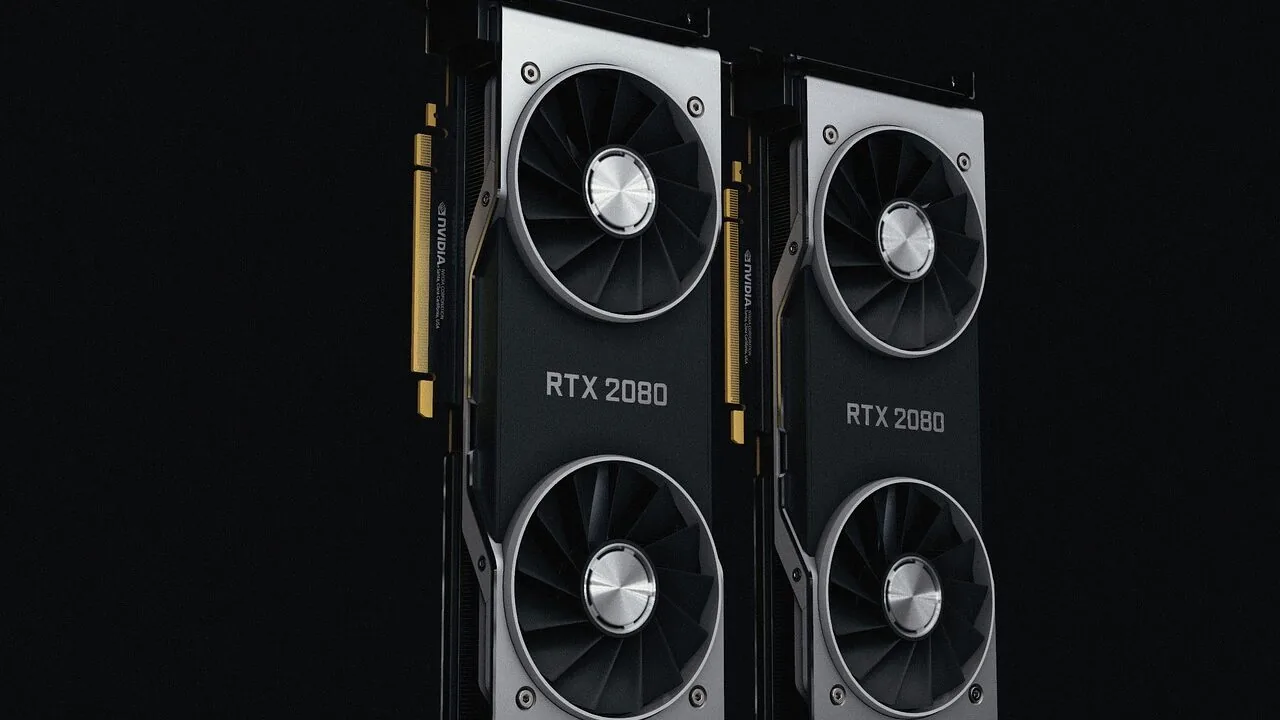
Choosing the right graphics card for 1080p gaming has never been more nuanced. With options ranging from budget-friendly entry-level GPUs to high-refresh-rate powerhouses, the market in 2026 spans a wide spectrum of performance tiers, architectures, and price points.
Whether you’re building a new rig or upgrading an aging system, the GPU you pick will define your frame rates, visual fidelity, and future-proofing potential far more than almost any other component.
Pairing your GPU with a quality processor and fast RAM ensures you won’t leave performance on the table.
This guide covers the best graphics cards for 1080p gaming across every major price tier, drawing on published specifications, expert review consensus, and verified buyer feedback to surface picks that deliver genuine value.
Our research spans options from GIGABYTE, ASUS, MSI, and ASRock, covering everything from the budget-conscious to the performance-first buyer.
Read on for our top-ranked picks, followed by a practical buying guide to help you match the right card to your setup.
| Award | Product | REMOVU Score About REMOVU ScoreThe REMOVU Score is our own rating from 0 to 10, based on performance, design and build, ease of use, and value. It reflects independent research and is never influenced by manufacturers, retailers, or affiliate commissions. Learn more › | Price | |
|---|---|---|---|---|
| Best Premium |
 ASUS Dual RTX 5060 Ti 16GB GDDR7
|
7.2/10 | Buy | |
| Best Overall |
 GIGABYTE RTX 5070 Gaming OC 12GB
|
7.9/10 | Buy | |
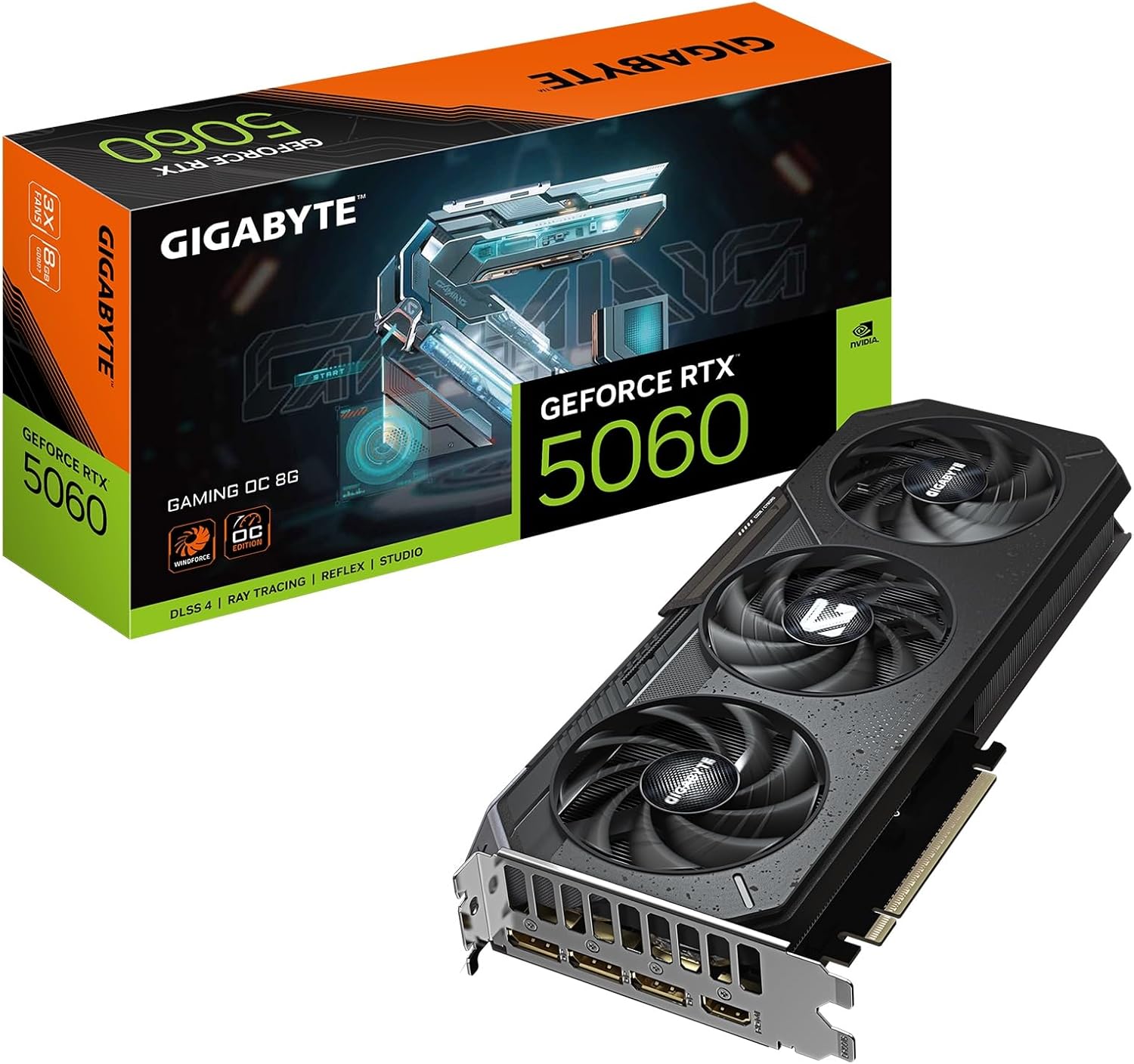 GIGABYTE RTX 5060 Gaming OC 8GB Graphics Card
|
6.2/10 | Buy | ||
 GIGABYTE RTX 3060 Gaming OC 12GB
|
7.1/10 | Buy | ||
 ASUS Dual RTX 3060 12GB Graphics Card
|
7.5/10 | Buy | ||
| Best Value |
 ASUS Dual Radeon RX 9060 XT 16GB
|
7.6/10 | Buy | |
 MSI RTX 3050 Ventus 2X 6GB Graphics Card
|
6.7/10 | Buy | ||
| Best Budget |
 GIGABYTE RTX 3050 WINDFORCE OC V2 6GB
|
7.2/10 | Buy | |
 ASRock Intel Arc A580 Challenger 8GB
|
6.2/10 | Buy |
ASUS Dual RTX 5060 Ti 16GB GDDR7
ASUS brings its thermal expertise to the compact RTX 5060 Ti with a carefully engineered 2.5-slot design that doesn't compromise cooling performance. The dual Axial-tech fans and vented backplate keep temperatures in check, while 0dB technology keeps noise minimal during light workloads. Best suited for builders prioritizing space efficiency without sacrificing GPU power.
Pros
- Compact 2.5-slot form factor with flagship-level thermal design, ideal for SFF builds
- 0dB fan mode silences operation below 50°C, balancing performance and noise
- Dual ball-bearing fans rated for longer lifespan than standard sleeve bearings
- Dual BIOS with Performance and Quiet modes for user flexibility
- Protective backplate with stainless steel bracket and ASUS GPU Guard for durability
- 16GB GDDR7 memory with DLSS 4 and PCIe 5.0 support
Cons
- 2.5-slot depth may still challenge tight mini-ITX cases despite compact positioning
- No mention of factory overclocking headroom beyond OC mode specification
- Limited to entry-to-mid tier performance tier, not for high-end 4K gaming demands
GIGABYTE RTX 5070 Gaming OC 12GB
GIGABYTE's RTX 5070 Gaming OC pairs NVIDIA's new Blackwell architecture with 12GB of GDDR7 memory and PCIe 5.0 support, delivering strong frame rates and AI acceleration for demanding games and creative work. The WINDFORCE cooling system keeps thermals in check, while DLSS 4 integration enhances performance further. Best suited for 1440p and high-refresh gaming, or creators working with AI-accelerated applications.
Pros
- 12GB GDDR7 memory with 192-bit interface handles high-resolution textures and large datasets
- PCIe 5.0 support provides future-proofing and bandwidth headroom
- WINDFORCE cooling system delivers effective thermal management
- DLSS 4 and Tensor Cores enable AI acceleration for games and creative apps
- Strong user ratings (4.7/5 from 143 reviews) indicate reliable real-world performance
Cons
- Premium positioning means higher entry cost compared to previous-gen cards
- Requires robust PSU and adequate case airflow for optimal cooling performance
- Blackwell architecture is relatively new, so driver maturity may improve over time
GIGABYTE RTX 5060 Gaming OC 8GB Graphics Card
Built on NVIDIA's Blackwell architecture, this mid-range GPU delivers strong 1440p gaming performance with 8GB of fast GDDR7 memory and PCIe 5.0 support. The WINDFORCE cooling system keeps thermals in check, while DLSS 4 and enhanced RT Cores offer meaningful gains for ray-traced games and creative workloads. Best suited for 1440p gamers and content creators seeking reliable performance without flagship pricing.
Pros
- 8GB GDDR7 memory with 128-bit interface provides solid memory bandwidth for gaming and creative tasks
- PCIe 5.0 support ensures future-proofing and compatibility with next-gen systems
- WINDFORCE cooling system offers effective thermal management for sustained performance
- DLSS 4 and Tensor Cores enable AI-accelerated workflows for creators
- High user rating (4.8/5 from 97 reviews) indicates consistent reliability and satisfaction
Cons
- Entry-level RTX 5000 series positioning means it targets 1440p rather than high-end 4K gaming
- Limited specifications data provided makes detailed performance comparison difficult
- WINDFORCE cooling adds size, which may require adequate case clearance
GIGABYTE RTX 3060 Gaming OC 12GB
A mid-range GPU built on NVIDIA's Ampere architecture with 12GB GDDR6 memory, designed for 1440p gaming and creative workloads. The WINDFORCE 3X cooling system keeps thermals in check, while the dual-gen RT and Tensor cores provide solid ray tracing and AI performance for the price tier. Best suited for gamers stepping up from older cards or creators balancing budget with capability.
Pros
- 12GB GDDR6 memory provides ample capacity for gaming and content creation tasks
- WINDFORCE 3X cooling with alternate-spinning fans maintains efficient thermal management
- 3rd generation Tensor Cores and 2nd generation RT Cores deliver respectable ray tracing and AI acceleration
- Dual HDMI 2.1 and dual DisplayPort 1.4 connectivity for multi-monitor setups
- 4.7 rating from 3,191 verified reviews indicates strong user satisfaction
Cons
- Limited Hash Rate version restricts cryptocurrency mining use, which may affect resale appeal to some buyers
- Mid-range performance ceiling means demanding AAA titles at high settings require compromises at 4K resolution
- Power efficiency and performance-per-watt lag behind newer generation cards
ASUS Dual RTX 3060 12GB Graphics Card
ASUS brings its proven thermal engineering to the RTX 3060, packing dual Axial-tech fans and a compact 2-slot design that doesn't compromise on cooling. Built on NVIDIA's Ampere architecture with 12GB GDDR6 memory, it handles 1440p gaming and content creation at solid frame rates, plus supports ray tracing and DLSS acceleration. A reliable mid-range card for 1080p to 1440p workloads without requiring excessive power or chassis space.
Pros
- Efficient thermal design with dual Axial-tech fans and 0dB silent mode below 50°C
- Compact 2-slot form factor fits most standard builds despite strong cooling performance
- 12GB GDDR6 memory provides headroom for 1440p gaming and creative applications
- 2nd gen RT Cores and 3rd gen Tensor Cores enable ray tracing and DLSS AI upscaling
- Reinforced aluminum backplate and stainless steel bracket improve durability and rigidity
Cons
- RTX 3060 is entry-level for high-end 4K gaming, better suited for 1440p and below
- 12GB VRAM advantage diminishes compared to faster cards in same generation
- Requires adequate PSU and case airflow to maximize the cooling design benefits
ASUS Dual Radeon RX 9060 XT 16GB
A compact 2.5-slot graphics card built for gamers who need serious performance without sacrificing case compatibility. The dual Axial-tech fans and 0dB technology keep thermals in check while minimizing noise during lighter workloads, making it a practical choice for both gaming and productivity builds.
Pros
- Compact 2.5-slot design maximizes compatibility with smaller cases while maintaining thermal performance
- 0dB technology stops fans below 55°C, reducing noise during light gaming and everyday tasks
- Dual ball fan bearings offer longer lifespan, rated up to twice as long as traditional sleeve bearings
- Dual BIOS modes let you switch between Performance and Quiet profiles depending on your needs
- Vented backplate and reinforced PCB design enhance heat dissipation and structural durability
Cons
- Limited information on actual power consumption and thermal performance benchmarks in provided data
- Dual BIOS switching requires manual intervention rather than automatic optimization
- No detailed noise level specifications provided for comparison with competing models
MSI RTX 3050 Ventus 2X 6GB Graphics Card
This Ampere-based GPU delivers entry-level ray tracing and DLSS support with 6GB of GDDR6 memory, making it a practical choice for 1080p gaming and light creative work. The dual-fan Ventus cooler keeps thermals in check without excessive noise, and the compact form factor fits most standard cases. Best suited for budget-conscious builders stepping into ray-traced gaming.
Pros
- Dedicated ray tracing and tensor cores enable modern graphics features at accessible price point
- 6GB GDDR6 memory with 14 Gbps speed sufficient for 1080p and lower 1440p gaming
- Dual DisplayPort and dual HDMI outputs provide flexible multi-monitor setup options
- Compact Ventus 2X design fits standard mid-tower cases without requiring extensive space
- Strong 4.7 rating from 265 verified reviews indicates reliable user satisfaction
Cons
- 96-bit memory interface and 6GB capacity limit performance scaling at higher resolutions beyond 1440p
- 1492 MHz boost clock positions it at entry-level tier, not suitable for high-end 1440p or 4K gaming
- Limited VRAM may become constraint as game engines demand more memory over time
GIGABYTE RTX 3050 WINDFORCE OC V2 6GB
GIGABYTE's RTX 3050 WINDFORCE OC V2 pairs NVIDIA's Ampere architecture with dual-fan cooling for entry-level 1080p gaming and creative workloads. The 6GB GDDR6 memory and enhanced RT/Tensor cores deliver solid ray tracing and AI acceleration, making it a practical choice for budget-conscious builders stepping into modern gaming.
Pros
- Dual WINDFORCE fans provide efficient thermal management and quieter operation
- 6GB GDDR6 memory sufficient for 1080p gaming and light creative applications
- 2nd gen RT Cores and 3rd gen Tensor Cores enable ray tracing and AI features
- High user rating of 4.7 stars reflects consistent reliability and performance expectations
- Entry-level power consumption keeps system costs down
Cons
- Limited VRAM (6GB) compared to higher-tier cards, restricting heavy workload capability
- Performance ceiling makes it unsuitable for high-refresh 1440p or 4K gaming
- Modest upgrade path if gaming demands increase over time
ASRock Intel Arc A580 Challenger 8GB
Intel's Arc A580 brings solid 1440p gaming performance in an overclocked package with effective dual-fan cooling and future-ready DisplayPort 2.0 connectivity. The 0dB silent mode and factory 2000 MHz clock make it a straightforward option for gamers wanting Arc architecture without manual tuning. Best suited for mid-range builds where 1440p is the target and power efficiency matters.
Pros
- Factory overclocked at 2000 MHz with 8GB GDDR6 delivers reliable 1440p performance out of box
- 0dB Silent Cooling stops fans at low loads, eliminating noise during light tasks
- Three DisplayPort 2.0 outputs future-proof display connectivity and enable high-resolution multi-monitor setups
- Dual-fan design with heatpipe and metal backplate provide solid thermal management and build quality
- XeSS AI upscaling and DirectX 12 Ultimate support align with current gaming standards
Cons
- Intel Arc ecosystem still maturing compared to Nvidia and AMD, with fewer optimized game drivers
- Requires dual 8-pin PCIe connectors and 650W PSU minimum, limiting compatibility with older systems
- 2.4-slot form factor may conflict with nearby RAM or components in compact builds
Graphics Cards for 1080p Gaming Buying Guide
Buying a GPU for 1080p gaming sounds simple until you’re staring at a wall of acronyms, memory bus widths, and competing architecture claims.
The sections below break down the criteria that actually matter, so you can filter the noise and invest in hardware that matches your goals.
If you’re also considering a display upgrade to complement your new card, projectors built for gaming have become a compelling alternative to traditional monitors for certain setups.
Performance Tier and Target Frame Rate

Not all 1080p gaming is the same. A card that comfortably hits 60 fps in AAA titles at high settings will not necessarily push 144 fps or higher for competitive play.
Before evaluating any GPU, decide whether your priority is smooth cinematic gameplay, competitive high-refresh-rate performance, or a balance of both.
Cards in the mainstream tier, such as the RTX 3060 and RTX 3050 variants, are well-matched to 60 to 144 Hz monitors running demanding games at high settings.
Cards like the RTX 5060 Ti and RTX 5070 push further, enabling consistent high frame rates even as game engines become more demanding.
If you currently own or plan to buy a 144 Hz or 165 Hz monitor, prioritize cards that can sustain those frame rates in your target titles rather than simply achieving them in benchmark averages.
Average fps numbers often mask the minimum frame time dips that cause perceived stuttering. Look at 1% and 0.1% low benchmarks from expert reviews when available, as these give a truer picture of how smooth gameplay will actually feel.
VRAM Capacity and Memory Bus Width
VRAM requirements for 1080p gaming have climbed steadily. While 6 GB was sufficient for most titles a few years ago, several recent AAA games recommend 8 GB or more even at 1080p with high texture settings enabled.
Cards shipping with 8 GB or 12 GB of VRAM offer more headroom for texture-heavy games, shader compilation, and scenarios where background applications compete for memory.
Memory bus width determines how quickly the GPU can read and write to its VRAM pool. A 192-bit bus, as found on RTX 3060 models, provides meaningful bandwidth headroom compared to the 96-bit bus on RTX 3050 cards.
Newer GDDR7 memory, available on RTX 5000-series cards, partially compensates for narrower bus widths through significantly higher data rates per pin. When comparing cards across generations, evaluate effective memory bandwidth rather than bus width alone.
Architecture and AI Upscaling Support
Modern GPU architectures bring more than raw rasterization gains. NVIDIA’s Ampere (RTX 30-series) and Ada Lovelace-era Blackwell (RTX 50-series) both support DLSS, which uses AI-driven upscaling to render at a lower internal resolution and reconstruct a sharp output image.
This effectively boosts frame rates in supported titles with minimal visual cost. AMD’s RDNA 4 architecture, powering the RX 9060 XT, brings FSR 4 with AI-based upscaling that matches DLSS quality more closely than earlier FSR generations.
Intel’s Arc A580 supports XeSS, the company’s own upscaling solution, which works best on Intel hardware but falls back to a generic mode on any GPU.
Ray tracing performance also varies sharply by architecture. RTX 50-series cards handle ray tracing workloads considerably more efficiently than RTX 30-series equivalents, while AMD’s RDNA 4 closes much of the gap that existed in prior generations.
If ray tracing is important to your experience, factor it explicitly into your tier decision rather than assuming any modern GPU handles it equally well.
Thermal Design and Cooling Solution

Aftermarket cooling solutions differ meaningfully in sustained clock speed, noise levels, and long-term component longevity.
Triple-fan designs, such as GIGABYTE’s WINDFORCE 3X cooler on the RTX 3060 Gaming OC, maintain lower junction temperatures under extended gaming loads than dual-fan or single-fan designs.
This matters not just for comfort but because a GPU that throttles due to heat will deliver lower sustained performance than its boost clock specification suggests.
Zero-RPM or 0dB modes, which stop fan rotation completely at idle and light loads, improve acoustic comfort during desktop use and light gaming. Both ASUS Dual models in our list feature this technology.
Verify that your case provides adequate airflow to support the card’s thermal design, particularly in compact builds where a large GPU cooler may restrict airflow from case fans.
A well-chosen PC case with proper ventilation can make a meaningful difference to GPU temperatures.
Power Consumption and PSU Requirements

GPU TDP has a direct impact on electricity costs and the power supply unit you need. Budget cards like the RTX 3050 6G draw under 100W, meaning they can fit into systems with modest PSUs and produce relatively little heat.
Mid-range cards like the RTX 3060 pull around 170W, while RTX 5070 class cards can approach or exceed 200W under sustained gaming loads.
Always check manufacturer-specified system power requirements rather than just the card’s TDP, as platform overhead adds to the total draw.
If you’re upgrading an existing build, confirm your current power supply can handle the new GPU comfortably, ideally with 20 to 30 percent headroom above the total system load. Undersized PSUs lead to instability, unexpected shutdowns, and potentially shortened hardware lifespans.
PCIe Generation and Platform Compatibility
Most current GPUs use PCIe 4.0 or PCIe 5.0 interfaces. In practical 1080p gaming scenarios, the difference between PCIe 4.0 and PCIe 5.0 bandwidth is rarely a bottleneck today, but PCIe 5.0 cards installed in PCIe 5.0 slots do benefit from lower latency under specific workloads.
More importantly, verify that your motherboard supports the PCIe generation of your chosen card. A PCIe 5.0 GPU will operate at PCIe 4.0 speeds in an older slot, which is generally fine for 1080p gaming but worth knowing before purchase.
Also check physical slot clearance. Some high-end aftermarket coolers use 2.5-slot or even 3-slot designs that may conflict with adjacent PCIe slots or case obstructions.
The product specifications for each card list its slot width, and verifying this against your case’s GPU clearance and storage drive layout prevents unpleasant surprises during installation.
Why You Should Trust Us
REMOVU is an independent review platform with no manufacturer relationships that influence our rankings. Every graphics card in this guide is evaluated against a consistent set of criteria covering performance, thermal design, memory configuration, platform compatibility, and long-term value.
Each model receives a REMOVU Score on a scale of 0 to 10, derived from a structured synthesis of published specifications, expert review consensus drawn from across the hardware press, and verified buyer feedback from confirmed purchasers.
We do not conduct our own product trials; our evaluations are grounded in research, published data, expert review consensus, and verified buyer feedback.
This approach lets us cover a broader range of products with greater consistency than single-reviewer impressions allow, while remaining transparent about the basis of each recommendation.
REMOVU may earn a commission when you purchase through links in this article. That affiliate relationship has no bearing on which products are included, how they are ranked, or the REMOVU Score assigned to each. Our rankings reflect research-driven quality assessment, not commercial considerations.
Final Thoughts
The best graphics card for 1080p gaming depends heavily on your target frame rate, budget tier, and platform. Our research surfaces strong options across the full range, from accessible entry-level picks to high-refresh-rate performance cards worth the investment.
Here are the standout picks from our evaluated lineup, each reflecting a distinct buyer need:
- Best Overall: GIGABYTE GeForce RTX 5070 Gaming OC 12G earns the top position with the highest REMOVU Score in this group, combining next-generation GDDR7 memory, PCIe 5.0 connectivity, and WINDFORCE cooling into a card that handles demanding 1080p workloads with genuine headroom for higher resolutions.
- Best for High-Refresh-Rate 1080p: ASUS Dual Radeon RX 9060 XT 16GB delivers an outstanding combination of VRAM capacity and AMD’s RDNA 4 architecture, making it an excellent choice for competitive players who want sustained high frame rates and strong FSR 4 upscaling support.
- Best Mid-Range Value: ASUS NVIDIA GeForce RTX 3060 remains a well-rounded performer for 1080p gaming at high settings, earning a strong REMOVU Score for its balance of 192-bit memory bus, boost clock headroom, and broad compatibility.
- Best Budget Pick: ASRock Intel Arc A580 Challenger 8GB OC is the most accessible entry point in our list, offering 8 GB of GDDR6 and XeSS upscaling support at a price point that suits builders prioritizing cost over maximum frame rates. Its PC component value proposition is hard to ignore for modest 1080p setups.
- Best for Low-Power Builds: GIGABYTE GeForce RTX 3050 WINDFORCE OC V2 6G pairs a dual-fan WINDFORCE cooler with modest power draw, scoring well among entry-level cards for systems where thermal and power headroom are limited.
Whichever card you choose, pairing it with a capable processor and sufficient system memory ensures the GPU is never waiting on the rest of the platform.
For those building a complete gaming setup from scratch, our coverage of motherboards, power supplies, and PC cases can help you complete the build with the same research-first approach.
Frequently Asked Questions
How much VRAM do I need for 1080p gaming in 2026?
For most 1080p gaming at high settings, 8 GB of VRAM is the current practical minimum that avoids texture streaming issues in demanding modern titles.
Cards with 12 GB or 16 GB offer better longevity as game engines continue to increase their memory requirements. If you play older or less demanding titles, 6 GB remains workable but may show limitations in newer AAA releases.
Is an RTX 30-series card still worth buying for 1080p gaming?
Yes, provided the price reflects the generation gap. RTX 30-series cards like the RTX 3060 deliver solid 1080p performance at high settings and benefit from DLSS 2 and 3 support in a wide library of titles.
They are a practical choice for budget-conscious buyers who do not need the efficiency and ray tracing improvements of newer architectures. If the price difference between a 30-series and 50-series card is modest, the newer generation offers better long-term value.
Does PCIe generation affect 1080p gaming performance?
In everyday 1080p gaming, the bandwidth difference between PCIe 4.0 and PCIe 5.0 has negligible impact on frame rates. A PCIe 5.0 card running in a PCIe 4.0 slot will perform essentially identically in gaming workloads.
PCIe generation matters more for data transfer-intensive tasks like video editing or high-speed storage. Focus on GPU performance and cooling quality rather than PCIe generation when evaluating cards for gaming.
What is the difference between DLSS, FSR, and XeSS for 1080p gaming?
All three are AI-assisted or algorithmic upscaling technologies that allow the GPU to render at a lower resolution and reconstruct a sharper image, boosting frame rates.
DLSS (NVIDIA) uses dedicated Tensor cores and delivers the most consistent quality but only works on NVIDIA RTX hardware.
FSR 4 (AMD) is the newest iteration and runs on any GPU, with AI-based quality that now rivals DLSS on supported RDNA 4 hardware. XeSS (Intel) runs on any GPU but performs best on Intel Arc hardware.
For a gaming PC built around a complete gaming setup, understanding which upscaling ecosystem your GPU supports helps you get the most from supported titles.
Do I need to upgrade my CPU when installing a new GPU?
Not necessarily, but CPU bottlenecking is a genuine concern with high-refresh-rate 1080p gaming.
At 1080p, the GPU workload is lighter than at 4K, meaning a weak CPU is more likely to become the limiting factor in frame rate, particularly in CPU-intensive games.
If your processor is several generations old and you’re targeting 144 fps or higher, evaluating whether a CPU upgrade is also warranted is a worthwhile step. Our guide to processors covers current options across every budget tier.
Should I consider a laptop GPU instead of a desktop graphics card?
Laptop GPUs are integrated into the system and are not interchangeable with desktop cards. If portability is a priority, a gaming laptop with a capable discrete GPU is a different product category entirely.
For desktop builders, dedicated add-in cards consistently offer better performance-per-dollar and thermal headroom than their mobile equivalents. If you’re weighing a laptop for productivity alongside gaming, our roundup of laptops for college students covers versatile options that balance both needs.
About the author
Eleanor covers smartphones for REMOVU, balancing cameras, battery life, and software support against price. She helps readers find the best value as the field shifts with every release.