The 12 Best Mesh Wi-Fi Systems for Large Homes
Coverage gaps in large homes demand more than a single router. Here are the top mesh Wi-Fi systems, from budget Wi-Fi 6 kits to Wi-Fi 7 flagships, chosen for real-world reliability.
 By Rene Coleman
Updated July 26, 2026
By Rene Coleman
Updated July 26, 2026

A spotty Wi-Fi signal in a large home is one of the most frustrating tech problems to solve.
Traditional single-router setups struggle to push a reliable signal through multiple floors, thick walls, and sprawling open-plan layouts, leaving dead zones in exactly the rooms where you need connectivity most.
Mesh Wi-Fi systems solve this by placing multiple nodes throughout your home that work together as a single, seamless network, automatically routing your devices through the strongest available path.
Whether you’re streaming 4K video in a back bedroom, running a smart home full of connected devices, or working from a home office far from your modem, the right mesh system makes a genuine difference in day-to-day reliability.
This guide covers the best mesh Wi-Fi systems for large homes available right now, drawn from options spanning budget-friendly dual-band setups to cutting-edge Wi-Fi 7 tri-band systems from brands including TP-Link, eero, and NETGEAR.
Our team at REMOVU researched each model by analyzing published specifications, synthesizing expert review consensus across the networking category, and weighing verified buyer feedback to produce an objective REMOVU Score for every pick.
Scroll down to see our ranked top picks, or jump to the buying guide for practical guidance on what to look for before you spend.
| Award | Product | REMOVU Score About REMOVU ScoreThe REMOVU Score is our own rating from 0 to 10, based on performance, design and build, ease of use, and value. It reflects independent research and is never influenced by manufacturers, retailers, or affiliate commissions. Learn more › | Price | |
|---|---|---|---|---|
| Best Overall |
 Eero Pro 7 3-Pack Wi-Fi 7 Mesh Router
|
9.0/10 | Buy | |
| Best Premium |
 Amazon eero 7 3-Pack Wi-Fi 7 Mesh Router
|
8.4/10 | Buy | |
| Best Value |
 TP-Link Deco BE25 WiFi 7 Mesh System (3-Pack)
|
8.3/10 | Buy | |
 TP-Link Deco XE75 WiFi 6E Mesh System
|
7.8/10 | Buy | ||
 TP-Link Deco XE75 Pro WiFi 6E Mesh System
|
8.0/10 | Buy | ||
 eero 6 WiFi 6 Mesh System 3-Pack
|
8.3/10 | Buy | ||
 TP-Link Deco X55 AX3000 WiFi 6 Mesh (3-Pack)
|
6.8/10 | Buy | ||
| Best Budget |
 TP-Link Deco X20 WiFi 6 Mesh System (3-Pack)
|
7.4/10 | Buy | |
 TP-Link Deco X68 Tri-Band WiFi 6 Mesh (2-Pack)
|
7.5/10 | Buy | ||
 NETGEAR Orbi RBE773 WiFi 7 Mesh System (3-pack)
|
7.1/10 | Buy | ||
 TP-Link Deco M5 3-Pack Mesh WiFi System
|
6.8/10 | Buy | ||
 TP-Link Deco S4 3-Pack AC1900 Mesh WiFi
|
6.2/10 | Buy |
Eero Pro 7 3-Pack Wi-Fi 7 Mesh Router
This tri-band Wi-Fi 7 mesh system delivers strong coverage up to 6,000 sq ft and handles speeds up to 5 Gbps with straightforward setup via app. Reviewers praise reliable connectivity across large homes and seamless device handoffs, though some advanced features require a paid subscription.
Pros
- Easy app-based setup and intuitive network management interface
- Consistent wireless speeds (900+ Mbps reported) with stable connections across multiple floors and rooms
- Supports 600+ devices with tri-band performance and backward compatibility with older eero models
- Built-in Matter and Thread support for smart home integration
- 3-year warranty with responsive support team
Cons
- Only two 5 GbE ethernet ports per unit limits wired device connectivity without workarounds
- Advanced features like ad blocking, parental controls, and custom DNS require eero Plus subscription
- Some users report occasional connectivity drops requiring router reboots, though frequency varies
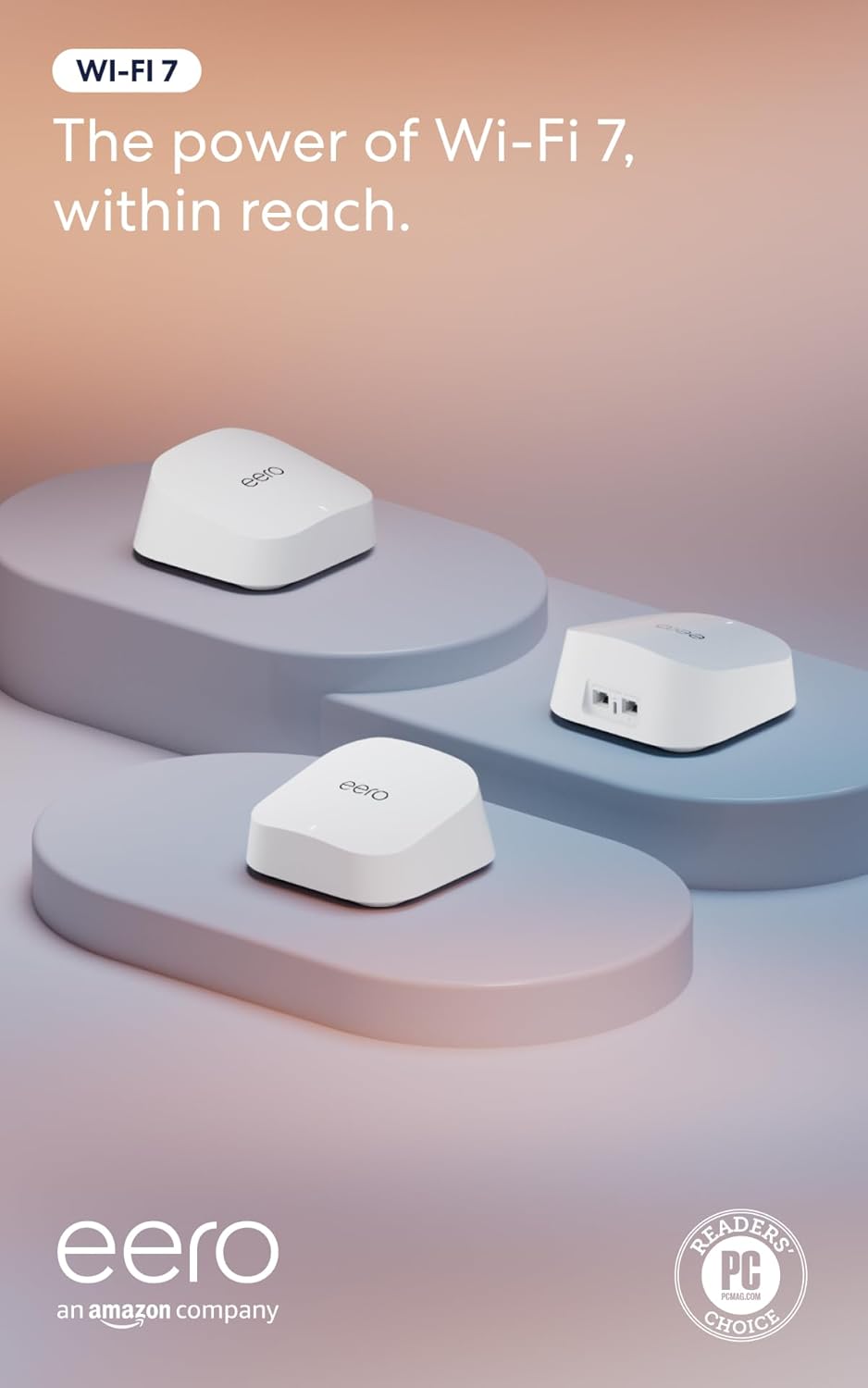
Amazon eero 7 3-Pack Wi-Fi 7 Mesh Router
The eero 7 brings affordable Wi-Fi 7 performance to homes up to 6,000 sq ft, with straightforward app-based setup and reliable coverage across multiple zones. Best suited for users wanting Wi-Fi 7 without premium pricing and those upgrading from older mesh systems.
Pros
- Exceptionally easy setup through mobile app, typically under 10 minutes for most users
- Supports up to 2.5 Gbps internet plans with dual 2.5 GbE ports and wireless speeds up to 1.8 Gbps
- Covers 6,000 sq ft with three units, handling 120+ connected devices
- Compact, unobtrusive design that blends into home decor better than larger routers
- Backward compatible with previous eero generations and includes Matter, Thread, Zigbee support
Cons
- Ventilation design can cause overheating without adequate airflow or clearance, potentially triggering service interruptions
- Legacy 2.4 GHz-only smart devices may experience connectivity challenges or require reconfiguration after setup
- Some older smart home devices show inconsistent behavior despite strong signal strength, with occasional disconnects or unresponsive commands
TP-Link Deco BE25 WiFi 7 Mesh System (3-Pack)
A Wi-Fi 7 mesh system delivering up to 5 Gbps speeds across 6,600 sq. ft. with dual-band coverage and support for 150+ devices. Reviews confirm easy setup and reliable fill-in for dead zones, though it's a renewed unit with a limited 90-day warranty.
Pros
- Wi-Fi 7 with Multi-Link Operation (MLO) and 240 MHz channels for future-proofing
- Covers up to 6,600 square feet with three units and AI-Roaming for seamless handoff
- Dual 2.5 Gbps WAN/LAN ports per unit enable fast backhaul connections
- Supports 150+ connected devices suitable for smart homes
- Built-in parental controls, guest mode, and Alexa compatibility
- Verified buyers report straightforward configuration and effective coverage expansion
Cons
- Amazon Renewed status means refurbished condition with only 90-day limited warranty versus new-unit guarantees
- Actual throughput depends on client device Wi-Fi 7 support, which remains limited in most smartphones and laptops
- LAN port bandwidth capped at 1000 Mbps despite dual 2.5 Gbps WAN ports, creating potential bottleneck for wired connections
TP-Link Deco XE75 WiFi 6E Mesh System
A tri-band mesh system with WiFi 6E and the new 6GHz band, covering up to 7,200 sq ft with three units. Best for larger homes seeking seamless coverage and future-ready wireless performance without dead zones.
Pros
- Effective coverage across large homes and multi-level layouts with minimal signal degradation
- Straightforward app-based setup and management from anywhere
- Strong real-world speeds (700+ Mbps reported at distance through walls by verified buyers)
- Backward compatible with older TP-Link Deco models for flexible expansion
- Three Ethernet ports per unit enables flexible hardwiring and network optimization
Cons
- Roaming between nodes can be inconsistent; devices may drop and re-scan rather than seamlessly transition
- Premium pricing; full potential requires WiFi 6E-compatible devices, which remain limited
- Setup requires TP-Link app account; limited advanced configuration options in UI compared to traditional routers
TP-Link Deco XE75 Pro WiFi 6E Mesh System
A tri-band WiFi 6E mesh system designed for high-speed internet plans, featuring a 2.5G port per unit and coverage up to 7,200 sq ft across three nodes. Best suited for users with gigabit-plus broadband or those needing faster wired connections for gaming and 4K streaming.
Pros
- 2.5G port future-proofs wired connections for multi-gig broadband and NAS drives
- 6GHz band provides dedicated backhaul and cleaner spectrum for compatible devices
- Extensive coverage with expandable system, scales to multiple Deco units
- AI mesh automatically optimizes connectivity across units
- Straightforward app setup, works with major ISPs
Cons
- Premium pricing reflects WiFi 6E tech; may exceed needs for standard gigabit plans
- No customer reviews yet on platform, limiting real-world performance feedback
- Advanced features like HomeShield Pro require subscription beyond included basics
eero 6 WiFi 6 Mesh System 3-Pack
The eero 6 3-pack delivers WiFi 6 coverage across 4,500 sq ft with support for 75+ devices and speeds up to 500 Mbps. Built-in Zigbee smart home hub integration and straightforward app-based setup make it accessible for most households, though performance depends heavily on placement and your internet plan.
Pros
- WiFi 6 standard handles modern streaming, gaming, and conferencing demands
- 3-pack covers large homes with mesh optimization to reduce dead zones
- Integrated Zigbee smart home hub eliminates need for separate hub
- Simple app setup and remote management through eero app
- Automatic security updates keep network protected over time
Cons
- 500 Mbps speed cap may limit ultra-fast fiber plans over 500 Mbps
- Performance quality hinges on proper router and extender placement
- No user reviews provided on retailer listing to verify real-world performance claims
TP-Link Deco X55 AX3000 WiFi 6 Mesh (3-Pack)
A WiFi 6 mesh system covering up to 6,500 sq ft with 3 gigabit ports per unit and AI-driven optimization. Reviewers report significant speed improvements and reliable whole-home coverage, making it a solid choice for households with 50+ connected devices.
Pros
- Delivers measurable speed gains (reviewers report speeds doubling or nearly tripling in some areas)
- Excellent coverage for large homes with minimal dead zones
- Three gigabit ports per unit enables flexible wired backhaul configurations
- Intuitive Deco app with granular controls like per-device band assignment and unit preference settings
- Handles high device counts (74-150 devices) without dropout issues
Cons
- Requires careful node placement to optimize signal; automatic placement doesn't always choose the best configuration
- Included ethernet cable is Cat5e, not higher-spec Cat6
- Lacks some advanced features like multiple SSIDs beyond guest network (though firmware updates have added IoT network option)
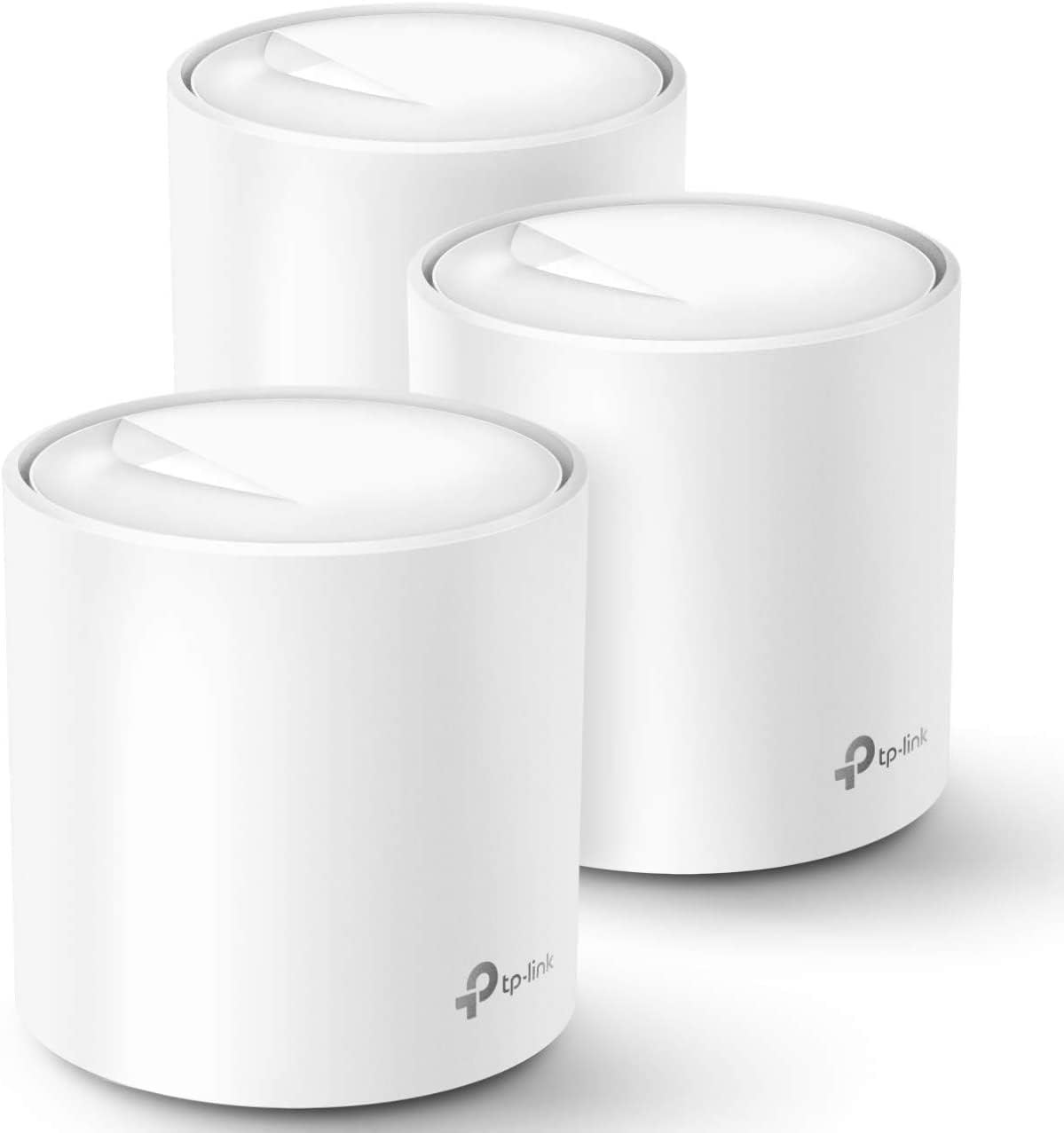
TP-Link Deco X20 WiFi 6 Mesh System (3-Pack)
A WiFi 6 mesh system covering up to 5,800 sq. ft. with support for 150+ devices, designed for whole-home coverage without dead zones. The 3-pack includes solid parental controls and basic network security, making it practical for families seeking reliable mesh networking.
Pros
- Large coverage area reduces need for additional extenders or boosters
- Wired backhaul support improves performance in larger homes
- Free basic security and parental control features included
- High device capacity handles modern multi-device households
- 4.5-star rating from 15,000+ verified buyers indicates strong reliability
Cons
- AX1800 speed is entry-level for WiFi 6; newer higher-spec mesh systems offer faster performance
- Premium HomeShield features require separate subscription beyond free tier
- Requires separate modem for most ISP plans
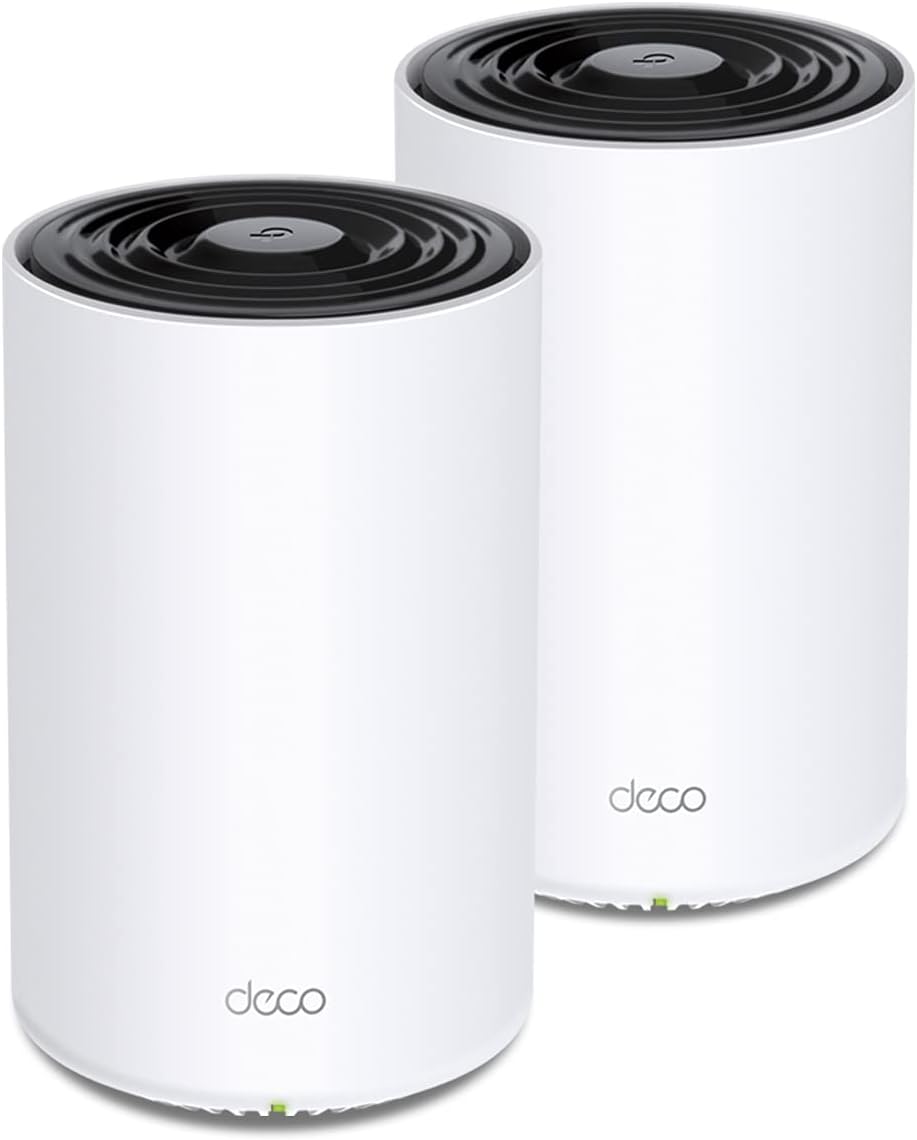
TP-Link Deco X68 Tri-Band WiFi 6 Mesh (2-Pack)
A tri-band WiFi 6 mesh system delivering up to 3,600 Mbps across 5,500 sq ft with AI-driven optimization and built-in security tools. Well-suited for large homes with heavy device usage and streaming demands, though HomeShield Pro features require a monthly subscription.
Pros
- Exceptional device capacity and throughput in dense, multi-device environments
- Tri-band design with dedicated backhaul reduces latency and dead zones
- Comprehensive free security features including real-time threat detection and basic parental controls
- Simple app-based setup and network management from anywhere
- Backward compatible with older WiFi standards and works with all Deco mesh units
Cons
- No customer reviews available yet to assess real-world reliability and performance consistency
- Advanced HomeShield Pro security features require paid subscription at $5.99/month after trial
- Tri-band setup requires more power consumption and space compared to dual-band alternatives
NETGEAR Orbi RBE773 WiFi 7 Mesh System (3-pack)
NETGEAR's WiFi 7 mesh delivers solid whole-home coverage up to 8,000 sq ft with speeds reaching 11Gbps and tri-band performance. Reviewers praise easy setup, reliable stability across devices, and strong penetration through concrete and metal, making it a practical choice for larger homes seeking WiFi 7 without premium pricing.
Pros
- Exceptional stability and zero drops reported across multiple devices and IoT gear, outperforming more expensive flagship models
- Delivers advertised speeds throughout home without wired backhaul between satellites
- Quick, intuitive setup process via Orbi app for non-technical users
- Strong signal penetration through difficult materials like concrete, tile, and metal
- Amazon Renewed units offer significant savings while arriving in pristine condition
Cons
- Orbi app has limited functionality compared to competitors, with most advanced settings requiring web UI access
- Backhaul performance between base and satellites reported as weak in large homes despite good device coverage
- Cannot hide SSIDs in new firmware, removing privacy option available in previous Orbi models
TP-Link Deco M5 3-Pack Mesh WiFi System
A budget-friendly mesh system covering up to 5,500 sq. ft. with seamless roaming across one network name. Excels with Ethernet backhaul and includes lifetime free antivirus plus parental controls, though wireless-only setups show notable speed drops on distant units.
Pros
- Seamless roaming with single SSID eliminates manual network switching as you move through your home
- Ethernet backhaul support with 2 Gigabit ports per unit delivers consistent performance across large homes
- Free lifetime TP-Link HomeCare subscription includes antivirus, parental controls, content filtering, and QoS prioritization
- Simple app-based setup and management with Alexa voice control integration
- Supports 100+ connected devices with good range even through multiple walls when properly placed
Cons
- Wireless backhaul (no Ethernet) shows significant speed degradation at distance, making placement critical and potentially limiting for some homes
- Lacks web-based GUI for advanced settings; all configuration requires the mobile app
- Gets noticeably warm during operation and is too lightweight for stable wall mounting without additional brackets
TP-Link Deco S4 3-Pack AC1900 Mesh WiFi
A budget-friendly mesh system that covers up to 5,500 sq ft with seamless roaming across a single network. Best for homeowners seeking reliable WiFi elimination of dead zones without premium pricing.
Pros
- Excellent coverage and dead zone elimination across multi-story homes, even through walls
- Seamless roaming without device disconnections as you move between rooms
- Straightforward setup via Deco app with minimal configuration needed
- Strong real-world performance on fiber and high-speed connections without buffering
- Reliable uptime with zero-reboot stability reported across long ownership periods
Cons
- AC1900 lacks dedicated backhaul band, sharing 5 GHz between clients and mesh traffic
- Performance varies significantly based on unit placement and distance spacing
- Limited advanced network management features compared to enterprise-grade systems
Mesh WiFi Systems for Large Homes Buying Guide
Choosing a mesh system for a large home involves more than simply picking the highest-priced kit on the shelf. Coverage claims, node counts, Wi-Fi generations, and backhaul methods all interact in ways that are easy to misread.
The six criteria below cover the decisions that actually affect day-to-day performance in a home of 3,000 square feet or more.
Total Coverage Area and Node Count

Manufacturers publish coverage figures under ideal conditions, which means open-plan layouts with minimal interference. In real homes with concrete walls, multi-story layouts, or dense furnishings, you should budget for roughly 30 percent less than the advertised figure per node.
A system rated for 5,500 square feet with three nodes may only reliably cover around 3,800 to 4,000 square feet of a typical two-story house.
Most three-pack systems are designed for homes in the 4,500 to 6,500 square foot range, which covers the majority of large-home scenarios. If your home exceeds that or has an unusually complex layout, confirm that the system supports adding extra nodes.
Expandability matters more than the initial kit size for future-proofing your network. You can also explore our Wi-Fi routers category if a traditional router-plus-extender approach better fits your floor plan.
Node placement is as important as node count. Place each node at roughly equal intervals between your modem and the furthest point you want to cover, avoiding closets, cabinets, or floors directly above/below each other.
A well-placed two-node system will almost always outperform a poorly placed three-node one.
Wi-Fi Generation: Wi-Fi 5, Wi-Fi 6, Wi-Fi 6E, and Wi-Fi 7

Wi-Fi 5 (802.11ac) systems are now the entry-level tier. They handle everyday streaming and browsing well for homes with fewer connected devices, but their throughput and congestion handling fall behind newer standards.
If you’re replacing an aging router and have under 30 devices on your network, a Wi-Fi 5 mesh system can still deliver a meaningful upgrade over a single router.
Wi-Fi 6 (802.11ax) is the current mainstream sweet spot. It brings better handling of dense device environments through OFDMA and MU-MIMO, lower latency for gaming and video calls, and meaningfully higher peak throughput than Wi-Fi 5.
For most large homes in 2026, a Wi-Fi 6 mesh system offers the best balance of performance and value.
Wi-Fi 6E adds a 6 GHz band that significantly reduces congestion in environments where the 2.4 GHz and 5 GHz bands are saturated, making it a strong choice if you run 50 or more devices simultaneously.
Wi-Fi 7 (802.11be) is the newest standard, delivering multi-gigabit throughput and extremely low latency via Multi-Link Operation. It is the right choice if you have a multi-gigabit internet plan and want maximum longevity from your investment.
Keep in mind that most client devices have not yet caught up to Wi-Fi 7 capabilities, so the practical benefit today is primarily future-proofing and improved backhaul efficiency between nodes.
Backhaul Method: Wireless vs. Wired
Backhaul refers to how mesh nodes communicate with each other. In a wireless backhaul system, nodes share the same radio bands that your devices use, which can eat into available client bandwidth.
Dual-band systems are most affected by this since the 5 GHz band handles both client traffic and node-to-node communication simultaneously.
Tri-band systems dedicate an entire band exclusively to backhaul, which is why they typically deliver more consistent throughput across multiple nodes.
Systems with a dedicated 6 GHz backhaul band, like many Wi-Fi 6E and Wi-Fi 7 models, keep the 2.4 GHz and 5 GHz bands completely free for client devices, which is the cleanest architecture available for demanding households.
Wired (Ethernet) backhaul is the gold standard if you can run cables between node locations. Nearly every mesh system on this list supports wired backhaul, but check that each node has a dedicated Ethernet port available for that purpose.
If you have an existing home network with structured cabling or accessible wall ports, wired backhaul will eliminate the wireless bottleneck entirely and deliver router-class performance at every node location.
Our overview of network switches is worth reading if you want to build out a wired backbone for your mesh setup.
Device Capacity and Network Management

Large homes frequently come with large device counts. Smart home gadgets, streaming sticks, phones, laptops, tablets, gaming consoles, smart speakers, and security cameras can easily push a household past 50 connected devices.
Entry-level mesh systems typically handle 50 to 75 devices adequately, while mid-range and premium systems are rated for 100 or more.
Look for systems that use OFDMA and MU-MIMO, as these technologies allow the router to communicate with multiple devices simultaneously rather than sequentially.
This has a much greater real-world impact on perceived network speed in a busy household than raw peak throughput figures suggest. A high-rated system on a congested network will almost always outperform a faster-rated system that lacks proper multi-device scheduling.
This is particularly relevant if you also use bandwidth-hungry peripherals like a smart TV streaming in 4K or an OLED TV running multiple streaming apps.
Network management apps vary significantly between brands. eero’s app is consistently praised for its clean interface and parental controls. TP-Link’s Deco app offers strong device prioritization, robust parental controls via HomeCare, and detailed traffic monitoring.
NETGEAR Orbi’s app is feature-rich but has a steeper learning curve. Consider how much ongoing management you want to do: a simpler app matters more than raw features for most households.
Internet Plan Compatibility and WAN Port Speed

Internet service providers are rolling out gigabit and multi-gigabit plans in more markets each year.
If you have or plan to upgrade to a plan above 1 Gbps, you need a mesh system with a 2.5G or higher WAN port on the primary node.
Standard Gigabit Ethernet ports are physically incapable of sustaining speeds above approximately 940 Mbps regardless of how fast your ISP connection is.
Check the WAN port spec carefully, especially on budget and mid-range models. Some systems offer 2.5G WAN only on the “Pro” or “Plus” variants of the same product family.
If your internet plan currently tops out at 500 Mbps or less, a standard Gigabit WAN port is sufficient and you can save money by skipping the 2.5G premium.
Pair your mesh setup with a compatible cable modem to avoid creating a bottleneck before traffic even reaches your router node.
Security Features and Long-Term Support
A mesh system sitting at the heart of your home network is a significant security surface.
Look for systems that receive regular firmware updates and have a published security support policy. eero automatically pushes updates in the background without requiring manual intervention, which is a meaningful advantage for households where no one is managing the router actively.
TP-Link Deco systems include HomeCare with built-in antivirus and intrusion detection, though some features require a subscription after the included trial period.
WPA3 encryption is the current standard and is available on all Wi-Fi 6 and newer systems on this list. If you are considering a Wi-Fi 5 system, confirm whether it supports WPA3 or only WPA2.
The difference matters most if you connect IoT devices that are harder to patch when a vulnerability is discovered.
For households that also store or stream media locally, pairing a mesh network with a NAS device behind the primary node is a common and effective setup.
Check whether advanced features like VPN pass-through, VLAN support, or guest network isolation are available if your household includes a home office or IoT devices you want to segment from your primary network.
These are features that matter more as smart home ecosystems grow and security risks increase. Families with connected smart TVs, wireless earbuds charging stations, and other always-on devices benefit from network segmentation in particular.
Why You Should Trust Us
REMOVU is an independent review publication. We have no retail arm, no affiliation with any manufacturer, and we do not sell the products we cover.
Every recommendation on this page is the result of our structured research methodology: we evaluate each model by analyzing published technical specifications, synthesizing expert review consensus from across the networking industry, and weighing verified buyer feedback gathered from confirmed purchasers.
Each product receives a REMOVU Score on a scale of 0 to 10, applied consistently across every model in a category so that scores are directly comparable.
We do not conduct our own product trials; our evaluations are grounded in research, published data, expert review consensus, and verified buyer feedback.
This approach lets us cover a broader range of products than a single lab ever could, while maintaining a consistent scoring framework that you can rely on across categories.
Transparency about our business model matters to us. REMOVU may earn a commission if you purchase a product through a link on this page.
That affiliate relationship has no bearing on which products are included, how they are ranked, or what REMOVU Score they receive. Our rankings are determined by research quality, not by commission rates.
If you want to understand how we cover the broader networking and storage category, visit our Networking and Storage section.
Final Thoughts
The mesh Wi-Fi market for large homes spans an impressive range of performance tiers and price points in 2026, from dependable Wi-Fi 5 systems that still serve lighter households well to Wi-Fi 7 flagship kits capable of saturating multi-gigabit internet connections.
After researching every model on this list, a few clear standouts emerge across different use cases and budgets.
- Best Overall: Amazon eero Pro 7 Tri-Band Mesh Wi-Fi 7 Router earns the top REMOVU Score on this list thanks to its Wi-Fi 7 standard, multi-gigabit plan support, and seamless eero ecosystem management, making it the most complete large-home mesh system available right now.
- Best Wi-Fi 7 Value: Amazon eero 7 Dual-Band Mesh Wi-Fi 7 Router delivers Wi-Fi 7 technology and substantial coverage at a significantly lower price than the Pro 7, a compelling option for households that want the latest standard without the flagship premium.
- Best for Wi-Fi 6E Coverage: TP-Link Deco XE75 AXE5400 Tri-Band Wi-Fi 6E System covers up to 7,200 square feet with an AI-driven 6 GHz band, making it one of the strongest performers for genuinely large or complex floor plans among the mid-range options.
- Best Mid-Range Pick: Amazon eero 6 Mesh Wi-Fi System consistently earns strong marks for its ease of setup, reliable performance across a 4,500 square foot footprint, and ongoing software support, representing excellent value in the mid-range tier. It pairs naturally with smart home setups that include connected soundbars or streaming devices.
- Best Budget-Friendly Upgrade: TP-Link Deco X20 Wi-Fi 6 Mesh System brings Wi-Fi 6 to homes on a tighter budget, with wired backhaul support and six Ethernet ports across the three-node kit, a rare combination at this price tier.
Whatever your floor plan or internet plan, the options above cover every realistic large-home scenario. If your priority is maximum longevity and future-proofing, go Wi-Fi 7.
If you want the best performance-per-dollar in a proven standard, Wi-Fi 6E or Wi-Fi 6 tri-band systems deliver everything most households will need for years to come.
For those researching broader home tech upgrades at the same time, our guides to monitors for every desk and external drives cover complementary purchases worth considering alongside a network upgrade.
Frequently Asked Questions
How Many Mesh Nodes Do I Need for a Large Home?
For most homes between 3,000 and 5,500 square feet, a three-node kit is the standard starting point.
Homes larger than 5,500 square feet, or homes with multiple floors, thick concrete or brick walls, or unusual layouts, may need a four or five node setup. The key variable is not just area but obstruction density.
A single-story open-plan home covers more ground per node than a three-story Victorian with plaster walls.
Most mesh systems on this list support adding satellite nodes if your initial coverage proves insufficient. Buying a three-pack and expanding later is a practical approach if you are unsure of your exact needs at the time of purchase.
Is Wi-Fi 7 Worth It for a Home Network in 2026?
Wi-Fi 7 is worth considering if you have a multi-gigabit internet plan, a high density of connected devices, or plan to keep your mesh system for five or more years.
Its Multi-Link Operation technology allows devices to use multiple bands simultaneously, which reduces latency and improves throughput in ways that go beyond raw speed numbers.
If your internet plan tops out at 500 Mbps or below and you have fewer than 40 devices on your network, a Wi-Fi 6 or Wi-Fi 6E system will deliver effectively identical real-world performance at a lower price point.
Wi-Fi 7 is a genuine upgrade for demanding households, not a marketing increment, but it commands a premium that not every home needs to pay today.
Can I Mix Mesh Nodes from Different Brands?
Generally, no. Mesh systems use proprietary protocols for node-to-node communication, which means nodes from different manufacturers are not compatible with each other in the same mesh network.
You can connect a secondary router or access point from a different brand as a wired access point, but it will not participate in the mesh’s automatic roaming and band-steering features.
Stick with nodes from the same product family for best results. TP-Link Deco nodes within the same generation are broadly cross-compatible, and eero nodes across generations work together within the eero ecosystem. Always verify compatibility with the manufacturer before purchasing expansion nodes separately.
Do Mesh Systems Require a Subscription to Work?
Core mesh functionality, including whole-home coverage, seamless roaming, and the companion app, works without any subscription on every system listed here. Subscriptions are typically tied to premium add-ons such as advanced parental controls, content filtering, antivirus scanning, or detailed usage analytics.
eero Plus offers content filtering, VPN access, and identity theft protection as optional paid features. TP-Link HomeCare includes antivirus and parental controls, with an extended feature set available via subscription after the trial period.
NETGEAR Orbi’s Armor security suite is similarly subscription-based for ongoing antivirus protection. For most households, the free tier is sufficient for day-to-day networking needs.
What Is the Difference Between a Mesh System and a Wi-Fi Extender?
A traditional Wi-Fi extender creates a separate secondary network with a different SSID.
Your devices do not automatically switch between the main router and the extender, which means you often experience a connection drop and manual reconnection when moving between coverage zones.
Extenders also typically halve the available bandwidth because they both receive and retransmit on the same channel simultaneously.
A mesh system presents a single unified network name across all nodes. Devices roam seamlessly between nodes as you move through your home, always connecting to the strongest available node without any manual intervention.
Dedicated backhaul bands in tri-band systems eliminate the bandwidth halving problem entirely. For large homes, a mesh system is almost always the more effective and less frustrating solution compared to a router-and-extender setup.
If you are also evaluating upgrades to your broader home office setup, Thunderbolt docks are worth considering for cleaner desk cable management alongside a wired mesh node.
How Do I Know If My Current Internet Plan Is Bottlenecking My Mesh System?
Run a speed check from a device connected directly to your primary mesh node via Ethernet. If the result matches your plan’s advertised speed, your mesh system is not the bottleneck.
If the wireless speed from a nearby node also matches, your mesh backhaul is performing correctly. A large drop in wireless speed compared to wired speed suggests either interference, node placement issues, or a wireless backhaul limitation.
If your wired speed from the primary node falls significantly short of your plan speed, the issue may lie with your modem, your WAN port speed, or your ISP’s equipment.
Upgrading your cable modem to a DOCSIS 3.1 model is often the first step in unlocking the full potential of a gigabit-class mesh system.
For households running demanding connected devices simultaneously, including smart home hubs, mini gaming PCs, or network-attached storage, a stable and well-provisioned mesh backbone makes a measurable difference in day-to-day reliability.
About the author
Rene covers portable power stations for REMOVU, comparing battery capacity, output ports, and value for camping and outages. He helps readers keep devices and appliances running off-grid.