The 9 Best Smart Locks with Keypad
Keypad smart locks have matured fast. This guide covers the top options for keyless entry, remote access, and fingerprint convenience across every budget and door type.
 By Lucy Gardner
Updated July 26, 2026
By Lucy Gardner
Updated July 26, 2026

A smart lock with a keypad replaces the fumble for keys with a quick PIN entry, and the best models layer on fingerprint reading, smartphone control, and voice-assistant integration without sacrificing the deadbolt reliability you depend on every day.
Whether you rent and can’t modify door hardware, run a short-term rental, or simply want to stop hiding a spare key under the mat, a smart home upgrade at the front door can meaningfully improve both convenience and peace of mind.
The category has matured quickly, and today’s options range from straightforward budget deadbolts to fully connected systems that work with security cameras and video doorbells for a layered entry setup.
Choosing the right smart lock with a keypad is harder than it looks. Specs vary wildly, marketing language is often vague, and a lock that looks impressive on paper can prove frustrating in daily use.
To cut through the noise, REMOVU’s editorial team researched this category by synthesizing published specifications, expert review consensus across the industry, and verified buyer feedback from thousands of confirmed purchasers.
Every product in this list has been assessed against a consistent set of criteria and rated on the REMOVU Score scale. Read on for our top picks, ranked and ready to compare.
| Award | Product | REMOVU Score About REMOVU ScoreThe REMOVU Score is our own rating from 0 to 10, based on performance, design and build, ease of use, and value. It reflects independent research and is never influenced by manufacturers, retailers, or affiliate commissions. Learn more › | Price | |
|---|---|---|---|---|
| Best Overall |
 Philips DDL242X WiFi Smart Lock with Fingerprint
|
8.5/10 | Buy | |
| Best Value |
 Philips AK-AZFP-8RAL Smart Deadbolt with Fingerprint
|
8.4/10 | Buy | |
| Best Premium |
 LOCKSTAR LS-SDL Smart Door Lock with Fingerprint and App Control
|
8.2/10 | Buy | |
 Veise VE027-K WiFi Smart Lock with Fingerprint
|
8.1/10 | Buy | ||
 LNDU T225 Smart Lock with Fingerprint and Voice Control
|
7.3/10 | Buy | ||
| Best Budget |
 Yamiry YR04 Keypad Smart Door Knob Lock
|
7.0/10 | Buy | |
 Yamiry YR05 Smart Door Lock with Fingerprint & Keypad
|
7.3/10 | Buy | ||
 NICE DIGI Z1A Keypad Door Lock with Handle
|
6.8/10 | Buy | ||
 TEEHO TE001 Keypad Deadbolt, 20 Codes, IP54 Waterproof
|
6.2/10 | Buy |
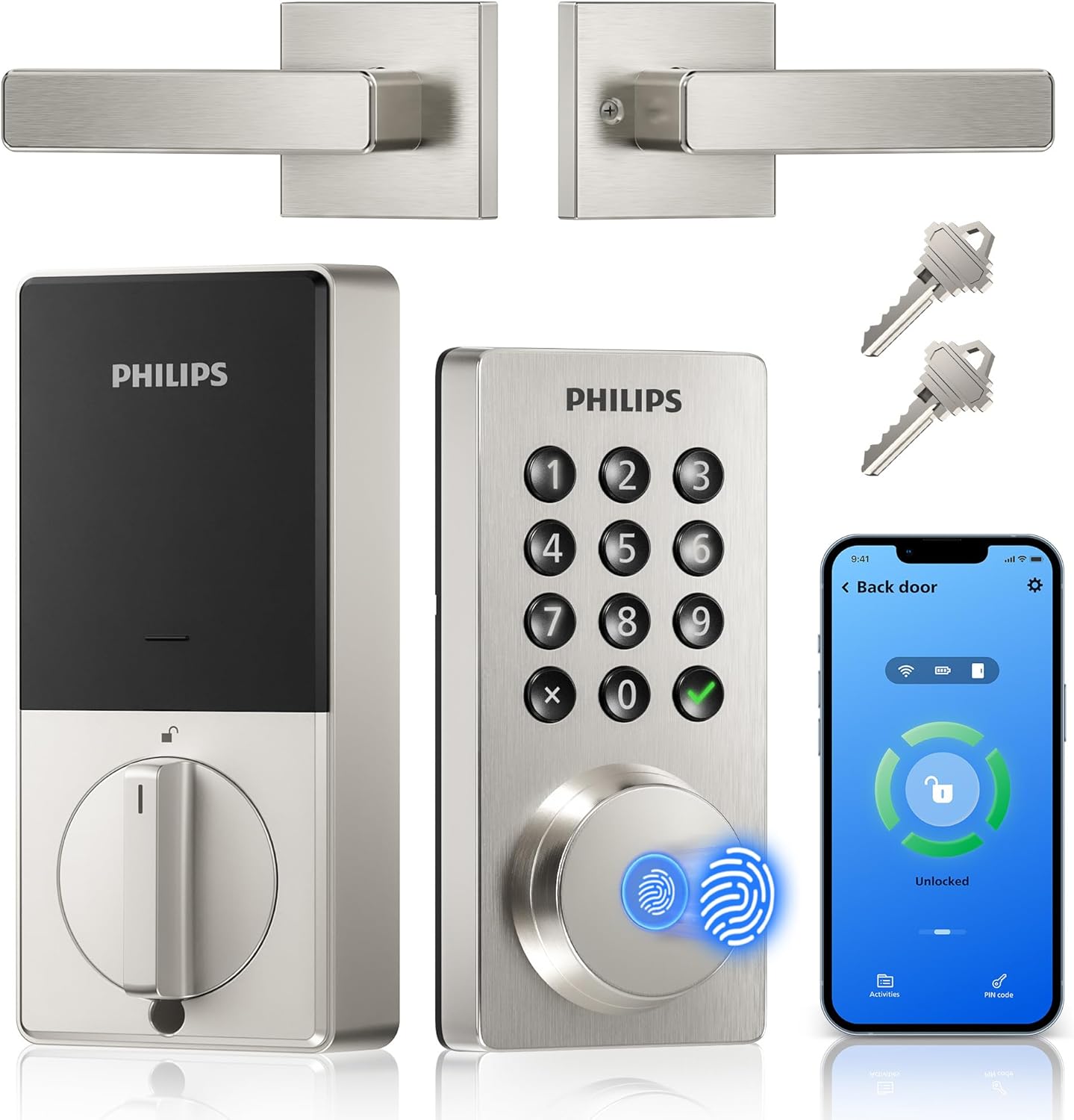
Philips DDL242X WiFi Smart Lock with Fingerprint
A mid-range WiFi deadbolt combining fingerprint biometrics, keypad entry, and app control without requiring a separate hub. Strong for renters and homeowners seeking straightforward smart lock convenience with multiple access methods.
Pros
- Easy DIY installation with standard tools, fits doors 1.375 to 1.75 inches thick
- Multiple unlock methods reduce reliance on any single authentication method
- Real-time access logs and lock status notifications via app
- Fingerprint reader hidden behind twistable pad adds security and aesthetic appeal
Cons
- Requires 8 AA alkaline batteries with unclear longevity, battery drain accelerated by cheap batteries
- App has reported quirks including fingerprint duplication glitches, inconsistent fingerprint recognition requiring passcode confirmation
- Fingerprint setup from printed manual reportedly difficult; app-based setup recommended
Philips AK-AZFP-8RAL Smart Deadbolt with Fingerprint
A Wi-Fi-enabled deadbolt offering five unlock methods (fingerprint, PIN, app, voice, key) with solid build quality and straightforward installation on standard doors. Works well for homeowners and rental properties, though app connectivity issues and plastic interior components have been reported by some users.
Pros
- Easy installation on standard doors (1.38-2 inch thickness) in under 30 minutes with clear instructions and video guides
- Reliable fingerprint sensor and multiple unlock options provide genuine flexibility for daily use and guest management
- Solid aluminum exterior construction with premium feel; backed by established Philips brand
- Real-time notifications, complete activity log, and low battery alerts via app
- Functions without Wi-Fi or internet, using fingerprint, PIN, or physical key as fallback
Cons
- App experienced glitchy behavior during setup and occasional connection drops, requiring manual refresh to function
- Interior assembly made of plastic rather than metal, lowering overall durability perception
- Requires 8 AA alkaline batteries (not included) with ongoing replacement costs and Wi-Fi dependency for remote features
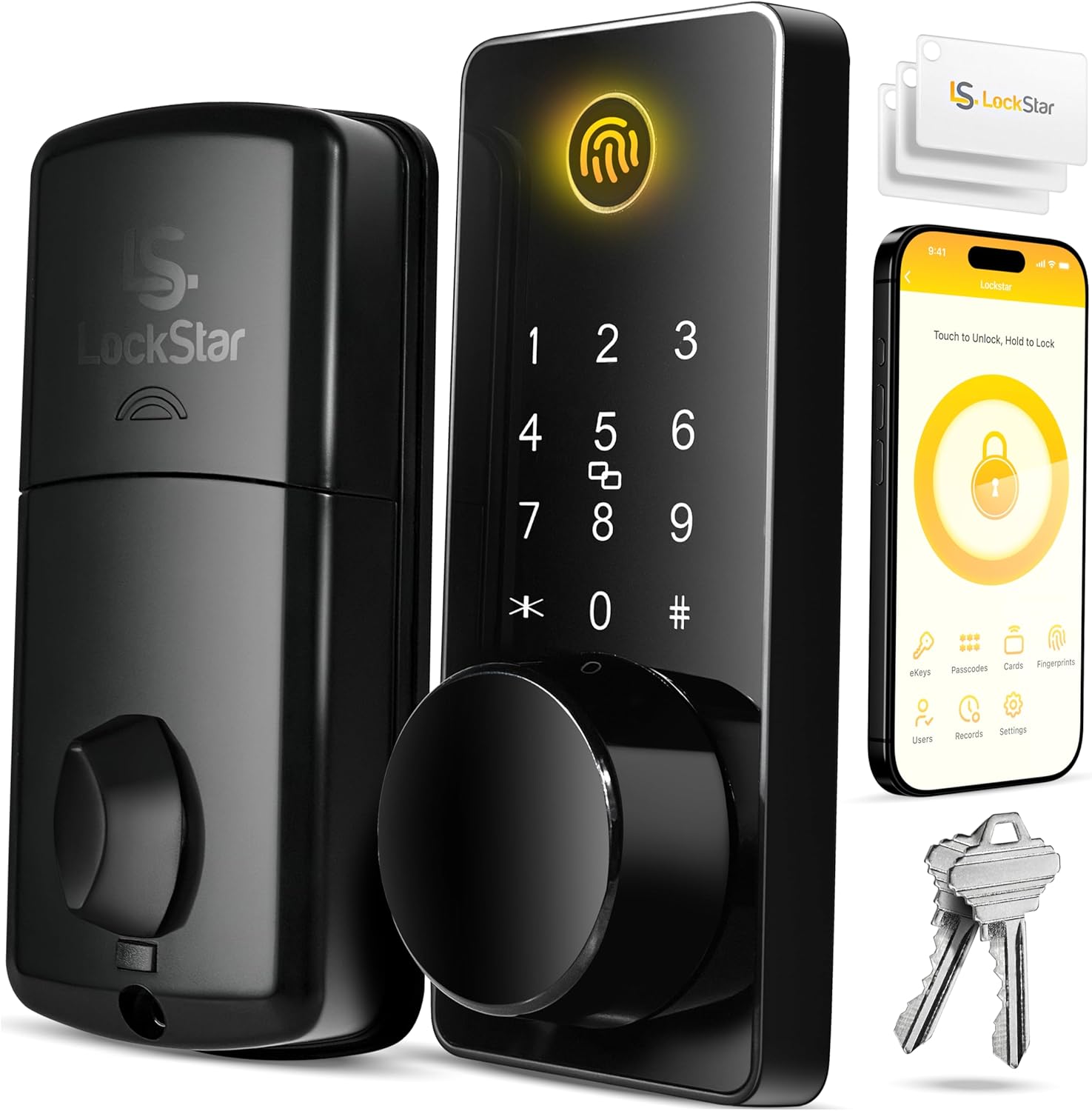
LOCKSTAR LS-SDL Smart Door Lock with Fingerprint and App Control
A keyless deadbolt offering five entry methods (app, fingerprint, keypad, card fob, and traditional key) with auto-lock capability and real-time event notifications. Best suited for rental properties and busy households wanting convenient access without fumbling for keys.
Pros
- Multiple entry options reduce reliance on physical keys
- Auto-lock feature locks door automatically when closed
- Real-time activity history and notifications via app for monitoring access
- Complete installation kit included (screwdriver, drill piece) for DIY setup
- WiFi gateway/bridge included, eliminating additional purchases
Cons
- No verified buyer reviews available to assess real-world reliability or durability
- Requires WiFi connectivity for remote app access and notifications, potentially problematic during outages
- Touch keypad and fingerprint sensor longevity under regular use not documented in available data
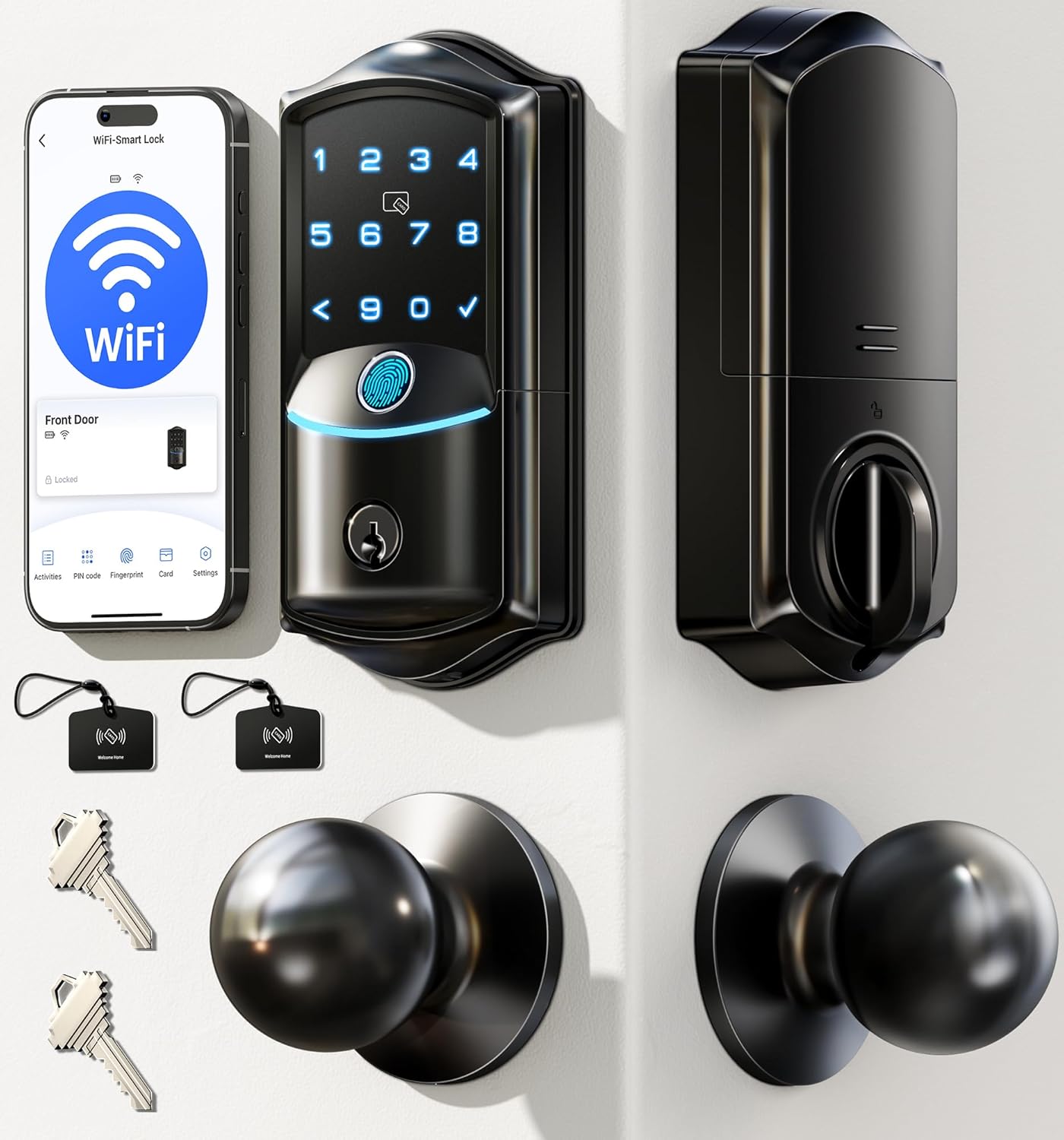
Veise VE027-K WiFi Smart Lock with Fingerprint
Built-in WiFi deadbolt with fingerprint, app control, and voice assistant integration. Offers eight unlock methods including 0.2-second fingerprint recognition and supports up to 100 PIN codes, making it practical for families and rental properties.
Pros
- Straightforward DIY installation in 10-15 minutes, auto-detects door swing direction
- Highly responsive fingerprint sensor praised for reliability, especially with challenging fingerprints
- Intuitive app interface for remote access management, real-time activity logs, and flexible user permissions
- Multiple unlock options reduce key dependency for busy households and service visitors
- Solid build quality with BHMA certification and responsive US-based customer support
Cons
- Some users reported screws loosening over time with heavy use, requiring periodic maintenance
- Auto-lock maximum duration capped at 3 minutes, shorter than some prefer for households with frequent entries
- Interior components are plastic rather than full metal, despite aluminum exterior
LNDU T225 Smart Lock with Fingerprint and Voice Control
This handle-mounted smart lock offers six unlock methods including fingerprint, keypad, app control, and voice commands via Alexa or Google Assistant. Setup is straightforward and it handles up to 50 fingerprints and passcodes, making it practical for families and rental properties, though battery life varies significantly by usage.
Pros
- Multiple unlock options provide genuine convenience for different scenarios and users
- App management with permanent, temporary, and one-time passcode generation useful for rental properties
- Easy installation with comprehensive included hardware and documentation
- Voice control integration works seamlessly with major smart home ecosystems
- Backlit keypad and anti-peeping feature add practical security details
Cons
- Battery life inconsistent in practice: advertised eight months but some users report depletion within one week depending on usage intensity
- Compatibility issues with doors that have additional bolts, as the lock body is too tall and can obstruct existing hardware
- Mounting plate alignment required modifications during installation for proper battery box fit
Yamiry YR04 Keypad Smart Door Knob Lock
A budget-friendly keypad door lock that installs in under 15 minutes and supports up to 20 user codes plus emergency keys. Buyers praise its solid construction and responsive keypad, though it lacks WiFi connectivity and app control without a separate gateway.
Pros
- Extremely easy installation, fits existing door holes without modifications
- Backlit keypad with responsive button feedback, works in low light
- Long battery life with low battery alarm and USB emergency charging
- Flexible programming including vacation mode, manual lock, and safety lockout after 10 failed attempts
- Aluminum alloy and sturdy build quality noted by multiple buyers
Cons
- No WiFi or app connectivity, no remote unlock capability
- Requires 4 AA batteries (not included)
- Gateway required for WiFi models (this base model sold separately)
Yamiry YR05 Smart Door Lock with Fingerprint & Keypad
A budget-friendly smart knob lock combining fingerprint recognition, keypad, and key fob access with app control via Bluetooth. Works well for families and renters seeking multiple unlock methods, though Wi-Fi remote access requires a separate gateway purchase and some users report durability concerns after extended use.
Pros
- Fast fingerprint recognition at 0.3 seconds with 99.8% accuracy
- Multiple unlock methods: fingerprint, passcode, key fob, physical key, and app
- Flexible code management including one-time, recurring, and temporary passcodes
- Auto-lock and passage mode features for convenient hands-free operation
- Aluminum construction provides durability in various weather conditions
- Easy installation requiring only a screwdriver and simple app setup
Cons
- Wi-Fi gateway sold separately (required for remote access and real-time notifications)
- Some verified buyers report jamming issues and inconsistent fingerprint recognition after one year of use
- Fingerprint sensor struggles in rain or wet conditions according to user feedback
- Requires 4 AA batteries not included, though advertised to last up to one year
NICE DIGI Z1A Keypad Door Lock with Handle
A no-frills keypad door lock that delivers solid build quality and practical features like one-time codes, auto-lock, and silent mode without requiring an app or Wi-Fi. Best suited for renters, property managers, and homeowners seeking an affordable keyless entry solution for interior or exterior doors.
Pros
- Straightforward DIY installation with just a screwdriver, fits standard US and Canadian doors
- Durable aluminum construction feels substantial and well-built according to verified buyers
- One-time passcode and vacation mode features offer flexibility for rentals and guest access
- Silent mode and backlit keypad add convenience without noise or visibility issues
- Strong value proposition at budget-friendly pricing compared to industry alternatives
Cons
- Requires pressing the NICE DIGI button after entering your code to unlock, unlike some competitor systems that unlock immediately after code entry
- Programming instructions printed in small type that reviewers found difficult to read
- Battery life estimates vary (8-12 months vs 1 year claims), and batteries not included
TEEHO TE001 Keypad Deadbolt, 20 Codes, IP54 Waterproof
A straightforward keyless deadbolt that lets up to 20 users enter with custom PIN codes, backed by solid construction (ANSI Grade 3) and a year of battery life. Best for families and rental properties seeking an affordable offline alternative to smart locks.
Pros
- Affordable price point for a reliable keypad deadbolt with no smart home complexity
- Quick installation without special tools, multiple reviewer confirmations of ease
- Durable aluminum construction handles weather extremes; one reviewer reported 3 years of reliability
- Auto-lock feature provides peace of mind for busy families or shared access situations
- Back-lit keypad and multiple security layers (anti-peeping codes, wrong entry limit, mute mode)
Cons
- No app or remote access capability, completely offline operation
- Batteries not included; requires 4 AA batteries purchased separately
- Only compatible with standard 2-1/8 inch door holes, not 38mm; may require drilling on some doors
- Auto-lock timing can be inconvenient if entering and exiting frequently
Smart Locks with Keypad Buying Guide
A keypad smart lock is only as good as its fit with your door, your routine, and your ecosystem.
The following criteria are the ones that separate a lock you’ll rely on for years from one you’ll regret within a month.
Think of this guide as a checklist to run through before you commit, regardless of which model catches your eye.
Security Rating and Build Quality

The most overlooked spec on any smart lock listing is the ANSI/BHMA grade. Grade 1 is the highest residential certification, offering the most cycles evaluated and the greatest resistance to forced entry.
Grade 2 is adequate for most interior or lower-traffic doors, while Grade 3 covers basic residential use. Many budget-friendly keypad locks carry only Grade 3 certification, which is worth knowing before you place one on a primary exterior door.
Beyond certification, look at the physical construction: solid zinc alloy or stainless steel internals resist picking and bumping far better than plastic-heavy assemblies.
Anti-peep password technology, which lets you enter random digits before or after your real code to obscure it from observers, is a small but meaningful feature on any shared-entryway lock.
Tamper alarms and auto-lockout after repeated failed attempts are additional indicators of a security-conscious design.
If the lock will face outdoor exposure, pay close attention to the IP rating. IP54 keeps out splashing water; IP65 handles sustained water jets and is better suited to exposed entryways in rainy climates.
A lock mounted in a sheltered alcove can get away with a lower rating than one facing the elements directly.
Entry Methods and Access Flexibility
The keypad is the headline feature, but the best smart locks in this category support multiple unlock methods so you’re never locked out if one fails.
Look for a model that combines a PIN keypad with at least one of the following: fingerprint recognition, a smartphone app, a key fob or NFC card, or a traditional backup key cylinder.
The more methods available, the more flexible the lock is for households with varied users and needs.
Fingerprint sensors deserve scrutiny. Optical sensors on the leading models can register and distinguish multiple fingerprints reliably, but cheaper capacitive sensors may struggle in wet or cold conditions.
If you live somewhere with harsh winters, read verified buyer feedback specifically on cold-weather fingerprint performance before buying.
User code capacity matters more than it sounds. A lock that stores 20 unique codes is sufficient for most households and small rentals.
If you manage a property with frequent guest turnover or a business with shift workers, look for models that allow easy code deletion and re-programming without needing to access an app.
One-touch locking, where a single tap on the keypad engages the deadbolt, is a small convenience that becomes habit-forming quickly.
Connectivity and Smart Home Integration
Smart locks broadly split into two camps: standalone (no hub, no Wi-Fi required) and connected (Wi-Fi or Bluetooth with a gateway).
A standalone keypad lock is simpler, more battery-efficient, and immune to internet outages, but it won’t let you check lock status remotely or share temporary access codes from your phone.
A Wi-Fi-enabled lock gives you full remote control and activity logs, at the cost of higher battery drain and a dependency on your router and the manufacturer’s app.
If you’re building out a broader smart home setup, voice assistant compatibility matters. Locks that work with Alexa or Google Assistant fit naturally into routines, letting you include the front door in a “goodnight” automation alongside smart thermostats and lights.
Check whether the integration is native (direct skill or action) or requires a third-party bridge, as the latter adds complexity and another failure point.
Built-in Wi-Fi is increasingly common and removes the need for a separate hub. Models from Philips and Veise in this roundup take that approach, which simplifies setup.
Bluetooth-only models require your phone to be in range for app-based unlocking, which is fine at home but limits remote access.
If you want to let in a guest or contractor while you’re away, built-in Wi-Fi or a cloud-connected app is a necessity.
Installation and Door Compatibility

Most keypad smart locks are marketed as DIY-installable, and the claim holds up for standard US single-cylinder deadbolt prep (typically a 2-1/8-inch bore).
The real variable is door thickness. Most locks accommodate doors between 1-3/8 and 2 inches thick; anything outside that range will need adapter kits or may not be compatible at all. Measure your door before purchasing.
Lever-handle or knob-based smart locks (like the Yamiry models in this list) replace the entire handleset rather than just the deadbolt cylinder, which means they handle both latching and locking in one unit.
This can simplify installation on doors that don’t have a separate deadbolt, but it also means you lose the independent deadbolt as a second locking point.
For high-security applications, a deadbolt-only smart lock paired with a keyed knob below is the stronger configuration.
Check the handed orientation of any lever-handle model before ordering. Left-hand and right-hand configurations are not interchangeable on most lever locks, and returning a lock because of a handedness mismatch is a frustrating and avoidable mistake.
Many product listings include a diagram; if yours doesn’t, contact the manufacturer before purchasing.
Battery Life and Low-Power Safeguards

Keypad smart locks are battery-powered, and battery management is a practical daily concern.
Most models run on AA or AAA alkaline batteries, with quoted lifespans ranging from six months to over a year depending on usage frequency and features enabled.
Wi-Fi-enabled locks consume significantly more power than standalone models, so factor in the ongoing cost and hassle of battery replacement.
Low battery alerts, delivered via app notification or an audible beep on the keypad, are a standard feature on most mid-range and above locks.
More reassuring is a physical emergency charging port, typically micro-USB or USB-C on the exterior of the lock, that lets you temporarily power the lock with a portable battery pack if the internal cells die unexpectedly.
Some models also include a traditional key override cylinder as a last-resort backup, which is worth having even if you never intend to use it.
App Experience and User Management

For Wi-Fi-connected locks, the companion app is as important as the hardware. A well-designed app makes adding, editing, and deleting user codes straightforward, provides a timestamped access log, and enables remote lock or unlock with a single tap.
A poorly designed app with unstable cloud connectivity turns a convenience device into a source of daily frustration. Look for apps with a substantial number of verified reviews and recent update activity, both indicators of an active development team.
Temporary access scheduling, where you can grant a guest a code valid only between specific dates and times, is particularly valuable for Airbnb hosts or homeowners with regular service providers.
This feature is typically found only on connected (Wi-Fi or Bluetooth hub) models and is worth the premium if your use case demands it.
Auto-lock timers, which engage the deadbolt automatically after a set interval, are a useful fallback that most keypad locks in this category now offer regardless of connectivity tier.
Why You Should Trust Us
REMOVU is an independent review publication. We do not manufacture, sell, or profit from the products we recommend, and no brand pays to appear in our roundups or receive a higher ranking.
Every smart lock in this guide was assessed against a consistent set of criteria and scored on the REMOVU Score scale of 0 to 10, a proprietary rating system that weighs security certification, entry method versatility, connectivity quality, build durability, ease of installation, battery management, and app reliability in proportion to what matters most to real-world buyers.
We do not conduct our own product trials; our evaluations are grounded in research, published data, expert review consensus, and verified buyer feedback.
Our editorial team analyzes manufacturer-published specifications, cross-references findings from industry experts across the smart lock and home security space, and reads through thousands of verified purchaser reviews to identify consistent patterns of praise or complaint that single-source assessments can miss.
Where specifications are ambiguous or marketing claims are unsupported, we note the gap.
Transparency on affiliate relationships: REMOVU may earn a commission if you purchase through a link on this page. That relationship has no bearing on which products are included, how they are ranked, or what REMOVU Score they receive.
Our rankings reflect research quality and product merit, not commission rates.
Final Thoughts
The right smart lock with a keypad depends on what you’re solving for. If you want full remote access, voice control, and fingerprint convenience in one package, the connected Wi-Fi options in this roundup are worth the premium.
If your priority is replacing a deadbolt with something keyless and reliable without adding app dependency, the standalone models hold their own. Here are our headline picks based on REMOVU Score and real-world fit:
- Best Overall: Philips WiFi Keypad Door Lock with Handle earns the top spot with the highest REMOVU Score in this roundup, combining built-in Wi-Fi, fingerprint recognition, voice assistant support, and auto-lock in a polished, well-supported package.
- Best Smart Deadbolt: Philips Wi-Fi Smart Deadbolt is the pick for anyone who wants a dedicated deadbolt form factor with Alexa and Google integration, fingerprint keyless entry, and a clean installation experience at a mid-range price.
- Best Multi-Method Access: LOCKSTAR Smart Door Lock stands out for its unusually broad range of unlock methods, covering app, fingerprint, keypad, card fob, and traditional key in a single unit, earning it one of the stronger scores in the group.
- Best Budget Upgrade: TEEHO TE001 Keyless Entry Deadbolt is the entry point for buyers who need keyless convenience without app dependency, offering anti-peep password protection and backup keys at a budget-friendly price point.
- Best for Renters and DIY Installs: NICEDIGI Keypad Door Lock with Handle requires no app or Wi-Fi, installs in minutes, and supports passage mode for high-traffic periods, making it a sensible choice for renters or anyone who wants simple, low-maintenance keyless entry.
Whichever model fits your situation, pairing a smart keypad lock with a capable outdoor security camera and a video doorbell gives you a complete picture of who is entering and leaving, turning a single hardware upgrade into a meaningful home security improvement.
Frequently Asked Questions
Are smart locks with keypads actually secure?
Yes, when you choose a model with a solid ANSI grade and physical security features. The biggest risks are weak PINs and codes that are too easy to guess, not the lock hardware itself.
Use a randomized code, enable auto-lockout after failed attempts, and choose a model with anti-peep password support.
A Grade 1 certified smart deadbolt is at least as resistant to forced entry as a traditional keyed deadbolt of equivalent quality, and it eliminates the risk of a copied key entirely.
What happens if the battery dies on a smart lock?
Most quality smart locks send low battery alerts via app notification or audible beep well before full depletion.
Many models include an external emergency charging port, letting you power the lock temporarily with a portable battery pack to enter and then replace the batteries. Locks with a traditional key cylinder offer a physical backup for worst-case scenarios.
Battery life varies considerably by model and features used, so check the specs and keep a spare set of batteries on hand.
Do I need Wi-Fi for a smart lock with a keypad to work?
No. Standalone keypad locks work entirely offline and are often more reliable day-to-day because they have no dependency on your router or the manufacturer’s cloud servers.
The trade-off is that you lose remote access, activity logs, and the ability to grant or revoke codes from your phone when away from home. If remote management matters to you, a model with built-in Wi-Fi is necessary.
If all you need is convenient keyless entry at home, a standalone model is perfectly capable and typically more battery-efficient.
Can I install a smart lock with a keypad myself?
In most cases, yes. Smart locks designed for standard US door prep replace an existing single-cylinder deadbolt or handleset with basic tools in under 30 minutes.
The key variables are your door’s bore size and thickness, and whether you need a left-hand or right-hand lever orientation. Measure before you buy.
If your door is non-standard, has a multi-point locking system, or is metal-clad, consult the manufacturer’s compatibility guide or a licensed locksmith before purchasing.
How many user codes should a smart lock support?
For a typical household, 20 user codes is more than sufficient. For short-term rental properties or small businesses with rotating staff, look for models that support 50 or more codes and allow individual code deletion without resetting the entire system.
Time-limited or scheduled codes, available only on Wi-Fi-connected models, are an even better solution for guest access because they expire automatically without requiring you to remember to delete them.
What is the difference between a smart lock deadbolt and a smart lock with a handle?
A smart lock deadbolt replaces only the deadbolt cylinder, leaving your existing door handle or knob in place. This gives you two independent locking points on the door and is generally considered the higher-security configuration.
A smart lock with an integrated handle or knob replaces the entire handleset and handles both latching and deadbolting in one unit, which simplifies installation and is a good fit for doors without a dedicated deadbolt bore.
Both types appear in this roundup, and the right choice depends on your door’s existing hardware and your security priorities.
For a broader look at connected home devices that complement a smart lock setup, explore our coverage of Bluetooth trackers and robot vacuums in the smart home category.
Related Guides
About the author
Lucy covers subwoofers for REMOVU, weighing output, control, and room fit for sealed and ported models. She helps readers add the deep bass most speakers and soundbars miss.