The 12 Best Smart Locks
Keypad, fingerprint, or app: smart locks have matured fast. Here are the top deadbolts and lever sets worth buying, covering security ratings, battery life, and ecosystem fit.
 By Lisa Nelson
Updated July 26, 2026
By Lisa Nelson
Updated July 26, 2026

Replacing your traditional deadbolt with a smart lock is one of the highest-impact upgrades you can make to a connected home.
The right smart lock lets you unlock your front door with a fingerprint, a PIN, a smartphone tap, or even a voice command, all while logging every entry and letting you hand out temporary access codes to guests or service workers without ever cutting a physical key.
As more manufacturers integrate built-in Wi-Fi, Matter over Thread, and broad voice assistant compatibility into even their mid-range models, the category has matured rapidly, and the gap between budget and premium options has narrowed considerably.
Whether you live alone, manage a rental property, or want tighter control over who comes and goes in a busy household, a well-chosen smart lock genuinely changes how you interact with your home every day.
This guide covers twelve smart lock deadbolts spanning a range of price points and feature sets, from wallet-friendly Wi-Fi deadbolts to fingerprint-equipped lever-and-deadbolt sets with full smart-home ecosystem support.
Our picks come from brands including Philips, ULTRALOQ, eufy Security, Lockly, Wyze, and Tapo, and every model was evaluated using REMOVU’s structured research process: published specifications, expert review consensus, and verified buyer feedback aggregated into a REMOVU Score on a 0-to-10 scale.
Read on for our top picks, and then scroll down for the detailed buying guide covering everything you need to know before you commit.

ULTRALOQ Bolt SE Smart Deadbolt with Fingerprint & Wi-Fi
A versatile deadbolt offering seven unlock methods (fingerprint, keypad, app, voice, key, and more) with built-in Wi-Fi and Matter support, rated 4.3 stars from over 10,000 users. Best for households wanting multiple access options without monthly fees, though fingerprint reliability and app stability occasionally need workarounds.
Pros
- Seven keyless entry options including fast fingerprint (0.3s unlock), passcodes, smartphone app, voice control, and backup mechanical key provide flexibility for different users and situations
- Built-in Wi-Fi and Matter over Thread connectivity work with Apple Home, Alexa, and Google Home without additional hubs required
- Up to 18 months battery life on just 4 AA batteries, outperforming typical 8-battery locks thanks to Thread efficiency
- No monthly subscription fees; local data storage with 128-bit AES encryption keeps user information secure
- DIY installation in roughly 10 minutes with only a screwdriver needed; includes backup keys and IP65 weatherproofing for exterior doors
Cons
- Fingerprint reader has inconsistent performance on some units, occasionally requiring multiple attempts or environmental adjustments (lighting, pressure, moisture)
- App and Wi-Fi connectivity can be temperamental during setup and after system updates; occasional false 'door jammed' notifications despite proper installation
- Alexa voice unlock does not function reliably despite pairing successfully, limiting voice control to app-based remote access only

ULTRALOQ Bolt SE Smart Deadbolt with Fingerprint + Wi-Fi/Matter
A feature-rich smart lock offering seven unlock methods, fingerprint, keypad, app, voice, key, plus auto-lock and remote access, without monthly fees. Strong for multi-user households and rentals, though fingerprint reliability and app connectivity issues occasionally surface.
Pros
- Multiple unlock options (fingerprint, passcode, app, voice, mechanical key) provide genuine flexibility for different users and situations
- No subscription fees; local data storage with 128-bit AES encryption and bank-level security certification
- Easy 10-minute DIY installation with no drilling required; works with Apple Home, Alexa, Google, and SmartThings
- Up to 18-month battery life on 4 AA batteries; IP65 weatherproof rating for durability
- Temporary access codes with time-based restrictions useful for guests, service workers, and short-term rentals
Cons
- Fingerprint sensor requires occasional multiple attempts and works best with consistent pressure; doesn't perform reliably in all conditions
- Bluetooth proximity unlock feature unreliable in many user scenarios; Wi-Fi setup limited to 2.4 GHz networks only
- Reported instances of false 'door jammed' notifications and app connectivity glitches after battery changes or updates

Lockly Secure Plus Smart Deadbolt with Fingerprint
A keyless deadbolt combining fingerprint recognition, scrambling PIN keypad, and smartphone control for multi-access security. Best suited for homeowners prioritizing convenience and wanting to eliminate traditional keys, though Wi-Fi features require a separate hub.
Pros
- PIN Genie keypad randomizes button positions after each use, preventing code-guessing attacks
- 3D biometric fingerprint sensor recognizes in 0.3 seconds with capacity for 99 fingerprints
- Auto-lock engagement and offline access codes work without Wi-Fi or internet
- Multiple unlock methods: fingerprint, PIN, smartphone app, or physical key
- Easy installation with included 4-AA batteries and detailed guide; 5-year mechanical warranty
Cons
- Wi-Fi connectivity requires separate hub purchase; without it, smartphone control unavailable
- Only IP54 weatherproofing, not suitable for direct rain exposure
- Fingerprint sensor performance varies by user; registration of multiple finger versions may improve reliability
- Strike plate supplied is thin with minimal screws; aftermarket heavy-duty plate recommended for security

Wyze Lock Bolt v2 Fingerprint Smart Lock
A Wi-Fi-enabled deadbolt with AI-learning fingerprint recognition that unlocks in 0.5 seconds and includes multiple entry methods (fingerprint, keypad codes, app control, physical keys). Backed by strong user ratings for ease of setup and reliability, though fingerprint enrollment can be inconsistent for some users.
Pros
- Multiple unlock methods (fingerprint, keypad, app, physical keys) provide flexibility and eliminate lockout scenarios
- Fast, responsive setup under 10 minutes with no special tools required
- Comprehensive app features including temporary access codes, activity logs, and seamless Wyze ecosystem integration
- Long battery life and USB-C emergency power offer reliable backup compared to 9V emergency systems
- Consistent positive feedback on fingerprint speed and keypad responsiveness
Cons
- Fingerprint enrollment can struggle with certain users (elderly, poor circulation, dry skin) despite being fast once registered
- Larger profile than standard deadbolts may not fit all door aesthetics or existing installations
- Relies on Wi-Fi connectivity for remote features, not compatible with Z-Wave or other wireless protocols

Philips AK-AZFP-8RAL Smart Deadbolt with Fingerprint
A Wi-Fi-enabled deadbolt offering five unlock methods (fingerprint, PIN, app, voice, key) with solid build quality and straightforward installation on standard doors. Works well for homeowners and rental properties, though app connectivity issues and plastic interior components have been reported by some users.
Pros
- Easy installation on standard doors (1.38-2 inch thickness) in under 30 minutes with clear instructions and video guides
- Reliable fingerprint sensor and multiple unlock options provide genuine flexibility for daily use and guest management
- Solid aluminum exterior construction with premium feel; backed by established Philips brand
- Real-time notifications, complete activity log, and low battery alerts via app
- Functions without Wi-Fi or internet, using fingerprint, PIN, or physical key as fallback
Cons
- App experienced glitchy behavior during setup and occasional connection drops, requiring manual refresh to function
- Interior assembly made of plastic rather than metal, lowering overall durability perception
- Requires 8 AA alkaline batteries (not included) with ongoing replacement costs and Wi-Fi dependency for remote features
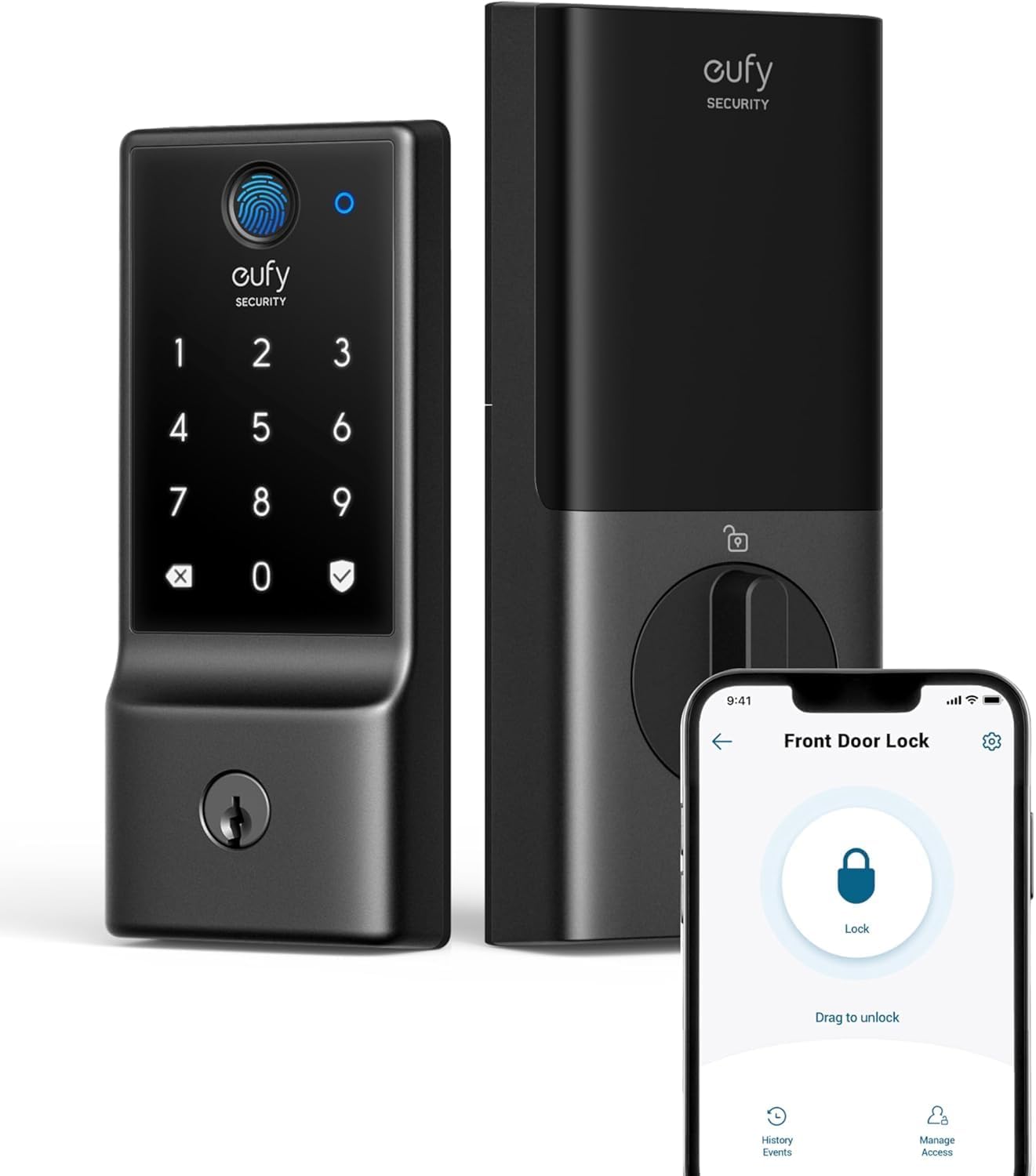
eufy Security C220 Smart Lock with Fingerprint & Wi-Fi
A budget-friendly smart deadbolt that combines fingerprint recognition, app control, and built-in Wi-Fi without requiring a separate hub. Works with Alexa and Google Assistant, stores up to 50 fingerprints and 100 passcodes, with roughly 8 months of battery life on included AA batteries.
Pros
- No bridge or hub needed for remote control, simplifying setup and ecosystem
- Reliable fingerprint recognition with self-learning AI that improves with use, according to verified buyers
- Extensive access management including temporary codes for guests, cleaners, or service people
- Easy 15-minute installation compatible with standard US and Canadian deadbolts
- Solid build quality and heavy aluminum construction noted across customer reviews
Cons
- Fingerprint recognition can struggle with moisture or unclear prints, requiring passcode fallback or re-registration
- Battery life degrades when placed far from Wi-Fi access point due to increased connection demand
- Not compatible with Apple HomeKit, Matter, or IFTTT, limiting smart home integration options

Tapo DL110 Smart Wi-Fi Deadbolt with Fingerprint
The Tapo DL110 combines six unlock methods (fingerprint, keypad, app, Bluetooth, voice, backup keys) with a rechargeable battery lasting up to one year. Verified owners consistently praise straightforward installation, reliable fingerprint recognition at 0.42 seconds, and seamless smart home integration with Alexa, Google Home, and SmartThings.
Pros
- Fast, accurate fingerprint sensor with capacity for 100 fingerprints
- Industry-leading battery life and rechargeable design eliminate frequent replacements
- Simple setup praised by multiple reviewers compared to competitors like Nest x Yale
- Flexible guest management through app without requiring physical keys
- Rubber gaskets reduce door damage during installation and operation
Cons
- Keypad digits invisible until screen is touched, creating friction for non-fingerprint users
- Doorbell button is overly sensitive and triggers false notifications when operating the lock
- No native Home Assistant or Matter support; limited to Tapo cloud ecosystem and partner platforms

Philips DDL240X Wi-Fi Smart Lock with Fingerprint
A premium smart deadbolt with integrated handle that offers five unlock methods (app, fingerprint, PIN, key, voice) and auto-locking capability. Buyers praise easy installation and reliable performance, though some report occasional connectivity glitches that responsive customer service has addressed with replacements.
Pros
- Multiple authentication options provide genuine flexibility for household members and visitors
- Fast fingerprint recognition with 99.99% accuracy eliminates fumbling for keys or codes
- Responsive customer service with quick replacement shipping and proactive troubleshooting
- Simple installation with basic screwdriver, though optional security screws available for weak doors
Cons
- Occasional firmware glitches reported by some users requiring battery resets; moisture sensitivity noted in humid climates
- Keypad not visible in direct sunlight and black finish heats up in sun
- App lacks biometric login and password memory, requiring manual login each session

Philips DDL240X-1HW WiFi Smart Lock with Fingerprint
Built-in WiFi smart lock with fingerprint, touchscreen, and voice control via Alexa and Google Assistant. Five unlock methods plus remote app access make it versatile for families and rental properties, though app reliability and fingerprint performance in wet conditions need attention.
Pros
- Fingerprint reader works reliably when dry, unlocking in under one second
- App provides real-time lock/unlock notifications and remote control without additional hub
- Installation straightforward for standard deadbolt replacement, takes approximately 10 minutes
- Strong battery life on 8 AA batteries compared to typical WiFi locks requiring replacement every 3-4 months
- Excellent customer service with 24-month warranty and responsive phone/email support
Cons
- App frequently logs out unexpectedly and requires relinking, especially frustrating during urgent access needs
- Fingerprint scanner becomes unreliable when fingers are wet or damp, requiring multiple attempts
- Google Home integration inconsistent, sometimes requiring complete device relinking from scratch

Philips 4200 Series WiFi Smart Lock with Fingerprint
A mid-range smart deadbolt combining WiFi remote access, fingerprint unlock, and keypad entry with voice control compatibility. Strong option for homeowners seeking multiple unlock methods and guest code management without requiring a separate hub.
Pros
- Fingerprint reader is fast and reliable, eliminating key carry and codes
- App control works seamlessly with Alexa and Google Assistant for voice unlocking
- One-time and recurring passcodes ideal for rental properties and temporary access
- Sleek matte black finish with concealed keyhole appeals to modern aesthetics
- Installation straightforward with screwdriver, fits standard door thickness (1.38-1.75 inches)
Cons
- Requires premium alkaline batteries to reach stated 6-month life; cheap batteries drain quickly within weeks
- WiFi range limited to 33 feet from router; walls and metal objects degrade signal
- App occasionally exhibits glitches like duplicate fingerprint entries, and fingerprint unlock behavior can be inconsistent (sometimes requires follow-up button press)

eufy FamiLock C32 Fingerprint Smart Lock
A budget-friendly interior smart lock with fast 0.3-second fingerprint recognition, built-in Wi-Fi, and seamless Alexa/Google integration. Best suited for interior doors like bedrooms, offices, and garages where keyless convenience matters more than outdoor durability.
Pros
- Accurate fingerprint reader with self-learning AI that improves over time
- Intuitive app and straightforward setup, consistently praised by verified buyers
- Multiple unlock methods: fingerprint, PIN, app, and physical key provide solid backup options
- Compact aluminum design with matte finish is less bulky than competing indoor locks
- Interior button on handle allows press-to-lock or press-hold for passage mode, a feature many competitors lack
Cons
- Fingerprint miss rate around 20 percent in daily use, especially when arms are full, according to long-term users
- Not compatible with Apple HomeKit, IFTTT, or Matter, limiting integration options
- Installation requires extra care with latch plate alignment; sleeves and shims not included, which can result in imperfect finish

Philips DDL242X WiFi Smart Lock with Fingerprint
A mid-range smart deadbolt offering multiple unlock methods (app, fingerprint, passcode, voice) with built-in WiFi and remote access. Best for homeowners seeking convenience without a separate hub, though setup requires a stable 2.4GHz network and AA batteries aren't included.
Pros
- Multiple access methods give flexibility for different family members and guests
- Built-in WiFi eliminates need for a separate smart home hub
- Fingerprint and passcode options provide keyless convenience
- Real-time notifications and full access log for security monitoring
- Away Mode restricts access to master code only when traveling
Cons
- Only supports 2.4GHz WiFi networks; requires 65 feet proximity to router for reliable remote control
- Batteries not included; requires 4-8 AA alkaline batteries that must be purchased separately
- No door sensor included, limiting automation beyond auto-lock timing
Smart Locks Buying Guide
Choosing a smart lock involves more trade-offs than most people expect. Installation complexity, wireless protocol, battery life, and local-law regulations on rentals all factor in before you even get to fingerprint accuracy or app experience.
The sections below walk through the criteria that matter most, in the order you should think about them.
Compatibility with Your Door and Existing Hardware

Before anything else, measure your door. Standard US single-cylinder deadbolts fit doors between 1-3/8 and 1-3/4 inches thick, and most smart locks on this list are designed for that range.
If you have a door with a lever handle already installed, models like the Philips Wi-Fi Smart Lock with Handle and the ULTRALOQ Bolt SE Keypad Door Lock with Handle replace both the lever and the deadbolt as a coordinated set, which saves you from mismatched hardware and an extra drilling project.
Also check whether your rental agreement or condo by-laws permit replacing the deadbolt at all, and whether your door has a standard ANSI/BHMA prep hole.
Most smart locks ship with a universal mounting adapter that handles common backsets, but a steel-clad door or a non-standard mortise lock will require additional research. This is the step most buyers skip and then regret.
Wireless Protocol and Smart-Home Ecosystem

Smart locks communicate with your phone and home hub over Wi-Fi, Bluetooth, Z-Wave, Zigbee, or the newer Matter over Thread standard.
Built-in Wi-Fi (as found in the eufy Security C220, the Philips deadbolt lineup, and the Tapo DL110) means you get remote access without buying a separate hub or bridge.
That convenience comes at a cost: always-on Wi-Fi radios consume noticeably more battery power than Bluetooth-only or Thread-based radios.
Matter over Thread, supported by both ULTRALOQ Bolt SE models, is worth understanding if you already run an Apple Home, Amazon Alexa, or Google Home ecosystem.
Matter is a royalty-free interoperability standard designed so that a single device works natively across all major platforms without brand-specific bridges. If long-term ecosystem flexibility matters to you, a Matter-certified lock is a forward-looking choice.
If you just want plug-and-play simplicity with an Android or iOS phone, built-in Wi-Fi with a solid companion app is equally practical. Your smart displays and hubs setup will also influence which protocol makes the most sense.
For renters or households not yet invested in a broader smart home platform, a standalone Wi-Fi lock with a good native app is usually the right call.
Power users with existing Alexa routines, Apple Home automations, or Google Home scenes will benefit from verified voice-assistant compatibility, which every model on this list supports to varying degrees.
Entry Methods and Biometric Accuracy
Modern smart locks support a layered set of entry methods: fingerprint, PIN keypad, smartphone app, physical key backup, and voice control. Having multiple methods isn’t just convenient; it’s a safety net.
If your phone battery dies or your fingerprint reader is wet, a PIN or backup key keeps you from being locked out.
Fingerprint sensors vary significantly in quality. Lockly’s 3D biometric sensor uses optical rather than capacitive technology, which the brand claims performs better with dry, dirty, or worn fingerprints.
Wyze, eufy, Philips, and Tapo all include capacitive fingerprint readers that perform reliably under normal conditions.
Verified buyer feedback consistently points to registration quality as the biggest variable: registering each finger from multiple angles during setup dramatically reduces false-rejection rates regardless of sensor type.
Keypads range from physical buttons to fully illuminated touchscreens. Touchscreen keypads (as on the Tapo DL110 and several Philips models) support anti-peep PIN entry, which shuffles the digit display so an observer cannot reconstruct your code from finger placement.
If you share your home with children or use the same code for extended periods, anti-peep is a meaningful security feature, not just a marketing bullet point.
Security Ratings: BHMA Grade and IP Rating
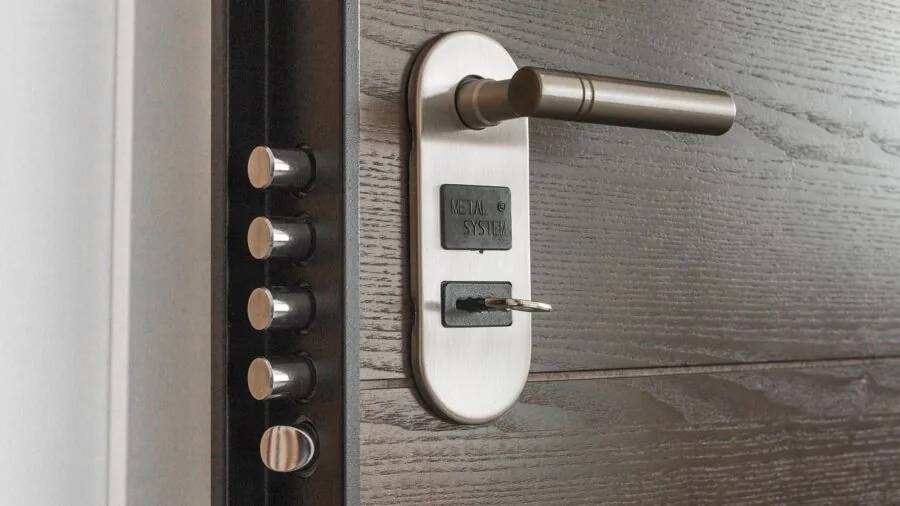
The Builders Hardware Manufacturers Association (BHMA) grades residential deadbolts on a three-tier scale.
Grade 1 is commercial-grade and the most resistant to physical attack; Grade 2 is heavy residential and the sweet spot for most homeowners; Grade 3 is light residential, suitable for interior doors or lower-traffic installations.
Several locks on this list carry a BHMA Grade 2 or Grade 3 rating, which is disclosed in their product listings and should be cross-referenced against your threat model and insurance requirements.
Weather resistance matters if your front door is exposed to rain, humidity, or temperature swings. Look for an IP53 rating (dust-protected, splash-resistant) at minimum for exterior installations. Both the eufy C220 and the Wyze Auto-Lock Bolt v2 carry IP53 certification.
Locks rated only for indoor use (like the eufy FamiLock C32, which is explicitly designed for interior doors) should not be installed on an exposed front door.
Pairing a robust exterior lock with reliable security cameras gives you a more complete perimeter picture.
Battery Life and Power Management
Running out of battery on a smart lock is a genuine inconvenience and, depending on your setup, a security incident.
Battery claims range from around eight months (eufy C220, Wyze Auto-Lock Bolt v2) to a remarkable eighteen months for the ULTRALOQ Bolt SE, up to a year for the Tapo DL110 with its rechargeable battery.
Real-world battery life depends heavily on how often the lock cycles, whether Wi-Fi or Bluetooth is the active radio, and ambient temperature (cold weather shortens battery life for all chemical battery types).
Rechargeable batteries (Tapo DL110) eliminate the need to source specific AA or lithium cells but require that you remember to charge the lock before it dies.
AA-powered locks (most models here) are easier to recover from a dead-battery situation: a trip to any convenience store gets you back in the door.
All smart locks on this list include a low-battery alert via the companion app, and many support a 9V emergency power contact on the keypad exterior for when batteries are completely depleted.
Access Management and Remote Features
One of the most compelling reasons to move to a smart lock is granular access control. All Wi-Fi-connected models here let you issue temporary or time-restricted PIN codes via the companion app, ideal for dog walkers, cleaners, or Airbnb guests.
Some apps (Tapo, eufy, ULTRALOQ) support scheduled access, letting you define exactly which hours a code is valid on which days of the week, after which it automatically expires.
Auto-lock is another feature worth confirming before you buy. When enabled, the lock re-engages after a set interval (typically 30 seconds to five minutes) regardless of whether you manually locked it.
This is particularly useful if you frequently leave through the garage and forget to lock the front door. Pairing auto-lock with a video doorbell creates a seamless front-door security layer that covers both visual monitoring and access control.
Activity logs, which record every lock and unlock event with a timestamp and the entry method used, are available on all app-connected models reviewed here and are invaluable when managing multiple users.
Why You Should Trust Us
REMOVU is an independent review publication. We do not manufacture, sell, or have any commercial relationship with the brands whose products appear in our guides.
Every product in this article was evaluated using REMOVU’s structured research methodology: we analyze published specifications, assess expert review consensus from credible industry sources, aggregate verified buyer feedback from confirmed purchasers, and weight each data point against a consistent set of criteria specific to the product category.
Each model receives a REMOVU Score on a 0-to-10 scale that reflects overall value, performance, reliability, and feature completeness relative to its price tier.
We do not conduct our own product trials; our evaluations are grounded in research, published data, expert review consensus, and verified buyer feedback.
This approach allows us to cover a broader range of models and price points than would be possible with a purely hands-on process, while maintaining consistent, repeatable scoring criteria across every article we publish.
REMOVU participates in affiliate programs. If you click a product link and make a purchase, we may earn a commission at no extra cost to you.
This affiliate relationship has no influence on REMOVU Score assignments, product rankings, or editorial recommendations. Products are ranked by merit, not by commission rate.
Final Thoughts
The smart lock category has reached a point where every budget tier has at least one genuinely good option.
Whether you need a full-featured flagship with Matter support, a budget deadbolt that handles the basics reliably, or a lever-and-deadbolt set for a door that needs both, the picks in this guide cover those bases.
Here are our standout recommendations by use case, each linked to its Amazon product page for current pricing and availability.
- Best Overall: Philips Wi-Fi Smart Lock with Handle earns the top spot with the highest REMOVU Score in this roundup, combining a complete lever-and-deadbolt set, fingerprint unlock, PIN keypad, and integrated Wi-Fi gateway into a single coherent package that installs cleanly on most standard doors.
- Best Smart Lock for Ecosystem Flexibility: ULTRALOQ Bolt SE Smart Lock is the pick for households invested in Apple Home, Alexa, or Google Home. Its Matter over Thread certification and an impressive claimed battery life of up to eighteen months make it one of the most future-proof deadbolts available at its price point.
- Best Budget Smart Lock: Philips Wi-Fi Door Lock delivers built-in Wi-Fi, fingerprint and passcode entry, Alexa and Google Assistant compatibility, and auto-lock at a budget-friendly price, making it the most accessible entry point in this roundup without sacrificing the core feature set.
- Best Smart Lock with Lever and Deadbolt Set: ULTRALOQ Bolt SE Keypad Door Lock with Handle pairs a Matter over Thread deadbolt with a matching lever handle, fingerprint reader, and built-in Wi-Fi in a coordinated set that looks intentional rather than retrofitted.
- Best for Biometric Security: Lockly Secure Plus stands out for its 3D optical fingerprint sensor and the distinctive PIN Genie shuffling keypad, which randomizes digit positions on every use to prevent visual code theft, a meaningful security upgrade over standard fixed-layout keypads.
If you are building out a broader connected-home setup, pairing a smart lock with smart thermostats and a robot vacuum on a shared automation platform can create genuinely useful arrival and departure routines.
Whatever direction you go, the locks in this guide represent the best-researched options available in 2026 across a range of budgets and installation scenarios.
Frequently Asked Questions
Do smart locks work if the Wi-Fi goes down?
Yes. All Wi-Fi smart locks on this list store fingerprints and PIN codes locally on the device itself, so keypad and fingerprint entry continue to work without any internet connection.
What you lose during a Wi-Fi outage is remote access via the app, activity-log syncing, and any automations that rely on cloud commands. The physical key backup slot, present on every model here, also works independently of power or connectivity.
Can I install a smart lock myself, or do I need a locksmith?
Most smart lock deadbolts on this list are designed for DIY installation using a standard screwdriver and typically take between fifteen and thirty minutes for someone comfortable with basic home improvement tasks.
The process involves removing your existing deadbolt, attaching the new mounting plate, connecting the interior assembly, and configuring the app. Combined lever-and-deadbolt sets require slightly more alignment care but are still within DIY reach.
A locksmith is only necessary if your door has non-standard prep holes or a mortise lock configuration.
Are smart locks actually secure, or are they easier to hack than a regular deadbolt?
The physical security of a smart lock depends primarily on its BHMA grade, bolt throw length, and the quality of the strike plate and door frame, exactly the same factors that determine the security of any deadbolt.
The electronic attack surface is a separate consideration: reputable brands use AES-128 or AES-256 encryption for wireless communication, and there is no documented evidence of widespread remote exploitation of consumer smart locks from the manufacturers represented in this guide.
The more realistic risk is a weak PIN that can be guessed or observed, which is why anti-peep keypads and auto-expiring access codes are worth prioritizing.
Combining a solid-grade deadbolt with monitored outdoor security cameras addresses both physical and electronic threat vectors more completely than either solution alone.
What happens when the batteries die on a smart lock?
Every smart lock in this guide sends low-battery push notifications via its companion app well before the batteries are critically low, typically at around 20% remaining.
If you ignore those alerts and the batteries fully deplete, most models expose a 9-volt battery contact on the exterior keypad: touching a fresh 9V battery to those terminals provides just enough power to enter your PIN and unlock the door.
After that, you replace the internal batteries normally. Models with rechargeable batteries (like the Tapo DL110) use a USB charging port instead.
Can I use a smart lock on an apartment door without violating my lease?
This depends entirely on your lease agreement and local tenancy law. Many leases prohibit modifying locks without landlord consent, and some jurisdictions require landlords to retain a master key.
The safest approach is to ask your landlord in writing before installing any smart lock.
Some landlords are receptive if you agree to restore the original hardware on move-out, and the original deadbolt installation typically takes less than fifteen minutes to reinstall.
Never assume permission, and keep the original hardware in a safe place so you can swap it back easily.
Do smart locks work with Alexa, Google Assistant, and Apple Home?
Most models reviewed here support at least Alexa and Google Home for voice-commanded locking (note that most platforms deliberately prevent voice-commanded unlocking without a PIN for security reasons).
Apple Home compatibility is less universal: the ULTRALOQ Bolt SE models support it natively via Matter, while others may require a third-party bridge or hub.
If Apple Home is a priority, verify certification explicitly in the product listing before purchasing, as marketing language around “works with Apple devices” does not always mean full HomeKit or Apple Home integration.
For a broader look at how smart locks fit into a connected ecosystem, our smart displays and hubs guide covers compatible hub options worth pairing with your lock.
Related Guides
About the author
Lisa is REMOVU's smart thermostat writer, weighing energy savings, features, and system compatibility. She helps readers add comfort and remote control while trimming their bills.