The 10 Best Smart Locks for Airbnb
Remote code management, reliable auto-lock, and long battery life separate a great Airbnb smart lock from a frustrating one. Here are the top picks for every hosting budget.
 By Veronica Sanchez
Updated July 26, 2026
By Veronica Sanchez
Updated July 26, 2026

Choosing the right smart lock for an Airbnb property is a genuinely different challenge from picking one for a private home. Hosts need to issue and revoke access codes between every guest stay, ideally from a phone without being on-site.
They need hardware that holds up to frequent use, won’t drain batteries in weeks, and works reliably even when the internet hiccups.
A poor choice means locked-out guests at midnight and frantic support calls, a great choice means seamless, contactless check-in that earns five-star reviews.
With Airbnb hosting growing more competitive, a dependable smart lock has become less of a luxury and more of an operational necessity.
Pairing a smart lock with a solid security camera setup and a video doorbell gives hosts a complete, remotely manageable entry system.
REMOVU evaluated each model below through comprehensive research: published specifications, expert review consensus across the category, and verified buyer feedback from confirmed purchasers.
Every pick carries a REMOVU Score on our 0 to 10 scale, reflecting real-world reliability, feature depth, and value for short-term rental use specifically.
Whether you need built-in Wi-Fi for true remote access, fingerprint convenience for returning cleaners, or a budget-friendly entry point that still gets the job done, the ranked list below covers every tier.
| Award | Product | REMOVU Score About REMOVU ScoreThe REMOVU Score is our own rating from 0 to 10, based on performance, design and build, ease of use, and value. It reflects independent research and is never influenced by manufacturers, retailers, or affiliate commissions. Learn more › | Price | |
|---|---|---|---|---|
| Best Overall |
 Yale Assure Lock 2 Touch Keypad Smart Deadbolt
|
8.8/10 | Buy | |
| Best Budget |
 Sifely S WiFi Smart Door Lock with Fingerprint
|
7.7/10 | Buy | |
 Sifely S Model WiFi Smart Door Lock with Fingerprint
|
7.6/10 | Buy | ||
 Wyze Lock Bolt v2 Fingerprint Smart Lock
|
7.4/10 | Buy | ||
 Philips 4200 Series WiFi Smart Lock with Fingerprint
|
8.1/10 | Buy | ||
| Best Value |
 Philips AK-AZFP-8RAL Smart Deadbolt with Fingerprint
|
8.4/10 | Buy | |
 GHome KD10SE2 WiFi Deadbolt Smart Lock
|
6.8/10 | Buy | ||
| Best Premium |
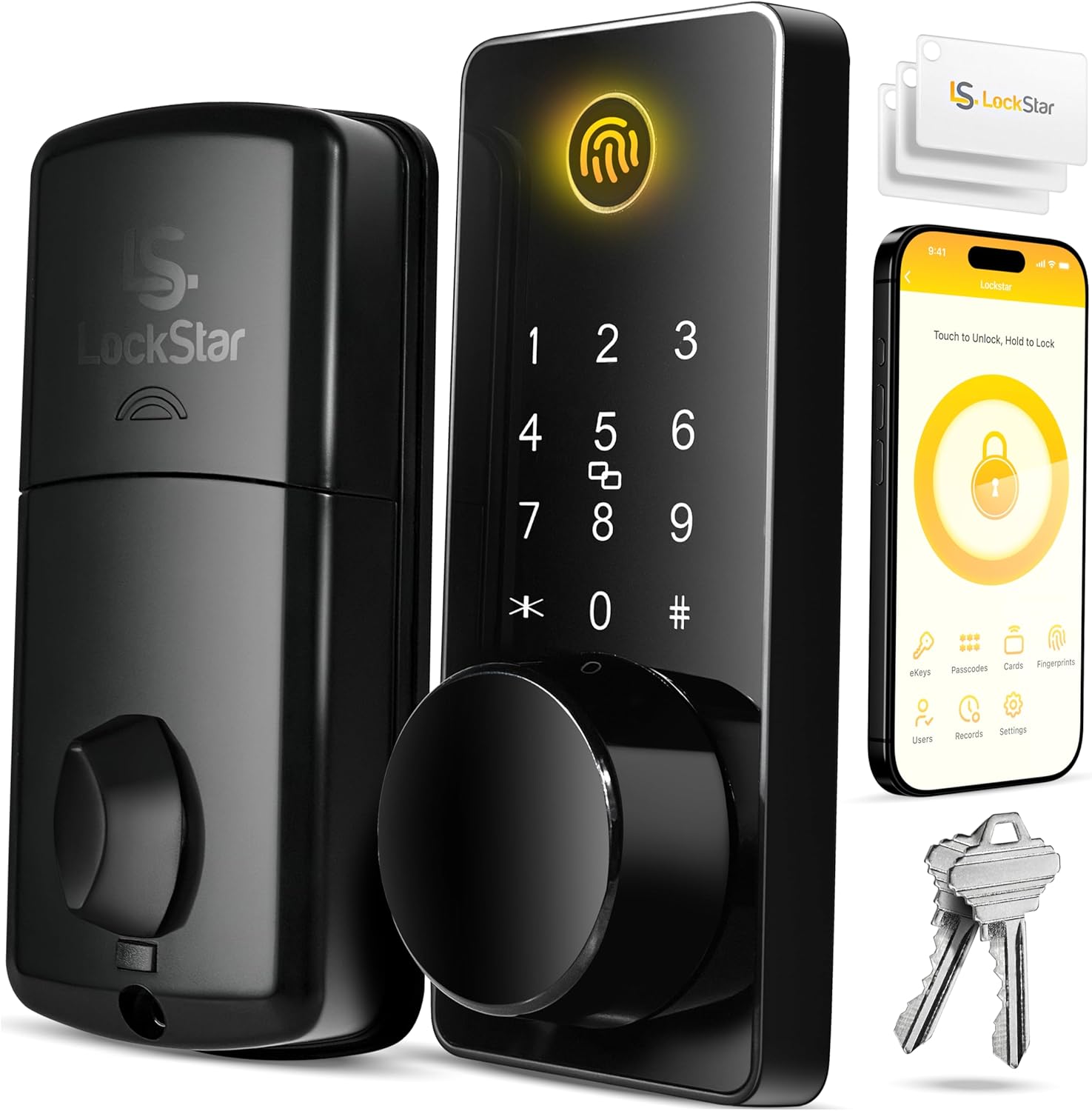 LOCKSTAR LS-SDL Smart Door Lock with Fingerprint and App Control
|
8.2/10 | Buy | |
 SamtechT Smart Door Lock with Handle and Keypad
|
6.2/10 | Buy | ||
 Philips DDL242X WiFi Smart Lock with Fingerprint
|
7.6/10 | Buy |
Yale Assure Lock 2 Touch Keypad Smart Deadbolt
A Wi-Fi-enabled keypad deadbolt designed primarily for vacation rental hosts, letting you share temporary access codes via app instead of managing keys or lockbox codes. It features auto-lock with door detection, remote app control, and solid battery life, though connectivity issues and Wi-Fi bridge setup have tripped some users.
Pros
- Auto-lock with DoorSense eliminates worry about guests forgetting to lock the door
- Temporary, expiring access codes integrate with Airbnb and other rental platforms for seamless guest check-in
- Included Wi-Fi bridge enables remote app access and extends battery life compared to Bluetooth-only locks
- Easy DIY installation using just a screwdriver on standard US entry doors
- Strong battery performance reported by reviewers, with minimal drain over weeks of use
- ANSI/BHMA Grade 2 certified deadbolt with IPX5 weather rating for diverse climates
Cons
- Occasional Wi-Fi disconnection issues requiring battery removal to reconnect, per one verified buyer
- Wi-Fi bridge setup process is confusing and poorly explained in instructions, as noted by multiple users
- Auto-unlock requires traveling 200 meters away to work, limiting convenience for short trips like visiting neighbors
Sifely S WiFi Smart Door Lock with Fingerprint
Built-in WiFi deadbolt that handles fingerprint, keypad, app, and voice control without needing a separate gateway. Strong option for rental property managers and homeowners who want remote access and multiple unlock methods, though WiFi connectivity has been inconsistent for some users.
Pros
- No gateway required for WiFi remote access, simplifying setup
- Versatile unlock options accommodate different user preferences and situations
- Strong build quality with durable aluminum and zinc construction
- App enables quick temporary code generation for guests and service providers
- Battery lasts several months despite eight AA requirement
Cons
- WiFi connection drops intermittently for some users, reverting to Bluetooth only
- Fingerprint sensor occasionally requires multiple attempts to register
- App has received below 3-star ratings on app stores with compatibility issues reported
Sifely S Model WiFi Smart Door Lock with Fingerprint
Built-in WiFi deadbolt offering six unlock methods (fingerprint, keypad, card, app, key, voice) without requiring a separate gateway. Fast installation and reliable performance make it practical for homeowners and rental properties, though WiFi connectivity issues and Airbnb integration fees are documented drawbacks.
Pros
- Straightforward DIY setup requiring only a screwdriver, fits existing door holes without drilling
- Multiple entry options eliminate lockout risk and provide flexibility for family, guests, and service providers
- Intuitive mobile app with clear interface for managing codes, fingerprints, and access logs
- Reliable fingerprint recognition and responsive lock operation in daily use
- No gateway required for core functionality like remote locking and status monitoring
Cons
- WiFi connectivity issues reported with complex passwords or long-range connections; gateway purchasers experienced ongoing reliability problems
- Airbnb integration is beta feature requiring separate monthly subscription, not included as advertised in product photos
- Uses eight AA batteries with approximately six-month runtime, requiring ongoing battery purchases or rechargeable battery investment
Wyze Lock Bolt v2 Fingerprint Smart Lock
A Wi-Fi-enabled deadbolt with AI-learning fingerprint recognition that unlocks in 0.5 seconds and includes multiple entry methods (fingerprint, keypad codes, app control, physical keys). Backed by strong user ratings for ease of setup and reliability, though fingerprint enrollment can be inconsistent for some users.
Pros
- Multiple unlock methods (fingerprint, keypad, app, physical keys) provide flexibility and eliminate lockout scenarios
- Fast, responsive setup under 10 minutes with no special tools required
- Comprehensive app features including temporary access codes, activity logs, and seamless Wyze ecosystem integration
- Long battery life and USB-C emergency power offer reliable backup compared to 9V emergency systems
- Consistent positive feedback on fingerprint speed and keypad responsiveness
Cons
- Fingerprint enrollment can struggle with certain users (elderly, poor circulation, dry skin) despite being fast once registered
- Larger profile than standard deadbolts may not fit all door aesthetics or existing installations
- Relies on Wi-Fi connectivity for remote features, not compatible with Z-Wave or other wireless protocols
Philips 4200 Series WiFi Smart Lock with Fingerprint
A mid-range smart deadbolt combining WiFi remote access, fingerprint unlock, and keypad entry with voice control compatibility. Strong option for homeowners seeking multiple unlock methods and guest code management without requiring a separate hub.
Pros
- Fingerprint reader is fast and reliable, eliminating key carry and codes
- App control works seamlessly with Alexa and Google Assistant for voice unlocking
- One-time and recurring passcodes ideal for rental properties and temporary access
- Sleek matte black finish with concealed keyhole appeals to modern aesthetics
- Installation straightforward with screwdriver, fits standard door thickness (1.38-1.75 inches)
Cons
- Requires premium alkaline batteries to reach stated 6-month life; cheap batteries drain quickly within weeks
- WiFi range limited to 33 feet from router; walls and metal objects degrade signal
- App occasionally exhibits glitches like duplicate fingerprint entries, and fingerprint unlock behavior can be inconsistent (sometimes requires follow-up button press)
Philips AK-AZFP-8RAL Smart Deadbolt with Fingerprint
A Wi-Fi-enabled deadbolt offering five unlock methods (fingerprint, PIN, app, voice, key) with solid build quality and straightforward installation on standard doors. Works well for homeowners and rental properties, though app connectivity issues and plastic interior components have been reported by some users.
Pros
- Easy installation on standard doors (1.38-2 inch thickness) in under 30 minutes with clear instructions and video guides
- Reliable fingerprint sensor and multiple unlock options provide genuine flexibility for daily use and guest management
- Solid aluminum exterior construction with premium feel; backed by established Philips brand
- Real-time notifications, complete activity log, and low battery alerts via app
- Functions without Wi-Fi or internet, using fingerprint, PIN, or physical key as fallback
Cons
- App experienced glitchy behavior during setup and occasional connection drops, requiring manual refresh to function
- Interior assembly made of plastic rather than metal, lowering overall durability perception
- Requires 8 AA alkaline batteries (not included) with ongoing replacement costs and Wi-Fi dependency for remote features
GHome KD10SE2 WiFi Deadbolt Smart Lock
A budget-friendly WiFi deadbolt offering five unlock methods (fingerprint, app, keypad, voice, key) with no hub required and 10-month battery life. Best suited for homeowners and Airbnb hosts seeking straightforward remote access without premium price tags.
Pros
- Strong value proposition: delivers WiFi control, fingerprint, and multi-access features at significantly lower cost than premium competitors
- Installation is genuinely quick and requires no professional help or modifications to the door
- Self-learning AI fingerprint recognition improves speed and accuracy with repeated use
- Local data storage protects privacy without requiring cloud dependency
- Comprehensive access controls including temporary codes and activity logs make it practical for rentals and shared homes
Cons
- Real-time push notifications require a paid subscription tier (not included free)
- One reviewer reported fingerprint recognition issues; performance may vary by user
- Installation described as 'a little tricky' by some despite marketing claims of simplicity
LOCKSTAR LS-SDL Smart Door Lock with Fingerprint and App Control
A keyless deadbolt offering five entry methods (app, fingerprint, keypad, card fob, and traditional key) with auto-lock capability and real-time event notifications. Best suited for rental properties and busy households wanting convenient access without fumbling for keys.
Pros
- Multiple entry options reduce reliance on physical keys
- Auto-lock feature locks door automatically when closed
- Real-time activity history and notifications via app for monitoring access
- Complete installation kit included (screwdriver, drill piece) for DIY setup
- WiFi gateway/bridge included, eliminating additional purchases
Cons
- No verified buyer reviews available to assess real-world reliability or durability
- Requires WiFi connectivity for remote app access and notifications, potentially problematic during outages
- Touch keypad and fingerprint sensor longevity under regular use not documented in available data
SamtechT Smart Door Lock with Handle and Keypad
A Bluetooth-enabled smart lock combining fingerprint, keypad, FOB, and app control in one integrated handle, rated 4.4 stars from over 4,300 reviews. Best suited for rental properties, multi-family homes, and users prioritizing flexible guest access and remote monitoring.
Pros
- Multiple entry options reduce dependency on keys and simplify access for guests, cleaners, and property managers
- Simple DIY installation reported as straightforward by verified buyers with video guidance included
- High fingerprint recognition rate (99.99%) and consistent performance across family members and children
- Excellent battery life with low-battery alerts and emergency battery port for extended use
- Clean integrated handle design that doesn't look like a bulky add-on to existing deadbolts
Cons
- No manual way to lock/unlock from inside the door handle itself; requires relying on app, code, or separate deadbolt below
- Custom code creation requires entering randomized code first before editing to desired number; fingerprints cannot be bulk-imported between locks
- App setup is mandatory for initial configuration and some features remain hidden in menus without clear documentation
Philips DDL242X WiFi Smart Lock with Fingerprint
A mid-range smart deadbolt offering multiple unlock methods (app, fingerprint, passcode, voice) with built-in WiFi and remote access. Best for homeowners seeking convenience without a separate hub, though setup requires a stable 2.4GHz network and AA batteries aren't included.
Pros
- Multiple access methods give flexibility for different family members and guests
- Built-in WiFi eliminates need for a separate smart home hub
- Fingerprint and passcode options provide keyless convenience
- Real-time notifications and full access log for security monitoring
- Away Mode restricts access to master code only when traveling
Cons
- Only supports 2.4GHz WiFi networks; requires 65 feet proximity to router for reliable remote control
- Batteries not included; requires 4-8 AA alkaline batteries that must be purchased separately
- No door sensor included, limiting automation beyond auto-lock timing
Smart Locks for Airbnb Buying Guide
Not every smart lock on the market is designed with short-term rental realities in mind.
Features that matter for a primary residence, such as voice control novelty or aesthetic finish, matter far less than remote code management, battery longevity, and fail-safe mechanical backup for Airbnb.
The criteria below are drawn from the specific pressures hosts face: high turnover, remote management, and guests who are not tech-savvy. Integrating these locks into a broader smart home ecosystem can further streamline property management.
Connectivity: Wi-Fi Built-In vs. Bridge Required
This is arguably the single most important distinction for Airbnb hosts. A lock with built-in Wi-Fi lets you generate, share, or delete access codes directly from your phone, from anywhere, with no extra hardware.
A lock that relies only on Bluetooth requires either a separate bridge device plugged into a router at the property, or a hub like Amazon Alexa or Google Home to relay commands remotely.
If the bridge loses power or goes offline, you lose remote access.
Budget models from brands like SamtechT start Bluetooth-only and add app access through a pairing hub, which adds a point of failure.
Mid-range options from SifelySmartLocks, Philips, and LOCKSTAR increasingly include built-in Wi-Fi at accessible price points, making the bridge question mostly resolved at that tier.
Premium locks from Yale go further, offering a dedicated Wi-Fi bridge engineered to extend battery life rather than drain it, a meaningful engineering trade-off. For remote hosting where you rarely visit the property, built-in or bridged Wi-Fi is non-negotiable.
Hosts managing multiple properties should also consider whether a lock’s app supports multi-property management under a single account. Some platforms, including Yale’s app ecosystem, are designed with this use case in mind, while single-property-focused apps from lesser-known brands can become unwieldy at scale.
Access Methods and Guest Code Management
Keypad code entry remains the gold standard for Airbnb because it requires nothing from the guest except a code you share at booking.
Fingerprint entry is useful for cleaners, co-hosts, and property managers who visit regularly and prefer not to type a code every time. Card or FOB entry adds another layer of convenience but introduces physical items that can be lost.
Having all four methods, plus a traditional key backup, covers every scenario.
The key operational feature is the ability to create time-limited or one-time-use codes. The best locks for Airbnb let you set a code that activates at check-in time and expires at check-out, automatically, without any manual intervention between stays.
LOCKSTAR and Yale both support scheduled code windows through their apps. SifelySmartLocks models offer similar functionality at a lower price point, though the app interface draws mixed feedback in verified buyer reviews compared to Yale’s more polished platform.
Anti-peep keypads, which require you to enter random numbers before and after the actual code to foil shoulder-surfing, are a useful security layer in properties with shared hallways or close neighbors.
The Wyze Auto-Lock Bolt v2 includes this feature explicitly in its specification sheet. Look for it as a listed feature rather than assuming it is present.
Auto-Lock and DoorSense Technology
Auto-lock is not optional for a rental property. Guests forget to lock up. Cleaners leave doors ajar.
An auto-lock timer that engages the deadbolt after a set interval, typically between 30 seconds and five minutes, eliminates the risk of an unlocked property between check-out and the next guest’s arrival.
Every lock in this roundup includes auto-lock, but the configurability of that timer varies considerably.
DoorSense, a technology pioneered by August and now featured in Yale’s Assure Lock 2 lineup, adds a door position sensor that detects whether the door is actually closed before engaging the deadbolt.
Without it, auto-lock can drive a bolt into an open door frame, causing damage or jamming. For hosts who cannot physically check the property, receiving a phone notification that the door is open and unlocked is a meaningful operational safeguard.
The Yale Assure Lock 2 Touch is the only lock in this roundup that explicitly integrates DoorSense, which contributes to its leading REMOVU Score in the group.
Battery Life and Power Management
A smart lock with a dead battery is just a lock that cannot open. For a primary residence, discovering a dead battery is an inconvenience.
For an Airbnb, it can mean a guest stranded outside at midnight and a refund request by morning.
Battery performance varies dramatically across this category, from roughly three months on some Wi-Fi-heavy models to eight months or more on locks with efficient chipsets or larger battery packs.
The Wyze Auto-Lock Bolt v2 claims an eight-month battery life, one of the longest in this group, partly because it manages Wi-Fi connectivity intelligently rather than maintaining a constant connection.
The Ghome Smart deadbolt takes a different approach entirely, using a 10,000mAh built-in rechargeable battery rather than disposable AA or AAA cells, which eliminates the need to stock replacement batteries at the property.
Yale’s Wi-Fi bridge approach extends battery life on the lock itself by offloading network duties to a separate, wall-powered device.
For remote hosts, look for locks that send low-battery push notifications through the app well before power is critically low.
Most Wi-Fi connected models in this roundup include this feature, but the threshold at which the alert triggers and the clarity of the notification can differ between apps.
Verified buyer reviews are often the most reliable source for real-world battery performance data, since manufacturer claims are measured under ideal conditions.
Weather Resistance and Build Quality

Smart locks installed on exterior front doors face rain, humidity, temperature swings, and UV exposure.
IP ratings quantify this resistance: IP53 indicates protection against dust and water spray at an angle, while IPX5 means evaluated against low-pressure water jets from any direction. Yale’s Assure Lock 2 Touch carries an IPX5 rating, the strongest in this roundup.
The Wyze Auto-Lock Bolt v2 is rated IP53. Other models in this group do not publish explicit IP ratings in their product listings, which is worth noting when evaluating long-term outdoor durability.
Beyond IP ratings, BHMA certification grades indicate mechanical durability. BHMA Grade 2 certification, which the Wyze Auto-Lock Bolt v2 carries, means the lock mechanism has been evaluated for residential use with a meaningful cycle count standard.
For a property with high guest turnover, mechanical durability matters as much as electronic reliability. A lock that fails mechanically after 18 months of heavy use creates the same operational problem as one that loses connectivity.
Smart Home Compatibility and Voice Control
Most locks in this roundup work with Alexa and Google Assistant, which means hosts can integrate lock status into broader property automation routines.
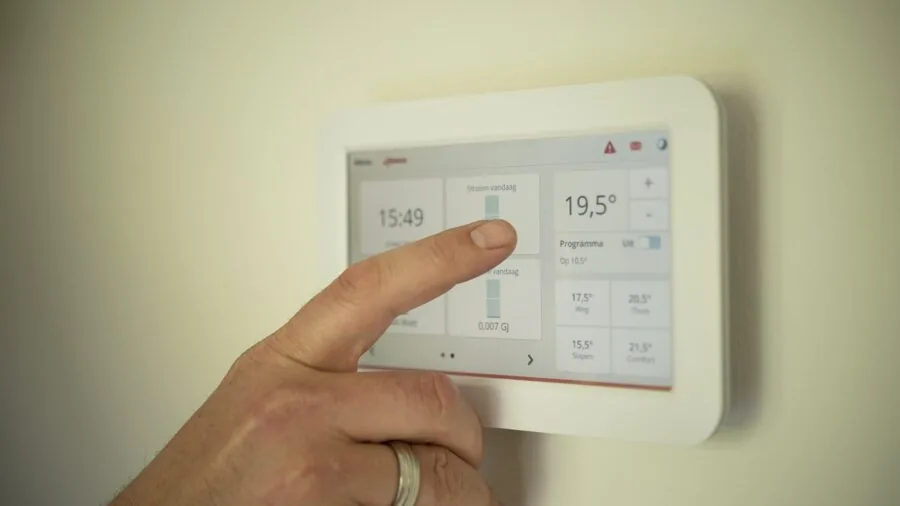
Pairing a smart lock with a smart thermostat and a smart display or hub at the property can enable check-in and check-out automations that adjust heating, cooling, and lighting automatically when a guest’s code is used.
Apple HomeKit compatibility is narrower in this price range. Yale is the strongest option for hosts invested in the Apple ecosystem, supporting HomeKit on select models.
For hosts who use Airbnb’s own smart lock integration program, confirming compatibility before purchasing is essential since not every lock that works with Alexa also integrates directly with the Airbnb platform’s automated messaging and access code tools.
LOCKSTAR’s multi-method approach, covering app, fingerprint, keypad, card, FOB, and traditional key, makes it a flexible choice for properties where different people need different access methods simultaneously.
Why You Should Trust Us
REMOVU is an independent review publication. We have no financial relationship with any of the brands featured in this article, and we do not accept payment for product placement or favorable coverage. Every recommendation is driven by research quality, not commercial arrangement.
Each product in this roundup was assessed using the REMOVU Score methodology: a consistent 0 to 10 scale applied across published specifications, expert review consensus drawn from credible third-party sources, and verified buyer feedback from confirmed purchasers.
We do not conduct our own product trials; our evaluations are grounded in research, published data, expert review consensus, and verified buyer feedback.
This approach allows us to evaluate a broader range of products more consistently than single-reviewer hands-on coverage, while being transparent about what we can and cannot claim.
REMOVU may earn a commission when you purchase through links in this article. That affiliate relationship has no influence on REMOVU Scores, product rankings, or which products are included or excluded.
Scores are assigned before affiliate relationships are considered, and no brand can pay to improve its position. If you have questions about a specific purchase, delivery, or warranty, please contact the retailer or manufacturer directly.
REMOVU is a review resource only and cannot assist with orders or returns.
Final Thoughts
The smart lock category has matured considerably, and Airbnb hosts now have genuinely strong options at every budget tier.
The picks in this roundup were chosen because they address the specific operational demands of short-term rental hosting: remote code management, reliable auto-lock, durable hardware, and meaningful smart home integration.
Here is how the top performers break down by use case.
- Best Overall: Yale Assure Lock 2 Touch Keypad Deadbolt with Wi-Fi earns the top REMOVU Score in this roundup by combining DoorSense door position monitoring, IPX5 weather resistance, a dedicated Wi-Fi bridge that extends battery life, and a mature app ecosystem purpose-built for multi-property management.
- Best Premium Alternative: Philips Wi-Fi Smart Deadbolt Lock delivers a polished feature set at a significantly lower price than the Yale, with built-in Wi-Fi, fingerprint entry, and Alexa and Google compatibility, making it the strongest value in the upper-mid tier for hosts who want simplicity without the Yale price tag.
- Best Mid-Range Pick: LOCKSTAR Smart Door Lock offers the widest range of entry methods in the roundup, covering app, fingerprint, keypad, card, FOB, and traditional key simultaneously, which makes it ideal for properties with multiple stakeholders including cleaners, co-hosts, and long-term guests.
- Best Budget Pick: SifelySmartLocks Built-in WiFi Fingerprint Smart Door Lock with Handle and Keypad punches well above its price tier with built-in Wi-Fi remote access, six-in-one unlock methods, and Alexa and Google compatibility, making it a compelling starting point for hosts on a tighter budget who still need genuine remote management.
- Best for Long Battery Life: Wyze Auto-Lock Bolt v2 leads the group on rated battery endurance and backs it up with BHMA Grade 2 certification, IP53 weather resistance, and an anti-peep keypad, delivering strong reliability credentials for hosts who want to minimize maintenance visits.
For hosts building out a complete property setup, smart locks work best as part of a layered approach.
Combining a strong lock with well-placed security cameras and reliable asset tracking gives you visibility across the entire property, not just the front door.
If you manage multiple properties, investing in a single ecosystem, whether Yale’s, Philips’s, or another, reduces the number of apps and accounts you need to maintain.
Frequently Asked Questions
Do I need a smart lock with built-in Wi-Fi for Airbnb, or is Bluetooth enough?
For most Airbnb hosts, built-in Wi-Fi is strongly recommended. Bluetooth-only locks require you or a co-host to be physically near the property to manage codes, which defeats the purpose of remote hosting.
Built-in Wi-Fi lets you generate and revoke guest codes from anywhere at any time.
If a Bluetooth lock is your only option due to budget, pair it with a compatible hub or bridge at the property to enable remote access, and verify that the hub has a reliable power connection.
Can I set different access codes for different guests on these locks?
Yes, and this is one of the most important features to verify before purchasing. Most Wi-Fi connected locks in this roundup support multiple unique codes and, critically, time-limited codes that activate and expire on a schedule you set.
This means a guest’s code can automatically become valid at 3 p.m. on check-in day and expire at 11 a.m. on check-out day, with no manual intervention. Yale and LOCKSTAR are particularly strong in this area.
Always check the app’s code management interface before committing, since the number of simultaneous codes and the scheduling flexibility vary between platforms.
How often do I need to replace batteries in a smart lock used for Airbnb?
Battery life depends heavily on the lock’s connectivity architecture and how frequently it is used. For a busy short-term rental property, expect more frequent battery cycles than a manufacturer’s estimate based on typical residential use.
Locks with built-in Wi-Fi maintaining a constant connection tend to consume batteries faster than models using low-energy Bluetooth or intelligent connection management.
The Wyze Auto-Lock Bolt v2 is rated for up to eight months, which is among the best in this category. The Ghome Smart deadbolt sidesteps the issue entirely with a built-in rechargeable battery.
Enable low-battery push notifications on whichever lock you choose, and keep a spare set of batteries at the property for your cleaner to swap out if needed.
Will a smart lock work if the Wi-Fi at my Airbnb goes down?
This is a real concern for remote hosts. When Wi-Fi is unavailable, most smart locks fall back to local access methods: a keypad code stored on the lock itself, fingerprint, or physical key.
The lock will still open using locally stored credentials even without internet connectivity. What you lose is the ability to remotely manage codes or receive status notifications until the connection is restored.
This is why every lock in this roundup retains a traditional key slot as a mechanical backup.
For extra peace of mind, brief your cleaner or a nearby co-host on the key backup location in case of extended outages during a guest stay.
Are smart locks compatible with older doors in rental properties?
Most deadbolt-style smart locks are designed to fit standard US door preparations: a 2-1/8 inch bore hole and a standard backset of either 2-3/8 or 2-3/4 inches.
The SamtechT Bluetooth Fingerprint Smart Lock and several SifelySmartLocks models explicitly market themselves as fitting most US doors.
However, older doors with non-standard bore holes, thick door slabs, or unusual backsets may require a door preparation kit or a locksmith visit before installation. Always measure your door’s existing hardware before ordering, and check the manufacturer’s compatibility specifications.
Some locks, particularly those that include a handle assembly rather than a standalone deadbolt, have more specific door thickness requirements.
Do these smart locks work with the Airbnb platform directly?
Airbnb has a smart lock integration program that allows certain locks to sync check-in codes automatically with booking details, reducing the manual step of generating and sharing codes for each reservation.
Yale is among the brands with established Airbnb integration support.
However, not every Wi-Fi lock in this roundup connects directly to the Airbnb platform; many require you to manually copy guest codes from the Airbnb app and enter them into the lock’s own app.
For high-volume hosts managing frequent back-to-back bookings, confirming direct Airbnb integration before purchasing saves significant time. Check Airbnb’s current list of compatible locks in their host resource section, as integration partnerships are updated periodically.
For a broader view of the smart home tools available to hosts, explore the full smart home category on REMOVU.
Related Guides
About the author
Veronica is REMOVU's action camera writer, comparing stabilization, low-light footage, and rugged, waterproof builds across the latest releases. She focuses on which cameras truly hold up on the trail, underwater, and mounted to a helmet.