The 10 Best External SSDs for Backup
Speed, capacity, and durability vary wildly across portable SSDs. We researched the top drives from Samsung, SanDisk, and Crucial to help you back up smarter.
 By Paul Syverson
Updated July 26, 2026
By Paul Syverson
Updated July 26, 2026
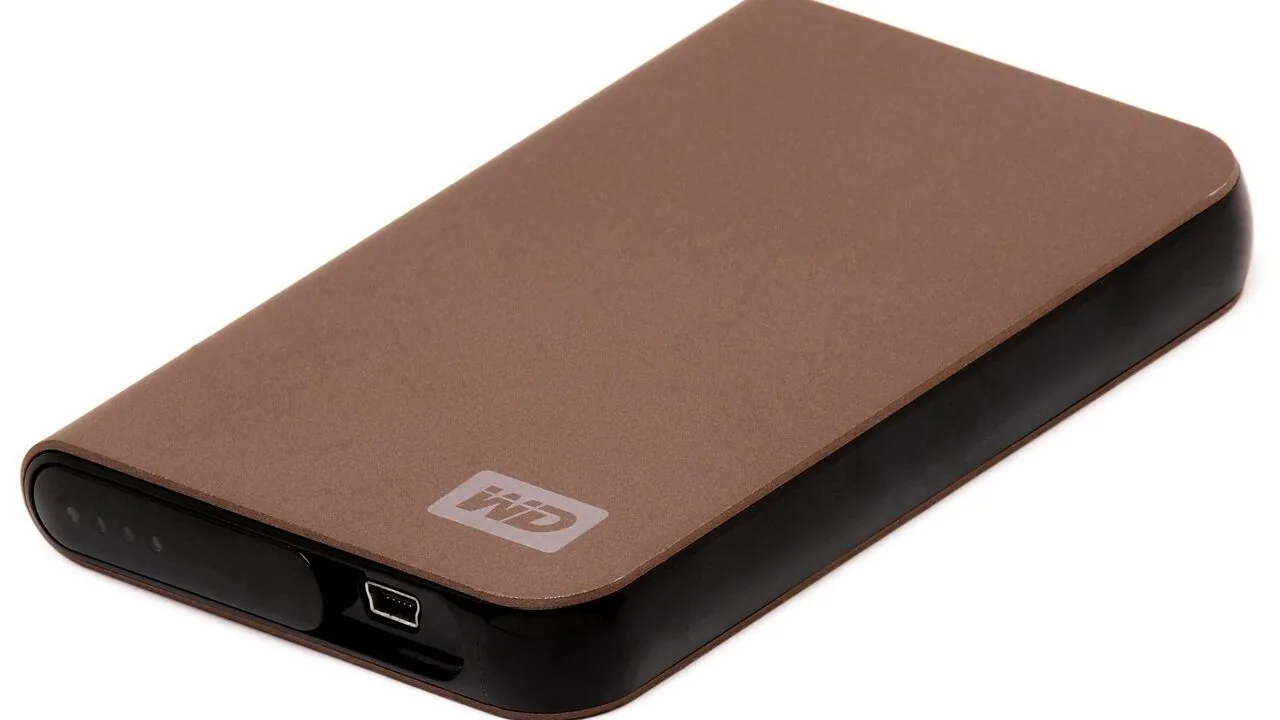
Backing up your data shouldn’t require a trip to the IT department or a degree in cloud architecture. A well-chosen external SSD gives you fast, reliable, and portable protection for everything from irreplaceable family photos to years of creative work.
Unlike traditional spinning hard drives, solid-state drives handle the bumps and drops of everyday life without skipping a beat, and modern USB 3.2 interfaces mean you can move hundreds of gigabytes in the time it used to take to brew a pot of coffee.
Pair one with a capable compact mini PC or any laptop and you have a complete backup station that fits in your jacket pocket.
Choosing the right drive, however, is trickier than it looks. Marketing speeds, durability ratings, form factors, and price tiers vary wildly across the market, and a drive that looks great on a spec sheet can disappoint in daily use.
To cut through the noise, REMOVU researched every model below by analyzing published specifications, synthesizing expert review consensus from across the tech press, and weighing verified buyer feedback from thousands of confirmed purchases.
Scroll down to see our ranked top picks.
| Award | Product | REMOVU Score About REMOVU ScoreThe REMOVU Score is our own rating from 0 to 10, based on performance, design and build, ease of use, and value. It reflects independent research and is never influenced by manufacturers, retailers, or affiliate commissions. Learn more › | Price | |
|---|---|---|---|---|
| Best Overall |
 Samsung T9 1TB Portable SSD, 2,000 MB/s
|
8.7/10 | Buy | |
| Best Budget |
 Crucial X9 2TB Portable SSD, 1050MB/s
|
8.6/10 | Buy | |
| Best Value |
 SanDisk Extreme Portable SSD 1TB
|
8.3/10 | Buy | |
| Best Premium |
 Samsung T7 Shield 2TB Portable SSD
|
8.4/10 | Buy | |
 Samsung T7 1TB Portable SSD
|
8.3/10 | Buy | ||
 SanDisk Extreme Portable SSD 2TB (1050MB/s)
|
7.3/10 | Buy | ||
 SanDisk Extreme Portable 2TB External SSD
|
7.2/10 | Buy | ||
 SanDisk Portable SSD 1TB, 800MB/s
|
8.4/10 | Buy | ||
 WD Elements SE 2TB Portable SSD
|
6.5/10 | Buy | ||
 Seagate Portable 2TB External Hard Drive
|
7.5/10 | Buy |
Samsung T9 1TB Portable SSD, 2,000 MB/s
Samsung's flagship portable SSD delivers the fastest transfer speeds in its class at up to 2,000 MB/s, making it ideal for content creators and gamers handling large files. The Dynamic Thermal Guard keeps temperatures in check during sustained heavy use, while broad device compatibility spans desktops, gaming consoles, and iPhones with ProRes support. A premium choice backed by Samsung's in-house NAND manufacturing and solid 4.6-star rating from nearly 2,900 verified buyers.
Pros
- Fastest sequential read/write speeds at 2,000 MB/s, nearly double the T7's 1,050 MB/s
- Advanced thermal management maintains safe operating temperatures during prolonged use
- Excellent device compatibility including iPhone 15/16 ProRes 4K video recording
- Rugged build with 9.8-foot drop review rating and sustained performance under heavy workloads
- Includes two USB cables (USB-C to USB-C and USB-C to USB-A) for immediate connectivity
Cons
- Requires USB 3.2 Gen 2x2 host support and UASP mode enabled to achieve maximum 2,000 MB/s speeds, older devices may not reach advertised performance
- No dust or water resistance rating, unlike the T7 Shield's IP65 protection
- Premium pricing compared to slower alternatives like the T5 EVO
Crucial X9 2TB Portable SSD, 1050MB/s
A rugged external SSD built for creators and travelers who need fast, dependable storage that survives drops and weather. With IP55 durability, USB-C speeds up to 1050MB/s, and broad device compatibility, it handles 4K footage, game libraries, and backups without fuss.
Pros
- Fast sequential read speeds (up to 1050MB/s) for quick file transfers and media work
- Durable design with IP55 water and dust resistance plus 7.5-foot drop protection
- Cross-platform compatibility with Windows, Mac, Android, PlayStation, and Xbox via USB-C
- Compact 65x50x10mm form factor with integrated lanyard hole for portability
- Includes three months of Mylio Photos Plus and Acronis True Image software
Cons
- Slower than newer alternatives like the Crucial X10 (2000MB/s) at a similar price point
- Requires USB-C to USB-C cable for maximum speeds; older devices need an adapter
- IP55 rating is good but not best-in-class compared to some competitors with IP65 or higher
SanDisk Extreme Portable SSD 1TB
A compact external drive offering up to 2000MB/s read speeds and rugged IP65 water/dust resistance with 3-meter drop protection. Built for creative professionals and travelers who need fast, dependable storage for large files without compromising portability.
Pros
- Fast transfer speeds: moves 1,000 high-res photos in under 60 seconds
- Rugged durability with IP65 rating and 3m drop protection makes it reliable for on-the-go use
- Compact and lightweight design fits easily into pockets and bags
- Built-in 256-bit AES encryption keeps files secure if device is lost
- High customer satisfaction with 4.6-star rating from 84 reviews
Cons
- Premium pricing reflects quality but may exceed budget-conscious buyers
- Write speed is lower than read speed, which matters for intensive file creation workflows
- Password protection requires software download and Windows 10+ or macOS 12+ for full functionality
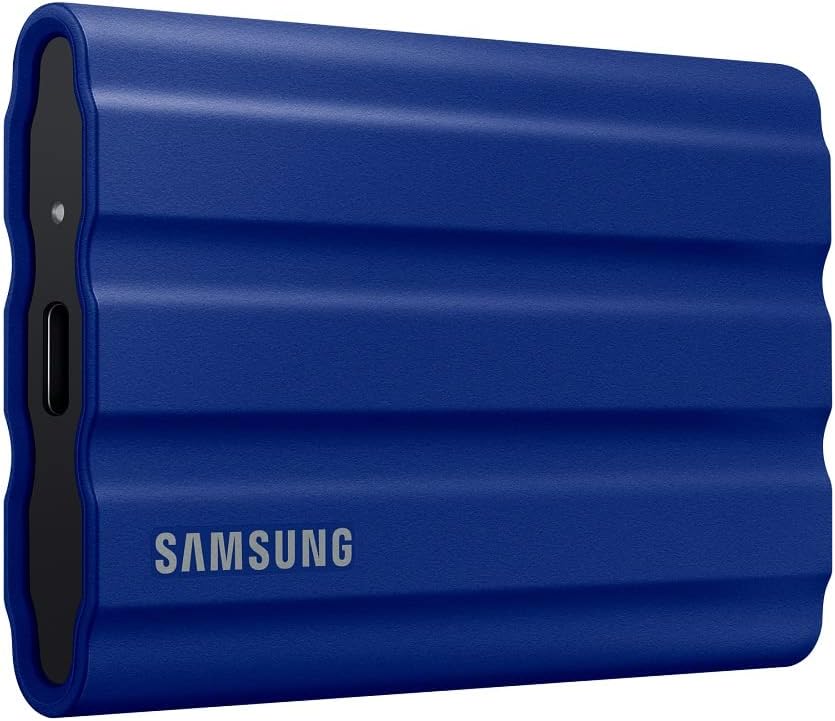
Samsung T7 Shield 2TB Portable SSD
Rugged external SSD built for field work, with IP65 water and dust resistance plus 9.8-foot drop protection. Delivers up to 1,050 MB/s read speeds via USB 3.2 Gen 2, making it suited for photographers, content creators, and gamers who need durability alongside performance.
Pros
- IP65 rating handles water and dust exposure in real-world conditions
- 1,050/1,000 MB/s read/write speeds enable direct editing from the drive
- Drop-reviewed to 9.8 feet, significantly exceeding most portable SSDs
- Broad device compatibility: PC, Mac, Android, gaming consoles, iPhone 15/16
- 2TB capacity in a 97-gram form factor, palm-sized for travel
Cons
- Speeds are slower than T9 (2,000 MB/s) at the same price tier
- IP65 water resistance claims come with caveats and controlled-condition disclaimers
- No reviews available yet to validate durability claims in actual field use
Samsung T7 1TB Portable SSD
A compact external drive that prioritizes speed and durability for creators moving large files regularly. Delivers PCIe NVMe performance at 1,050 MB/s read speeds, roughly double the older T5 model, with rugged aluminum construction rated for drops up to 6 feet. Best suited for video editors, photographers, and professionals who need reliable fast storage that travels.
Pros
- Fast PCIe NVMe speeds (1,050/1,000 MB/s) enable quick file transfers and 4K video recording directly to the drive
- Durable aluminum unibody with shock and drop resistance up to 6 feet provides real protection for portable use
- Broad device compatibility across PCs, Macs, and mobile phones with support for iPhone 15 Pro Res 4K recording
- Compact form factor with up to 4TB capacity options balances portability and storage needs
- Strong brand reputation backed by in-house firmware and component manufacturing
Cons
- Premium pricing typical for this performance tier may exceed budget-conscious buyers' expectations
- No encryption or security features mentioned in the product data
- Requires USB 3.2 Gen 2 port for advertised speeds, limiting full performance on older devices
SanDisk Extreme Portable SSD 2TB (1050MB/s)
A rugged NVMe portable drive delivering 1050MB/s read speeds and solid durability with IP65 water/dust resistance and 3-meter drop protection. Built for content creators and travelers who need fast, dependable storage that survives rough handling. The carabiner loop and 256-bit encryption add practical security for on-the-go use.
Pros
- Fast NVMe performance with up to 1050MB/s read and 1000MB/s write speeds for content transfer and 4K video work
- Rugged design: IP65 rating, 3-meter drop protection, and carabiner loop make it genuinely portable and adventure-ready
- Hardware-encrypted password protection (256-bit AES) keeps sensitive files secure without slowing performance
- 5-year warranty and high user rating (4.6 stars from 91K+ reviews) suggest solid real-world reliability
- SanDisk Memory Zone app automates file management and backup between phone and drive
Cons
- This is an older model; newer versions (Extreme PRO) offer twice the speed (2000MB/s) at similar durability levels
- IP65 rating is good but not extreme, drive must still be dried before use; not true submersion-proof like some competitors
- Actual speeds depend heavily on host device and interface compatibility; real-world performance may fall short of stated 1050MB/s in some setups
SanDisk Extreme Portable 2TB External SSD
This rugged portable SSD delivers 550MB/s read speeds for fast file transfers of photos and videos. Built to handle drops, dust, and water exposure (IP55-rated), it's a reliable companion for creative professionals and travelers who need durability alongside performance. Compatible with both PC and Mac.
Pros
- Fast 550MB/s read speeds for efficient media transfers
- IP55-rated water and dust resistance with shock protection up to 1500G
- Compact, pocket-sized design for portability
- Solid 4.8-star rating from 25,000+ verified buyers
- 3-year limited manufacturer warranty
Cons
- Actual performance may vary based on drive capacity, host device, and operating system
- Must be clean and dry before use despite water resistance rating
- Operating temperature range limited to 0-45°C, restricting use in extreme conditions
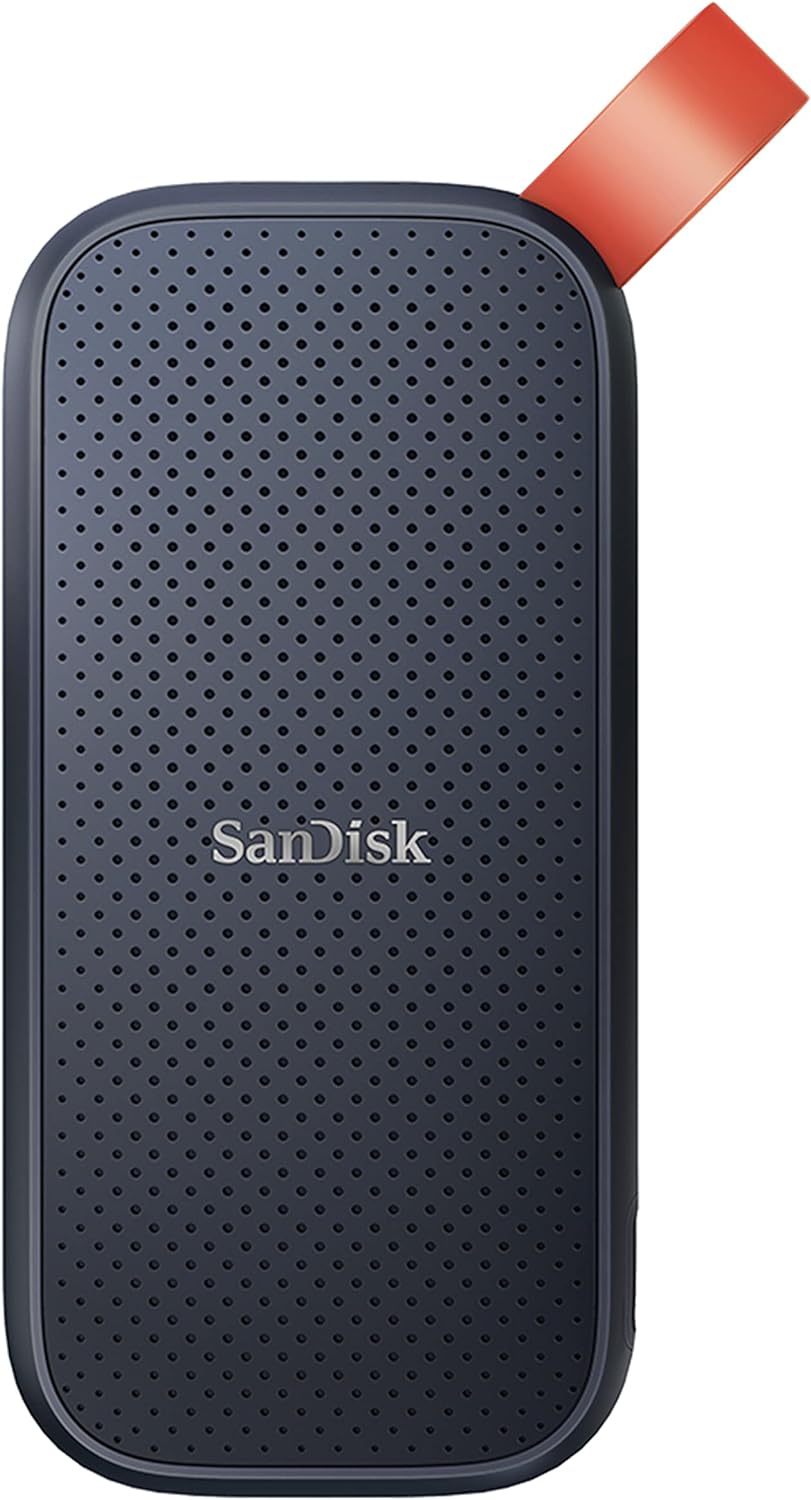
SanDisk Portable SSD 1TB, 800MB/s
A rugged external drive built for creators and travelers who need reliable storage on the go. The 1TB capacity pairs with solid read speeds and genuine drop protection, making it practical for backing up content without sacrificing portability. Trusted by professionals, though write speeds lag behind the advertised read performance.
Pros
- Fast 800MB/s read speeds for quick file transfers and backups
- Genuine durability with two-meter drop protection and reinforced rubber hook for securing to bags or belts
- Compact, portable form factor that fits mobile workflows without bulk
- Strong brand reputation among photographers and content creators
- High user rating (4.6 stars from 10,920 reviews) reflects real-world reliability
Cons
- Write speeds are noticeably lower than read speeds, which may slow down large backup operations
- Performance can vary depending on host device, interface quality, and usage conditions
- Drop protection reviewed under specific conditions and may not cover all real-world scenarios
WD Elements SE 2TB Portable SSD
A compact external SSD with 400MB/s read speeds and drop resistance up to 6.5 feet, designed for users who need fast, reliable portable storage for backups and file transfers. USB 3.0 connectivity works on both PC and Mac, though sustained heat and potential reliability concerns warrant data redundancy practices.
Pros
- Significantly faster than mechanical external drives for backups and file transfers
- Genuinely pocket-sized and lightweight for professionals and creatives who travel
- Reliable brand with strong verified customer satisfaction for durability and ease of use
- No noise and simple setup requiring no driver installation
Cons
- Read speed of 400MB/s is modest compared to newer USB 3.2 or Thunderbolt alternatives
- Gets warm during extended use, requiring awareness of continuous operation patterns
- At least one verified reviewer experienced partial drive failure after long-term constant connection, suggesting potential reliability concerns despite generally positive feedback
Seagate Portable 2TB External Hard Drive
A plug-and-play external drive that works with Windows, Mac, PlayStation, and Xbox without requiring software installation. The 2TB capacity and included USB 3.0 cable make it convenient for portable backup and file storage, though performance and durability depend on typical mechanical drive limitations.
Pros
- Works across multiple platforms: Windows, Mac, PlayStation, and Xbox
- No software installation needed; automatic recognition and drag-and-drop setup
- Includes 18-inch USB 3.0 cable in the box
- 2TB capacity suitable for backup and media storage on the go
- Strong user confidence with 4.6-star rating from 272,000+ reviews
Cons
- Mechanical hard drive technology means slower speeds compared to SSDs and higher vulnerability to physical shock
- Includes only 1-year Rescue Service, limiting long-term data recovery protection
- Storage capacity may vary by region and retailer
External SSDs for Backup Buying Guide
Not every external SSD is built for the same use case. A photographer transferring RAW files all day needs different things than a student who wants a safety net for a semester’s worth of coursework.
The six criteria below cover what actually matters when choosing a backup drive, stripped of marketing fluff.
Interface and Real-World Transfer Speeds

The interface standard stamped on the box sets a hard ceiling on how fast your backups can run.
USB 3.2 Gen 1 tops out around 500 MB/s, Gen 2 doubles that to roughly 1,000 MB/s, and the newer Gen 2×2 standard can push 2,000 MB/s. That gap matters enormously if you routinely move large video projects or camera dumps.
Drives like the Samsung T9, which uses USB 3.2 Gen 2×2, can cut backup windows nearly in half compared to an older Gen 1 model.
Keep in mind that your computer’s port must also support the same generation, otherwise the drive will throttle down to the slower shared standard.
If your machine only has USB-A ports, check whether the drive ships with a USB-C to USB-A adapter in the box before ordering. Most modern picks on our list include both cable types or at least a conversion adapter.
For reference, even a moderately fast drive at 1,050 MB/s can transfer a 100 GB folder in under two minutes. Photographers and video editors working with full-frame mirrorless cameras generating multi-gigabyte RAW files will feel that speed difference immediately.
Capacity and Value per Gigabyte
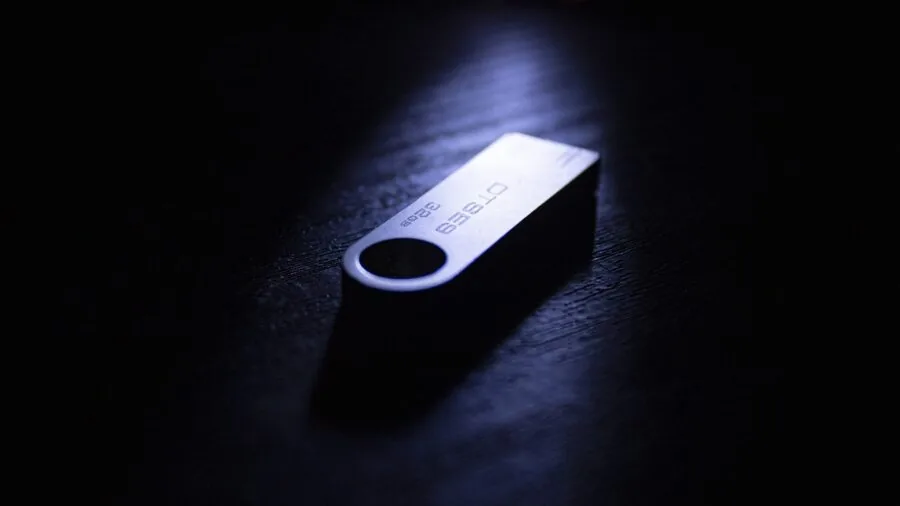
For backup purposes, bigger is almost always better, because backup files accumulate silently over time.
A 1 TB drive that feels spacious today can fill up within a year if you shoot 4K video or run regular Time Machine or Windows Backup snapshots. Investing in 2 TB upfront avoids the scramble of swapping drives mid-cycle.
Price per gigabyte varies significantly across the drives on our list. Budget-oriented picks tend to sacrifice peak speed or ruggedness to bring cost down, while premium models bundle faster NAND, aluminum enclosures, and IP-rated seals into a higher price.
Neither approach is wrong; it depends entirely on whether your backup workflow demands speed and durability or simply reliable long-term storage at a lower outlay.
Durability and Environmental Protection
If your drive lives in a bag that travels with you, durability ratings are not optional.
IP65 water and dust resistance, found on drives like the Samsung T7 Shield and the SanDisk Extreme line, means the enclosure can handle rain splashes and dusty environments without voiding the warranty.
IP65 specifically certifies protection against low-pressure water jets from any direction, which is far more useful in practice than a simple splash-resistance claim.
Drop resistance is equally important. Several drives on this list are rated for drops of up to 3 meters onto a hard surface.
For anyone who works in the field, on a film set, or outdoors, that certification provides meaningful peace of mind beyond what a standard desk-bound drive offers.
If your data is critical, treat ruggedness as a non-negotiable criterion, not a bonus feature.
Rugged storage also pairs well with ruggedized computing setups. If you are building a portable workstation around a compact desktop, our coverage of NAS devices covers how to add a redundant layer of on-site protection beyond a single portable drive.
Form Factor and Portability
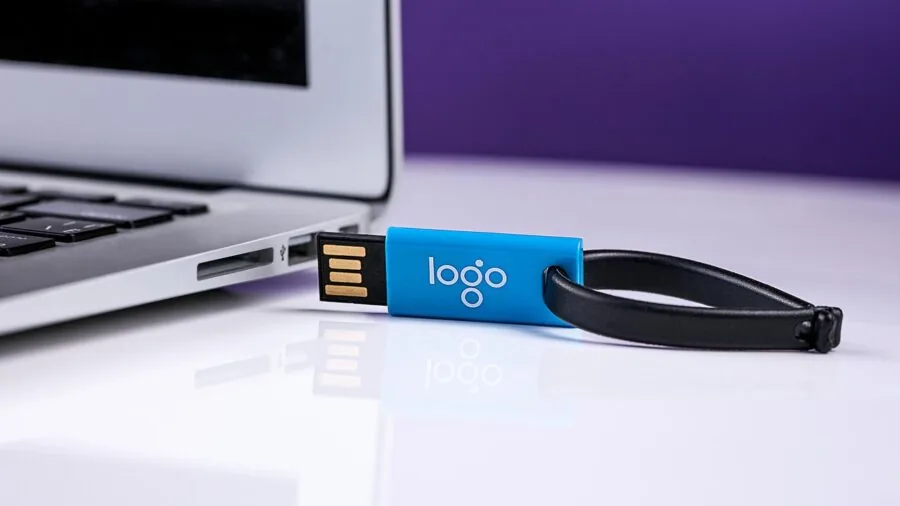
External SSDs for backup typically fall into two form factor categories: slim credit-card-sized slabs and slightly thicker rugged bricks.
The slim designs, such as the Crucial X9 and Samsung T7, slip into a shirt pocket and weigh under 60 grams, making them easy to forget you are even carrying them.
Rugged designs add bulk but compensate with reinforced corners and rubberized shells.
Cable management is a frequently overlooked aspect of form factor.
Drives with a permanently attached cable remove the risk of leaving the cable behind, while drives that rely on a detachable USB-C cable give you flexibility to use a longer cable with a desktop or a shorter one with a laptop.
Think about where and how you will physically use the drive before defaulting to the smallest option.
Compatibility and Ecosystem Fit
Every drive on our list works with Windows and macOS out of the box, though most ship formatted for exFAT, which is readable by both operating systems without reformatting.
Android compatibility is increasingly common too, making drives like the Crucial X9 useful for backing up smartphone media directly.
If you use Linux or need a specific file system for Time Machine compatibility, a quick reformat after purchase resolves most edge cases.
Console gamers will appreciate that several of these drives work as expanded storage for PlayStation and Xbox.
That versatility means one drive can pull double duty as both a system backup and a game library overflow, which is useful context if you also invest in budget game consoles that ship with limited internal storage.
Warranty and Long-Term Reliability

A backup drive that fails silently defeats its entire purpose. Warranty length is a useful proxy for manufacturer confidence in the hardware.
The drives we recommend come with warranties ranging from three to five years, and several include data recovery services as an added safety net.
SanDisk’s five-year warranty on the Extreme line and Samsung’s five-year coverage on the T7 and T9 families stand out as among the strongest in the category.
Long-term reliability data from verified buyers consistently highlights temperature management and firmware stability as the two most common failure modes across the external SSD category.
Drives from established brands with large install bases and publicly documented firmware update histories have measurably better track records in expert consensus than lesser-known alternatives.
All of the models featured here come from manufacturers with strong publicly available reliability data and active firmware support channels.
For a broader picture of how storage fits into a complete home or office setup, the networking and storage category covers everything from mesh Wi-Fi systems to network switches that form the backbone of a well-connected home backup ecosystem.
Why You Should Trust Us
REMOVU is an independent review publication with no affiliation to any retailer, manufacturer, or distributor.
Every product on this list was evaluated using our structured research methodology: we analyze published specifications, synthesize expert review consensus drawn from across the technology press, and assess verified buyer feedback from confirmed purchasers.
We do not conduct our own product trials; our evaluations are grounded in research, published data, expert review consensus, and verified buyer feedback.
Each drive is assigned a REMOVU Score on a 0 to 10 scale. That score reflects a consistent, criteria-weighted assessment covering interface performance, capacity value, build quality, durability ratings, compatibility, and warranty coverage.
No brand can pay to improve its score, and no score is adjusted after the fact based on commercial relationships. Scores are updated when manufacturers release significant firmware changes or when new verified buyer data materially shifts the reliability picture.
REMOVU may earn an affiliate commission when you purchase through links on this page. That relationship does not influence rankings, scores, or which products are included or excluded.
Our editorial decisions are made independently of affiliate arrangements, and we surface both strengths and limitations of every product we cover.
Final Thoughts
The external SSD market in 2026 is genuinely competitive, and the good news is that every model on this list is a capable backup drive. The differences come down to what you prioritize: raw speed, ruggedness, price, or ecosystem flexibility.
Here is how we would summarize the standout picks by use case.
- Best Overall: Samsung T9 Portable SSD earns the top REMOVU Score on this list thanks to its USB 3.2 Gen 2×2 interface, which delivers class-leading transfer speeds that make large backup jobs genuinely fast rather than merely tolerable.
- Best for Everyday Portability: Crucial X9 2TB Portable SSD strikes an outstanding balance between capacity, speed, and cross-platform compatibility, making it the most versatile pick for users who back up across Windows, Mac, and Android devices.
- Best Rugged Option: Samsung T7 Shield 2TB pairs IP65 water and dust resistance with a reinforced rubberized shell, earning it the highest REMOVU Score among dedicated rugged drives on the list and making it the right call for photographers and content creators who work outdoors.
- Best Budget-Friendly Pick: SanDisk 1TB Portable SSD offers dependable USB 3.2 Gen 2 performance at a more accessible price point, with updated firmware that addresses the reliability concerns that affected earlier SanDisk generations.
- Best for Speed on a Tight Budget: SanDisk 1TB Extreme Portable SSD (New Model) brings next-generation transfer rates to a compact form factor, making it an ideal choice for users who need performance without paying flagship prices.
Whichever drive you choose, remember that an external SSD is one layer of protection, not a complete strategy.
A robust backup plan follows the 3-2-1 rule: three copies of your data, on two different media types, with one stored off-site or in the cloud. A fast portable SSD handles the local copy brilliantly.
For the off-site layer, a reliable Wi-Fi router and a cloud subscription complete the picture.
If you are also thinking about how storage integrates with a full desktop build, our look at budget desktop computers covers machines that pair well with any of the drives above.
Frequently Asked Questions
What is the difference between an external SSD and an external hard drive for backup?
External SSDs use flash memory with no moving parts, which makes them faster, lighter, and far more resistant to physical shock than traditional spinning hard drives.
For backup purposes, that means quicker transfer windows and less risk of data loss if the drive is dropped.
Hard drives still offer more storage per dollar at very high capacities, but for most users the speed and durability advantages of SSDs outweigh the cost difference at the 1 TB to 2 TB range covered in this guide.
How much storage do I actually need for a backup drive?
A good rule of thumb is to choose a drive with at least twice the capacity of the data you plan to back up.
This gives you room for multiple backup snapshots, which is critical if you ever need to restore a version from several weeks ago rather than just the most recent copy.
For most home users and students, 1 TB is a comfortable starting point. Video creators, photographers using mirrorless cameras, and professionals managing large project archives should start at 2 TB.
Do I need a rugged external SSD if I only use it at my desk?
If the drive stays on your desk and never travels, IP65 ratings and rubberized shells are largely unnecessary, and you can save money by choosing a slim, non-rugged model.
However, if the drive moves regularly between locations, even short commutes introduce real drop and moisture risk. Rugged certification also tends to correlate with better internal shock-absorption design, which can improve long-term reliability even in stationary use.
When in doubt, the small premium for a rugged model is usually worth it.
Can I use an external SSD as both a backup drive and a game storage drive?
Yes, and many people do exactly that.
Most external SSDs on our list are compatible with PlayStation and Xbox as expanded game storage, which means the same drive can hold your game library overflow and serve as a document or media backup.
The caveat is that frequent game loading and backup operations happening simultaneously will consume write cycles faster, so factor that into your capacity planning.
If gaming storage is a significant use case, lean toward 2 TB models and look at our guide to retro game consoles for context on how older systems handle external storage differently from modern ones.
Is USB-C the same as USB 3.2 Gen 2?
No, and this distinction trips up a lot of buyers. USB-C is a connector shape, while USB 3.2 Gen 2 is a speed standard.
A USB-C port can carry USB 3.2 Gen 1 (500 MB/s), Gen 2 (1,000 MB/s), Gen 2×2 (2,000 MB/s), or even Thunderbolt speeds depending on the host device.
Always check the full specification of both the drive and your computer’s port, not just the connector type, to understand what speeds you will actually achieve in real use.
Do external SSDs work with both Mac and Windows without reformatting?
Most drives on our list ship pre-formatted as exFAT, which is natively readable and writable on both macOS and Windows without any reformatting.
If you want to use a drive exclusively with macOS Time Machine, you will need to reformat it as APFS or Mac OS Extended, since Time Machine does not support exFAT.
Windows Backup and File History work fine with exFAT out of the box.
Android compatibility, available on several drives in this guide, also relies on exFAT support, so check whether your phone supports USB OTG and exFAT before assuming direct transfers will work without an app.
About the author

Paul Syverson writes reviews and buying guides for REMOVU.