The 5 Best Ups Battery Backups Under $200
Power outages can corrupt files and damage gear in seconds. These UPS battery backups under $200 keep your PC, router, and home office running long enough to save your work and shut down safely.
 By Jacqueline Ryan
Updated July 26, 2026
By Jacqueline Ryan
Updated July 26, 2026
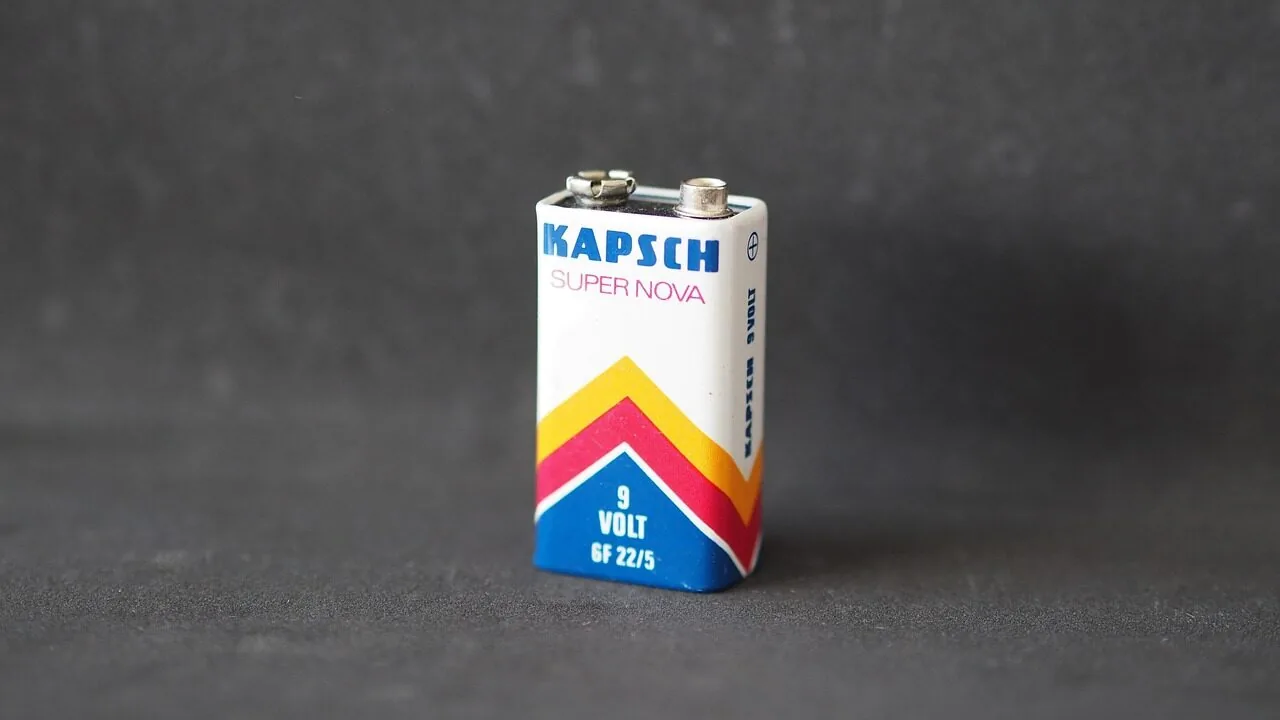
A sudden power outage can corrupt unsaved work, damage storage hardware, and cut off your internet connection at the worst possible moment.
Whether you rely on a desktop workstation, a network-attached storage drive, or a home office router, a UPS battery backup gives you precious minutes to save your files and shut down gracefully.
The good news is that solid protection no longer requires a premium budget: the best UPS battery backups under $200 cover the needs of most home and small-office users without compromise.
For this guide, REMOVU researched and compared options from brands including APC by Schneider Electric, CyberPower, and GOLDENMATE, analyzing manufacturer specifications, expert review consensus, and verified buyer feedback to surface the picks that deliver the most reliable uptime protection at this price point.
If you also power a full desktop build, a capable desktop PC and a good UPS belong on the same desk. Read on for our top-ranked picks.
| Award | Product | REMOVU Score About REMOVU ScoreThe REMOVU Score is our own rating from 0 to 10, based on performance, design and build, ease of use, and value. It reflects independent research and is never influenced by manufacturers, retailers, or affiliate commissions. Learn more › | Price | |
|---|---|---|---|---|
| Best Overall |
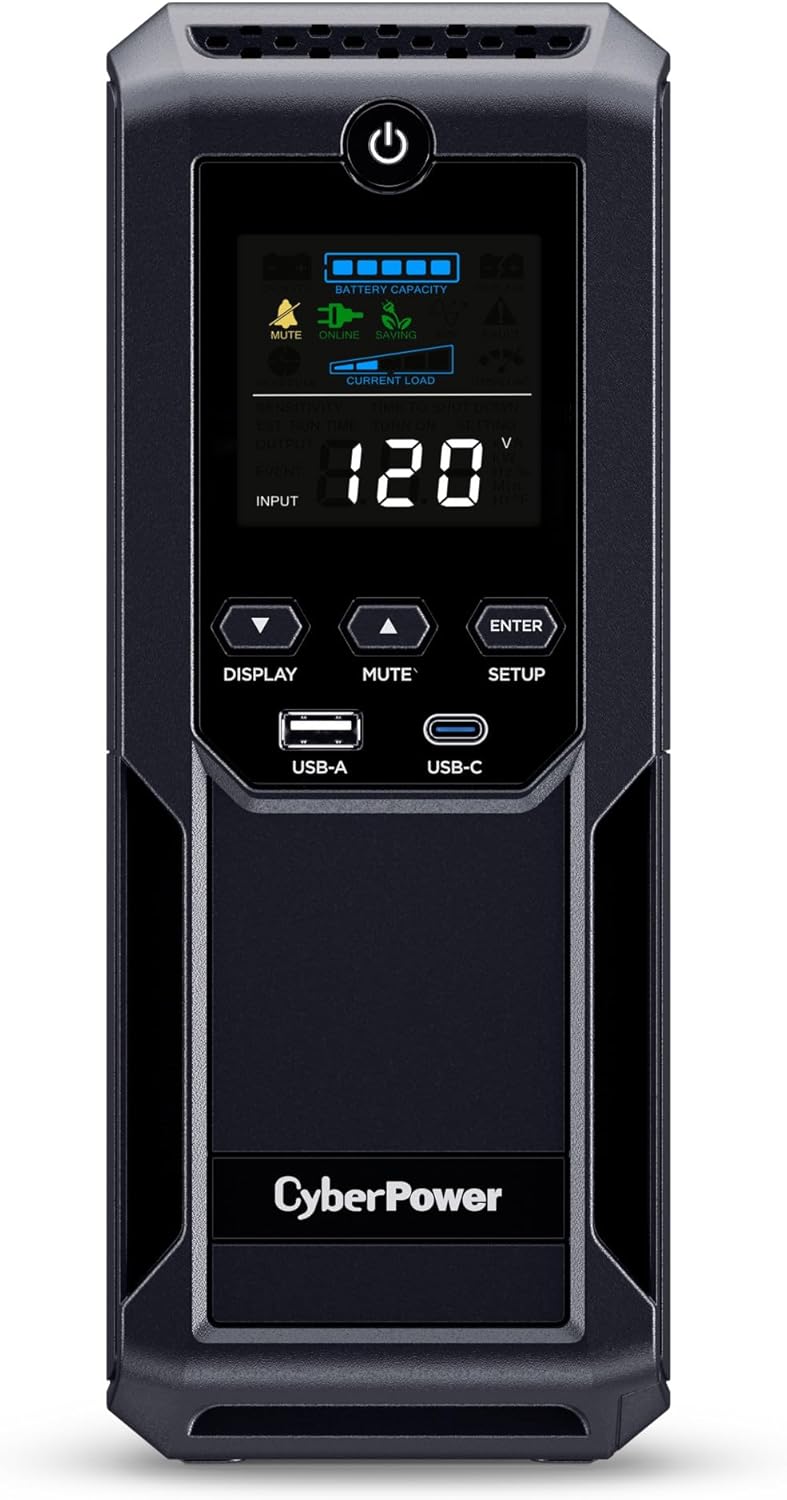 CyberPower CP1500AVRLCD3 1500VA UPS with LCD Display
|
8.6/10 | Buy | |
| Best Budget |
 APC Back-UPS Pro BX1500M 1500VA UPS
|
8.5/10 | Buy | |
 GOLDENMATE 600VA/360W Lithium UPS Battery Backup
|
6.8/10 | Buy | ||
| Best Premium |
 GOLDENMATE 1000VA/800W Lithium UPS with 230Wh LiFePO4
|
6.4/10 | Buy | |
| Best Value |
 GOLDENMATE 1000VA/800W Lithium UPS with 8 Outlets
|
6.3/10 | Buy |
CyberPower CP1500AVRLCD3 1500VA UPS with LCD Display
A mid-range UPS designed for home offices and small server setups, offering 12 outlets (6 battery-backed) and a color LCD panel to monitor power conditions. Delivers adequate runtime for graceful shutdowns during outages and voltage regulation to prevent power fluctuations.
Pros
- Solid runtime on half load (12 minutes) provides adequate time to save work and shut down systems gracefully
- AVR feature extends battery life by avoiding unnecessary battery drain during minor power fluctuations
- Easy setup with batteries pre-charged and straightforward front-panel controls
- Comprehensive warranty with $500,000 Connected Equipment Guarantee offers financial protection
- Reviewers report reliable performance across multiple outages with negligible interruption to connected devices
Cons
- Only 3-minute runtime at full load limits usefulness during extended outages for high-power systems
- Outlet spacing is tight, preventing simultaneous use of all 6 battery-backed outlets for bulky power plugs
- Simulated sine wave output may cause compatibility issues with sensitive audio/video equipment compared to pure sine wave models
APC Back-UPS Pro BX1500M 1500VA UPS
A reliable 1500VA battery backup with 10 outlets and LCD display, designed for home offices and small business setups needing protection against outages and power fluctuations. Delivers up to 68 minutes of runtime at 100W load, with automatic voltage regulation to handle brownouts without draining the battery.
Pros
- Strong runtime performance and capacity suitable for powering computers, routers, and networking gear simultaneously
- AVR feature extends battery life by stabilizing voltage fluctuations rather than relying on battery power alone
- Trusted APC brand with long user history; many reviewers report years of reliable operation
- Compact tower design fits on desks without taking excessive space
- Built-in Ethernet and coaxial surge protection for modems and network equipment
Cons
- Lead-acid battery has shorter lifespan (approximately 3-5 years) compared to lithium alternatives, requiring eventual replacement at additional cost
- Some users report intermittent false battery depletion alerts and loud alarms during self-reviews, though power cycling typically resolves the issue
- Runtime varies significantly based on connected load; rated 68 minutes only at 100W, dropping substantially with heavier loads
GOLDENMATE 600VA/360W Lithium UPS Battery Backup
A compact, wall-mountable UPS with LiFePO4 battery technology designed for network equipment and small office devices. Features six surge-protected outlets, wireless charging pad, and dual USB ports, with approximately 10 minutes runtime at 300W and a 10-year battery lifespan.
Pros
- Long-lasting LiFePO4 battery reduces replacement costs and maintenance versus traditional UPS systems
- Compact, lightweight form factor (4.6 lbs) works on desktops or wall-mounted installations
- Versatile charging: six outlets, wireless pad, plus USB Type-C and Type-A ports for multiple devices
- Quiet operation with mutable alarm when on battery power
- Budget-friendly pricing for lithium-based UPS with modern features
Cons
- Runtime limited to approximately 10 minutes at full 360W load, suitable mainly for low-power devices (routers, switches, modems)
- Simulated sine wave output, not pure sine wave, may not be ideal for older equipment or devices with sensitive electronics
- USB and wireless charging require manual button press to activate, not automatic; some users find controls unintuitive without careful manual review
GOLDENMATE 1000VA/800W Lithium UPS with 230Wh LiFePO4
A budget-friendly lithium UPS that delivers reliable power protection for home offices and gaming setups, with a 10-year battery lifespan and pure sine wave output. Quiet operation and straightforward setup make it practical for moderate loads under 800W, though tight outlet spacing and lack of advanced features limit flexibility.
Pros
- LiFePO4 battery lasts 10+ years with 5000+ charge cycles, significantly reducing long-term cost versus traditional lead-acid UPS units
- Pure sine wave output protects sensitive electronics like gaming PCs, routers, and monitors from power anomalies
- Operates quietly with a cooling fan below 50 dB, staying virtually silent under light loads under 200W
- All 8 outlets provide both surge protection and battery backup simultaneously, simplifying device connection
- LCD display shows real-time battery and power status with automatic overload protection and charging limits
Cons
- Eight outlets are tightly grouped, making it difficult to plug in multiple large power adapters without an extension strip
- No communication ports or USB charging on this base model, preventing soft shutdown automation or device charging during outages
- Limited runtime at rated loads: approximately 30 minutes at 400W draw, so backup duration depends heavily on actual power consumption
GOLDENMATE 1000VA/800W Lithium UPS with 8 Outlets
A budget-friendly lithium UPS designed for home offices, gaming PCs, and network equipment that delivers reliable backup power with a 10-year battery lifespan. Pure sine wave output and quiet operation make it practical for sustained use, though outlet spacing and lack of computer monitoring ports limit flexibility for larger setups.
Pros
- Reliable failover during power outages and brownouts; verified to keep systems online during extended outages without interruption
- Delivers advertised 230Wh capacity as reviewed by owners (over 9 hours runtime at light loads like router/modem)
- Silent during normal operation, minimal fan noise even under moderate load, much quieter than competing UPS units
- Easy setup and operation with intuitive LCD interface; buzzer mute function via single button press
- Good value for a lithium UPS relative to enterprise-grade alternatives at 3x the price
Cons
- Eight outlets spaced tightly together make it difficult to plug in large power adapters; users report only 3-4 devices connectable with standard transformer blocks
- No USB or serial connectivity for computer monitoring or automated shutdown; purely manual control device unsuitable for unattended server protection
- Slow 10-hour charge time and no surge-only outlet option means all connected devices draw from backup battery during outages, reducing total runtime
UPS Battery Backups Buying Guide
Choosing a UPS is more nuanced than simply picking the highest VA rating on the shelf. Topology, battery chemistry, outlet count, and runtime all interact in ways that matter differently depending on what you are protecting.
The subsections below walk through each factor so you can match a model to your actual setup rather than overspending or underbuying.
VA Rating and Wattage: How Much Capacity Do You Actually Need?

Every UPS carries two numbers: volt-amperes (VA) and watts (W). Watts represent real power draw, while VA accounts for the phase difference between voltage and current.
A rough rule of thumb is that the watt figure is about 60 percent of the VA figure for most consumer units.
Add up the wattage of every device you plan to plug into the battery-protected outlets, then choose a UPS rated for at least 20 to 25 percent more than that total so the unit never runs at its ceiling.
A typical mid-tower desktop with a monitor draws roughly 150 to 300 W under load. A home office setup with a router, modem, and laptop charger usually needs under 100 W.
Models in the 1000 VA to 1500 VA range, like those reviewed here, comfortably handle either scenario and leave headroom for a network switch or an external drive.
If your priority is keeping a router and modem alive during brief outages, a compact 600 VA unit can suffice and costs less. Match capacity to your real load, not a hypothetical worst case.
Also consider portable power stations if you need battery backup that travels or covers appliances a UPS cannot handle, such as refrigerators or power tools during extended outages.
Topology: Standby vs. Line-Interactive vs. Online Double Conversion

Standby UPS units are the simplest and cheapest: they sit idle until utility power drops, then switch to battery in a few milliseconds. That brief transfer time is undetectable to most PCs and networking gear.
Line-interactive units add automatic voltage regulation (AVR), which continuously corrects minor sags and surges without depleting the battery. This is the most practical topology for home offices in areas with unstable grid power.
Online double-conversion units run equipment off the battery at all times, eliminating transfer time entirely, but they are heavier, louder, and usually priced above $200.
For the vast majority of home and small-office users, a line-interactive UPS with AVR is the sweet spot.
It extends battery life compared with standby designs that switch on minor fluctuations, and it protects sensitive electronics from the cumulative wear of voltage irregularities.
Every top pick in this guide is line-interactive, which is why we prioritized that topology when assessing the field.
Output Waveform: Simulated vs. Pure Sine Wave
Traditional UPS units produce a stepped approximation called simulated (or modified) sine wave when running on battery. This works fine for most desktops, monitors, and networking equipment.
However, active power-factor-corrected (APFC) power supplies, which are standard in higher-end desktop PCs built in the last several years, can behave erratically or shut down on simulated sine wave.
Pure sine wave output eliminates that risk entirely and is also required for some medical devices and audio equipment.
The GOLDENMATE models in this roundup deliver pure sine wave output even at their price point, making them a logical choice if your desktop uses a modern APFC PSU.
The APC and CyberPower models here use simulated sine wave on battery, which remains perfectly suitable for the majority of setups. Check your PC’s power supply documentation if you are unsure.
Pairing a UPS with a capable SSD for gaming or work makes an orderly shutdown even more important, since SSDs are less forgiving of abrupt power cuts than spinning hard drives.
Battery Chemistry: VRLA vs. Lithium LiFePO4

Most UPS units at this price use valve-regulated lead-acid (VRLA) batteries, which are heavy but well-understood and inexpensive to replace. Expect a service life of three to five years for VRLA cells under normal conditions.
The main downside is weight: a 1500 VA VRLA unit can easily tip the scales at over 10 kg, making repositioning awkward.
GOLDENMATE has introduced LiFePO4 (lithium iron phosphate) chemistry into its consumer UPS lineup at the same price tier. LiFePO4 cells are dramatically lighter, charge faster, tolerate more charge cycles, and are rated for a significantly longer service life.
The trade-off is a higher upfront cost for the same VA capacity, and the technology has less of a multi-year track record in UPS applications compared with VRLA.
If longevity and low maintenance matter more than upfront savings, lithium-based units are worth considering, but VRLA remains the proven standard for first-time buyers.
Outlets, Surge-Only Ports, and USB Charging

UPS units split their outlets into two groups: battery-backed outlets for your mission-critical devices, and surge-only outlets for equipment that does not need runtime protection but benefits from spike suppression (printers, desk lamps, phone chargers).
Count how many devices in each category you own before buying. Running a printer off a battery-backed outlet wastes capacity that could otherwise extend your runtime for the PC and monitor.
USB charging ports are a convenience feature rather than a safety feature, but they are genuinely useful for topping up a phone or tablet during an outage when wall adapters are occupied.
Some models also include a USB data port for software communication with the host PC, enabling automatic safe shutdown when the battery level drops below a threshold.
That software integration is worth enabling if your PC is ever left unattended, since it removes the human from the shutdown equation entirely.
If you regularly connect multiple devices at a desk, a USB-C dock paired with a UPS can consolidate your cabling significantly.
Runtime, Display, and Software Features
Manufacturers publish runtime figures at specific load levels, typically 50 W, 100 W, or 150 W. Always reference the runtime at a load close to your actual draw rather than the lightest published figure, which can look impressive but rarely reflects real use.
A 1500 VA unit might deliver 68 minutes at 100 W but only 20 minutes at 500 W. Calculate your load, find the closest published runtime, and add a safety margin.
An LCD display showing real-time load percentage, battery level, and input voltage is a significant quality-of-life upgrade over units with only LED indicators.
It lets you verify at a glance that your devices are drawing a safe amount of power and that the battery is healthy. Most mid-range UPS units at this price tier now include at least a basic LCD.
Automatic voltage regulation, audible alarms for overload and low battery, and Windows or macOS shutdown software round out the feature set to look for.
If you use your UPS alongside a larger home office, work laptops and related peripherals all benefit from the surge protection side of the unit even when the battery is not engaged.
Why You Should Trust Us
REMOVU is an independent review publication. We do not accept payments from brands in exchange for favorable coverage, and no manufacturer has editorial influence over our rankings or recommendations.
Every product in this guide was assessed using the REMOVU Score, a consistent 0-to-10 rating system that evaluates each model across the criteria most relevant to this category: capacity and load handling, output waveform quality, battery chemistry and expected service life, build quality and feature set, and verified owner satisfaction.
We do not conduct our own product trials; our evaluations are grounded in research, published data, expert review consensus, and verified buyer feedback.
We cross-reference manufacturer specifications with real-world reports from verified purchasers, synthesize consensus from published expert assessments, and flag discrepancies where claimed and observed performance diverge.
This research-driven methodology lets us cover a wide range of products without the sampling bias or time constraints that limit single-purchase reviews.
REMOVU may earn a commission if you purchase through links on this page. That affiliate relationship has no bearing on scores, rankings, or which products appear in our guides. Our picks are determined by research quality, not by commission rates.
We will update this guide as new products launch, prices shift, or user feedback materially changes our assessment of any model.
Final Thoughts
The UPS battery backup market under $200 has become genuinely competitive, with strong options from established names like APC and CyberPower alongside newer lithium-focused entrants from GOLDENMATE.
Whether you need broad compatibility for an office desktop, maximum capacity for a workstation, or a compact wall-mount unit for a home network closet, there is a well-matched pick in this roundup.
Below are our standout recommendations based on REMOVU Score and category fit.
- Best Overall: CyberPower CP1500AVRLCD3 earns the top REMOVU Score in this roundup thanks to its generous outlet count, reliable AVR, dual USB charging, and strong consensus from verified owners across home and office use cases.
- Best for Home Offices and Workstations: APC BX1500M Back-UPS Pro is the go-to for desktop PC users who want APC’s long-standing reliability, a useful LCD readout, and robust AVR in a unit sized for demanding workloads. It scores close behind the CyberPower and carries the weight of one of the most trusted brand names in UPS history.
- Best Compact Wall-Mount Option: GOLDENMATE 600VA/360W LiFePO4 UPS is ideal for anyone protecting a router, modem, or small network switch without a floor footprint. Its wall-mount design, wireless charging pad, and LiFePO4 battery chemistry make it a genuinely fresh approach at a more accessible price in this category.
- Best for Long Battery Life (Lithium Upgrade): GOLDENMATE 1000VA/800W LiFePO4 UPS (Gray) offers pure sine wave output and a significantly longer projected battery service life than VRLA alternatives, making it a forward-looking choice for buyers who want to minimize battery replacement cycles over a long ownership horizon.
If you are building or upgrading a full desktop workstation, pairing your UPS pick with the right motherboard for AMD Ryzen builds or a set of 32 GB RAM kits ensures every component in the system is well protected.
And if you are managing power for a broader home office, our power and charging category covers additional options from power banks to solar chargers.
Frequently Asked Questions
How Long Will a UPS Battery Backup Keep My PC Running During an Outage?
Runtime depends on the capacity of the UPS and the wattage your equipment draws. A 1500 VA unit powering a mid-range desktop and a monitor at around 150 W will typically deliver 15 to 25 minutes of battery time.
At lighter loads of around 100 W, runtime climbs to 40 to 70 minutes or more. The goal for most users should be enough time to save work and shut down cleanly, not to run for hours.
Check the manufacturer’s published runtime curve at a load closest to your actual draw for a realistic estimate.
Do I Need Pure Sine Wave Output, or Is Simulated Sine Wave Fine?
For most standard desktops, monitors, networking equipment, and consumer electronics, simulated sine wave is perfectly adequate. The exception is desktop PCs with active power-factor-corrected (APFC) power supplies, which are standard in most modern mid-range and high-end builds.
APFC PSUs can behave unpredictably or shut off when supplied with modified sine wave during a battery event.
If your PC was built in roughly the last five years and uses a quality PSU, check whether it carries APFC certification and choose a pure sine wave UPS accordingly.
GOLDENMATE’s units in this guide deliver pure sine wave; the APC and CyberPower models here use simulated sine wave on battery.
How Often Do I Need to Replace the Battery in a UPS?
VRLA (lead-acid) batteries in standard UPS units typically last three to five years under normal conditions, shorter in hot environments or if the unit experiences frequent deep discharges.
Most major brands sell replacement battery cartridges, and swapping one is usually a tool-free process that takes a few minutes.
LiFePO4 units like those from GOLDENMATE are rated for significantly more charge cycles and a longer calendar life, potentially reducing or eliminating battery replacements over a five-to-ten-year ownership window.
Factor the cost of eventual battery replacement into your total cost-of-ownership calculation when comparing options.
Can I Use a UPS to Protect My Router and Modem?
Absolutely, and it is one of the most practical applications for a UPS.
A router, modem, and network switch draw very little power combined, often under 30 to 50 W, which means even a modest 600 VA unit can keep your internet connection alive for an extended period during an outage.
This is especially useful for remote workers who cannot afford to lose connectivity during a video call or a cloud sync.
Compact wall-mount units like the GOLDENMATE 600VA model in this guide are designed specifically for this type of light-load, always-on networking use.
For additional power redundancy when away from the grid, power banks can bridge gaps for phones and tablets while your UPS handles the wired network.
Is a Higher VA Rating Always Better?
Not necessarily. A higher VA rating means more capacity and potentially longer runtime, but it also means more weight, a larger footprint, and a higher price.
More importantly, running a UPS at a very low percentage of its rated load is inefficient and can shorten battery life in some VRLA designs.
Aim to run at roughly 50 to 80 percent of the UPS’s rated watt capacity for the best balance of runtime and battery longevity.
If you are only protecting a router and two network devices, a 600 VA unit is a smarter fit than a 1500 VA model.
What Is the Difference Between Surge Protection and a UPS?
A surge protector absorbs voltage spikes but provides no backup power when the grid goes down. A UPS provides both surge protection and battery backup, so it covers the full range of power events: surges, sags, brownouts, and complete outages.
Every model in this guide includes integrated surge protection on all outlets, with battery backup on a subset of them.
If you have been relying on a basic surge strip for your PC or server, upgrading to a UPS is a meaningful step up in protection.
For broader home coverage and off-grid flexibility, also explore portable power stations, which can run larger loads during extended outages that a UPS is not designed to sustain.
About the author
Jacqueline covers microphones for REMOVU, comparing USB and XLR options for streaming, podcasting, and music. She matches the right mic to each reader's setup and how they plan to record.