The 12 Best Streaming Microphones for Beginners
Picking a first streaming microphone is harder than it looks. This guide covers USB, XLR, and dual-mode options from Shure, Blue, HyperX, FIFINE, and MAONO to match every room and budget.
 By Lucy Ross
Updated July 26, 2026
By Lucy Ross
Updated July 26, 2026
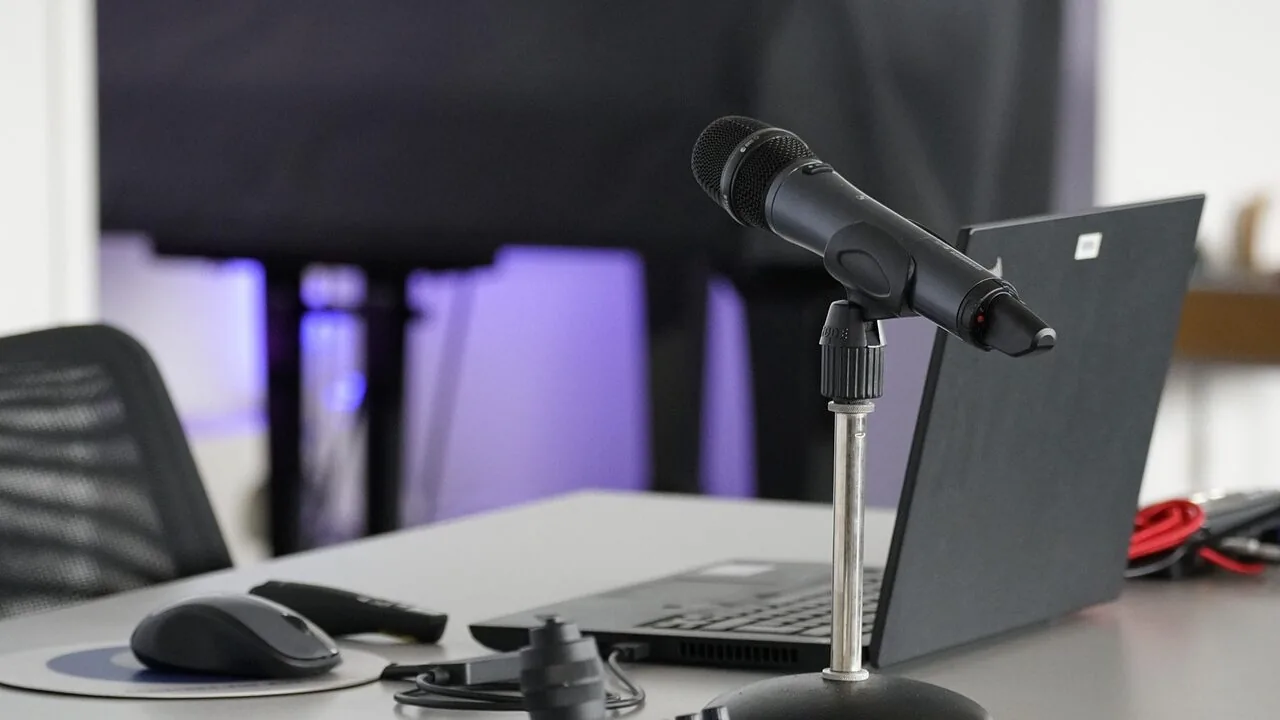
Getting into streaming is exciting, but the moment you go live with a built-in laptop microphone, the gap between you and your favorite creators becomes painfully obvious.
A dedicated streaming microphone changes everything: clearer voice pickup, less background noise, and an audio presence that keeps viewers coming back.
The market is flooded with options, ranging from budget USB plug-and-play mics to dual-connection dynamic workhorses, and knowing which one actually delivers for a newcomer is not obvious from specs alone.
This guide cuts through the noise by bringing together specifications, expert review consensus, and verified buyer feedback across twelve of the most-discussed streaming microphones available right now, covering options from Shure, Blue (Logitech), HyperX, FIFINE, MAONO, and TONOR.
Whether you want a no-fuss USB mic under the budget tier or you are ready to invest in a professional-grade dynamic, our picks below give you a clear starting point.
| Award | Product | REMOVU Score About REMOVU ScoreThe REMOVU Score is our own rating from 0 to 10, based on performance, design and build, ease of use, and value. It reflects independent research and is never influenced by manufacturers, retailers, or affiliate commissions. Learn more › | Price | |
|---|---|---|---|---|
| Best Overall |
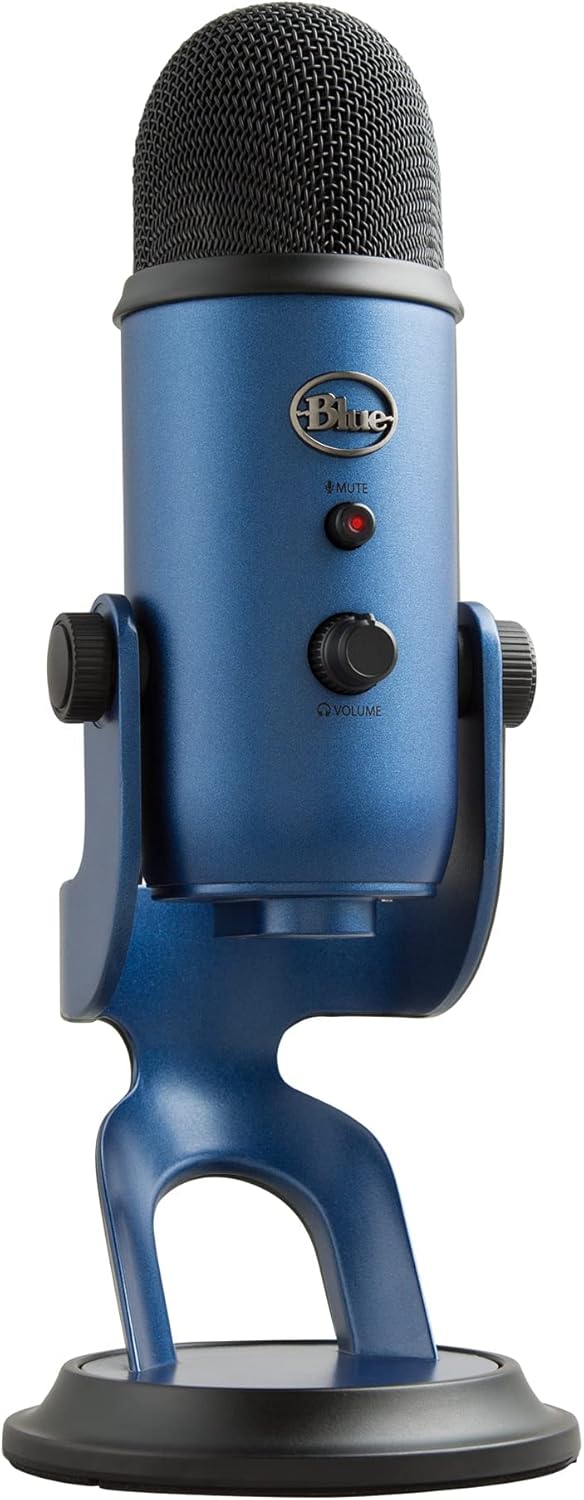 Logitech Blue Yeti USB Condenser Mic
|
9.0/10 | Buy | |
| Best Premium |
 Shure MV7+ USB-C/XLR Dynamic Microphone
|
9.0/10 | Buy | |
 HyperX Quadcast 2 Frost USB Microphone
|
8.4/10 | Buy | ||
| Best Value |
 FIFINE KS5 Gaming Mixer with XLR/USB Microphone
|
7.6/10 | Buy | |
 FIFINE AM8TW XLR/USB Dynamic Microphone Kit
|
7.4/10 | Buy | ||
 FIFINE K688 Dynamic Microphone with Boom Arm
|
7.4/10 | Buy | ||
 MAONO PD200XS USB/XLR Dynamic Mic Kit
|
7.3/10 | Buy | ||
| Best Budget |
 FIFINE K688 Dynamic Microphone, XLR/USB
|
7.3/10 | Buy | |
 MAONO DGM20S Gaming Microphone with Noise Cancellation
|
7.1/10 | Buy | ||
 FIFINE T669 USB Condenser Microphone Kit
|
6.4/10 | Buy | ||
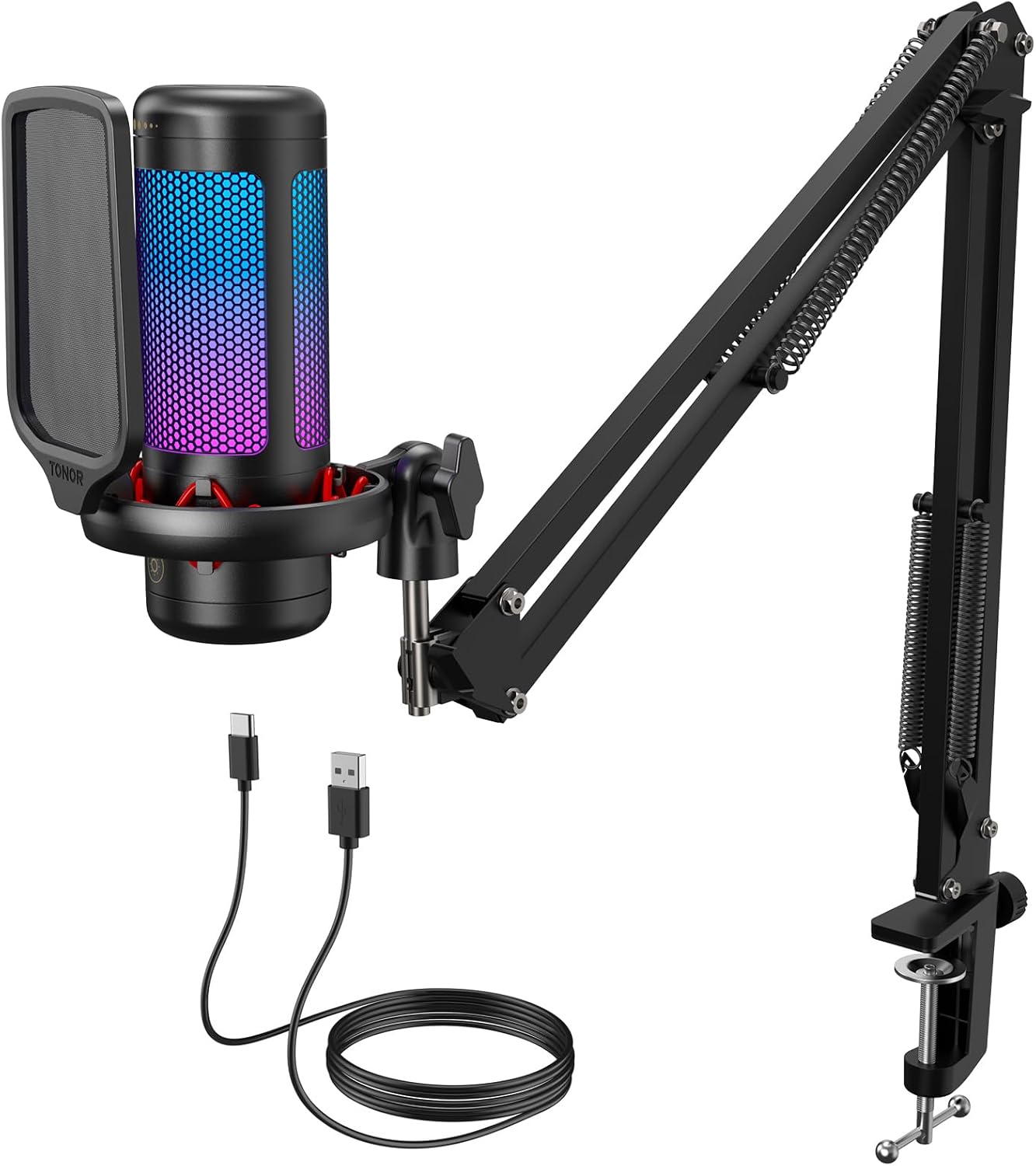 TONOR TC310+ USB Gaming Mic with Boom Arm
|
6.4/10 | Buy | ||
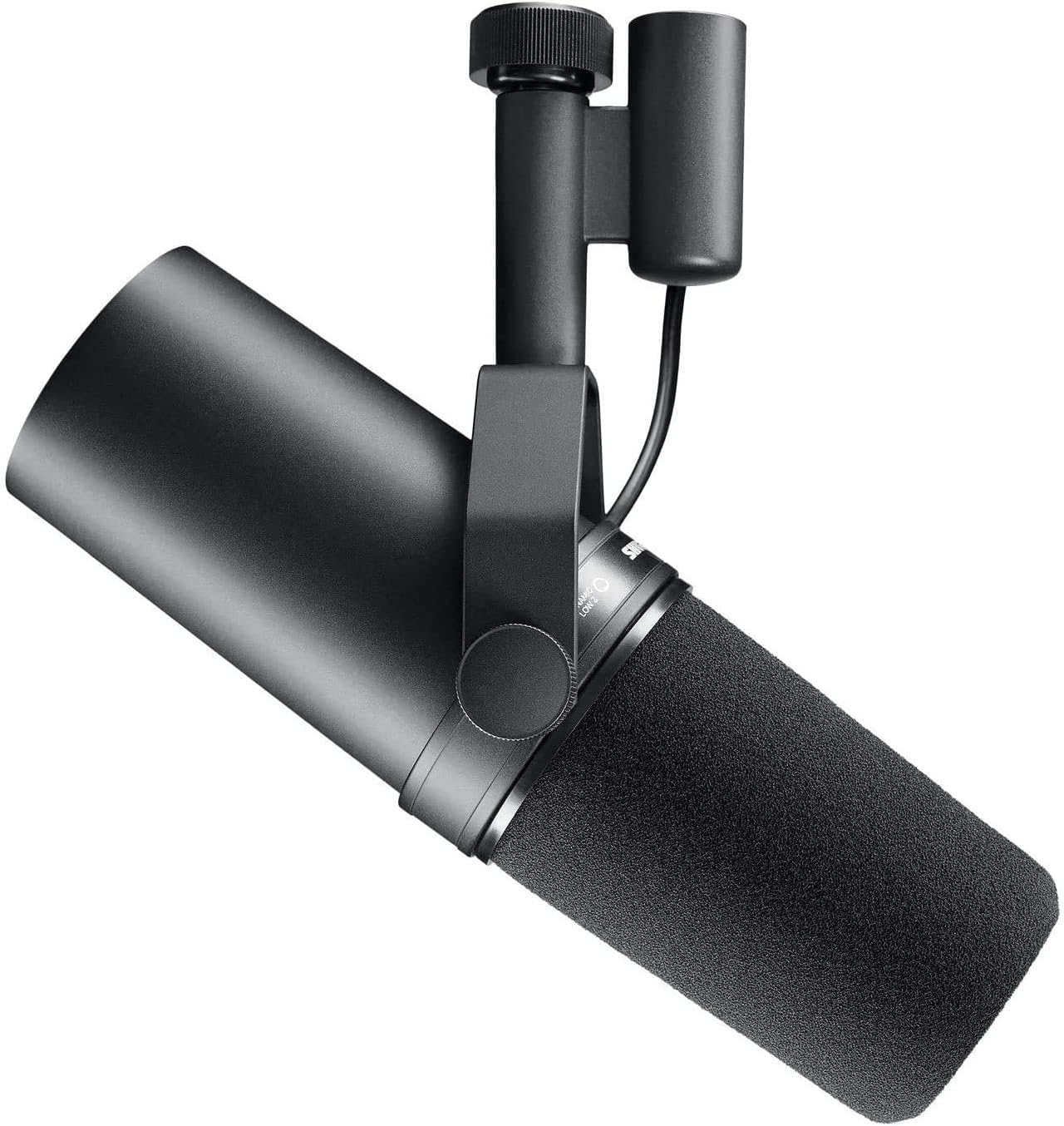 Shure SM7B Dynamic Microphone for Vocal Recording
|
6.2/10 | Buy |
Logitech Blue Yeti USB Condenser Mic
A versatile USB microphone built for creators across streaming, podcasting, and recording. The custom three-capsule array and four pickup patterns deliver broadcast-quality sound without requiring separate equipment, while Blue VO!CE software adds professional vocal effects and enhancement tools.
Pros
- Four flexible pickup patterns (cardioid, omni, bidirectional, stereo) reduce need for multiple microphones
- Blue VO!CE software provides broadcast-grade effects and HD audio processing
- Plug-and-play setup on Mac and PC with no drivers required
- Onboard controls for gain, mute, pattern selection, and headphone monitoring
- Highly rated across 56,000+ verified reviews (4.6 stars)
Cons
- Requires USB connection to computer, limiting portability compared to wireless alternatives
- Blue VO!CE features depend on software compatibility and may require separate learning curve
- Desktop stand included but may not suit all mounting preferences or desk setups
Shure MV7+ USB-C/XLR Dynamic Microphone
A dual-output dynamic mic built for creators who need flexibility between simple USB plug-and-play setups and professional studio rigs. The MV7+ combines voice isolation technology with real-time auto-leveling and a customizable LED touch panel, making it particularly strong for podcasters and streamers working in less-than-ideal acoustic spaces. The integrated reverb effects and denoising add polish without requiring external processing.
Pros
- Hybrid USB-C and XLR outputs let you scale from laptop recording to full audio interface integration
- Auto Level Mode adapts gain automatically, reducing the need for constant manual adjustments during recording
- Voice Isolation Technology keeps vocals clear and focused even in noisy or untreated rooms
- OBS-certified with built-in reverb modes (Plate, Hall, Studio) for professional-sounding voiceovers and vocal tracks
- LED touch panel with 16.8 million color options and real-time level monitoring enhances workflow visibility
Cons
- Frequency response tops out at 16 kHz versus 20 kHz on higher-end Shure models, limiting some high-frequency detail
- App integration (MOTIV Mix) adds features but requires an extra step for mobile users seeking full control
- Premium pricing positions it above entry-level USB mics, though below Shure's flagship XLR-only options
HyperX Quadcast 2 Frost USB Microphone
A solid USB microphone designed for streamers and podcasters, the Quadcast 2 Frost delivers clear audio capture with four selectable polar patterns and convenient tap-to-mute functionality. The removable shock mount and customizable blue LED lighting add flexibility for different streaming setups, though it's positioned at a mid-range price point without significant advantages over competing options at the same cost.
Pros
- Hi-res audio capture with 24-bit depth provides clear sound detail for streaming and podcasting
- Four polar patterns (cardioid, omnidirectional, bi-directional, stereo) adapt to different recording environments
- Tap-to-mute sensor prevents accidental audio leaks during live sessions
- Removable shock mount with spring-loaded pins fits standard 3/8" and 5/8" threading
- On-board multifunction knob and LED status indicators allow quick adjustments without software
- High user satisfaction with 4.7-star rating across 340 reviews
Cons
- Customizable lighting and advanced settings require HyperX NGENUITY software rather than pure hardware control
- Limited to blue LED lighting option, less versatile than RGB alternatives in the same price range
- No significant feature differentiation from the standard Quadcast 2 model at equivalent pricing
FIFINE KS5 Gaming Mixer with XLR/USB Microphone
This bundle pairs a dynamic XLR microphone with a compact gaming audio mixer featuring individual channel control, headphone monitoring, and RGB lighting effects. Built for streamers and podcasters who want integrated hardware without juggling multiple devices, though XLR mode disables the mic's onboard controls.
Pros
- Complete bundle approach eliminates compatibility guesswork for streaming setups
- Dual XLR/USB connectivity offers flexibility between mixer-based and direct computer recording
- Per-channel mute, volume faders, and headphone monitoring enable real-time audio management
- Five RGB lighting modes match gaming aesthetics and add visual appeal to stream scenes
- 4.6-star rating from 795 reviews indicates consistent user satisfaction
Cons
- XLR connection disables all microphone function keys (RGB, mute, monitoring) - control only available through mixer
- Not compatible with Xbox or wireless headphones, limiting platform flexibility
- Requires wired 3.5mm headphones with specific impedance (32-64 ohms) for proper monitoring
FIFINE AM8TW XLR/USB Dynamic Microphone Kit
A budget-friendly dynamic mic with XLR and USB connectivity, designed for gaming, streaming, and vocal recording. Delivers clear audio quality with controllable RGB lighting and includes a sturdy boom arm stand, though the included arm may transmit desk vibrations without a shock mount.
Pros
- Exceptional audio quality and clarity relative to price point, earning 4.6 stars across 5,734 reviews
- Includes everything needed: boom arm, pop filter, USB-C cable, and windscreen for immediate use
- Works instantly via USB or XLR without drivers; compatible with computers, mixers, and audio interfaces
- Dynamic cardioid pattern effectively rejects background noise when positioned correctly
- Responsive customer service with documented hardware replacement support
Cons
- Included boom arm lacks shock mount and can transmit desk vibrations; may require additional cable management straps
- Touch-mute button prone to accidental activation during adjustments; no traditional mute button alternative
- Does not include XLR cable despite XLR connectivity, requiring separate purchase for mixer setups
FIFINE K688 Dynamic Microphone with Boom Arm
A dual-connectivity podcast mic that bridges USB convenience and XLR studio setups. The cardioid pattern and included boom arm make it solid for streaming, gaming, and voice work, though control features lock down when using XLR mode.
Pros
- Dual USB/XLR connectivity lets you plug into computers, mixers, or audio interfaces without swapping gear
- Sturdy metal boom arm with shock mount reduces desk vibrations and handling noise for cleaner recordings
- Tap-to-mute button, gain knob, and headphone monitoring jack offer in-depth control during USB sessions
- Cardioid pattern effectively isolates your voice from room noise and background interference
- Comes with windscreen and shock mount to minimize wind pops and low-frequency rumble
Cons
- All onboard controls (mute, gain, monitoring) become inactive when connected via XLR, requiring you to manage levels through a separate mixer or audio interface
- Mic functions only fully available within 2-6 inches of the source, limiting flexibility for certain recording setups
- Desktop clamp fits desks under 2 inches thick, which may exclude thicker or unconventional desk edges
MAONO PD200XS USB/XLR Dynamic Mic Kit
A dual-interface dynamic microphone designed for podcasters and streamers who need flexibility between USB and XLR connections. The PD200XS bundles a boom arm, shock mount, and software control for EQ adjustments and RGB customization, making it a complete setup for content creators on a budget.
Pros
- Dual USB/XLR connectivity lets you plug directly into a computer or connect to professional audio interfaces and mixers
- MAONO Link software enables EQ, compressor, and limiter adjustments plus 9 RGB color options in USB mode
- Complete kit includes boom arm, shock mount, and 2.5m USB cable, reducing need for separate purchases
- Cardioid polar pattern effectively isolates vocals and reduces background noise for gaming and streaming
- 40Hz-16kHz frequency response captures warm lows and crisp highs suitable for voice work
Cons
- XLR cable sold separately despite XLR connectivity being a key feature
- Software features only work in USB mode, limiting customization if you use XLR connection exclusively
- No information on noise floor or maximum SPL handling, making it unclear how it performs in loud environments
FIFINE K688 Dynamic Microphone, XLR/USB
A dual-connector dynamic mic built for podcasters and streamers who need flexibility between studio gear and direct computer recording. The cardioid pattern handles background noise well, while tap-to-mute and real-time monitoring via headphone jack add practical control for voice work. Best suited for content creators already comfortable with audio interfaces or those wanting to upgrade from basic USB mics.
Pros
- Dual XLR and USB connectivity lets you integrate with mixers or record directly to PC without extra gear
- Metal construction with 120dB SPL handles loud sources without distortion, ideal for energetic vocals or gaming
- Tap-to-mute and gain knob provide in-depth control without software tweaking (USB mode)
- Real-time headphone monitoring with volume adjustment helps catch audio issues during recording
- Includes windscreen and shock mount to reduce plosives and desk vibration
Cons
- All control features (mute, gain, monitoring) only work via USB connection; XLR mode requires simultaneous USB link to access them
- Requires close mic technique (2-6 inches) and proper gain adjustment to sound clean, not beginner-friendly
- No stand, boom arm, or XLR cable included; compatible arms sold separately
MAONO DGM20S Gaming Microphone with Noise Cancellation
A cardioid USB microphone designed for gaming and streaming with built-in noise cancellation and customizable RGB lighting. The plug-and-play setup works across Windows, Mac, and PlayStation without driver installation, making it accessible for casual streamers and competitive gamers alike. Comes bundled with a metal boom arm, shock mount, and pop filter for a complete recording solution.
Pros
- One-click noise cancellation effectively reduces background noise during gameplay and streaming
- 9 RGB lighting modes with independent control for custom aesthetic matching
- Complete accessory package includes boom arm, shock mount, pop filter, and dual USB/USB-C cables
- Zero-latency headphone monitoring and adjustable gain control for real-time audio management
- Plug-and-play compatibility with Windows, Mac, PS4, and PS5 without requiring drivers
Cons
- Not compatible with Xbox, limiting use for console-exclusive gamers
- No verified buyer reviews available to assess real-world reliability and longevity
- Cardioid pickup pattern may require careful microphone positioning to avoid capturing unwanted side noise
FIFINE T669 USB Condenser Microphone Kit
A plug-and-play condenser mic designed for podcasters, streamers, and home studio users. The T669 ships as a complete bundle with a sturdy boom arm, shock mount, and pop filter, making it accessible for beginners. Best suited for vocal recording and streaming on PC and Mac, though it lacks real-time headphone monitoring.
Pros
- Complete kit includes boom arm stand, shock mount, double pop filter, and 8.2-foot USB cable, reducing need for additional purchases
- Cardioid condenser capsule captures clear vocals while rejecting ambient noise from the sides and rear
- Versatile boom arm with 180-degree vertical and 135-degree horizontal articulation for flexible positioning
- Wide compatibility with PC, Mac, PS4, and PS5 via USB-A/C connection; no drivers required
- Adjustable gain control knob for quick input level management
Cons
- No headphone jack for real-time audio monitoring during recording sessions
- Not compatible with Xbox or audio mixers; USB-only connection limits professional studio integration
- Desk clamp requires flat surfaces and cannot mount on desks thicker than 2.1 inches or rounded edges
TONOR TC310+ USB Gaming Mic with Boom Arm
A complete streaming kit that bundles a cardioid condenser mic with a flexible boom arm, metal clamp, and adjustable RGB lighting. Built for content creators who want plug-and-play convenience with tactile controls for muting and gain adjustment. Solid choice for gaming and podcasting on a budget.
Pros
- All-in-one kit includes boom arm and sturdy desk clamp, eliminating need for separate purchases
- Intuitive one-tap mute and rotary gain control for quick adjustments during live sessions
- Effective pop filter and upgraded shock mount reduce background noise and vibration
- Four RGB lighting modes with adjustable brightness to match gaming setup aesthetics
- High rating with 2,124 verified reviews indicates consistent user satisfaction
Cons
- Type-C connector requires full insertion or mute function may fail, adding setup friction
- Desk clamp limited to maximum 2.36 inches thickness and cannot grip curved desk edges
- Mobile compatibility requires separate USB adapters (not included), limiting portability
Shure SM7B Dynamic Microphone for Vocal Recording
A professional-grade dynamic mic built for vocals, podcasting, and broadcast work. The SM7B delivers warm, balanced tone with a tight cardioid pattern that isolates your voice from room noise, plus built-in pop filtering and a detachable windscreen for clean audio right out of the box.
Pros
- Warm, natural vocal reproduction with wide frequency response and exceptional clarity
- Precise cardioid pickup pattern with air suspension shock isolation minimizes background noise and vibrations
- Built-in pop filter and included detachable windscreen reduce plosives and breath noise without extra gear
- All-metal construction with electromagnetic shielding prevents hum and interference
- Professional XLR output integrates seamlessly with audio interfaces and mixers for full tone control
Cons
- Requires external audio interface or mixer with XLR input, not a plug-and-play USB option
- Cardioid pattern still picks up some ambient sound in untreated rooms, best suited for controlled environments
- Premium pricing reflects professional-grade build, making it an investment rather than budget entry point
Streaming Microphones for Beginners Buying Guide
Choosing your first streaming microphone involves more decisions than simply picking the one with the best-looking RGB. Below are the six criteria that matter most for beginners, drawn from consistent patterns in expert evaluations and verified buyer feedback across dozens of models.
USB vs. XLR: Which Connection Makes Sense for Beginners
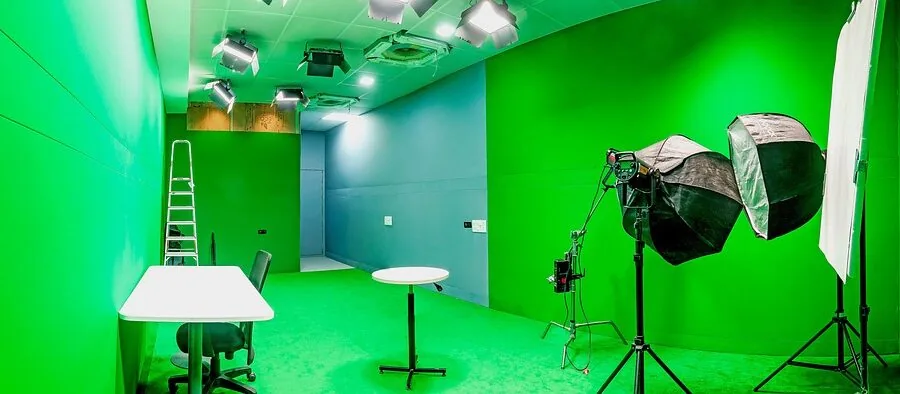
USB microphones are the standard entry point for a reason: plug the cable into your PC or Mac and your operating system recognizes it instantly, with no audio interface required.
For someone setting up their first streaming desk alongside a monitor and peripherals, the lower barrier to entry is a genuine advantage rather than a compromise.
XLR connections offer a ceiling that USB cannot match, because they route audio through a dedicated interface where you control gain staging, phantom power, and signal chain quality independently.
Several mics in this guide offer dual USB and XLR output, which is a smart future-proofing move: start simple on USB, then graduate to XLR when you are ready to invest in an audio interface without replacing the microphone itself.
Pure XLR-only models like the Shure SM7B make more sense once you already have an interface and understand gain structure. For most beginners, a USB-capable or dual-mode mic keeps the setup approachable on day one.
Microphone Type: Condenser vs. Dynamic
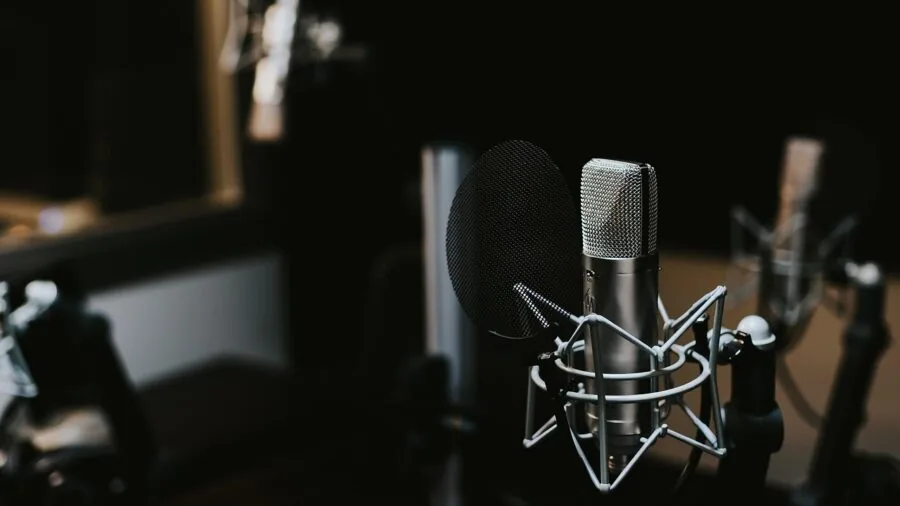
Condenser microphones are more sensitive and capture a wider frequency range, which translates to detailed, airy vocal reproduction. That sensitivity is a double-edged sword: condensers also pick up keyboard clicks, fan noise, and ambient room sounds more readily.
If you stream in a treated room or a quiet space, a condenser rewards you with natural-sounding audio.
Dynamic microphones are less sensitive and reject off-axis sound far more aggressively. They handle untreated rooms, mechanical keyboards, and noisy environments much better, which is why professional broadcasters have relied on dynamics for decades.
The cardioid polar pattern found on most dynamic streaming mics focuses tightly on what is directly in front of them, reducing bleed from the rest of your setup.
Beginners streaming from a standard bedroom or home office will often find a dynamic mic more forgiving.
Condensers shine in quieter, acoustically treated spaces or when voice quality and nuance are the top priority over noise rejection.
Onboard Controls and Monitoring
Real-time headphone monitoring, a physical mute button, and an accessible gain knob are quality-of-life features that matter enormously during a live stream.
Being able to tap-to-mute instantly without digging into software, or to hear yourself in your headphones at zero latency, directly reduces on-air mistakes.
Look for a mic that surfaces these controls on the body of the unit or on a companion desktop interface rather than burying them in a driver application.
Several models in this guide include a front-facing headphone jack and a dedicated volume wheel, letting you monitor your mix alongside your game or stream audio without touching OBS or your sound settings.
Pairing that monitoring with a capable set of over-ear headphones makes critical listening much more accurate.
A physical LED indicator that confirms mute status is a small but meaningful detail, especially during longer streaming sessions where you may step away from the desk briefly.
Polar Pattern and Noise Rejection
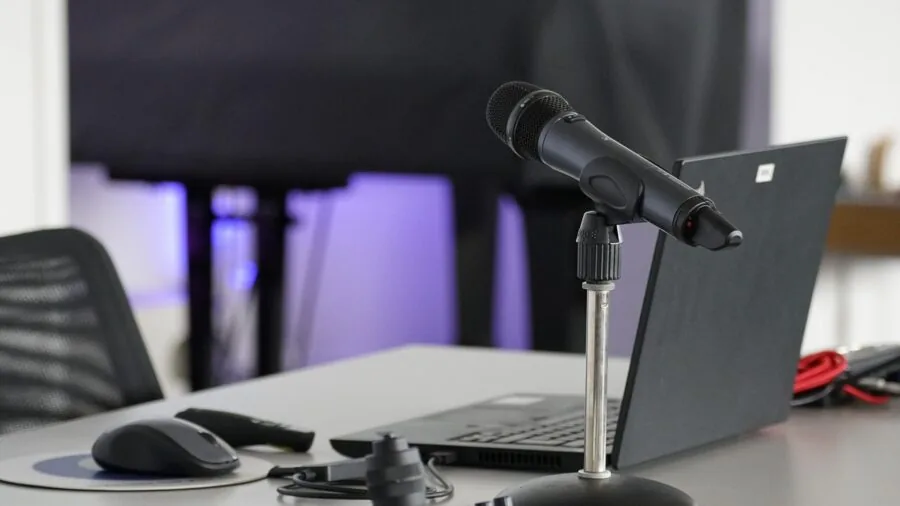
The vast majority of streaming microphones ship with a cardioid polar pattern, which captures sound from the front and strongly rejects sound from the rear and sides.
This is the right default for solo streaming: your voice is front and center, and your PC, fans, and ambient noise stay out of the recording.
Some microphones, including the Blue Yeti, offer switchable patterns such as bidirectional, omnidirectional, and stereo modes. These add flexibility for interview-style streams or musical performances, but beginners rarely need them on day one.
Selecting a mic with multi-pattern support gives you room to grow without buying a second microphone.
If your room has reflective surfaces or noticeable echo, a tighter cardioid or supercardioid pattern will perform noticeably better than an omnidirectional pickup regardless of the microphone’s stated frequency response.
Acoustic treatment or even a simple reflection filter behind the microphone can make a significant difference and is worth considering alongside your mic purchase.
Stand, Mount, and Desk Compatibility

A microphone sitting on a low desktop stand is much further from your mouth than an adjustable boom arm places it, and distance has a direct effect on how full and clear your voice sounds in a recording.
Many beginner-tier bundles now ship with a boom arm included, which is genuinely useful and reduces the temptation to run the mic at excessive gain to compensate for distance.
Shock mounts decouple the microphone capsule from mechanical vibrations traveling through the desk, which is especially useful if you type while streaming or if your desk is not particularly solid.
Some mics include a shock mount in the box; others rely on a standard threaded adapter that fits common third-party arms.
A dedicated streaming desk setup with a firm, vibration-resistant surface makes this less critical, but shock isolation is always a welcome extra.
Check the thread compatibility of any included mount (standard 5/8-inch to 3/8-inch adapters are the industry norm) before buying a separate arm, and confirm the weight rating of a third-party arm matches the microphone you choose.
Software Ecosystem and Platform Compatibility
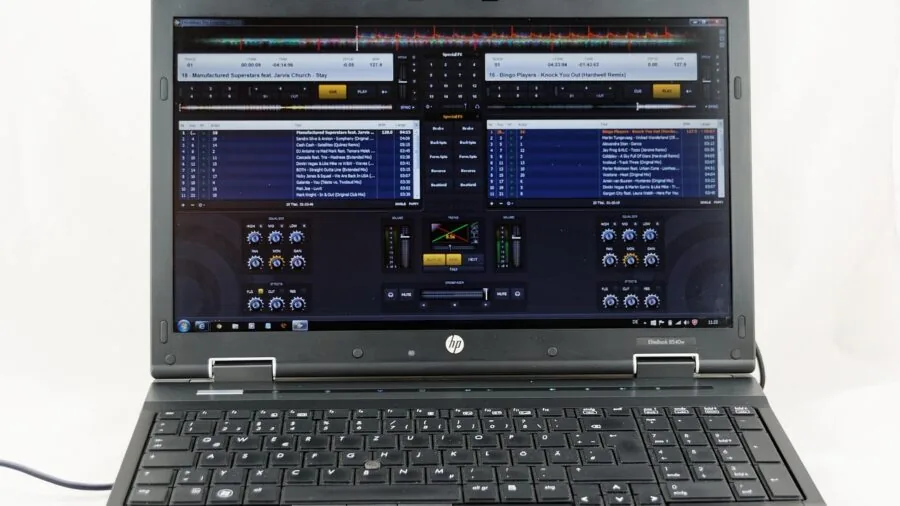
Some microphones ship with proprietary software that adds noise suppression, equalization presets, compressor controls, or virtual effects.
Blue VO!CE on the Blue Yeti is a well-regarded example, offering broadcast-style processing that meaningfully improves the out-of-box sound without requiring third-party plugins. MAONO’s companion application similarly unlocks DSP settings that are not accessible from hardware controls alone.
That said, reliance on proprietary software can create compatibility gaps or driver issues depending on your operating system.
The most stable streaming microphones work as USB Audio Class compliant devices, meaning they appear as a standard audio input in Windows, macOS, and Linux without requiring a driver installation.
OBS Studio and streaming platforms recognize these devices automatically, reducing setup friction considerably.
If you plan to build out a broader audio setup over time, consider how well the microphone integrates with a gaming ecosystem you are already invested in.
Some brands tie RGB lighting control and audio software into the same application suite, which simplifies the software overhead on your streaming PC.
Why You Should Trust Us
REMOVU is an independent review publication. We do not conduct our own product trials; our evaluations are grounded in research, published data, expert review consensus, and verified buyer feedback.
Every product in this guide was assessed against a consistent set of criteria covering audio quality, build, connectivity, onboard controls, software, and value for the beginner streaming context.
Each microphone receives a REMOVU Score on a scale of 0 to 10, calculated by weighing performance data from manufacturer specifications, consensus findings from experienced audio and streaming reviewers, and aggregated feedback from verified purchasers.
Scores reflect overall merit within the category and are updated when meaningful new information becomes available.
REMOVU may earn a commission if you purchase through a link on this page. That affiliate relationship has no influence on which products appear in our guides, how they are ranked, or what scores they receive.
Our recommendations are driven entirely by the quality of evidence behind each product, not by commission rates.
Final Thoughts
The twelve microphones in this guide cover a wide range of needs and budgets for anyone starting out in streaming. Here is how we would summarize the standout picks based on REMOVU Scores and the evidence behind each one.
- Best Overall: Blue Yeti USB Microphone earns the top REMOVU Score in the group with its versatile four-pattern pickup system, mature Blue VO!CE processing suite, and proven track record across thousands of verified streaming setups.
- Best Premium Pick: Shure MV7+ matches the top REMOVU Score while adding USB-C and XLR dual output, OBS certification, Auto Level Mode, and an LED control panel that makes it the smartest long-term investment for a beginner ready to grow.
- Best Mid-Range USB Mic: HyperX QuadCast 2 Frost earns a strong REMOVU Score with polished onboard controls, a removable shock mount in the box, and LED lighting that fits naturally into a gaming-oriented desk without requiring separate software to manage audio quality.
- Best Budget Bundle: FIFINE AmpliGame KS5 Bundle delivers the highest REMOVU Score among the budget-tier options by pairing a capable dynamic mic with an included streaming audio mixer, offering meaningful hands-on control over your audio chain at an accessible price point.
- Best for Noise-Prone Rooms: FIFINE AmpliGame AM8TW combines a dynamic capsule with a tight cardioid pattern and RGB customization, making it a strong pick for streamers dealing with mechanical keyboards, PC fan noise, or untreated spaces.
Whichever direction you go, pairing your new microphone with a well-positioned boom arm, a set of quality headphones, and some basic acoustic treatment will yield results that far exceed what any built-in microphone can offer.
Getting the fundamentals right early makes every stream sound more professional and keeps your audience focused on your content.
Frequently Asked Questions
Do I need an audio interface to start streaming with a microphone?
No. USB microphones connect directly to your computer and are recognized as a standard audio input without any additional hardware. Most models in this guide are USB-capable or USB-only, which keeps the setup simple for beginners.
An audio interface becomes relevant only if you want to use a pure XLR microphone or want granular control over your signal chain, which is a worthwhile upgrade path once you outgrow the basics.
Is a condenser or a dynamic microphone better for streaming from a bedroom?
For most untreated bedroom setups, a dynamic microphone is the more forgiving choice. Dynamic mics reject off-axis sounds more aggressively, which means keyboard noise, fan hum, and room reflections stay out of your stream.
Condensers capture more detail and nuance but also pick up more of the room. If your space is quiet and acoustically reasonable, a condenser will sound more open and natural. If ambient noise is a concern, start with a dynamic.
What is the benefit of a dual USB and XLR microphone for a beginner?
A dual-mode microphone lets you start on USB today, then connect via XLR to a proper audio interface later without buying a second mic. Several models in this guide, including options from FIFINE and MAONO, offer this flexibility.
It is a practical way to future-proof your purchase: you invest once in a quality capsule and upgrade the rest of the signal chain at your own pace as your streaming setup evolves.
This is particularly useful if you are also building out a broader capture and streaming rig over time.
How important is zero-latency monitoring for streaming?
Very important once you start wearing headphones during streams.
Zero-latency monitoring routes your voice directly through the microphone’s headphone jack rather than through your computer, eliminating the slight delay that can make hearing yourself feel disorienting or cause you to speak unnaturally.
Most microphones in this guide include a headphone output for exactly this reason.
If you plan to monitor your stream mix or communicate with viewers while wearing headphones, prioritize a model with a front-mounted 3.5 mm jack and independent monitoring volume control.
Can I use a streaming microphone for gaming communication, podcasting, or music as well?
Yes, and most models in this guide are designed with exactly that versatility in mind. Cardioid condenser mics like the Blue Yeti perform well for podcasting and voice-over work.
Dynamic mics like the FIFINE K688 and MAONO PD200XS handle both streaming and music vocal recording credibly.
The key distinction is that multi-pattern condensers offer more flexibility for interview formats, while dynamics stay cleaner in noisy environments regardless of use case.
If you also use gaming peripherals that generate desk vibration, a shock-mounted dynamic is the most versatile all-in-one starting point.
Do RGB lights on a microphone affect audio quality?
No. RGB lighting is entirely cosmetic and has no bearing on the acoustic or electronic performance of a microphone capsule.
That said, RGB implementations vary in terms of software overhead: some require a companion app running in the background to manage lighting modes, which adds a small software dependency to your streaming PC.
If minimizing background processes matters to you, look for mics where RGB is either purely hardware-controlled or easily disabled.
Audio quality is determined by the capsule design, polar pattern implementation, preamp quality, and connectivity, none of which are influenced by LED lighting.
About the author
Lucy covers AV receivers for REMOVU, digging into channel support, HDMI features, and how much clean power each unit delivers to a home theater. She translates dense spec sheets into plain advice for building a surround setup.