The 9 Best Wireless Mice Under $50
Wireless mice under $50 can cover everything from silent office use to multi-device Bluetooth switching. Here are the picks that genuinely deliver on comfort, battery life, and reliable tracking.
 By Serenity Richards
Updated July 26, 2026
By Serenity Richards
Updated July 26, 2026

Finding a reliable wireless mouse without overspending is easier than ever, but the sheer number of options across Logitech, Tecknet, HP, and budget-friendly brands can make the decision overwhelming.
A good wireless mouse affects comfort during long work sessions, precision when editing documents or photos, and the overall feel of your home office setup.
Whether you need a silent clicker for open-plan offices, a travel-friendly companion for your laptop, or a full-size ergonomic mouse for all-day use, the right pick exists at an accessible price point.
REMOVU assessed every model in this roundup through comprehensive research: manufacturer specifications, verified buyer feedback, and published expert review consensus. Our findings are distilled into a REMOVU Score for each pick so you can compare at a glance.
Read on for our top picks across every use case and budget level within this price range.
| Award | Product | REMOVU Score About REMOVU ScoreThe REMOVU Score is our own rating from 0 to 10, based on performance, design and build, ease of use, and value. It reflects independent research and is never influenced by manufacturers, retailers, or affiliate commissions. Learn more › | Price | |
|---|---|---|---|---|
| Best Overall |
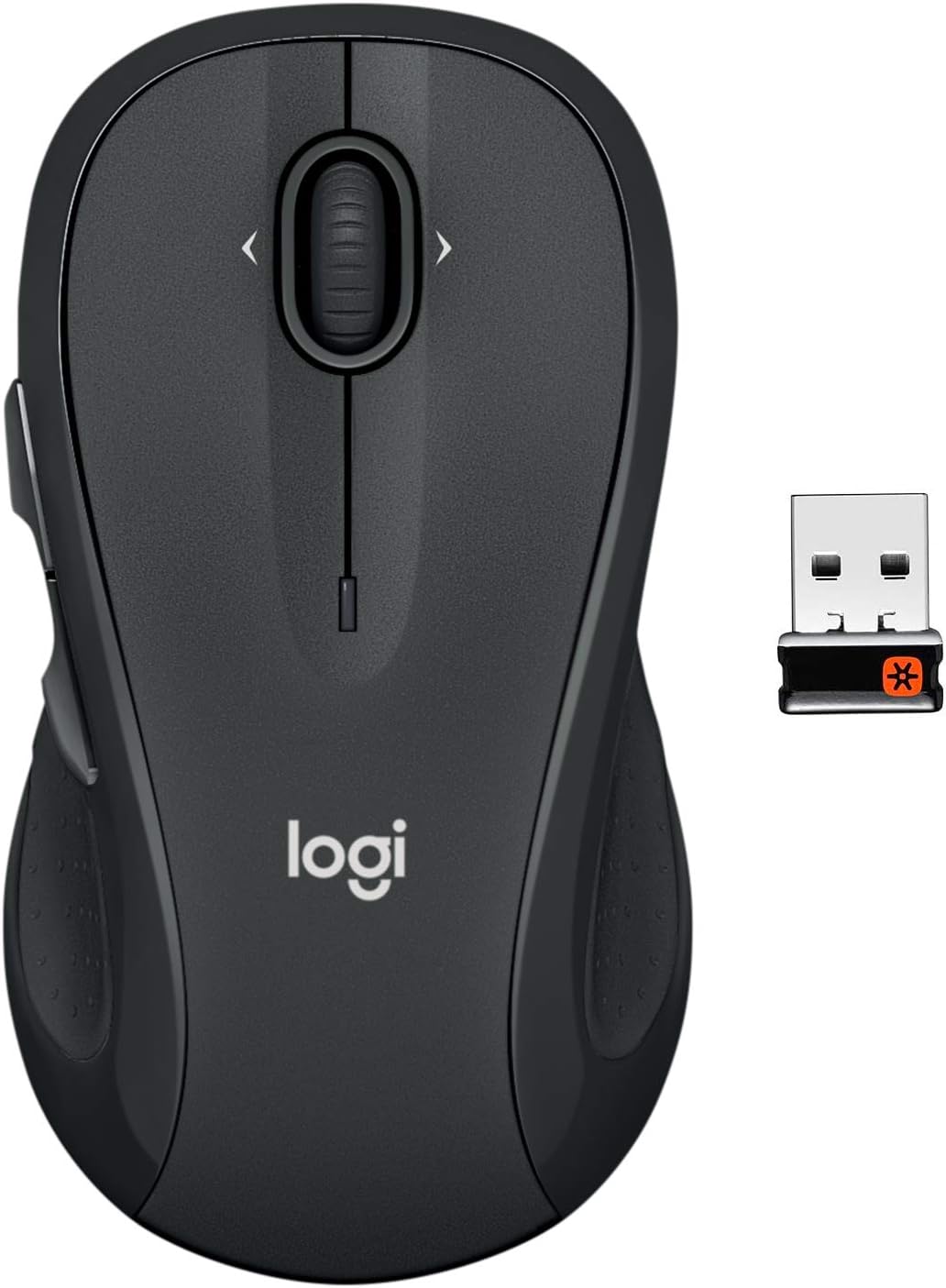 Logitech M510 Wireless Mouse
|
8.1/10 | Buy | |
| Best Premium |
 Logitech M350s Pebble 2 Bluetooth Mouse
|
7.9/10 | Buy | |
 Logitech M330 Silent Plus Wireless Mouse
|
7.8/10 | Buy | ||
| Best Value |
 Tecknet Wireless Mouse, 6-DPI Silent Ergonomic
|
6.9/10 | Buy | |
 HP X3000 G3 Wireless Mouse, 1600 DPI
|
6.8/10 | Buy | ||
 Tecknet Wireless Mouse, Dual Connectivity, 6-DPI Adjustable
|
6.6/10 | Buy | ||
| Best Budget |
 Tecknet BM20X Dual-Mode Wireless Mouse, 4000 DPI
|
6.5/10 | Buy | |
 Memzuoix 2.4G Wireless Mouse, 1400 DPI
|
6.2/10 | Buy | ||
 Tecknet 2.4G Wireless Mouse, 2600 DPI Ergonomic
|
6.2/10 | Buy |
Logitech M510 Wireless Mouse
This full-size wireless mouse combines comfort with practical productivity features. Its contoured shape and soft rubber grips suit extended use, while back/forward buttons and side-to-side scrolling speed up navigation. The 2-year battery life and tiny Unifying receiver eliminate frequent charging and cable clutter, making it a straightforward choice for everyday desktop work.
Pros
- Ergonomic design with contoured shape and soft rubber grips reduces hand fatigue during long sessions
- Exceptional 24-month battery life with on/off switch and smart sleep mode minimizes battery replacements
- Back/Forward buttons and side-to-side scrolling with zoom capability enhance workflow efficiency
- Tiny Unifying receiver stays connected to your device, reducing loss risk and supporting up to five compatible wireless devices
- Advanced optical tracking works reliably on most surfaces for responsive cursor control
- Programmable buttons via Logitech Options software for customized shortcuts
Cons
- Optimized for right-handers despite ambidextrous claim, limiting comfort for left-handed users
- Optical sensor does not function on glass or mirror surfaces, restricting desk setup options
- Side-to-side scrolling and zoom features require Logitech software installation on Windows or Mac, adding setup complexity
Logitech M350s Pebble 2 Bluetooth Mouse
A compact, minimalist Bluetooth mouse that prioritizes quiet operation and multi-device flexibility. The Pebble 2 M350s delivers 90% noise reduction via Silent Touch Technology and lets you pair up to 3 devices with easy one-button switching, making it ideal for hybrid workers and students who value portability and a distraction-free workspace.
Pros
- Silent Touch Technology removes 90% of click noise, keeping your workspace quiet
- Pairs with up to 3 devices (Windows, macOS, iPadOS, Chrome OS, Android) and switches between them with a dedicated button
- Customizable middle button via Logi Options+ app for app shortcuts and everyday actions
- Slim, lightweight design made with 58% post-consumer recycled plastic, easy to carry
- 2-year battery life with auto-sleep mode; battery included
Cons
- Logi Options+ app for full customization only available on Windows and macOS, limiting features on other platforms
- Logi Bolt USB receiver compatibility requires separate purchase if Bluetooth connection is insufficient
- No physical button customization beyond the middle button; limited to software-based personalization
Logitech M330 Silent Plus Wireless Mouse
A budget-friendly wireless mouse built for quiet offices and shared workspaces. The SilentTouch Technology cuts clicking noise by over 90 percent, while the contoured right-handed design and 18-month battery life make it practical for everyday use. Best suited for users prioritizing silence and simplicity over advanced features.
Pros
- Dramatically quieter clicks with SilentTouch Technology, reducing noise by over 90 percent compared to standard mice
- Excellent battery longevity at 18 months per AA battery, plus auto-sleep mode to extend runtime
- Compact and portable design fits easily into laptop bags for on-the-go work
- High-precision optical tracking works reliably on most surfaces with 10-meter wireless range
- Simple plug-and-play setup via USB-A receiver, compatible with Windows, macOS, ChromeOS, and Linux
Cons
- Right-handed design only, offering no ergonomic option for left-handed users
- No multi-device connectivity or Flow control features found in higher-end Logitech models
- Lower DPI and basic scrolling wheel compared to premium alternatives, limiting appeal for gaming or precision work
Tecknet Wireless Mouse, 6-DPI Silent Ergonomic
A budget-friendly wireless mouse that combines dual connectivity (Bluetooth 5.0 and USB) with silent clicking technology, making it well-suited for shared workspaces and quiet environments. Six adjustable DPI levels let you customize sensitivity for different tasks, while the ergonomic design caters to small and medium hands. With a 4.6-star rating from over 21,600 reviews, it delivers reliable performance across Windows, macOS, Chrome, and Linux.
Pros
- Silent clicking mechanism reduces noise in offices and libraries without sacrificing responsiveness
- Dual-device connectivity with easy one-button switching between Bluetooth and USB connections
- Six DPI presets (800-4800) accommodate both precision work and fast navigation
- Wide OS compatibility across Windows, macOS, Chrome, and Linux systems
- Extended battery life with automatic sleep mode and straightforward AAA battery operation
Cons
- Side buttons do not function on macOS, limiting functionality for Apple users
- Optimized for small to medium hands; may feel cramped for users with larger hands seeking a full-size mouse
- AAA batteries not included, requiring separate purchase for initial use
HP X3000 G3 Wireless Mouse, 1600 DPI
A no-frills wireless mouse built for everyday computing across Windows, Mac, and Chromebook. The 1600 DPI optical sensor handles general productivity and light gaming with solid accuracy, while the 15-month battery life and compact design make it practical for desk workers and travelers who value simplicity over features.
Pros
- Exceptional battery longevity at 15 months per AA battery, reducing replacement frequency
- Compact design with USB nano receiver that stores inside the mouse for portability
- Multi-OS compatibility covers Windows 10+, Mac, and Chrome without extra setup
- Multi-surface LED tracking works reliably on most desk surfaces
- Ambidextrous 3-button design with scroll wheel suits both left and right-handed users
Cons
- 1600 DPI sensor is entry-level; users needing higher precision or gaming performance may find it limiting
- Multi-surface sensor explicitly does not work on glass surfaces, restricting placement options
- No programmable buttons or advanced customization features compared to gaming-oriented alternatives
Tecknet Wireless Mouse, Dual Connectivity, 6-DPI Adjustable
A compact rechargeable mouse designed for small to medium hands, offering silent clicks and flexible connectivity via Bluetooth 5.0 or USB. The 6 adjustable DPI levels and 3-month battery life suit office workers and laptop users seeking a distraction-free typing environment.
Pros
- Silent click technology reduces noise in shared or quiet workspaces
- Dual device connection with quick switch between Bluetooth and USB
- 3-month battery life per charge with only 1.5-2 hour charging time
- 6 DPI levels (800-4800) for customizable cursor control
- Wide OS compatibility across Windows, macOS, Chrome, and Linux
- 36-month warranty with dedicated customer support
Cons
- Sized specifically for small to medium hands; less suitable for larger hand sizes
- Side buttons do not function on macOS systems
- Connection may become unstable when battery runs low, requiring frequent recharging reminders
Tecknet BM20X Dual-Mode Wireless Mouse, 4000 DPI
This 2-in-1 mouse connects via Bluetooth or 2.4GHz USB, letting you switch between two devices with a single button. The 6-level DPI adjustment and ergonomic design suit everyday work and light gaming, though the compact size may feel cramped for larger hands.
Pros
- Dual connectivity (Bluetooth 5.0/3.0 and 2.4GHz USB) with one-button device switching
- 6-level adjustable DPI from 800 to 4000, suitable for browsing to gaming
- Extremely portable with compact pear-sized design and nano receiver storage
- Long battery life (18 months on two AA batteries) with auto-sleep power saving
- Solid 36-month warranty and high user rating (4.5 stars from 11,600+ reviews)
Cons
- Requires AA batteries (not included and not rechargeable), limiting convenience for frequent travelers
- Compact size not suitable for large hands; may cause discomfort during extended use
- Back/forward buttons work only on Windows and Android, not macOS; no USB-C support for newer MacBooks without adapters
Memzuoix 2.4G Wireless Mouse, 1400 DPI
A budget-friendly wireless mouse with stable 2.4GHz connectivity and 43-foot range, designed for everyday use across Windows, Mac, and Linux systems. The ergonomic shape and plug-and-play setup make it accessible for home and office users, though it requires AAA batteries and offers no DPI adjustment beyond its fixed 1400 setting.
Pros
- Reliable 2.4GHz wireless transmission with extended 43-foot range and minimal interference
- True plug-and-play installation, no driver installation required
- Ergonomic contoured design with comfortable grip and responsive scroll wheel
- Energy-efficient auto-sleep mode activates after 7 minutes of inactivity
- Wide OS compatibility including Windows, Mac, and Linux with 365-day warranty
Cons
- Requires 2 AAA batteries (not included) rather than built-in rechargeable option, limiting convenience
- Fixed 1400 DPI with no adjustment capability, unlike competing models offering 800/1200/1600 DPI options
- Side buttons incompatible with Mac OS despite overall Mac compatibility
Tecknet 2.4G Wireless Mouse, 2600 DPI Ergonomic
A compact, battery-powered wireless mouse designed for medium to small hands with ergonomic side grips and adjustable DPI up to 2600. Delivers long battery life and reliable connectivity across multiple operating systems, though it's not rechargeable and won't work with glass surfaces.
Pros
- Extended 24-month battery life with power-saving mode and on/off switch
- Ergonomic contoured design with rubber side grips tailored for medium to small hands
- 5-level adjustable DPI (800-2600) for flexible cursor control
- Wide OS compatibility including Windows, Mac, Chrome OS, and Linux
- Compact and travel-friendly at 4.09 x 2.68 x 1.49 inches
Cons
- Not rechargeable; requires AAA batteries (not included)
- Does not work on glass surfaces; optical tracking limited to standard surfaces
- Side button incompatible with Mac systems despite Mac connectivity support
- Not completely silent; produces soft clicks rather than silent operation
Wireless Mice Under $50 Buying Guide
Shopping for a wireless mouse in this price bracket means balancing connectivity reliability, battery life, ergonomics, and sensor accuracy. There are no hard trade-offs you must accept.
Understanding the key criteria below will help you identify which model fits your workflow, whether you are pairing it with a Chromebook, a Windows desktop, or a MacBook.
Connectivity Type: USB Receiver vs. Bluetooth

Wireless mice in this category connect via one of two methods: a 2.4 GHz USB-A nano receiver or Bluetooth.
Receiver-based mice (like those using Logitech’s Unifying or standard nano dongles) offer consistently low latency and work on virtually any operating system without driver installation.
They are the safest choice for desktops and older laptops that lack Bluetooth or have unreliable Bluetooth stacks.
Bluetooth mice, on the other hand, preserve a USB port and are ideal for ultrabooks and tablets. Some models in this roundup offer dual connectivity, pairing Bluetooth 5.0 with a traditional USB receiver, letting you switch between two devices.
If you regularly move between a laptop and a desktop, that multi-device flexibility is genuinely useful and worth prioritising over a marginally better sensor.
Note that USB-A receivers matter for compatibility with monitors and peripherals that lack Bluetooth pass-through, especially when used with a KVM switch or a docking station.
Sensor and DPI Range

DPI (dots per inch) determines how far the cursor moves relative to physical mouse movement. For everyday productivity, anything between 800 and 1600 DPI covers most needs.
Higher DPI ceilings, some models here reach 4000 to 4800 DPI, are useful on high-resolution displays or for users who prefer fast cursor speeds.
However, a high DPI ceiling means nothing if the underlying optical sensor is noisy; verified buyer feedback consistently shows that mid-range Logitech sensors track more smoothly than many budget alternatives at equivalent settings.
Adjustable DPI buttons let you switch sensitivity on the fly, which is handy if you alternate between fine-detail work and general navigation. Look for at least three DPI steps.
For most office and home users, sensor accuracy and consistency matter far more than the maximum DPI figure printed on the box.
Battery Life and Charging
Battery longevity is one of the most practical differentiators in this segment. Many mice here claim 12 to 24 months on a pair of AA or AAA batteries, though real-world results depend heavily on usage patterns and auto-sleep aggressiveness.
Logitech’s power management is widely regarded as a benchmark in this regard, with multiple published reviews confirming close-to-spec battery life under normal conditions.
Rechargeable mice powered by USB-C or Micro-USB are increasingly common, even at budget prices. The Tecknet rechargeable options in this roundup eliminate the cost and inconvenience of replacement batteries entirely.
The trade-off is that you need to remember to charge them, and a dead mouse mid-workday is more disruptive than swapping in a fresh AA. Consider how disciplined you are about charging devices before choosing rechargeable over battery-powered.
Ergonomics and Hand Size

Ergonomics matter enormously for anyone using a mouse more than a couple of hours per day. Full-size mice with sculpted right-hand contours, thumb rests, and side grips reduce fatigue during extended sessions.
The Logitech M510, for example, is a full-size ambidextrous design that fits naturally under a palm grip. Compact and travel-oriented mice like the Logitech M350s Pebble 2 are lighter but typically suit fingertip or claw grips better than palm grips.
If you have smaller hands or frequently move between a desk and a bag, a compact slim mouse is a strong choice. For users prone to wrist strain, prioritise models with raised back profiles and side-grip texture.
Pair your mouse choice with a quality mechanical keyboard at the right height to round out an ergonomic workstation.
Some budget models advertise ergonomic shapes but lack the internal padding or weight distribution to back it up. Cross-referencing expert reviews and verified buyer comments about long-session comfort is the most reliable way to validate ergonomic claims without experiencing the mouse yourself.
Silent vs. Standard Clicks

Silent mice use dampened click mechanisms that significantly reduce audible noise, typically to around 90 percent quieter than standard switches according to Logitech’s published data for the M330 Silent Plus.
This is a meaningful feature in shared offices, libraries, late-night sessions, or video call environments where click noise is disruptive.
The main concern with silent mechanisms is whether they compromise tactile feedback.
Verified buyer consensus on the M330 Silent Plus shows that most users find the click feedback satisfying and comparable to standard mice, though a small minority miss the crisper feel of traditional switches.
Budget silent mice occasionally sacrifice too much feedback, so checking reviews specific to click feel is worthwhile before purchasing.
Operating System and Device Compatibility

Every mouse in this roundup is broadly compatible with Windows, macOS, and Chrome OS. However, some features, such as customisable side buttons and DPI adjustment software, may only be fully supported on Windows.
Logitech’s Options+ software extends button customisation on Mac and Windows alike, which is a genuine advantage for power users.
If you are pairing your mouse with a portable monitor setup or a multi-device workflow spanning a tablet and a laptop, confirm that your chosen mouse supports easy-switch functionality.
Several Tecknet models and the Logitech M350s Pebble 2 allow seamless switching between two paired devices, which adds meaningful flexibility for power users without adding cost.
Why You Should Trust Us
REMOVU is an independent review publication.
Every product in this roundup was evaluated using a consistent, multi-source research methodology: we analyse manufacturer specifications, cross-reference expert review consensus from published sources, and weigh verified buyer feedback to build a complete picture of each product’s real-world performance and reliability.
Each mouse is then rated on our 0 to 10 REMOVU Score, allowing direct comparison across models at different price points.
We do not conduct our own product trials; our evaluations are grounded in research, published data, expert review consensus, and verified buyer feedback.
This approach lets us cover a broader range of products more rigorously than any single reviewer could through individual use alone, and it ensures our scoring criteria remain consistent across the entire category.
REMOVU may earn a commission if you purchase through links on this page. That affiliate relationship has no influence on our scores, rankings, or product selection. Products are chosen and ranked solely on the merits of our research.
We have no commercial relationship with Logitech, Tecknet, HP, or any other brand featured here.
Final Thoughts
The wireless mice in this roundup cover a wide range of needs, from whisper-quiet office use to multi-device Bluetooth setups and bare-bones budget picks. Here is how we would summarise our top recommendations based on REMOVU Scores and standout attributes.
- Best Overall: Logitech M510 Full Size Wireless Mouse earns the top REMOVU Score in this roundup thanks to its proven full-size ergonomic design, reliable 2.4 GHz connection, tilt-to-scroll wheel, and Logitech’s consistently strong battery management, making it the most well-rounded pick for daily productivity use.
- Best Slim and Portable: Logitech M350s Pebble 2 is the standout travel companion, combining a slim Bluetooth profile with quiet clicks, multi-device easy-switch, and broad OS support across Windows, macOS, iPadOS, and Chrome OS.
- Best for Quiet Offices: Logitech M330 Silent Plus delivers the most credible silent-click experience in the group, backed by strong verified buyer consensus on both noise reduction and retained tactile feedback.
- Best Budget Pick: Tecknet Wireless Mouse BT 5.0/2.4G Silent 4800 DPI offers dual connectivity, six adjustable DPI levels, and a rechargeable battery at one of the lowest price points in the roundup, making it the most capable choice for shoppers on a tight budget.
- Best for Multi-Device Workflows: Tecknet Wireless Mouse BT 5.0/2.4G Rechargeable pairs Bluetooth 5.0 with a USB-A receiver and a two-device easy-switch button, letting you move between a laptop and a desktop without re-pairing, at a price that leaves room for other peripherals.
If you are building out a full home office setup, pairing a strong wireless mouse with a reliable laptop and a comfortable keyboard goes a long way toward a productive, fatigue-free workspace.
Students outfitting a desk from scratch might also want to explore desktop computers for students to find a complete setup that works within budget.
Frequently Asked Questions
Are wireless mice as responsive as wired mice for everyday use?
For productivity tasks such as document editing, web browsing, and general office work, 2.4 GHz wireless mice are effectively indistinguishable from wired mice in terms of responsiveness. The latency difference is imperceptible in daily use.
Competitive gaming is the one scenario where wired or dedicated gaming wireless mice have a measurable edge, but none of the mice in this roundup are aimed at that use case.
What is the difference between a 2.4 GHz receiver mouse and a Bluetooth mouse?
A 2.4 GHz mouse uses a small USB-A nano receiver plugged into your computer. It offers a stable, low-latency connection that works on essentially any PC or laptop regardless of its Bluetooth capabilities.
A Bluetooth mouse connects without occupying a USB port and supports pairing with tablets and devices that have no USB-A ports. Dual-mode mice combine both options, giving you flexibility across multiple devices.
How long do wireless mouse batteries typically last?
Battery life varies significantly by model and usage intensity. Premium mice from Logitech in this range are rated for up to 24 months on standard AA batteries, with auto-sleep features that extend life during idle periods.
Tecknet rechargeable models eliminate battery costs altogether but require periodic USB charging. Budget mice with no auto-sleep may drain batteries within a few months of daily use.
Checking verified buyer reports for real-world battery duration is more informative than relying solely on manufacturer claims.
Can I use these mice with a Chromebook or MacBook?
Yes. Every mouse in this roundup is compatible with Chrome OS and macOS at a basic plug-and-play level. Most features work natively.
Advanced button customisation may require manufacturer software, which is typically available for Windows and macOS but not always for Chrome OS.
The Logitech M510 carries a Chrome OS certification, and the M350s Pebble 2 explicitly supports iPadOS alongside desktop operating systems. If you are shopping for a Chromebook, any 2.4 GHz or Bluetooth mouse here will work without additional setup.
Is a higher DPI always better?
Not necessarily. DPI is a sensitivity setting, not a quality metric. A very high DPI on a lower-quality sensor can produce erratic tracking because the sensor amplifies its own noise at extreme settings.
For most users on standard 1080p or 1440p displays, a range of 800 to 1600 DPI is entirely sufficient.
The ability to adjust DPI in steps is more useful than a high ceiling, as it lets you match cursor speed to the task at hand rather than committing to one fixed sensitivity.
What should I look for if I plan to use my mouse with multiple computers?
Look for a mouse that supports at least two paired connections and includes a hardware switch or button to toggle between them without re-pairing. Several Tecknet models and the Logitech M350s Pebble 2 offer this via Bluetooth multi-pairing.
If one of your devices lacks Bluetooth, a dual-mode mouse (Bluetooth plus USB receiver) covers both scenarios. For a complete multi-device desk, a docking station can centralise your peripherals and simplify switching further.
About the author
Serenity covers home game consoles for REMOVU, weighing performance, exclusive libraries, and the ecosystem each platform locks you into. She helps players pick the console that fits how and what they play.