The 8 Best Ergonomic Wireless Mice
Wrist strain from long desk sessions is real. Here are the best ergonomic wireless mice across vertical, trackball, and sculpted designs, chosen for comfort, connectivity, and lasting value.
 By Kay Hanson
Updated July 26, 2026
By Kay Hanson
Updated July 26, 2026
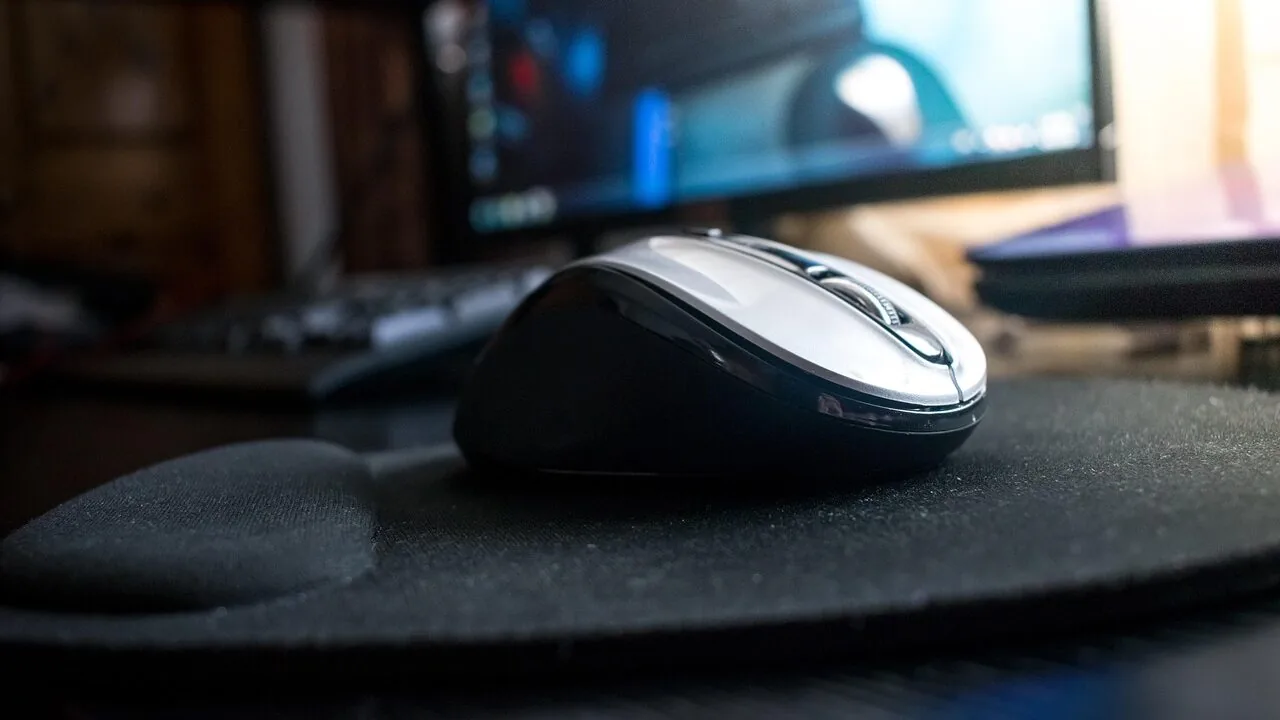
Spending hours at a desk with a conventional mouse can quietly take a toll on your wrist, forearm, and shoulder.
Ergonomic wireless mice are designed to address exactly that, repositioning your hand into a more natural orientation that reduces muscle strain and repetitive stress over long workdays.
Whether you are a remote worker clocking in eight hours of spreadsheet editing, a designer navigating dense software, or simply someone who wants to protect their joints for the long term, the right ergonomic mouse can make a measurable difference to how comfortable your setup feels by end of day.
This guide covers a curated selection of ergonomic wireless mice spanning trackball designs, vertical shapes, and sculpted contoured forms, from budget-friendly picks to premium options from Logitech and beyond.
REMOVU assembled these picks through structured research: manufacturer specifications, expert review consensus, and verified buyer feedback. Every product carries a REMOVU Score on our 0 to 10 scale so you can compare at a glance.
Read on for our top picks, and if you are outfitting a full monitors and peripherals workspace, we have guides across every category to help.
| Award | Product | REMOVU Score About REMOVU ScoreThe REMOVU Score is our own rating from 0 to 10, based on performance, design and build, ease of use, and value. It reflects independent research and is never influenced by manufacturers, retailers, or affiliate commissions. Learn more › | Price | |
|---|---|---|---|---|
| Best Overall |
 Logitech MX Ergo S Wireless Trackball Mouse
|
9.0/10 | Buy | |
| Best Premium |
 Logitech Ergo M575S Wireless Trackball Mouse
|
7.6/10 | Buy | |
 Philips Ergonomic Wireless Mouse with Dual Scroll
|
7.2/10 | Buy | ||
| Best Value |
 Tecknet Ergonomic Vertical Mouse, Bluetooth 5.0
|
6.6/10 | Buy | |
| Best Budget |
 Tecknet Ergonomic Vertical Mouse, Rechargeable Wireless
|
6.5/10 | Buy | |
 ProtoArc EM11 NL Vertical Ergonomic Mouse, Rechargeable
|
6.4/10 | Buy | ||
 Tecknet Ergonomic Vertical Mouse, 4800 DPI
|
6.3/10 | Buy | ||
 UGREEN Vertical Wireless Mouse with Dual-Mode Connectivity
|
6.2/10 | Buy |
Logitech MX Ergo S Wireless Trackball Mouse
A premium ergonomic trackball designed for users seeking precision control with reduced strain. The 20-degree tilt angle and contoured grip target medium to large hands, while dual wireless connectivity and customizable buttons integrate into demanding workflows. Best suited for professionals who prioritize posture and need a trackball alternative to traditional mice.
Pros
- 20-degree tilt reduces forearm muscle strain by 27% compared to standard mice, with ergonomist certification
- Advanced thumb control trackball allows precise cursor movement with minimal hand repositioning
- 6 customizable buttons plus DPI switch enable workflow shortcuts via Logi Options+ app
- Dual connectivity via Bluetooth or Logi Bolt receiver with Easy-Switch button for seamless multi-device use
- Fast USB-C charging delivers 24 hours of use from 1-minute charge; full charge lasts up to 120 days
- 80% quieter clicks than previous MX Ergo model
Cons
- USB-C charging cable not included in box, requiring separate purchase
- Logi Options+ app required for full customization and Smart Actions; limited functionality without it on non-Windows/macOS systems
- Contoured design optimized for medium to large hands, potentially uncomfortable for users with smaller hands
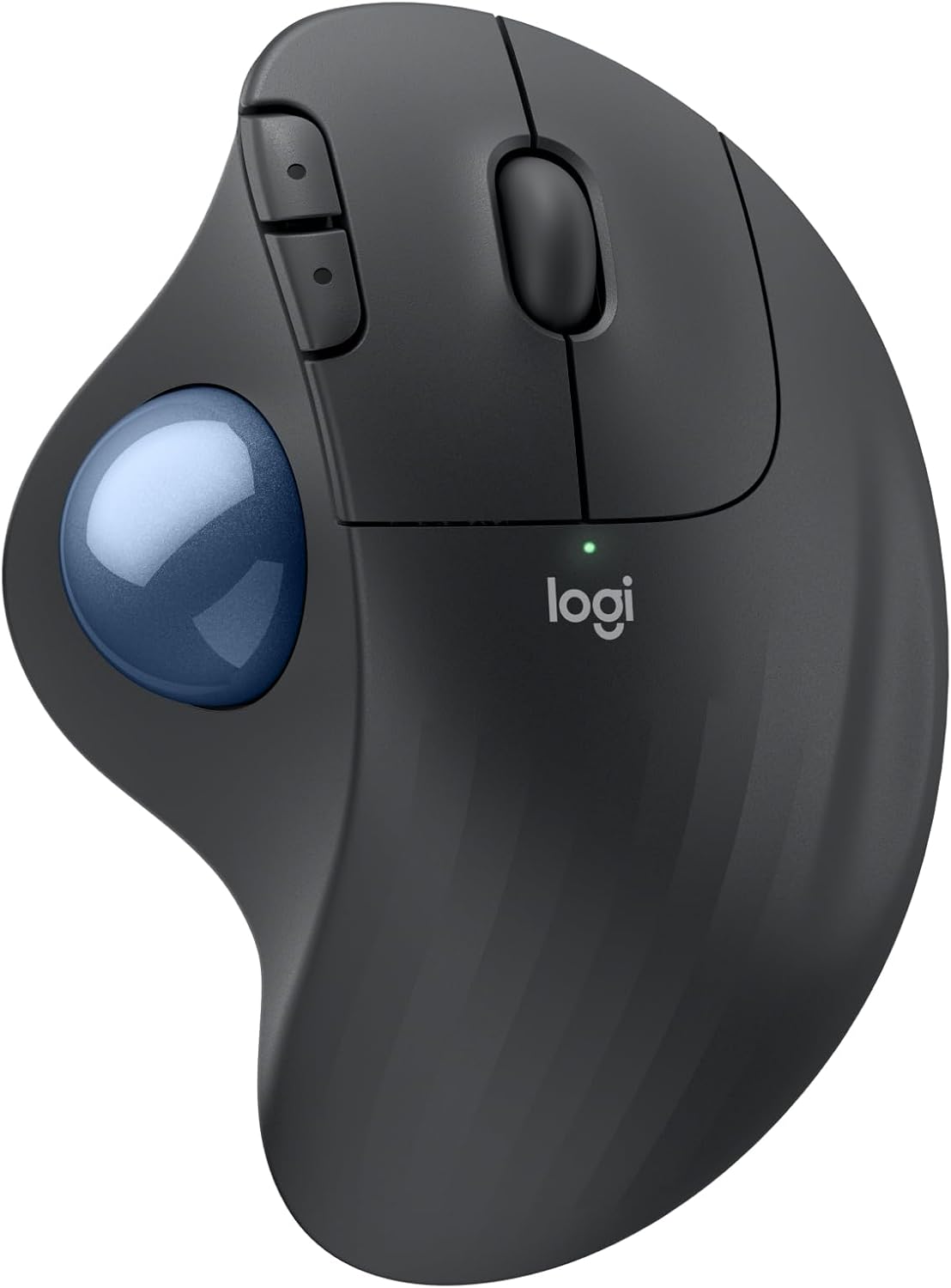
Logitech Ergo M575S Wireless Trackball Mouse
A thumb-controlled trackball designed to reduce forearm strain during extended work sessions. The ergonomic shape minimizes hand movement while maintaining precise cursor control, making it ideal for compact workspaces or users seeking a posture-friendly alternative to traditional mice. Rated 4.6 stars from over 2,100 verified buyers.
Pros
- 25% less forearm muscle strain compared to standard mice, certified by ergonomists
- Thumb control eliminates need to move your entire hand, saving desk space and working on any surface
- Dual connectivity with Bluetooth and Logi Bolt USB receiver for flexible setup
- Extended battery life up to 18 months on a single AA battery
- Made with 52% recycled plastic in Graphite model, reducing environmental impact
- Three customizable buttons with programmable shortcuts via Logi Options+ app
Cons
- Requires Logi Options+ app for full customization features, limited to recent Windows and macOS versions
- Trackball requires occasional cleaning and maintenance to prevent dust buildup
- Learning curve for users accustomed to traditional mouse movement and control patterns
Philips Ergonomic Wireless Mouse with Dual Scroll
A right-handed ergonomic mouse built for professionals juggling multiple devices. It pairs the comfort of a contoured grip with practical productivity features like dual scroll wheels and customizable buttons, plus multi-device Bluetooth connectivity that eliminates the need for a separate hub.
Pros
- Ergonomic right-handed design with anti-slip thumb rest reduces wrist fatigue during long workdays
- Dual scroll wheels (main and thumb-side horizontal) speed up spreadsheet and multi-monitor workflows
- Connects to three devices via Bluetooth or dual USB-A/C receiver, no bulky hub required
- Library-quiet silent switches won't disturb others in shared workspaces
- 25-day battery life per charge with 5-minute emergency top-up for critical moments
- 5-level adjustable DPI (800-4000) adapts to different work surfaces and tasks
Cons
- Right-handed design only, not suitable for left-handed users
- No physical reviews available yet to validate real-world durability or comfort claims
- Customizable macro mapping requires Philips software installation
Tecknet Ergonomic Vertical Mouse, Bluetooth 5.0
This vertical ergonomic mouse uses a 52-degree design to reduce wrist strain during long work sessions, supported by a 4.6-star rating from over 7,000 buyers. It pairs via Bluetooth 5.0/3.0 or 2.4G, charges fully in 1.5 hours for up to two months of use, and delivers near-silent clicks ideal for shared workspaces. Best suited for office professionals and anyone seeking ergonomic comfort without breaking the bank.
Pros
- Vertical 52-degree ergonomic design minimizes forearm and carpal tunnel strain
- Rechargeable 600mAh battery eliminates disposable battery waste; lasts up to two months per charge
- 99% noise reduction with silent click technology, practical for libraries and open offices
- Versatile connectivity: Bluetooth 5.0/3.0 and 2.4G with USB receiver for multi-device switching
- 6 adjustable DPI levels (800-4800) and 6 programmable buttons suit both productivity and gaming tasks
Cons
- Ergonomic fit optimized for S/M hand sizes; may feel cramped for larger hands
- Forward and back buttons don't function on Mac OS, limiting navigation convenience for Apple users
- No specifications provided for weight, dimensions, or full compatibility details beyond Windows and Mac OS X10.4+
Tecknet Ergonomic Vertical Mouse, Rechargeable Wireless
This vertical ergonomic mouse combines multi-device connectivity (Bluetooth 5.3 and 2.4GHz) with a 57-degree angled design meant to reduce wrist strain during extended work sessions. The rechargeable battery lasts around three months per charge, and quiet-click switches keep noise minimal. Best suited for users with medium-sized hands willing to spend a week adjusting to the upright grip.
Pros
- Seamless switching between three devices with no repeated pairing required
- Rechargeable battery eliminates constant battery replacement, with 2-3 hour charge time for roughly three months of use
- Ergonomic 57-degree angle designed to reduce carpal tunnel pressure and wrist fatigue
- Silent click mechanism reduces button noise by up to 90 percent
- Six adjustable DPI levels (800-4800) with visual indicator feedback
- 36-month warranty and wide OS compatibility (Windows, macOS, Chrome OS, Linux)
Cons
- Requires sizing consideration beforehand, as it's optimized for medium hands only
- Adjustment period of up to one week needed for comfort, making it unsuitable for immediate use
- Side buttons not supported on macOS, limiting functionality for Apple users
ProtoArc EM11 NL Vertical Ergonomic Mouse, Rechargeable
This 58-degree vertical mouse aligns your wrist into a more natural handshake position, addressing the strain of extended computer work. Designed for small to medium hands, it connects to three devices simultaneously via Bluetooth and 2.4G USB-A, making it practical for multitasking across devices. The rechargeable 500mAh battery eliminates disposable battery hassle, though users should expect a 1-2 week adjustment period before experiencing the ergonomic benefits.
Pros
- Proven ergonomic vertical design reduces wrist strain and repetitive stress injury risk with natural posture alignment
- Connects to 3 devices simultaneously via dual Bluetooth and 2.4G USB-A without re-pairing, ideal for switching between computer, tablet, and phone
- Rechargeable 500mAh battery with USB-C charging included, eliminating ongoing battery purchases
- Quiet clicking on primary buttons minimizes distraction during focused work
- Compatible with Windows, Mac, and Android systems
Cons
- Significant learning curve of 1-2 weeks required for adaptation; initial grip adjustment may feel uncomfortable
- Buttons are not programmable, and forward/back buttons do not function on Mac OS
- Sized specifically for hands under 7.5 inches (under 19.05 cm); larger hands may find it cramped or impractical
- USB-A receiver only; USB-C receiver not included despite USB-C charging capability
Tecknet Ergonomic Vertical Mouse, 4800 DPI
A vertical ergonomic mouse designed for small to medium hands, featuring a 52-degree angle that promotes natural wrist positioning during extended work sessions. The 4800 DPI optical sensor offers five adjustable levels, while silent click technology reduces noise by over 99 percent. Works across Windows and Mac systems with plug-and-play 2.4GHz wireless connectivity.
Pros
- Vertical design with 52-degree angle reduces wrist strain and RSI risk for prolonged office use
- Five DPI settings (800-4800) accommodate different usage preferences and skill levels
- Silent click mechanism reduces noise by over 99 percent without compromising tactile feedback
- Plug-and-play 2.4GHz wireless connection with 32-foot range, no drivers required
- Wide device compatibility with Windows and Mac systems, works on most surfaces
Cons
- Forward and back side buttons are not supported on Mac OS, limiting navigation convenience for Apple users
- Sized specifically for small to medium hands, may feel cramped or uncomfortable for users with larger hands
- Forward and back buttons produce audible clicks despite the silent main click design
UGREEN Vertical Wireless Mouse with Dual-Mode Connectivity
This ergonomic vertical mouse prioritizes wrist comfort with its natural handshake grip, making it ideal for extended work sessions. Dual Bluetooth and 2.4G connectivity lets you switch between three devices seamlessly, while quiet-click buttons and adjustable DPI levels serve both productivity and casual use across Windows, Mac, Linux, Android, and ChromeOS.
Pros
- Ergonomic vertical design reduces wrist rotation and strain for long computing hours
- Dual-mode wireless connectivity (Bluetooth 5.4 and 2.4G USB) with multi-device switching support
- Silent click mechanism keeps workspace quiet without sacrificing tactile feedback
- Four adjustable DPI levels (1000/1600/2000/4000) accommodate different work tasks and gaming
- Broad OS compatibility and single AA battery powering with smart sleep mode extends uptime
Cons
- Vertical design may feel unfamiliar or uncomfortable for users accustomed to traditional mouse shapes
- Limited information on actual battery life duration under typical usage conditions
- 5-button layout and feature set are functional but not feature-rich compared to gaming-focused alternatives
Ergonomic Wireless Mice Buying Guide
Choosing an ergonomic wireless mouse involves more than picking whatever looks comfortable on a product page. The “ergonomic” label covers very different form factors, each suited to different hand sizes, grip styles, and work habits.
The sections below walk through the criteria that matter most, drawn from the same research framework REMOVU uses to evaluate every product in this roundup.
Ergonomic Design Style: Vertical, Trackball, or Sculpted

The single biggest decision is which ergonomic approach suits your grip and workflow. Vertical mice tilt your hand into a handshake position, typically at around 57 to 60 degrees, which keeps the forearm bones parallel rather than twisted.
Most users report noticeably less forearm fatigue within a week or two of switching. Trackball mice take a different approach entirely: the mouse body stays still while a thumb or finger-operated ball does the pointing.
This eliminates wrist and arm movement almost completely, making trackballs particularly valuable for users with limited desk space or repetitive strain injuries.
Sculpted contoured mice are a middle ground, shaped to cradle the palm without the steep vertical tilt, and they tend to feel immediately familiar to anyone upgrading from a standard mouse.
Consider your current discomfort. If forearm pronation (rotating the palm downward) is the main issue, a vertical design will address it most directly. If wrist movement itself causes pain, a trackball is worth prioritizing.
If you simply want more palm support on long sessions, a sculpted mouse is the least disruptive upgrade.
Hand size matters too: most ergonomic mice are optimized for medium to large right-handed users, though a growing number of multi-device wireless options work reasonably well for smaller hands.
Wireless Connectivity and Multi-Device Support

A quality ergonomic wireless mouse should give you the freedom to move between devices without friction.
Most options here support one of three connection methods: a 2.4 GHz USB receiver (low-latency, highly reliable), Bluetooth 5.0 or higher (no dongle needed, connects directly to laptops and tablets), or both simultaneously.
Some models, including several in this lineup, let you pair up to three devices and switch between them with a button press, which is a genuine productivity advantage if you use a work laptop alongside a personal desktop.
For most office users, Bluetooth 5.0 or 5.3 provides more than enough speed with negligible latency for everyday productivity tasks like writing, browsing, and spreadsheet work.
If you occasionally use your mouse for casual gaming or fast document navigation where precision matters most, a dedicated 2.4 GHz USB-A dongle will feel snappier.
Pairing your mouse with a capable mechanical keyboard that uses the same wireless standard can also simplify your USB port usage.
Battery Life and Charging
Wireless ergonomic mice generally fall into two battery categories: rechargeable built-in batteries charged via USB-C (or occasionally Micro-USB), and replaceable AA or AAA batteries.
Rechargeable models are more convenient day-to-day and better for the environment, but they require you to plan around charging cycles.
Look for a mouse with a battery capacity large enough to last at least several weeks on a single charge under normal office use.
Many budget-oriented vertical mice use 500 mAh batteries and deliver roughly 30 to 60 days of realistic use, while premium models like Logitech’s trackballs can stretch considerably longer.
USB-C charging is the clear preference in 2026 because it uses the same cable as most modern laptops and smartphones. If a mouse still uses Micro-USB or proprietary connectors, factor in the added cable clutter.
Some high-end models support charging while in use, which means you never have a dead mouse during a critical deadline.
DPI Range and Sensor Quality

DPI (dots per inch) determines how far the cursor travels relative to physical hand movement.
For ergonomic use, a useful range starts around 800 DPI for precise work on a standard 1080p monitor and can go up to 3,000 or 4,000 DPI for users on high-resolution displays or multi-monitor setups.
Most ergonomic mice in this price range offer between four and six selectable DPI levels, often topped at 4,800 DPI, which covers virtually all productivity scenarios.
Pay more attention to how smooth the sensor tracks across your actual desk surface than to the peak DPI number alone.
Optical sensors in this category perform well on standard mouse pads and most desk surfaces, though some budget sensors can stutter on glass or very dark surfaces.
Trackball mice are uniquely immune to surface issues since the sensor reads the ball directly, making them ideal for cramped or unconventional workspaces.
If you are building out a thoughtful desk setup, a good monitor paired with the right pointer device can make your whole workstation feel cohesive.
Button Layout and Programmability

Standard ergonomic mice come with at least three buttons (left click, right click, scroll wheel) and usually add two side thumb buttons for browser back and forward navigation.
More premium models offer six or more programmable buttons, forward and back thumb buttons, and customizable scroll wheel behavior.
Trackball mice often include a dedicated scroll ring or tilt wheel around the ball itself, which adds a useful third axis of navigation without requiring you to move your hand.
Programmability matters most for power users. If you work in creative applications, video editing tools, or IDE environments, software-remappable buttons can replace frequently accessed keyboard shortcuts and keep your hand on the mouse more of the time.
Logitech’s Options+ software is one of the more capable implementations in this category. For everyday productivity users, the default button mapping on most ergonomic mice is perfectly sensible out of the box and requires no configuration.
Build Quality, Comfort, and Platform Compatibility

Ergonomic mice see more sustained, low-intensity physical contact than almost any other peripheral, so tactile quality matters.
Look for rubberized side grips, smooth-gliding PTFE feet, and click mechanisms that feel responsive but do not require hard pressing (which defeats the ergonomic purpose).
Quiet-click variants have become significantly more common at every price point and are worth considering for open-plan offices or shared spaces.
Weight is a secondary factor: heavier mice can reduce involuntary hand tremor for some users but add up in fatigue for others on long sessions.
Check platform compatibility before purchasing. Most wireless ergonomic mice work across Windows, macOS, Linux, Android, and ChromeOS via Bluetooth or the 2.4 GHz receiver, but software customization apps are often Windows and Mac only.
If you primarily use Linux or ChromeOS, a plug-and-play model with hardware DPI switching is more practical than one requiring a companion app to unlock its full features.
It is also worth noting that the best ergonomic setup pairs your mouse with the right display height, so a portable monitor at the right eye level can work in tandem with your ergonomic peripherals to reduce neck strain as well.
Why You Should Trust Us
REMOVU is an independent review publication. Every product in this roundup was evaluated using the REMOVU Score, a consistent 0 to 10 rating scale applied across specifications, expert review consensus, and verified buyer feedback.
We do not conduct our own product trials; our evaluations are grounded in research, published data, expert review consensus, and verified buyer feedback.
This approach lets us analyze a broader range of products across categories than any single reviewer could cover in isolation, and it means our scores reflect a synthesized view rather than a single person’s experience on a single day.
Our editorial process is separate from our business relationships.
REMOVU may earn a commission if you purchase through a link in this article, but affiliate arrangements have no influence on which products appear in our roundups, how they are ranked, or what score they receive.
Recommendations are driven entirely by the quality of research and the data behind each product. We believe in disclosing this clearly so you can weigh our guidance with full transparency.
For a broader look at the peripheral category, our monitors and peripherals hub covers everything from webcams to docking stations.
Final Thoughts
The ergonomic wireless mouse market in 2026 is genuinely well-served across every budget tier.
Whether you are prioritizing a premium trackball for long creative sessions, a budget-friendly vertical mouse for occasional desk use, or a multi-device rechargeable option that works across all your screens, there is a well-researched pick in this lineup to match.
Here are our key recommendations by use case, each grounded in REMOVU Score and verified research:
- Best Overall: Logitech MX Ergo S Advanced Wireless Trackball Mouse earns the top spot with the highest REMOVU Score in this roundup. Its advanced ergonomic trackball design, precision-adjustable tilt, USB-C charging, and robust multi-device Bluetooth support make it the most well-rounded option for serious desk users.
- Best for Everyday Office Use: Logitech Ergo M575S Wireless Trackball Mouse brings the trackball convenience of its bigger sibling at a more accessible price, with reliable Logi Bolt and Bluetooth connectivity and a comfortable thumb-operated ball that suits long productivity sessions.
- Best Multi-Device Productivity Mouse: PHILIPS Ergonomic Wireless Mouse stands out for its side-scroll wheel, rechargeable battery, and broad multi-device Bluetooth support across USB-A and USB-C, making it an excellent choice for users who switch between a laptop and a desktop throughout the day.
- Best Budget Vertical Mouse: ProtoArc EM11 NL Wireless Ergonomic Vertical Mouse delivers the 58-degree vertical posture correction, three-device connectivity, and USB-C recharging at an entry-level price, representing genuine value for anyone new to vertical mice.
Whatever your budget, switching to an ergonomic wireless mouse is one of the higher-value upgrades you can make to a daily workstation.
Pair it with a well-positioned display and a quality input setup, and you will notice the difference well before the end of your first week.
If you are putting together a complete desk ecosystem, our roundups on mechanical keyboards and SSDs for laptops are worth a read next.
Frequently Asked Questions
Are Vertical Mice Actually Better for Your Wrist?
For many users, yes. Vertical mice tilt the hand into a neutral handshake position that reduces forearm pronation, one of the primary contributors to repetitive strain in traditional mouse use.
Multiple peer-reviewed occupational health studies have found statistically significant reductions in muscle activity and reported discomfort when participants switched to vertical designs.
That said, ergonomics are personal: some users find vertical mice awkward initially and need a one to two week adjustment period, while others with certain grip styles may not notice a dramatic difference.
Trackball mice offer a complementary benefit by eliminating arm movement almost entirely, which is valuable for users whose discomfort comes from broad wrist arcing rather than pronation.
If you are unsure which approach suits you, starting with a budget vertical option is a low-risk way to find out before investing in a premium trackball.
What Is a Good DPI Setting for an Ergonomic Mouse?
For most productivity work on a standard 1080p or 1440p display, a DPI between 800 and 1,600 strikes a good balance between precision and comfortable cursor speed.
Higher DPI settings (2,400 to 4,800) are useful on large 4K monitors or multi-monitor setups where you need to move the cursor across a lot of screen real estate quickly.
Lower settings (400 to 600 DPI) suit very precise pointer work like detailed image editing.
The mice in this roundup offer between four and six adjustable DPI levels, which means you can experiment without committing.
Start in the middle of the available range and adjust up or down based on how far you are physically moving your hand to reach the corners of your screen.
Can I Use an Ergonomic Wireless Mouse with a Mac?
Yes. Every mouse in this roundup is compatible with macOS via Bluetooth or 2.4 GHz USB receiver. Most work as plug-and-play devices, giving you left click, right click, scroll, and side buttons without any additional software.
Logitech’s Options+ app is available for both Windows and macOS and unlocks full button remapping and customization on supported models.
One caveat: some companion apps from budget brands are Windows-only, so if you need software-level DPI customization or button remapping on a Mac, stick to the Logitech options in this lineup or verify macOS software support before purchasing.
Hardware DPI switching via a dedicated button on the mouse itself works on every platform regardless of software.
How Long Do the Batteries Last in Wireless Ergonomic Mice?
Battery life varies significantly by design and usage pattern. Budget vertical mice with 500 mAh rechargeable batteries typically deliver 30 to 60 days of use under moderate daily activity before needing a charge.
Premium models with larger batteries or power-efficient chips can run for several months.
Trackball mice like the Logitech MX Ergo S tend to be especially efficient because the sensor only activates when the ball moves, rather than continuously tracking surface movement.
Using Bluetooth generally draws slightly less power than a 2.4 GHz receiver on models that offer both.
If battery life is a top priority, look for models with USB-C fast charging and a quick-charge feature that gives you several hours of use from a brief 5 to 10 minute top-up.
Most mice in this roundup support USB-C charging, which makes cable management simpler alongside modern laptops and docking stations.
Is a Trackball Mouse Worth the Learning Curve?
For users dealing with wrist or shoulder discomfort, a trackball is often worth the adjustment period.
Most people adapt within one to two weeks of regular use, after which cursor control feels natural and often more precise than a traditional mouse for fine detail work.
The key advantage is that your entire arm remains stationary, which dramatically reduces cumulative joint stress over a full workday.
Trackballs are particularly popular among designers, developers, and data analysts who spend significant time in precision software environments. They also work well in tight desk spaces where a full mouse pad is not practical.
If you are already comfortable with your keyboard layout and want to reduce the total range of hand motion across your desk, a trackball is an upgrade worth trying at any budget level.
Do Ergonomic Mice Work for Left-Handed Users?
The majority of ergonomic wireless mice, including every model in this roundup, are designed for right-handed use. Vertical mice in particular have a contoured shape that physically does not translate to the left hand.
Trackball mice are slightly more ambidextrous in some designs since the thumb ball position is the primary asymmetry, but even most trackballs in this price range are right-hand optimized.
Left-handed users have fewer options in the ergonomic category overall. Symmetrical sculpted mice or ambidextrous vertical designs exist but are less common.
If you are left-handed and prioritize ergonomics, it is worth researching specifically ambidextrous ergonomic models before committing, as forcing a right-hand ergonomic mouse into the left hand can actually worsen strain rather than improve it.
About the author
Kay is REMOVU's drawing tablet writer, weighing pen accuracy, screen quality, and software support for artists and designers. She matches pen and display tablets to real creative workflows and budgets.