The 6 Best Motherboards Under $200
Socket, chipset, VRM quality, connectivity: picking a motherboard under $200 involves more trade-offs than most builders expect. These picks cover AM5 and LGA 1700 platforms.
 By Teresa Price
Updated July 26, 2026
By Teresa Price
Updated July 26, 2026
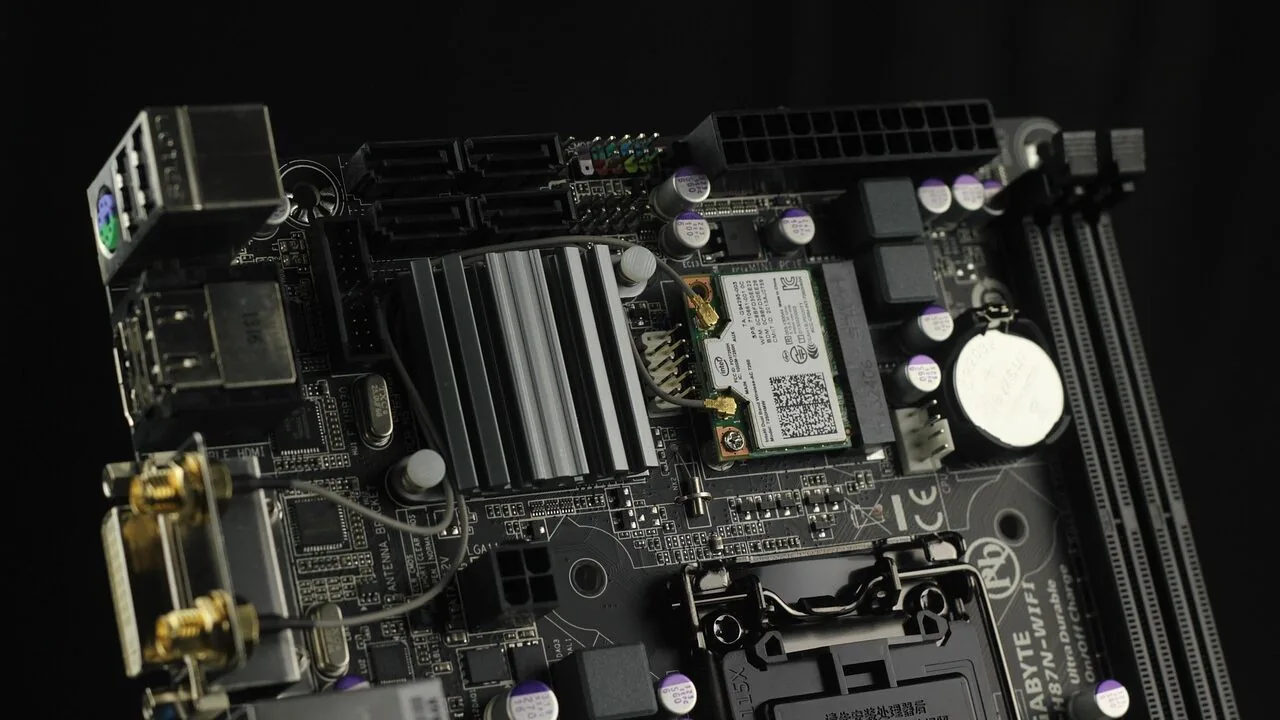
Picking the right motherboard under $200 is one of the most consequential decisions in any PC build.
It determines which processors you can run, how much RAM the system supports, what storage and connectivity options are available, and how much headroom you have for future upgrades.
With both AMD AM5 and Intel LGA 1700 platforms sitting comfortably in this price bracket, there are genuinely strong options for every type of builder, from budget-conscious first-timers to seasoned enthusiasts who want modern features without overspending.
Pairing your board with the right processors and a fast solid state drive can transform a mid-range build into something that punches well above its weight.
At REMOVU, we evaluated every board in this guide through comprehensive research: comparing official specifications, analyzing expert review consensus across the industry, and weighing verified buyer feedback to surface only the options that consistently deliver strong real-world value.
Our picks span ATX and mATX form factors, DDR4 and DDR5 memory platforms, and both major CPU ecosystems, so whether you are building a productivity rig, a gaming machine, or a compact workstation, the right board is in the list below.
| Award | Product | REMOVU Score About REMOVU ScoreThe REMOVU Score is our own rating from 0 to 10, based on performance, design and build, ease of use, and value. It reflects independent research and is never influenced by manufacturers, retailers, or affiliate commissions. Learn more › | Price | |
|---|---|---|---|---|
| Best Overall |
 Asus ROG Strix B550-F WiFi II AM4 Motherboard
|
8.6/10 | Buy | |
| Best Value |
 ASUS B650E MAX Gaming WiFi W Motherboard
|
8.4/10 | Buy | |
| Best Premium |
 Gigabyte B850M AORUS Elite WiFi6E AM5 mATX
|
8.3/10 | Buy | |
 GIGABYTE B650 Eagle AX AM5 Motherboard
|
8.2/10 | Buy | ||
| Best Budget |
 MSI PRO B760-P WiFi DDR4 ATX Motherboard
|
7.1/10 | Buy | |
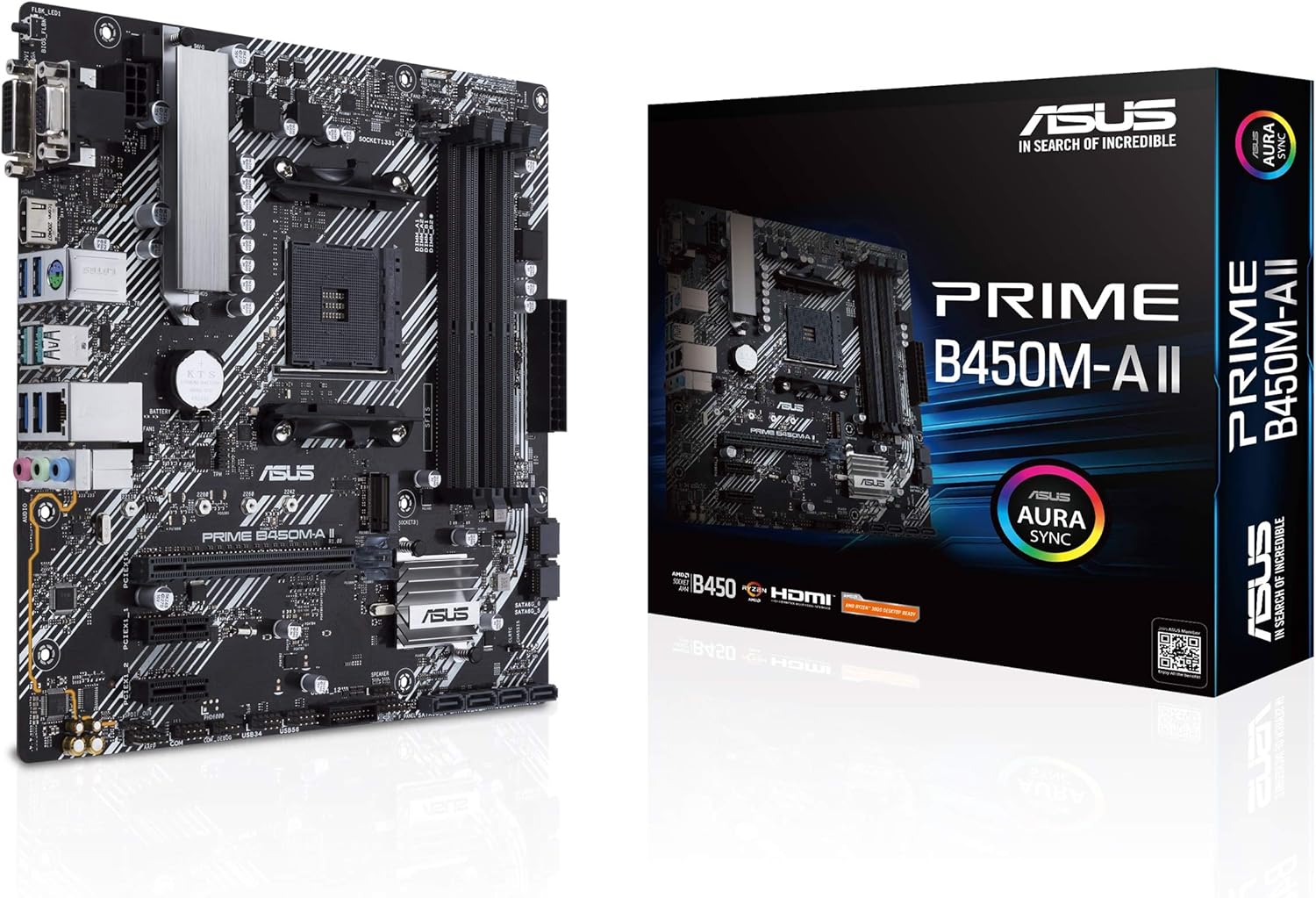 ASUS Prime B450M-A II Micro ATX Motherboard
|
6.8/10 | Buy |
Asus ROG Strix B550-F WiFi II AM4 Motherboard
A feature-rich B550 platform built for AMD Ryzen 3000 and 5000 series processors, combining PCIe 4.0 storage, WiFi 6E, and 2.5Gb Ethernet for gaming and content creation workloads. The robust power delivery, comprehensive cooling options, and premium audio processing make it a solid choice for enthusiasts seeking balanced performance and connectivity without premium-tier pricing.
Pros
- Dual M.2 slots with PCIe 4.0 support on one slot for fast NVMe storage
- WiFi 6E and 2.5Gb Ethernet provide strong wireless and wired connectivity options
- 12+2 power stages with quality components support stable overclocking and multitasking
- AI noise-canceling microphone and SupremeFX audio codec deliver competitive streaming and gaming audio quality
- BIOS FlashBack, pre-mounted I/O shield, and Q-LEDs simplify building and troubleshooting
- Aura Sync RGB ecosystem with dedicated headers allows extensive lighting customization
Cons
- B550 chipset lacks PCIe 5.0 support found on newer X670 platforms, limiting future-proofing
- Only one M.2 slot supports PCIe 4.0, the second remains on PCIe 3.0
- Premium positioning relative to other B550 boards means you're paying for aesthetics and software integration that budget alternatives don't include
ASUS B650E MAX Gaming WiFi W Motherboard
This AM5 motherboard targets builders seeking PCIe 5.0 connectivity and modern networking without premium pricing. The 8+2+1 power design, WiFi 6E, and comprehensive cooling suite make it solid for Ryzen 7000/8000 series builds, though the feature set is fairly standard for the B650E tier.
Pros
- PCIe 5.0 M.2 and x16 slots enable future-ready storage and GPU performance
- WiFi 6E and 2.5Gb Ethernet provide strong connectivity options
- Robust power delivery with 8+2+1 phase design and thermal management for stable overclocking
- Flexible M.2 heatsink design prevents throttling during sustained transfers
- Three Addressable RGB headers with Aura Sync for customization
Cons
- B650E feature parity means limited differentiation from competing models at similar price points
- White PCB aesthetic is niche and may limit appeal to buyers seeking traditional black designs
- Extensive DDR5 tuning options require BIOS familiarity to fully leverage, adding complexity for casual users
Gigabyte B850M AORUS Elite WiFi6E AM5 mATX
A compact AM5 motherboard built for Ryzen 9000/8000/7000 processors with robust power delivery and modern connectivity. The 12+2+2 VRM design and PCIe 5.0 support make it suitable for enthusiasts who want overclocking capability in a smaller form factor, while WiFi 6E and 2.5GbE ensure future-ready networking.
Pros
- Strong 12+2+2 VRM with thermal armor for consistent performance and overclocking stability
- PCIe 5.0 x16 and M.2 slots ready for next-gen storage and graphics
- WiFi 6E with dedicated 6GHz band reduces network congestion and interference
- DIY-friendly with EZ-Latch connectors for easier M.2 and PCIe installation
- Solid 4.5-star rating from 268 verified reviews indicates reliable real-world performance
Cons
- mATX form factor limits expansion slots compared to full-size ATX boards
- Limited to 4 DIMM slots for DDR5 memory, restricting maximum capacity upgrades
- Compact layout may present cable management challenges in smaller cases
GIGABYTE B650 Eagle AX AM5 Motherboard
A solid mid-range AM5 platform built for Ryzen 7000/8000/9000 processors with DDR5 support and modern connectivity. The B650 Eagle AX balances performance features like PCIe 5.0 storage and WiFi 6E with practical thermal management, making it a reliable choice for builders seeking stable overclocking and smooth daily operation without premium pricing.
Pros
- PCIe 5.0 M.2 slot for future-ready NVMe storage alongside two PCIe 4.0 slots
- 12+2+2 phase digital VRM with dedicated thermal guards for stable power delivery and SSD performance
- WiFi 6E and Gigabit LAN for comprehensive networking options
- DDR5 compatibility with AMD EXPO and Intel XMP support for flexible memory tuning
- 4.6-star rating across 965 reviews indicates consistent user satisfaction
Cons
- ATX form factor takes up full case space, limiting options for compact builds
- B650 chipset sits between entry-level B550 and high-end X870E, offering less cutting-edge features than flagship models
- No information on BIOS update frequency or long-term driver support consistency
MSI PRO B760-P WiFi DDR4 ATX Motherboard
A business-focused ATX motherboard built for Intel's 12th-14th gen processors with solid thermal management and modern connectivity. The extended heatsink design, M.2 Shield Frozr, and reinforced PCIe slots cater to users running sustained workloads, while Wi-Fi 6E and 2.5G LAN provide reliable networking for productivity-heavy setups.
Pros
- Robust power delivery with 12+1 Duet Rail system and dual CPU power connectors for stable heavy-load performance
- Comprehensive thermal solution including extended VRM heatsink, MOSFET thermal pads, and M.2 Shield Frozr to prevent throttling
- Modern connectivity: Wi-Fi 6E, Bluetooth 5.3, 2.5Gbps LAN, and USB 3.2 Gen 2 Type-C for fast data transfers
- DDR4 support up to 5333MHz OC with Memory Boost for optimized overclocking stability
- PCIe 4.0 slots with Steel Armor reinforcement for better signal integrity and heavier GPU support
Cons
- DDR4-only memory support limits future upgrade path compared to DDR5 alternatives on newer platforms
- B760 chipset is mid-range, so lacks some premium features found on Z790 boards for enthusiasts
- Only 2 Gen4 M.2 slots, with just one featuring active cooling, which may constrain multi-SSD storage configurations
ASUS Prime B450M-A II Micro ATX Motherboard
A budget-friendly AM4 motherboard built for Ryzen 5000 compatibility and first-time builders seeking a stable foundation. Delivers solid power delivery, comprehensive cooling controls, and practical connectivity without premium frills. Best suited for productivity builds and moderate gaming rigs where cost efficiency matters.
Pros
- Full Ryzen 5000 support with BIOS Flashback for easy CPU compatibility updates
- Robust power design with VRM heatsinks and thermal pads for reliable performance
- Flexible cooling with Fan Xpert 2 Plus and multiple fan headers for customization
- DDR4 support up to 128GB at 4400 MHz overclocked speeds
- Multiple display outputs (HDMI 2.0b, DVI, D-Sub) and USB 3.2 Gen 2 connectivity
Cons
- Micro ATX form factor limits expansion compared to full-size boards
- No Wi-Fi or Thunderbolt 3 support unlike higher-tier alternatives
- Single M.2 slot without PCIe 4.0, restricting NVMe performance potential
Motherboards Under $200 Buying Guide
Choosing a motherboard is less about chasing the highest spec sheet and more about matching the board to your specific build goals.
The sections below walk through the criteria that matter most when you are shopping in this price range, from chipset generation to connectivity and power delivery.
Platform and Chipset: AM5 vs. LGA 1700

The single biggest decision before buying a motherboard is choosing your CPU platform. AMD’s AM5 socket supports Ryzen 7000, 8000, and 9000 series processors and uses DDR5 memory exclusively.
Intel’s LGA 1700 socket covers 12th, 13th, and 14th Gen Core processors and offers the flexibility of either DDR4 or DDR5, depending on the specific board.
Under $200, both platforms offer excellent chipset tiers: AMD’s B650 and B850 deliver PCIe 5.0 support and robust overclocking headroom, while Intel’s B760 is a reliable, power-efficient option for mainstream builds.
If longevity matters, AM5 has a longer forward upgrade path confirmed by AMD, making it the stronger choice for builders who plan to drop in a newer Ryzen CPU two or three years from now.
Intel LGA 1700 boards are a smart pick if you already own a 12th or 13th Gen chip or want maximum DDR4 compatibility to reuse existing RAM from an older build. Consider your CPU roadmap first, then select the chipset accordingly.
It is also worth noting that chipset tier affects what is unlocked for overclocking.
B-series boards from both AMD and Intel restrict certain multiplier adjustments, but AMD’s B650 and B850 do allow memory overclocking via EXPO profiles, which is meaningful when pairing with high-speed DDR5 kits.
Our roundup of 32GB RAM kits is a useful companion resource when planning your memory configuration.
Form Factor: ATX vs. mATX

ATX boards (typically 305 mm x 244 mm) offer more PCIe slots, extra M.2 slots, and better power delivery layouts with more VRM phases spread across a larger PCB.
This makes them the preferred choice for gaming rigs and workstations where you will be running a dedicated GPU, multiple NVMe drives, and several peripherals simultaneously.
Compatible PC cases for ATX boards are widely available and tend to offer better airflow management.
Micro-ATX boards trade some expansion slots for a smaller footprint and usually a lower price point.
They are perfectly capable for most gaming and productivity workloads; the trade-off is typically one fewer PCIe x16 slot and occasionally a reduced number of fan headers.
If your build needs to fit in a compact case or you are on the tighter end of the budget, a quality mATX board is not a meaningful compromise for the majority of users.
Power Delivery and VRM Quality
Voltage regulator modules (VRMs) control how cleanly and consistently power is delivered to the CPU. Under sustained load, a weak VRM can throttle performance, generate excess heat, and shorten component lifespan.
For mid-range CPUs like a Ryzen 5 or Core i5, most boards in this price range are more than adequate.
But if you plan to run a higher-TDP processor such as a Ryzen 9 or Core i7 at sustained all-core loads, look for boards that advertise at least a 10-phase or higher power design.
The GIGABYTE B850M AORUS Elite stands out in the mATX category with a 12+2+2 power phase configuration, which is unusually robust for a board at this size and price.
A stronger VRM also means better compatibility headroom if you upgrade your CPU later without swapping the motherboard, which directly affects the long-term value of your purchase.
Efficient power delivery pairs well with quality power supplies rated for your system’s total wattage.
Storage: M.2 Slots and PCIe Generation

At this price tier, expect at least two M.2 slots on any competitive board, with the primary slot supporting PCIe 4.0 or faster.
PCIe 5.0 M.2 support, available on select AM5 boards like the GIGABYTE B650 Eagle AX, allows for next-generation NVMe drives that can reach sequential read speeds well beyond what PCIe 4.0 offers, though Gen 5 drives remain expensive for now.
Having that slot available future-proofs your storage upgrade path.
Pay attention to whether M.2 slots share bandwidth with SATA ports. On some lower-cost boards, installing an NVMe drive in a particular slot disables one or two SATA connections.
Higher-quality boards at this price avoid that compromise or clearly document it. If you plan to run both NVMe and SATA storage simultaneously, verify the bandwidth sharing rules in the board’s specification sheet before purchasing.
Our hard drives category covers SATA and hybrid storage options if you need additional capacity alongside an NVMe boot drive.
Connectivity: USB, LAN, and Wireless
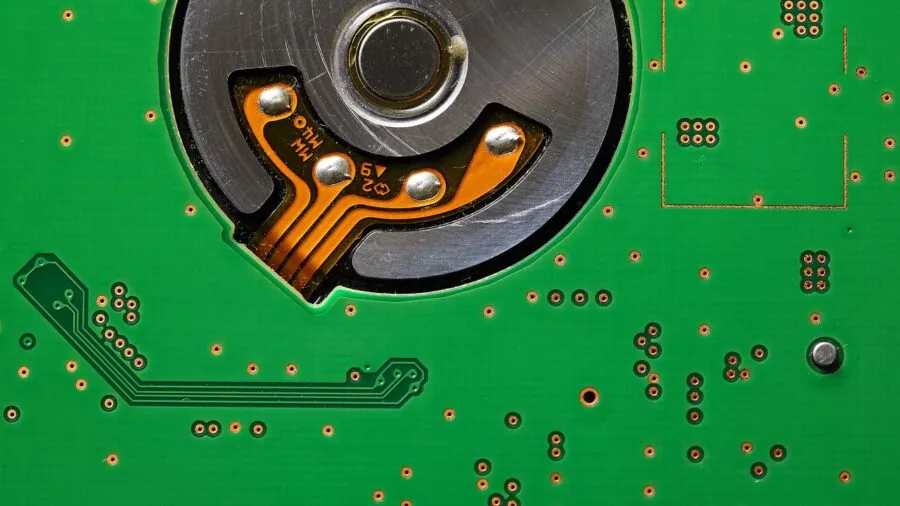
Modern motherboards in this price range should include at least one USB 3.2 Gen 2 Type-A port on the rear panel, ideally supplemented by a USB 3.2 Gen 2×2 Type-C port for fast external storage transfers.
Front-panel headers matter too: a USB 3.2 Gen 1 header covers most modern case requirements, but USB-C front-panel support (available on the GIGABYTE B850M AORUS Elite and ASUS B650E MAX Gaming WiFi W) is a notable convenience for newer enclosures.
For networking, 2.5 Gbps Ethernet has become the standard at this price point and is a meaningful step up from legacy gigabit LAN for file transfers and local network gaming.
Wi-Fi 6E, offered on every board in this roundup, delivers low-latency wireless on the 6 GHz band and reduces congestion in dense wireless environments.
If you use your PC as part of a home theater or AV setup, pairing it with a capable AV receiver over a wired 2.5 GbE connection keeps latency consistently low.
Bluetooth 5.3 on the MSI PRO B760-P WiFi DDR4 is also worth noting for builders who use wireless peripherals.
BIOS Quality and Software Ecosystem

A polished BIOS matters more than most first-time builders realize. Straightforward memory XMP/EXPO profile activation, clear fan curve controls, and reliable CPU boost behavior all depend on firmware quality.
ASUS, GIGABYTE, and MSI have each invested significantly in their UEFI interfaces, and all three brands offer reasonably intuitive layouts with EZ Mode views for beginners alongside advanced tweaking options for enthusiasts.
BIOS Flashback, available on both ASUS boards in this roundup (the ROG Strix B550-F Gaming WiFi II and ASUS B650E MAX Gaming WiFi W), deserves special mention.
It allows you to update the firmware using only a USB drive and the board’s power connector, without needing a compatible CPU installed first.
This is particularly valuable on AM5 and Intel boards where a BIOS update may be required before a newer CPU is recognized.
Software utilities like ASUS Armoury Crate and GIGABYTE’s Control Center also provide system monitoring and fan control from within Windows, reducing the need for frequent BIOS visits.
Why You Should Trust Us
REMOVU is an independent review platform with no manufacturer affiliations and no commercial relationship with any brand featured in our recommendations.
Every motherboard in this guide was assessed using the REMOVU Score, a 0 to 10 rating system applied consistently across our entire PC components catalog.
Scores reflect a composite evaluation of official specifications, expert review consensus drawn from published technical analysis across the industry, verified buyer feedback from confirmed purchasers, and manufacturer-published data including power delivery documentation and warranty terms.
We do not conduct our own product trials; our evaluations are grounded in research, published data, expert review consensus, and verified buyer feedback.
This approach lets us cover a broader range of products more quickly and without the conflicts of interest that can arise when review samples are provided directly by manufacturers.
Our PC components coverage follows the same research-driven methodology across categories including graphics cards, CPU coolers, and more.
REMOVU may earn a commission when you purchase through links on this page. That affiliate relationship has no influence whatsoever on which products are included, how they are ranked, or what REMOVU Score they receive.
Rankings are determined entirely by our evaluation criteria, not by commission rates or promotional arrangements. We recommend only products we would genuinely suggest to a friend building a PC in this budget range.
Final Thoughts
The motherboard market under $200 in 2026 is genuinely competitive, with strong options across AMD and Intel platforms, ATX and mATX form factors, and both DDR4 and DDR5 memory ecosystems.
After thoroughly researching every board in this roundup, here are our top designations based on REMOVU Score and real-world value:
- Best Overall: ASUS ROG Strix B550-F Gaming WiFi II earns the top REMOVU Score in this roundup through a combination of mature platform stability, Wi-Fi 6E connectivity, 2.5 Gb LAN, robust PCIe 4.0 support, and a BIOS ecosystem that consistently earns praise from enthusiasts and beginners alike.
- Best AM5 ATX Pick: ASUS B650E MAX Gaming WiFi W stands out as the strongest full-size AM5 board in the group, offering a white PCB aesthetic, PCIe 5.0 readiness, three M.2 slots, and BIOS Flashback in a package that supports current and future Ryzen generations.
- Best Compact AM5 Board: GIGABYTE B850M AORUS Elite WIFI6E ICE delivers an impressive 12+2+2 power phase design in a mATX footprint, with PCIe 5.0 support, USB-C front panel compatibility, and a five-year warranty that is rare at this price tier.
- Best Budget AM5 Option: GIGABYTE B650 Eagle AX offers a compelling entry point into the AM5 ecosystem with triple M.2 slots including a PCIe 5.0 slot, Wi-Fi 6E, and solid DDR5 support, making it a strong value for builders who want forward compatibility without overspending.
- Best Budget Pick Overall: ASUS Prime B450M-A II is the most accessible board in this roundup for builders on a tight budget who already own a compatible AMD Ryzen processor, offering reliable performance on a proven platform at a mid-range price.
If you are still finalizing the rest of your build, our guides to graphics cards and gaming laptops can help you plan the full system, while our laptops guide covers alternatives if a desktop build is not the right fit for your needs.
Frequently Asked Questions
Is a B650 or B760 chipset enough for a gaming build?
Yes, for the vast majority of gaming builds, a B-series chipset is the right choice. Both AMD B650 and Intel B760 support fast PCIe 4.0 storage, high-refresh-rate GPU configurations, and modern memory speeds.
The higher-tier X670 and Z790 chipsets primarily add more overclocking flexibility and additional PCIe lanes, neither of which meaningfully affects gaming frame rates in most scenarios.
If your goal is a responsive gaming system paired with a capable discrete GPU, the boards in this roundup are more than sufficient.
You will see a bigger performance difference from investing budget in a faster processor or graphics card than from stepping up to a premium chipset board.
Do I need DDR5 RAM for an AM5 motherboard?
Yes. All AMD AM5 motherboards, including the B650 and B850 boards in this roundup, require DDR5 memory. There is no DDR4 compatibility on AM5 platforms.
DDR5 prices have dropped substantially since the platform launched, and the performance benefits, particularly with EXPO memory profiles enabled, make DDR5 a worthwhile foundation for a new build.
If you are building on an Intel LGA 1700 platform such as the MSI PRO B760-P WiFi DDR4 in this roundup, DDR4 remains a fully viable and cost-effective choice.
Our coverage of 32GB DDR5 and DDR4 RAM kits can help you find the right memory to complement your motherboard choice.
What is BIOS Flashback and why does it matter?
BIOS Flashback is a feature that lets you update a motherboard’s firmware using only a USB flash drive and the board’s standby power, without needing a CPU or RAM installed.
This is especially important when pairing a newer CPU with an older board that requires a firmware update before recognizing the processor. Without this feature, you would need to borrow a compatible older CPU to perform the update first.
Both ASUS boards in this roundup include BIOS Flashback, which makes the out-of-box setup experience significantly smoother for builders who are installing a recent Ryzen or Intel processor. It is a small feature that eliminates a potentially frustrating compatibility hurdle.
Can I use an AM5 motherboard with older Ryzen CPUs?
No. The AM5 socket is electrically incompatible with previous-generation Ryzen processors (AM4 CPUs). AM5 boards support Ryzen 7000, 8000, and 9000 series processors only. If you own a Ryzen 5000, 3000, or earlier CPU, you need an AM4 platform motherboard instead.
The ASUS ROG Strix B550-F Gaming WiFi II and ASUS Prime B450M-A II in this roundup are both AM4 boards that support Ryzen 5000 and earlier series processors.
How important is Wi-Fi 6E on a motherboard at this price?
Wi-Fi 6E adds support for the 6 GHz wireless band, which offers lower latency and less congestion than the 2.4 GHz and 5 GHz bands used by Wi-Fi 5 and Wi-Fi 6.
For gaming, streaming, or large file transfers over wireless, 6E is a meaningful upgrade if your router supports it.
All six boards in this roundup include Wi-Fi 6E, which is excellent value at this price tier and saves you the cost of a separate wireless adapter.
If you do not own a Wi-Fi 6E router yet, the boards still operate on 2.4 GHz and 5 GHz bands for full backward compatibility.
The 6 GHz radio becomes useful as you upgrade your home network equipment over time, making 6E support a genuine long-term value rather than a marketing checkbox.
Which motherboard is best for a white-themed PC build?
The ASUS B650E MAX Gaming WiFi W is the only board in this roundup with a white PCB and matching heatsink aesthetics, making it the natural choice for white or light-themed builds.
It pairs well with white-version PC cases and white RAM kits for a cohesive look without sacrificing performance.
The GIGABYTE B850M AORUS Elite WIFI6E ICE also features a lighter color scheme with its ICE variant design, offering a second white-adjacent option in the mATX form factor.
About the author
Teresa covers smart locks for REMOVU, prioritizing security, reliability, and value alongside keyless convenience. She helps readers upgrade their door without compromising safety.