The 7 Best Graphics Cards Under $500
GPU shopping under $500 got a serious upgrade. RTX 50-series and RDNA 4 cards now bring flagship features like DLSS 4 and 16 GB VRAM into mainstream reach.
 By Timothy Ruiz
Updated July 26, 2026
By Timothy Ruiz
Updated July 26, 2026
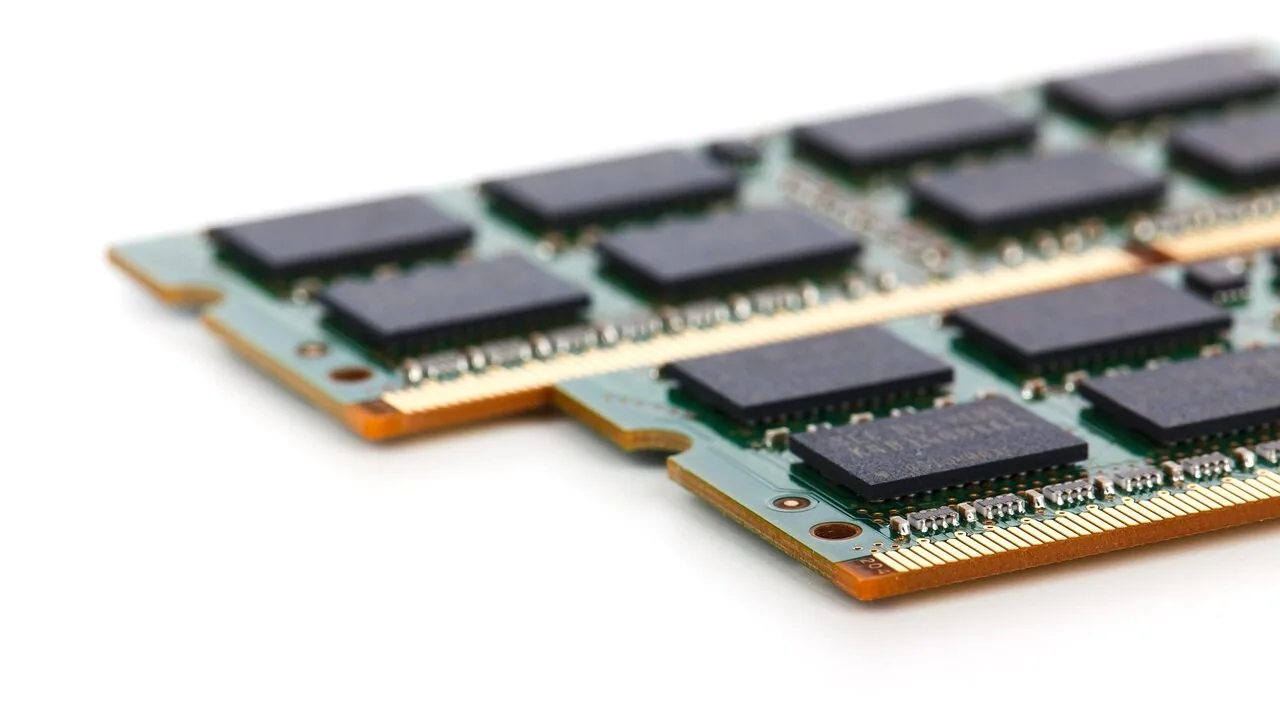
Finding the right graphics card under $500 has never been more competitive, or more confusing.
The sub-$500 segment now spans everything from last-generation workhorses being cleared out at deep discounts to brand-new NVIDIA RTX 50-series and AMD RDNA 4 launches that bring flagship-tier features down to mainstream price points.
Whether you are building a new PC from scratch, upgrading an aging GPU, or chasing higher frame rates at 1440p and beyond, this price range is genuinely the sweet spot for most PC gamers in 2026.
REMOVU evaluated each card in this guide through comprehensive research: analyzing manufacturer specifications, synthesizing expert review consensus from across the GPU coverage landscape, and weighing verified buyer feedback to understand real-world satisfaction.
The result is a ranked shortlist of the graphics cards under $500 that deliver the strongest combination of performance, efficiency, and value.
Read on for our top picks, followed by a detailed buying guide to help you choose the right GPU for your setup and gaming goals.
| Award | Product | REMOVU Score About REMOVU ScoreThe REMOVU Score is our own rating from 0 to 10, based on performance, design and build, ease of use, and value. It reflects independent research and is never influenced by manufacturers, retailers, or affiliate commissions. Learn more › | Price | |
|---|---|---|---|---|
| Best Overall |
 ASUS Dual RTX 5060 Ti 8GB
|
8.5/10 | Buy | |
| Best Budget |
 GIGABYTE RTX 5060 WINDFORCE OC 8GB
|
8.3/10 | Buy | |
 ASUS Dual RTX 5060 8GB GDDR7
|
8.2/10 | Buy | ||
| Best Premium |
 ASUS Dual Radeon RX 9060 XT 16GB
|
7.6/10 | Buy | |
 XFX Radeon RX 9060 XT 16GB GDDR6
|
7.5/10 | Buy | ||
| Best Value |
 ASRock RX 7700 XT Challenger 12GB
|
6.8/10 | Buy | |
 MSI RTX 3060 Ventus 2X 12GB OC
|
6.5/10 | Buy |
ASUS Dual RTX 5060 Ti 8GB
ASUS pairs the RTX 5060 Ti with a compact 2.5-slot cooler design built around dual Axial-tech fans and intelligent 0dB thermal management. This card targets SFF builders and gamers seeking solid mid-range performance without sacrificing thermal stability or taking up excessive case space. The engineering emphasizes durability through dual ball bearings, protective backplate reinforcement, and stainless steel brackets.
Pros
- Compact 2.5-slot form factor optimized for small-form-factor and ITX builds without compromising cooling capacity
- 0dB fan technology reduces noise by stopping fans below 50°C, balancing acoustics with thermal performance
- Dual ball bearings and vented backplate design extend component lifespan and improve heat dissipation
- Dual BIOS with Performance and Quiet modes provides flexibility for different use cases
- 3-year warranty and ASUS GPU Guard adhesive protection add confidence in durability
Cons
- Limited to 8GB GDDR7 memory, which may constrain heavy workloads or high-resolution texture streaming in demanding titles
- Mid-range tier positioning means it competes in a crowded segment where performance-per-dollar varies significantly
- Axial-tech cooling design relies on proper chassis airflow to achieve rated thermal performance, limiting flexibility in poorly ventilated cases
GIGABYTE RTX 5060 WINDFORCE OC 8GB
NVIDIA's latest Blackwell architecture packed into an entry-level form factor, the RTX 5060 WINDFORCE OC delivers AI-powered frame generation via DLSS 4 and solid 1440p gaming performance. The WINDFORCE cooling system prioritizes quiet operation through graphene-lubricated fans and semi-passive modes, making it a practical choice for creators and gamers seeking efficient thermal management without noise.
Pros
- DLSS 4 AI frame generation significantly boosts performance in supported titles
- WINDFORCE cooling with graphene lubricant offers 2.1x longer fan lifespan and quieter operation
- 8GB GDDR7 memory and PCIe 5.0 provide solid bandwidth for current and near-future workloads
- Direct-contact copper plate and composite heat pipes enable efficient heat dissipation
- 3D Active Fan semi-passive cooling reduces noise during light tasks
Cons
- No verified buyer reviews yet, limiting real-world performance validation
- Entry-level VRAM capacity may constrain high-resolution texturing in demanding AAA titles
- Limited to 128-bit memory interface, potentially a bottleneck versus higher-tier RTX 50 cards
ASUS Dual RTX 5060 8GB GDDR7
A compact mid-range graphics card built for small-form-factor builds without sacrificing thermal management. The RTX 5060 brings DLSS 4 and Blackwell architecture efficiency to 1440p gaming, backed by ASUS's dual Axial-tech fans and 0dB passive cooling. Best suited for budget-conscious builders prioritizing space constraints over flagship performance.
Pros
- 2.5-slot design fits tight builds while maintaining strong cooling through optimized heatsink and heatpipe layout
- 0dB technology keeps fans silent during light loads, reducing noise below 50°C
- Dual ball bearings extend fan lifespan compared to sleeve bearing designs
- Dual BIOS modes let users toggle between Performance and Quiet operation based on workload
- Stainless steel bracket and vented backplate add durability and thermal efficiency
Cons
- Entry-level VRAM at 8GB limits headroom for demanding titles at higher resolutions
- OC clock speeds (2565 MHz) are modest compared to higher-tier RTX 50 series variants
- Compact form factor may restrict upgrade paths in some system configurations
ASUS Dual Radeon RX 9060 XT 16GB
A compact 2.5-slot graphics card built for gamers who need serious performance without sacrificing case compatibility. The dual Axial-tech fans and 0dB technology keep thermals in check while minimizing noise during lighter workloads, making it a practical choice for both gaming and productivity builds.
Pros
- Compact 2.5-slot design maximizes compatibility with smaller cases while maintaining thermal performance
- 0dB technology stops fans below 55°C, reducing noise during light gaming and everyday tasks
- Dual ball fan bearings offer longer lifespan, rated up to twice as long as traditional sleeve bearings
- Dual BIOS modes let you switch between Performance and Quiet profiles depending on your needs
- Vented backplate and reinforced PCB design enhance heat dissipation and structural durability
Cons
- Limited information on actual power consumption and thermal performance benchmarks in provided data
- Dual BIOS switching requires manual intervention rather than automatic optimization
- No detailed noise level specifications provided for comparison with competing models
XFX Radeon RX 9060 XT 16GB GDDR6
XFX's Swift edition of the RX 9060 XT pairs AMD's RDNA 4 architecture with 16GB of GDDR6 memory and a dual-fan cooling system, targeting 1440p and entry-level 4K gaming. The 3320 MHz boost clock and dual-fan design balance performance with thermal management for mid-range desktop builds.
Pros
- 16GB GDDR6 memory supports modern gaming and content creation workloads
- XFX SWFT dual-fan cooling provides efficient heat dissipation
- 3320 MHz boost clock delivers solid mid-range gaming performance
- Dual HDMI and DisplayPort connectivity for multi-monitor setups
- Strong user satisfaction with 4.7-star rating across 360 reviews
Cons
- Limited to HDMI 2.0 and DisplayPort, lacking cutting-edge video standards
- Dual-fan design may require adequate case airflow for optimal cooling
- RDNA 4 is entry-level architecture, not suitable for high-end 4K or professional GPU compute tasks
ASRock RX 7700 XT Challenger 12GB
AMD's RDNA 3 architecture delivers solid 1440p and 4K gaming performance with 12GB GDDR6 memory and efficient thermal management. The dual-fan design includes a 0dB silent mode for idle operation, making it practical for both gaming and content creation workflows. Verify compatibility with your power supply and case before purchase, as this card requires dual 8-pin connectors and moderate physical space.
Pros
- 0dB silent cooling at low temperatures reduces noise during light workloads
- Dual-fan design with heatpipes delivers consistent thermal performance across extended sessions
- 12GB GDDR6 with 48MB Infinity Cache supports high-resolution gaming and content creation
- Three DisplayPort 1.4 and one HDMI 2.1 output for multi-monitor and high-refresh setups
- Metal backplate adds durability and passive heat dissipation
Cons
- Requires dual 8-pin power connectors and adequate PSU capacity, limiting compatibility with budget systems
- Physical dimensions (10.5 x 5.1 x 2.0 inches) may not fit all compact or pre-built chassis
- Not all pre-built systems are confirmed compatible, requiring manual verification before purchase
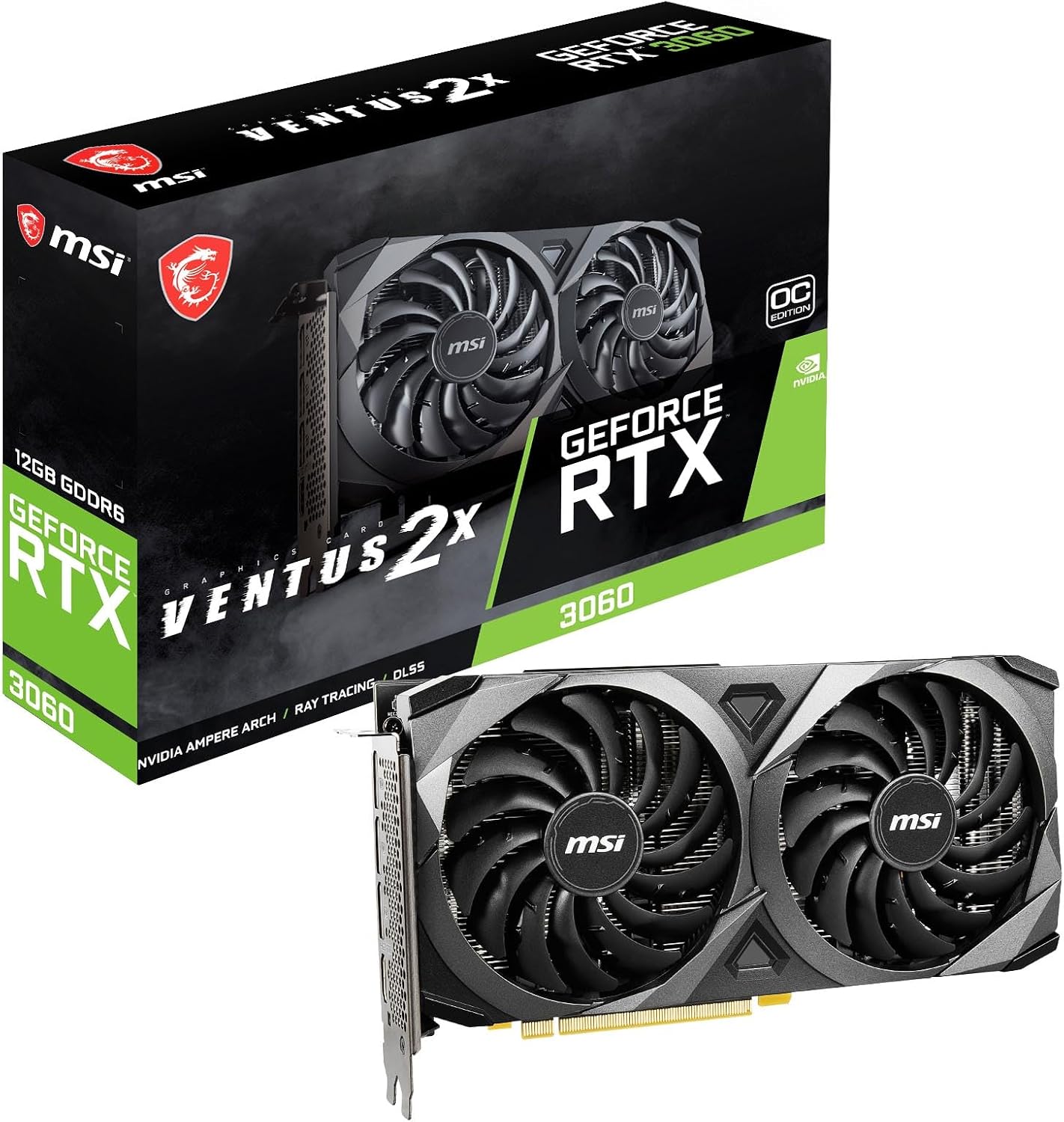
MSI RTX 3060 Ventus 2X 12GB OC
This mid-range GPU delivers solid 1440p gaming performance using NVIDIA's Ampere architecture with 12GB of GDDR6 memory. The dual-fan Torx design keeps thermals in check, while triple DisplayPort and HDMI 2.1 outputs provide flexible display connectivity for productivity and gaming setups.
Pros
- 12GB GDDR6 memory supports high-resolution textures and modern game demands
- 1807 MHz boost clock offers competitive performance for 1440p gaming
- Dual Torx fans provide efficient cooling with reduced noise profiles
- Multiple display outputs (3x DP 1.4a, 1x HDMI 2.1) for multi-monitor setups
- Ampere architecture includes enhanced ray tracing and tensor cores for modern workloads
Cons
- No user reviews available to assess real-world reliability and driver stability
- 192-bit memory interface is narrower than higher-end models, potentially limiting bandwidth for compute-heavy tasks
- Dual-fan design may have limited headroom for sustained overclocking compared to triple-fan variants
Graphics Cards Under $500 Buying Guide
Choosing a GPU in this segment involves more than simply picking the highest-performing card you can afford.
Architecture generation, memory configuration, power requirements, and your target resolution all play a role in whether a card will actually serve you well for years to come.
The sections below walk through the criteria that matter most, so you can match a card to your specific rig and gaming habits.
If your budget is tighter, our roundup of graphics cards under $300 covers strong options at a lower price point.
Architecture Generation and Feature Set

GPU architecture matters far beyond raw clock speeds.
NVIDIA’s Ada Lovelace generation introduced DLSS 3 Frame Generation, while the newer Blackwell-based RTX 50-series brings DLSS 4 with Multi Frame Generation, capable of multiplying rendered frames several times over for dramatically smoother gameplay in supported titles.
AMD’s RDNA 4 lineup, represented here by the RX 9060 XT cards, introduces FSR 4 with a dedicated AI accelerator and significantly improved ray-tracing performance compared to RDNA 3.
For buyers who plan to keep their GPU for three to five years, investing in a newer architecture means more headroom as game engines evolve.
DLSS 4 and FSR 4 upscaling technologies are already being integrated into major titles, and cards that support them natively will age far more gracefully than older designs.
That said, a last-generation card at a substantial discount can still make sense if your use case is straightforward 1080p gaming or you have a CPU that would bottleneck a newer, faster GPU.
Pairing any of these GPUs with a capable processor is just as important as the card itself.
When comparing architectures, look beyond the marketing names and check which specific upscaling version and ray-tracing tier a card supports.
Not all RTX or RX cards within a generation are created equal, and stepping down within a family can mean losing access to specific hardware accelerators.
VRAM Capacity and Memory Bandwidth

Video RAM has become a flashpoint in GPU discussions, and for good reason. Modern games at 1440p with high-resolution texture packs regularly push beyond 8 GB of VRAM, and 4K gaming can spike well above that.
The cards in this guide span 8 GB GDDR7 and 16 GB GDDR6 configurations, and that difference has real implications depending on your target resolution and the titles you play.
GDDR7 memory, featured on the RTX 5060 Ti and RTX 5060 cards here, offers significantly higher bandwidth per gigabyte than GDDR6, which partially compensates for a narrower memory bus.
At 1080p and 1440p in most current titles, 8 GB GDDR7 performs well, but heavy modded games or titles with aggressive VRAM usage can still push against that ceiling.
The AMD RX 9060 XT models in this roundup ship with 16 GB of GDDR6, which provides a comfortable buffer for texture-heavy workloads and makes those cards more attractive for anyone who regularly plays at 1440p with maximum texture settings or does light video editing on the side.
If you are targeting 4K gaming on a budget, be aware that none of these cards are primary 4K recommendations. For a deeper look at cards optimized for that resolution, see our guide to graphics cards for 4K gaming.
Target Resolution and Gaming Performance
Your monitor’s resolution is the single most important variable when selecting a GPU. At 1080p, every card in this guide will deliver high to ultra frame rates in virtually all current titles, including demanding AAA releases.
The stronger case for spending toward the top of this budget is 1440p, where the RTX 5060 Ti, RTX 5060, and RX 9060 XT cards all establish themselves as capable primary GPUs rather than stopgap solutions.
For competitive gaming at 1080p with high-refresh-rate monitors, the priority shifts from raw rasterization muscle to sustained high frame rates with low latency.
NVIDIA’s Reflex technology, available on all RTX cards here, measurably reduces system latency in supported titles, which matters in fast-paced shooters and battle royale games. AMD’s Anti-Lag+ serves a similar function on compatible RDNA 4 hardware.
Both technologies work best when the GPU is the performance bottleneck, so make sure your CPU is not the limiting factor in your system.
Our dedicated roundup of graphics cards for 1080p gaming covers budget-to-midrange options if that is your primary resolution.
Buyers targeting 1440p will find the most value in the newer architectures covered in this guide. The performance per dollar at 1440p is genuinely compelling, particularly with DLSS 4 or FSR 4 upscaling closing the gap to native-resolution quality.
Our 1440p gaming GPU guide provides more context on how these cards stack up across the resolution tier.
Power Consumption and System Requirements
The RTX 50-series cards in this roundup are notably efficient for their performance class, with TSMC 4N process fabrication contributing to better performance-per-watt than the previous generation. However, total board power (TBP) still varies meaningfully across this lineup.
The RTX 3060, positioned as a legacy budget pick here, draws less power than newer cards but also delivers less performance in modern workloads.
Before purchasing, verify that your existing power supply can comfortably handle your GPU’s rated TBP plus the rest of your system’s draw, with a reasonable headroom margin.
Most cards in this guide will run comfortably on a quality 650W to 750W PSU, but check the manufacturer’s recommendation for your specific model.
A reliable power supply that is undersized or of poor quality is one of the most common causes of system instability with new GPU installations.
PCIe connector compatibility is also worth checking: RTX 50-series cards use the 16-pin PCIe 5.0 power connector, which requires either a native cable from your PSU or the adapter that ships with the card.
Cooling Design and Noise Profile

At this price point, aftermarket board partner designs dominate, and cooling quality varies significantly between AIB (add-in board) partners.
Cards from ASUS, GIGABYTE, ASRock, XFX, and MSI all represented in this guide each bring distinct thermal solutions with different fan counts, heatsink mass, and noise behavior under load.
Semi-passive or 0 dB fan modes, present on several ASUS Dual and GIGABYTE WINDFORCE models here, stop the fans entirely under light load, making the card completely silent during web browsing, video playback, or light desktop use.
Under gaming loads, fans spin up, and noise levels differ based on heatsink surface area and fan blade design.
Verified buyer feedback consistently highlights that dual-fan designs in the 2.5-slot form factor strike a good balance between cooling performance and physical compatibility in mid-tower cases.
If case airflow is a concern in your build, consider pairing your GPU with a well-ventilated PC case to prevent thermal throttling under sustained gaming loads.
Slot count also matters: 2.5-slot cards fit in most standard ATX mid-towers, but verify your case’s GPU clearance and slot spacing if you have a compact or boutique chassis.
Connectivity and Display Outputs
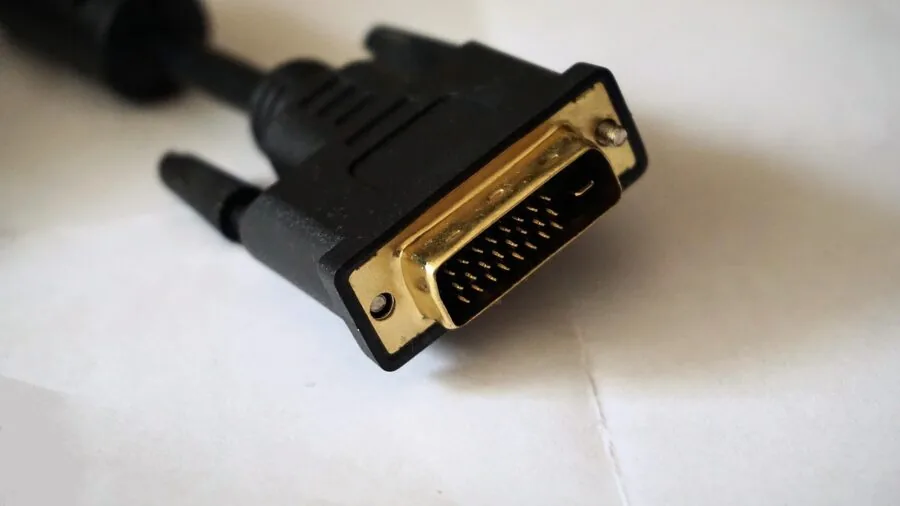
Every card in this guide supports HDMI 2.1 and DisplayPort (1.4 or 2.1 depending on the model), covering the vast majority of monitor and TV setups in use today.
The newer RTX 5060 and RTX 5060 Ti cards feature DisplayPort 2.1b and HDMI 2.1b, which support higher bandwidth for uncompressed 4K 144Hz and 8K signals, future-proofing your display chain for next-generation monitors.
For multi-monitor or productivity-adjacent builds, verify the number of simultaneous display outputs supported by your target card. Most AIB designs here support three to four concurrent displays.
If you use your PC for streaming alongside gaming, the hardware encoder quality matters: NVIDIA’s NVENC on RTX 50-series delivers a meaningful step up in encode quality over older generations.
For a deeper comparison of GPUs specifically optimized for streaming, our graphics cards for streaming guide covers that use case in detail.
And if you are gaming on a large-screen display, pairing your GPU with one of the TVs built for gaming unlocks VRR and low-latency modes that complement these cards well.
Why You Should Trust Us
REMOVU is an independent review publication. We do not manufacture, sell, or distribute any of the products we cover, and we have no commercial relationship with the brands in this guide.
Every graphics card on this list was evaluated against a consistent set of criteria and scored on our 0 to 10 REMOVU Score, which synthesizes published specifications, expert review consensus drawn from across the GPU coverage ecosystem, and verified buyer feedback aggregated from confirmed purchasers.
We do not conduct our own product trials; our evaluations are grounded in research, published data, expert review consensus, and verified buyer feedback.
This approach lets us cover a broader range of products with consistent scoring methodology rather than limiting our recommendations to whichever units happen to arrive in a single review cycle.
When expert consensus is divided, we reflect that honestly in our scoring and commentary rather than forcing an artificial ranking.
REMOVU may earn a commission if you purchase through links on this page. That affiliate relationship has no bearing on our rankings, scores, or editorial decisions. Products are ranked by REMOVU Score, which is determined solely by our research criteria.
We regularly revisit and update our picks as new products launch and prices shift, so the recommendations here reflect our current assessment of the market.
Final Thoughts
The sub-$500 GPU market in 2026 is genuinely exciting. NVIDIA’s RTX 50-series and AMD’s RDNA 4 architecture have both landed in this price bracket with features that were exclusive to far more expensive cards just a generation ago.
Here is how we would categorize the standouts from this list:
- Best Overall: ASUS Dual NVIDIA GeForce RTX 5060 Ti 8GB GDDR7 OC Edition. The highest REMOVU Score in this roundup reflects its leadership in 1440p rasterization performance, DLSS 4 Multi Frame Generation support, and the refinement of ASUS’s Dual cooling platform. It is the card we would recommend to most buyers seeking the strongest all-around GPU under this budget.
- Best Value: GIGABYTE GeForce RTX 5060 WINDFORCE OC 8G. For buyers who want RTX 50-series architecture and DLSS 4 at a more accessible price, the GIGABYTE WINDFORCE OC delivers strong 1080p and capable 1440p performance with a proven cooling design. It earns its place as the pick that stretches the budget furthest without sacrificing the latest features.
- Best for VRAM-Heavy Workloads: ASUS Dual Radeon RX 9060 XT 16GB GDDR6. Sixteen gigabytes of GDDR6 on an RDNA 4 GPU makes this card uniquely positioned for buyers who run heavily modded games, work with large textures, or do occasional creative workloads alongside gaming. The ASUS Dual cooling solution adds reliability to an already well-specified package.
- Best for Streaming and Content Creation: XFX Swift AMD Radeon RX 9060 XT OC Gaming Edition 16GB. The combination of 16 GB GDDR6, RDNA 4’s improved media engine, and XFX’s robust cooling makes this a compelling pick for streamers and creators who want AMD’s ecosystem and generous memory at a competitive price point.
- Best Budget Legacy Pick: MSI Gaming GeForce RTX 3060 Ventus 2X 12G OC. The RTX 3060 remains a capable 1080p card and will handle most titles at medium-to-high settings without difficulty. For a system upgrade on a tight budget where the rest of the build is already dated, it offers an accessible entry point, though buyers with more flexibility should strongly consider stepping up to a newer architecture for better long-term value.
Whichever card you choose from this list, remember that the GPU is only one component in a balanced build.
Matching it with adequate system RAM, a fast solid-state drive, and a well-matched motherboard will ensure the card can perform to its potential without artificial bottlenecks elsewhere in the system.
Frequently Asked Questions
Is 8 GB of VRAM Enough for Gaming in 2026?
For 1080p gaming, 8 GB of GDDR7 is sufficient for the overwhelming majority of current titles, including demanding AAA releases. At 1440p, a small number of very texture-heavy games can push against an 8 GB limit at maximum settings.
Using DLSS or FSR upscaling, which reduces the native render resolution the GPU processes, can meaningfully reduce VRAM pressure while maintaining excellent visual quality.
If you routinely play modded open-world games or work with high-resolution assets, the 16 GB options in this guide provide more headroom.
Should I Choose an RTX 5060 or an RX 9060 XT?
Both are strong choices, and the right answer depends on your priorities. The RTX 5060 series leads in rasterization performance at 1440p and benefits from DLSS 4, particularly Multi Frame Generation in supported titles, which can dramatically boost frame rates.
The RX 9060 XT offers twice the VRAM (16 GB versus 8 GB), which is a meaningful advantage for specific use cases, and FSR 4 is a significant improvement over previous AMD upscaling generations.
If raw frame rate and DLSS ecosystem integration matter most, lean toward the RTX 5060 Ti or RTX 5060. If VRAM capacity and a more open upscaling standard are priorities, the RX 9060 XT is compelling.
Do I Need PCIe 5.0 to Use These Cards?
No. PCIe 5.0 slots are listed as the native interface for RTX 50-series and RDNA 4 cards, but all PCIe generations are backward and forward compatible.
Running an RTX 5060 Ti in a PCIe 4.0 x16 slot on a current-generation motherboard results in no measurable performance difference in gaming workloads. PCIe 3.0 x16 also works, though extremely bandwidth-intensive scenarios could theoretically see a minor impact.
For the vast majority of gaming builds, your existing PCIe slot is not a limiting factor.
How Much Power Supply Wattage Do I Need for These Cards?
A quality 650W power supply is sufficient for most system configurations pairing one of these GPUs with a modern mid-range processor.
If you have a high-core-count CPU, multiple storage drives, or a premium overclocked memory kit, moving to 750W gives comfortable headroom. Always choose a reputable PSU brand with an 80 Plus Gold or better efficiency rating.
Underpowered or low-quality PSUs are a common culprit in GPU instability and can cause damage to components in the event of voltage irregularities.
Are These Cards Good for Streaming While Gaming?
Yes, all RTX 50-series cards here include NVIDIA’s NVENC hardware encoder, which has improved encode quality significantly with each generation and adds minimal performance overhead compared to CPU-based encoding.
The AMD RX 9060 XT cards also feature an improved hardware media engine in the RDNA 4 architecture. For dedicated streaming setups at higher bitrates, pairing your GPU with sufficient system RAM and a fast SSD for local recording improves reliability.
Our guide to graphics cards built for streaming breaks down encoder comparisons in more detail if streaming is a primary use case for your build.
What Is the REMOVU Score and How Is It Calculated?
The REMOVU Score is a proprietary rating on a 0 to 10 scale that reflects our research-based assessment of each product.
We analyze published specifications, synthesize expert review consensus from across the coverage landscape, and incorporate verified buyer feedback to arrive at a score that reflects real-world satisfaction and performance relative to price.
Higher scores indicate products that consistently outperform alternatives at their price point across the criteria most relevant to their category. Scores are revisited when new information, firmware updates, or significant price changes materially affect a product’s competitive position.
About the author
Timothy is REMOVU's NAS writer, weighing performance, software, and expandability for backups and home media. He helps readers centralize their files with room to grow.