The 12 Best Photo Printers
From compact dye-sub snapshot printers to wide-format professional inkjets, here are the photo printers worth buying based on print quality, running costs, and real-world usability.
 By Michelle Mendoza
Updated July 26, 2026
By Michelle Mendoza
Updated July 26, 2026
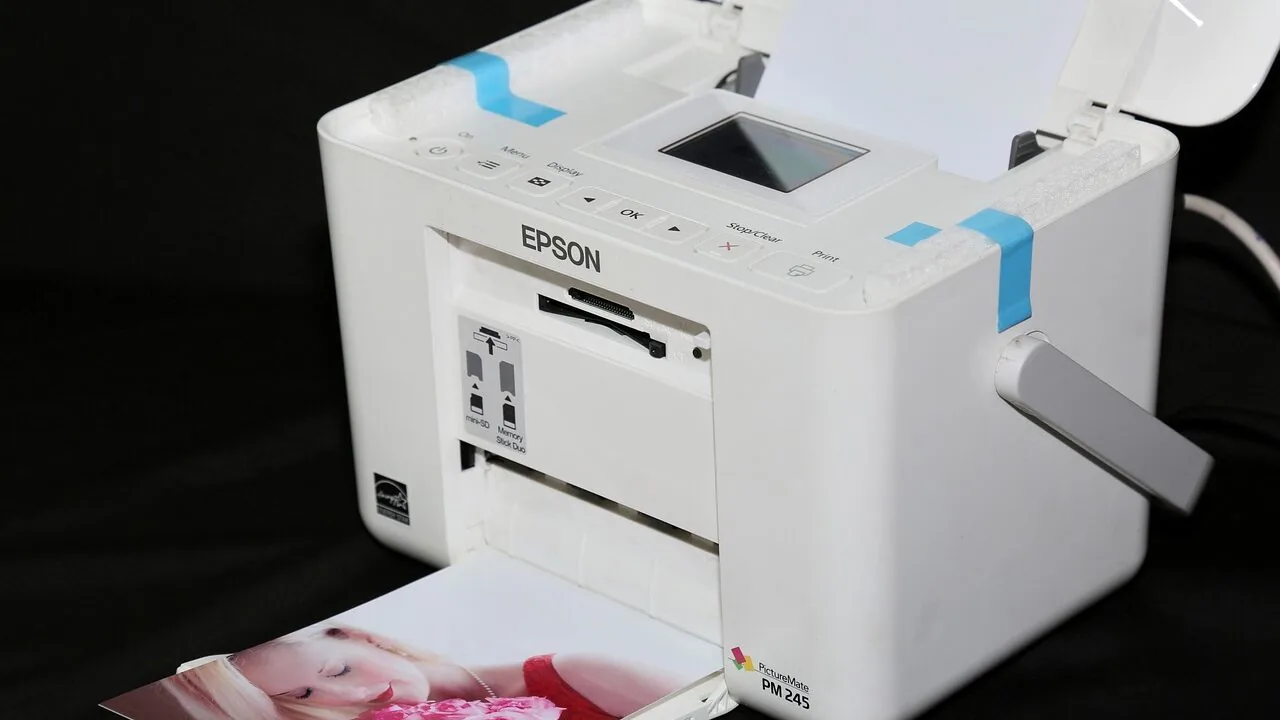
Printing photos at home has never been more accessible, yet choosing the right printer still trips up a lot of buyers.
The gap between a model that delivers gallery-worthy 4×6 prints and one that produces washed-out, streaky results can be enormous, and that gap rarely shows up in the spec sheet.
Whether you want a compact dye-sub printer for family snapshots, a professional-grade inkjet for large-format fine art, or a budget-friendly portable option that pairs with your smartphone, the market in 2026 spans an almost overwhelming range of technologies, price points, and use cases.
Knowing which features actually matter and which are marketing noise is half the battle.
To help you cut through the noise, REMOVU’s editorial team researched every major photo printer category, drawing on published specifications, expert review consensus, and verified buyer feedback to identify the strongest performers across budgets.
Our picks range from the professional Canon imagePROGRAF PRO-1100 down to approachable portable models from Liene and Kodak.
If you also care about the camera gear that feeds these printers, our guides to full-frame mirrorless cameras and point-and-shoot cameras for travelers are worth a read alongside this one.
Scroll down for our top picks, then keep reading for a full buying guide.
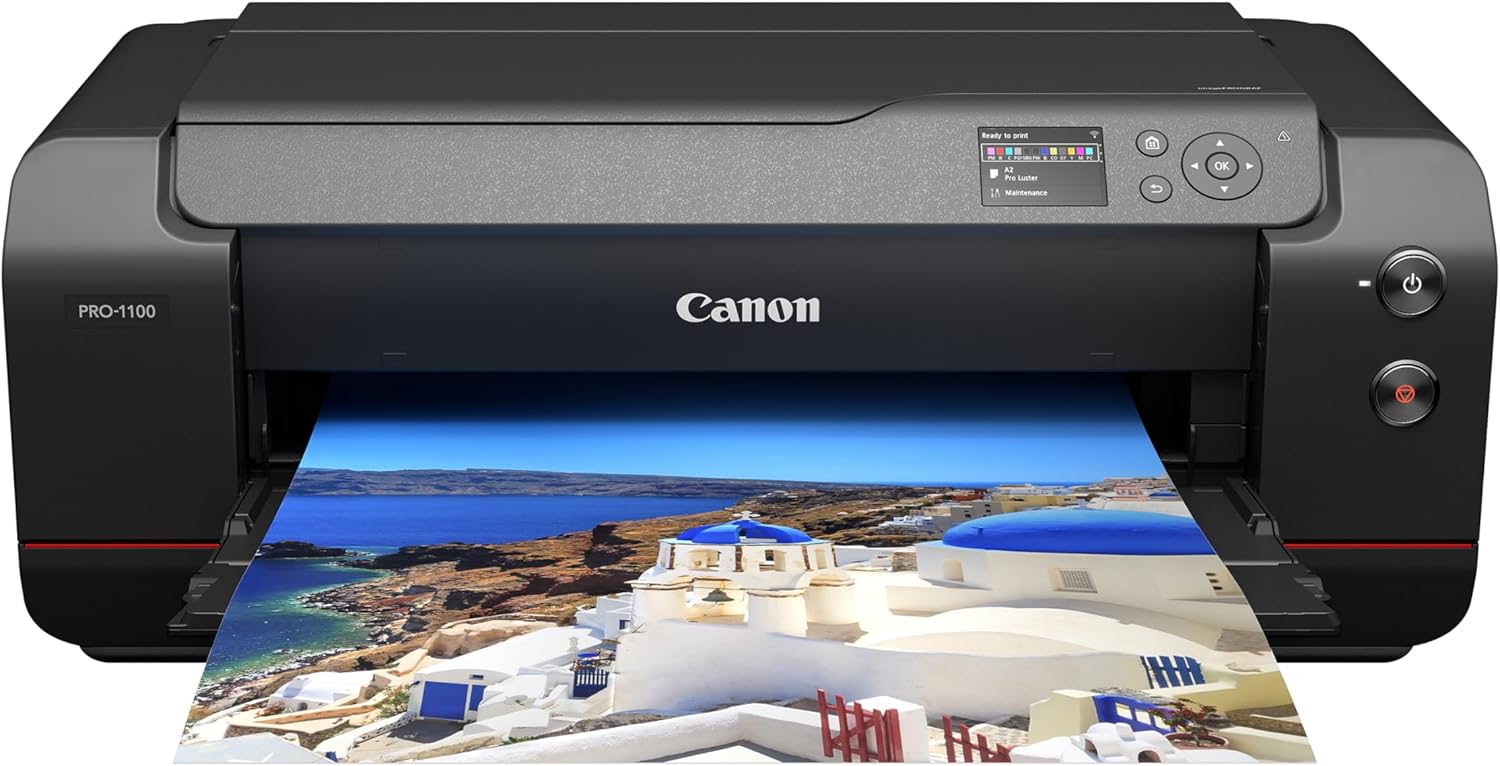
Canon imagePROGRAF PRO-1100 17-inch Professional Photo Printer
A 17-inch wide-format inkjet printer built for photographers who need gallery-quality prints with a broad color gamut and deep blacks. The 11-color LUCIA PRO II ink system delivers exceptional color accuracy, though ink costs and maintenance demand are notably high.
Pros
- Outstanding print quality with exceptional color accuracy and deep blacks, praised by professional photographers
- Broad color gamut faithfully reproduces difficult colors and dark areas ideal for fine art reproduction
- Replaceable print head design potentially saves significant costs versus non-replaceable piezo alternatives
- Intuitive Canon software and strong integration with Lightroom and Adobe Creative Suite
- Reliable paper handling and borderless printing capability across multiple paper sizes and finishes
Cons
- Ink is expensive, with a complete cartridge set costing over half the printer price, plus regular maintenance demands significant ink consumption if printing infrequently
- Weighs 83 pounds and requires substantial dedicated space; setup is time-consuming
- Reports of inconsistent results on matte and art papers, with some users experiencing paper scuffing and margin inconsistencies

Canon PIXMA PRO-200S 13-inch Professional Photo Printer
A dye-based inkjet printer built for photographers and artists seeking gallery-quality prints up to 13x19 inches. Delivers vibrant color and sharp detail with an 8-color ink system, though ink costs and modest print speed are trade-offs for the exceptional output quality.
Pros
- Outstanding print quality with vibrant colors and impressive detail on glossy, matte, and specialty papers
- Compact large-format option compared to 17-inch models, using less ink while maintaining professional results
- Quiet operation and reliable wireless connectivity after initial setup
- Well-built, sturdy construction that feels durable and professional
- Versatile media support ranging from 3.5x3.5-inch squares to 13x19-inch A3 Plus borderless prints
Cons
- Cartridge-based system results in higher ongoing ink costs compared to tank-based printers, with reports of heavy consumption on dark prints
- Slow print speed at 2 pages per minute for both color and monochrome, requiring patience for larger jobs
- Setup process has unclear instructions and WiFi connectivity can be problematic if other Canon devices are on the network

Canon SELPHY CP1500 Wireless Photo Printer Bundle
A compact inkjet photo printer designed for on-the-go printing from phones, memory cards, or computers. The CP1500 delivers vibrant 4x6 prints with app control and multiple paper size support, making it practical for scrapbooking, events, or personal photo archiving.
Pros
- Extremely portable at 7x5x2 inches with optional battery support for true mobility
- App-based Wi-Fi printing from iOS and Android devices with direct phone access
- Supports four paper sizes including 2.1x3.4 inch stickers and 2.1x2.1 inch square formats
- Low maintenance compared to traditional inkjets - no drying or clogging issues
- Prints at 300x300 dpi with 16.7 million colors and glossy, semi-gloss, or satin finishes
Cons
- Print quality is good for personal use but noticeably below lab or professional lab photo standards, as noted by users
- Paper and ink consumables are relatively expensive per print compared to drugstore photo services
- Limited to 10 pages per minute speed, making bulk printing sessions slower
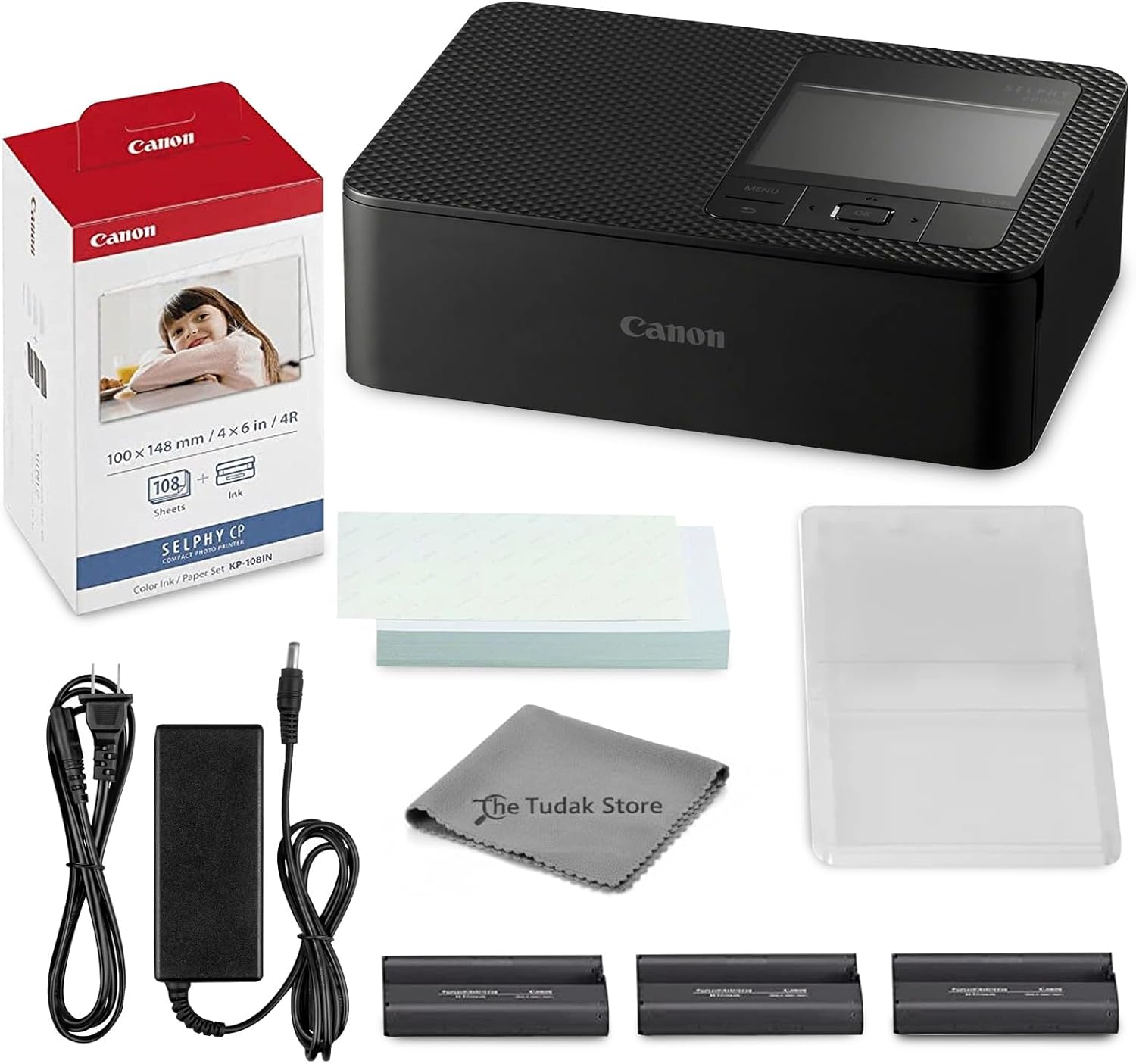
Canon Selphy CP1500 Wireless Photo Printer Bundle
This dye-sublimation printer delivers lab-quality 4x6 photos with vibrant colors and water-resistant finishes, ideal for home printing, events, and scrapbooking. The bundle includes paper, ink cartridges, and a cleaning cloth, plus Wi-Fi connectivity for printing from phones and computers.
Pros
- All-in-one bundle eliminates need for separate purchases to start printing immediately
- Professional-quality color output with smooth gradients and vibrant tones
- Easy wireless connectivity via Wi-Fi app control for mobile devices
- Compact footprint fits easily into home or office spaces
- Durable prints resist fading and fingerprints over time
Cons
- Limited to 4x6 inch photo format only, no larger print sizes available
- Printing speed at 10 pages per minute is relatively slow for high-volume projects
- No scanner functionality, print-only capability limits versatility

Canon Selphy CP1500 Compact Photo Printer
A dye sublimation printer designed for quick, portable photo printing from smartphones, cameras, and memory cards. Delivers vibrant prints in multiple sizes with instant-dry technology, though it requires smartphone connectivity for computer printing and has modest print speed.
Pros
- Vibrant, professional-quality color output with accurate color reproduction
- Smartphone printing via SELPHY Photo Layout and Canon PRINT apps is straightforward and responsive
- Instant-dry prints require no waiting and can be handled or marked immediately
- Small footprint makes it genuinely portable for home use or events with optional battery
- Includes starter paper pack and ink cartridge for immediate use
Cons
- No dedicated Windows or Mac driver; computer printing limited to smartphone app workflow, creating extra steps for laptop users
- Slow print speed at 1 page per minute for color photos; four-pass dye sublimation process slows bulk printing
- Requires continuous power connection without optional battery pack, limiting true portability
- Daytime photos may appear slightly overexposed or washed out; nighttime photos show more vibrant results

Canon SELPHY CP1500 Portable Photo Printer Kit
This dye sublimation printer delivers compact, wireless photo printing with support for multiple paper sizes and finishes. The kit includes two ink and paper sets, making it practical for casual users who print 4x6 photos on the go or at events.
Pros
- Wireless and multi-source printing options make it flexible for different scenarios
- Two ink and paper sets included provide immediate usable capacity
- Supports varied paper sizes and finishes for creative printing beyond standard photos
- Compact form factor and battery capability enable on-location printing
- 4.5-star rating from 183 verified reviews indicates consistent user satisfaction
Cons
- 300 x 300 dpi resolution is functional but not high-end compared to professional photo printers
- Consumables model means ongoing costs for replacement ink and paper sets
- Limited to dye sublimation printing, which has slower speeds than some inkjet alternatives

Liene M100 4x6 Dye-Sublimation Photo Printer Bundle
A portable dye-sublimation printer that outputs vibrant 4x6 photos in about a minute, connecting directly from your smartphone via built-in Wi-Fi hotspot. This bundle includes 180 sheets of glossy paper and 5 ink cartridges, making it practical for home printing, events, or travel without requiring internet access.
Pros
- Exceptional print quality with vibrant color and protective layer that resists water and scratches, verified by professional photographers
- Extremely portable at 6.2 lbs with footprint smaller than a 4x6 print; ideal for events, travel, or RV use
- Self-contained Wi-Fi hotspot eliminates dependency on home network or internet connectivity
- Generous starter bundle with enough paper and ink for extended use without immediate repurchases
- Dye-sublimation technology eliminates clogging issues and maintains function after long storage periods
Cons
- Printing speed of approximately one minute per photo makes it unsuitable for high-volume event photography
- App printing required for optimal color accuracy; printing without the app results in grainy, discolored output
- Requires switching from main Wi-Fi connection to printer-specific hotspot to print, creating temporary internet disconnect

Epson PictureMate PM-400 Wireless Photo Printer
A compact wireless printer designed specifically for 4x6 and 5x7 photo printing with vibrant, fade-resistant output lasting up to 200 years. Ideal for home users, scrapbookers, and event photographers who want fast, high-quality prints without the bulk of traditional office printers.
Pros
- High-quality, vibrant photo output with excellent color accuracy that stands out compared to competitor printers like Canon Selphy
- Extremely simple setup and wireless connectivity, minimal technical friction for first-time users
- Durable prints rated for 200 years in album storage with resistance to smudging, water damage, and fading
- Proven reliability with users reporting 6+ years of consistent performance and 1000+ prints without issues
- Affordable ink and paper costs relative to print quality and longevity
Cons
- Requires genuine Epson ink cartridges and paper; firmware updates may disable third-party cartridges, limiting cost-saving options
- Limited to 4x6 and 5x7 print sizes only, not suitable for larger format printing needs
- Ink cartridge capacity requires replacement during longer printing sessions; manual recommendation against storage longer than 6 months without use

Liene M100 4x6 Photo Printer with Wi-Fi
A portable dye-sublimation photo printer that connects wirelessly to smartphones and computers, printing borderless 4x6 photos in about one minute. Best for casual users who want instant physical prints from their phone without needing an external network.
Pros
- Wireless setup with independent hotspot eliminates network dependency
- Thermal dye-sublimation produces vibrant, durable prints with laminated protection against fading and fingerprints
- Flexible connectivity options: Wi-Fi, USB, or printer hotspot with multi-device support
- Intuitive app allows photo customization, filters, and ID photo printing before output
- Comes fully stocked with paper and three cartridges for immediate use
Cons
- No verified buyer reviews available to assess real-world reliability or print quality consistency
- Print head requires manual cleaning if smudges appear, adding maintenance overhead
- Maximum sheet capacity is only 20 sheets per load, requiring frequent reloading for larger print sessions

Kodak Dock Plus 4x6 Photo Printer
A smartphone-connected desktop printer that produces borderless 4x6 prints in about 55 seconds using dye-sublimation technology. The integrated dock charges your phone while printing, and the Kodak app lets you edit photos before output.
Pros
- High print quality with excellent color reproduction from dye-sublimation process
- Simple setup and operation, intuitive app interface when properly configured
- Phone dock with simultaneous charging adds practical convenience
- Photo prints resist water, fingerprints, and fading for long-term preservation
- Includes 50 sheets of paper and two cartridges in standard bundle
Cons
- App setup and pairing process is confusing and poorly documented, with unclear Bluetooth status indicators (yellow light unclear for readiness)
- Instructions are difficult to read and lack detail on key steps, causing user frustration
- Docking connector only charges the phone; all data transfers via Bluetooth rather than USB, limiting connection reliability
- Paper jam issues reported by some users, particularly when loading multiple sheets
- Requires proprietary Kodak Photo Printer app; no alternative software options

Liene Amber M110 Bluetooth Photo Printer
A compact portable photo printer that connects via Bluetooth to smartphones and prints vibrant 4x6 photos and 3x3 stickers in about 59 seconds. Delivers lab-quality color prints with dye sublimation technology and includes dual paper trays, making it convenient for home printing without requiring cables or complex setup.
Pros
- Lab-quality print output with vibrant, accurate colors and sharp detail
- Seamless Bluetooth pairing and intuitive mobile app interface
- Portable design at 2.9 pounds makes it practical for home or travel use
- Water and scratch-resistant prints from dye sublimation technology
- Responsive customer service noted in verified reviews
Cons
- Paper finish is less glossy than traditional photo lab prints, affecting perceived depth
- Print detail can be softer on fine elements like small raindrops or snowflakes
- Replacement paper costs approximately 0.40 dollars per 4x6 sheet

Canon PIXMA TS6520 Wireless All-in-One Inkjet
A compact, budget-friendly all-in-one that handles printing, scanning, and copying with solid quality for everyday household needs. The 1.42-inch OLED display and automatic 2-sided printing make it straightforward to use, while dual-band Wi-Fi and mobile app support keep things flexible. Best suited for families and students who print occasionally and value simplicity over advanced features.
Pros
- Automatic 2-sided printing reduces paper waste and workflow time
- Dual-band Wi-Fi (2.4GHz/5GHz) with Apple AirPrint and Mopria support for reliable mobile printing
- Sharp text and vibrant color output from 2-cartridge hybrid ink system
- Compact footprint fits easily into tight home workspaces
- Intuitive 1.42-inch OLED display for quick status checks and settings
Cons
- No automatic document feeder (ADF) limits scanning and copying efficiency for multi-page jobs
- Limited to 100-sheet input tray, requiring frequent refills for heavy use
- Lacks advanced features found in higher-tier models, making it basic for power users
Photo Printers Buying Guide
Photo printing technology has branched into several distinct approaches, each with real trade-offs. Understanding those trade-offs before you buy will save you from ending up with a machine that technically works but never quite delivers what you imagined.
The six criteria below cover everything from print technology and color accuracy to running costs and connectivity, and they reflect the factors that consistently separate praised models from disappointing ones in expert reviews and owner feedback alike.
Print Technology: Dye-Sub vs. Inkjet
Most home photo printers fall into one of two camps: dye-sublimation (dye-sub) or inkjet.
Dye-sub printers, like the Canon Selphy CP1500 series and the Liene M100, work by heating a ribbon to transfer dye directly into the paper surface rather than depositing droplets on top of it.
The result is a continuous-tone print that resists fingerprints and moisture, looks glossy right out of the machine, and requires no drying time. For 4×6 snapshots and postcard-sized output, dye-sub is arguably the easier technology to live with day to day.
Inkjet printers, by contrast, spray microscopic droplets of ink onto the paper and can scale to much larger output sizes.
Professional inkjets like the Canon imagePROGRAF PRO-1100 and the Canon PIXMA PRO-200S use multiple ink channels, sometimes eight or more, to reproduce a very wide color gamut and nuanced shadow detail.
If you print anything larger than 5×7, work with fine-art paper stocks, or need archival longevity measured in decades, a pigment or high-quality dye inkjet is the right tool.
The trade-off is higher hardware cost, more expensive per-print economics, and the need to print regularly to prevent nozzle clogging.
Pairing a capable inkjet with a well-calibrated display, the kind covered in our monitors category, makes a meaningful difference in color matching between screen and print.
For casual snapshot printing, dye-sub wins on convenience and cost predictability. For serious photographic work, inkjet wins on quality ceiling and versatility. Neither technology is universally better; the right answer depends on your output size, volume, and quality expectations.
Print Size and Output Format
Most dye-sub and compact photo printers are locked to 4×6 inches, which covers the vast majority of casual printing needs and social-media-sized output.
Some models, like the Liene Amber M110, also support small square sticker paper, adding a creative format that resonates with younger users and scrapbookers. If 4×6 is your primary use case, these compact machines are ideal.
Step up to a professional inkjet and the ceiling rises dramatically. The Canon imagePROGRAF PRO-1100 handles 17-inch wide media, making it capable of A2 fine-art prints and panoramic landscapes.
The Canon PIXMA PRO-200S covers up to A3-Plus borderless output, a popular size for portfolio prints and framed wall art.
If you are serious about large-format output, think carefully about the media sizes you actually need before committing to a printer, because upgrading later is expensive.
It is also worth thinking about where the printer will live; large-format machines are desk-occupying appliances, whereas compact dye-sub units tuck away easily.
Our coverage of monitors and peripherals offers useful context on managing a productive workspace around larger output devices.
Color Accuracy and Ink System
Color accuracy in a photo printer comes down to the number of ink channels, the quality of the color management pipeline, and the paper profiles available.
Entry-level dye-sub cartridges typically use a three-panel ribbon covering cyan, magenta, and yellow, which produces vivid, pleasing results for everyday photos but can struggle with very subtle gradients or neutral grays.
This is perfectly acceptable for family snapshots but limiting for photographers who want accurate skin tones across a wide range of lighting conditions.
Professional inkjets address this with expanded ink sets.
The Canon PIXMA PRO-200S uses an eight-color dye-based Chromalife100 Plus system specifically tuned for photographic reproduction, covering a wider gamut than standard four-color inkjets and handling smooth tonal transitions far more gracefully.
The Canon imagePROGRAF PRO-1100 goes further still with a pigment ink system designed for longevity as well as accuracy. If you are printing images captured on high-end camera gear, the precision available from a multi-channel inkjet genuinely justifies the investment.
Photographers who also shoot video may find value in pairing their workflow with capable action cameras or a solid smartphone gimbal to round out a versatile content creation setup.
Connectivity and App Ecosystem
Every printer on our list offers Wi-Fi connectivity, and most support direct smartphone printing through dedicated apps or standards like AirPrint and Mopria.
For casual users, the quality and reliability of the companion app matters as much as the hardware itself.
Canon’s Easy-Photo Print Editor and the Selphy Photo Layout app are consistently praised for being intuitive and feature-rich, allowing users to add borders, frames, and text without touching a desktop computer.
Liene’s companion app receives strong marks for straightforward photo editing and printing workflows on both iOS and Android.
For desktop and studio use, USB and Ethernet connections remain important. Professional inkjets like the imagePROGRAF PRO-1100 support all three connectivity modes, making them compatible with complex print workflows managed from a desktop workstation.
If your setup involves a capable desktop machine, our roundup of desktop computers covers the hardware side of a complete photo editing and printing station.
Bluetooth is also available on some portable models like the Liene Amber M110, which is convenient when Wi-Fi is unavailable.
Running Costs and Consumables
The sticker price of a photo printer tells only part of the cost story. For dye-sub printers, consumables come in bundled ink-and-paper kits, which makes cost-per-print easy to calculate and avoids the frustration of running out of paper mid-session.
The Canon Selphy line and the Liene M100 both use this model, and the per-print cost at typical bundle prices is competitive with commercial print labs for casual volumes.
Inkjet running costs vary more widely. High-volume professional inkjets use large individual ink cartridges that cost more upfront but spread that cost over many prints, keeping per-print economics reasonable when you print frequently.
However, if an inkjet sits idle for weeks, ink can dry in the nozzles, leading to expensive cleaning cycles that consume ink without producing output.
Buying a bundle version of the Selphy CP1500, which ships with a full set of ink and 108 sheets of paper, is a good way to manage initial consumable costs on the dye-sub side.
For inkjet buyers, check whether the manufacturer offers a high-yield ink option before committing.
Portability and Form Factor
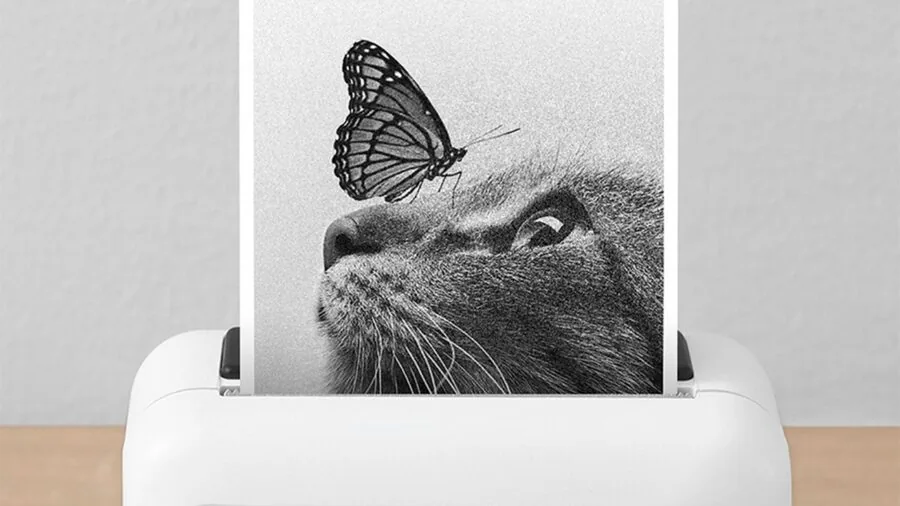
Not all photo printers are meant to live on a desk.
The Canon Selphy CP1500 is compact enough to carry to events, and it can run on an optional battery pack, making it genuinely portable for on-site portrait sessions or party printing.
The Liene M100 is similarly travel-friendly at its size and weight, and it ships in bundle configurations that include enough consumables to get started immediately.
The Kodak Dock Plus takes a different approach by docking directly to a smartphone, which simplifies the workflow for users who want a one-device solution with no app configuration required.
For buyers who want printing capability without dedicating permanent desk space, the portable-friendly options in our list deserve serious consideration.
If portability is a broader theme in your tech setup, products like portable monitors and compact mini PCs round out a mobile-capable workspace nicely.
On the other hand, if the printer will sit in a dedicated studio alongside a desktop workstation, the form factor penalty of a large-format inkjet becomes irrelevant compared to the quality advantages it offers.
Why You Should Trust Us
REMOVU is an independent editorial review site with no manufacturer relationships that influence our rankings.
Every product in this roundup was assessed using a consistent set of criteria drawn from published specifications, expert review consensus across multiple authoritative sources, and verified buyer feedback.
We do not conduct our own product trials; our evaluations are grounded in research, published data, expert review consensus, and verified buyer feedback.
Each model receives a REMOVU Score on a scale of zero to ten, reflecting how well it performs across the criteria most relevant to its category. Products are ranked by that score, with the highest-scoring model listed first.
In the interest of full transparency: REMOVU may earn a commission if you purchase through a link on this page. That affiliate relationship has no bearing on which products we include, how we rank them, or what scores we assign.
Our editorial recommendations are determined by research quality alone.
We never accept payment for placement, and we have no incentive to recommend a product that will not serve you well, since our credibility depends on the accuracy and usefulness of our guidance.
Final Thoughts
The photo printer market rewards buyers who match the technology to their actual use case.
A professional large-format inkjet is extraordinary for fine-art output but unnecessary for casual snapshot printing, while a compact dye-sub unit is a joy to use for everyday photos but cannot scale to wall art.
Our picks across both categories give you a clear path regardless of where you fall on that spectrum. Here are the standout titles from this roundup:
- Best Overall: Canon imagePROGRAF PRO-1100 earns the top REMOVU Score in this roundup for its professional-grade 17-inch wide output, precise pigment ink system, and wireless workflow, making it the definitive choice for serious photographers who demand the highest print quality available at home.
- Best for Professional Color Reproduction: Canon PIXMA PRO-200S stands out for its eight-color dye-based ink system and A3-Plus borderless capability, delivering exceptional color gamut and smooth gradients that rival commercial lab output at a fraction of the turnaround time.
- Best Compact Bundle Value: Canon Selphy CP1500 with KP-108IN Bundle achieves the highest REMOVU Score among dye-sub options in this list, combining reliable wireless 4×6 print quality with a generous paper and ink bundle that makes it ready to print right out of the box.
- Best Budget Smartphone Printer: Kodak Dock Plus 4×6 offers a uniquely approachable experience by docking directly to a compatible smartphone, eliminating app setup friction for users who want quick, water-resistant prints without a learning curve.
- Best Versatile All-Rounder: Epson PictureMate PM-400 delivers wireless compact photo printing with Epson’s proven inkjet color science in a portable body, making it a strong choice for users who want inkjet quality without committing to a full-size machine.
Whichever direction you go, the investment in a dedicated photo printer pays off quickly if you print with any regularity. Commercial lab pricing adds up, and nothing matches the immediacy of holding a finished print minutes after shooting.
If you are building out a complete imaging setup, do not overlook the upstream gear: tripods under $200 and thoughtfully chosen camera lenses for landscape work can make the images you feed into your printer that much more rewarding to output.
Frequently Asked Questions
What is the difference between a dye-sublimation and an inkjet photo printer?
Dye-sublimation printers use heat to transfer dye from a ribbon directly into the paper surface, producing continuous-tone prints that resist smudging and moisture without any drying time.
Inkjet printers spray liquid ink droplets onto paper and can support a much wider range of media sizes and paper types. Dye-sub excels at compact, everyday snapshot printing; inkjet excels at large-format, fine-art, and high-volume professional output.
How many pages does a typical photo printer ink and paper bundle cover?
For dye-sub printers like the Canon Selphy, standard cartridge-and-paper kits cover 108 prints, and larger bundles or the Liene M100 bundle configuration can supply 180 or more prints.
Each kit pairs the ink ribbon directly with the paper sheets, so you always run out of both at the same time.
For inkjet models, yield depends heavily on image coverage and ink cartridge size; professional inkjets typically use larger cartridges with higher page yields to keep per-print costs manageable.
Can I print photos directly from my iPhone or Android phone?
Yes, every printer on our list supports smartphone printing, though the method varies. Canon Selphy models support AirPrint for iPhone users and offer a dedicated app for Android. Liene printers use a Wi-Fi companion app compatible with both platforms.
The Kodak Dock Plus takes a more direct route by physically docking to the phone for a wired connection, while also offering Bluetooth for wireless printing.
Always check that your specific phone model is supported before purchasing, particularly for dock-style printers.
Are home photo prints as durable as commercial lab prints?
Durability depends heavily on the ink and paper combination used. Dye-sub prints from Canon Selphy and Liene units are rated water-resistant and fingerprint-resistant, making them surprisingly robust for everyday handling and album storage.
Professional pigment inkjet prints, such as those from the Canon imagePROGRAF PRO-1100 on archival media, are rated for very long display life when kept away from direct UV light.
Standard dye inkjet prints on photo paper are generally less fade-resistant than either dye-sub or pigment inkjet output when exposed to light over time.
Is a photo printer worth it if I only print occasionally?
For occasional printing, a dye-sub model like the Canon Selphy or Liene M100 is a better choice than an inkjet, because dye-sub printers are not vulnerable to nozzle clogging when left idle.
Inkjets require periodic printing or maintenance cycles to keep nozzles clear, which wastes consumables if the machine sits unused for weeks at a time.
If you print fewer than a couple of sessions per month, a dye-sub printer will give you a better experience with far less maintenance overhead.
For context on building a creative tech setup on a reasonable budget, our overview of desktop computers for students pairs well with a compact photo printer recommendation for dorm or home-office creative work.
What paper size should I choose for a home photo printer?
Most buyers are well served by 4×6 inch output, which corresponds to a standard snapshot size and fits widely available photo albums and frames.
If you regularly print portraits for display or produce images for clients, stepping up to a printer that handles 5×7 or larger formats gives you more flexibility.
For photographers who want exhibition or portfolio prints, A3-Plus borderless inkjet output from a model like the Canon PIXMA PRO-200S is worth the higher investment.
Think about the wall sizes and frame formats you actually use before deciding, since upgrading to a larger-format printer later means replacing the machine entirely.
About the author
Michelle covers soundbars for REMOVU, comparing clarity, bass, and Atmos support across single bars and full systems. She helps readers fix thin TV audio at any budget.