The 11 Best External SSDs for Xbox
Expanding your Xbox storage means knowing which drives actually work for Series X|S play-from-drive vs. archive use. Here are the top picks across every budget.
 By Kevin Hunt
Updated July 26, 2026
By Kevin Hunt
Updated July 26, 2026
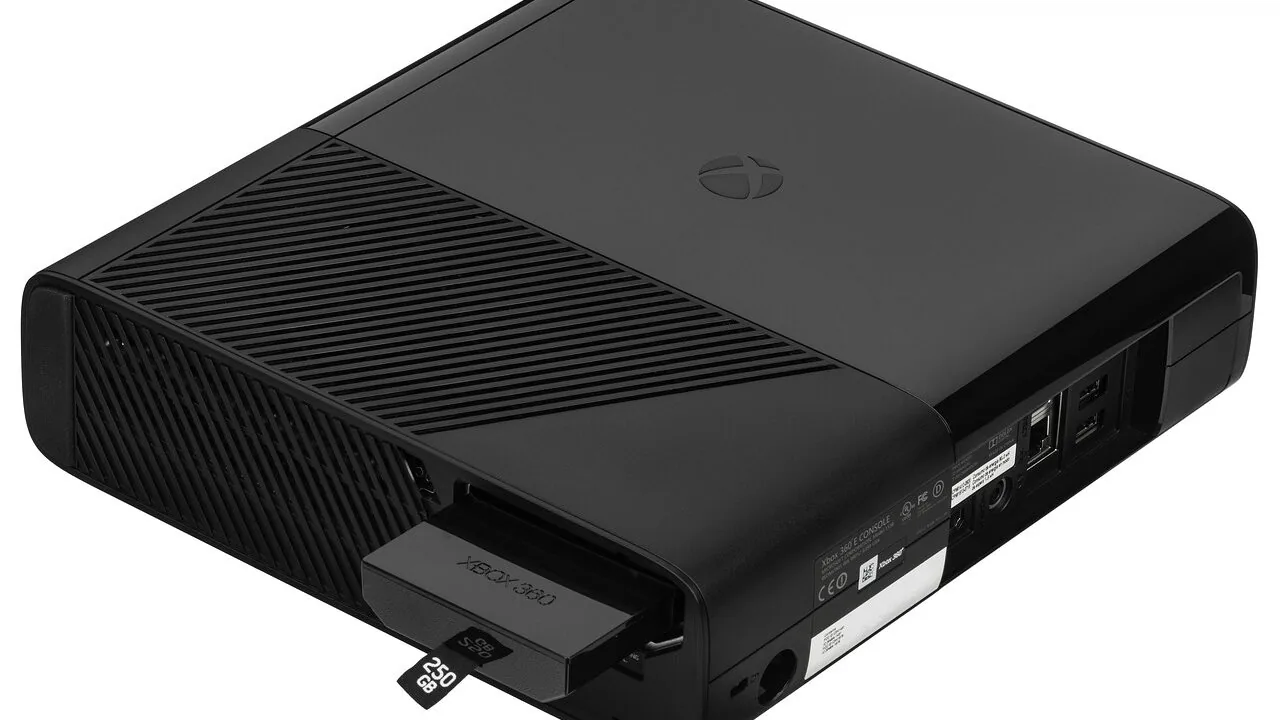
Xbox Series X and Series S owners know the frustration well: a growing game library and a shrinking storage bar. Modern titles regularly exceed 100 GB, and the consoles’ built-in NVMe storage fills up fast.
Whether you’re on an Xbox Series console or still running an Xbox One, a quality external SSD can meaningfully change how you game, letting you store more titles, reduce load times on compatible drives, and carry your library between TVs without breaking a sweat.
The right drive, however, depends on which Xbox you own, how much storage you actually need, and whether raw speed or rugged portability matters more to you.
This guide covers eleven storage options spanning officially licensed expansion cards, high-speed portable SSDs, and value-oriented drives from brands including WD_BLACK, Samsung, Crucial, and Seagate.
REMOVU’s picks are based on a synthesis of published specifications, expert review consensus from hardware publications, and verified buyer feedback from confirmed purchasers. Every product in this list carries a REMOVU Score, and the ranking reflects that score.
Read on for our top picks, then use the buying guide below to find the drive that fits your setup.
| Award | Product | REMOVU Score About REMOVU ScoreThe REMOVU Score is our own rating from 0 to 10, based on performance, design and build, ease of use, and value. It reflects independent research and is never influenced by manufacturers, retailers, or affiliate commissions. Learn more › | Price | |
|---|---|---|---|---|
| Best Overall |
 WD_BLACK C50 2TB Xbox Expansion Card
|
9.1/10 | Buy | |
| Best Budget |
 WD_BLACK P40 1TB Game Drive SSD
|
8.3/10 | Buy | |
| Best Value |
 Samsung T9 1TB Portable SSD, 2,000 MB/s
|
8.7/10 | Buy | |
 Crucial X9 2TB Portable SSD, 1050MB/s
|
8.6/10 | Buy | ||
 Samsung T7 1TB Portable SSD
|
8.3/10 | Buy | ||
| Best Premium |
 Samsung T7 Shield 2TB Portable SSD
|
8.4/10 | Buy | |
 Seagate Game Drive for Xbox 2TB
|
7.9/10 | Buy | ||
 WD_BLACK D30 1TB Game Drive SSD
|
7.4/10 | Buy | ||
 SanDisk Extreme Portable SSD 2TB (1050MB/s)
|
7.3/10 | Buy | ||
 WD_BLACK P10 5TB Game Drive for Xbox
|
6.8/10 | Buy | ||
 WD_BLACK D10 8TB Game Drive
|
6.2/10 | Buy |
WD_BLACK C50 2TB Xbox Expansion Card
Officially licensed NVMe SSD expansion for Xbox Series X|S that plugs directly into the console's dedicated slot with no setup required. Delivers internal SSD-level performance and Quick Resume support, letting you keep 10-15+ AAA titles installed simultaneously without juggling uninstalls.
Pros
- Instant recognition by Xbox, ready to use immediately after insertion
- Performance identical to internal storage across demanding titles like Forza Horizon 5 and Starfield
- Eliminates storage anxiety for multi-game libraries without compromising load times
- Reliable heat management during extended gaming sessions
- Official licensing ensures full Xbox integration and compatibility
Cons
- Premium pricing per GB compared to standard external SSDs, though justified by Xbox-optimized performance
- Limited to Xbox Series X|S only, cannot be repurposed as general PC or Mac storage
- Only works for game storage expansion, not archival like some competing WD_BLACK models
WD_BLACK P40 1TB Game Drive SSD
A portable external SSD built for gaming across PS5, Xbox Series X/S, and PC, with fast USB 3.2 speeds up to 2,000MB/s and customizable RGB lighting. Compact, durable, and reliable for expanding console and laptop storage.
Pros
- Fast transfer speeds that significantly reduce game load times and file copying duration
- Reliable multi-platform compatibility makes it work across major gaming consoles and computers
- Durable construction and proven longevity, with users reporting 3+ years of dependable performance
- RGB lighting adds visual appeal and serves as a power indicator on gaming setups
Cons
- Real-world speeds max around 900MB/s in typical use, falling short of advertised 2,000MB/s peak claims
- RGB lighting customization only available on Windows via downloadable software, not on consoles
- Premium pricing means seeking sales is recommended to get the best value
Samsung T9 1TB Portable SSD, 2,000 MB/s
Samsung's flagship portable SSD delivers the fastest transfer speeds in its class at up to 2,000 MB/s, making it ideal for content creators and gamers handling large files. The Dynamic Thermal Guard keeps temperatures in check during sustained heavy use, while broad device compatibility spans desktops, gaming consoles, and iPhones with ProRes support. A premium choice backed by Samsung's in-house NAND manufacturing and solid 4.6-star rating from nearly 2,900 verified buyers.
Pros
- Fastest sequential read/write speeds at 2,000 MB/s, nearly double the T7's 1,050 MB/s
- Advanced thermal management maintains safe operating temperatures during prolonged use
- Excellent device compatibility including iPhone 15/16 ProRes 4K video recording
- Rugged build with 9.8-foot drop review rating and sustained performance under heavy workloads
- Includes two USB cables (USB-C to USB-C and USB-C to USB-A) for immediate connectivity
Cons
- Requires USB 3.2 Gen 2x2 host support and UASP mode enabled to achieve maximum 2,000 MB/s speeds, older devices may not reach advertised performance
- No dust or water resistance rating, unlike the T7 Shield's IP65 protection
- Premium pricing compared to slower alternatives like the T5 EVO
Crucial X9 2TB Portable SSD, 1050MB/s
A rugged external SSD built for creators and travelers who need fast, dependable storage that survives drops and weather. With IP55 durability, USB-C speeds up to 1050MB/s, and broad device compatibility, it handles 4K footage, game libraries, and backups without fuss.
Pros
- Fast sequential read speeds (up to 1050MB/s) for quick file transfers and media work
- Durable design with IP55 water and dust resistance plus 7.5-foot drop protection
- Cross-platform compatibility with Windows, Mac, Android, PlayStation, and Xbox via USB-C
- Compact 65x50x10mm form factor with integrated lanyard hole for portability
- Includes three months of Mylio Photos Plus and Acronis True Image software
Cons
- Slower than newer alternatives like the Crucial X10 (2000MB/s) at a similar price point
- Requires USB-C to USB-C cable for maximum speeds; older devices need an adapter
- IP55 rating is good but not best-in-class compared to some competitors with IP65 or higher
Samsung T7 1TB Portable SSD
A compact external drive that prioritizes speed and durability for creators moving large files regularly. Delivers PCIe NVMe performance at 1,050 MB/s read speeds, roughly double the older T5 model, with rugged aluminum construction rated for drops up to 6 feet. Best suited for video editors, photographers, and professionals who need reliable fast storage that travels.
Pros
- Fast PCIe NVMe speeds (1,050/1,000 MB/s) enable quick file transfers and 4K video recording directly to the drive
- Durable aluminum unibody with shock and drop resistance up to 6 feet provides real protection for portable use
- Broad device compatibility across PCs, Macs, and mobile phones with support for iPhone 15 Pro Res 4K recording
- Compact form factor with up to 4TB capacity options balances portability and storage needs
- Strong brand reputation backed by in-house firmware and component manufacturing
Cons
- Premium pricing typical for this performance tier may exceed budget-conscious buyers' expectations
- No encryption or security features mentioned in the product data
- Requires USB 3.2 Gen 2 port for advertised speeds, limiting full performance on older devices
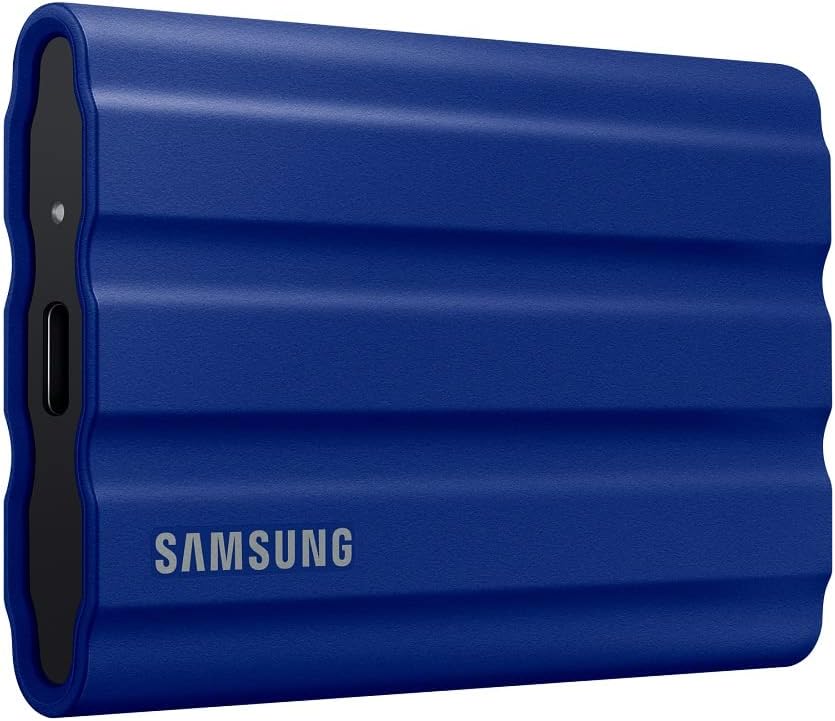
Samsung T7 Shield 2TB Portable SSD
Rugged external SSD built for field work, with IP65 water and dust resistance plus 9.8-foot drop protection. Delivers up to 1,050 MB/s read speeds via USB 3.2 Gen 2, making it suited for photographers, content creators, and gamers who need durability alongside performance.
Pros
- IP65 rating handles water and dust exposure in real-world conditions
- 1,050/1,000 MB/s read/write speeds enable direct editing from the drive
- Drop-reviewed to 9.8 feet, significantly exceeding most portable SSDs
- Broad device compatibility: PC, Mac, Android, gaming consoles, iPhone 15/16
- 2TB capacity in a 97-gram form factor, palm-sized for travel
Cons
- Speeds are slower than T9 (2,000 MB/s) at the same price tier
- IP65 water resistance claims come with caveats and controlled-condition disclaimers
- No reviews available yet to validate durability claims in actual field use
Seagate Game Drive for Xbox 2TB
Purpose-built external storage for Xbox Series X/S and Xbox One consoles, offering 2TB capacity in a compact design with Xbox green LED accent. Delivers straightforward expansion for game libraries without unnecessary complexity.
Pros
- Xbox-certified and seamless integration with current and legacy Xbox systems
- Fast data transfer speeds via USB 3.2 Gen 1 reduce load times when moving games
- Thoughtful industrial design with green LED accent complements Xbox hardware
- Solid warranty package with 3-year data recovery services included
- Lightweight and portable at 167g for easy transport between locations
Cons
- 2TB capacity may fill quickly for players with extensive game libraries, limiting room for future titles
- Mechanical HDD design means slower performance compared to SSD alternatives
- No information provided on noise levels or thermal performance during extended use
WD_BLACK D30 1TB Game Drive SSD
Portable external SSD built for gaming consoles with 900MB/s read speeds and compact design. Compatible with PS5, Xbox Series X/S, PS4, and PC, it effectively extends storage for backward-compatible games and older titles, though performance doesn't match proprietary console expansion options.
Pros
- Fast enough to noticeably reduce load times on PS4 and Xbox One games compared to internal HDDs
- Works seamlessly across multiple gaming platforms without special software
- Compact and aesthetically designed to sit alongside consoles
- Solid build quality with good thermal performance during heavy use
- Value-oriented pricing for the storage capacity
Cons
- Cannot directly play PS5 or Xbox Series X/S optimized games, only archive them; games must be transferred to console storage to play
- Included USB-C cable reported as unreliable by some users; quality third-party cable may be needed
- Real-world write speeds lower than advertised 900MB/s, typically around one-third in practice
SanDisk Extreme Portable SSD 2TB (1050MB/s)
A rugged NVMe portable drive delivering 1050MB/s read speeds and solid durability with IP65 water/dust resistance and 3-meter drop protection. Built for content creators and travelers who need fast, dependable storage that survives rough handling. The carabiner loop and 256-bit encryption add practical security for on-the-go use.
Pros
- Fast NVMe performance with up to 1050MB/s read and 1000MB/s write speeds for content transfer and 4K video work
- Rugged design: IP65 rating, 3-meter drop protection, and carabiner loop make it genuinely portable and adventure-ready
- Hardware-encrypted password protection (256-bit AES) keeps sensitive files secure without slowing performance
- 5-year warranty and high user rating (4.6 stars from 91K+ reviews) suggest solid real-world reliability
- SanDisk Memory Zone app automates file management and backup between phone and drive
Cons
- This is an older model; newer versions (Extreme PRO) offer twice the speed (2000MB/s) at similar durability levels
- IP65 rating is good but not extreme, drive must still be dried before use; not true submersion-proof like some competitors
- Actual speeds depend heavily on host device and interface compatibility; real-world performance may fall short of stated 1050MB/s in some setups
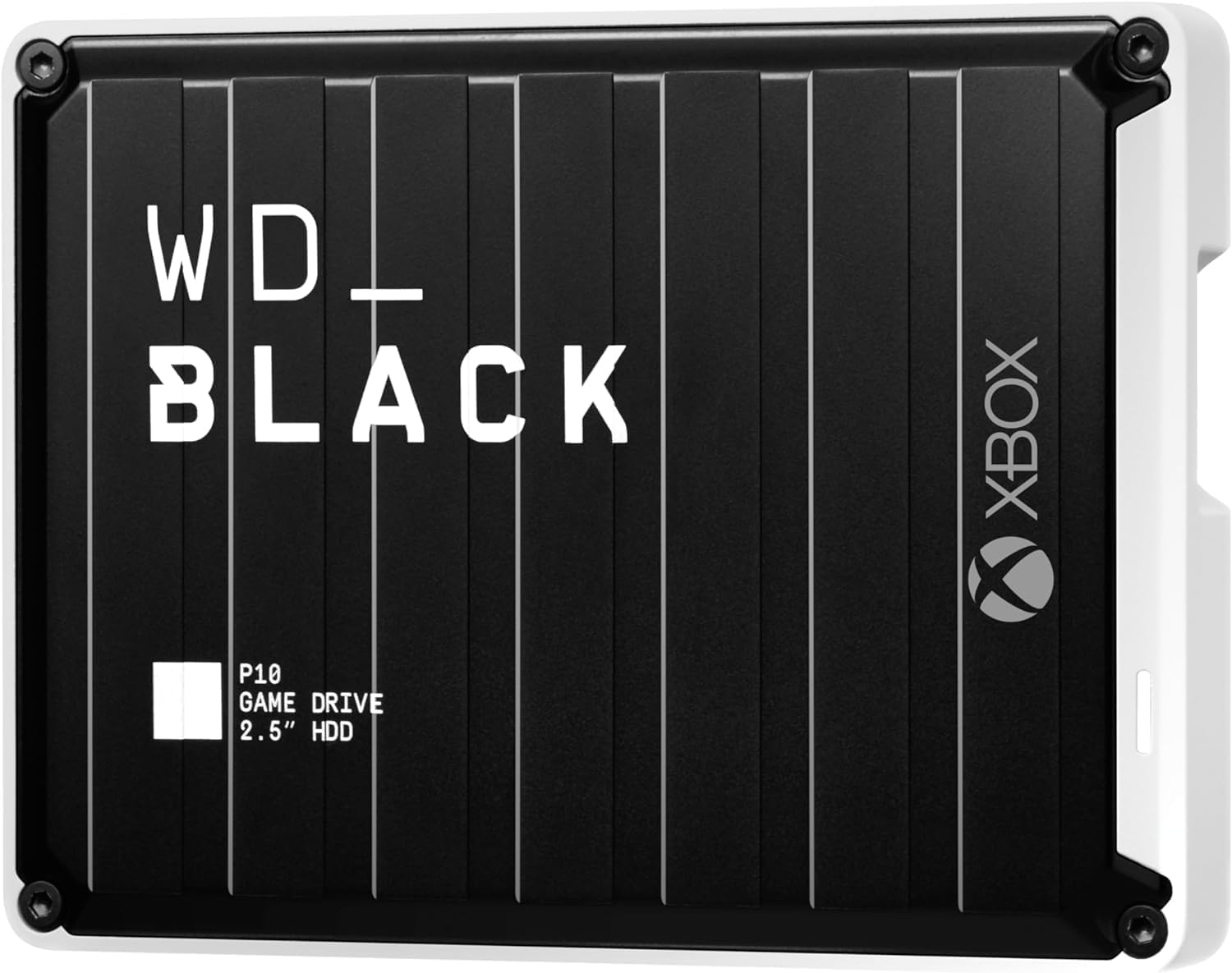
WD_BLACK P10 5TB Game Drive for Xbox
A 5TB portable external drive designed specifically for Xbox consoles, offering plug-and-play storage expansion via USB 3.2. Includes one month of Xbox Game Pass, making it a practical choice for players who need quick access to a larger game library without reinstalling titles.
Pros
- Large 5TB capacity handles extensive game collections without frequent deletions
- USB 3.2 interface provides dependable transfer speeds for game installation and loading
- Portable design allows easy transport between locations or gaming setups
- High user satisfaction reflected in 4.7-star average rating
- Xbox Game Pass month included adds immediate value
Cons
- Mechanical hard disk design may have longer load times compared to solid-state alternatives
- 2.5-inch form factor limits maximum capacity ceiling compared to larger external drives
- USB specifications show mixed documentation (USB 3.0 vs 3.2), creating clarity uncertainty
WD_BLACK D10 8TB Game Drive
Purpose-built external drive for gamers and content creators needing reliable bulk storage. Delivers 250 MB/s speeds with dual USB charging ports, compatible across PlayStation, Xbox, PC, and Mac.
Pros
- High transfer speeds minimize load times when moving large game files
- Built-in USB charging ports add practical utility for gaming gear
- Reliable mechanical drive with active cooling prevents throttling
- Works seamlessly across PlayStation, Xbox, PC, and Mac ecosystems
Cons
- Mechanical hard drive means slower random access compared to SSDs for repeated small file operations
- No information on warranty or data recovery support provided in specs
- Heavier and bulkier than modern portable SSDs despite 2.5-inch form factor
External SSDs for Xbox Buying Guide
Picking an external drive for Xbox is not as simple as grabbing the fastest SSD on the shelf. Xbox consoles have distinct storage tiers, each with different rules about what a drive can actually do.
Understanding those tiers, plus the practical tradeoffs in speed, capacity, and build quality, will help you avoid buying a drive that underperforms for your specific situation.
The sections below cover every dimension that genuinely matters when shopping for the best external SSDs for Xbox.
Xbox Storage Tiers: Expansion Card vs. External SSD vs. External HDD

This is the single most important concept to understand before you buy. On Xbox Series X and Series S, Microsoft uses a proprietary NVMe slot called the Storage Expansion port.
Only officially licensed Storage Expansion Cards, such as the WD_Black C50, plug directly into that port and allow you to play Xbox Series X|S-optimized titles natively, including Quick Resume support across multiple games.
These cards mirror the internal SSD’s architecture, so the console treats them as seamless internal storage.
External USB SSDs connected via USB 3.1 or USB 3.2 are the second tier.
On Xbox Series consoles, you can store Xbox Series X|S titles on them, but you must transfer a game back to internal storage (or an expansion card) to actually play it.
However, Xbox One games and backward-compatible titles play directly from a USB SSD, often with noticeably faster load times compared to a traditional spinning hard drive.
On Xbox One consoles, USB SSDs are the top-tier external option available and deliver the biggest real-world upgrade over stock storage.
External USB HDDs sit at the bottom of the hierarchy. They are best used as a game archive: park titles there and move them to faster storage when you are ready to play.
Drives like the WD_BLACK P10 and D10 are valid options if your priority is maximum capacity at a budget price, but they will not match the responsiveness of even a mid-range portable SSD.
If you are pairing your Xbox setup with a quality display, our guide to projectors for gaming covers companion display options worth considering alongside your storage upgrade.
Interface and Transfer Speed: What Numbers Actually Mean for Gaming

Manufacturers advertise sequential read and write speeds prominently, and those numbers can be misleading without context.
A USB 3.2 Gen 2 drive rated at up to 1,050 MB/s is substantially faster than a Gen 1 drive capped at around 400 MB/s, and that gap translates into perceptibly quicker game installs, shorter transfer windows when moving titles between drives, and reduced load screen duration on Xbox One and backward-compatible games.
If peak sequential speed is your priority, USB 3.2 Gen 2×2 doubles the bandwidth ceiling compared to standard Gen 2.
Samsung’s T9 Portable SSD uses this interface and reaches up to 2,000 MB/s reads, making it one of the fastest USB-attached drives currently available.
The WD_BLACK P40 Game Drive also hits 2,000 MB/s via Gen 2×2, adding RGB lighting for setups where aesthetics matter.
Keep in mind that your Xbox console must support the relevant USB standard to realize full speeds; Xbox Series X|S USB ports support USB 3.1 Gen 1 for external storage, meaning real-world throughput will not hit the drive’s ceiling, but higher-rated drives still tend to outperform slower ones in sustained transfers.
For context across the broader gaming peripheral landscape, thinking about total setup performance matters.
A strong storage drive pairs well with a stable network connection; our networking and storage hub covers Wi-Fi routers and mesh Wi-Fi systems if game download speeds are a bottleneck alongside storage access.
Capacity: How Much Storage Do You Actually Need?
A single AAA title in 2026 can occupy anywhere from 50 GB to over 150 GB, with some open-world games exceeding that. If you regularly juggle a rotation of eight to twelve modern titles, a 2 TB drive is a practical minimum.
Casual players with a smaller active library can get by with 1 TB, while serious collectors who want to keep a large archive offline and restore games quickly will want to look at 4 TB or 5 TB drives, even if those tend to be mechanical HDDs.
For Xbox Series X|S Storage Expansion Cards specifically, the calculus is different because every gigabyte on the card is active storage you can immediately play from.
The WD_Black C50 at 2 TB provides substantial headroom for Series-optimized titles, and the premium price reflects both the proprietary connector and the NVMe-class performance it enables.
Expansion cards are not the place to cut costs if you want the full Series X|S experience.
Build Quality and Portability: Ruggedness Ratings and Form Factor
If the drive lives permanently behind the TV, build quality is primarily about longevity. But many players want a drive that travels with them, going between a living room console, a bedroom setup, or a friend’s house.
For those users, IP ratings and drop protection become real differentiators.
The SanDisk Extreme Portable SSD carries an IP65 water and dust resistance rating along with a 3-meter drop rating, making it a strong choice for gamers who regularly transport their library.
The Samsung T7 Shield similarly carries IP65 certification in a compact, rubberized chassis.
Drives without formal ruggedization ratings, such as the Samsung T7 and the Crucial X9, are still well-constructed for desktop use and light travel.
The WD_BLACK D30 Game Drive SSD occupies a middle ground: it is marketed specifically for gaming across PlayStation, Xbox, and PC, with a compact form factor but no published IP rating.
Always check whether the drive ships with both USB-C to USB-C and USB-C to USB-A cables, since Xbox consoles use USB-A ports and some drives omit the adapter.
Xbox Certification and Compatibility: Does It Matter?

Microsoft’s Xbox Certified label appears on certain drives, including the Seagate Game Drive for Xbox line.
Certification means the drive has been validated by Microsoft for use with Xbox consoles and typically ships with an Xbox Game Pass trial code as a value-add.
In practice, any USB 3.0 or higher external drive will function as archive storage on Xbox; the certification is less about exclusive technical capability and more about convenience, guaranteed compatibility, and the bundled software perks.
Storage Expansion Cards are a different matter entirely. Only officially licensed NVMe cards, currently from Seagate and WD_BLACK, work in the Xbox Series X|S expansion slot.
Third-party NVMe drives, even high-end ones, cannot be used in the proprietary port. If your primary goal is a native internal storage replacement for Series X|S, you must use an officially licensed expansion card, not a generic USB SSD.
Buyers who game on a dedicated setup might also want to consider a comfortable gaming chair for those long sessions where fast load times keep you in the game rather than staring at loading screens.
Value Considerations: Balancing Cost Per Gigabyte Against Performance

External SSDs carry a significant cost-per-gigabyte premium over mechanical drives.
For players who need raw capacity and are not bothered by slower transfers, a 5 TB WD_BLACK P10 HDD offers far more storage at a fraction of the price of a 2 TB SSD.
For players prioritizing speed and gaming convenience, the cost differential is generally worth it, especially for active game storage rather than cold archive use.
Among the SSDs in this roundup, the Crucial X9 offers a strong combination of capacity and price relative to its performance tier, and the Samsung T7 remains a reliable mid-range option with a proven track record.
At the premium end, the Samsung T9 and WD_BLACK P40 justify their prices with best-in-class interface speeds, while the WD_Black C50 Storage Expansion Card commands the highest per-gigabyte cost of any drive here because of its proprietary design and the unmatched native Series X|S performance it delivers.
Why You Should Trust Us
REMOVU is an independent review publication. We do not manufacture, sell, or receive products from brands for review consideration.
Every product on this list was assessed using REMOVU’s structured research methodology: we analyze published technical specifications, synthesize consensus from expert hardware reviewers across the industry, weigh verified buyer feedback from confirmed purchasers, and cross-reference publicly available performance data.
We do not conduct our own product trials; our evaluations are grounded in research, published data, expert review consensus, and verified buyer feedback.
Each product receives a REMOVU Score on a scale of 0 to 10, reflecting its overall merit across consistent criteria including performance, build quality, value, and compatibility. Scores are assigned independently of commercial relationships.
REMOVU may earn a commission if you purchase through links in this article, but affiliate relationships have no influence on scores, rankings, or which products are included.
Our recommendations are determined entirely by research quality and editorial judgment, not by commission rates.
Final Thoughts
After analyzing the full field of external storage options available for Xbox consoles in 2026, our picks span every meaningful use case, from the highest-performance expansion card money can buy to workhorse HDDs suited to budget-conscious collectors. Here is how the top performers break down.
- Best Overall: WD_Black 2TB C50 Storage Expansion Card earns the top REMOVU Score in this roundup by delivering native Xbox Series X|S performance through Microsoft’s proprietary expansion slot, with Quick Resume support, plug-and-play setup, and NVMe-class speeds that no USB-attached drive can replicate for Series-optimized titles.
- Best Portable SSD for Xbox One and Backward Compatibility: Samsung T9 Portable SSD leads the USB-attached field with USB 3.2 Gen 2×2 speeds and a compact, durable chassis that suits gamers who move their library between setups regularly.
- Best Value Portable SSD: Crucial X9 2TB Portable SSD delivers competitive sequential performance, broad platform compatibility, and a notably favorable cost-per-gigabyte ratio in the mid-range SSD segment.
- Best for Gamers Who Want Style and Speed: WD_BLACK 1TB P40 Game Drive SSD pairs RGB lighting with up to 2,000 MB/s transfer speeds, making it the standout choice for players who care about aesthetics alongside performance.
- Best Budget Pick for Xbox One Archive Storage: Seagate Game Drive for Xbox 2TB offers Xbox-certified compatibility, a bundled Xbox Game Pass trial, and straightforward plug-and-play setup at a price point that undercuts every SSD in the group by a wide margin.
No single drive is right for every Xbox owner. If you play primarily on Xbox Series X|S and want the most seamless storage expansion experience, the officially licensed WD_Black C50 is the clear answer despite its premium price.
If you game on Xbox One, own an older Series console, or need a drive that doubles as cross-platform storage for PC and PlayStation as well, the Samsung T9 or Crucial X9 offer compelling performance at accessible price points.
For those seeking handheld gaming options to complement their console setup, our guide to handheld gaming consoles under $200 covers portable alternatives worth considering.
Frequently Asked Questions
Can I play Xbox Series X|S games directly from an external USB SSD?
Not directly on Xbox Series X|S-optimized titles. On those consoles, Xbox Series X|S games stored on a USB SSD must be transferred to the internal SSD or an officially licensed Storage Expansion Card before you can launch them.
That said, USB SSDs can play Xbox One titles and backward-compatible games natively, often with faster load times than a mechanical drive. The distinction matters a lot when planning your storage strategy for a Series X or Series S.
What is the difference between a Storage Expansion Card and a regular external SSD?
A Storage Expansion Card connects to the dedicated NVMe slot on the back of Xbox Series X|S consoles and functions as a true extension of the internal storage.
The console treats it identically to the built-in SSD, including Quick Resume for multiple games and full support for Xbox Series X|S-optimized titles.
A standard external SSD connects via USB and is limited to archive storage for next-gen titles, though it works as active game storage for Xbox One and backward-compatible games.
Expansion Cards are exclusively compatible with Xbox Series X|S; they do not work on Xbox One.
Will any USB SSD work with Xbox, or does it need to be Xbox-certified?
Any USB 3.0 or faster external drive, SSD or HDD, will work as storage on Xbox consoles.
Xbox certification, which appears on drives like the Seagate Game Drive for Xbox, confirms that Microsoft has validated the drive for use with its consoles and typically includes bonus perks such as an Xbox Game Pass trial.
Certification is not required for a drive to function correctly, but it provides assurance of compatibility evaluation and usually simplifies the setup experience. Drives without the certification work just as well in practice for most users.
How much external storage capacity do I realistically need for Xbox?
It depends on how many active titles you rotate through. A casual player who keeps three to five games installed at a time can manage with 1 TB.
A more active gamer juggling ten or more titles simultaneously, especially large open-world games or shooters with frequent updates, will find 2 TB a more practical baseline.
Serious collectors who want a game archive that covers an entire Xbox library history may want to look at 4 TB or 5 TB options, where mechanical HDDs become a cost-effective choice despite the slower transfer speeds.
Can I use the same external SSD for Xbox and PC?
Yes, in most cases. USB SSDs like the Samsung T7, Samsung T9, Crucial X9, and SanDisk Extreme are all formatted to work across Xbox, PlayStation, PC, and Mac platforms.
When you first connect a drive to an Xbox console, it will prompt you to format the drive for Xbox use; this will erase existing data.
If you want to use the same drive across platforms, you will need to manage partitions or accept that Xbox-formatted drives are not immediately readable by Windows or macOS without reformatting.
Some players use separate drives for each platform to avoid this friction. Pairing your Xbox setup with a strong streaming device or capture card for content creation makes versatile cross-platform storage even more valuable.
Does an external SSD improve game performance on Xbox One?
Yes, meaningfully. Xbox One consoles shipped with mechanical hard drives, and switching to an external SSD for active game storage delivers noticeably faster load times for most titles.
Frame rates and visual quality are determined by the console’s hardware rather than storage speed, but games that stream assets from storage during gameplay, such as open-world titles, can benefit from reduced pop-in and shorter initial loading sequences.
For Xbox One users, upgrading to an external SSD represents one of the most impactful quality-of-life improvements available without purchasing new hardware.
Gamers curious about portable gaming beyond the living room console can also explore retro-focused options in our roundup of handheld consoles for retro games.
About the author
Kevin is REMOVU's SSD writer, comparing NVMe and SATA drives on speed, endurance, and price per gigabyte. He helps readers pick the SSD that delivers the biggest real-world speed boost for their PC.