The 10 Best Gaming Routers
Latency, band configuration, and QoS features matter more than headline speeds. Here are the gaming routers that deliver in every category, from budget Wi-Fi 6 to flagship Wi-Fi 7.
 By Rosemary Jimenez
Updated July 26, 2026
By Rosemary Jimenez
Updated July 26, 2026

A router built for gaming does more than just connect you to the internet. It prioritizes real-time traffic, reduces latency, and keeps your connection stable even when multiple devices are competing for bandwidth.
Whether you play competitively online, stream to Twitch, or simply want zero lag during a long raid session, the hardware sitting in your living room matters more than most players realize.
Modern gaming routers have evolved far beyond their consumer counterparts, offering features like Quality of Service (QoS) engines, dedicated gaming acceleration software, multi-gig ports, and the latest Wi-Fi 6 and Wi-Fi 7 standards that deliver meaningfully faster throughput and lower congestion in busy households.
To help you cut through the marketing noise, REMOVU researched every major gaming router on the market in 2026, synthesizing manufacturer specifications, expert review consensus, and verified buyer feedback into a clear, ranked list.
Our picks range from budget-friendly dual-band options to flagship tri-band and quad-band behemoths from ASUS ROG, TP-Link, and GL.iNet.
If you also want to build out a complete gaming setup, pairing a great router with a capable compact mini PC or a high-performance gaming desktop makes the most of every millisecond you save on latency.
Read on for our top-ranked picks across every budget.
| Award | Product | REMOVU Score About REMOVU ScoreThe REMOVU Score is our own rating from 0 to 10, based on performance, design and build, ease of use, and value. It reflects independent research and is never influenced by manufacturers, retailers, or affiliate commissions. Learn more › | Price | |
|---|---|---|---|---|
| Best Overall |
 ASUS ROG Rapture GT-AX11000 Pro WiFi 6 Gaming Router
|
8.8/10 | Buy | |
| Best Budget |
ASUS ROG Rapture GT-AX11000 Pro WiFi 6 Gaming Router
|
8.8/10 | Buy | |
| Best Premium |
 ASUS ROG Rapture GT-AX11000 WiFi 6 Gaming Router
|
8.5/10 | Buy | |
 ASUS ROG GT-BE98 Pro WiFi 7 Gaming Router
|
8.3/10 | Buy | ||
| Best Value |
 GL.iNet GL-BE9300 Flint 3 WiFi 7 Router
|
8.2/10 | Buy | |
 GL.iNet GL-MT6000 Flint 2 Wi-Fi 6 Router
|
7.8/10 | Buy | ||
 TP-Link Archer AX73 WiFi 6 Router, 5400 Mbps
|
7.6/10 | Buy | ||
 TP-Link Archer BE400 Wi-Fi 7 Router
|
7.5/10 | Buy | ||
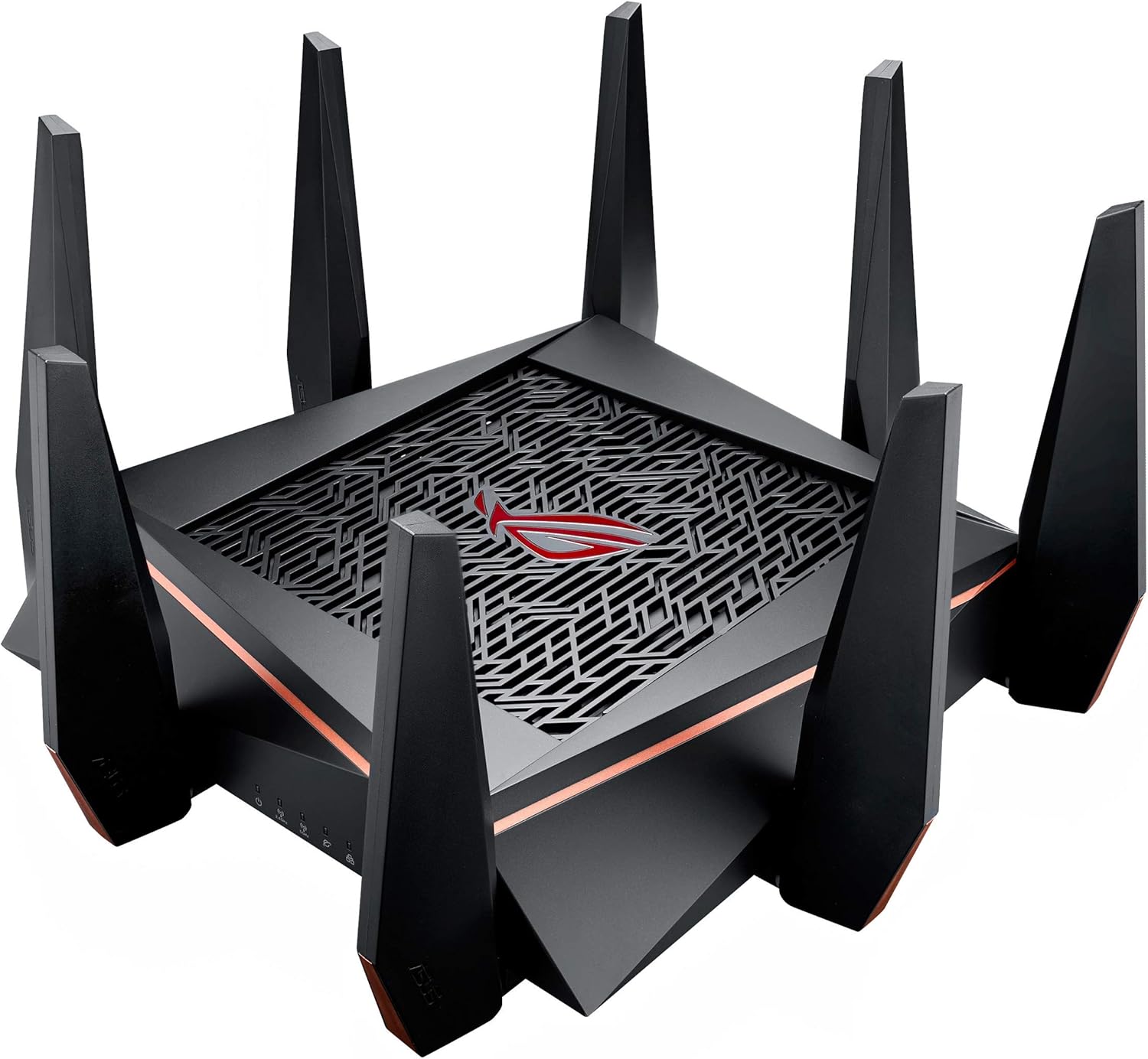 ASUS ROG Rapture GT-AC5300 Tri-Band Gaming Router
|
7.2/10 | Buy | ||
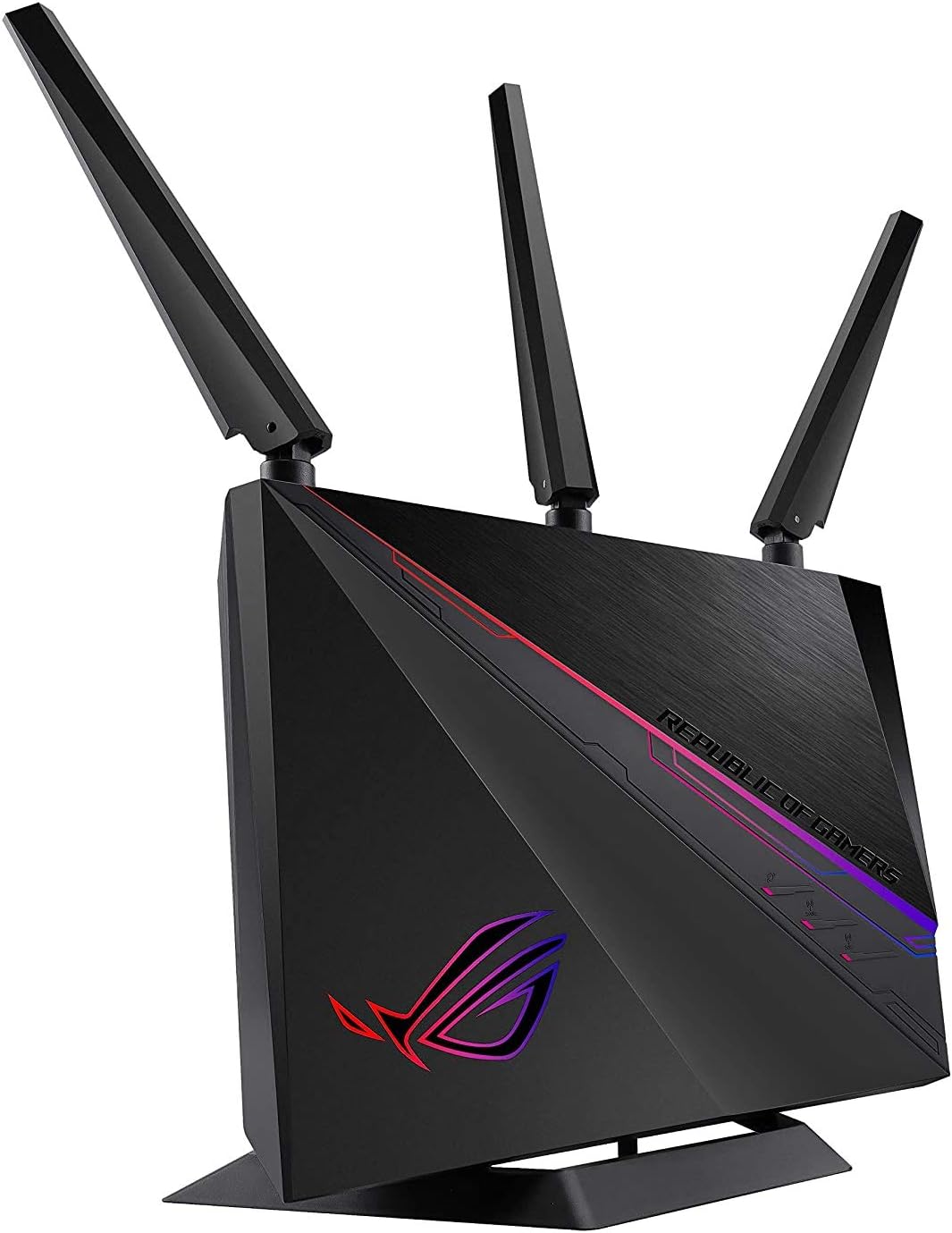 ASUS ROG Rapture GT-AC2900 WiFi 5 Gaming Router
|
6.4/10 | Buy |
ASUS ROG Rapture GT-AX11000 Pro WiFi 6 Gaming Router
A tri-band WiFi 6 router built for gamers and multi-device households, featuring 11 Gbps speeds, 10G and 2.5G ports, and triple-level game acceleration. Best suited for users willing to invest in premium networking hardware and comfortable with setup complexity for wired connections.
Pros
- Exceptional wired speeds through 10G port, verified at 750+ Mbps by users with fiber connections
- Handles heavy multi-device loads seamlessly with stable connectivity for gaming, streaming, and work simultaneously
- Intuitive ASUS Router app enables easy network optimization and device management
- Professional build quality and design; AiMesh compatibility allows flexible expansion without replacing the router
- Strong mesh performance when paired with additional ASUS routers for whole-home coverage
Cons
- Large form factor takes up significant space; port placement on top and back corners can be awkward for some setups
- Initial configuration of 10G WAN port requires deep dashboard settings and potential tech support assistance
- Wireless signal strength in some use cases reported as weaker than competing models at same distances
ASUS ROG Rapture GT-AX11000 Pro WiFi 6 Gaming Router
A tri-band WiFi 6 gaming router built for large homes and competitive play, featuring 10G and 2.5G ports alongside triple-level game acceleration. This is a renewed unit backed by a 90-day limited warranty, making it suitable for gamers seeking enterprise-grade networking without the flagship price point.
Pros
- High-end networking specs including 10G port and WiFi 6 support ideal for gaming and content creation
- Extensive coverage designed for large homes or dedicated gaming environments
- 8 ports with both legacy (1 Gbps) and modern high-bandwidth (2.5G, 10G) connectivity options
- RangeBoost Plus technology and multi-antenna design for stable wireless performance
Cons
- Renewed condition means previous use and cosmetic wear possible, despite warranty coverage
- No user reviews available on this listing to verify real-world performance or reliability
- Limited warranty period of 90 days is shorter than typical new router coverage
ASUS ROG Rapture GT-AX11000 WiFi 6 Gaming Router
A tri-band WiFi 6 router built specifically for gaming with triple-level traffic acceleration, dedicated gaming band, and integrated WTFast optimization. Best for gamers in large homes who want low latency and the ability to run VPN alongside regular internet without performance loss.
Pros
- Gaming-focused architecture with GameFirst V device prioritization and WTFast built-in reduces ping and latency
- Tri-band design lets you isolate gaming traffic away from other household devices on dedicated 5GHz band
- Supports 15 WiFi channels via dynamic frequency selection to avoid network congestion
- Simple 3-step port forwarding and Game Radar for server ping checking
- AiMesh compatibility enables expansion with other ASUS routers for larger coverage
Cons
- No verified buyer reviews available to assess real-world reliability and long-term performance
- Premium positioning means higher price point than non-gaming routers with similar raw specs
- Gaming features like WTFast optimization and GameFirst V add complexity that casual users may not need
ASUS ROG GT-BE98 Pro WiFi 7 Gaming Router
A premium quad-band WiFi 7 gaming router with dual 10G ports and 30 Gbps speeds, designed for demanding gaming and smart home setups. Performance is solid on modern devices, though budget IoT equipment may face 2.4GHz stability issues requiring SSH-level troubleshooting.
Pros
- WiFi 7 with 320MHz bandwidth delivers up to 30 Gbps throughput on compatible devices
- Dual 10G ports plus quad 2.5G ports support high-speed wired connections
- Multi-link Operation ensures stable connections across multiple bands simultaneously
- Triple-level Game Acceleration prioritizes gaming traffic at network, router, and game server levels
- Strong signal coverage via dual external antennas optimized for gaming environments
Cons
- 2.4GHz band exhibits periodic disconnection issues with budget IoT devices due to aggressive WPA Group Key Rotation, fixable only via SSH configuration in current firmware
- Game preset sections lack regular updates despite their inclusion as a convenience feature
- 90-day limited warranty is shorter than typical for a premium-tier gaming router
GL.iNet GL-BE9300 Flint 3 WiFi 7 Router
A tri-band WiFi 7 router built on OpenWrt with strong wireless performance and robust VPN capabilities, appealing to both power users and those seeking straightforward home networking. Setup is intuitive, but early adopters should expect WiFi 7 features to require firmware stability trade-offs.
Pros
- Excellent wireless range covering up to 2,000 square feet with reliable signal penetration
- Intuitive web interface accessible immediately after setup, no app required
- Strong verified buyer consensus on ease of setup and stable performance when features are left at defaults
- High security ratings and straightforward configuration for OpenVPN and Wireguard
- Modern tri-band architecture future-proofs for emerging WiFi 7 devices
Cons
- WiFi 7 beta firmware can cause connection instability and require router reboots; disabling MLO and 6 GHz needed for reliability on some units
- Occasional Ethernet LAN port connectivity issues reported with gigabit networks on some units
- Cutting-edge chipset means software maturity lags hardware capabilities
GL.iNet GL-MT6000 Flint 2 Wi-Fi 6 Router
A high-performance Wi-Fi 6 router built on OpenWrt with dual 2.5G ports, reaching 6 Gbps combined speeds. Designed for gaming, streaming, and advanced users who want both ease of use and deep customization options.
Pros
- Dual 2.5G ethernet ports handle multi-gigabit connections that most consumer routers lack
- Wi-Fi 6 delivers up to 4804 Mbps on 5GHz with excellent range and minimal dead zones, verified by multiple buyers
- OpenWrt foundation with GL.iNet's simplified GUI provides both beginner-friendly setup and advanced configuration access
- Integrated AdGuard Home for network-wide ad blocking without extra hardware
- Strong VPN performance: 900 Mbps WireGuard and 190 Mbps OpenVPN throughput over ethernet
Cons
- Setup requires firmware update on initial install for optimal performance, adding extra first-time steps
- No Power over Ethernet (PoE) support, limiting deployment flexibility in some scenarios
- Network Acceleration feature reportedly causes WiFi instability on some setups, requiring manual disable to restore normal performance
TP-Link Archer AX73 WiFi 6 Router, 5400 Mbps
A WiFi 6 dual-band router designed for high-capacity households and streaming, offering up to 5400 Mbps speeds and extensive coverage through six antennas and beamforming. Best suited for users with multiple devices, gamers, and those needing reliable 8K streaming capability.
Pros
- Strong multi-device support with up to 4x average throughput for simultaneous streaming and gaming
- Extensive coverage area with high-power FEM and six antennas designed to reach kitchens and bedrooms
- Advanced thermal design with 167 cm² vent area prevents overheating during heavy use
- Includes free tier TP-Link HomeShield with network security, parental controls, and QoS
- OneMesh compatibility allows seamless mesh network expansion for larger homes
Cons
- No user reviews available, limiting real-world performance validation
- Requires external modem for most internet service providers, adding setup complexity
- Fixed antennas cannot be adjusted for optimal signal targeting in specific directions
TP-Link Archer BE400 Wi-Fi 7 Router
The Archer BE400 brings Wi-Fi 7 to dual-band routers with MLO and 4K-QAM technology, delivering speeds up to BE6500 across 2,400 sq. ft. HomeShield security and dual 2.5Gbps ports make it solid for streaming and gaming, though it lacks the tri-band performance of pricier models.
Pros
- Wi-Fi 7 future-proofing at a reasonable entry point for the technology
- Strong coverage area with 2,400 sq. ft. and reliable beamforming performance
- Comprehensive HomeShield security suite with parental controls and QoS management
- Dual 2.5Gbps connectivity enables fast wired transfers for demanding tasks
- EasyMesh compatibility allows expansion with compatible routers and extenders
Cons
- Dual-band design limits simultaneous high-speed connections compared to tri-band competitors
- No user reviews available yet to validate real-world performance claims
- 160 MHz channel width narrower than comparable tri-band routers, potentially affecting peak speeds
ASUS ROG Rapture GT-AC5300 Tri-Band Gaming Router
A dedicated gaming router with tri-band WiFi (dual 5GHz, single 2.4GHz), 1.8GHz quad-core processor, and up to 5334 Mbps throughput. Features Game IPS security, VPN Fusion for simultaneous VPN and internet use, and eight gigabit LAN ports optimized for gaming setups.
Pros
- Tri-band design with dedicated gaming 5GHz band reduces latency and congestion for gaming devices
- Eight gigabit LAN ports plus dual USB 3.0 provide extensive wired connectivity for gaming setups
- VPN Fusion feature allows simultaneous VPN and regular internet use without sacrificing speed
- Game IPS powered by Trend Micro offers built-in network security without additional subscription
- AiMesh support enables network expansion by pairing with other compatible ASUS routers
Cons
- No user reviews available to assess real-world performance or reliability feedback
- Requires firmware update to enable VPN Fusion feature, not available out of the box
- Premium gaming router pricing may exceed budget for casual users
ASUS ROG Rapture GT-AC2900 WiFi 5 Gaming Router
A dual-band WiFi 5 router built specifically for gaming with triple-level game acceleration to reduce latency and ping. Features GeForce Now optimization, AiMesh compatibility, and RGB customization that syncs with network status, making it well-suited for gamers in larger homes seeking dedicated performance.
Pros
- Gaming-focused design with dedicated traffic prioritization reduces online latency
- Lifetime free security suite provides ongoing threat protection without additional cost
- RGB lighting doubles as functional network status indicator, not just aesthetic
- GeForce Now compatibility makes it a solid choice for cloud gaming setups
- Simple port forwarding process removes typical configuration headaches
Cons
- WiFi 5 standard is aging as WiFi 6/6E routers become mainstream
- Only 3 LAN ports limits wired device connectivity in complex gaming setups
- No verified customer reviews available to assess real-world reliability and performance claims
Gaming Routers Buying Guide
Choosing a gaming router is not as simple as buying the model with the biggest antenna array or the highest advertised speed.
The right router depends on your home layout, your internet plan, the number of connected devices, and how seriously you take competitive gaming.
The sections below walk through every criterion that genuinely moves the needle on real-world performance, so you can match the right hardware to your actual needs.
Wi-Fi Generation: Wi-Fi 5, Wi-Fi 6, or Wi-Fi 7?

Wi-Fi generation is the single most important specification to understand before you spend any money. Wi-Fi 5 (802.11ac) routers are largely legacy products at this point; if you are buying new, you should be looking at Wi-Fi 6 (802.11ax) at a minimum.
Wi-Fi 6 brings OFDMA and MU-MIMO improvements that dramatically reduce congestion in homes with dozens of connected devices, not just raw speed increases.
For households where smart TVs, phones, tablets, and PCs are all online simultaneously, this makes a measurable difference during gameplay.
Wi-Fi 7 (802.11be) is the newest standard, introducing 320 MHz channel support and Multi-Link Operation (MLO), which lets a single device connect across multiple bands simultaneously for lower latency and greater reliability.
The GL.iNet GL-BE9300 Flint 3 and the ASUS ROG Rapture GT-BE98 PRO are Wi-Fi 7 options in our list, and while client device support is still growing, the forward-looking investment is worth it if you plan to keep a router for four or more years.
If your current devices are all Wi-Fi 6 capable, a premium Wi-Fi 6 model like the ASUS ROG Rapture GT-AX11000 Pro remains an excellent sweet spot of price and performance.
Do not let headline speed numbers mislead you. A router advertising 11,000 Mbps combines speeds across all bands; no single device achieves that number in practice. Focus on per-band throughput on the 5 GHz band, which is what most gaming devices will actually use.
Latency Reduction and QoS Features

Raw throughput matters far less for gaming than latency, the round-trip time for a data packet to reach the game server and return. A good gaming router gives you tools to prioritize game traffic over everything else on your network.
ASUS ROG routers use a layered system called Triple-Level Game Acceleration, which combines device-level QoS, router-level traffic prioritization, and server-level optimization through WTFast to reduce ping spikes.
TP-Link routers lean on their HomeCare and GameStream QoS engines, which are simpler but effective for households that do not need enterprise-grade tuning.
Look for routers with adaptive or automatic QoS rather than purely manual settings. Manual QoS requires you to assign bandwidth caps to every device, which becomes unmanageable as your network grows.
Adaptive systems learn your traffic patterns over time and adjust prioritization dynamically. This is particularly important if someone in your home streams 4K video or runs video calls while you are mid-match.
Band Configuration: Dual-Band vs. Tri-Band vs. Quad-Band
Dual-band routers broadcast on both 2.4 GHz and 5 GHz simultaneously. The 2.4 GHz band offers longer range but lower speeds; the 5 GHz band is faster but has shorter range.
For a small apartment with a handful of devices, dual-band is perfectly adequate, and models like the TP-Link Archer AX73 deliver strong value at this configuration.
Tri-band routers add a second 5 GHz channel, which is enormously useful in homes with fifteen or more active devices because it reduces contention on the primary gaming band.
The ASUS ROG Rapture GT-AX11000 Pro’s tri-band setup, for instance, dedicates one 5 GHz band to backhaul when used in a mesh configuration and another to your most demanding clients.
Quad-band routers, found in flagship Wi-Fi 7 models like the ASUS ROG Rapture GT-BE98 PRO, add a 6 GHz band to the mix. The 6 GHz band is essentially interference-free because it is newly allocated spectrum with far fewer competing devices.
If you live in a dense apartment building where the 5 GHz band is congested with your neighbors’ networks, a quad-band router with 6 GHz support can be transformative.
Just note that your client devices also need 6 GHz radios to take advantage of it.
Pairing a router upgrade with one of our picks for the best smartphones for gaming, most of which now support Wi-Fi 6E or Wi-Fi 7, ensures you get the full benefit.
Wired Port Speed and Multi-Gig Connectivity
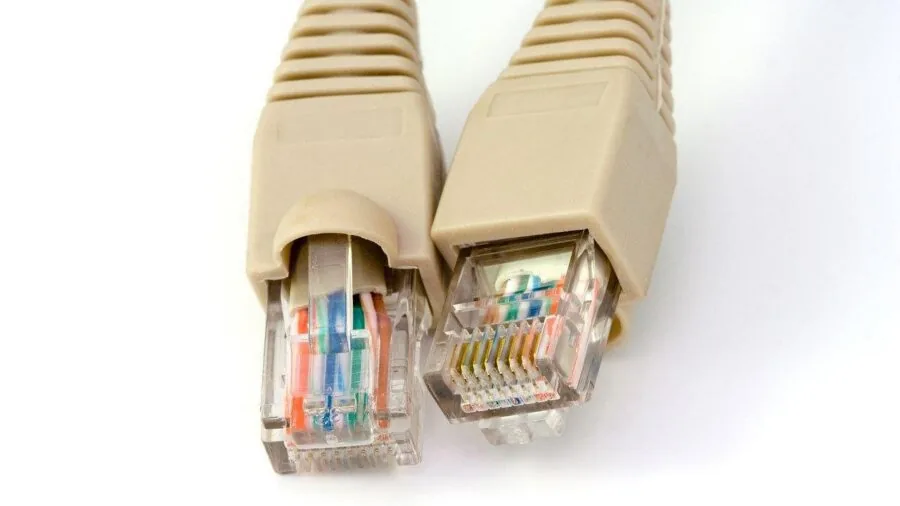
Many gaming setups still rely on a wired Ethernet connection for the lowest possible latency, and the port speed on your router’s LAN side is a hard ceiling on that connection’s performance.
Standard Gigabit Ethernet (1 Gbps) is sufficient for most internet plans, but if you have a multi-gig fiber plan or run a NAS for game libraries, you need more.
Look for routers with at least one 2.5G LAN port, which is now common across mid-range and premium models in our list.
The GL.iNet GL-MT6000 Flint 2, for example, ships with dual 2.5G ports, giving you a clean upgrade path even without breaking the bank.
The ASUS ROG Rapture GT-AX11000 Pro and the GT-BE98 PRO both include 10G ports for direct connection to a compatible switch or NAS.
For most home gamers this is overkill, but if you store and load games from a NAS device on your local network, a 10G connection makes a genuine difference in transfer speed.
Also verify WAN port speed: a router with eight 1G LAN ports but only a 1G WAN port cannot take full advantage of a 2.5 Gbps or faster internet plan.
Coverage, Range, and Mesh Compatibility
A gaming router’s advertised coverage area is almost always measured in ideal open-plan conditions. Real homes have walls, floors, appliances, and other signal obstacles that cut range significantly.
If you are gaming in a large house or across multiple floors, check whether your router supports a mesh system.
AiMesh compatibility, found across the ASUS ROG lineup, lets you pair multiple ASUS routers together for seamless whole-home coverage without a dedicated mesh ecosystem purchase.
The GL.iNet GL-MT6000 Flint 2 runs OpenWrt natively, giving power users extensive control over mesh and VPN configurations. For large homes, you might also consider whether a dedicated mesh Wi-Fi system suits your layout better than a single high-powered router.
RangeBoost and beamforming technologies, present in premium ASUS ROG models, help concentrate the Wi-Fi signal toward connected clients rather than broadcasting omnidirectionally.
This improves effective range to devices in specific locations like a gaming room at the far end of the house.
If you frequently game on a laptop or handheld, antenna count (expressed as the MIMO stream count, such as 8×8 or 4×4) correlates directly with how well the router tracks moving clients and maintains a strong signal.
Security, Firmware, and Long-Term Support

A router that ships with good security features and receives regular firmware updates is one you can trust for years. ASUS ROG routers include AiProtection, powered by Trend Micro, as a lifetime subscription with no additional fee.
This covers real-time threat detection, malicious site blocking, and vulnerability protection at the router level, which guards every device on your network including IoT devices that cannot run their own antivirus software.
TP-Link’s HomeShield offers similar capabilities on their models, with a free tier covering essential protections.
For privacy-focused users, the GL.iNet routers stand out because they ship with pre-installed OpenWrt firmware and native WireGuard VPN support.
WireGuard is significantly faster and more efficient than older VPN protocols like OpenVPN, making it practical to route game traffic through a VPN without incurring the latency penalty that traditionally made VPN gaming unpleasant.
Check the manufacturer’s firmware update history before buying; routers that stop receiving security patches within two years of release are a liability regardless of their initial performance.
For a broader view of your networking setup, the Networking and Storage category covers cable modems, network switches, and storage solutions that round out a complete home network.
Why You Should Trust Us
REMOVU is an independent review publication. We do not conduct our own product trials; our evaluations are grounded in research, published data, expert review consensus, and verified buyer feedback.
Every gaming router in this guide was assessed against a consistent set of criteria covering Wi-Fi performance, latency management, port configuration, security features, firmware quality, and overall value.
Each model received a REMOVU Score on a scale of 0 to 10, reflecting its performance across all those dimensions relative to its price tier.
Our editorial process involves analyzing manufacturer-published specifications, cross-referencing findings from credible independent networking publications, and weighing the feedback of verified buyers who have lived with these routers through real-world conditions including firmware updates, long-term reliability, and ISP compatibility.
We update our assessments as new firmware releases, price changes, and successor models alter the competitive landscape.
REMOVU may earn an affiliate commission when you purchase through links on this page. That relationship has no bearing on which products we include, how we rank them, or the scores we assign.
Our rankings are determined entirely by our evaluation criteria, not by commission rates or commercial arrangements with any brand.
Final Thoughts
After researching every major option across the gaming router market in 2026, a handful of standouts clearly separate themselves from the field. Here are our key picks with their earned designations:
- Best Overall: ASUS ROG Rapture GT-AX11000 Pro earns the top spot with the highest REMOVU Score in the group, combining tri-band Wi-Fi 6, Triple-Level Game Acceleration, a 10G port, and subscription-free security into a package that punches well above its price. It is the router we would recommend to most serious gamers without hesitation.
- Best Wi-Fi 7 Upgrade: GL.iNet GL-BE9300 Flint 3 delivers tri-band Wi-Fi 7 with a 6 GHz band, five 2.5G ports, and OpenWrt flexibility at a mid-range price, making it the smartest path into the Wi-Fi 7 era for power users who want genuine control over their network.
- Best for Flagship Performance: ASUS ROG Rapture GT-BE98 PRO is the choice for gamers who demand the absolute ceiling, with quad-band Wi-Fi 7, 320 MHz channel support, and dual 10G ports. Its REMOVU Score reflects premium hardware that justifies its flagship pricing for the right buyer.
- Best Budget Pick: TP-Link Archer AX73 is the most compelling value in the lineup, delivering Wi-Fi 6 dual-band performance at an accessible price that makes it the obvious recommendation for gamers on a tighter budget who still want a modern, capable router.
- Best for Privacy-Conscious Gamers: GL.iNet GL-MT6000 Flint 2 stands out for its pre-installed OpenWrt firmware and native WireGuard VPN support, giving privacy-focused users a level of network control that no other router in this price range can match.
Whichever router you choose, remember that the hardware is only part of the equation.
Pairing it with a properly configured QoS setup, a quality cable modem that is not bottlenecking your plan, and a wired connection to your gaming rig wherever possible will get you far more performance than the router spec sheet alone suggests.
And if your gaming setup extends beyond the network, a purpose-built gaming PC for streaming or a comfortable gaming chair for long sessions are worth considering as next steps.
Frequently Asked Questions
Do I actually need a gaming router, or will any router work?
For casual gaming on a lightly loaded network, a mid-range consumer router is often sufficient.
The difference a gaming router makes becomes most obvious in two situations: when your household has many simultaneous users competing for bandwidth, and when competitive gaming requires the absolute lowest and most consistent ping.
Features like hardware-accelerated QoS, game traffic prioritization, and dedicated gaming firmware features are genuinely useful in those contexts, not just marketing. If you play solo on a nearly empty network, you will see less benefit.
Is Wi-Fi 6 worth it over Wi-Fi 5 for gaming?
Yes, for most buyers in 2026. Wi-Fi 6 brings OFDMA scheduling and improved MU-MIMO that reduce latency spikes caused by multiple devices competing for airtime, which is exactly the kind of interference that ruins a competitive gaming session.
If your devices support Wi-Fi 6, the upgrade from Wi-Fi 5 is meaningful in real-world conditions, not just synthetic benchmarks. Wi-Fi 7 adds further improvements but requires compatible client devices to unlock its benefits fully.
Should I use a wired Ethernet connection or rely on Wi-Fi for gaming?
Wired Ethernet remains the gold standard for gaming because it eliminates wireless interference, offers lower and more consistent latency, and is unaffected by competing wireless traffic. If running a cable to your gaming station is practical, do it.
That said, Wi-Fi 6 and Wi-Fi 7 have closed the gap considerably, and for most online games a strong Wi-Fi 6 signal from a well-positioned router produces perfectly playable latency numbers.
Wireless gaming on a laptop or a gaming smartphone connected to one of our top picks is a realistic option for the majority of titles.
Speaking of mobile gaming, pairing strong Wi-Fi with one of the top gaming smartphones gets the most out of your network investment.
What is the difference between a gaming router and a mesh Wi-Fi system?
A gaming router is typically a single high-powered unit optimized for performance and low latency at a central location. A mesh system uses multiple nodes distributed around your home to ensure consistent coverage in every room.
Many modern gaming routers, including the ASUS ROG lineup with AiMesh support, bridge the gap by functioning as gaming-grade routers that also support mesh expansion.
If coverage is your primary problem, a mesh Wi-Fi system may serve you better than a single high-spec router. If performance and features at a central location matter most, a dedicated gaming router wins.
You can browse our full breakdown of mesh Wi-Fi systems to compare the two approaches side by side.
How often should I replace my gaming router?
Most routers remain performant for three to five years with regular firmware updates.
A router becomes worth replacing when it no longer receives security patches, when your internet plan has outgrown its port speeds, or when a new Wi-Fi generation (like Wi-Fi 6 or Wi-Fi 7) has become mainstream among your devices and the performance gap is noticeable.
If your current router is still receiving updates and your devices are not Wi-Fi 6 capable yet, upgrading the router before the client devices is a lower-priority spend.
Assess the full picture of your gaming and tech setup, including whether your laptop or other devices support newer wireless standards, before committing to a hardware refresh.
Can a gaming router improve my performance in online games on a console?
Yes, particularly through QoS features that prioritize your console’s game traffic over background downloads on other devices.
If someone starts downloading a large update on a PC while you are mid-session on a console, a good QoS engine prevents that from spiking your ping.
A wired connection from your console to a router with a fast LAN port is the most direct upgrade.
Many gaming routers also include UPnP and NAT settings that make it easier to maintain an open NAT type, which helps with matchmaking and peer connectivity on platforms like PlayStation and Xbox.
Complementing your router with a capable game console rounds out the complete picture for living-room gaming.
About the author
Rosemary covers gaming headsets for REMOVU, weighing positional audio, mic clarity, and all-day comfort across platforms. She tracks where the best value sits between wired and wireless models.