The 12 Best Ethernet Switches
Speed, port count, PoE support, and smart-managed features all shape which ethernet switch fits your network. Here are the top picks across every budget.
 By Glen Allen
Updated July 26, 2026
By Glen Allen
Updated July 26, 2026
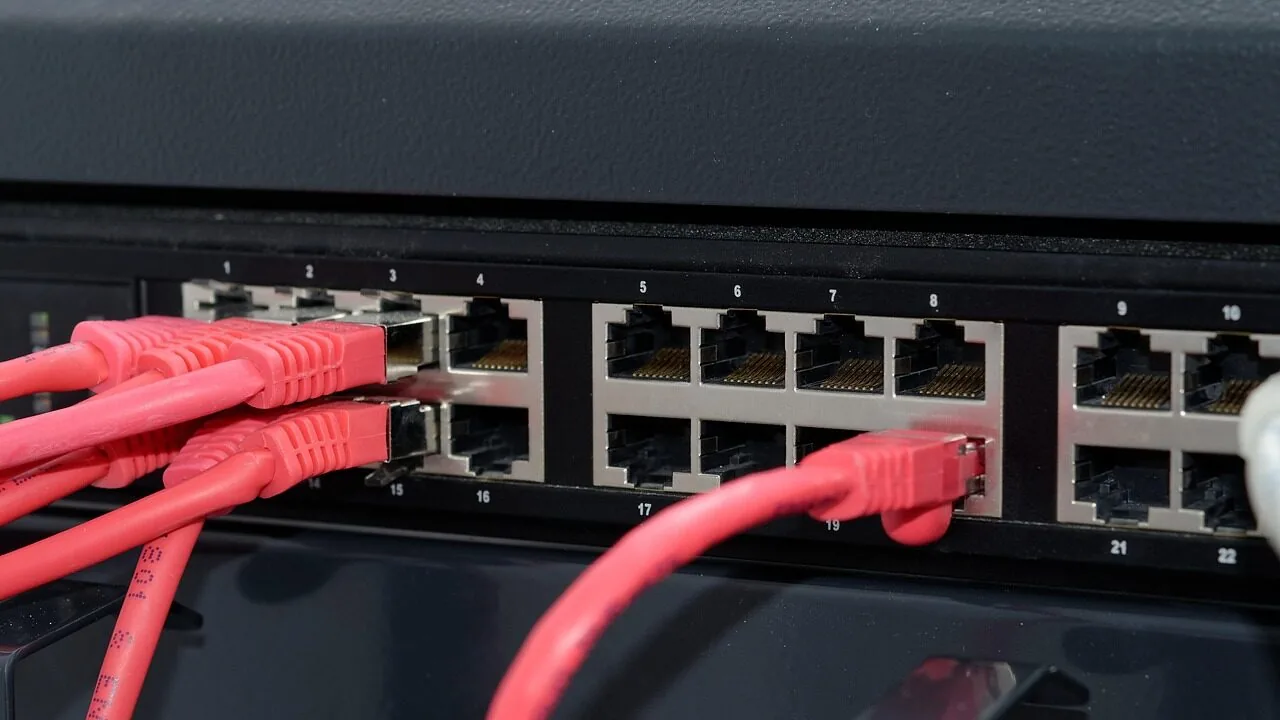
A reliable ethernet switch is the unsung backbone of any well-connected home or office network.
Whether you are expanding beyond your router’s limited LAN ports, building out a dedicated NAS setup, or simply tired of Wi-Fi dropouts during video calls, a wired ethernet switch delivers consistent bandwidth, low latency, and rock-solid stability that wireless connections simply cannot match.
The market spans everything from compact 5-port desktop units to 24-port rack-worthy workhorses, with newer multi-gigabit and PoE options raising the bar significantly in 2026.
Sorting through specs, port counts, managed versus unmanaged features, and PoE budgets takes real research.
Our team at REMOVU analyzed manufacturer specifications, synthesized expert review consensus across the networking community, and weighed verified buyer feedback to surface the top ethernet switches across every use case and budget.
Whether you need a simple plug-and-play model or a smart-managed switch with VLAN support, the picks below cover it all.

UGREEN 6-Port 2.5Gb Switch with 10Gb SFP+ Uplink
A compact unmanaged switch delivering five 2.5Gb ports plus a 10Gb SFP+ slot, designed for NAS backbones and small business networks that need plug-and-play simplicity. Buyers report stable performance and solid build quality at an accessible price point.
Pros
- Stable, packet-loss-free performance preferred over competitors by NAS users
- Link Aggregation mode combines ports 4-5 to 5Gbps for compatible devices
- Metal construction and heat dissipation feel premium for the price
- Flexible SFP+ port accepts 1G/2.5G/10G modules and RJ45 copper adapters
- Truly plug-and-play with no configuration needed for basic use
Cons
- Static-only Link Aggregation mode may not support dynamic LACP in all device combinations
- SFP+ modules sold separately, adding cost for fiber deployments
- Unmanaged design offers no remote monitoring or advanced traffic control

TP-Link TL-SG108-M2 8-Port 2.5G Ethernet Switch
An unmanaged 8-port switch delivering 2.5 Gbps per port with 40 Gbps total switching capacity, designed for plug-and-play deployment without configuration. Best suited for users upgrading to multi-gigabit networks with existing Cat5e/Cat6 cabling and devices like WiFi 6 APs, NAS, or gaming setups.
Pros
- Achieves near-advertised 2.3+ Gbps real-world throughput between compatible devices, reviewed via iperf3 and speedtest
- Fully backward compatible with 1G and 100M devices; intelligently adapts link speeds without manual intervention
- Fanless design produces zero audible noise and requires no dust maintenance
- Truly plug-and-play: no learning curve, works immediately out of the box
- Durable metal casing with thermal stability in non-climate controlled environments
Cons
- Multiple verified reports of unit failures within 1-2 years despite adequate power/no surge, though TP-Link warranty replacements were honored without pushback
- Potential auto-negotiation glitches on bootup with certain 2.5G USB adapters (Realtek-chip based), requiring driver adjustment to lock speed
- Limited to unmanaged switching; no VLAN, QoS, or monitoring features for advanced users

UGREEN 5-Port 2.5Gb Ethernet Switch
A straightforward unmanaged switch that delivers all five ports at 2.5Gb speeds with zero configuration. Best suited for users upgrading from gigabit networking on NAS, gaming setups, or home offices who want plug-and-play simplicity over managed features.
Pros
- All five ports support 2.5Gb, eliminating speed bottlenecks unlike mixed-speed alternatives
- Truly plug-and-play with auto-negotiation, backward compatible with 1Gb and 100M devices
- Fanless design runs silent and cool under normal use with passive ventilation
- Compact desktop or wall-mount form factor fits tight spaces without taking up much room
- Solid reliability track record from verified buyers with consistent 2.5Gb performance
Cons
- Plastic housing feels inexpensive and raises durability concerns despite functional performance
- LED indicators don't differentiate between connection speeds, making it unclear which ports run at 2.5Gb
- Unmanaged means no configuration options or visibility into network behavior, limiting troubleshooting

NETGEAR GS308EP 8-Port PoE+ Gigabit Switch
A compact managed switch designed for small business networks that need power delivery to multiple devices. All 8 ports support PoE+ with 62W total budget, backed by a 4.8-star rating from nearly 1,000 verified buyers.
Pros
- Full 8-port PoE+ configuration eliminates separate power injectors
- Intuitive web interface makes network configuration accessible to small teams
- Silent, fanless operation suitable for office or retail environments
- Strong verified buyer satisfaction at 4.8 stars
Cons
- 62W total power budget limits simultaneous high-power devices across all ports
- US and Canada regional compatibility only
- Basic smart management features, not enterprise-grade capabilities

TP-Link TL-SG1024 24-Port Gigabit Switch
A straightforward unmanaged 24-port gigabit switch designed for expanding network capacity in offices, creative studios, and workgroups. Plug-and-play setup with auto MDI/MDIX and energy-efficient technology that reduces power consumption by up to 40 percent.
Pros
- True plug-and-play installation with zero configuration required
- Auto features intelligently adjust to device speed and cable type for optimal performance
- Energy-efficient technology powers down idle ports and adjusts for cable length
- Reliable wire-speed switching with 8K MAC address table for larger networks
- Includes rackmount kit and rubber feet for flexible deployment
Cons
- Unmanaged switch with no configuration options or monitoring capabilities
- No user reviews available to validate real-world performance claims
- Limited to stationary installation (desktop or rack-mount only)

TP-Link TL-SG116 16-Port Gigabit Switch
A plug-and-play 16-port Gigabit switch designed for expanding network capacity in homes or offices without configuration overhead. Fanless metal construction with shielded ports and energy-efficient operation make it a straightforward choice for users needing reliable wired connectivity across multiple devices.
Pros
- Auto-negotiation and Auto MDI/MDIX on all ports simplify device compatibility
- Durable metal casing with desktop and wall-mount options for flexible placement
- QoS support allows prioritizing video and voice traffic for clearer streaming and calls
- Low power consumption and fanless operation keep operational costs minimal
- Compact footprint (11.3" x 4.4") fits easily in office or home network setups
Cons
- Unmanaged switch with no advanced configuration interface for complex network requirements
- No built-in power management or remote monitoring features
- Limited to Layer 1 operation, unsuitable for VLAN segmentation or advanced routing needs

NETGEAR GS108 8-Port Gigabit Unmanaged Switch
A straightforward plug-and-play network switch with 8 Gigabit ports, fanless design, and metal construction. Built for small offices and homes that need simple, reliable connectivity without management overhead.
Pros
- Genuinely simple installation with no software, apps, or login required
- Compact metal design with dual mounting flexibility for various setups
- Fanless operation keeps it completely silent during continuous use
- Verified customers report 10+ years of dependable performance
- Full Gigabit speed across all 8 ports without noticeable slowdown
Cons
- Limited to 8 ports, larger networks may need multiple units or a managed switch
- Unmanaged design means no VLAN, QoS, or traffic monitoring capabilities
- Only available for U.S. and Canada markets

TP-Link TL-SG108E 8-Port Gigabit Easy Smart Switch
A managed switch designed for small networks that need traffic control without complexity. Offers QoS, VLAN support, and network monitoring through a straightforward web interface or desktop utility, with energy-efficient operation and durable metal construction.
Pros
- Plug-and-play setup with no configuration required for basic use; professional features available for network admins
- Sturdy metal casing with shielded RJ45 ports, fanless design ensures quiet operation and durability
- Effective traffic management tools (QoS, VLAN, LAG, port mirroring) at a competitive price point
- Low power consumption automatically adjusts per port and cable length, reducing operating costs
- Compact desktop/wall-mount form factor fits tight spaces; verified durable through multiple user reports
Cons
- Login session management requires manual reset or discovering the lock switch feature, reported by early users as inconvenient for frequent admin access
- Configuration can create save states that don't survive reboot if PVID and VLAN settings mismatch; requires power-cycling before saving changes
- Management VLAN (#1) cannot be removed entirely; at least one port must include it untagged, limiting flexibility for some network designs

NETGEAR GS308E 8-Port Gigabit Smart Managed Switch
A straightforward managed switch that works immediately out of the box while offering VLAN, QoS, and traffic management when you need them. Fanless metal design runs silent, making it reliable for home offices, small businesses, and expanding home networks without complexity.
Pros
- Plug-and-play setup with full gigabit performance right away
- Silent fanless operation with metal housing that runs cool
- Web-based management interface accessible on Windows, Mac, and Linux without proprietary apps
- VLAN support, QoS, IGMP snooping, and DoS prevention for network control without overwhelming complexity
- Compact desktop or wall-mount form factor, rated #4 in networking switches
Cons
- Firmware updates are manual and require extracting a ZIP file to access the .bin file
- Web interface has a slight learning curve and some users note it feels clunky
- Warranty is actually 3 years according to specifications, despite marketing references to 5 years

Linksys LGS116 16-Port Gigabit Switch
An unmanaged network switch with 16 Gigabit ports designed for straightforward home and office expansion. Setup is plug-and-play with no configuration required, making it accessible for users who need reliable port expansion without complexity.
Pros
- True plug-and-play operation with zero setup complexity
- Solid build quality with metal housing and proven long-term reliability based on user reports of multi-year durability
- Full Gigabit speeds across all 16 ports for file transfers and streaming
- Energy-efficient design with automatic port power management
- Affordable expansion option for small networks
Cons
- No managed features like VLAN or QoS configuration, limiting control for advanced users
- Compact design means no rack-mounting hardware included, restricting installation in server environments
- Single layer switch with no redundancy for critical network setups

UGREEN 10-Port PoE Switch with 8 PoE+ and Auto Recovery
A straightforward unmanaged switch designed for small PoE deployments like security camera systems. Combines 8 PoE+ ports with intelligent power management and three operational modes, making it ideal for users who need plug-and-play PoE connectivity without complex configuration.
Pros
- 8 PoE+ ports at up to 30W each with 60W total budget, plus 2 Gigabit uplink ports for flexible network design
- PoE Auto Recovery automatically restarts powered devices when they go offline, eliminating manual intervention for camera systems
- Three modes (Standard, Port Isolation, Extend) accessible via single button for different network topologies
- Metal construction with 6KV lightning protection and 24-month warranty
- No configuration needed - works immediately out of the box for basic PoE camera and network setups
Cons
- 60W total power budget limits the number of high-power devices; users with many cameras may exceed capacity
- Unmanaged switch lacks advanced features like VLAN management or port monitoring for larger deployments
- Mounting bracket recesses are shallow, requiring small flathead screws rather than standard options

NETGEAR GS305 5-Port Gigabit Switch
A straightforward network switch designed for homes and small offices that need to expand Ethernet connections without fuss. Setup is truly plug-and-play with no configuration required, and its fanless design keeps things silent while consuming minimal power.
Pros
- True plug-and-play operation makes it accessible to non-technical users
- Silent, fanless design avoids noise in quiet environments like home offices
- Energy-efficient performance reduces power draw without sacrificing speed
- Compact and durable metal construction with flexible mounting options
- Backed by NETGEAR's established networking reputation
Cons
- Only 5 ports limits scalability compared to larger models like the GS308 (8 ports) or GS316 (16 ports)
- Unmanaged switch offers no advanced features or configuration for users needing network monitoring or control
- No fiber or modular port support for future expansion beyond basic Gigabit Ethernet
Ethernet Switches Buying Guide
Choosing the right ethernet switch comes down to matching the hardware’s capabilities to your actual network demands.
Port count, speed tier, management features, and power delivery are the four axes that determine whether a switch is a perfect fit or a bottleneck waiting to happen.
The sections below walk through each criterion in practical terms so you can shop with confidence.
Port Count and Physical Form Factor

The golden rule is to buy more ports than you currently need. A switch that is already at capacity the day you install it will force an upgrade sooner than expected.
A 5-port model suits a small home office or living-room media shelf where a router, a NAS, a desktop PC, and a smart TV share one corner.
Jump to 8 ports when you add security cameras, gaming consoles, or a VoIP phone. For a full home lab, small business, or server closet, 16- and 24-port options keep every device wired without daisy-chaining.
Form factor matters almost as much as port count. Fanless metal-chassis designs run silently and dissipate heat passively, which makes them ideal for living spaces or small offices where noise is a concern.
Wall-mount slots on most compact switches let you tuck the unit neatly out of the way. Rackmount ears are a separate purchase for most budget models, so factor that in if you are building a proper rack.
If your setup includes a NAS device, placing the switch physically close to it reduces cable clutter and takes full advantage of fast local transfers.
Speed Tier: Gigabit, 2.5GbE, and Beyond

Standard gigabit (1Gbps) switches cover the vast majority of everyday use cases, from HD streaming to large file transfers over a home network.
If your internet connection tops out at a few hundred megabits, gigabit ports will never be your bottleneck.
However, the calculus shifts when you introduce local-network-intensive workflows such as 4K video editing from a NAS, large VM migrations, or high-speed backups between machines.
Multi-gigabit (2.5GbE) switches have dropped in price to the point where they now sit in the same budget bracket as gigabit models from just a few years ago.
A switch with five or six 2.5Gbps ports paired with a 10Gbps SFP+ uplink port offers serious headroom for a prosumer or enthusiast setup.
Many modern Wi-Fi routers and mesh systems include at least one 2.5GbE WAN or LAN port, so a matching multi-gig switch lets you take full advantage of that bandwidth without a mismatch at the aggregation point.
Unmanaged vs. Smart-Managed vs. Fully Managed
Unmanaged switches are true plug-and-play devices: power them on, connect cables, done. There is no web interface, no configuration, no maintenance.
They are the right call for home users, media rooms, and small offices where every device belongs on the same flat network. The tradeoff is zero control over traffic prioritization or network segmentation.
Smart-managed or “easy smart” switches add a web-based GUI that unlocks VLAN segmentation, QoS (quality of service) prioritization, IGMP snooping for multicast traffic, and Link Aggregation (LAG).
These features matter when you want to isolate IoT devices from your main LAN, prioritize voice or video traffic, or bond two uplinks for aggregate bandwidth.
Fully managed switches add CLI access and more granular control, but they come at a price premium that most home and SMB users rarely justify.
For most buyers, a smart-managed switch at a budget-friendly price point hits the ideal middle ground. Pairing a smart switch with a capable mesh Wi-Fi system gives you layered control over both wired and wireless segments of your network.
PoE and PoE+ Support

Power over Ethernet (PoE) lets a switch deliver electrical power to connected devices through the same cable that carries data.
IP cameras, wireless access points, VoIP phones, and smart door locks all benefit from PoE because it eliminates the need for a separate power adapter at each device location.
The distinction between PoE (up to 15.4W per port) and PoE+ (up to 30W per port) is critical if you plan to power access points or PTZ cameras that draw more than 15W.
Pay attention to the total PoE power budget rather than per-port maximums. A switch rated at 60W total across eight PoE+ ports cannot simultaneously deliver 30W to every port. Map out your powered devices and their wattage requirements before buying.
PoE switches also tend to generate more heat than passive switches, so verify that the thermal design is adequate, especially if the unit will live in an enclosed cabinet.
A well-specified PoE switch pairs naturally with broader networking investments, from cable modems to full network storage arrays.
Build Quality and Switching Performance
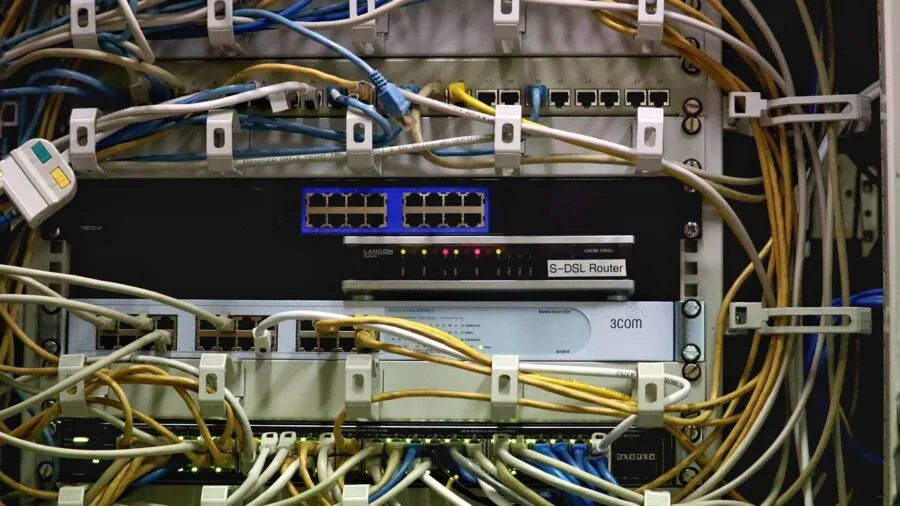
Metal housings dissipate heat more effectively than plastic enclosures and hold up better in dusty environments. Shielded RJ-45 ports reduce electromagnetic interference, which matters in setups near power strips, UPS units, or dense cable runs.
Non-blocking switch fabrics ensure that the aggregate throughput of all ports can be sustained simultaneously without internal congestion, a spec worth verifying on cheaper models.
Traffic optimization features like flow control (IEEE 802.3x) and the Green Ethernet standard (IEEE 802.3az) are common in modern switches. Flow control prevents packet loss under burst conditions, while Green Ethernet dynamically reduces power consumption on idle or short-cable ports.
Both are minor conveniences in practice, but they signal a manufacturer that sweats the details.
Users building a serious home theater or gaming room will find that a capable switch paired with a well-chosen mini PC for home theater transforms the entire media experience.
Uplink Ports and Future-Proofing
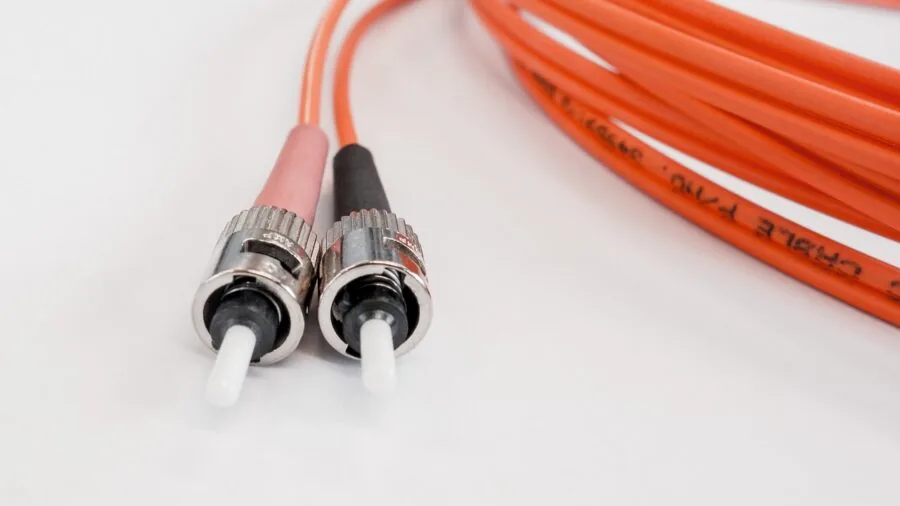
An SFP or SFP+ uplink port allows you to connect the switch to a router, NAS, or another switch using fiber or a direct-attach copper (DAC) cable at speeds of 1Gbps, 10Gbps, or higher.
For a home lab or small business that may eventually add a 10GbE NAS or a high-speed backbone link, an SFP+ uplink port is a meaningful future-proofing investment that adds relatively little to the upfront cost of a multi-gig switch.
Link Aggregation (LAG or 802.3ad LACP) lets you bond two physical ports into a single logical link with combined bandwidth and failover redundancy. It is especially useful for NAS-to-switch connections where throughput matters more than latency.
Before committing to a switch on the strength of its uplink options, confirm that your router or NAS supports the same interface standard.
Buyers who also care about wireless performance should browse our coverage of networking and storage products for a complete picture of what makes a well-balanced home or office network.
Why You Should Trust Us
REMOVU is an independent review publication. We have no retail storefront, no manufacturer partnerships that influence editorial outcomes, and no obligation to recommend products we would not stand behind.
Every ethernet switch in this guide was evaluated using the REMOVU Score, a 0 to 10 composite rating built from a consistent set of criteria applied uniformly across products, brands, and price tiers.
Our evaluation methodology draws on four primary inputs: published manufacturer specifications, expert review consensus aggregated from the broader networking and technology community, verified buyer feedback from confirmed purchasers, and published data from industry and technical sources.
We do not conduct our own product trials; our evaluations are grounded in research, published data, expert review consensus, and verified buyer feedback.
This approach lets us assess a wide range of products rigorously and consistently without the geographic, inventory, or timing limitations that constrain single-outlet reviews.
Transparency about commercial relationships matters to us. REMOVU may earn an affiliate commission when you purchase through links on this page. That relationship does not affect rankings, REMOVU Scores, or editorial decisions.
Products are ranked on merit as determined by our scoring framework, not by the size of any affiliate arrangement. If a product scores lower than a competitor, it appears lower in the list, full stop.
Final Thoughts
The ethernet switch market is healthier and more competitive than it has been in years.
Multi-gigabit speeds have become genuinely affordable, smart-managed features are no longer locked behind enterprise price tags, and PoE budgets on compact switches have grown large enough to power real deployments.
Across the twelve models we evaluated, a few clear standouts emerged for different buyer profiles.
- Best Overall: UGREEN 2.5Gb 6-Port Switch with 10Gbps SFP+ earns the top REMOVU Score in this lineup for combining multi-gigabit speeds on every port, a 10Gbps SFP+ uplink, VLAN flexibility, and link aggregation in a compact metal chassis at a price that undercuts most rivals.
- Best Multi-Gig Value: TP-Link TL-SG108-M2 8-Port Multi-Gigabit Switch is the pick for users who need eight 2.5GbE ports in a fanless, wall-mountable form factor without paying a premium, making it ideal for NAS-centric or home-lab builds.
- Best PoE Switch: NETGEAR GS308EP 8-Port PoE+ Smart Switch stands out for delivering eight PoE+ ports with a usable total power budget alongside easy smart management, a combination that suits IP camera systems and wireless access point deployments equally well.
- Best for Large Wired Networks: TP-Link TL-SG1024 24-Port Gigabit Switch is the go-to unmanaged workhorse when you need to wire up an entire office floor or server room without the complexity of managed configuration.
- Best Budget Pick: NETGEAR GS305 5-Port Gigabit Switch is the most accessible entry point in this roundup, delivering silent, reliable gigabit connectivity for a minimal footprint and a wallet-friendly price that makes it easy to deploy wherever an extra port is needed.
If you are building out a broader home network, pairing a well-chosen ethernet switch with a quality Wi-Fi router or upgrading your work laptop to one with a built-in 2.5GbE port will help you extract every bit of performance from your wired infrastructure.
Frequently Asked Questions
What is the difference between an unmanaged and a smart-managed ethernet switch?
An unmanaged switch requires zero configuration. You plug it in, connect your devices, and it forwards traffic automatically. A smart-managed switch adds a browser-based interface where you can configure VLANs, QoS rules, IGMP snooping, and link aggregation.
For home users with simple flat networks, unmanaged is perfectly sufficient. Smart-managed becomes worthwhile when you need to segment IoT devices, prioritize video conferencing traffic, or connect a NAS with a bonded uplink.
Do I need a PoE switch if I already have a PoE router?
Most consumer routers offer one or two PoE ports at best, and their power budgets are modest.
If you need to power more than two IP cameras, access points, or VoIP phones simultaneously, a dedicated PoE switch gives you more ports, a higher total wattage budget, and often per-port power monitoring.
It also keeps powered device management separate from your router’s configuration, which simplifies troubleshooting. A dedicated PoE switch is also a cleaner solution when devices are physically distant from the router.
Is a 2.5GbE switch worth it over standard gigabit?
Multi-gigabit switches make sense when at least some of your devices support 2.5GbE, such as a modern NAS, a newer laptop, a gaming desktop with a 2.5GbE NIC, or a Wi-Fi 6 access point with a 2.5GbE uplink.
If every device on your network tops out at 1Gbps, upgrading the switch alone will not increase throughput.
That said, prices on 2.5GbE switches have fallen sharply, so buying a multi-gig model now is a sensible future-proofing move for anyone who plans to upgrade other hardware over the next few years.
Can I use an ethernet switch to extend my network across rooms?
Yes. Run a single ethernet cable from your router to a switch in another room, then connect multiple devices to that switch locally.
This is often more reliable and faster than running individual cables back to the router or relying on wireless backhaul.
It is the standard approach for wiring a home office, a media room, or a basement lab from a single router port.
If running cable is not practical, powerline adapters or mesh Wi-Fi systems with wired backhaul are common alternatives worth comparing.
How many ports do I actually need?
Count every device you want to wire up, then add at least two to four spare ports for future expansion.
A typical home office with a desktop, NAS, printer, IP camera, and smart TV already fills a 5-port switch completely, leaving no room to grow.
An 8-port model is the practical minimum for most households, and a 16-port switch suits small businesses or dedicated home labs.
Remember that one port will always connect back to your router, so the usable downstream count is always one fewer than the switch’s total port count.
Will an ethernet switch slow down my internet speed?
A properly spec’d switch will not slow your internet connection.
The switch’s backplane capacity, sometimes called switching capacity or switch fabric, is sized to handle all ports simultaneously at full speed on any reputable model from TP-Link, NETGEAR, Linksys, or UGREEN.
The bottleneck will always be your internet service plan or the link between your router and modem.
For households on very fast fiber plans that approach or exceed 1Gbps, upgrading to a multi-gig switch on the router-side connection ensures the switch itself is never the limiting factor.
Pairing your network with a solid cable modem completes the picture for maximum real-world throughput.
About the author
Glen writes about capture cards for REMOVU, comparing resolution, latency, and reliability for streaming and recording console gameplay. He helps creators find a card that fits their setup and software.