The 9 Best Network Switches
Port count, speed tiers, PoE support, and build quality all shape how well a switch performs in your specific setup. Here are the top picks across every category.
 By Teresa Price
Updated July 26, 2026
By Teresa Price
Updated July 26, 2026
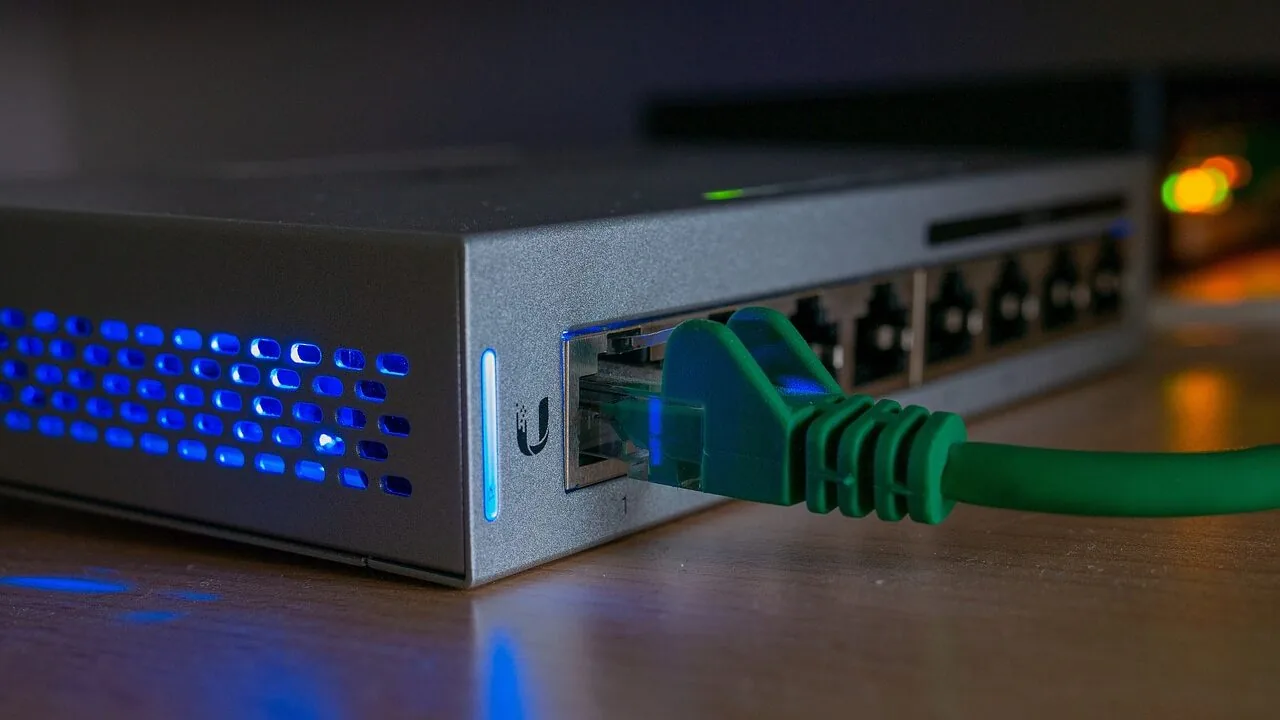
A network switch is the unsung backbone of any wired home or office setup.
Whether you are connecting a NAS device, a desktop workstation, smart home hubs, or a rack of office PCs, the right switch determines how fast and how reliably data moves between every device on your local network.
With Gigabit Ethernet now the baseline and multi-gigabit speeds becoming more accessible, choosing a switch that matches your actual needs, without overpaying for features you will never use, matters more than ever.
If you are also thinking about NAS devices or expanding your home network, understanding switch specs will directly affect how much of your hardware’s potential you actually unlock.
To put together this guide, the REMOVU team researched and analyzed specifications from manufacturer datasheets, synthesized consensus from professional networking reviewers, and weighed verified buyer feedback across thousands of real-world deployments.
We did not rely on a single source or a single use case. Our picks span budget-friendly unmanaged options from TP-Link and NETGEAR all the way to smart-managed and multi-gigabit models suited for power users and small businesses.
Read on for our top picks ranked below.
| Award | Product | REMOVU Score About REMOVU ScoreThe REMOVU Score is our own rating from 0 to 10, based on performance, design and build, ease of use, and value. It reflects independent research and is never influenced by manufacturers, retailers, or affiliate commissions. Learn more › | Price | |
|---|---|---|---|---|
 NETGEAR GS308E 8-Port Gigabit Smart Managed Switch
|
7.5/10 | Buy | ||
| Best Overall |
 NETGEAR MS308 8-Port 2.5G Switch
|
8.6/10 | Buy | |
 TP-Link LS1005G 5-Port Gigabit Ethernet Switch
|
6.4/10 | Buy | ||
| Best Value |
 NETGEAR GS308EP 8-Port PoE+ Gigabit Switch
|
8.3/10 | Buy | |
| Best Budget |
 TP-Link TL-SG108E 8-Port Gigabit Easy Smart Switch
|
7.6/10 | Buy | |
 TP-Link TL-SG116 16-Port Gigabit Switch
|
8.1/10 | Buy | ||
| Best Premium |
 Ubiquiti USW-Flex-Mini 5-Port 2.5G Switch
|
7.4/10 | Buy | |
 NETGEAR GS108 8-Port Gigabit Unmanaged Switch
|
7.8/10 | Buy | ||
 NETGEAR GS324 24-Port Gigabit Unmanaged Switch
|
6.8/10 | Buy |
NETGEAR GS308E 8-Port Gigabit Smart Managed Switch
A straightforward managed switch that works immediately out of the box while offering VLAN, QoS, and traffic management when you need them. Fanless metal design runs silent, making it reliable for home offices, small businesses, and expanding home networks without complexity.
Pros
- Plug-and-play setup with full gigabit performance right away
- Silent fanless operation with metal housing that runs cool
- Web-based management interface accessible on Windows, Mac, and Linux without proprietary apps
- VLAN support, QoS, IGMP snooping, and DoS prevention for network control without overwhelming complexity
- Compact desktop or wall-mount form factor, rated #4 in networking switches
Cons
- Firmware updates are manual and require extracting a ZIP file to access the .bin file
- Web interface has a slight learning curve and some users note it feels clunky
- Warranty is actually 3 years according to specifications, despite marketing references to 5 years
NETGEAR MS308 8-Port 2.5G Switch
An unmanaged network switch with eight 2.5-gigabit ports designed for home offices and small networks needing straightforward connectivity without configuration. Auto-negotiating ports work with existing Cat5e/Cat6 cables, and the fanless metal design operates silently, useful for noise-sensitive spaces.
Pros
- True plug-and-play: no configuration, software, or IT knowledge needed to deploy
- Multi-gigabit speeds via eight 2.5G ports handle bandwidth-heavy devices (WiFi 6 APs, workstations, gaming setups)
- Silent fanless operation and compact metal case fit discretely into home offices or media centers
- Backward compatible with Cat5e cables and auto-MDI/MDIX eliminates crossover cable hassle
- Energy-efficient operation and 3-year warranty provide long-term value
Cons
- Unmanaged switch offers no VLAN, QoS, traffic prioritization, or advanced diagnostics, only basic 802.1p/DSCP recognition
- No user reviews available yet to confirm real-world reliability and performance claims
- Limited to U.S. and Canada market; not suitable for international deployment
TP-Link LS1005G 5-Port Gigabit Ethernet Switch
A compact, plug-and-play network switch that adds four wired connections to your router or modem without software setup. Built for dormitories, homes, and small offices seeking reliable Gigabit speeds with minimal power draw.
Pros
- All five ports support Gigabit speeds for faster file transfers without bandwidth bottlenecks
- Auto-negotiation and Auto MDI/MDIX eliminate cable compatibility headaches
- Fanless construction keeps it quiet and maintenance-free
- Compact design at 3.54 x 2.83 x 0.91 inches fits easily behind desks or in tight spaces
- Energy-saving technology reduces power consumption relative to cable length and link status
Cons
- Specifications list shows only 2 ports, creating discrepancy with product description claiming 5 ports
- No managed features or advanced configuration options for users needing VLAN or QoS control
- Limited to 5V DC power input, constraining placement options away from outlets
NETGEAR GS308EP 8-Port PoE+ Gigabit Switch
A compact managed switch designed for small business networks that need power delivery to multiple devices. All 8 ports support PoE+ with 62W total budget, backed by a 4.8-star rating from nearly 1,000 verified buyers.
Pros
- Full 8-port PoE+ configuration eliminates separate power injectors
- Intuitive web interface makes network configuration accessible to small teams
- Silent, fanless operation suitable for office or retail environments
- Strong verified buyer satisfaction at 4.8 stars
Cons
- 62W total power budget limits simultaneous high-power devices across all ports
- US and Canada regional compatibility only
- Basic smart management features, not enterprise-grade capabilities
TP-Link TL-SG108E 8-Port Gigabit Easy Smart Switch
A managed switch designed for small networks that need traffic control without complexity. Offers QoS, VLAN support, and network monitoring through a straightforward web interface or desktop utility, with energy-efficient operation and durable metal construction.
Pros
- Plug-and-play setup with no configuration required for basic use; professional features available for network admins
- Sturdy metal casing with shielded RJ45 ports, fanless design ensures quiet operation and durability
- Effective traffic management tools (QoS, VLAN, LAG, port mirroring) at a competitive price point
- Low power consumption automatically adjusts per port and cable length, reducing operating costs
- Compact desktop/wall-mount form factor fits tight spaces; verified durable through multiple user reports
Cons
- Login session management requires manual reset or discovering the lock switch feature, reported by early users as inconvenient for frequent admin access
- Configuration can create save states that don't survive reboot if PVID and VLAN settings mismatch; requires power-cycling before saving changes
- Management VLAN (#1) cannot be removed entirely; at least one port must include it untagged, limiting flexibility for some network designs
TP-Link TL-SG116 16-Port Gigabit Switch
A plug-and-play 16-port Gigabit switch designed for expanding network capacity in homes or offices without configuration overhead. Fanless metal construction with shielded ports and energy-efficient operation make it a straightforward choice for users needing reliable wired connectivity across multiple devices.
Pros
- Auto-negotiation and Auto MDI/MDIX on all ports simplify device compatibility
- Durable metal casing with desktop and wall-mount options for flexible placement
- QoS support allows prioritizing video and voice traffic for clearer streaming and calls
- Low power consumption and fanless operation keep operational costs minimal
- Compact footprint (11.3" x 4.4") fits easily in office or home network setups
Cons
- Unmanaged switch with no advanced configuration interface for complex network requirements
- No built-in power management or remote monitoring features
- Limited to Layer 1 operation, unsuitable for VLAN segmentation or advanced routing needs
Ubiquiti USW-Flex-Mini 5-Port 2.5G Switch
A compact managed switch designed for Ubiquiti UniFi networks, offering 2.5 gigabit speeds across five ports in a desktop-friendly footprint. Best suited for small offices or home setups looking to upgrade network throughput without complex infrastructure.
Pros
- 2.5 gigabit data transfer rate across all ports for faster network speeds
- Seamless integration with UniFi network management software for centralized control
- Compact design (3.94" x 2.56") fits easily on desks or in tight spaces
- PoE+ support enables powering compatible devices directly from the switch
- Managed switch functionality provides granular visibility and control over traffic
Cons
- Requires external PoE+ power source - no standard power cord included
- Limited to 5 ports, which restricts scalability for growing networks
- PoE+ power budget constraints may not support high-power devices simultaneously
NETGEAR GS108 8-Port Gigabit Unmanaged Switch
A straightforward plug-and-play network switch with 8 Gigabit ports, fanless design, and metal construction. Built for small offices and homes that need simple, reliable connectivity without management overhead.
Pros
- Genuinely simple installation with no software, apps, or login required
- Compact metal design with dual mounting flexibility for various setups
- Fanless operation keeps it completely silent during continuous use
- Verified customers report 10+ years of dependable performance
- Full Gigabit speed across all 8 ports without noticeable slowdown
Cons
- Limited to 8 ports, larger networks may need multiple units or a managed switch
- Unmanaged design means no VLAN, QoS, or traffic monitoring capabilities
- Only available for U.S. and Canada markets
NETGEAR GS324 24-Port Gigabit Unmanaged Switch
A straightforward unmanaged switch built for small office and home networks that need reliable connectivity without complexity. Fanless design keeps it silent, while flexible mounting options and auto-negotiating ports make deployment hassle-free.
Pros
- Silent, fanless design ideal for quiet office environments
- No management needed - true plug-and-play simplicity
- Multiple mounting options provide flexible deployment
- Auto-negotiating ports work with existing Cat5e or Cat6 cables
- Energy-efficient operation reduces power consumption
Cons
- Unmanaged design means no advanced features, monitoring, or VLAN support
- No SFP fiber ports for high-speed backbone connectivity
- U.S. and Canada regional compatibility only
Network Switches Buying Guide
Picking the right network switch is not complicated once you know which variables actually affect real-world performance in your specific setup. The guide below breaks down the six most important factors our research identified across expert consensus and buyer feedback.
Think of these as the filters that separate a smart purchase from an expensive mistake.
Managed vs. Unmanaged: Which Do You Actually Need?
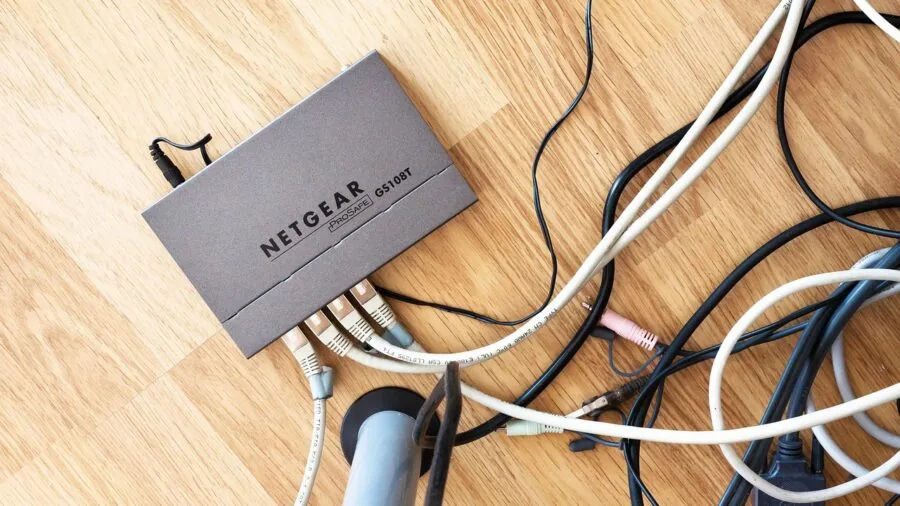
The single most consequential decision when buying a network switch is whether you need management features. Unmanaged switches are pure plug-and-play devices: power them on, connect your cables, and every port forwards traffic automatically.
They are ideal for home users, small offices, and anyone who simply needs more wired ports without complexity. The vast majority of home buyers, based on verified purchaser feedback, never need anything beyond an unmanaged switch.
Smart-managed or “easy smart” switches, like the NETGEAR GS308E and the TP-Link TL-SG108E, sit in a middle tier.
They offer browser-based configuration for features like VLANs, QoS prioritization, IGMP snooping, and link aggregation, without the full CLI complexity of enterprise-grade gear.
If you run a home lab, a small business network with separate guest Wi-Fi VLANs, or you want to prioritize traffic for video conferencing over file transfers, a smart-managed switch is worth the modest premium.
Full managed switches with SNMP, SSH, and advanced routing are generally overkill unless you are managing an IT environment professionally. Pairing a managed switch with a capable Wi-Fi router gives you the most granular control over your entire local network.
The rule of thumb from expert review consensus is straightforward: if you cannot name a specific feature you need from a managed switch, an unmanaged model will serve you just as well at a lower price point.
Port Count and Scalability

Network switches come in 5-port, 8-port, 16-port, 24-port, and larger configurations. The right port count depends entirely on how many wired devices you are connecting today, with a buffer for growth.
A 5-port switch like the TP-Link LS1005G is genuinely useful as a secondary expander in a room where you only need a few ports, but it offers no room to scale.
An 8-port switch is the most popular form factor for home use for good reason: it fits on a desk or mounts to a wall, runs silently, and handles the typical mix of a desktop PC, NAS, smart TV, gaming console, and access point without issue.
For home offices or small businesses with more devices, a 16-port or 24-port switch like the TP-Link TL-SG116 or the NETGEAR GS324 provides meaningful headroom.
Rackmount-compatible models in this tier also support neater cable management in a dedicated network closet or server rack.
One note from verified buyer feedback: many users regret buying too small a switch and end up daisy-chaining, which adds unnecessary latency hops and management complexity.
Buying one size larger than you currently need is almost always the better long-term decision.
Gigabit vs. Multi-Gigabit Speeds
Standard Gigabit Ethernet (1 Gbps per port) remains the right choice for the overwhelming majority of users in 2026.
It saturates most home internet connections, handles 4K streaming and large file transfers between local devices comfortably, and is available at very affordable price points.
If your router, NAS, and computers all have Gigabit ports, a standard Gigabit switch is all you need.
However, multi-gigabit switches are no longer a luxury reserved for enterprise environments.
Models like the NETGEAR MS308 with 2.5 Gbps ports make a compelling case for users with a modern NAS, a Wi-Fi 6 or Wi-Fi 6E access point capable of exceeding 1 Gbps aggregate throughput, or workstations equipped with 2.5G network cards.
The real bottleneck in most home networks has shifted from internet bandwidth to local transfer speeds between devices, and multi-gigabit addresses that directly.
If you are building or upgrading a home lab or a content creation workstation environment where large files move constantly, the premium for 2.5G is well justified.
Think of it the same way you would consider upgrading to a faster external drive: the bottleneck shifts, so the interface speed matters.
PoE and PoE+ Support
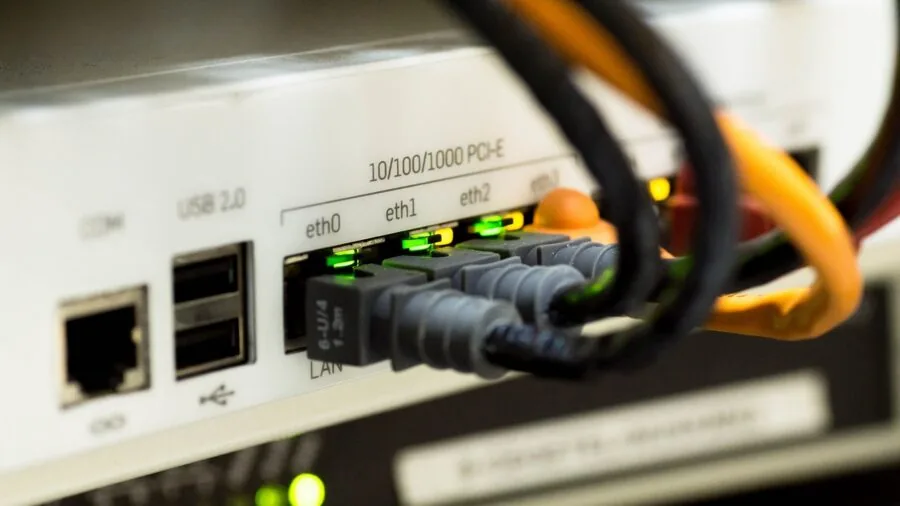
Power over Ethernet (PoE) delivers electrical power through the same cable that carries network data, eliminating the need for a separate power adapter on supported devices.
This is indispensable if you are deploying wireless access points, IP cameras, VoIP phones, or smart intercoms, all of which can draw power directly from a PoE switch.
The NETGEAR GS308EP, for instance, provides PoE+ across all eight of its ports with a combined power budget that handles multiple access points simultaneously.
When evaluating PoE switches, pay close attention to the total power budget (measured in watts) rather than just the per-port specification.
A switch rated at 30W per port may still throttle individual ports if the total budget is shared and several demanding devices are connected at once.
PoE+ (802.3at, up to 30W per port) is the current standard worth targeting; older PoE (802.3af, up to 15.4W) may be insufficient for newer access points or PTZ cameras.
Expert reviewers consistently flag total power budget as the most underappreciated spec in PoE switch purchases.
Build Quality, Fanless Design, and Form Factor

A switch lives on or near your desk, in a media cabinet, or mounted to a wall, often running continuously for years. Build quality and acoustic profile matter more than most buyers anticipate.
Fanless, silent-operation switches are strongly preferred for home and small office environments because they produce zero audible noise.
Nearly every switch in our lineup for home use is fanless, and verified buyer reviews consistently rank quiet operation among the top reasons for long-term satisfaction.
Metal housings, common on TP-Link’s sturdy metal series and NETGEAR’s GS108, dissipate heat more effectively than plastic shells and tend to survive longer in continuously-powered deployments.
Shielded RJ45 ports add a further layer of protection against electromagnetic interference in environments with lots of cables or nearby electrical equipment.
For larger 24-port switches intended for rack or wall mounting, check that the unit includes appropriate mounting hardware or that compatible hardware is readily available separately.
Ecosystem and Software Integration

For most users, software integration is a minor consideration. Unmanaged switches need no software at all. But if you are building a more complex network, the management ecosystem matters considerably.
TP-Link’s smart-managed switches integrate with the Omada SDN platform, allowing centralized management alongside compatible access points and routers. NETGEAR’s smart switches use the ProSAFE or Insight platforms depending on the model tier.
The Ubiquiti USW-Flex-2.5G is a distinct case: it is purpose-built for UniFi ecosystems and managed exclusively through the UniFi Network application.
It offers exceptional visibility and control for users already invested in Ubiquiti’s infrastructure, but it adds meaningful complexity for anyone approaching it as a standalone device.
If you are running a mesh Wi-Fi system from a different vendor, verify compatibility before committing to an ecosystem-locked switch.
For a broader look at building out your network infrastructure, our networking and storage hub covers routers, NAS devices, cable modems, and more.
Why You Should Trust Us
REMOVU is an independent review publication. Every product in this guide was evaluated using a consistent, multi-signal research methodology: we analyze manufacturer-published specifications, synthesize consensus from professional networking reviewers and technology publications, and weigh verified buyer feedback from confirmed purchasers.
We do not conduct our own product trials; our evaluations are grounded in research, published data, expert review consensus, and verified buyer feedback.
Each product receives a REMOVU Score on a 0 to 10 scale, reflecting our assessment of overall value, performance relative to peers in its price tier, build quality, reliability signals from long-term owner feedback, and feature completeness for the intended use case.
The scores are assigned independently of any commercial relationship. REMOVU may earn a commission if you purchase through a link in this article, but affiliate relationships have zero influence on scores, rankings, or which products are included.
Our recommendations reflect our honest research conclusions, full stop. If you are also equipping a home office workstation, you might find our roundups on monitors for work and desktop computers under a thousand dollars useful alongside this guide.
Final Thoughts
The network switch market in 2026 offers excellent options at every price point, from affordable plug-and-play units to capable multi-gigabit and PoE-enabled models for more demanding environments.
After analyzing the full lineup across specifications, expert review consensus, and verified buyer sentiment, here are the standout picks by category:
- Best Overall: NETGEAR 8-Port 2.5G Multi-Gigabit Unmanaged Switch (MS308). The highest REMOVU Score in this lineup reflects its combination of future-ready 2.5 Gbps speeds on every port, silent fanless operation, and a robust metal build that outperforms typical Gigabit switches for users with modern NAS devices or Wi-Fi 6 access points.
- Best for PoE Deployments: NETGEAR 8-Port PoE+ Easy Smart Managed Switch (GS308EP). With PoE+ on all eight ports and smart management features, this is the top choice for powering wireless access points, IP cameras, or VoIP phones while retaining network control through a browser-based interface.
- Best for Large Wired Networks: TP-Link TL-SG116 16-Port Gigabit Unmanaged Switch. The highest-scoring unmanaged switch in the group earns its place with sixteen shielded Gigabit ports, silent fanless operation, and a sturdy metal chassis at a mid-range price that makes it a practical choice for expanding a home lab or small office.
- Best Budget Smart-Managed Pick: TP-Link TL-SG108E 8-Port Easy Smart Switch. For users who want VLAN segmentation, QoS control, and IGMP snooping without spending significantly more, this long-established model delivers capable smart management at an entry-level price that remains hard to match.
- Best for Simple Home Expansion: NETGEAR 8-Port Gigabit Unmanaged Switch (GS108). A trusted workhorse with a metal case, desktop or wall-mount flexibility, and a plug-and-play setup that requires nothing from the user beyond connecting cables. Verified buyers consistently praise its reliability over years of continuous operation.
Whichever switch you choose, pairing it with a quality router and, if relevant, a cable modem suited to your ISP plan ensures the wired foundation of your network performs as well as your hardware allows.
Frequently Asked Questions
What Is the Difference Between a Network Switch and a Router?
A router connects your local network to the internet and assigns IP addresses to devices.
A switch expands the number of wired ports available on your local network, allowing multiple devices to communicate directly with each other at high speeds without routing traffic through the internet.
Most home networks use both: a router handles the internet connection and a switch provides additional wired ports beyond the four or so built into most consumer routers.
Can I Daisy-Chain Multiple Switches Together?
Yes, you can connect one switch to another using a standard Ethernet cable between any available ports. This is a common way to extend wired coverage to different rooms or floors without running new cable back to the router.
However, each additional switch in the chain adds a small amount of latency, and performance can degrade if you cascade more than two or three switches.
For most home setups, a single adequately-sized switch connected directly to the router is the cleanest solution. If you find yourself regularly running out of ports, moving to a larger switch is almost always preferable to continued daisy-chaining.
Do I Need a Switch if I Already Have a Mesh Wi-Fi System?
It depends on how many wired devices you have. Mesh Wi-Fi systems excel at wireless coverage but typically include only one or two Ethernet ports per node.
If you have a desktop PC, NAS, smart TV, and gaming console all requiring wired connections in the same area, a switch plugged into the mesh node’s LAN port immediately solves the port shortage without degrading wireless performance.
Wired connections also remain more consistent and lower latency than wireless for latency-sensitive tasks like video editing file transfers or online gaming.
Is a Multi-Gigabit Switch Worth It for a Home Network?
Multi-gigabit switches are worth considering if at least one device on your network, such as a NAS, a workstation, or a Wi-Fi 6/6E access point, supports speeds above 1 Gbps.
If all your devices are limited to standard Gigabit Ethernet, a multi-gigabit switch provides no measurable benefit and the extra cost is wasted. Check the network interface specifications of your most bandwidth-intensive devices first.
If you are building a new workstation or upgrading an existing one, reviewing motherboards for Intel builds that include 2.5G onboard NICs will tell you quickly whether your planned setup can take advantage of the faster switch speeds.
How Do I Know if I Need PoE on My Switch?
You need PoE if any device you plan to connect draws power through its Ethernet cable rather than a separate power adapter.
Common PoE-powered devices include wireless access points, IP security cameras, VoIP desk phones, and some smart doorbells or intercom systems. Check the device’s specifications for “PoE” or “802.3at/af” support.
If none of your planned devices use PoE, a standard switch without PoE is lighter, cheaper, and generates less heat.
If even one device needs PoE, buying a PoE switch for the whole network typically simplifies installation considerably compared to using individual power injectors per device.
What Does “Unmanaged” Mean and Is It a Downgrade?
Unmanaged does not mean lower quality; it simply means the switch operates automatically without any configuration interface. All port settings, including speed negotiation and duplex, are handled automatically.
For the vast majority of home users and even many small offices, unmanaged switches are the right choice because they are simpler, more reliable in day-to-day use, and less expensive.
Managed and smart-managed switches add value only when you have a specific use case for features like VLANs, traffic prioritization, or network monitoring.
If you are unsure whether you need management features, you almost certainly do not, and an unmanaged switch will serve you excellently for years.
About the author
Teresa covers smart locks for REMOVU, prioritizing security, reliability, and value alongside keyless convenience. She helps readers upgrade their door without compromising safety.