The 11 Best Ups Battery Backups for Wi-Fi Router
Power outages take down your WiFi instantly. These UPS battery backups keep routers, modems, and home-office networks running through outages and voltage spikes.
 By Catherine Shaw
Updated July 26, 2026
By Catherine Shaw
Updated July 26, 2026
A power outage lasting just a few minutes can be surprisingly disruptive. Your WiFi router drops, your NAS drive shuts down mid-transfer, your home security cameras go offline, and your streaming session cuts out without warning.
For most households, the router is the single most critical device to keep running during a brief outage, yet it is also one of the most overlooked when people shop for battery backup protection.
A properly sized UPS gives your router and modem enough runtime to outlast the typical short-duration flicker or grid dip, and it shields sensitive electronics from the voltage spikes and surges that often accompany power restoration.
Choosing the right unit means understanding wattage requirements, battery runtime, output waveform, and the outlets you actually need rather than simply grabbing the biggest box on the shelf.
For context on how a UPS fits into a broader home power setup, our power and charging category covers a wide range of backup and portable power solutions worth knowing about.
To identify the strongest options available right now, REMOVU’s editorial team analyzed published specifications, synthesized consensus from expert reviewers across the industry, and combed through verified buyer feedback to surface what actually holds up in real-world home and home-office use.
Every product on this list has been evaluated and scored using our 0-to-10 REMOVU Score framework, which weighs performance, reliability, value, and suitability for the specific job of protecting a router or network stack.
Read on for our top picks across every budget and use case.
| Award | Product | REMOVU Score About REMOVU ScoreThe REMOVU Score is our own rating from 0 to 10, based on performance, design and build, ease of use, and value. It reflects independent research and is never influenced by manufacturers, retailers, or affiliate commissions. Learn more › | Price | |
|---|---|---|---|---|
| Best Overall |
 CyberPower CP1500PFCLCD 1500VA Pure Sine Wave UPS
|
8.9/10 | Buy | |
 APC Back-UPS Pro BX1500M 1500VA UPS
|
8.5/10 | Buy | ||
| Best Premium |
 CyberPower CP1500AVRLCD3 1500VA UPS with LCD Display
|
8.6/10 | Buy | |
| Best Value |
 APC Back-UPS BE850G2 850VA UPS Battery Backup
|
7.9/10 | Buy | |
 APC Back-UPS BE600M1 600VA Battery Backup
|
6.2/10 | Buy | ||
 APC Back-UPS BE1050G3 1050VA UPS Battery Backup
|
7.7/10 | Buy | ||
 APC Back-UPS BE900G3 900VA UPS Battery Backup
|
7.6/10 | Buy | ||
 CyberPower AVRG900LCD 900VA LCD UPS Battery Backup
|
7.5/10 | Buy | ||
| Best Budget |
 Walfront 20000mAh UPS Battery Backup for Routers & Cameras
|
6.2/10 | Buy | |
 APC BE425M 425VA Battery Backup UPS
|
6.2/10 | Buy | ||
 CyberPower ST425 425VA Standby UPS
|
6.2/10 | Buy |
CyberPower CP1500PFCLCD 1500VA Pure Sine Wave UPS
A line-interactive UPS with pure sine wave output and AVR, designed for PFC-compatible equipment like gaming PCs, workstations, and network gear. Delivers 1000W capacity with 12 outlets (6 battery-backed, 6 surge-only), a color LCD display, and dual USB charging ports, backed by a 3-year warranty and strong user reliability ratings.
Pros
- Pure sine wave output compatible with active PFC power supplies, including high-end gaming and Mac systems
- Solid runtime at partial load, 10 minutes at half load, with real-time watt and runtime estimates on color LCD
- 12 total outlets with 6 battery backup and surge protection plus 6 surge-only outlets, plus USB-A and USB-C charging
- AVR reduces unnecessary battery drain during minor voltage fluctuations
- Affordable pricing relative to comparable pure sine wave UPS units, #1 best seller in its category
Cons
- Runtime significantly shorter at full load, only 2.5 minutes at 1000W draw, limiting use for sustained high-power scenarios
- Internal charging circuit can fail after several years of use, though batteries are user-replaceable
- Software must be downloaded separately from CyberPower website, not included, adding setup friction for users unfamiliar with UPS management
APC Back-UPS Pro BX1500M 1500VA UPS
A reliable 1500VA battery backup with 10 outlets and LCD display, designed for home offices and small business setups needing protection against outages and power fluctuations. Delivers up to 68 minutes of runtime at 100W load, with automatic voltage regulation to handle brownouts without draining the battery.
Pros
- Strong runtime performance and capacity suitable for powering computers, routers, and networking gear simultaneously
- AVR feature extends battery life by stabilizing voltage fluctuations rather than relying on battery power alone
- Trusted APC brand with long user history; many reviewers report years of reliable operation
- Compact tower design fits on desks without taking excessive space
- Built-in Ethernet and coaxial surge protection for modems and network equipment
Cons
- Lead-acid battery has shorter lifespan (approximately 3-5 years) compared to lithium alternatives, requiring eventual replacement at additional cost
- Some users report intermittent false battery depletion alerts and loud alarms during self-reviews, though power cycling typically resolves the issue
- Runtime varies significantly based on connected load; rated 68 minutes only at 100W, dropping substantially with heavier loads
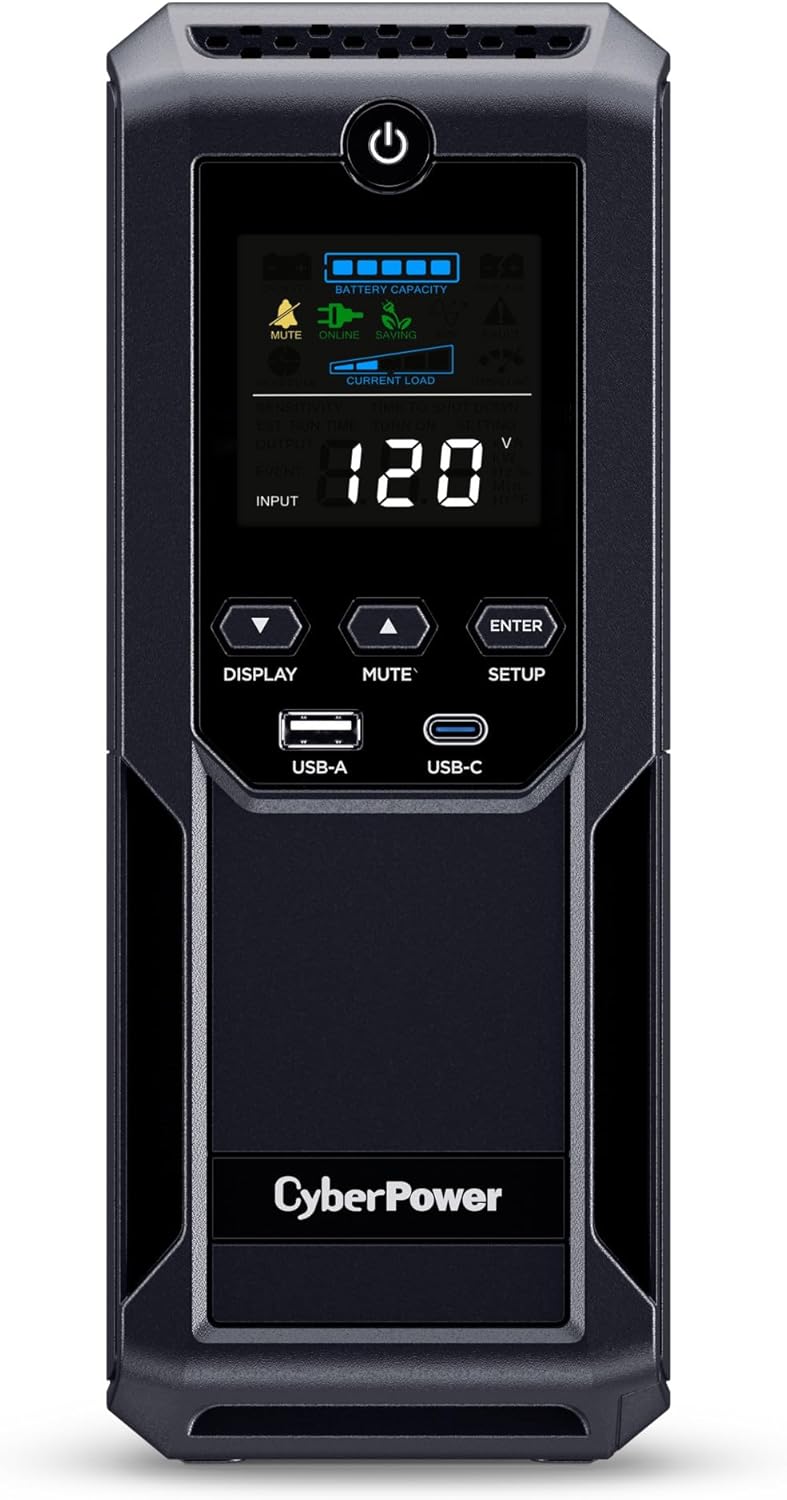
CyberPower CP1500AVRLCD3 1500VA UPS with LCD Display
A mid-range UPS designed for home offices and small server setups, offering 12 outlets (6 battery-backed) and a color LCD panel to monitor power conditions. Delivers adequate runtime for graceful shutdowns during outages and voltage regulation to prevent power fluctuations.
Pros
- Solid runtime on half load (12 minutes) provides adequate time to save work and shut down systems gracefully
- AVR feature extends battery life by avoiding unnecessary battery drain during minor power fluctuations
- Easy setup with batteries pre-charged and straightforward front-panel controls
- Comprehensive warranty with $500,000 Connected Equipment Guarantee offers financial protection
- Reviewers report reliable performance across multiple outages with negligible interruption to connected devices
Cons
- Only 3-minute runtime at full load limits usefulness during extended outages for high-power systems
- Outlet spacing is tight, preventing simultaneous use of all 6 battery-backed outlets for bulky power plugs
- Simulated sine wave output may cause compatibility issues with sensitive audio/video equipment compared to pure sine wave models
APC Back-UPS BE850G2 850VA UPS Battery Backup
A compact tower UPS that combines battery backup and surge protection across 9 outlets plus 2 USB ports, suitable for home office setups. Delivers up to 35 minutes of runtime at 100W load and features a user-replaceable lead-acid battery with 3-5 year lifespan.
Pros
- 9 outlets (6 battery-backed, 3 surge-only) plus 2 USB-A charging ports provide flexible connectivity for multiple devices
- Fast 6-10ms transfer time to battery power minimizes disruption during outages
- User-replaceable battery (RBC17) eliminates need for technician service; typical 3-5 year lifespan
- Surge protection up to 354 Joules safeguards against power spikes and electrical damage
- LED status indicators and silenceable alarm offer at-a-glance monitoring without excessive noise
Cons
- 35-minute runtime at 100W is modest for extended outages; capacity and actual runtime vary with connected device load
- No automatic voltage regulation (AVR) unlike higher-tier APC models, limiting protection against voltage fluctuations
- Battery installation requires opening bottom panel and can produce small spark when initially connected
APC Back-UPS BE600M1 600VA Battery Backup
Compact UPS that keeps computers, routers, and modems running for about 23 minutes during outages at 100W load, with built-in surge protection across 7 outlets and USB charging. Rated 4.5 stars from nearly 30,000 verified buyers, with most praising reliability and quiet operation.
Pros
- Proven long-term reliability: multiple verified buyers report 8+ years of continuous use with minimal issues
- Quiet operation and instant failover prevents disruption to connected devices
- Well-spaced outlets accommodate larger power adapters without blocking adjacent sockets
- Straightforward setup with battery arriving pre-charged
- Responsive customer service with warranty replacements for out-of-warranty units
Cons
- Intermittent beeping occurs when operating on battery power, which some users find annoying (can be disabled)
- 23-minute runtime only sufficient for graceful shutdown at typical computer loads, not extended operation
- Must plug directly into wall outlet for optimal performance; extension cords can trigger battery mode unnecessarily
APC Back-UPS BE1050G3 1050VA UPS Battery Backup
A compact 1050VA UPS designed for home offices and small businesses, offering 6 battery backup outlets plus USB charging to keep routers, modems, NVRs, and other low-power devices online during outages. Runtime stretches to 36 minutes with light loads, making it practical for graceful shutdowns or bridging brief power interruptions.
Pros
- Instant switchover with no perceptible delay when power cuts, keeping connected devices uninterrupted
- 8 total outlets split intelligently: 6 with battery backup and surge protection, 2 surge-only, letting you prioritize critical gear
- Includes USB-C and USB-A ports for charging phones and tablets during blackouts
- Automatic voltage regulation smooths minor power fluctuations without draining battery
- User-replaceable battery and 3-year warranty with $75,000 equipment protection policy
Cons
- Runtime of 23-36 minutes is too short for extended outages on any but the lightest loads; not suitable for running PCs or gaming gear through long blackouts
- One verified buyer reported the unit failed to protect equipment during a power event, suggesting inconsistent surge protection performance in real-world scenarios
- Plug spacing can be tight depending on adapter size and outlet configuration
APC Back-UPS BE900G3 900VA UPS Battery Backup
Mid-range tower UPS designed for home offices and small businesses, offering 21 minutes of runtime at full load and 8 outlets (6 battery backup, 2 surge-only) plus dual USB charging. Best suited for protecting Wi-Fi routers, modems, computers, and keeping internet access alive during blackouts.
Pros
- Multiple battery backup outlets reduce need to choose which devices to protect
- USB charging remains active during outages, providing extended device support
- Quiet operation with toggle mute switch prevents disruptive beeping during outages
- User-replaceable battery lowers long-term ownership costs
- Verified buyers report reliable protection for routers, modems, and internet devices during power interruptions
Cons
- Large footprint relative to outlet accessibility; some users report only 4 of 6 battery backup outlets are practically usable due to tight plug spacing
- 21-minute rated runtime applies only at full 540W load; actual extended runtime requires low-power devices only
- Lead-acid battery adds significant weight (9.1 lbs) and requires proper temperature management for optimal lifespan
CyberPower AVRG900LCD 900VA LCD UPS Battery Backup
A compact line-interactive UPS with LCD display and automatic voltage regulation, designed to keep desktop computers, networking equipment, and home entertainment systems running during power outages. Rated 4.5 stars from 665 verified buyers, it offers sufficient runtime for safe shutdowns and includes free management software.
Pros
- AVR technology extends battery life by avoiding unnecessary battery drain during voltage sags and spikes
- Free PowerPanel software provides easy monitoring and scheduling; makes up for limited physical button controls
- Dual outlet configuration (battery + surge vs. surge-only) lets you prioritize critical devices
- Strong warranty coverage and connected equipment guarantee reduce risk
- Consistently praised by users protecting NAS systems, home networks, and multi-monitor setups
Cons
- Limited runtime at full load (2 minutes) requires proper setup planning and prioritization of which devices get battery power
- Requires correct initialization sequence (power down, plug devices first, then plug UPS in) or it will beep continuously; manual instructions unclear about this
- Simulated sine wave output (not pure sine) may cause issues with sensitive electronics like medical equipment or high-end audio gear
Walfront 20000mAh UPS Battery Backup for Routers & Cameras
A compact 20000mAh lithium battery backup designed to keep routers, modems, and security cameras running during power outages, with multiple output ports and six safety protections. Best suited for users wanting portable power for home networking equipment without breaking the bank.
Pros
- Versatile output connectors handle most routers, modems, security cameras, and portable devices
- Six comprehensive safety protections prevent device damage from power surges and fluctuations
- Extended runtime of 18+ hours keeps essential devices operational during extended outages
- Compact form factor fits easily into bags or vehicles for travel use
- Perfect 5.0-star rating from verified buyers
Cons
- Only two outlet ports limit simultaneous device charging compared to larger UPS units
- Maximum 18W output power restricts use to smaller devices, not suitable for high-power equipment
- No information on charging time for the battery itself when plugged in
APC BE425M 425VA Battery Backup UPS
Budget-friendly UPS designed for low-power devices like routers, modems, and small home electronics, offering 15 minutes of runtime at 100W load plus surge protection across six outlets. Best suited for brief outages and surge protection rather than extended backup scenarios.
Pros
- Reliable surge protection at budget price point, praised by reviewers for preventing damage to computers and smart devices
- Simple plug-and-play setup with no app or computer configuration required
- Effective for brief outages when paired with generators or backup systems, per verified user feedback
- Low 6-watt standby power consumption reduces phantom loads
Cons
- Limited to 15 minutes of backup at 100W load, unsuitable for high-power devices like gaming PCs or multiple monitors
- No low battery warning while AC power is present; only alerts when power actually fails, creating false sense of security
- Soft power button can be unreliable; some users report inconsistent behavior
CyberPower ST425 425VA Standby UPS
A compact, budget-friendly UPS designed for small electronics like routers, modems, and gaming consoles during power outages. Offers 4 battery-backed outlets with 6-minute runtime at half load, though it's not suitable for high-power devices like desktop PCs or large TVs.
Pros
- Affordable entry-level UPS with solid 4.4-star rating from 5,270 verified buyers
- Eight total outlets (4 battery-backed, 4 surge-protected) in compact design
- 3-year warranty including battery plus $75K connected equipment guarantee
- Successfully keeps low-power devices running during outages, especially routers and modems
- Surge protection rated at 890 Joules protects against power spikes
Cons
- Short runtime at full load (1.5 minutes) means limited utility for desktop PCs or TVs
- Some verified users report complete failure to deliver battery power under load, despite proper setup
- Alarm cannot be fully silenced during outages without advance knowledge of double-tap power button method
UPS Battery Backups for WiFi Router Buying Guide
Shopping for a UPS specifically to protect your router and network gear is different from shopping for a full workstation backup.
The load is smaller, the priority is uptime rather than graceful shutdown, and the footprint often needs to fit inside a cable closet or on a shelf behind the TV.
The criteria below reflect what genuinely matters for this specific use case, drawn from the specifications and real-world feedback that shaped our rankings.
VA Rating and True Wattage: Match the Unit to Your Load

The VA (volt-ampere) figure on a UPS box is not the same as its usable watt output.
Most units deliver roughly 50 to 60 percent of the VA number in real watts, so a 600VA unit typically handles around 330 to 360W of actual load.
A typical home WiFi router draws between 10W and 25W; add a cable modem, a network switch, and perhaps a smart home hub and you might be looking at 40W to 80W total.
That means even a modestly rated unit like the APC BE425M or the CyberPower ST425 provides adequate runtime for a pure router-and-modem setup.
Where a larger unit earns its keep is when you want to extend coverage to a NAS, a desktop PC, or a home-office workstation alongside the network gear.
If your goal is whole-home-office protection, stepping up to a 1000VA-class unit such as the CyberPower CP1500PFCLCD or the APC BX1500M gives you meaningful headroom and significantly longer runtime at lower partial loads.
Always add up the nameplate wattage of every device you plan to connect before choosing a capacity tier.
One practical rule: aim to load a UPS to no more than 60 to 70 percent of its rated watt capacity. Running a unit near its ceiling shortens battery life and reduces runtime per cycle.
Buying slightly more capacity than you think you need is almost always the right call.
Runtime: How Long Do You Actually Need?

Runtime is probably the spec buyers focus on first, and it is also one of the most misread. Manufacturers publish runtime figures at a specific load, typically 50W or 100W, which may be far higher than your actual router load.
In practice, a 425VA unit powering only a router and modem at around 30W can sustain connectivity for 20 to 30 minutes, which is more than enough to ride out most residential outages.
The vast majority of power interruptions last under five minutes.
If you work from home and need to stay on a video call or VPN connection through longer outages, a higher-capacity unit running at a small fraction of its rated load will deliver dramatically extended runtime.
For example, a 1500VA UPS powering only network gear at 40W could theoretically sustain connectivity for well over an hour, depending on battery capacity and age.
Think through your worst-case scenario: how long do outages typically last in your area, and what is the cost of connectivity loss?
Battery age is also worth factoring in. Most sealed lead-acid (SLA) batteries in a consumer UPS degrade noticeably after three to five years and should be replaced proactively.
Budget UPS brands often require proprietary replacement packs; established names like APC and CyberPower have well-supported replacement battery ecosystems, which lowers the long-term cost of ownership.
Pure Sine Wave vs. Simulated Sine Wave: Does It Matter for Routers?
This distinction confuses a lot of buyers. Pure sine wave UPS units (like the CyberPower CP1500PFCLCD with its PFC sinewave output) produce AC power that closely mimics utility-grade electricity.
Simulated or stepped approximated sine wave units produce a cruder waveform that is still functional for most electronics but can cause audible buzz, reduced efficiency, or even compatibility issues with certain power supplies, particularly those using active PFC (power factor correction) circuits.
For a plain WiFi router or cable modem, simulated sine wave is almost always fine. These devices use simple switching power supplies that tolerate the stepped waveform without complaint.
Where pure sine wave matters more is when you are protecting a desktop PC with a high-end PSU, a NAS running enterprise-grade drives, or any device with a motor (like a laser printer).
If your UPS will serve double duty protecting your router and a workstation, the additional investment in pure sine wave output is worth considering.
Most of the mid-range and premium units in our list, including options from APC’s Back-UPS and BX lines, use simulated sine wave and perform reliably for router-only or light home-office loads.
If you are powering only network gear, do not let the absence of pure sine wave be a dealbreaker, especially at the value end of the market.
Outlet Count, Layout, and Surge-Only Sockets
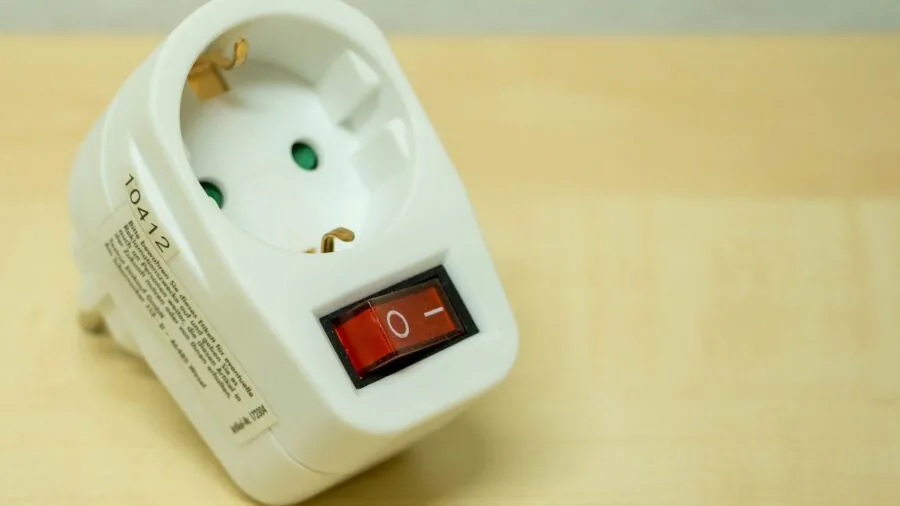
Consumer UPS units divide their outlets into two groups: battery-backed outlets (which provide power during an outage) and surge-only outlets (which protect from spikes but cut off when the battery kicks in).
For router protection, make absolutely sure your router, modem, and any mesh node or switch you care about are plugged into battery-backed outlets, not surge-only ones.
This is one of the most common setup mistakes, and it can leave your router dead despite the UPS running fine.
Count the battery-backed outlets carefully. Some compact units like the APC BE425M offer only four battery-backed outlets, which may be tight if you have a router, modem, switch, and a media streamer all needing backup power.
Larger units like the APC BX1500M or the CyberPower CP1500AVRLCD3 offer 10 to 12 total outlets with more battery-backed positions, giving you real flexibility to protect an entire network rack or home-office desk.
Also look at physical outlet spacing. Some units place outlets so close together that wide-body wall-wart adapters block adjacent sockets. Staggered or rotating outlet designs, which several APC and CyberPower units feature, solve this problem elegantly.
USB charging ports (increasingly common on newer units) are a nice-to-have for keeping phones and tablets topped up during an outage.
Automatic Voltage Regulation: Why AVR Matters

Automatic Voltage Regulation (AVR) is a feature that corrects over- and under-voltage conditions without switching to battery power.
In areas where the utility supply is prone to brownouts, sags, or mild surges, an AVR-equipped UPS extends battery life significantly because the unit does not have to discharge the battery every time the voltage dips below nominal.
Most mid-range and higher units in our list, including the CyberPower AVRG900LCD and several APC Back-UPS models, include AVR as standard.
Budget standby units without AVR (like the CyberPower ST425) simply switch to battery whenever voltage strays outside a preset window.
In a stable grid environment this works fine, but it means more frequent battery cycling and potentially shorter battery life over time. If you live in an area with frequent brownouts or an older electrical infrastructure, prioritize AVR-equipped models.
Form Factor and Connectivity: Fitting the UPS Into Your Space

Most consumer UPS units come in either a mini-tower (vertical) or desktop (horizontal/rack-compatible) form factor.
For home use, mini-tower units are by far the most common and can tuck neatly next to a router shelf or inside a media cabinet.
The Walfront 20000mAh portable unit takes an entirely different approach, offering a compact battery-bank style enclosure that is genuinely portable and can even run off a wall socket in countries with 100 to 240V grids, making it an interesting niche pick for travel or temporary setups rather than a permanent home installation.
Connectivity features like a color LCD (found on the CyberPower CP1500PFCLCD and AVRG900LCD) or LED status indicators let you monitor battery charge level and load at a glance.
USB connectivity to a PC enables graceful shutdown software, useful if the UPS is also protecting a NAS or server that needs a clean power-down sequence.
For a router-only setup, software connectivity is optional; for a home-office NAS or server, it becomes more important.
For anyone building out a home office power strategy, it is worth pairing your UPS selection with a look at modular power supplies for your PC, since a well-matched PSU and UPS combination delivers the cleanest possible power stack.
Why You Should Trust Us
REMOVU is an independent review publication with no brand affiliations or manufacturer relationships that influence our editorial decisions.
Every product in this guide has been evaluated and scored using our 0-to-10 REMOVU Score, a consistent, structured framework applied uniformly across the category.
Our scores are derived from a research synthesis that encompasses manufacturer-published specifications, expert review consensus drawn from credible industry sources, and verified buyer feedback from confirmed purchasers.
We do not conduct our own product trials; our evaluations are grounded in research, published data, expert review consensus, and verified buyer feedback.
This approach lets us assess a broader set of products more rigorously than a single editorial team could evaluate through physical trials alone, and it means our conclusions reflect the collective experience of thousands of real users rather than a single reviewer’s short-term impressions.
REMOVU may earn a commission if you purchase through a link on this page. That affiliate relationship has no bearing on which products we recommend, how they are ranked, or what scores they receive.
Products are ordered by REMOVU Score; the unit with the highest score appears first regardless of price, brand, or margin.
Final Thoughts
After synthesizing specifications, expert review consensus, and verified buyer feedback across this entire category, a few units stand out clearly.
Whether you need a compact backup for a single router or a full home-office solution that keeps your network, workstation, and security gear running through an outage, there is a well-matched option in this lineup.
Below are our editorial picks by use case, each linked to its Amazon product page for full specification details.
- Best Overall: CyberPower CP1500PFCLCD PFC Sinewave UPS. The highest REMOVU Score in this roundup reflects a combination that is hard to match: pure sine wave output, 1500VA/1000W capacity, AVR, a color LCD, and 12 outlets. It is the most versatile unit here, capable of protecting a full home-office stack including a PC, router, NAS, and peripherals simultaneously.
- Best for Home Office Workstations: APC BX1500M Back-UPS Pro. With 10 outlets, an LCD display, AVR, and generous runtime at moderate loads, this unit earns strong marks for anyone running a full workstation alongside their network gear. Its consistent reputation in expert reviews and verified buyer feedback makes it a dependable long-term investment.
- Best High-Capacity Value Pick: CyberPower CP1500AVRLCD3. This 1500VA/900W unit delivers excellent capacity and a full-featured LCD panel at a more accessible price than the pure sine wave flagship, making it the smart choice for buyers who want maximum outlets and runtime without the premium.
- Best Budget Pick for Router-Only Use: APC BE600M1 Back-UPS 600VA. Compact, affordable, and purpose-built for routers and modems, the BE600M1 offers solid runtime at light loads and includes a USB charging port. For renters or anyone who just wants their WiFi to survive a brief outage without spending much, this is the practical starting point.
- Best Portable Option: Walfront 20000mAh Portable UPS. A genuinely different form factor for a genuinely different use case. If you need a travel-friendly or temporary backup for a router or security camera rather than a permanent home installation, this compact unit covers a niche nothing else in this list addresses.
Connectivity and power reliability are increasingly central to how we live and work from home. Pairing the right UPS with your router is one of those low-effort, high-impact upgrades that most households delay too long.
If you are also thinking about protecting other power-hungry home electronics, our guides to portable power stations and power banks cover complementary options worth exploring alongside a UPS.
Frequently Asked Questions
What size UPS do I need to keep my WiFi router running during an outage?
For a single router and modem, even a 350VA to 600VA unit provides adequate runtime because both devices draw very little power, typically 20W to 50W combined.
If you also want to protect a network switch, a NAS, or other gear, step up to a 900VA to 1500VA unit for meaningful headroom and longer runtime.
A useful rule of thumb: add up the watt ratings of every device you plan to connect, then choose a UPS rated for at least 1.5 times that total. This keeps the battery from being stressed and extends the useful life of the unit.
Do I need a pure sine wave UPS for my router and modem?
Not for most residential networking gear. Standard routers and cable modems work reliably on simulated sine wave output, which is what the majority of consumer UPS units in this price range produce.
Pure sine wave output is more important when protecting desktop PCs with active PFC power supplies or NAS enclosures running multiple drives.
If your UPS will double as workstation protection alongside router backup, it is worth considering a pure sine wave model like the CyberPower CP1500PFCLCD. Otherwise, a quality simulated sine wave unit from APC or CyberPower handles router and modem loads without issue.
How long will a UPS keep my router running?
Runtime depends heavily on the capacity of the UPS and the actual load you are drawing. A router and modem pulling around 30W from a 600VA UPS typically provides 20 to 40 minutes of backup time.
That same load connected to a 1500VA unit could sustain connectivity for well over an hour.
Manufacturer runtime tables list figures at specific loads; running a high-capacity unit at a low router-only load usually produces much better runtime than the spec sheet suggests.
Battery age affects runtime meaningfully. After three to five years, an SLA battery may deliver noticeably less capacity than when new. Replacing the battery pack on a schedule (most brands sell replacements) is more cost-effective than buying a new unit.
Can I use a UPS to protect my home security cameras and smart home devices as well?
Yes, and this is a common use case that a mid-range UPS handles well. Wired IP cameras, smart home hubs, and network video recorders (NVRs) draw modest power and benefit enormously from staying online during an outage.
Just make sure each device you want protected is plugged into a battery-backed outlet rather than a surge-only socket.
Keep a tally of total wattage.
A router, modem, NVR, and two or three PoE cameras can add up to 80W to 120W, which is still very manageable for a 900VA to 1500VA unit but would exceed the practical capacity of the smallest 350VA to 425VA units in this list.
If you are building out a more comprehensive home security and smart home setup, a compact mini PC running home automation software is another device worth factoring into your total load calculation.
What is the difference between battery-backed outlets and surge-only outlets on a UPS?
Battery-backed outlets draw from the UPS battery when utility power fails, keeping connected devices running. Surge-only outlets filter voltage spikes and line noise but do not supply backup power during an outage.
Any device that must stay on through a power cut needs to be in a battery-backed socket.
Most UPS units label the two outlet groups clearly on the chassis.
When setting up your unit, plan your connections deliberately: router, modem, and any always-on network gear in battery-backed sockets; printers, desk lamps, or phone chargers in surge-only sockets if at all.
For anyone also managing high-performance PC builds where the PSU choice matters as much as the UPS, our overview of 850W power supplies covers what to look for on the PC side of the equation.
How often should I replace the battery in my UPS?
Most sealed lead-acid batteries in consumer UPS units have a design life of three to five years under normal conditions.
Signs that replacement is overdue include noticeably shorter runtime than when the unit was new, frequent low-battery warnings, or the UPS failing to hold charge after a full charging cycle.
Both APC and CyberPower sell replacement battery cartridges for most of their product lines, and swapping the pack yourself is typically straightforward.
Proactive replacement on a three-to-four-year cycle is better than waiting for failure during an actual outage.
Keeping firmware and any management software updated (on units that support it) can also help the UPS calibrate remaining battery capacity more accurately and give you earlier warning before the battery degrades significantly.
If you are curious about how power and battery technology intersects with other portable device categories, our look at solar chargers covers another dimension of backup power worth understanding.
About the author
Catherine is REMOVU's camera drone writer, comparing image quality, flight time, and obstacle avoidance across beginner and pro models. She focuses on which drones capture keeper footage without risking a crash.