The 12 Best iPad Keyboards
Choosing an iPad keyboard means balancing connector type, typing feel, trackpad quality, and case design. REMOVU researched every option to help you find the right fit.
 By Kevin Hunt
Updated July 26, 2026
By Kevin Hunt
Updated July 26, 2026
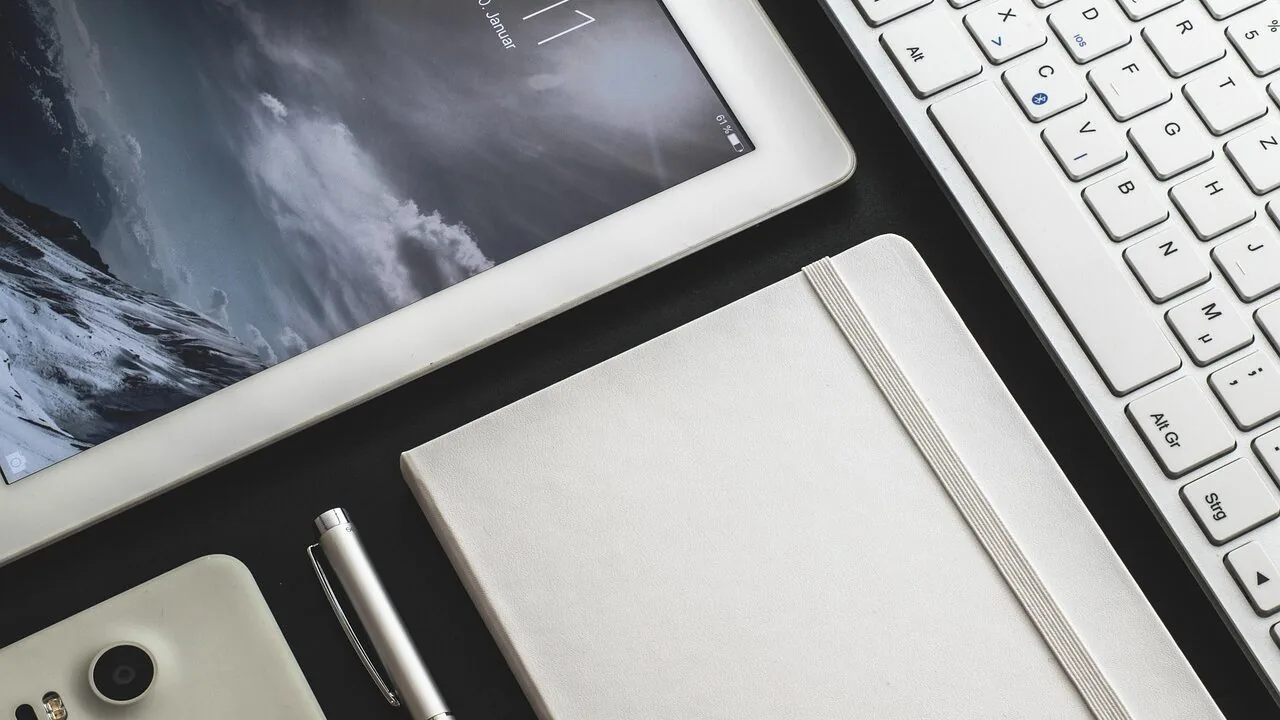
Pairing an iPad with the right keyboard can transform it from a casual browsing device into a genuine productivity machine.
Whether you are a student juggling notes between classes, a remote worker drafting documents on the go, or a creative professional managing files away from the desk, the keyboard you choose shapes how comfortable and capable that experience feels.
The market spans everything from slim Bluetooth slabs under a modest budget to premium folio cases that add trackpad support and clever connector technology, so knowing where to start matters.
To help you cut through the noise, REMOVU researched and evaluated every option on this list using a rigorous combination of manufacturer specifications, expert review consensus, verified buyer feedback, and published data, then scored each model on the 0 to 10 REMOVU Score scale.
Keep reading for our top picks, followed by a thorough buying guide covering every criterion that actually matters.
Our research spans a wide range from affordable wireless keyboards from brands like OMOTON and Hamile to premium Apple and Logitech options designed for specific iPad generations.
We have also factored in compatibility quirks, connector type, typing feel, and whether a keyboard case offers enough value to justify its price.
If you are still deciding which iPad to pair with your keyboard, our guide to phones, tablets and wearables covers the broader ecosystem. Read on for our ranked picks.

Apple Magic Keyboard for iPad Air 11-inch
A premium keyboard-case hybrid that transforms iPad Air into a laptop-like productivity device, featuring magnetic attachment, integrated trackpad, and USB-C pass-through charging. Best suited for professionals and content creators willing to invest in Apple's ecosystem quality.
Pros
- Seamless magnetic attachment and automatic connection via Smart Connector technology
- Premium build quality with responsive keyboard feel comparable to MacBook
- Pass-through USB-C charging eliminates need for separate device management
- Integrated trackpad and function keys provide near-laptop productivity experience
- Protective case design folds for front and back coverage without bulk
Cons
- No keyboard backlighting, with only Caps Lock indicator light available
- Significantly adds weight to iPad Air, making lap use less balanced
- Premium pricing positions it well above generic keyboard alternatives

Apple Magic Keyboard Folio iPad 10th Gen
The Magic Keyboard Folio combines a physical keyboard, integrated trackpad, and protective case in a magnetic two-piece design that requires no charging or pairing. It delivers a solid typing experience with 1mm key travel and strong magnetic attachment, making it well-suited for iPad 10th generation users seeking a laptop-like workflow.
Pros
- No battery charging needed; powers through iPad's Smart Connector
- Strong magnetic attachment and easy on-off design with secure fit
- Responsive keys and trackpad feels comfortable for extended typing and cursor control
- Lightweight at 16 ounces with sturdy build quality reported by users
- Seamless pairing and setup, zero configuration required
Cons
- No backlit keyboard, limiting usability in low-light environments
- Limited edge protection; doesn't fully guard iPad corners and sides
- White finish may show dirt and discoloration over time with regular use

Logitech Combo Touch iPad 10th Gen Keyboard Case
A detachable keyboard case with precision trackpad designed specifically for iPad 10th generation, combining a full-size backlit keyboard with flexible multi-mode functionality. Best suited for users seeking productivity features like trackpad navigation and stylus storage without the bulk of a permanently attached keyboard.
Pros
- Precision trackpad provides familiar gesture controls and accurate navigation without draining iPad battery
- Detachable keyboard means you get a slim, screenless iPad experience when you only need to view or sketch
- No batteries or charging needed, simplifying daily use and travel
- Premium woven fabric construction with form-fit protection covers ports and corners
- Four use modes with adjustable viewing angles accommodate different workflows from typing to drawing
Cons
- Premium positioning makes it a mid-to-high investment compared to basic iPad cases
- Single-color backlit keys only, limiting customization for low-light preferences
- Stylus storage is an add-on feature, requiring separate purchase of Apple Pencil or Logitech Crayon

Logitech Combo Touch iPad 7-9 Keyboard Case with Trackpad
A full-featured keyboard case for iPad 7th through 9th generation that pairs instantly via Smart Connector without batteries. It combines a backlit keyboard, precision trackpad, and four adjustable viewing modes, making it capable for productivity work, though the trackpad feels less responsive than laptop equivalents.
Pros
- Keyboard connects instantly via Smart Connector with zero setup or charging required, unlike Bluetooth alternatives
- Backlit keys and well-spaced layout enable comfortable typing in various lighting conditions
- Trackpad functionality is uncommon in iPad cases and simplifies spreadsheet and document work
- Premium build quality with durable materials, backed by verified buyers reporting multi-year reliability
- Detachable keyboard preserves screen visibility when typing isn't needed
Cons
- Trackpad response lags compared to laptop trackpads and occasionally requires disconnecting and reconnecting to reset
- Magnets holding keyboard attachment aren't strong enough, causing keyboard to detach easily with minor movement
- Adds substantial weight to iPad, approaching laptop-level heft, which impacts portability

Logitech Combo Touch iPad 10th Gen Keyboard Case with Trackpad
A detachable keyboard case designed for iPad 10th generation that combines a full-size backlit keyboard, precision trackpad, and protective case in one. Four distinct modes (Type, View, Sketch, Read) accommodate different work styles, making it suitable for professionals and students who want laptop-like productivity from their tablet.
Pros
- Detachable design allows using iPad independently from keyboard when needed
- Smart Connector powers the keyboard directly from iPad, eliminating battery charging
- Precision trackpad enables efficient document editing and multi-gesture navigation familiar to laptop users
- Full-size keyboard with 78 keys and up to 16 levels of adjustable backlighting for comfortable typing
- Four distinct modes provide versatility for typing, sketching, reading, and presenting tasks
Cons
- Membrane keyboard may feel less responsive than mechanical alternatives preferred by typists
- Limited to iPad 10th generation compatibility, not compatible with older or newer iPad models
- Only 4 verified reviews available, limiting broader usage feedback on long-term durability

Apple Smart Keyboard Folio for iPad Pro 11-inch & iPad Air (Renewed)
This refurbished keyboard case pairs Apple's reliable input method with protective cover design, requiring zero charging or Bluetooth pairing. Strong magnetic closure and lightweight build make it practical for daily use, though design quirks like top-heaviness and minimal edge protection warrant consideration.
Pros
- Zero battery drain or connectivity hassles, magnets attach instantly
- Compact and lightweight yet provides stable typing with decent key travel
- Renewed units arrive in excellent condition at significant savings versus new alternatives
- Doubles as both protective cover and adjustable stand for multiple viewing angles
- Strong magnetic retention keeps iPad securely attached during normal use
Cons
- Top-heavy design causes tipping backward when jostled, especially on lap use, risking device drops
- Minimal side and edge protection leaves tablet vulnerable despite full front and back coverage
- No keyboard backlighting and smaller key size compared to traditional keyboards
- Magnets could be stronger for absolute security in rough conditions

Apple Magic Keyboard - Bluetooth Wireless
Apple's Magic Keyboard offers a comfortable typing experience with solid build quality and month-long battery life between charges. It pairs seamlessly with Mac devices, though it lacks advanced features like backlighting and carries a premium price tag.
Pros
- Exceptional battery life with minimal charging frequency
- Effortless setup and automatic pairing across Apple ecosystem
- Well-spaced keys with responsive tactile feedback
- Sleek minimalist design that complements Mac setups
- Compact form factor reduces desk clutter
Cons
- Premium pricing compared to third-party keyboards with similar functionality
- No backlighting, limiting usability in low-light environments
- Basic feature set without extras like programmable keys or macro support

Apple Smart Keyboard for iPad 7th-9th Gen & iPad Air 3rd Gen
This renewed Apple Smart Keyboard pairs with select iPad models via Smart Connector, eliminating the need for pairing or charging. It folds into a slim cover and offers a full-size keyboard for typing and presentations, making it practical for productivity-focused iPad users.
Pros
- Seamless integration with compatible iPad models through Smart Connector
- Compact folding design doubles as protective cover when not in use
- No batteries or charging needed, always ready for immediate use
- Ergonomic keyboard layout suitable for office and productivity work
Cons
- Not water resistant, limiting durability in wet environments
- Limited to specific iPad generations (7th-9th gen iPad, iPad Air 3rd gen only)
- Renewed product status means it may show signs of prior use and comes with 90-day limited warranty only

Typecase Touch iPad Keyboard Case, 11th/10th Gen, 360° Rotatable
A premium keyboard case that transforms iPad 10th and 11th gen models into productivity devices with a 78-key backlit keyboard, multi-touch trackpad, and seven flexible usage modes. Buyers consistently praise the sturdy build, responsive typing experience, and smooth 360-degree hinge, though the bulk and separate charging for iPad and case are trade-offs worth considering.
Pros
- Responsive keyboard with good tactile feedback and extensive backlight customization options
- Robust 360-degree hinge and case construction feel durable and well-engineered
- Flexible stand angles work well for typing, video watching, and tablet mode use
- Fast Bluetooth pairing and responsive trackpad eliminate typing delays
- Lightweight relative to protection offered, backed by 12-month warranty
Cons
- Keyboard case must be charged separately from iPad, requiring two USB-C cables
- Rubber bumpers on keyboard base can irritate palms during extended typing sessions
- Overall bulk adds noticeable weight despite being lightweight for its class

OMOTON KB066 Bluetooth Keyboard for iPad, 78-Key
A lightweight wireless keyboard built for iPad and iPhone users, featuring 12 dedicated iOS shortcuts and a slim 0.2-inch profile for portability. Battery life stretches to 400 hours with two AAA batteries, though it lacks an Escape key and relies on older Bluetooth 3.0 connectivity.
Pros
- Extended battery life with auto-sleep mode reduces frequent replacements
- Compact and lightweight design, ideal for iPad users on the go
- 12 dedicated iOS shortcuts streamline common tasks without menu diving
- Wide device compatibility across iPad and iPhone lineup
- Affordable keyboard option for mobile productivity
Cons
- No Escape key, limiting full keyboard functionality for certain workflows
- Batteries not included; requires ongoing AAA battery purchases
- Bluetooth 3.0 is older standard; no newer Bluetooth 5.0+ connectivity
- Function keys not fully compatible with non-iOS systems despite Android listing

Hamile iPad 10th/11th Gen Keyboard Case with 7-Color Backlit
A protective folio case with detachable wireless keyboard designed for iPad 10th Generation (10.9-inch) and iPad 11th Generation (11-inch) models. The 420mAh battery lasts 230+ hours, features a 7-color RGB backlit keyboard, and includes a built-in pencil holder, making it suitable for students and professionals who type frequently.
Pros
- Strong battery life (230+ hours) with 2-hour quick charge via Type-C
- Magnetic keyboard attachment is convenient and repositionable
- 7-color customizable backlit keyboard adds functionality and style
- Quality materials feel protective without excessive weight according to reviews
- Responsive keyboard with no noticeable typing delays
Cons
- Not compatible with other iPad models, requires manual verification of Model A numbers before purchase
- Keyboard produces audible clicks, which some users may find disruptive in quiet environments
- Not water resistant, limiting durability in wet conditions

Harvopu iPad A16/10th Gen Keyboard Case with Trackpad
A budget-friendly keyboard case that transforms your iPad into a laptop alternative, complete with a detachable magnetic keyboard, trackpad, and 7-color backlit keys. Best for students and remote workers who need physical typing and document editing on the go.
Pros
- Magnetically detachable keyboard allows flexible use and easy portability
- Built-in trackpad with multi-touch gesture support improves productivity for browsing and document work
- 7-color adjustable RGB backlit keyboard with 3 brightness levels for typing in low light
- Long battery life with 420mAh rechargeable battery and fast 2-3 hour Type-C charging
- Multiple viewing angles via anti-slip grooves support drawing, writing, and computing tasks
Cons
- Some users report iPad paint wear and white spots on keyboard over extended use
- Keyboard requires slightly harder key presses than typical laptops and has noticeable input lag during gaming
- Not water resistant, limiting durability in wet environments
iPad Keyboards Buying Guide
Shopping for iPad keyboards in 2026 means navigating a surprisingly fragmented market.
Apple has its own ecosystem of keyboard accessories, Logitech dominates the premium third-party segment, and a long tail of budget brands offers solid value for shoppers who do not need every bell and whistle.
The six criteria below cover the factors that separate a frustrating purchase from one you will rely on every day.
Compatibility and Connector Type
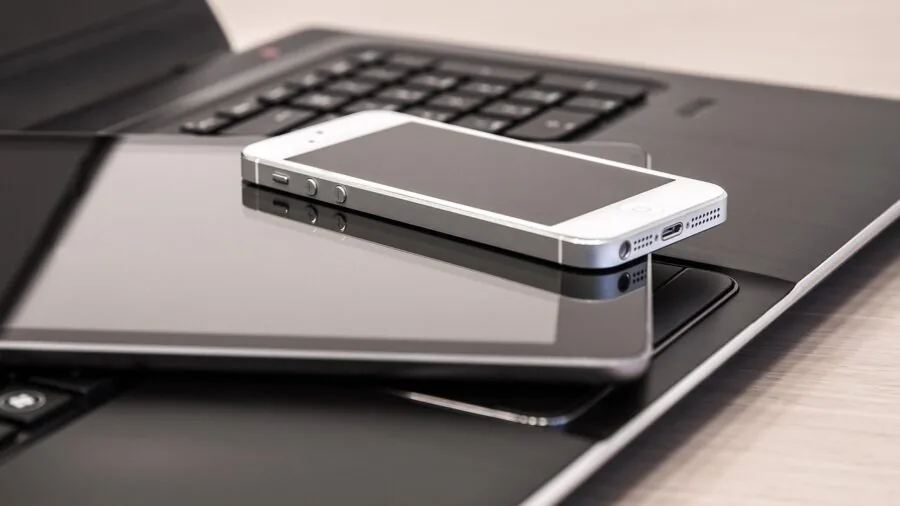
iPad keyboards connect in one of two ways: Bluetooth or Smart Connector.
Bluetooth keyboards work across virtually every iPad model and can even pair with iPhones, but they require periodic charging, occasional re-pairing, and introduce a small latency window that most users never notice yet sensitive typists sometimes do.
Smart Connector keyboards, used by Logitech and Apple in their folio-style cases, draw power directly from the iPad and pair instantly every time you attach them. There is no battery to manage and no pairing mode to fumble with.
Generation compatibility is the other landmine. Apple redesigned the iPad’s Smart Connector position between certain generations, meaning a keyboard case bought for a 9th-generation iPad will not physically attach to a 10th-generation model.
Always cross-reference the ASIN listing’s compatibility table with your exact iPad model number (found in Settings, then General, then About) before purchasing.
If you own an iPad Pro 11-inch, an iPad Air, or the latest iPad with an M-series chip, double-check that the keyboard explicitly lists your generation.
Budget Bluetooth keyboards like the OMOTON Ultra-Slim are the safest cross-device choice and double as a companion keyboard for iPhones, a bonus if you want one peripheral for multiple screens.
For anyone leaning toward a more laptop-like setup, pairing your iPad with a portable monitor for work and travel alongside a Smart Connector keyboard creates a capable dual-screen workstation.
Keyboard Layout and Typing Feel

Key travel, spacing, and tactile feedback vary dramatically across this category. Apple’s Smart Keyboard Folio and Magic Keyboard Folio use a scissor mechanism that delivers a consistent, low-profile keystroke familiar to anyone who has typed on a modern MacBook.
Logitech’s Combo Touch series uses a slightly more concave key dish and a bit more travel, which many reviewers on verified purchase listings describe as more comfortable during extended typing sessions.
Budget cases from brands like typecase and Harvopu often feature shallower key travel and a slightly mushier actuation point, which works fine for short emails but can cause fatigue during longer documents.
If your primary use case is writing, the keyboard feel deserves at least as much weight as price.
A full-size layout, meaning letter keys that are not narrowed to fit a slim profile, is the baseline worth insisting on regardless of budget.
Backlighting is an increasingly common feature even in mid-range options. The typecase Touch offers 11 adjustable backlight colors, and the Logitech Combo Touch includes backlit keys across its lineup.
If you frequently type in low-light environments, be sure to confirm backlight availability, since Apple’s standard Smart Keyboard (non-Folio) famously omits it.
Trackpad Integration
iPadOS gained serious cursor support with version 13.4, and keyboards with integrated trackpads have since become the clearest path to a laptop-replacement workflow. The Apple Magic Keyboard Folio, Logitech Combo Touch, and typecase Touch all ship with built-in trackpads.
A large precision trackpad, like the one on the Logitech Combo Touch for the 10th-generation iPad, supports multi-finger gestures for switching apps, invoking Control Center, and scrolling through long documents without reaching up to touch the screen.
Not every workflow needs a trackpad.
If you primarily use the iPad for note-taking or media consumption with occasional typing bursts, a lighter standalone Bluetooth keyboard may serve you better than a heavier folio case with a trackpad you rarely use.
That said, anyone using their iPad as a primary work device will almost certainly appreciate cursor support once they try it. It removes the awkward arm-extension required to tap small interface elements during editing tasks.
Reviewers frequently cite trackpad accuracy as a differentiator between Apple and Logitech options versus budget alternatives.
The Hamile and Harvopu keyboard cases include multi-touch trackpads at a fraction of the cost, which is appealing, though verified buyers note inconsistent palm rejection and reduced gesture accuracy compared to Apple and Logitech units.
For users exploring how tablets compare to convertibles for creative work, our roundup of 2-in-1 laptops for drawing provides useful context.
Case Design and Viewing Angles

Keyboard cases that also protect your iPad are appealing, but the structural design determines how versatile the setup actually is.
Detachable keyboards, such as the Logitech Combo Touch and Apple Magic Keyboard Folio, let you remove the typing component entirely and use the iPad in tablet mode without an awkward appendage hanging off the bottom.
Fixed folio designs are thinner and lighter but lock you into a single use mode.
Viewing angle flexibility matters more than most buyers anticipate at purchase.
The Logitech Combo Touch uses a kickstand mechanism that allows nearly any angle from roughly 30 degrees to almost flat, which is useful when switching between typing upright and sketching with Apple Pencil at a low angle.
Apple’s Magic Keyboard lineup uses a cantilevered hinge design that floats the iPad and adjusts smoothly, though its angular range is narrower than the Logitech kickstand approach.
Budget cases like the typecase Touch add a 360-degree rotatable design, letting you flip the keyboard behind the iPad for pure tablet use without detaching anything.
That rotating hinge adds a small amount of thickness but is a genuine convenience for users who switch frequently between input modes.
If carrying the iPad during travel is a priority, consider total assembled weight and whether the case adds meaningful drop protection, since not all keyboard cases are designed with impact resistance in mind.
Apple Pencil Compatibility

Several keyboard cases reviewed here include a dedicated Apple Pencil holder or slot, including the Hamile folio case, Harvopu case, and typecase Touch. This is a small but meaningful detail for users who carry both accessories.
A built-in holder keeps the Pencil from rattling around in a bag and ensures it is always within reach.
Apple’s own keyboard accessories do not include a Pencil slot in the traditional sense, instead relying on the magnetic charging strip on certain iPad Pro and iPad Air models.
Verify that your chosen keyboard case does not block the Pencil’s magnetic attachment point if wireless charging is your preferred storage method.
Some third-party folio cases wrap around the iPad’s edges in ways that interrupt that magnetic connection, forcing you to remove the Pencil from the case before charging.
Checking user reviews for this specific detail, which is rarely mentioned in official product descriptions, is one of the most practical things you can do before purchasing.
Value and Total Cost of Ownership

iPad keyboard prices in this roundup span from budget-friendly options to premium flagship investments, so it pays to be deliberate about what you are actually buying.
The cheapest options offer basic wireless typing at a very accessible entry price, while the Apple Magic Keyboard for iPad Air with M-series compatibility sits at the top of the premium tier.
The jump in price at the higher end reflects the precision hinge, the full Magic Keyboard layout optimized for iPadOS, and Apple’s tight hardware integration.
Renewed or refurbished options can meaningfully reduce the cost of owning an Apple keyboard.
The Apple Smart Keyboard Folio (Renewed) and Apple Magic Keyboard Folio (Renewed) on this list are both certified through Amazon Renewed, meaning they have been inspected and come with a limited warranty.
Verified buyer feedback on renewed Apple accessories is generally positive when the listing explicitly notes full functionality upon arrival, though occasional cosmetic blemishes are sometimes reported.
Budget third-party keyboards from Hamile and Harvopu deliver features like backlighting and a trackpad at a fraction of the cost of Apple or Logitech.
The trade-off is build quality, long-term durability, and software gesture support that may not fully match iPadOS cursor guidelines. For buyers who primarily need a keyboard for occasional use or for a child’s school iPad, that trade-off is entirely reasonable.
For a power user who wants a precision wireless input device paired with their full-time work iPad, it probably is not.
Why You Should Trust Us
REMOVU is an independent review publication. Every product in this roundup was evaluated using a consistent, multi-source research framework that draws on manufacturer specifications, expert review consensus from trusted technology publications, and verified buyer feedback from confirmed purchasers.
We do not conduct our own product trials; our evaluations are grounded in research, published data, expert review consensus, and verified buyer feedback.
Each model is then scored on our 0 to 10 REMOVU Score scale, which reflects an aggregated assessment across compatibility, typing feel, trackpad quality, build construction, value, and overall integration with iPadOS.
REMOVU may earn a commission when you purchase through links on this page. That affiliate relationship has no influence on which products are included, how they are ranked, or what score they receive.
Our recommendations are determined solely by evaluation criteria, not by commission rates. We update these lists regularly as new models launch and price-to-value relationships shift.
If you are also considering peripheral accessories for a broader mobile or desktop setup, you may find our coverage of tablets for reading or kids tablets useful for rounding out your device decisions.
Final Thoughts
With twelve options evaluated across a wide spectrum of price points, use cases, and iPad generations, a few clear standouts emerge from the research. Here are our editorial awards for this roundup, each reflecting a model’s REMOVU Score and specific strengths:
- Best Overall: Apple Magic Keyboard for iPad Air 11-inch (M2, M3, and M4) earns the top spot with the highest REMOVU Score in the group, combining Apple’s precision hinge, full-size layout optimized for iPadOS, and seamless Smart Connector integration into the most polished keyboard experience currently available for the iPad Air lineup.
- Best Value Folio: Apple Magic Keyboard Folio for iPad 10th Generation (Renewed) delivers the Magic Keyboard Folio experience at a significantly reduced investment through Amazon Renewed certification, earning a strong REMOVU Score that places it just below the top pick while offering a detachable keyboard design and full trackpad support.
- Best Third-Party Keyboard Case: Logitech Combo Touch for iPad 10th Generation earns the third-highest REMOVU Score in the roundup and is the strongest non-Apple option, with a large precision trackpad, backlit full-size keys, and the reliable Smart Connector integration that Logitech has refined across multiple generations.
- Best Budget Pick: OMOTON Ultra-Slim Bluetooth Keyboard is the clearest recommendation for shoppers who need a lightweight, no-frills wireless keyboard compatible with virtually any iPad or iPhone without committing to a heavy case. It scores modestly on the REMOVU scale, appropriately reflecting its limited feature set, but for travel typing on a tight budget it overdelivers.
- Best Mid-Range All-in-One Case: typecase Touch iPad Keyboard Case stands out at its mid-range price for combining a 360-degree rotatable hinge, 11-color backlighting, a multi-touch trackpad, and a built-in Pencil holder into a single slim package, making it the most feature-rich option below the premium tier.
Ultimately, the best iPad keyboard depends heavily on which iPad you own, how you use it, and whether a trackpad and case are worth the added weight and cost for your workflow.
Premium users on the latest iPad Air or iPad Pro will get the most out of Apple or Logitech’s Smart Connector options, while casual users and students will find excellent utility in mid-range or budget picks.
Whatever your setup, the options above represent the strongest available choices supported by our research as of 2026.
Frequently Asked Questions
What Is the Difference Between a Smart Connector Keyboard and a Bluetooth Keyboard for iPad?
Smart Connector keyboards attach magnetically to a dedicated port on compatible iPad models, drawing power directly from the device and pairing automatically without any Bluetooth setup. They never need their own battery charged.
Bluetooth keyboards are universally compatible across iPad generations, iPhones, and other devices, but require periodic charging and an initial pairing process.
Smart Connector options from Apple and Logitech offer a more seamless experience; Bluetooth keyboards offer greater flexibility and lower cost.
Do iPad Keyboards Work With Every iPad Generation?
No. Compatibility varies significantly, especially with Smart Connector and folio-style keyboard cases.
Apple redesigned the iPad’s connector placement and physical dimensions across generations, so a case designed for the 9th-generation iPad is incompatible with the 10th-generation model even though both are called simply “iPad.” Bluetooth keyboards are far more broadly compatible since they do not rely on a physical connection.
Always check the product listing’s compatibility table and match it against your iPad’s specific model number, which you can find in Settings under General and then About.
Is It Worth Buying a Renewed or Refurbished Apple Keyboard?
Renewed Apple keyboard accessories certified through Amazon Renewed can represent strong value, particularly for models like the Smart Keyboard Folio and Magic Keyboard Folio that carry a significant premium when new.
Amazon Renewed products are inspected and come with a limited warranty, and verified buyer feedback for Apple accessories in this program is generally positive regarding functionality. Minor cosmetic wear is sometimes reported.
If full functionality matters more than a pristine appearance and you want to stretch your budget further, a renewed Apple option is a legitimate choice backed by a trackable return policy.
For anyone weighing whether a more laptop-like device might suit them better, our comparison of versatile 2-in-1 laptops is worth a look before committing to an iPad keyboard setup.
Can I Use an iPad Keyboard With Multiple Devices?
Bluetooth keyboards, including the OMOTON Ultra-Slim and the standalone Apple Magic Keyboard, can pair with multiple devices and most support quick switching between them.
The Apple Magic Keyboard uses iCloud-synced device switching when connected to Apple devices on the same account. Smart Connector folio cases are physically designed for a single iPad model and cannot be used with other devices.
If multi-device flexibility matters, a standalone Bluetooth keyboard is the practical choice, and it pairs naturally with other peripherals like an ergonomic wireless mouse for a fuller desktop-style workstation.
Should I Choose a Keyboard Case or a Standalone Keyboard for My iPad?
The answer depends on portability and protection priorities. Keyboard cases combine a protective cover with a typing surface and often a trackpad, consolidating accessories into a single item that is ideal for users who carry their iPad everywhere.
Standalone keyboards are lighter, work at a desk or table, and let you use the iPad in any orientation without a bulky attached case.
If you frequently switch between typing mode and tablet mode for drawing or reading, a detachable keyboard case like the Logitech Combo Touch offers the best of both.
If you mostly type at a fixed location, a slim standalone Bluetooth keyboard pairs better with a lightweight cover.
Students and commuters tend to benefit most from the all-in-one keyboard case approach, similar to how productive laptop users prefer integrated keyboards over external ones for true portability.
Do Budget iPad Keyboard Cases Offer Good Trackpad Support?
Budget keyboard cases from brands like Hamile and Harvopu do include multi-touch trackpads, and they function with basic iPadOS cursor controls.
However, verified buyer feedback and expert reviews consistently note that palm rejection, gesture accuracy, and scroll smoothness fall short of what Apple and Logitech deliver. For light document editing and occasional navigation, budget trackpads are serviceable.
For anyone relying on the trackpad as their primary daily input method, the accuracy difference is noticeable enough to justify spending more.
If the iPad is your main computing device and cursor precision is important to your workflow, investing in a mid-range or premium option pays off in day-to-day usability.
About the author
Kevin is REMOVU's SSD writer, comparing NVMe and SATA drives on speed, endurance, and price per gigabyte. He helps readers pick the SSD that delivers the biggest real-world speed boost for their PC.