The 9 Best Tablet Keyboards Under $100
Typing on a tablet screen slows you down. These wireless keyboards under a budget-friendly ceiling cover iOS, Android, and Windows tablets, with picks for travelers, students, and everyday writers.
 By Glen Allen
Updated July 26, 2026
By Glen Allen
Updated July 26, 2026
A good keyboard can transform your tablet from a casual viewing device into a genuine productivity tool.
Whether you’re drafting emails on an iPad during your commute, taking notes in class on a Samsung Galaxy Tab, or writing reports from a coffee shop, the right wireless keyboard makes typing faster, more comfortable, and far less frustrating than tapping on glass.
The challenge is that the market is flooded with options at every price point, and not all of them deliver on their promises, especially when you’re shopping on a tighter budget.
This guide focuses specifically on tablet keyboards priced within a budget-friendly range, a category where quality gaps between models can be surprisingly wide.
Our team at REMOVU researched specifications, analyzed expert review consensus, and reviewed verified buyer feedback across dozens of models to narrow the field to nine picks worth your attention.
From compact backlit keyboards to full-sized folio covers with trackpads, the options below cover a range of needs, devices, and use cases.
Read on for our top-ranked picks, then dive into the buying guide to find the right match for how you actually work.
If you’re also evaluating other portable tech, our laptops for college students guide covers full-size options that might suit heavier workloads.
| Award | Product | REMOVU Score About REMOVU ScoreThe REMOVU Score is our own rating from 0 to 10, based on performance, design and build, ease of use, and value. It reflects independent research and is never influenced by manufacturers, retailers, or affiliate commissions. Learn more › | Price | |
|---|---|---|---|---|
| Best Overall |
 OMOTON Rechargeable Bluetooth Keyboard with Backlit
|
8.4/10 | Buy | |
| Best Premium |
 Macally BTTABKEYBATVM Bluetooth Tablet Keyboard
|
8.3/10 | Buy | |
 Arteck Backlit Bluetooth Keyboard, Portable Wireless
|
8.1/10 | Buy | ||
| Best Budget |
 Fintie 10-Inch Ultrathin Wireless Bluetooth Keyboard
|
7.2/10 | Buy | |
| Best Value |
 SPARIN Bluetooth Keyboard for Samsung Galaxy Tablets
|
6.8/10 | Buy | |
 OMOTON KB066 Bluetooth Keyboard for iPad, 78-Key
|
6.2/10 | Buy | ||
|
Fintie 10-Inch Ultrathin Wireless Bluetooth Keyboard
|
7.2/10 | Buy | ||
 Harvopu iPad A16/10th Gen Keyboard Case with Trackpad
|
6.2/10 | Buy | ||
 Emetok Mini Bluetooth Keyboard, Rechargeable Wireless
|
6.2/10 | Buy | ||
 Acolarid Ultra-Slim 78-Key Bluetooth Keyboard
|
6.2/10 | Buy |
OMOTON Rechargeable Bluetooth Keyboard with Backlit
A slim, lightweight wireless keyboard designed for tablets and smartphones across Android, iOS, and Windows with 27% larger keycaps than standard models. Battery lasts up to 200 hours without backlight, includes a 5-angle adjustable stand, and connects reliably for everyday portable typing.
Pros
- Excellent battery life without backlight; users report 75%+ charge after several hours of heavy use with dimmed backlight
- Larger keycaps and quality key feel make typing notably more comfortable than comparably sized portable keyboards
- Quick Bluetooth pairing and triple-system switching via function keys works as documented
- Lightweight and genuinely portable; fits standard backpack compartments without bulk
Cons
- Reconnection issues reported occasionally, particularly during extended idle periods; some users must re-pair when switching devices
- Included tablet stand is unreliable on uneven surfaces and often collapses, especially with tablets in cases
- Keyboard width is noticeably narrower than desktop and laptop keyboards, requiring slight adjustment period for accurate typing
Macally BTTABKEYBATVM Bluetooth Tablet Keyboard
A compact Bluetooth keyboard designed for tablets and smartphones, with a built-in 10.5-inch device slot and the ability to pair with up to 3 devices simultaneously. Reviewers praise its sturdy aluminum build, responsive keys, and reliable battery life, making it practical for those who need a portable typing solution across multiple devices.
Pros
- Solid, well-constructed keyboard that feels substantial and stays stable when typing on a docked device
- Easy Bluetooth pairing and seamless multi-device switching; reviewers report no lag or connectivity issues
- Battery holds charge reliably over extended use; several reviewers confirmed 3+ years of durability with minimal charge degradation
- Typing experience praised as responsive and accurate, even for fast typists; quiet operation suitable for shared spaces
- Available in multiple colors and priced lower than comparable Apple keyboards
Cons
- No battery level indicator on keyboard or synced to connected devices, making it hard to predict when charge will run out
- iPad viewing angle is steep, especially in portrait orientation without a case; may require shimming or adding a case for better ergonomics
- Arrow keys are very small (especially UP and DOWN), making them easy to miss during rapid input
Arteck Backlit Bluetooth Keyboard, Portable Wireless
A slim, lightweight wireless keyboard with 7-color backlighting and broad device compatibility across iOS, Android, Windows, and Mac. The 6-month battery life and compact design make it practical for mobile professionals and students who need a portable typing solution.
Pros
- 6-month rechargeable battery life based on typical daily use
- Works across all major operating systems via Bluetooth
- Ultra-thin and light design at 0.37 lbs, easy to carry
- 7 LED backlight colors with 2 brightness levels and auto sleep
- Includes 24-month warranty and USB charging cable
Cons
- Battery life estimate assumes backlight is off, actual runtime with lighting enabled will be shorter
- No mention of built-in stand or case for tablet/phone positioning
- Bluetooth 3.0 is older standard compared to modern Bluetooth 5.0+ alternatives
Fintie 10-Inch Ultrathin Wireless Bluetooth Keyboard
A slim, rechargeable Bluetooth keyboard designed for tablets and smartphones with responsive scissor keys and 10-meter range. Lightweight and portable enough for travel, though durability concerns emerge in some long-term user reports.
Pros
- Extremely portable at under one pound with premium feel despite slim design
- Effortless Bluetooth pairing and fast response time with no lag
- Excellent battery endurance, holding charge for weeks between uses
- Tactile key feedback suitable for touch typists at full speed
- Wide device compatibility across major tablet and smartphone platforms
Cons
- Durability issues reported by some users, including keys popping off during transport and mechanical failures in high-use keys after 6 months
- Occasional input lag and unintended character output according to some reviews
- Relatively compact key spacing may feel cramped for users with larger hands
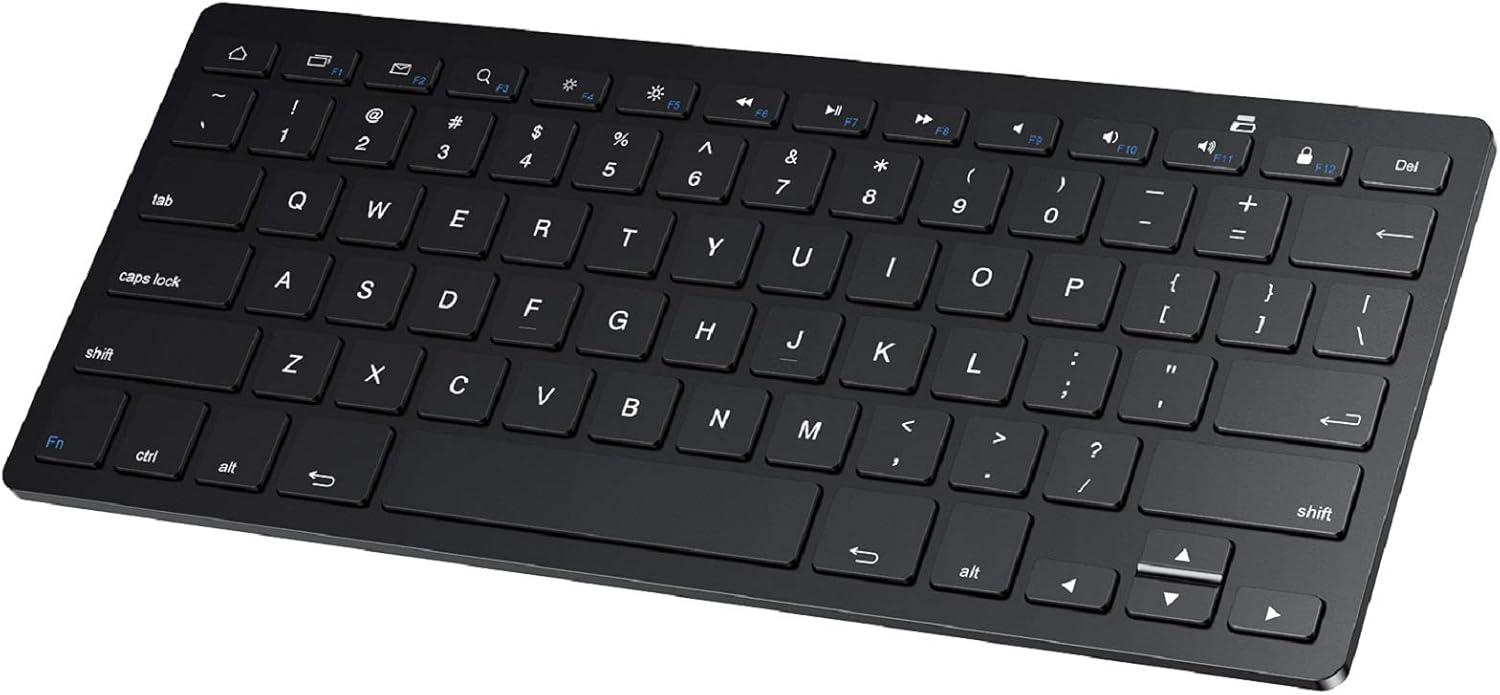
SPARIN Bluetooth Keyboard for Samsung Galaxy Tablets
A lightweight wireless keyboard with 78 keys and Bluetooth 3.0 connectivity, designed primarily for Samsung Galaxy tablets and compatible with most Android devices. Delivers responsive typing and extended battery life on AAA batteries, though durability concerns and lack of backlight may matter to some users.
Pros
- Extremely portable at 0.2 inches thick, fits easily in bags for travel or daily use
- 30-day continuous battery life with auto sleep mode extends overall lifespan to six months between changes
- Full-sized key layout and scissor switches provide comfortable, quiet typing comparable to laptop keyboards
- Bluetooth pairing is straightforward with one-time setup; connects reliably within 10-meter range
- Wide compatibility across Samsung Galaxy tablets and Android devices plus Windows/PC
Cons
- Batteries not included; requires 2 AAA batteries for operation, adding to initial setup cost
- Keys can pop off and fail to reseat properly when packed in bags, affecting long-term durability
- No keyboard backlighting and no battery level display beyond initial connection indicator
- Designed specifically for Samsung tablets; compatibility with non-Samsung devices reported as unstable in user feedback
OMOTON KB066 Bluetooth Keyboard for iPad, 78-Key
A lightweight wireless keyboard built for iPad and iPhone users, featuring 12 dedicated iOS shortcuts and a slim 0.2-inch profile for portability. Battery life stretches to 400 hours with two AAA batteries, though it lacks an Escape key and relies on older Bluetooth 3.0 connectivity.
Pros
- Extended battery life with auto-sleep mode reduces frequent replacements
- Compact and lightweight design, ideal for iPad users on the go
- 12 dedicated iOS shortcuts streamline common tasks without menu diving
- Wide device compatibility across iPad and iPhone lineup
- Affordable keyboard option for mobile productivity
Cons
- No Escape key, limiting full keyboard functionality for certain workflows
- Batteries not included; requires ongoing AAA battery purchases
- Bluetooth 3.0 is older standard; no newer Bluetooth 5.0+ connectivity
- Function keys not fully compatible with non-iOS systems despite Android listing
Fintie 10-Inch Ultrathin Wireless Bluetooth Keyboard
A slim, rechargeable Bluetooth keyboard designed for tablets and smartphones with responsive scissor keys and 10-meter range. Lightweight and portable enough for travel, though durability concerns emerge in some long-term user reports.
Pros
- Extremely portable at under one pound with premium feel despite slim design
- Effortless Bluetooth pairing and fast response time with no lag
- Excellent battery endurance, holding charge for weeks between uses
- Tactile key feedback suitable for touch typists at full speed
- Wide device compatibility across major tablet and smartphone platforms
Cons
- Durability issues reported by some users, including keys popping off during transport and mechanical failures in high-use keys after 6 months
- Occasional input lag and unintended character output according to some reviews
- Relatively compact key spacing may feel cramped for users with larger hands
Harvopu iPad A16/10th Gen Keyboard Case with Trackpad
A budget-friendly keyboard case that transforms your iPad into a laptop alternative, complete with a detachable magnetic keyboard, trackpad, and 7-color backlit keys. Best for students and remote workers who need physical typing and document editing on the go.
Pros
- Magnetically detachable keyboard allows flexible use and easy portability
- Built-in trackpad with multi-touch gesture support improves productivity for browsing and document work
- 7-color adjustable RGB backlit keyboard with 3 brightness levels for typing in low light
- Long battery life with 420mAh rechargeable battery and fast 2-3 hour Type-C charging
- Multiple viewing angles via anti-slip grooves support drawing, writing, and computing tasks
Cons
- Some users report iPad paint wear and white spots on keyboard over extended use
- Keyboard requires slightly harder key presses than typical laptops and has noticeable input lag during gaming
- Not water resistant, limiting durability in wet environments
Emetok Mini Bluetooth Keyboard, Rechargeable Wireless
A compact Bluetooth keyboard designed for iPad, tablets, and mobile devices with 250-hour battery life and ultra-thin aluminum construction. Best for travelers and remote workers seeking a lightweight typing solution without sacrificing stability.
Pros
- Exceptional battery longevity reduces frequent recharging needs
- Lightweight and slim profile fits easily into bags and travel packs
- Solid aluminum build with anti-slip base ensures stable typing on various surfaces
- Wide device compatibility across major platforms and tablet brands
- Quiet typing experience due to scissor switch design
Cons
- No information on keyboard feel or key responsiveness from available data
- Limited to standard QWERTY layout without customization options
- 4.2-star rating indicates some users experienced connectivity or durability issues
Acolarid Ultra-Slim 78-Key Bluetooth Keyboard
A lightweight, portable Bluetooth keyboard with broad device compatibility and quiet scissor switches, designed for iPad and Android users who prioritize portability. Battery life stretches to 40 hours per charge, but durability and key responsiveness vary by unit.
Pros
- Extremely portable and compact, perfect for travel and on-the-go work
- Reliable Bluetooth connectivity with quick pairing across multiple device types
- Exceptional battery endurance minimizes frequent charging
- Quiet, responsive typing experience with pleasant key feel
- Budget-friendly option for light typing tasks on mobile and tablets
Cons
- Quality control inconsistencies: some units experience key registration issues and stuck keys, particularly on the left side
- Minimal build durability. Thin profile lacks rigidity, slides on smooth surfaces, requires protective case for transport
- Small form factor causes typing errors at faster speeds and may be cramped for larger hands
Tablet Keyboards Under $100 Buying Guide
Picking the right tablet keyboard involves more than finding one that fits your device. Connectivity type, key travel, battery life, and form factor all affect how enjoyable and practical daily use feels.
The sections below break down the criteria that matter most so you can match specs to your real workflow rather than buying on price alone.
Bluetooth Version and Multi-Device Pairing
Nearly every keyboard in this category connects via Bluetooth rather than a proprietary USB dongle, which is convenient but also means Bluetooth version matters.
Bluetooth 3.0 is the minimum you’ll find on budget models and it handles basic typing tasks without issue, while Bluetooth 5.0 and newer offer more stable connections, lower latency, and better range.
If you frequently switch between a tablet, a smartphone, and a laptop, look for keyboards that support multi-device pairing, typically two to three devices accessible with a dedicated hotkey switch.
Latency is rarely a dealbreaker for typing, but a keyboard that drops connection mid-sentence or takes several seconds to wake from sleep will erode your focus quickly.
Verified buyer feedback consistently flags reconnection delays as a top frustration with cheaper Bluetooth keyboards, so paying close attention to that signal in reviews is worthwhile.
Models with a physical power toggle tend to have more predictable sleep and wake behavior than those relying solely on motion sensing.
Key Travel, Layout, and Typing Feel

Key travel is the distance each key moves when pressed, and it has an outsized effect on typing comfort and accuracy.
Budget tablet keyboards often use scissor-switch mechanisms with around 1.2 to 1.5 mm of travel, which is shallow compared to a desktop mechanical keyboard but adequate for sustained typing if the switches are well-tuned.
Chiclet-style keycaps with slightly concave surfaces help fingers find their position naturally, reducing errors during longer sessions.
Layout completeness is another consideration. Some ultra-slim models drop the number row or compress the function key row to hit a small form factor, which can be limiting if you use keyboard shortcuts heavily.
Full-sized layouts preserve muscle memory from desktop keyboards, but they obviously take up more bag space. Dedicated media and volume keys are a practical bonus, particularly if you use your tablet for streaming or video calls.
For users who also pair their tablet with wireless earbuds during video calls, quick-access media keys become genuinely useful.
Backlighting and Low-Light Usability
Backlit keyboards are no longer a premium-only feature.
Several models in the budget range now offer multi-color or single-color backlighting with adjustable brightness levels, which makes a real difference when typing in dim environments like airplane cabins, bedrooms, or lecture halls with the lights down.
Multi-color RGB backlighting (typically cycling through seven colors or more) is primarily aesthetic, but it can help you locate specific keys quickly in the dark.
Keep in mind that backlighting draws extra power from the internal battery, so keyboards with LEDs tend to have shorter battery life per charge than non-backlit equivalents at the same price point.
If you rely heavily on the keyboard for extended work sessions away from outlets, check whether the backlight can be disabled entirely to preserve battery. Models that default to backlighting off when unplugged are the most practical for travel.
Battery Life and Charging Method
Most budget tablet keyboards now ship with a built-in rechargeable lithium battery charged via micro-USB or USB-C, which is far more convenient than hunting for AAA batteries.
Battery life claims vary widely, from a couple of weeks to several months depending on usage patterns and whether backlighting is active.
Real-world verified buyer reports suggest that claims above two to three months of daily use should be treated with skepticism unless the keyboard enters a deep sleep mode when idle.
USB-C charging is the preferred standard in 2026 since it means one fewer cable type to carry. If a keyboard still uses micro-USB, that’s not a dealbreaker for budget buyers, but it’s worth noting before purchase.
Some models advertise standby times of six months or more, which typically means the keyboard enters ultra-low-power mode after a few minutes of inactivity. Wake-from-sleep speed is just as important as raw battery capacity for day-to-day usability.
Compatibility Across Platforms and Devices

Most Bluetooth keyboards in this category are marketed as universal, meaning they’ll pair with iOS, Android, and Windows devices. In practice, platform-specific shortcuts work best when the keyboard layout includes dedicated iOS or Android function keys.
If you use an iPad, look for keyboards that include Home, Spotlight Search, and screenshot shortcuts in the function row. Android users benefit from keyboards that map the back and recent-apps gestures to accessible keys.
Cross-platform use is where multi-device pairing keyboards earn their keep. A keyboard that switches between your iPad and your Android phone with a single button press saves meaningful time if you split your day between devices.
For users working across a Chromebook or a secondary laptop alongside their tablet, true three-device pairing support is worth prioritizing over a slightly lower price on a single-device model.
Form Factor: Standalone Keyboard vs. Keyboard Case

The choice between a standalone Bluetooth keyboard and a folio-style keyboard case comes down to how you use your tablet.
Standalone keyboards offer more layout flexibility, are lighter per item, and can be used at a distance from the tablet (useful when the tablet is propped on a stand or mounted on a wall).
They also work with multiple tablets over time since they aren’t physically attached to a single model.
Keyboard cases, on the other hand, integrate a stand and screen protection in a single package, which simplifies your carry setup and keeps everything together.
Some folio cases in this price range include a trackpad, which meaningfully expands cursor-based productivity without needing a separate mouse. The trade-off is that a keyboard case is device-specific and adds bulk to the tablet itself.
If you split time between your tablet and a smartphone or secondary device, a standalone keyboard with multi-device pairing will serve you better than a case.
If you use one iPad consistently and want a streamlined laptop-like setup, a case with an integrated keyboard is worth the compromise.
Why You Should Trust Us
REMOVU is an independent review platform focused on helping buyers make informed decisions without the noise of sponsored rankings or paid placements.
Every product in this guide was evaluated against a consistent, multi-factor framework and assigned a REMOVU Score on a 0 to 10 scale.
Our scores reflect a synthesis of published product specifications, expert review consensus gathered from credible technology publications, and verified buyer feedback from confirmed purchasers.
We do not conduct our own product trials; our evaluations are grounded in research, published data, expert review consensus, and verified buyer feedback.
For tablet keyboards specifically, our scoring framework weighted Bluetooth reliability, typing comfort, battery life, cross-platform compatibility, and value relative to category pricing. Products with strong performance across multiple criteria rose to the top regardless of brand recognition or retail marketing.
We also considered the consistency of buyer feedback over time, giving more weight to sustained positive sentiment than to a handful of glowing early reviews.
REMOVU may earn a commission if you purchase through links in this article. That affiliate relationship has no influence on product selection, rankings, or scores. Our recommendations are determined entirely by evaluation criteria, not by commission rates or commercial relationships with any brand.
Final Thoughts
The market for budget tablet keyboards is more competitive than it has ever been, and the picks in this guide represent the strongest options across a range of needs and device types.
Whether you prioritize backlighting, portability, multi-device flexibility, or an all-in-one folio solution, there’s a model here that fits how you actually work. Here’s how we’d summarize the top performers by use case:
- Best Overall: OMOTON Rechargeable Bluetooth Keyboard with Backlit. This model earned the highest REMOVU Score in the group, combining backlit oversized keycaps, a foldable stand, and broad cross-platform support into a well-rounded package that punches well above its price point.
- Best Premium Pick Under $50: Macally Bluetooth Tablet Keyboard. With a built-in stand, quiet keys, and rechargeable battery, the Macally earns its spot as the most complete standalone keyboard in this guide for users who want a near-desktop feel on a tablet.
- Best Backlit Budget Option: Arteck Universal Backlit 7-Colors Bluetooth Keyboard. Seven-color backlighting, Bluetooth 3.0 reliability, and an exceptionally long battery life on a single charge make this a standout for anyone who types frequently in low-light environments without wanting to spend much.
- Best for Frequent Travelers: Fintie 10-Inch Ultrathin Wireless Bluetooth Keyboard. Its scissor-key construction, slim detachable design, and rechargeable battery make it one of the more travel-ready options in the lineup, backed by consistently positive verified buyer feedback on portability and durability.
- Best All-in-One Case Solution: Harvopu iPad Folio Cover with Keyboard and Trackpad. For iPad users who want a laptop-style experience in a single package, this folio delivers a multi-touch trackpad, backlit keys, and a pencil holder without requiring a separate stand or mouse.
If you’re still undecided, the buying guide sections above walk through each key criterion in detail. For users evaluating their broader mobile productivity setup, it’s also worth browsing the phones, tablets, and wearables category for related gear.
A capable tablet keyboard pairs naturally with a good pair of wireless earbuds for focused work sessions, and if you’re considering expanding to a full Chromebook setup for heavier tasks, that guide covers the crossover well.
Frequently Asked Questions
Do Bluetooth Tablet Keyboards Work with Any Tablet Brand?
Most Bluetooth keyboards in this category are genuinely cross-platform and will pair with iPads, Samsung Galaxy Tabs, Amazon Fire tablets, Android tablets from other manufacturers, and even smartphones running iOS or Android.
The pairing process is standard Bluetooth and doesn’t require proprietary software. The main variation is in how well platform-specific shortcuts (such as the iPad Home button or Android back gesture) map to the keyboard’s function row.
Always check whether a keyboard lists your specific device family in its compatibility notes, especially for newer iPad models.
How Long Do Rechargeable Tablet Keyboards Last on a Single Charge?
Battery life varies significantly depending on whether backlighting is active and how heavily you type.
With backlighting off, many models in this price range claim two to three months of regular daily use, though verified buyer feedback suggests real-world life of four to six weeks under moderate conditions is more typical.
Keyboards with backlighting enabled will drain considerably faster, sometimes cutting rated battery life by half or more.
Models with an auto-sleep function after a short idle period will stretch battery life meaningfully, so check for that feature if you’re away from outlets frequently.
Is a Keyboard Case Better Than a Standalone Keyboard for an iPad?
It depends entirely on your workflow. Keyboard cases bundle screen protection, a built-in stand, and sometimes a trackpad into a single item, which simplifies your carry setup if you use one iPad consistently.
Standalone keyboards are more versatile since they work with multiple devices over time and can be positioned at a comfortable distance from the screen.
If you mostly work at a desk with your tablet propped up, a standalone keyboard often provides better ergonomics. If you’re constantly moving and want everything in one piece, a folio-style keyboard case makes practical sense.
E-readers and kids tablets are also worth pairing with protective keyboard cases for the same all-in-one convenience.
Are Budget Tablet Keyboards Good Enough for Serious Writing?
For most writing tasks including emails, documents, notes, and reports, a well-chosen budget tablet keyboard is entirely adequate.
The main limitation compared to pricier options is key travel and overall tactile feedback, which tends to feel slightly mushier on scissor-switch budget models.
Writers who are sensitive to key feel or who type for several hours daily may find the experience tiring over time.
That said, models with full-sized layouts and quality scissor switches, such as the Arteck and Fintie picks in this guide, receive consistently positive feedback from writers who use them daily for extended sessions without complaint.
What Should I Look for in a Tablet Keyboard for School or College Use?
For students, portability, battery life, and quiet keys are usually the most important criteria. A lightweight keyboard that fits easily in a backpack and doesn’t need frequent charging removes friction from daily use.
Quiet scissor keys are considerate in lecture halls and library settings. A built-in stand or a folio-style case keeps the setup compact when desk space is limited.
Multi-device pairing is a bonus if you switch between a tablet and a laptop throughout the day.
Students evaluating a broader setup might also find our coverage of laptops for college useful for comparing where a tablet-plus-keyboard setup makes sense versus a dedicated laptop.
Can I Use a Tablet Keyboard with My Smartphone?
Yes, and it’s more useful than it might sound. Composing long messages, drafting documents in Google Docs, or responding to emails on a large-screen phone becomes much faster with a physical keyboard.
Any Bluetooth keyboard that supports iOS or Android will pair with a smartphone just as it would with a tablet.
Multi-device keyboards that let you switch between your tablet and phone with a single key press are especially practical for users who carry both.
Screen mirroring with a webcam setup or a desktop monitor can turn a smartphone-plus-keyboard combination into a surprisingly capable workstation for light tasks.
About the author
Glen writes about capture cards for REMOVU, comparing resolution, latency, and reliability for streaming and recording console gameplay. He helps creators find a card that fits their setup and software.