The 8 Best Tablet Keyboards for Typing
Typing on a tablet doesn't have to feel like a compromise. These keyboards cover every budget and use case, from slim Bluetooth slabs to full keyboard cases with trackpads.
 By Christine Allen
Updated July 26, 2026
By Christine Allen
Updated July 26, 2026

A tablet is only as productive as the keyboard you pair it with.
Whether you’re drafting long-form documents on an iPad, responding to emails on a Samsung Galaxy Tab, or taking notes in class on a Windows slate, the right keyboard can transform a portable screen into a genuinely capable workstation.
The difference between a cramped, mushy keyboard and one with well-spaced, responsive keys is the difference between frustration and actual flow. If you’re serious about typing on a tablet, the keyboard you choose matters as much as the device itself.
For context on which tablets are worth pairing a keyboard with in the first place, our guide to tablets for every need and budget covers the full landscape.
To build this list, the REMOVU team synthesized manufacturer specifications, expert review consensus from across the tech press, and verified buyer feedback from thousands of confirmed purchasers.
We assessed each keyboard on key travel, layout quality, connectivity, battery life, and value relative to its price tier. Every product in this roundup carries a REMOVU Score reflecting that multi-source analysis.
The picks below range from budget-friendly Bluetooth slabs under twenty dollars to premium keyboard cases with built-in trackpads. Read on for our top recommendations.
| Award | Product | REMOVU Score About REMOVU ScoreThe REMOVU Score is our own rating from 0 to 10, based on performance, design and build, ease of use, and value. It reflects independent research and is never influenced by manufacturers, retailers, or affiliate commissions. Learn more › | Price | |
|---|---|---|---|---|
| Best Premium |
 Logitech Combo Touch iPad 10th Gen Keyboard Case
|
8.4/10 | Buy | |
 Logitech K780 Multi-Device Wireless Keyboard
|
8.1/10 | Buy | ||
| Best Overall |
 OMOTON Rechargeable Bluetooth Keyboard with Backlit
|
8.4/10 | Buy | |
 OMOTON KB066 Bluetooth Keyboard for iPad, 78-Key
|
6.2/10 | Buy | ||
 Harvopu iPad A16/10th Gen Keyboard Case with Trackpad
|
6.2/10 | Buy | ||
| Best Value |
 Arteck Backlit Bluetooth Keyboard, Portable Wireless
|
8.1/10 | Buy | |
| Best Budget |
 Fintie 10-Inch Ultrathin Wireless Bluetooth Keyboard
|
7.2/10 | Buy | |
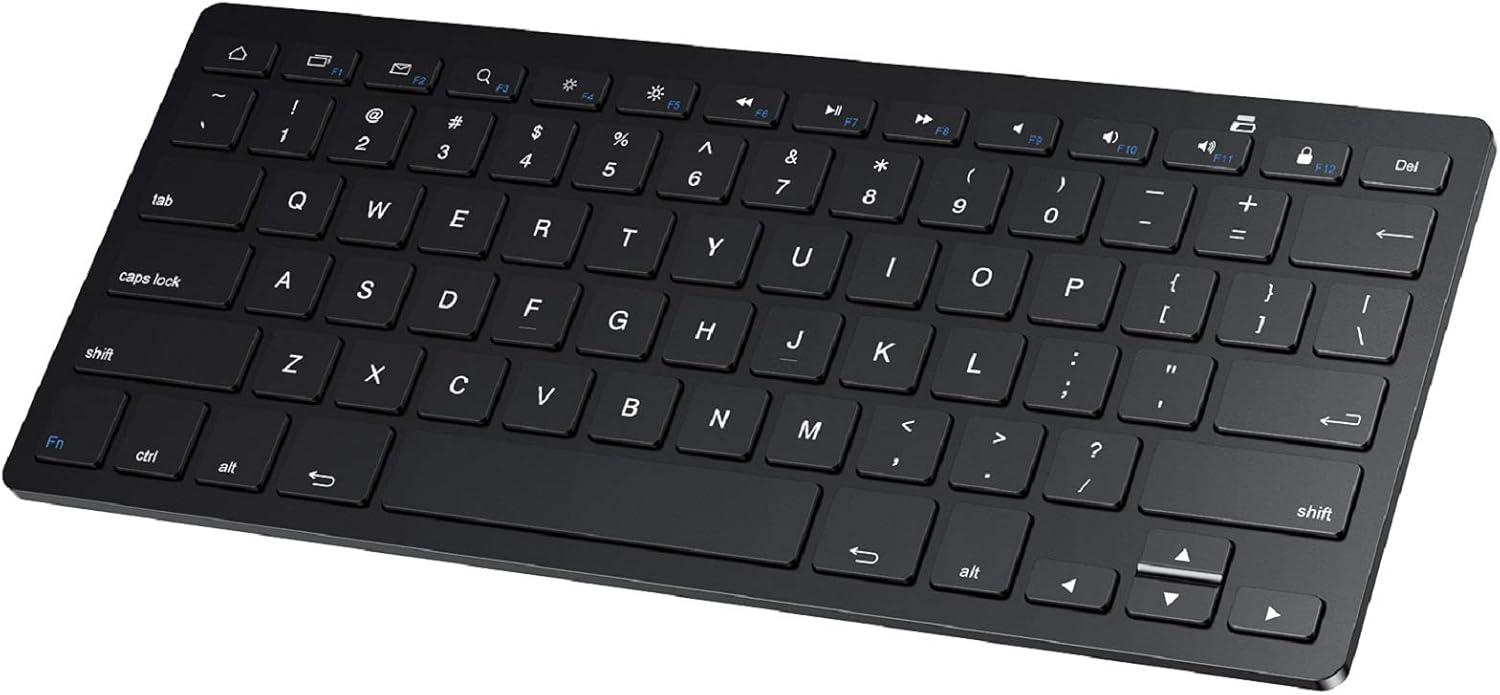 SPARIN Bluetooth Keyboard for Samsung Galaxy Tablets
|
6.8/10 | Buy |
Logitech Combo Touch iPad 10th Gen Keyboard Case
A detachable keyboard case with precision trackpad designed specifically for iPad 10th generation, combining a full-size backlit keyboard with flexible multi-mode functionality. Best suited for users seeking productivity features like trackpad navigation and stylus storage without the bulk of a permanently attached keyboard.
Pros
- Precision trackpad provides familiar gesture controls and accurate navigation without draining iPad battery
- Detachable keyboard means you get a slim, screenless iPad experience when you only need to view or sketch
- No batteries or charging needed, simplifying daily use and travel
- Premium woven fabric construction with form-fit protection covers ports and corners
- Four use modes with adjustable viewing angles accommodate different workflows from typing to drawing
Cons
- Premium positioning makes it a mid-to-high investment compared to basic iPad cases
- Single-color backlit keys only, limiting customization for low-light preferences
- Stylus storage is an add-on feature, requiring separate purchase of Apple Pencil or Logitech Crayon
Logitech K780 Multi-Device Wireless Keyboard
A full-size wireless keyboard that connects to three devices simultaneously via Bluetooth or USB receiver, letting you switch between your computer, phone, and tablet with dedicated buttons. The integrated cradle holds devices at a readable angle, and its quiet, familiar key feel makes it comfortable for extended typing across Windows, Mac, iOS, and Android ecosystems.
Pros
- Seamless switching between three devices with dedicated Easy-Switch buttons
- Integrated cradle accommodates smartphones and tablets up to 12 inches
- Full-size layout with number pad and quiet PerfectStroke keys
- Dual connectivity via USB receiver and Bluetooth Smart for flexibility
- 24-month battery life from two AAA batteries
- Wide OS compatibility: Windows, Mac, Chrome OS, iOS, Android
Cons
- Requires separate Logitech Flow mouse to unlock cross-computer workflow features
- Cradle design may not suit all desk setups or viewing angles
- No backlighting for low-light typing environments
OMOTON Rechargeable Bluetooth Keyboard with Backlit
A slim, lightweight wireless keyboard designed for tablets and smartphones across Android, iOS, and Windows with 27% larger keycaps than standard models. Battery lasts up to 200 hours without backlight, includes a 5-angle adjustable stand, and connects reliably for everyday portable typing.
Pros
- Excellent battery life without backlight; users report 75%+ charge after several hours of heavy use with dimmed backlight
- Larger keycaps and quality key feel make typing notably more comfortable than comparably sized portable keyboards
- Quick Bluetooth pairing and triple-system switching via function keys works as documented
- Lightweight and genuinely portable; fits standard backpack compartments without bulk
Cons
- Reconnection issues reported occasionally, particularly during extended idle periods; some users must re-pair when switching devices
- Included tablet stand is unreliable on uneven surfaces and often collapses, especially with tablets in cases
- Keyboard width is noticeably narrower than desktop and laptop keyboards, requiring slight adjustment period for accurate typing
OMOTON KB066 Bluetooth Keyboard for iPad, 78-Key
A lightweight wireless keyboard built for iPad and iPhone users, featuring 12 dedicated iOS shortcuts and a slim 0.2-inch profile for portability. Battery life stretches to 400 hours with two AAA batteries, though it lacks an Escape key and relies on older Bluetooth 3.0 connectivity.
Pros
- Extended battery life with auto-sleep mode reduces frequent replacements
- Compact and lightweight design, ideal for iPad users on the go
- 12 dedicated iOS shortcuts streamline common tasks without menu diving
- Wide device compatibility across iPad and iPhone lineup
- Affordable keyboard option for mobile productivity
Cons
- No Escape key, limiting full keyboard functionality for certain workflows
- Batteries not included; requires ongoing AAA battery purchases
- Bluetooth 3.0 is older standard; no newer Bluetooth 5.0+ connectivity
- Function keys not fully compatible with non-iOS systems despite Android listing
Harvopu iPad A16/10th Gen Keyboard Case with Trackpad
A budget-friendly keyboard case that transforms your iPad into a laptop alternative, complete with a detachable magnetic keyboard, trackpad, and 7-color backlit keys. Best for students and remote workers who need physical typing and document editing on the go.
Pros
- Magnetically detachable keyboard allows flexible use and easy portability
- Built-in trackpad with multi-touch gesture support improves productivity for browsing and document work
- 7-color adjustable RGB backlit keyboard with 3 brightness levels for typing in low light
- Long battery life with 420mAh rechargeable battery and fast 2-3 hour Type-C charging
- Multiple viewing angles via anti-slip grooves support drawing, writing, and computing tasks
Cons
- Some users report iPad paint wear and white spots on keyboard over extended use
- Keyboard requires slightly harder key presses than typical laptops and has noticeable input lag during gaming
- Not water resistant, limiting durability in wet environments
Arteck Backlit Bluetooth Keyboard, Portable Wireless
A slim, lightweight wireless keyboard with 7-color backlighting and broad device compatibility across iOS, Android, Windows, and Mac. The 6-month battery life and compact design make it practical for mobile professionals and students who need a portable typing solution.
Pros
- 6-month rechargeable battery life based on typical daily use
- Works across all major operating systems via Bluetooth
- Ultra-thin and light design at 0.37 lbs, easy to carry
- 7 LED backlight colors with 2 brightness levels and auto sleep
- Includes 24-month warranty and USB charging cable
Cons
- Battery life estimate assumes backlight is off, actual runtime with lighting enabled will be shorter
- No mention of built-in stand or case for tablet/phone positioning
- Bluetooth 3.0 is older standard compared to modern Bluetooth 5.0+ alternatives
Fintie 10-Inch Ultrathin Wireless Bluetooth Keyboard
A slim, rechargeable Bluetooth keyboard designed for tablets and smartphones with responsive scissor keys and 10-meter range. Lightweight and portable enough for travel, though durability concerns emerge in some long-term user reports.
Pros
- Extremely portable at under one pound with premium feel despite slim design
- Effortless Bluetooth pairing and fast response time with no lag
- Excellent battery endurance, holding charge for weeks between uses
- Tactile key feedback suitable for touch typists at full speed
- Wide device compatibility across major tablet and smartphone platforms
Cons
- Durability issues reported by some users, including keys popping off during transport and mechanical failures in high-use keys after 6 months
- Occasional input lag and unintended character output according to some reviews
- Relatively compact key spacing may feel cramped for users with larger hands
SPARIN Bluetooth Keyboard for Samsung Galaxy Tablets
A lightweight wireless keyboard with 78 keys and Bluetooth 3.0 connectivity, designed primarily for Samsung Galaxy tablets and compatible with most Android devices. Delivers responsive typing and extended battery life on AAA batteries, though durability concerns and lack of backlight may matter to some users.
Pros
- Extremely portable at 0.2 inches thick, fits easily in bags for travel or daily use
- 30-day continuous battery life with auto sleep mode extends overall lifespan to six months between changes
- Full-sized key layout and scissor switches provide comfortable, quiet typing comparable to laptop keyboards
- Bluetooth pairing is straightforward with one-time setup; connects reliably within 10-meter range
- Wide compatibility across Samsung Galaxy tablets and Android devices plus Windows/PC
Cons
- Batteries not included; requires 2 AAA batteries for operation, adding to initial setup cost
- Keys can pop off and fail to reseat properly when packed in bags, affecting long-term durability
- No keyboard backlighting and no battery level display beyond initial connection indicator
- Designed specifically for Samsung tablets; compatibility with non-Samsung devices reported as unstable in user feedback
Tablet Keyboards for Typing Buying Guide
Choosing the right keyboard for your tablet involves more trade-offs than most people expect. The market spans simple Bluetooth slabs, backlit travel keyboards, and full keyboard-case combos with trackpads. Each category suits a different type of user and workflow.
The six criteria below are the ones that consistently separate a satisfying purchase from a regrettable one, based on the patterns we identified across expert reviews and verified buyer feedback.
Connectivity Type and Compatibility
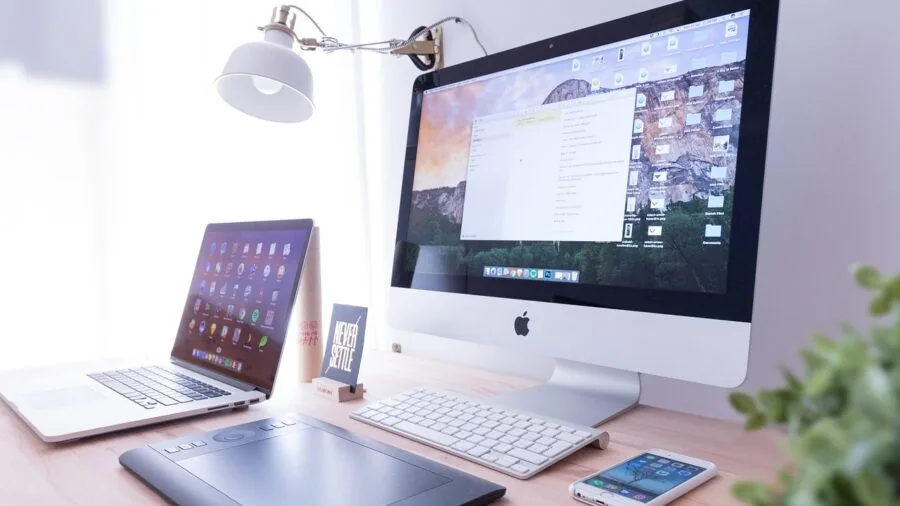
Most tablet keyboards connect via Bluetooth, which keeps things wireless and clutter-free. Standard Bluetooth 3.0 and 5.0 keyboards work across iOS, Android, and Windows tablets without needing drivers.
However, some keyboards, like the Logitech Combo Touch, use a proprietary Smart Connector that delivers instant wake-up with no pairing steps and no battery drain on the keyboard side.
Smart Connector models are locked to specific iPad generations, so verify compatibility before buying.
Multi-device Bluetooth keyboards, like the Logitech K780, let you pair up to three devices simultaneously and switch between them with a button press. This is genuinely useful if you move between a tablet, laptop, and smartphone throughout the day.
Universal Bluetooth keyboards are the safest choice if you own devices across different ecosystems, though you may lose a few platform-specific shortcut keys.
Key Travel, Layout, and Typing Feel

Key travel is the distance a keycap moves when pressed. Shallow-travel keyboards (common in ultra-slim designs) feel snappy but can cause finger fatigue over long sessions.
Scissor-switch mechanisms, used in keyboards like the Fintie 10-Inch and the ARTECK Universal Backlit, provide a controlled, consistent stroke that most touch-typists find comfortable for extended work.
Layout matters just as much. Full-size keyboards with standard key spacing (around 19 mm pitch) let you type without relearning finger placement.
Compact designs trim the layout to fit smaller form factors, which is fine for light use but can slow down fast typists due to repositioned keys like backspace or shift.
Always check whether the keyboard you’re considering has a dedicated number row, function row, and a comfortable spacebar, especially if you plan to use it for productivity work.
Users who also do a lot of creative or note-based work on their tablets may find our roundup of tablets built for note taking a useful companion read.
Backlighting and Low-Light Usability
Backlit keyboards are a significant quality-of-life upgrade if you frequently work in dim environments, on planes, or in bed. The ARTECK Universal Backlit and the Harvopu Folio Case both offer multi-color backlighting with adjustable brightness levels.
Seven-color RGB options add visual flair, but more importantly they allow you to fine-tune brightness to avoid glare in dark rooms.
Non-backlit models like the OMOTON Ultra-Slim and the SPARIN Bluetooth Keyboard keep costs low and battery life longer. If your typing happens primarily in well-lit offices or classrooms, backlighting is a nice-to-have rather than a necessity.
But if low-light use is a regular part of your workflow, the modest price premium for a backlit model is almost always worth it.
Battery Life and Charging Method

Tablet keyboards fall into two charging camps: built-in rechargeable batteries and replaceable batteries. Rechargeable keyboards, which make up most of this list, charge via Micro-USB or USB-C and typically run for weeks to months on a single charge.
The ARTECK Universal Backlit is rated for up to six months of battery life with backlighting off, which is exceptional for a Bluetooth keyboard at its price tier.
Verify the charging port type before buying. Some budget keyboards still use Micro-USB, which means carrying an extra cable if your tablet charges over USB-C.
Smart Connector keyboards like the Logitech Combo Touch draw power directly from the iPad, so there’s no separate charging to worry about at all. That convenience is one of the reasons premium keyboard cases command higher prices.
Form Factor: Standalone Keyboard vs. Keyboard Case

Standalone Bluetooth keyboards offer flexibility: pair them with any device, toss them in a bag, and prop your tablet on a separate stand. They’re lighter, often cheaper, and work across multiple devices.
The trade-off is that you need a separate stand or case to hold the tablet at a comfortable viewing angle, which adds bulk and another accessory to manage.
Keyboard cases integrate protection, a stand, and a keyboard into one unit. The Logitech Combo Touch adds a precision trackpad, making the iPad feel genuinely laptop-like for desktop-style workflows.
The Harvopu Folio Case offers a more affordable version of that concept with a pencil holder.
Keyboard cases are the better choice for users who want a clean, all-in-one setup, while standalone keyboards suit those who value flexibility and lighter carry weight.
If you’re drawn to the laptop-like experience, you might also want to explore 2-in-1 laptops as an alternative form factor for creative workflows.
Trackpad and Cursor Control

Most budget tablet keyboards skip the trackpad entirely, relying on you to reach up and tap the screen.
For short tasks that’s fine, but for extended document editing or spreadsheet work, constantly lifting your hand to touch the display becomes tiresome.
Keyboards with integrated trackpads, most notably the Logitech Combo Touch with its large precision trackpad, allow a true pointer-driven workflow without touching the screen.
If a trackpad is important to you but you don’t want to pay for a premium keyboard case, a compact Bluetooth mouse paired with a standalone keyboard is a practical middle ground.
Some tablet OSes, including iPadOS 14 and later and recent versions of Android, have mature pointer support that makes a trackpad or mouse genuinely useful rather than a novelty.
For users building out a full productivity setup, a quality home office monitor paired with a tablet keyboard and stand can rival a traditional desktop arrangement.
Why You Should Trust Us
REMOVU is an independent review publication. We have no manufacturer relationships that influence our rankings, and no product is included in our roundups because a brand paid for placement.
Every keyboard on this list was evaluated using a consistent, multi-source research methodology: we analyzed published technical specifications, synthesized expert review consensus from across the technology press, and cross-referenced verified buyer feedback from confirmed purchasers.
Each product receives a REMOVU Score on a 0 to 10 scale reflecting that aggregate analysis.
We do not conduct our own product trials; our evaluations are grounded in research, published data, expert review consensus, and verified buyer feedback.
This approach lets us assess a broader range of products consistently, without the sample-size limitations of any single reviewer’s experience.
Our goal is to surface the options that perform well across many real-world users and use cases, not just in ideal conditions.
REMOVU may earn a commission if you purchase through links on this page. That affiliate relationship does not influence our scores, rankings, or product selection. The keyboards that scored highest are ranked highest, regardless of which ones carry higher margins.
We recommend what we genuinely assess to be the best options for real users.
Final Thoughts
The tablet keyboard market covers a wide range of prices and use cases, and the right pick depends heavily on how and where you type.
After synthesizing specifications, expert consensus, and verified buyer feedback across all eight keyboards in this roundup, a few clear standouts emerge. Here are our editorial picks by use case:
- Best Overall: Logitech Combo Touch for iPad (10th Gen). The highest-scoring keyboard case in our analysis earns its position with a precision trackpad, full-size backlit keyboard, and seamless Smart Connector integration that makes an iPad feel genuinely laptop-like. It’s the pick for users who want maximum productivity in a single accessory.
- Best Overall Standalone Keyboard: OMOTON Rechargeable Bluetooth Keyboard with Backlit. Tied for the top REMOVU Score in the standalone keyboard category, this OMOTON model earns its place with oversize keycaps, built-in backlighting, a foldable stand, and broad cross-platform compatibility at a budget-friendly price point.
- Best for Multi-Device Switching: Logitech K780 Multi-Device Wireless Keyboard. The built-in device cradle and three-device Bluetooth switching make this the strongest choice for users who move between a tablet, laptop, and phone throughout the day. Its full-size layout and quiet keys make it equally comfortable for long writing sessions.
- Best Budget Pick with Backlighting: ARTECK Universal Backlit Bluetooth Keyboard. Seven-color backlighting, a claimed six-month battery life, and solid cross-platform support at an accessible price make the ARTECK a standout value buy for users who need low-light usability without spending on a premium keyboard case.
- Best for Android Tablet Users: SPARIN Bluetooth Keyboard for Samsung Galaxy Tab. Optimized layout and reliable pairing across Samsung and other Android tablets make the SPARIN a practical, lightweight choice for Android users who want a dedicated typing companion without a bulky case.
If you’re still deciding which tablet to pair a keyboard with, our roundup of phones, tablets, and wearables covers the broader ecosystem. For students specifically, a capable tablet paired with one of these keyboards can replace a heavier laptop for most in-class tasks.
Frequently Asked Questions
Do tablet keyboards work with both iOS and Android tablets?
Most Bluetooth keyboards in this roundup are cross-platform and work with iOS, iPadOS, Android, and Windows tablets. Universal models like the ARTECK and OMOTON keyboards pair with any Bluetooth-enabled device.
The main exception is Smart Connector keyboards like the Logitech Combo Touch, which are designed exclusively for specific iPad generations and use a proprietary physical connector rather than Bluetooth pairing.
Is a keyboard case better than a standalone Bluetooth keyboard?
It depends on your priorities. Keyboard cases offer an all-in-one solution with integrated tablet protection and a built-in stand, which simplifies your carry setup and keeps everything together.
Standalone Bluetooth keyboards are lighter, more flexible (they work with multiple devices), and generally cheaper. If you use your tablet primarily as a laptop replacement at a desk, a keyboard case is usually the better investment.
If you need flexibility across devices or prefer a lighter bag, a standalone keyboard is the smarter pick.
How long do tablet keyboard batteries typically last?
Battery life varies significantly by model and whether backlighting is enabled. Non-backlit compact keyboards routinely last weeks to months on a single charge. The ARTECK Universal Backlit, for example, is rated up to six months with backlighting off.
Backlit keyboards with RGB features will drain faster, sometimes requiring a charge every few weeks with heavy use.
Smart Connector keyboards like the Logitech Combo Touch draw power from the iPad itself, so there is no separate keyboard battery to manage.
Can I use a tablet keyboard with a Chromebook or laptop too?
Universal Bluetooth keyboards pair with any Bluetooth-capable device, including Chromebooks, Windows laptops, and Macs. Multi-device keyboards like the Logitech K780 let you store connections for up to three devices and switch between them instantly.
Platform-specific function keys may not all work correctly on a non-native OS, but core typing functionality transfers without issue.
Are budget tablet keyboards worth buying, or should I spend more?
Budget keyboards from brands like OMOTON, Fintie, and SPARIN offer surprisingly solid typing experiences for casual and light productivity use. Verified buyer feedback across thousands of reviews consistently praises their key feel and reliable Bluetooth pairing for the price.
Where budget models typically fall short is in build longevity, trackpad absence, and premium typing feel over very long sessions. If you type heavily every day, investing in a mid-range or premium keyboard will pay off in comfort and durability.
For occasional use, travel, or a secondary device, a budget pick delivers excellent value.
Do I need a trackpad on my tablet keyboard?
Not necessarily, but it makes a real difference for extended productivity work. Constantly reaching up to tap a touchscreen during document editing or spreadsheet navigation interrupts your workflow noticeably.
Tablets running iPadOS 14 or later and modern Android versions have mature pointer support, so a trackpad or paired Bluetooth mouse works fluidly rather than feeling like a workaround.
If most of your tablet use involves media consumption or light messaging, you can skip the trackpad. If you’re doing serious writing, editing, or multitasking, a keyboard with a trackpad is worth prioritizing.
About the author
Christine writes about pet tech for REMOVU, focusing on reliable cameras, feeders, and trackers that keep owners connected to their animals. She helps readers pick gear that works when it matters.