The 11 Best Tablet Keyboards
Typing on a tablet shouldn't feel like a compromise. From premium Apple folio cases to capable budget Bluetooth options, here are the keyboard picks that genuinely improve your workflow.
 By Yolanda Carroll
Updated July 26, 2026
By Yolanda Carroll
Updated July 26, 2026
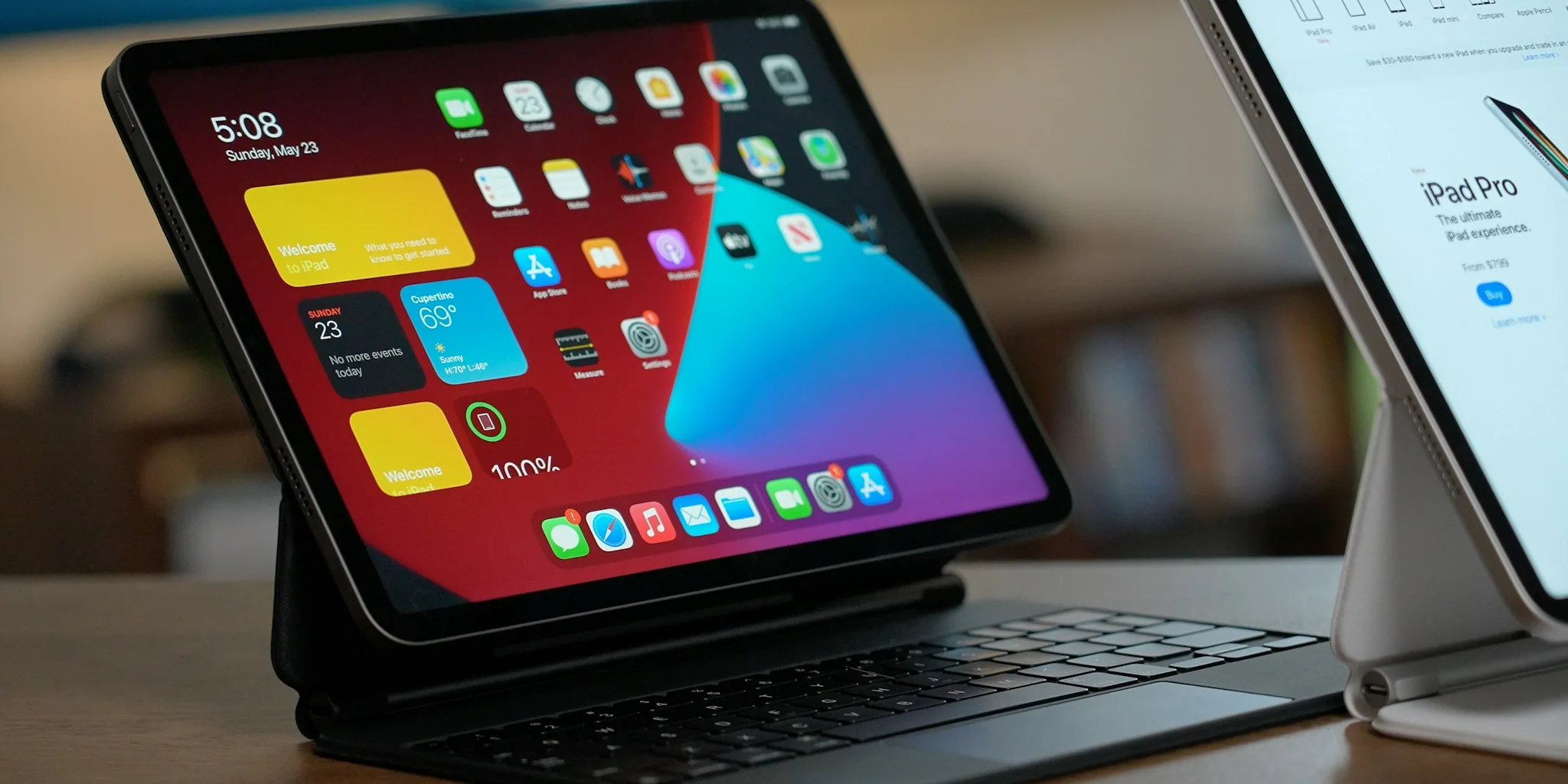
A good tablet keyboard can transform your device from a casual media viewer into a genuine productivity machine.
Whether you’re drafting documents on an iPad, replying to emails on a Samsung Galaxy Tab, or working through a presentation on an Android slate, the right keyboard determines how comfortable and efficient that experience actually feels.
The market spans everything from budget-friendly Bluetooth accessories to premium folio cases with built-in trackpads, and the differences between them matter far more than most buyers expect.
To help you cut through the noise, REMOVU analyzed options across multiple price tiers and device ecosystems, drawing on published specifications, expert review consensus, and verified buyer feedback from confirmed purchasers.
Our picks below cover the full range from Apple and Logitech flagships to capable budget alternatives, so you can find the right match without overspending or underbuying. Read on for our top-ranked picks across all categories of tablet keyboards.

Apple Magic Keyboard Folio for iPad A16/10th Gen
A two-piece magnetic keyboard and case system designed for iPad A16 and 10th generation models, combining a physical keyboard with integrated trackpad and protective back panel. No pairing required, making it a straightforward accessory for users seeking laptop-like productivity on their iPad.
Pros
- Magnetic attachment requires zero setup or pairing process
- Integrated trackpad enables cursor-based navigation and precision tasks
- Two-piece design allows independent use of keyboard or back panel protection
- Adjustable stand supports flexible viewing angles during work
Cons
- Limited compatibility restricted to only iPad A16 and 10th generation models
- No user reviews available to verify real-world durability or typing comfort claims
- Premium pricing typical of Apple accessories may limit appeal for budget-conscious buyers

Logitech Combo Touch iPad 10th Gen Keyboard Case
A detachable keyboard case with precision trackpad designed specifically for iPad 10th generation, combining a full-size backlit keyboard with flexible multi-mode functionality. Best suited for users seeking productivity features like trackpad navigation and stylus storage without the bulk of a permanently attached keyboard.
Pros
- Precision trackpad provides familiar gesture controls and accurate navigation without draining iPad battery
- Detachable keyboard means you get a slim, screenless iPad experience when you only need to view or sketch
- No batteries or charging needed, simplifying daily use and travel
- Premium woven fabric construction with form-fit protection covers ports and corners
- Four use modes with adjustable viewing angles accommodate different workflows from typing to drawing
Cons
- Premium positioning makes it a mid-to-high investment compared to basic iPad cases
- Single-color backlit keys only, limiting customization for low-light preferences
- Stylus storage is an add-on feature, requiring separate purchase of Apple Pencil or Logitech Crayon

Samsung Galaxy Tab S11 Book Cover Keyboard Slim
A slim, lightweight keyboard case designed specifically for the Galaxy Tab S11, combining tablet protection with an integrated QWERTY keyboard and AI key access. It delivers comfortable typing in a thin profile, though compromises on pen storage and key travel depth.
Pros
- Remarkably slim profile that doesn't compromise portability or tablet aesthetics
- Large keys and responsive typing experience for productivity on the go
- Premium build quality with polycarbonate enclosure and refined metal accents
- Lightweight at 10.23 oz, easy to carry throughout the day
Cons
- No dedicated storage compartment for S Pen, relying only on weaker magnetic attachment that increases loss risk
- Shallow key travel distance may feel cramped for users accustomed to full-size keyboards
- Premium positioning at price point that some reviewers found difficult to justify
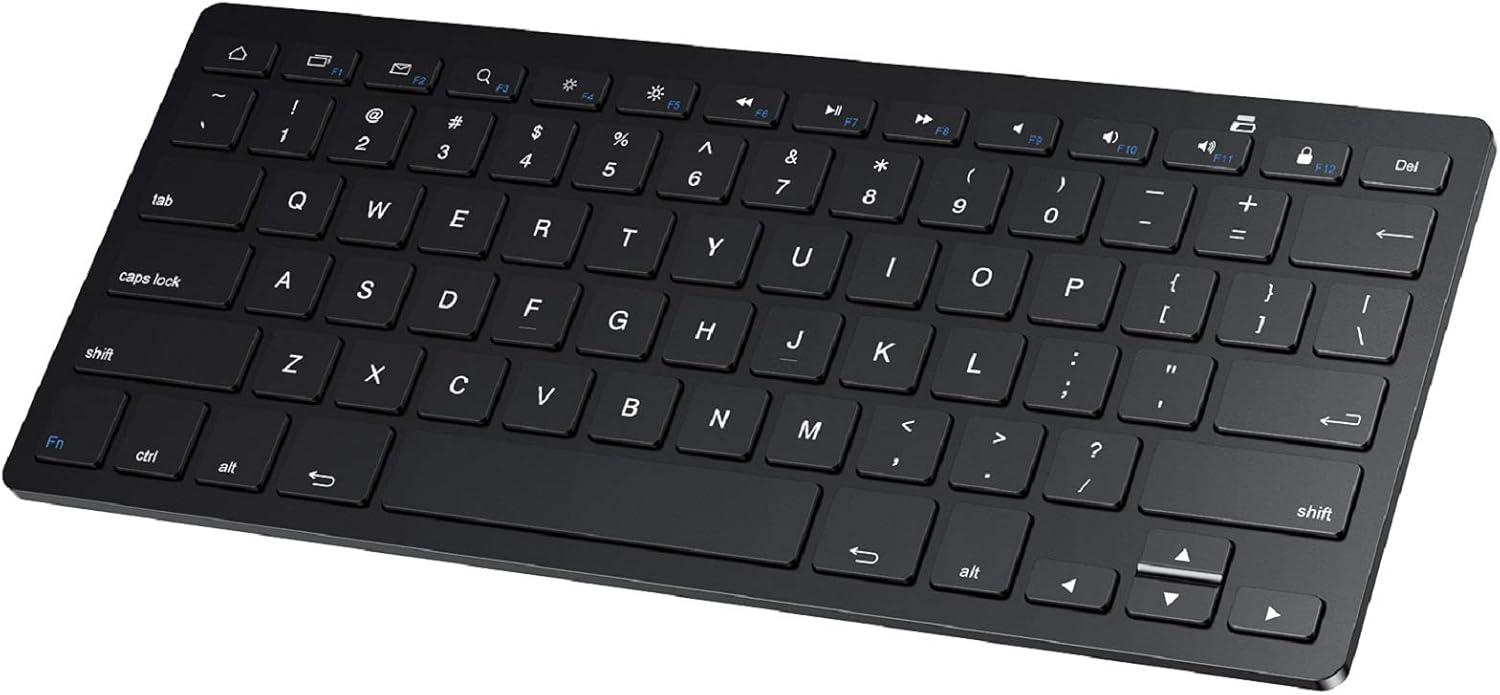
SPARIN Bluetooth Keyboard for Samsung Galaxy Tablets
A lightweight wireless keyboard with 78 keys and Bluetooth 3.0 connectivity, designed primarily for Samsung Galaxy tablets and compatible with most Android devices. Delivers responsive typing and extended battery life on AAA batteries, though durability concerns and lack of backlight may matter to some users.
Pros
- Extremely portable at 0.2 inches thick, fits easily in bags for travel or daily use
- 30-day continuous battery life with auto sleep mode extends overall lifespan to six months between changes
- Full-sized key layout and scissor switches provide comfortable, quiet typing comparable to laptop keyboards
- Bluetooth pairing is straightforward with one-time setup; connects reliably within 10-meter range
- Wide compatibility across Samsung Galaxy tablets and Android devices plus Windows/PC
Cons
- Batteries not included; requires 2 AAA batteries for operation, adding to initial setup cost
- Keys can pop off and fail to reseat properly when packed in bags, affecting long-term durability
- No keyboard backlighting and no battery level display beyond initial connection indicator
- Designed specifically for Samsung tablets; compatibility with non-Samsung devices reported as unstable in user feedback

Logitech K400 Plus Wireless Touch TV Keyboard
An all-in-one wireless keyboard with integrated touchpad designed for relaxed couch control of PC-connected TVs. The 3.5-inch touchpad and media keys handle web browsing, streaming, and navigation without needing a separate mouse, while the 33-foot wireless range keeps you untethered across large living spaces. Best suited for cord-cutters and HTPC users who want simplicity over gaming-grade responsiveness.
Pros
- Built-in large touchpad eliminates need for separate mouse, reducing desk clutter
- Impressive 18-month battery life on two AA batteries with power-saving on/off switch
- 33-foot wireless range with reliable Unifying receiver, stable across large rooms
- Quiet keys and media-friendly shortcuts (volume, arrow keys, Windows/Android controls) tailored for TV entertainment
- Plug-and-play setup with broad OS compatibility (Windows 7+, Android 7+, Chrome OS)
- Spill-resistant design adds practical durability for living room use
Cons
- Touchpad responsiveness and precision lag behind dedicated mice, limiting comfort for detailed work
- Requires USB port on TV box or nearby computer, not ideal for setups with limited connectivity
- Battery life estimate assumes light use (2 hours typing daily); heavier use will drain faster

Jeazans 10.1-Inch Android 16 Tablet with Keyboard Bundle
A 2-in-1 tablet designed for students and remote workers, bundling a 10.1-inch display with keyboard, mouse, stylus, and protective case. The Android 16 system and 24GB RAM support multitasking and productivity apps, while WiFi 6 and PD fast charging address connectivity and battery needs for travel.
Pros
- Complete bundle includes keyboard, mouse, stylus, and leather case, reducing need for separate purchases
- 24GB RAM and Android 16 OS enable smooth multitasking for educational and business applications
- Dual HD cameras and high-sensitivity stylus support video conferencing and digital note-taking
- WiFi 6 and PD fast charging provide reliable connectivity and reduced recharge time
- One-year warranty with 30-day return policy and 24/7 technical support
Cons
- No verified buyer reviews available to assess real-world performance and reliability
- 64GB base storage may require frequent reliance on the 1TB expansion option for heavy users
- Bundle-heavy approach means less flexibility if you already own accessories

Relndoo P60 10-Inch Android 16 Tablet with Keyboard Bundle
Budget-friendly 2-in-1 tablet that bundles keyboard, mouse, stylus, and case for everyday productivity and casual use. Solid performance for students and light workers, with Android 16, Gemini AI, and expandable storage up to 2TB, though processing power stays modest for demanding tasks.
Pros
- Complete bundle includes keyboard, mouse, stylus, and case with no extra purchases needed
- 8000mAh battery delivers full-day endurance for typical daily use
- 256GB base storage expandable to 2TB via microSD for files, photos, and apps
- 10.1-inch IPS display is Widevine L1 certified for HD streaming on Prime Video and similar platforms
- Face Unlock and split-screen multitasking add practical security and productivity features
Cons
- Unisoc T606 octa-core processor handles basic tasks smoothly but lacks muscle for gaming or heavy multitasking
- Display resolution capped at 1280x800, below modern standards for tablet work and media consumption
- No SIM card support limits cellular connectivity to Wi-Fi only

EAMPANG Galaxy Tab A11+/A9+ Keyboard Case with RGB Backlight
A detachable keyboard and mouse combo that transforms your Samsung tablet into a laptop-like workstation, featuring seven-color RGB backlighting and a 50-hour battery life. Best suited for users seeking portable productivity without the weight of a traditional laptop.
Pros
- Strong magnetic attachment and intuitive detachable design makes the keyboard easy to remove for tablet-only use
- Exceptional battery longevity at up to 50 hours per charge with 90-day standby, ideal for frequent travelers
- Responsive scissor-key keyboard with dedicated function shortcuts improves typing comfort and document editing efficiency
- Adjustable backlight with breathing mode works well in low-light environments
- Protective soft PU case with precise cutouts accommodates all tablet functions without interference
Cons
- Magnetic connection can be loose during transport; one reviewer reported keyboard falling out too easily when moving the case
- Durability concerns reported by at least one user whose backlight stopped working after four months of regular 6-hour daily use
- Requires sliding keyboard down to adjust screen tilt angle, adding an extra step to repositioning

Harvopu iPad A16/10th Gen Keyboard Case with Trackpad
A budget-friendly keyboard case that transforms your iPad into a laptop alternative, complete with a detachable magnetic keyboard, trackpad, and 7-color backlit keys. Best for students and remote workers who need physical typing and document editing on the go.
Pros
- Magnetically detachable keyboard allows flexible use and easy portability
- Built-in trackpad with multi-touch gesture support improves productivity for browsing and document work
- 7-color adjustable RGB backlit keyboard with 3 brightness levels for typing in low light
- Long battery life with 420mAh rechargeable battery and fast 2-3 hour Type-C charging
- Multiple viewing angles via anti-slip grooves support drawing, writing, and computing tasks
Cons
- Some users report iPad paint wear and white spots on keyboard over extended use
- Keyboard requires slightly harder key presses than typical laptops and has noticeable input lag during gaming
- Not water resistant, limiting durability in wet environments

OMOTON KB066 Bluetooth Keyboard for iPad, 78-Key
A lightweight wireless keyboard built for iPad and iPhone users, featuring 12 dedicated iOS shortcuts and a slim 0.2-inch profile for portability. Battery life stretches to 400 hours with two AAA batteries, though it lacks an Escape key and relies on older Bluetooth 3.0 connectivity.
Pros
- Extended battery life with auto-sleep mode reduces frequent replacements
- Compact and lightweight design, ideal for iPad users on the go
- 12 dedicated iOS shortcuts streamline common tasks without menu diving
- Wide device compatibility across iPad and iPhone lineup
- Affordable keyboard option for mobile productivity
Cons
- No Escape key, limiting full keyboard functionality for certain workflows
- Batteries not included; requires ongoing AAA battery purchases
- Bluetooth 3.0 is older standard; no newer Bluetooth 5.0+ connectivity
- Function keys not fully compatible with non-iOS systems despite Android listing

Lenovo IdeaTab 11 2.5K 90Hz Student Tablet
This 11-inch tablet targets students with a 2.5K display, quad Dolby Atmos speakers, and MediaTek Dimensity 6300 processor designed for multitasking. The included Tab Pen and folio case, paired with AI-powered note-taking apps like Lenovo AI Notes, create a study-focused ecosystem. Circle to Search with Google and built-in learning apps make it a practical choice for campus work, though performance sits in the mid-range segment.
Pros
- 11-inch 2.5K IPS display with 90Hz refresh rate and TUV-certified low blue light protection for extended study sessions
- Includes Tab Pen with improved latency and versatile folio case with stand for sketching and media viewing
- Four built-in learning apps (Lenovo AI Notes, Squid, Nebo, MyScript Calculator) optimized for note-taking and organization
- Up to 12 hours battery life covers full study days without frequent charging
- Circle to Search with Google and translate features reduce app-switching during research
Cons
- MediaTek Dimensity 6300 processor is mid-range, not flagship-level performance for demanding tasks
- 4GB RAM and 128GB storage are entry-level specs that may limit heavy multitasking or large media libraries
- No mention of expandable storage or premium build materials in product data
Tablet Keyboards Buying Guide
Choosing the right keyboard for your tablet is less about finding the most expensive option and more about matching the right set of features to your specific device, workflow, and portability needs.
The sections below break down the criteria that most consistently separate a great typing experience from a frustrating one. If you’re focused specifically on iPad-compatible options, our dedicated iPad keyboards guide goes deeper on Apple ecosystem picks.
Compatibility and Connection Type

Before anything else, confirm that the keyboard you’re considering actually works with your tablet’s operating system and generation.
Apple iPads with Smart Connector support receive power and data through the physical magnetic port, meaning no Bluetooth pairing, no battery management, and instant wake.
Options like the Logitech Combo Touch use this approach and are significantly more reliable day to day than Bluetooth-only alternatives.
Bluetooth keyboards offer the broadest compatibility across iOS, Android, and Windows tablets, but they introduce latency risks and require periodic recharging or battery replacement.
USB-C wired keyboards, found on some folio cases like the EAMPANG option in this list, eliminate both problems but tether you to a cable.
For Samsung Galaxy Tab users, official accessories like the Samsung Book Cover Keyboard Slim are designed specifically for their firmware and function keys, which third-party options often emulate imperfectly.
Always cross-reference the keyboard’s listed compatibility with your exact tablet model number, not just the product line name. “iPad Air compatible” can mean different things across generations, and a mismatch in Smart Connector placement between generations will render a folio case useless.
Typing Feel and Key Travel

Key travel is the single biggest factor in long-session comfort. Most ultra-slim tablet keyboards compress key travel to 1.0 mm or less to keep the profile thin, which works acceptably for occasional note-taking but becomes fatiguing during extended writing sessions.
Premium options from Apple and Logitech typically achieve 1.0 to 1.5 mm of travel with a satisfying click point, which is meaningfully better for productivity use.
Key spacing also matters. Full-size layouts (roughly 19 mm center-to-center key pitch) allow touch typists to work without relearning muscle memory. Compact layouts common on budget options can reduce pitch to 17 mm or less, which introduces more typos until you adapt.
If you type for long stretches, prioritize keyboards that explicitly advertise full-size or near-full-size layouts.
Backlighting, while a secondary consideration, is genuinely useful for low-light use and is not exclusively a premium feature. Budget folio cases from brands like Harvopu and EAMPANG include multi-color backlight systems, though the evenness of illumination across keys varies.
Expert reviewers consistently note that backlight quality on budget options is uneven compared to the uniform glow on Logitech and Apple keyboards.
Trackpad Quality
Not every tablet keyboard includes a trackpad, but those that do dramatically expand how useful the keyboard feels for productivity.
A trackpad lets you reposition your cursor, select text, and navigate interfaces without reaching up to the touchscreen repeatedly, which is the single most disruptive habit of tablet-as-laptop workflows.
Trackpad size and surface material both affect usability. The Apple Magic Keyboard Folio uses a glass trackpad that responds to multi-touch gestures and delivers the closest experience to a MacBook trackpad available on any tablet accessory.
The Logitech Combo Touch’s large precision trackpad is the strongest third-party competitor, supporting pinch-to-zoom and multi-finger swipes reliably according to verified buyer feedback.
Budget folio trackpads are physically smaller and typically support only basic two-finger scrolling without the gesture fidelity of premium options.
For users who spend significant time with spreadsheets, document editing, or web browsing, the jump from a budget trackpad to a premium one is one of the most noticeable quality differences in the entire product category.
If fine cursor control is important to your workflow, don’t compromise here. You might also want to consider whether a 2-in-1 laptop would better serve heavy-productivity tasks where a full trackpad and keyboard are non-negotiable.
Form Factor and Portability

Tablet keyboards fall into three broad form factors: standalone Bluetooth keyboards, folio keyboard cases, and keyboard covers.
Standalone keyboards like the OMOTON Ultra-Slim and SPARIN options pair with any device and work across multiple tablets, but they require a separate stand for the tablet and add more items to carry.
Folio cases integrate protection, a stand, and a keyboard into one unit, which is ideal for commuters and students but makes the combined package heavier than a tablet alone.
Detachable designs occupy a compelling middle ground. The Apple Magic Keyboard Folio and Logitech Combo Touch both use detachable keyboards that let you remove the input surface when you want a pure tablet experience without needing to uncase the device.
This flexibility is among the most praised features in verified buyer feedback for both products.
Weight and added bulk are real trade-offs to consider. A premium folio case can add 400 to 600 grams to a tablet’s carry weight, which changes whether the device fits comfortably in a bag you already use.
If you frequently shift between typing and reading or media consumption, a lighter standalone keyboard paired with a slim case is often the better ergonomic balance.
For those exploring keyboards optimized specifically for long typing sessions, we’ve analyzed the key dimensions that matter most.
Device Ecosystem and Software Integration
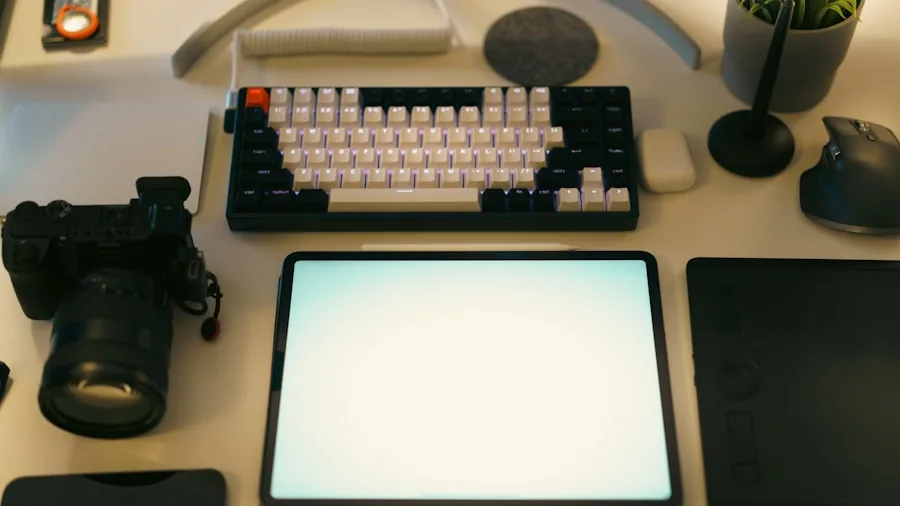
Software integration separates a passable tablet keyboard from a genuinely productive one. Apple’s ecosystem offers the deepest integration for keyboards that connect via Smart Connector: stage manager support, keyboard shortcut pass-through, and cursor control that mirrors iPadOS conventions precisely.
The Apple Magic Keyboard Folio is the reference point here, while the Logitech Combo Touch accesses most of these features through the same Smart Connector technology.
Samsung’s Galaxy Tab series has matured considerably with DeX mode, which transforms the tablet interface into a desktop-style layout that genuinely benefits from a physical keyboard and trackpad.
The Samsung Galaxy Tab S11 Book Cover Keyboard Slim is designed around this workflow, with an AI Key that integrates directly with Samsung’s Galaxy AI features for tasks like summarization and translation.
Third-party keyboards for Samsung devices work fine for typing but typically miss these deeper software hooks.
For Android tablets from other brands, keyboard compatibility is broadly reliable but function key behavior, media controls, and shortcut mapping vary by device.
The Logitech K400 Plus, while primarily marketed as a TV remote keyboard, works across Android and Chrome OS with its built-in touchpad and provides a flexible option for non-standard setups.
Users who frequently switch between a tablet and a desktop workstation may also benefit from a portable monitor to extend their workspace on the go.
Budget Positioning and Value Tiers

The tablet keyboard market segments fairly cleanly into three tiers. Budget options from brands like OMOTON and SPARIN offer Bluetooth connectivity and slim profiles at accessible price points.
They’re adequate for students, light note-takers, and users who primarily need a physical keyboard for occasional use. Build quality and key longevity are the main trade-offs at this tier.
Mid-range folio cases from brands like Harvopu and EAMPANG add backlit keyboards, magnetic attachment, and trackpad integration at a moderate price premium over standalone budget options.
They represent solid value for users who want a laptop-like experience without committing to a premium accessory budget. That said, expert reviewers consistently note that trackpad precision and hinge durability at this tier don’t match the premium tier.
Premium options from Apple and Logitech carry meaningfully higher price tags and justify them through build quality, trackpad fidelity, ecosystem integration, and key feel that holds up over years of daily use.
For anyone relying on their tablet as a primary work device, the productivity gains from a premium keyboard are well-documented in long-term user feedback.
Our broader roundup of tablet keyboards under budget thresholds is worth reviewing if price is the primary constraint.
Why You Should Trust Us
REMOVU is an independent review publication. We do not accept payment from manufacturers for placement, and no brand has editorial input into our rankings or written analysis.
Every product in this guide was evaluated using a consistent, structured research methodology: we analyze published technical specifications, assess expert review consensus from multiple credible sources, and incorporate verified buyer feedback from confirmed purchasers across major retail platforms.
Each product receives a REMOVU Score on a scale of 0 to 10, reflecting its performance across criteria relevant to its category.
We do not conduct our own product trials; our evaluations are grounded in research, published data, expert review consensus, and verified buyer feedback.
This approach lets us cover a wider range of products than any single reviewer could evaluate in isolation, while drawing on the collective experience of thousands of real-world users.
REMOVU may earn a commission if you purchase through links on this page. That affiliate relationship has no influence on which products we include, how they are ranked, or what scores they receive.
Our editorial independence is the foundation of what makes these recommendations useful. If you ever have questions about our methodology, our approach is consistent across every category we cover, from phones, tablets, and wearables to desktop peripherals and beyond.
Final Thoughts
After thorough research and scoring across the full range of products in this guide, here are our standout picks by use case and buyer profile.
Each danh hiệu reflects where a product genuinely excels based on its REMOVU Score and the attributes most valued by its target users.
- Best Overall: Apple Magic Keyboard Folio. The highest REMOVU Score in this roundup, earned through a combination of exceptional trackpad quality, deep iPadOS integration, durable construction, and the flexible detachable design that no competitor fully matches at any price.
- Best Third-Party iPad Keyboard: Logitech Combo Touch. The most capable non-Apple option for iPad users, with a full-size backlit keyboard, a large precision trackpad, and Smart Connector reliability that keeps it competitive just below the premium tier.
- Best for Samsung Galaxy Tab Users: Samsung Galaxy Tab S11 Book Cover Keyboard Slim. Purpose-built for Samsung’s ecosystem with AI Key support and a sleek profile, this is the highest-scoring Samsung-specific option in the guide and the natural choice for Galaxy Tab S-series owners.
- Best Budget Standalone Keyboard: SPARIN Bluetooth Keyboard. The strongest performer among ultra-affordable Bluetooth options, with broad Android and Windows compatibility and a slim, lightweight build that makes it an easy travel companion.
- Best for TV and Media Control: Logitech K400 Plus. Its built-in touchpad and media-focused layout make it uniquely suited for couch use, Chrome OS devices, and any setup where mouse and keyboard need to be one unit.
Whatever your device or budget, the picks above reflect a genuine range of quality levels and use cases.
If your needs lean toward drawing or creative work on your tablet, our guide to drawing tablets with screens covers a completely different but complementary corner of the tablet accessories market.
Frequently Asked Questions
What is the difference between a Bluetooth keyboard and a Smart Connector keyboard for iPad?
A Bluetooth keyboard pairs wirelessly with your iPad using radio frequency, requires its own battery or charging, and can work with virtually any Bluetooth-enabled device.
A Smart Connector keyboard attaches magnetically to the side of compatible iPad models and transfers both power and data through the physical connector, so it never needs charging and connects instantly when you attach it.
For daily productivity use, Smart Connector keyboards are meaningfully more reliable and convenient, but they are only compatible with specific iPad models that have the Smart Connector port.
Do tablet keyboards work with multiple devices?
Standalone Bluetooth keyboards typically support multi-device pairing, allowing you to switch between a tablet, smartphone, and laptop with a dedicated key or button.
Folio keyboard cases are almost always designed for a single device model due to their physical attachment mechanism and cutout placement.
If you regularly type across multiple devices, a Bluetooth keyboard with multi-device support will serve you much better than a folio case designed for one specific tablet generation.
Are budget tablet keyboard cases worth buying?
Budget folio keyboard cases offer a reasonable value proposition for light users who primarily need a physical keyboard for occasional writing, note-taking, or email. Where they fall short is in trackpad precision, long-term key durability, and software integration depth.
Expert reviewers and verified buyers consistently describe budget folio trackpads as functional but imprecise compared to premium alternatives.
If you plan to use your tablet as a primary productivity device for hours each day, investing in a mid-range or premium option pays off in comfort and reliability over time.
Our analysis of keyboards in the more accessible price tier can help you identify where the strongest value lies without overspending.
Can I use an iPad keyboard with an Android tablet?
Most Bluetooth keyboards marketed for iPad will function on Android tablets at a basic level since Bluetooth HID (Human Interface Device) protocol is universal. However, certain function keys, media controls, and keyboard shortcuts may not map correctly to Android’s interface.
Keys labeled for iPadOS functions like screen brightness or Spotlight search may do nothing or trigger unexpected behavior on Android.
For the best experience on an Android tablet, choose a keyboard explicitly listed as compatible with Android, or use a universal Bluetooth keyboard with remappable keys.
How important is a trackpad on a tablet keyboard?
For users who primarily type documents, emails, or notes with occasional touchscreen interaction, a trackpad is convenient but not essential.
For users who work in spreadsheets, do a lot of text editing, navigate complex web interfaces, or want a true laptop replacement experience, a trackpad is one of the most impactful features a tablet keyboard can include.
Cursor control without reaching up to the screen dramatically reduces fatigue during long sessions. If productivity is your primary goal, prioritize keyboard options that include a trackpad over those that don’t, even at a modest price premium.
You might also explore whether a dedicated laptop better fits your workflow if trackpad and processing demands are consistently high.
What should I look for if I want to use my tablet for school?
Students benefit most from keyboards that combine portability, durability, and solid battery life or a power-passthrough connection. A folio case that protects the screen while providing a keyboard is the most practical choice for backpack carry.
Look for a keyboard with a full-size layout to maintain typing speed, and consider whether the tablet you own supports Smart Connector, which removes one more variable from your daily routine.
For Samsung-based school setups, the Galaxy Tab ecosystem offers purpose-built accessories worth prioritizing over third-party alternatives. Exploring the broader tablets and wearables category can also help if you’re still deciding between tablet platforms for school use.
About the author
Yolanda covers tablets for REMOVU, weighing performance, display, and value across iPad and Android options. She helps readers pick a tablet that fits couch time or real work.