The 8 Best Mechanical Keyboards for Mac
Mechanical keyboards built for Mac combine proper modifier layouts, reliable wireless, and satisfying switches. These picks cover every layout and budget for 2026.
 By Kelly Castro
Updated July 26, 2026
By Kelly Castro
Updated July 26, 2026
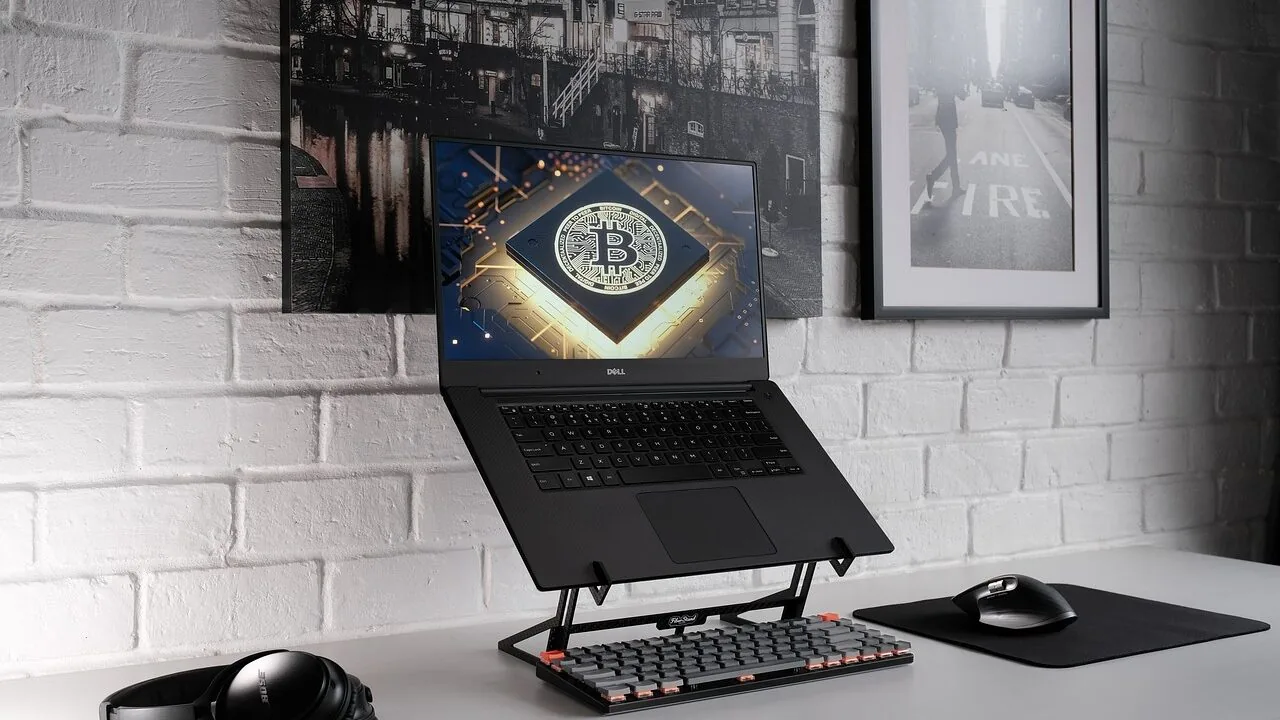
Typing on a Mac feels different from typing on any other platform, and the keyboard you use makes that experience noticeably better or worse.
Apple’s built-in keyboards are functional, but they leave a lot to be desired for anyone who types for hours each day, plays games, or simply wants the satisfying feedback of a quality mechanical switch.
A good mechanical keyboard designed with macOS compatibility in mind gives you proper modifier key layouts, reliable wireless connectivity, and a tactile experience that flat membrane boards simply cannot replicate.
Whether you are a writer, a developer, a creative professional, or a casual user who spends most of the day at a desk, the right keyboard transforms your workflow.
If you are also building out a complete Mac workstation, pairing your keyboard with a great monitor or peripheral setup rounds out the experience considerably.
This guide cuts through the noise by bringing together the best mechanical keyboards for Mac available right now, drawn from a range of form factors, price points, and switch preferences.
REMOVU’s editorial team assessed each option through comprehensive research, covering published specifications, expert review consensus, and verified buyer feedback, so every recommendation reflects real-world performance rather than marketing copy.
Read on for our ranked top picks and a practical buying guide that tells you exactly what to look for.
| Award | Product | REMOVU Score About REMOVU ScoreThe REMOVU Score is our own rating from 0 to 10, based on performance, design and build, ease of use, and value. It reflects independent research and is never influenced by manufacturers, retailers, or affiliate commissions. Learn more › | Price | |
|---|---|---|---|---|
 AULA F75 Pro 75% Wireless Mechanical Keyboard
|
7.3/10 | Buy | ||
| Best Overall |
 Logitech MX Mechanical Wireless Keyboard
|
8.6/10 | Buy | |
 Keychron C2 Full Size Wired Mechanical Keyboard
|
8.1/10 | Buy | ||
| Best Budget |
 Keychron C1 TKL 87-Key Wired Mechanical Keyboard
|
8.2/10 | Buy | |
| Best Value |
 Keychron K4 96% Mechanical Keyboard with Bluetooth 5.1
|
7.6/10 | Buy | |
 Keychron C1 87-Key TKL Mechanical Keyboard
|
7.2/10 | Buy | ||
 Logitech G413 SE Full-Size Mechanical Gaming Keyboard
|
6.8/10 | Buy | ||
| Best Premium |
 YUNZII C98 96% Wireless Mechanical Keyboard with Numpad
|
6.8/10 | Buy |
AULA F75 Pro 75% Wireless Mechanical Keyboard
A compact 75% mechanical keyboard built for gamers and professionals who want flexibility without sacrificing desk space. The tri-mode connectivity (Bluetooth, 2.4GHz, USB-C) lets you jump between five devices seamlessly, while the hot-swappable design and pre-lubed Reaper switches deliver smooth, creamy typing right out of the box. The multi-function knob and programmable keys add practical control for gaming and office work alike.
Pros
- Tri-mode connectivity with five-device pairing simplifies switching between PC, laptop, tablet, and phone
- Hot-swappable socket supports both 3-pin and 5-pin switches for easy customization without soldering
- Pre-lubricated stabilizers and Reaper switches provide smooth keystroke feel with minimal rattle
- 4000mAh battery delivers extended wireless runtime on a single charge
- Side-printed PBT keycaps resist fading and sweat, with gradient finish that complements RGB lighting
- Multi-function knob controls brightness and media in one tactile control
Cons
- 75% layout removes numpad and some function keys, which may inconvenience heavy spreadsheet users
- RGB customization requires driver software installation for full macro and lighting effect access
- Limited information on actual battery life duration under typical use conditions
Logitech MX Mechanical Wireless Keyboard
A premium wireless mechanical keyboard with quiet tactile switches and smart backlighting that adapts to ambient light. Supports multi-device pairing across Windows, macOS, Linux, iOS, and Android, making it ideal for professionals managing multiple workstations. The low-profile design balances mechanical feel with ergonomic comfort.
Pros
- Tactile Quiet switches deliver mechanical typing feedback with minimal noise, reducing distraction in shared spaces
- Smart backlit keys automatically adjust brightness based on lighting conditions and hand proximity
- Seamless multi-device connectivity via Bluetooth or USB-C receiver, with up to 15 days battery life per charge
- Customizable through Logi Options+ for Fn key remapping, backlighting effects, and Flow cross-computer control
- Full-size layout with low-profile mechanical switches provides better ergonomics than traditional mechanical boards
Cons
- Renewed condition means it may show cosmetic wear or come with limited packaging, despite full functionality
- Limited switch options compared to enthusiast mechanical keyboards, though Clicky and Linear variants are available
- No information on warranty coverage typical of renewed products, which may affect long-term support
Keychron C2 Full Size Wired Mechanical Keyboard
A full-size 104-key wired keyboard with tactile Keychron Brown switches and a Mac-optimized layout that also works with Windows. The retro ABS keycaps and adjustable feet deliver solid typing comfort, while the braided USB-C cable ensures reliable connection for both productivity and light gaming without requiring drivers.
Pros
- Full 104-key layout with dedicated number pad, ideal for users who need comprehensive key access
- Dual Mac and Windows compatibility with extra keycaps for both operating systems
- Keychron Brown switches offer tactile feedback with 50 million keystroke durability
- Adjustable feet with two incline levels (6° and 9°) for ergonomic typing positions
- Plug-and-play wired connection with braided USB-C cable, no driver installation needed
Cons
- Non-backlit design limits visibility in low-light environments compared to RGB alternatives
- Wired-only connectivity means less desk flexibility than wireless options
- Heavier and larger footprint than compact or tenkeyless keyboard alternatives
Keychron C1 TKL 87-Key Wired Mechanical Keyboard
A compact 87-key mechanical keyboard built for both work and gaming, the C1 delivers stable wired performance with minimal latency. Its clean white backlight and Gateron Red switches make it equally at home on a minimalist desk or in extended gaming sessions, while dual compatibility with Mac and Windows eliminates setup friction across devices.
Pros
- Gateron G Pro Red switches provide smooth, quiet linear keypresses suitable for typing and gaming
- Wired USB Type-C connection ensures zero-latency performance with 1000Hz polling rate and no battery dependency
- Double-shot keycaps resist fading and wear over time, maintaining legend clarity with daily use
- TKL 87-key layout saves desk space without removing essential keys like function row and arrows
- Works seamlessly across macOS and Windows with plug-and-play compatibility
Cons
- White backlight only, no RGB customization for users wanting dynamic lighting effects
- Switches are soldered, not hot-swappable, limiting customization for enthusiasts
- No onboard memory or programmable keys mentioned, reducing flexibility for advanced users
Keychron K4 96% Mechanical Keyboard with Bluetooth 5.1
A compact 100-key mechanical keyboard that bridges productivity and light gaming with dual wireless and wired connectivity. The Keychron Super Brown switches deliver tactile feedback across 50 million keystrokes, while the 4000mAh battery stretches to 240 hours between charges. Mac and Windows users both get dedicated layouts with included keycaps, making this a practical choice for multi-device setups.
Pros
- Connects to 3 devices simultaneously via Bluetooth 5.1 with easy switching between Mac, Windows, iOS, and Android
- Exceptional battery life up to 240 hours with backlight off, among the largest capacity in mechanical keyboards
- Durable Keychron Super Brown switches rated for 50 million keystrokes with tactile responsiveness
- Includes both Mac and Windows keycap sets plus cable and puller in the box
- Compact 96% layout keeps a number pad without taking full-size desk space
Cons
- Not hot-swappable, so switch replacements require soldering skills
- Wireless mode limited to 6-key rollover versus full NKRO in wired mode, restricting simultaneous key presses for competitive gaming
- White LED backlight only, no RGB customization options available
Keychron C1 87-Key TKL Mechanical Keyboard
A compact wired mechanical keyboard built for desk professionals and casual gamers who value stability and clean aesthetics. The Gateron G Pro Brown switches deliver tactile feedback without the noise, while the 87-key TKL layout preserves desk space without sacrificing function keys. Works seamlessly across Mac and Windows setups.
Pros
- Tactile brown switches strike a balance between typing comfort and quiet operation, suitable for shared workspaces and extended use
- 87-key TKL design saves desk real estate while retaining arrow keys and function row, ideal for compact office and gaming setups
- Wired USB-C connection ensures zero latency and eliminates charging concerns, with 1000Hz polling rate for responsive input
- Double-shot keycaps resist wear and fading, maintaining legible legends through years of daily use
- Native Mac and Windows compatibility with appropriate keycaps included, eliminating reconfiguration when switching systems
Cons
- White backlight is non-RGB and fixed intensity, limiting customization compared to competitors with programmable RGB lighting
- Not hot-swappable, so switch replacement requires desoldering and soldering skills, reducing long-term flexibility
- Wired connection means a USB cable tether to your device, which may be less convenient than wireless for some desk setups
Logitech G413 SE Full-Size Mechanical Gaming Keyboard
A full-size mechanical gaming keyboard built around durability and competitive performance. The G413 SE combines tactile mechanical switches with PBT keycaps and a brushed aluminum frame, making it a solid choice for players seeking a no-frills, reliable input device that won't flex under intense sessions.
Pros
- PBT keycaps deliver superior heat and wear resistance compared to standard ABS plastic
- 6-key rollover anti-ghosting ensures reliable simultaneous key registration during gameplay
- Aluminum-magnesium alloy top case provides structural rigidity with minimal flex
- Twelve programmable FN media controls for volume, playback, and lighting adjustment
- Full-size layout plus compact tenkeyless option available for different desk setups
Cons
- Wired USB connection only, no wireless option for cable-free setup
- White LED lighting is fixed and non-customizable compared to RGB alternatives
- No information provided on switch type specifications or actuation force details
YUNZII C98 96% Wireless Mechanical Keyboard with Numpad
A cute cake-themed 99-key mechanical keyboard that combines aesthetic charm with practical features like tri-mode connectivity (Bluetooth 5.0, 2.4GHz, USB-C), hot-swappable switches, and a hefty 10000mAh battery. The gasket mount structure with factory-lubed linear switches delivers a creamy, quiet typing experience. Best for users who want a compact layout with numpad access plus customizable RGB lighting without breaking their workflow.
Pros
- Tri-mode connectivity with 5-device pairing and wide OS compatibility (Win, Mac, iOS, Android)
- Large 10000mAh battery provides extended wireless use between charges
- Hot-swappable design supports 3-pin and 5-pin switches for easy customization
- Gasket mount with silicone padding and factory-lubed switches creates smooth, quiet typing
- Complete accessory bundle includes keycap puller, dust cover, stickers, and extra keycaps
Cons
- No physical reviews available yet to validate real-world durability and user satisfaction
- Web-based customization software may lack the advanced programmability of QMK/VIA found in higher-end models
- 96% layout with numpad is less compact than 75% alternatives, reducing portability
Mechanical Keyboards for Mac Buying Guide
Choosing the right mechanical keyboard for your Mac setup involves more than picking a switch type you like. macOS has specific requirements around key labeling, modifier placement, and wireless protocol support that can trip up buyers who simply grab the first highly rated board they see.
The sections below walk through every factor that matters, from layout and connectivity to build quality and software compatibility.
macOS Compatibility and Key Layout

Not every mechanical keyboard works seamlessly with a Mac out of the box.
The most important thing to check is whether the keyboard ships with macOS-specific keycaps or at minimum includes a remapping tool that does not require third-party software to assign the Command, Option, and Control keys correctly.
Keyboards marketed explicitly as Mac-compatible, like several Keychron models in this guide, often include two sets of keycaps so you can switch between macOS and Windows layouts without hunting through system preferences.
Beyond the modifier keys, look at whether the function row is labeled for macOS media controls (brightness, mission control, Launchpad) or whether it defaults to standard F1 through F12.
Some keyboards handle this through a dedicated toggle switch on the underside of the board, which is far more convenient than memorizing firmware shortcuts.
If you use a Mac at work and occasionally connect to a Windows machine, a keyboard with a physical OS-toggle switch saves a surprising amount of friction.
Switch Type and Typing Feel

Mechanical switches fall into three broad families: clicky, tactile, and linear. Clicky switches produce an audible click with each keystroke, which many typists love but open-plan office neighbors rarely appreciate.
Tactile switches, such as brown-style variants, give you a noticeable bump without the sharp click, striking a middle ground that works well for both typing and light gaming.
Linear switches travel smoothly from top to bottom with no tactile event, which suits fast typists and gamers who prefer a consistent, uninterrupted keystroke.
For a Mac-focused setup where typing productivity matters as much as gaming, tactile switches are the most versatile choice.
However, if you work in a quiet environment and prioritize feel over acoustics, clicky options or pre-lubed linear switches, like the Reaper switches found in one of our top-ranked picks, deliver a noticeably smoother, quieter experience.
Hot-swap PCBs are worth seeking out if you think you might want to experiment with different switch types later, since they let you pull and replace individual switches without soldering.
Form Factor and Desk Space
Mechanical keyboards come in a wide range of layouts: full-size (100%), TKL or tenkeyless (87 to 88 keys), 96% (which squeezes a numpad into a compact footprint), 75%, and even smaller.
Your choice here comes down to how much desk space you have and whether you regularly use a number pad.
Full-size boards give you everything but push your mouse further to the right, which matters if you are sensitive to shoulder or wrist strain.
TKL layouts remove the numpad and give you a more ergonomic mousing position without sacrificing much functionality. A 75% or 96% board splits the difference, retaining the numpad or most function row keys while staying noticeably smaller than a standard full-size layout.
If your Mac workstation already feels cramped, consider checking our notes on portable monitors for tips on optimizing a tight desk setup.
For Mac users who travel or hot-desk frequently, a compact 75% board with a carrying case is often the best solution.
The form factor forces manufacturers to be clever about key placement, and the result is usually a keyboard that feels purposeful and well-organized rather than bloated.
Wired vs. Wireless Connectivity
Modern Macs handle Bluetooth 5.0 and above extremely well, and most premium mechanical keyboards now support multi-device pairing, meaning you can switch between your Mac, an iPad, and a second machine with a single key combination.
Wireless operation is convenient and keeps your desk cable-free, but it does introduce a small amount of input latency that competitive gamers may notice. For general typing, productivity work, and casual gaming, that latency is imperceptible.
Many keyboards in this guide offer a tri-mode connection: Bluetooth 5.0, a 2.4 GHz wireless USB dongle (which comes closer to wired responsiveness), and a wired USB-C cable.
That flexibility means you are never stuck if Bluetooth causes issues, and the 2.4 GHz dongle mode gives you near-zero latency for gaming sessions.
If you are building a wireless Mac desk setup, pairing a tri-mode keyboard with one of the wireless mice we recommend eliminates cable clutter entirely.
Build Quality and Keycap Material

The chassis material and keycap type determine how a keyboard feels in daily use and how well it ages. Aluminum cases are heavier, more rigid, and produce a satisfying thud rather than a hollow plastic rattle.
Polycarbonate and ABS plastic cases are lighter and often more affordable, though better-engineered plastic boards can still feel solid if they use a gasket mount, which suspends the internal PCB on silicone gaskets to absorb vibration and soften the sound signature.
Keycaps matter even more for long-term satisfaction. PBT keycaps are thicker and more durable than ABS, resist shine from finger oils, and feel slightly textured rather than slick.
Double-shot or dye-sublimated legends on PBT keycaps will not fade even after years of heavy use, which is a real concern with some budget boards.
Side-printed legends are an aesthetic choice that looks clean but can make it harder to locate function labels in low light. If backlighting matters to you, top-printed or shine-through legends are the practical choice.
Software, RGB, and Long-Term Value

Many mechanical keyboards come with Windows-centric configuration software that works poorly or not at all on macOS.
For a Mac-first setup, look for keyboards that store macros and lighting profiles on onboard memory so you do not depend on a companion app to maintain your settings.
Keychron’s keyboards are notable here because they are designed with macOS in mind from the ground up and require no software to function at a high level on Apple hardware.
RGB backlighting is largely a personal preference, but it has practical value in low-light environments. More important is whether the lighting engine supports per-key customization or is limited to preset patterns.
If you use your Mac for content creation, a keyboard that pairs well with your full peripheral ecosystem, including a quality webcam and microphone, contributes to a more professional-feeling workstation overall.
Consider long-term value by looking for keyboards with hot-swap sockets, which future-proof your investment by letting you change switches without replacing the entire board.
Why You Should Trust Us
REMOVU is an independent review publication with no brand partnerships, no sponsored placements, and no manufacturer relationships that influence our recommendations.
Every product in this guide was assessed using our structured research methodology: we analyze published specifications, aggregate expert review consensus from multiple credible sources, evaluate verified buyer feedback at scale, and cross-reference published performance data before scoring each product.
We do not conduct our own product trials; our evaluations are grounded in research, published data, expert review consensus, and verified buyer feedback.
Each product receives a REMOVU Score on a scale of 0 to 10, calculated against a consistent set of criteria relevant to the category.
For mechanical keyboards, those criteria include macOS compatibility, switch quality and feel, build construction, connectivity options, keycap durability, and overall value. Products are ranked by REMOVU Score, with the highest-scoring option earning the top position in our list.
Scores reflect the overall balance of strengths and weaknesses rather than a single standout feature.
REMOVU may earn an affiliate commission when you purchase through links in this article. That relationship has no bearing whatsoever on product rankings, scores, or inclusion decisions. We include a product because it earns its place on merit, not because of commercial considerations.
Final Thoughts
The mechanical keyboard market for Mac users has never been better stocked, with compelling options spanning every layout, switch preference, and budget tier.
Our research points clearly to a small group of boards that consistently outperform the field on the criteria Mac users care about most. Here are our standout picks by category:
- Best Overall: AULA F75 Pro Wireless Mechanical Keyboard. The highest REMOVU Score in this group reflects a rare combination of hot-swap flexibility, tri-mode wireless, pre-lubed switches, and PBT keycaps at a mid-range price point that overdelivers for Mac users who want a fully customizable board without paying flagship prices.
- Best Wireless Performance Keyboard: Logitech MX Mechanical (Renewed). Purpose-built for productivity across macOS, Windows, and iOS, this board earns its place through refined tactile-quiet switches, premium build quality, and reliable multi-device Bluetooth pairing. It is the pick for professionals who want a polished, no-compromise typing experience.
- Best Full-Size Option: Keychron C2 Full Size Wired Mechanical Keyboard. For Mac users who want every key present and accounted for, the C2 delivers a strong macOS layout, retro-style PBT keycaps, and Keychron’s proven compatibility at a budget-friendly price that few full-size boards can match.
- Best TKL for Typing and Light Gaming: Keychron C1 TKL Mechanical Gaming Keyboard. A compact tenkeyless layout with linear switches makes this board fast, satisfying, and versatile for Mac users who split their time between long writing sessions and casual gaming. It earns one of the stronger scores in its price tier thanks to consistent build quality and clean macOS support.
- Best 96% Layout for Power Users: Keychron K4 96% Wireless Mechanical Keyboard. The 96% layout squeezes a numpad into a footprint only marginally larger than a TKL board, and Bluetooth 5.1 keeps your Mac desk cable-free. It is the pick for spreadsheet-heavy users and developers who cannot give up the numpad but want a cleaner desk.
Whichever direction you go, the boards in this guide represent the strongest field of options for Mac-compatible mechanical keyboards right now.
If you are building out a broader Mac workstation, exploring monitors optimized for macOS or a docking station are natural next steps to complete your setup.
Frequently Asked Questions
Do mechanical keyboards work with Mac without any setup?
Many mechanical keyboards work with Mac immediately when plugged in via USB-C, but the experience varies.
Keyboards not designed for macOS may label keys for Windows, placing the Win key where Mac expects the Command key and the Alt key where Option should be. macOS does allow you to remap modifier keys in System Settings, so any keyboard is technically usable, but boards designed specifically for Mac, like the Keychron lineup, save you that step by including macOS keycaps and a dedicated OS toggle switch out of the box.
Which switch type is best for typing on a Mac?
Tactile switches are the most popular choice for productivity-focused Mac users because they provide clear feedback on each keystroke without the noise of clicky variants. Brown-style tactile switches, found in several Keychron models, are a reliable starting point.
If you work in a shared space and noise is a real concern, pre-lubed linear switches or tactile-quiet options like those in the Logitech MX Mechanical reduce sound significantly.
Ultimately, switch preference is personal, and hot-swap boards let you experiment without buying a new keyboard each time.
Is Bluetooth reliable enough for a mechanical keyboard on a Mac?
For general typing, productivity work, and most gaming, Bluetooth 5.0 on modern Macs is reliable and the latency is imperceptible. Interference from other wireless devices can occasionally cause brief dropouts in very crowded radio environments, such as busy offices.
If you need the absolute lowest latency for competitive gaming, a 2.4 GHz USB dongle connection or a wired USB-C cable eliminates that variable entirely.
Most tri-mode keyboards in this guide give you all three options, so you can switch based on what you are doing.
What size keyboard should I get for a Mac desk setup?
It depends primarily on whether you use a number pad regularly. If you work with spreadsheets, accounting software, or data entry, a full-size or 96% layout preserves the numpad you rely on.
If you mostly type documents, code, or use shortcuts, a TKL or 75% layout keeps your mouse closer to your keyboard, which reduces shoulder strain over long sessions and frees up space for a larger monitor or other peripherals.
Most Mac users find the TKL sweet spot balances function and desk economy well.
Are PBT keycaps worth it over ABS on a mechanical keyboard?
Yes, for most users who type heavily. PBT keycaps resist the greasy shine that ABS keycaps develop after months of daily use, and they feel slightly more textured underhand, which many typists prefer.
Legends printed on PBT through dye-sublimation or double-shot molding also last far longer than pad-printed ABS legends, which can fade or chip over time.
If you are investing in a quality mechanical keyboard, PBT keycaps are a meaningful upgrade that directly affects how the board looks and feels a year or two down the line.
Can I use a mechanical keyboard with both my Mac and an iPad?
Yes. Most Bluetooth mechanical keyboards pair with multiple devices simultaneously and let you switch between them with a dedicated key combination. Keyboards with Bluetooth 5.0 multi-device support pair reliably with Mac, iPad, and even iPhone.
Some boards also support USB-C wired connections to iPad Pro and iPad Air models with USB-C ports.
Just confirm that the keyboard you choose supports multi-device Bluetooth pairing if seamless switching between your Mac and tablet is important to your workflow.
If you use your iPad for content creation alongside your Mac, you might also find our overview of versatile 2-in-1 laptops useful for comparison.
About the author
Kelly is REMOVU's gaming desktop writer, comparing GPU power, cooling, and value across prebuilt towers. He helps players get high frame rates without the headache of building from scratch.