The 11 Best Gaming Monitors for Xbox Series X
QHD resolution, 120Hz refresh rates, and FreeSync Premium support are the keys to unlocking Xbox Series X performance. Here are the monitors worth buying.
 By Jeffrey Kuhn
Updated July 26, 2026
By Jeffrey Kuhn
Updated July 26, 2026
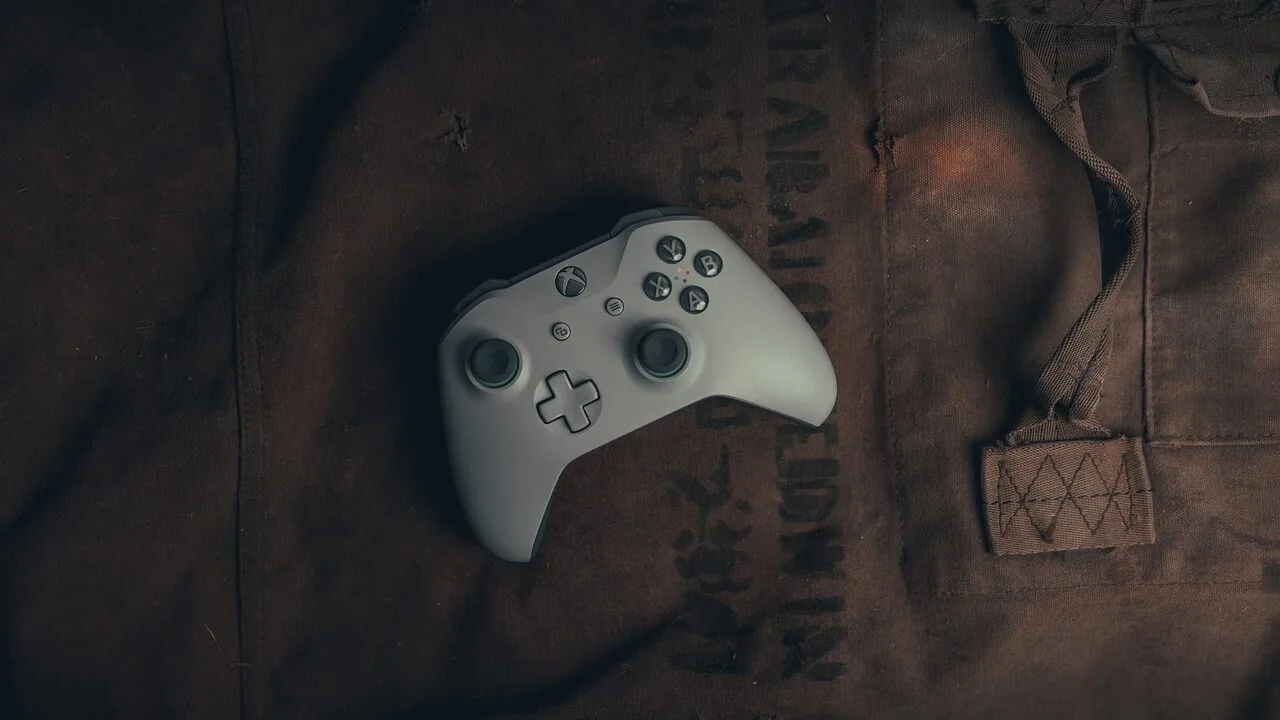
Choosing the right monitor for your Xbox Series X can feel overwhelming, but it matters more than most players realize.
The console is capable of pushing 4K at 60 fps and up to 120 fps at 1440p, meaning a poor display choice leaves real performance on the table.
Whether you game in a compact bedroom setup or want the sharpest competitive edge in fast-paced titles, a well-matched monitor transforms how the Series X feels to play.
You can browse the full category of gaming monitors we cover, but this guide focuses specifically on the displays that pair best with Microsoft’s flagship console.
Our team at REMOVU researched, analyzed, and scored each display in this guide using a combination of published specifications, expert review consensus from across the display enthusiast community, and verified buyer feedback gathered from confirmed purchasers.
We do not conduct our own product trials. Every pick was evaluated against a consistent set of criteria built around what Xbox Series X owners actually need: resolution, refresh rate, panel quality, HDR support, and console-friendly connectivity.
Read on to see which monitors earned a spot on our shortlist.
| Award | Product | REMOVU Score About REMOVU ScoreThe REMOVU Score is our own rating from 0 to 10, based on performance, design and build, ease of use, and value. It reflects independent research and is never influenced by manufacturers, retailers, or affiliate commissions. Learn more › | Price | |
|---|---|---|---|---|
| Best Overall |
 LG 27GS75Q-B 27-inch QHD 200Hz Gaming Monitor
|
8.9/10 | Buy | |
| Best Value |
 ASUS TUF Gaming VG27AQ3A 27-inch 1440p 180Hz
|
7.6/10 | Buy | |
 Samsung 27" Odyssey G5 QHD 200Hz Gaming Monitor
|
7.4/10 | Buy | ||
 ASUS TUF Gaming VG27AQ 27" 1440p 165Hz Monitor
|
7.8/10 | Buy | ||
 Samsung Odyssey G5 27" QHD 180Hz Gaming Monitor
|
7.2/10 | Buy | ||
| Best Premium |
 Samsung Odyssey G55C 32" QHD Curved Gaming Monitor
|
8.6/10 | Buy | |
 ASUS TUF VG32VQ1B 32-Inch 165Hz Curved Gaming Monitor
|
7.2/10 | Buy | ||
 AOC C32G2ZE 32-inch 240Hz Curved Gaming Monitor
|
6.4/10 | Buy | ||
| Best Budget |
 Sceptre E275W-FW100T 27-inch 100Hz Gaming Monitor
|
6.3/10 | Buy | |
 Acer Nitro KG241Y 23.8" 165Hz Gaming Monitor
|
6.2/10 | Buy | ||
 SANSUI 27" 240Hz 1500R Curved Gaming Monitor
|
6.2/10 | Buy |
LG 27GS75Q-B 27-inch QHD 200Hz Gaming Monitor
This LG UltraGear delivers sharp QHD visuals on a 27-inch IPS panel paired with a snappy 200Hz refresh rate and 1ms response time, making it well-suited for competitive gamers who value both speed and color accuracy. G-SYNC Compatible and FreeSync support eliminate tearing across NVIDIA and AMD setups, while the adjustable stand and minimal bezels create a comfortable, distraction-free gaming environment.
Pros
- Fast 200Hz refresh rate with 1ms GtG response time for smooth, responsive gameplay
- IPS panel with 99% sRGB coverage and HDR10 delivers vibrant, accurate colors from wide viewing angles
- G-SYNC Compatible and AMD FreeSync reduce screen tearing and stutter across both GPU brands
- Fully adjustable stand with tilt, height, and pivot options plus three-side borderless design optimizes comfort and desk space
- Gaming-focused features including FPS counter, crosshair overlay, Black Stabilizer, and preset modes (Gamer, FPS, RTS)
Cons
- Refresh rate requires overclocking to reach 200Hz, with standard operation at 180Hz depending on GPU and connection type
- G-SYNC support on HDMI limited to RTX 30 Series and newer, while DisplayPort offers broader compatibility starting with GTX 10 Series
- IPS panels typically have slower response times than VA or TN alternatives, though 1ms GtG is competitive for the panel type
ASUS TUF Gaming VG27AQ3A 27-inch 1440p 180Hz
A 1440p gaming monitor built for competitive play, pairing a 180Hz Fast IPS panel with ELMB Sync and variable overdrive to minimize ghosting and blur. The 1ms response time and adaptive refresh rate support (FreeSync Premium, G-Sync compatible) deliver responsive gameplay across most modern GPUs. Best suited for esports and fast-paced titles where motion clarity matters.
Pros
- High refresh rate (180Hz) with 1ms GTG response time for smooth, lag-free competitive gaming
- ELMB Sync technology eliminates ghosting and tearing simultaneously, sharper visuals at high frame rates
- HDR support with 130% sRGB color gamut provides vibrant colors beyond standard monitors
- Fast IPS panel offers 77% more desktop space than 1080p with wide viewing angles
- Multiple adaptive sync technologies (FreeSync Premium, G-Sync compatible) work across AMD and NVIDIA systems
- Eye comfort features including flicker-free tech and four blue light filter settings for extended sessions
Cons
- 1440p at 27 inches results in moderate pixel density, some users may prefer sharper text at typical desktop distances
- Requires capable GPU to maintain 180Hz at high settings in demanding titles, not ideal for budget builds
- No USB hub or extensive connectivity beyond standard gaming inputs (HDMI, DisplayPort)
Samsung 27" Odyssey G5 QHD 200Hz Gaming Monitor
Samsung's 27-inch gaming monitor pairs QHD resolution with a 200Hz refresh rate and 1ms response time, making it well-suited for competitive gamers seeking sharp visuals and fast motion handling. The IPS panel delivers wide viewing angles and HDR10 support for deeper color depth, while AMD FreeSync Premium and Black Equalizer help reduce tearing and enhance shadow detail during intense sessions.
Pros
- QHD resolution (2560x1440) delivers 1.7x pixel density over Full HD for crisp detail
- 200Hz refresh rate and 1ms MPRT response time enable smooth, responsive gameplay
- IPS panel with 178-degree viewing angles maintains color accuracy from multiple positions
- AMD FreeSync Premium reduces screen tearing and input lag during gaming
- HDR10 support with Black Equalizer improves shadow visibility and visual depth
Cons
- 27-inch QHD may feel less immersive than larger ultrawide formats for some gamers
- No HDR1000 or higher peak brightness mentioned, limiting HDR impact versus premium monitors
- IPS panel typically has slower pixel response than VA alternatives, despite the 1ms MPRT rating
ASUS TUF Gaming VG27AQ 27" 1440p 165Hz Monitor
A solid 1440p gaming monitor built for competitive play, pairing a 165Hz refresh rate with 1ms response time and G-SYNC compatibility to minimize tearing. The IPS panel delivers vibrant colors and wide viewing angles, while features like ELMB Sync and Shadow Boost add refinement for fast-paced shooters and strategy games. Best suited for gamers who prioritize smooth motion and visual clarity over cutting-edge specs.
Pros
- Fast 165Hz refresh rate with 1ms MPRT response time eliminates lag and motion blur in competitive titles
- ELMB Sync technology lets you enable both low-motion-blur and G-SYNC simultaneously for sharp, tear-free gameplay
- 1440p IPS panel with 99% sRGB and 1000:1 contrast delivers detailed visuals and accurate colors for both gaming and creative work
- Shadow Boost clarifies dark areas without overexposing highlights, helping spot enemies in shadowed map regions
- Ergonomic stand with full height, tilt, swivel, and pivot adjustments plus ASUS Eye Care to reduce fatigue during long sessions
Cons
- 165Hz refresh rate is solid but not cutting-edge compared to newer 240Hz+ gaming monitors in the same size class
- IPS panel technology may show slightly slower pixel transitions than TN panels, despite the 1ms MPRT rating
- No USB hub or extensive I/O beyond DisplayPort and HDMI limits desk connectivity convenience
Samsung Odyssey G5 27" QHD 180Hz Gaming Monitor
A solid mid-range gaming monitor that pairs QHD resolution with a 180Hz refresh rate and 1ms response time for competitive play. The VA panel delivers strong contrast and HDR10 support, while AMD FreeSync keeps frame rates smooth. Best suited for gamers who want sharp visuals without jumping to 4K or the highest refresh tiers.
Pros
- QHD resolution (2560x1440) offers 1.7x pixel density over 1080p for crisp, detailed imagery
- 180Hz refresh rate combined with 1ms response time minimizes lag and input delay
- AMD FreeSync eliminates screen tearing and stuttering during gameplay
- Black Equalizer feature helps spot enemies in shadowed areas
- Ergonomic stand with height, tilt, and pivot adjustments for extended gaming sessions
- HDR10 support adds depth with better contrast and color accuracy
Cons
- VA panel lacks Flicker Free certification, which may cause eye strain for sensitive users during long sessions
- No G-Sync support limits compatibility with NVIDIA GPU owners
- 180Hz is solid but trails newer gaming monitors pushing 240Hz and beyond at the same price point
Samsung Odyssey G55C 32" QHD Curved Gaming Monitor
Samsung's 32-inch curved gaming monitor delivers sharp QHD visuals with a 165Hz refresh rate and 1ms response time, designed to minimize motion blur during fast-paced gameplay. The aggressive 1000R curve and AMD FreeSync support create an immersive experience, while HDR10 and Eye Saver Mode add visual depth and reduce strain during extended sessions. Best suited for competitive gamers prioritizing smooth performance over ultra-high resolution.
Pros
- 1.7x pixel density over 1080p delivers noticeably sharper detail at QHD resolution
- 165Hz refresh rate with 1ms MPRT response time provides smooth, responsive gameplay
- 1000R curved VA panel fills peripheral vision and enhances immersion
- AMD FreeSync eliminates tearing for fluid motion in compatible games
- Eye Saver Mode with blue light filter reduces fatigue during long gaming sessions
- HDR10 support brings deeper blacks and brighter highlights to supported content
Cons
- VA panel technology has narrower viewing angles compared to IPS alternatives
- No built-in speakers or USB connectivity, unlike pricier models in Samsung's lineup
- 1ms response time requires 'Extreme mode' setting to achieve, results vary by content and monitor calibration
- 165Hz refresh rate trails behind higher-end 180Hz or 240Hz gaming monitors
ASUS TUF VG32VQ1B 32-Inch 165Hz Curved Gaming Monitor
A 31.5-inch curved gaming display built for competitive play, delivering 165Hz refresh rates and 1ms response times to minimize motion blur in fast-paced titles. ASUS's Extreme Low Motion Blur technology and FreeSync Premium support create smooth, tear-free gameplay, while the 1500R curvature and Shadow Boost feature enhance immersion and visibility in dark scenes. Best suited for FPS and racing game enthusiasts who prioritize responsiveness over ultra-high resolution.
Pros
- 165Hz refresh rate with 1ms MPRT response time eliminates ghosting and motion blur for sharp, fluid visuals
- 1500R curved panel provides immersive viewing with consistent distance to eyes and reduced color distortion across wide angles
- FreeSync Premium eliminates screen tearing and stuttering across DisplayPort and HDMI connections
- Shadow Boost technology clarifies dark areas without overexposing bright zones, improving enemy visibility in competitive games
- Flicker-free and blue light reduction filters reduce eye strain during extended gaming sessions
Cons
- QHD resolution (2560x1440) is lower than 4K alternatives, limiting detail in visually demanding single-player titles
- Curved design and gaming-focused tuning may not suit users prioritizing color accuracy for creative work
- Limited to 144Hz on HDMI connections, requiring DisplayPort for full 165Hz support
AOC C32G2ZE 32-inch 240Hz Curved Gaming Monitor
A 32-inch curved gaming display built around speed and immersion, pairing a 240Hz refresh rate with 0.5ms response time to minimize competitive disadvantage. AMD FreeSync Premium smooths gameplay across a wide refresh range, while the 1500R curve and frameless design create a more enveloping experience. Best suited for console and PC gamers prioritizing responsiveness over pixel density.
Pros
- 0.5ms response time and 240Hz refresh rate deliver minimal input lag for fast-paced shooters and competitive play
- AMD FreeSync Premium with Low Framerate Compensation covers 48-240Hz, reducing tearing across both DisplayPort and HDMI
- 1500R curve and 32-inch size create an immersive, wraparound field of view for gaming
- Three-sided frameless design allows seamless multi-monitor setups
- Strong 4.6-star rating from 1,527 verified reviews reflects solid real-world reliability
Cons
- 1920x1080 resolution on a 32-inch panel results in lower pixel density than 27-inch 1440p alternatives, making text and fine details less sharp
- VA panel limits viewing angles compared to IPS, which matters if multiple people watch from different positions
- No HDR support or premium color accuracy, limiting appeal for content creation or single-player visual showcase titles
Sceptre E275W-FW100T 27-inch 100Hz Gaming Monitor
A budget-friendly 27-inch gaming display built for casual gamers and office workers who value color accuracy and eye comfort. The 100Hz refresh rate and 1ms response time handle competitive gaming adequately, while 100% sRGB coverage and blue light reduction make it equally suited for design work and extended viewing sessions.
Pros
- 100% sRGB color gamut delivers accurate color representation for both gaming and creative tasks
- Multiple connectivity options with two HDMI ports and one DisplayPort ensure compatibility across devices
- Built-in speakers and blue light shift feature reduce the need for external peripherals and eye strain
- AMD FreeSync support smooths gameplay for compatible graphics cards
- VESA wall mounting enables flexible desk setup and space savings
Cons
- 100Hz refresh rate is entry-level for competitive gaming compared to 144Hz+ alternatives
- 1920x1080 resolution on a 27-inch screen results in lower pixel density than smaller 1440p displays
- No information provided about brightness levels, contrast ratio, or color accuracy verification in real-world use
Acer Nitro KG241Y 23.8" 165Hz Gaming Monitor
A competitive gaming monitor built around speed and smoothness. The 165Hz refresh rate and 1ms response time deliver fluid motion for fast-paced titles, while AMD FreeSync Premium eliminates screen tearing. Full HD resolution keeps performance snappy, though the 23.8-inch size suits desk-focused gamers more than those seeking expansive immersion.
Pros
- 165Hz refresh rate with 1ms response time minimizes input lag and ghosting for responsive gameplay
- AMD FreeSync Premium syncs monitor refresh with GPU output, eliminating screen tearing
- VA panel with HDR10 support and multiple gaming modes for customizable color profiles
- Zero-frame design and compact footprint allow side-by-side multi-monitor setups
- Flicker-free, low-dimming ComfyView technology reduces eye strain during long sessions
Cons
- Full HD resolution at 23.8 inches leaves less screen real estate than 1440p alternatives at similar sizes
- VA panel may have narrower viewing angles compared to IPS panels, affecting off-axis visibility
- Limited to 72% NTSC color saturation, making it less ideal for content creation or color-critical work
SANSUI 27" 240Hz 1500R Curved Gaming Monitor
A curved 27-inch gaming display built around speed and immersion, with 240Hz refresh rate and 1ms response time for competitive play. The 1500R curvature and FreeSync support enhance the gaming experience, while 130% sRGB and HDR deliver solid color accuracy for a mid-range monitor. Best suited for gamers prioritizing responsiveness over ultra-high resolution.
Pros
- 240Hz refresh rate and 1ms MPRT response time minimize motion blur in fast-paced games
- 1500R curved panel creates an immersive viewing experience at 27 inches
- 130% sRGB and DCI-P3 95% color gamut provide accurate colors beyond typical gaming monitors
- FreeSync eliminates screen tearing for AMD GPU users
- Comprehensive connectivity with HDMI, DisplayPort 1.4, and VESA mount compatibility
Cons
- 1080p resolution on 27 inches results in lower pixel density, visible at close viewing distances
- No built-in speakers despite audio jack, requiring external speakers or headphones
- Limited stand adjustment range with only -5 to 15 degrees tilt, no height or swivel adjustment
Gaming Monitors for Xbox Series X Buying Guide
Xbox Series X delivers a genuinely next-generation experience, but only if your display can keep up. The monitor you pair it with affects response time, color accuracy, motion clarity, and how well variable refresh rate technologies actually function.
The sections below walk through the criteria that matter most, so you can match a panel to your gaming style rather than simply buying whatever is cheapest or has the highest listed spec.
Panel Type and Image Quality

The two panel technologies you will encounter most often at this price range are IPS and VA.
IPS panels deliver wider viewing angles, more consistent color across the screen, and better out-of-the-box accuracy, making them a strong choice for gamers who also stream video or work at their desk.
Fast IPS variants, found on several picks in this guide, keep pixel response times competitive without giving up color fidelity.
VA panels trade some color consistency for significantly higher contrast ratios, often reaching 3000:1 or better versus IPS at around 1000:1.
If you game in a darker room and want deeper blacks without moving to OLED pricing, a VA monitor can look genuinely cinematic.
The tradeoff is that slower VA pixel transitions can leave ghosting trails behind fast-moving objects at high refresh rates, so always look at the measured response time rather than the marketing figure alone.
HDR support is listed on almost every monitor at this tier, but quality varies widely. Look for displays that specify a peak brightness above 400 nits and have at least DisplayHDR 400 certification.
Monitors that only meet DisplayHDR 400 are a meaningful step up from those with uncertified HDR, though they still fall short of the local-dimming HDR found on high-end TVs.
If HDR fidelity is a priority, it is worth weighing a monitor’s actual peak brightness figure rather than trusting the “HDR” badge alone.
Resolution and Its Impact on Console Gaming
Xbox Series X natively supports 1080p, 1440p, and 4K output. On a 27-inch or 32-inch monitor, the jump from 1080p (1920 x 1080) to QHD 1440p (2560 x 1440) produces a noticeable sharpness improvement and represents the sweet spot for most players.
Text edges look cleaner, distant objects in open-world games read more clearly, and the console handles 1440p at high frame rates without dropping to 60 fps in the way 4K can demand.
Full HD 1080p monitors still make sense if you are prioritizing the highest possible refresh rate on a tight budget, or if you mainly play fast-paced competitive titles where raw frame rate and response time trump pixel density.
On screen sizes of 24 inches and below, 1080p looks perfectly sharp at a normal viewing distance.
Once you move to 27 inches or larger, the pixel density of 1080p starts to feel soft compared to QHD, and the upgrade becomes easier to justify.
True 4K monitors remain expensive and the Xbox Series X delivers 4K at 60 fps in most demanding titles rather than 120 fps, so upgrading to a 4K panel often means sacrificing the high-refresh-rate experience.
For a majority of Xbox Series X owners, a QHD monitor hitting 144Hz or above offers the best balance of visual fidelity and smooth gameplay.
If your play style leans toward high-refresh-rate titles, pairing hardware with fast, low-latency components across your whole setup compounds the benefit.
Refresh Rate and Motion Clarity
The Xbox Series X is built around 120 fps gaming, which means a monitor’s refresh rate directly unlocks or limits the console’s potential. A 60Hz display caps you at 60 fps regardless of what the console outputs.
Moving to 144Hz or 165Hz lets you experience the full fluidity of Xbox Series X in supported titles, and many monitors in this guide reach 180Hz or higher with their rated or overclocked modes.
Response time determines how quickly pixels can transition between states, and lower is better for gaming. Figures cited in marketing are usually measured under ideal conditions; the gray-to-gray (GtG) response time is the most useful independent benchmark.
Monitors claiming 1ms GtG or MPRT (moving picture response time) are generally fast enough to avoid visible smearing in normal gameplay, though the MPRT figure involves backlight strobing and is not directly comparable to GtG.
Extreme Low Motion Blur (ELMB) and similar backlight strobing technologies can sharpen fast motion further, but they typically cannot be used simultaneously with variable refresh rate.
Decide whether you value peak motion clarity or adaptive sync more, since most panels make you choose one or the other.
For most players in story-driven or open-world games, adaptive sync running at a high sustained frame rate will feel smoother than strobing alone.
Variable Refresh Rate: FreeSync and G-SYNC Compatibility

Xbox Series X supports AMD FreeSync Premium natively over HDMI, which means the monitor and console can synchronize their refresh rates in real time to eliminate screen tearing without introducing input lag.
Every monitor in this guide supports FreeSync Premium or FreeSync Premium Pro, making them all capable of delivering tear-free gameplay out of the box when connected via HDMI 2.0.
G-SYNC Compatible certification means the panel has been validated to work with NVIDIA’s adaptive sync ecosystem, which matters if you also connect the monitor to a PC with an NVIDIA GPU.
For pure Xbox Series X use, FreeSync support is all you need, but G-SYNC Compatible monitors give you more flexibility if the display doubles as a PC gaming monitor.
The overlap between the two standards is large at this tier, so most monitors with either label will serve console players equally well.
Pay attention to the FreeSync range, which specifies the minimum and maximum frame rate within which the technology is active.
A range of 48Hz to 165Hz is much more useful than 90Hz to 165Hz, because the wider range means tear-free output is maintained even when frame rates dip during demanding scenes.
Monitors with LFC (Low Framerate Compensation) extend adaptive sync further by doubling or tripling the refresh rate signal when frame rates drop below the minimum threshold.
Connectivity and Console Compatibility

The Xbox Series X outputs through HDMI 2.1, which supports 4K at 120Hz and 1440p at 120Hz over a single cable.
However, most monitors in the mid-range price bracket top out at HDMI 2.0, which comfortably handles 1440p at up to 144Hz and 1080p at up to 240Hz.
If you are not targeting 4K at 120 fps, HDMI 2.0 is not a bottleneck for the resolutions and frame rates covered by monitors in this guide.
DisplayPort 1.2 or 1.4 inputs are useful if you plan to connect a PC or laptop alongside the console, since DisplayPort carries higher bandwidth and supports daisy-chaining in some configurations.
The Xbox Series X does not output over DisplayPort, but having both HDMI and DisplayPort on the same panel makes switching sources seamless without a separate adapter.
Check that the monitor has at least two HDMI inputs if you intend to keep multiple devices connected simultaneously.
Built-in speakers are listed on several monitors here, including options from ASUS and Sceptre.
They are convenient for casual setups but rarely match the spatial audio that the Xbox Series X is capable of delivering through a proper headset or speaker system.
If immersive audio matters to you, a quality wireless gaming headset adds considerably more to the experience than relying on monitor speakers alone.
VESA mount compatibility is also worth confirming if you plan to wall-mount or arm-mount the display rather than using the included stand.
Screen Size and Ergonomics

The monitors in this guide span 24 to 32 inches, which covers the most common sizes for desk gaming.
At a typical seated viewing distance of 60 to 90 cm, 27 inches is the most popular choice because it provides a large enough image to be immersive without requiring excessive head movement to scan the full screen.
A 32-inch display starts to feel panoramic at close range and suits players who sit slightly further back or prefer a more TV-like experience on their desk.
Curved monitors, such as the Samsung Odyssey G55C with its 1000R curve and the AOC C32G2ZE, are designed to match the natural arc of human vision at close distances, which some players find reduces eye strain during long sessions.
The effect is most pronounced on wider 32-inch screens. Flat monitors remain the standard for competitive gaming because they have no curvature distortion and are easier to calibrate accurately.
Ergonomic adjustment range matters for comfort over long play sessions. Look for height adjustment, tilt, and pivot capability where possible. A monitor arm can compensate for a stand with limited adjustment, but only if the display is VESA compatible.
Every monitor in this guide supports VESA mounting. If your desk setup is still coming together, a well-chosen monitor and peripherals combination makes a real difference in how comfortable gaming feels over hours of play.
Why You Should Trust Us
REMOVU is an independent review publication. We do not sell products, manage warranties, or process returns. Our only goal is to give you the most accurate, useful guidance we can before you spend your money.
Every monitor in this guide was scored using the REMOVU Score system, a 0 to 10 scale applied consistently across each product.
Scores are built from a structured research process that draws on manufacturer-published specifications, expert review consensus from display specialists and enthusiast publications, and verified buyer feedback from confirmed purchasers.
We do not conduct our own product trials; our evaluations are grounded in research, published data, expert review consensus, and verified buyer feedback.
This approach allows us to evaluate a larger range of products with consistent criteria rather than limiting our picks to the handful of units a single reviewer could physically assess.
Where expert consensus diverges from buyer sentiment, we weight both signals and note the discrepancy in our scoring rationale. Monitors that score well on specifications but accumulate consistent quality-control complaints in verified feedback are penalized accordingly.
REMOVU may earn an affiliate commission when you purchase through links in this article. That relationship does not influence which products are included, how they are ranked, or the scores they receive.
Our recommendations are determined solely by research quality and how well each product serves the needs of Xbox Series X players, not by commission rates.
Final Thoughts
After researching the full field of displays suited to Xbox Series X, a clear hierarchy emerged. The monitors below represent the standout picks from our shortlist, each earning a distinct place for a specific type of player.
- Best Overall: LG 27GS75Q-B 27-inch Ultragear QHD Gaming Monitor earned the highest REMOVU Score in this group. Its IPS panel, 180Hz native refresh rate with 200Hz overclocked mode, and compatibility with both NVIDIA G-SYNC and AMD FreeSync make it the most versatile and well-rounded choice for Xbox Series X owners who want exceptional motion clarity alongside accurate, vibrant color.
- Best Curved Monitor: Samsung 32″ Odyssey G55C Series QHD Curved Gaming Monitor stands out as the top-scoring curved option, combining a deep 1000R curve, strong VA contrast for dark-room gaming, HDR10 support, and a 165Hz refresh rate in a premium-feeling package that elevates immersive single-player titles significantly.
- Best Value QHD Upgrade: ASUS TUF Gaming VG27AQ3A 27-inch QHD Monitor delivers Fast IPS panel quality, a 180Hz refresh rate, and a wide 130% sRGB color gamut at a mid-range price, making it one of the strongest per-dollar arguments for moving up to 1440p from 1080p on the Xbox Series X.
- Best Budget Pick: Acer Nitro KG241Y Sbiip 23.8-inch Full HD VA Gaming Monitor keeps the cost squarely in budget territory while still offering 165Hz refresh rate, AMD FreeSync Premium, and a ZeroFrame design. It is the most accessible entry point on this list for players who want smooth, tear-free gameplay without a large upfront investment.
- Best for Competitive Play: AOC C32G2ZE 32-inch Curved 240Hz Gaming Monitor prioritizes raw speed above all else, pairing a 0.5ms response time with a 240Hz panel to minimize any perceptible input lag or motion blur. Players who focus on fast-paced shooters and want the most responsive display in this price range will find it purpose-built for that use case.
Whichever display you choose from this list, the Xbox Series X has the output quality to make it shine.
The monitors here span a range of budgets, panel technologies, and use cases, so there is a well-matched option whether you are upgrading from a basic TV or fine-tuning an existing dedicated gaming space.
For gaming audio to match your new display, exploring a quality gaming headset designed for immersive play is a natural next step.
Frequently Asked Questions
Does the Xbox Series X work with 1440p monitors?
Yes. Xbox Series X natively supports 1440p output and can drive QHD monitors at up to 120Hz over HDMI 2.0. Microsoft added 1440p support through a system update, and it is now a fully stable, officially supported resolution.
Most monitors in this guide are QHD 1440p panels, and they work seamlessly with the console without any adapters or workarounds required.
Is a monitor better than a TV for Xbox Series X?
For competitive or fast-paced gaming, a monitor typically offers lower input lag, faster pixel response times, and higher refresh rates at comparable price points.
Gaming TVs have caught up considerably in recent years, but the best mid-range monitors still deliver sharper motion performance than most budget TVs.
If you sit close to your screen at a desk, a monitor is almost always the better choice. For couch gaming at a distance, a larger television may be more practical.
What refresh rate should I look for on a gaming monitor for Xbox Series X?
Aim for at least 120Hz, since the Xbox Series X is optimized to output up to 120 fps in many supported titles.
Monitors running at 144Hz, 165Hz, or 180Hz are even better because the higher ceiling gives adaptive sync more headroom to operate smoothly.
If budget is a constraint, a 120Hz or 144Hz monitor is a meaningful leap over 60Hz and represents the minimum to unlock the console’s full frame-rate capability.
Do I need HDMI 2.1 for Xbox Series X gaming at 1440p?
No. HDMI 2.1 is only required if you want 4K at 120Hz. For 1440p at up to 144Hz or 1080p at up to 240Hz, HDMI 2.0 has sufficient bandwidth and works without issue.
All the monitors in this guide include HDMI 2.0 ports and are fully capable of delivering smooth, high-refresh-rate gaming on Xbox Series X at QHD resolution.
HDMI 2.1 becomes relevant primarily if you plan to invest in a 4K monitor and push the console to its absolute ceiling.
Is IPS or VA better for Xbox Series X?
It depends on your gaming environment and preferences.
IPS panels offer wider viewing angles, faster pixel response in the best implementations, and more consistent color accuracy, making them ideal for bright rooms or players who value image fidelity across varied game genres.
VA panels produce significantly higher contrast and deeper blacks, which benefits dark atmospheric games and cinematic titles in dim rooms. Both panel types are well-represented in this guide, and neither is objectively superior across every use case.
Can I use the same monitor for Xbox Series X and a PC?
Absolutely. Most monitors in this guide include both HDMI and DisplayPort inputs, letting you connect a PC via DisplayPort and an Xbox via HDMI simultaneously and switch between them using the monitor’s input selector.
Models with G-SYNC Compatible certification on top of FreeSync Premium support adaptive sync with both NVIDIA GPUs and the Xbox console, making them genuinely dual-purpose displays.
If you are building out a full desk setup, a responsive mechanical keyboard and a precise wireless mouse round out the PC side of that shared workspace well.
About the author
Jeffrey covers smart displays and home hubs for REMOVU, weighing control, features, and value as the center of a connected home. He helps readers build routines that actually simplify daily life.