7 Tips to Choose the Right PC for Running AI Agents
Learn which PC components matter most for AI agent workflows and how to avoid overspending on unnecessary hardware.
 By Kylie Fields
Updated November 18, 2026
AI agents represent the next step beyond simple chatbot interactions. Rather than responding to one prompt at a time, an agent can work through multiple steps toward a goal you define, using tools and accessing files or applications you permit. Understanding what hardware and software setup you need is essential before investing in components or upgrading your system.
Understanding AI Agent Workflows
An AI agent can handle complex, multi-step tasks without requiring a new prompt for each stage. Consider a video project: instead of asking a chatbot for title suggestions and then requesting an outline separately, an agent could take your brief, gather background research, draft an outline, write captions, and move through each stage automatically. This efficiency transforms how creators, freelancers, and developers approach their work.
Workflows can operate in three ways: local AI runs entirely on your PC, cloud AI processes through an online service, and hybrid AI combines both approaches. Choosing the right method depends on your specific task, not simply picking the most powerful hardware available. Local processing appeals to those handling sensitive project material or experimenting with AI-assisted coding, as it keeps data on your machine and reduces reliance on internet connectivity.
Tip 1: Start With Your Actual Use Case

Before researching specifications or shopping for components, define what you want your agent to accomplish. Will you use it for creative workflows, client project preparation, or local model experimentation? Each approach has different hardware demands. Introductory workflows may run fine on a computer you already own, while running larger local models requires more substantial resources. Identifying your primary task first prevents over-investing in unnecessary power.
Tip 2: Understand GPU and VRAM Requirements
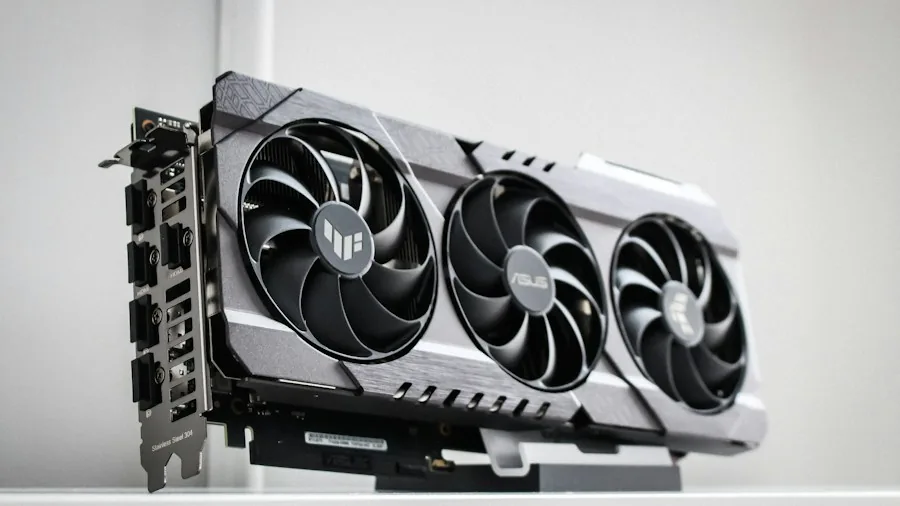
Your graphics card’s video memory, or VRAM, plays a crucial role in which AI models you can run locally. Entry-level GPUs with 8GB of VRAM work for smaller models and lightweight agent tasks alongside everyday computing. Mid-range cards with 16GB of VRAM accommodate larger models or allow multiple applications to share the GPU simultaneously. High-end cards with 32GB of VRAM suit enthusiasts running substantial models locally. VRAM essentially determines the size and complexity of models your system can handle, making it a primary consideration when evaluating graphics cards.
Tip 3: Don’t Rely Solely on TOPS Ratings
AI performance specifications often reference TOPS, or trillions of operations per second, which describe raw processing capability. However, TOPS alone does not indicate how quickly a complete agent workflow finishes. Software configuration, model settings, available system memory, and your processor all influence real-world performance. Research evidence from relevant workloads and user feedback rather than selecting components based on TOPS numbers alone.
Tip 4: Ensure Adequate RAM and Storage
System memory keeps applications, AI models, and background processes running side by side. Avoid treating RAM as an afterthought; it directly impacts your agent’s capability to handle multiple requests and larger datasets. Modern AI workflows typically require at least 16GB of RAM, with more needed for demanding setups. Fast SSD storage is equally important, providing space for models and project files while keeping everyday file access responsive. Allocate sufficient storage early to avoid bottlenecks as you expand your agent toolkit.
Tip 5: Choose a CPU That Matches Your Workload
Your processor handles general computing, application logic, and portions of the agent workflow. Select a CPU that meets your software’s requirements and supports your other activities, such as editing or development. While core count matters for running multiple tasks simultaneously, it alone does not determine how many agents your system can support; software configuration and available memory also play significant roles. If you plan to run demanding creative applications alongside AI agents, a processor with more cores becomes worthwhile.
Tip 6: Plan Your Power and Cooling Strategy
Running sustained AI workloads generates substantial heat and power consumption. Your power supply and cooling system must be appropriately sized for your complete setup, not just your graphics card. Undersized power supplies and inadequate cooling can throttle performance or cause system instability during long agent workflows. When selecting components, ensure your power supply has sufficient wattage and your case offers adequate airflow or cooling solutions for extended operation.
Tip 7: Verify Software and Component Compatibility
Not every component pair works with every AI agent or local model. Before finalizing your build, check that the software, model, and agent framework you plan to use officially support your chosen hardware. Verify operating system requirements, RAM minimums, and storage needs. Some platforms offer guided setup tools to simplify configuration; research what’s available for your intended workflow. Testing compatibility early prevents purchasing components that don’t work together effectively.
Building Your Agent Computing Setup
Once you’ve selected your hardware, install your chosen AI application or agent framework and check its specific requirements. Decide whether your workflow will run locally, in the cloud, or through a hybrid approach. Configure the necessary tools, file permissions, and integrations your agent needs. Start with a small, low-risk task to evaluate results carefully before deploying agents to consequential work. Even after reaching reliable operation, require your approval before agents take any significant action. Consider licensing terms for software and models, estimate any cloud-related costs, and plan how much you’ll rely on internet connectivity. For modular power supplies worth buying, review options that accommodate your specific setup and future upgrades.
Planning your build or exploring what your existing PC could accomplish? By following these seven tips and carefully matching hardware to your actual needs, you’ll create an agent computing setup that delivers genuine productivity benefits without overspending on unnecessary components.
About the author
Kylie covers processors for REMOVU, balancing core count, clock speed, and platform cost against what readers actually run. She helps builders pick a CPU that fits their workload and budget.