7 Apple Watch Features You Need to Master for Smarter Daily Use
Master these overlooked Apple Watch capabilities to transform how you use your device daily.
 By Kristen Jennings
Updated November 17, 2026

Your Apple Watch is packed with capabilities that go beyond basic fitness tracking and notifications. While most users are familiar with the fundamentals, several powerful features remain hidden beneath the surface, waiting to transform how you interact with your device. Learning to access and use these lesser-known tools can significantly improve your everyday experience and unlock the full potential of your wrist-worn companion.
1. Use the Built-in Calculator for Instant Tip and Bill Splitting
One of the most practical yet overlooked features is the Calculator app’s dedicated tip button. When you are out to eat with friends and need to divide the bill fairly, this feature becomes invaluable. Rather than scrambling for your phone or doing mental math, simply open the Calculator on your watch, enter the total amount, and tap the tip button.
A screen will appear allowing you to select your desired tip percentage and specify how many people are splitting the cost. The watch instantly calculates what each person owes, eliminating the awkwardness of fumbling with numbers. This straightforward approach works for quick calculations at restaurants, bars, or any shared expense situation.
2. Master Gesture Controls for Hands-Free Interaction
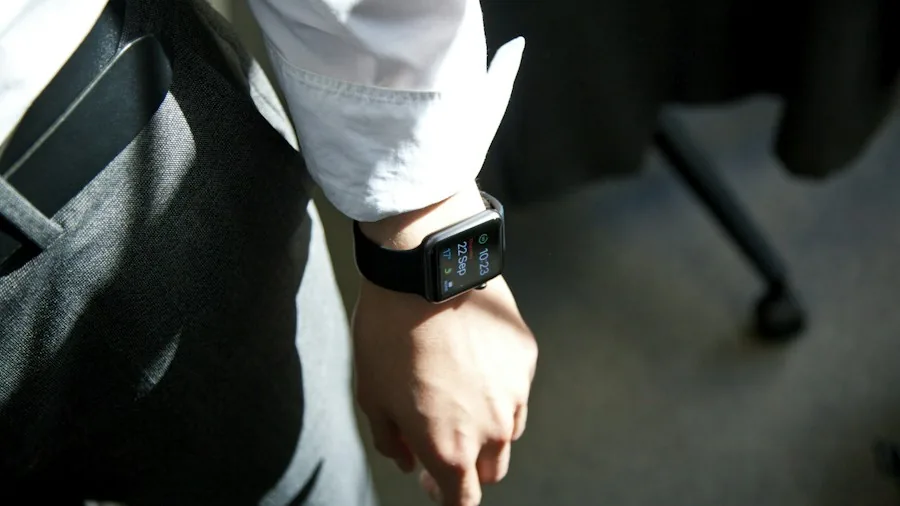
Apple’s gesture recognition technology gives you unprecedented control without touching your screen or buttons. The double-tap gesture, introduced several years ago, allows you to squeeze your index finger and thumb together twice to execute actions like answering calls, closing apps, stopping timers, or pausing music.
More recently, Apple added a single-tap gesture that works similarly but requires only one tap instead of two. To activate these features, navigate to Settings and select Gestures. Many users configure the double-tap to open their Smart Stack for quick widget access, while the single-tap opens their most frequently used widget. This hands-free approach is especially useful when your hands are occupied or when you need quick access to information without looking at the screen.
3. Keep Loved Ones Informed with the Check In Feature
Personal safety features on your Apple Watch deserve more attention than they typically receive. The Check In function provides a simple yet reliable way to notify friends and family members of your location during important moments. You can set up automatic notifications that alert trusted contacts when you leave your home or arrive at your destination.
This feature is particularly valuable for runners, commuters, or anyone with an active lifestyle. Rather than manually texting updates, you establish the check-in parameters once, and your watch handles the notifications automatically. It offers peace of mind for both you and those who care about your safety without requiring constant manual updates.
4. Navigate Confidently with the Backtrack Feature
When exploring unfamiliar areas, whether urban neighborhoods or wilderness trails, the Backtrack feature acts as a digital safety net. This tool creates a breadcrumb trail of your route, allowing you to retrace your steps with turn-by-turn directions if you lose your way.
Unlike traditional maps that require you to plan routes in advance, Backtrack operates passively in the background, recording your path as you explore. If you wander off course or simply decide you need to return to your starting point, the feature guides you back along the exact route you took. This works equally well in city streets and rural environments, making it invaluable for adventure seekers and urban explorers alike. The best smartwatches for swimming in 2026 often include advanced navigation features similar to Backtrack.
5. Set Silent Vibration Alarms for Gentle Mornings
Your Apple Watch’s alarm functionality extends beyond the standard audio alerts most people rely on. The silent, vibration-based alarm is a game-changer for anyone who shares a bed, bedroom, or household with light sleepers. Rather than a jarring sound that startles everyone awake, your watch gently vibrates to wake you.
This feature is particularly useful for early risers or people managing multiple time zones. You receive a physical alert that wakes you effectively while keeping those around you undisturbed. Many users find the vibration-based wake-up gentler and more natural than audio alarms, making it easier to transition into your day calmly.
6. Optimize Your Watch Settings for Personal Preferences

Beyond specific features, spending time in your Apple Watch settings yields surprising dividends. The best baby monitors for every family and budget often share similar customization principles to smartwatch settings, allowing you to tailor alerts and notifications precisely to your needs.
Explore the Notifications, Display, and Sounds settings to filter what appears on your wrist. Disabling non-essential notifications prevents constant distractions while ensuring important alerts still reach you. Adjusting display settings like brightness and always-on features extends battery life while maintaining visibility in your preferred conditions.
7. Build Your Ideal Widget Stack for Quick Access
The Smart Stack feature allows you to compile your most frequently used widgets into a single accessible location. Rather than navigating through menus to find information, swipe through your stack to access weather, fitness metrics, calendar events, or activity rings with minimal effort.
Customize your stack by removing widgets you rarely use and prioritizing those you check throughout your day. Many experienced users configure their stacks based on their typical daily schedule, rotating widgets as their priorities change. This level of personalization transforms your watch into a truly customized device that serves your unique lifestyle.
Discovering these features and implementing them into your routine elevates your Apple Watch from a fitness tracker into a comprehensive daily tool. Each feature addresses real-world scenarios and provides tangible value. The key is exploring your watch’s settings methodically and experimenting with different configurations to discover what works best for your lifestyle.
About the author
Kristen writes about smartwatches for REMOVU, comparing features, battery life, and ecosystem fit. She helps readers tie together health tracking, notifications, and apps on the right watch.