The 10 Best Mini PCs for Office
Compact but capable, mini PCs from Dell, HP, GEEKOM, and ACEMAGIC can handle full office workloads. Here are the top picks for every budget and workspace.
 By Beverly Morrison
Updated July 26, 2026
By Beverly Morrison
Updated July 26, 2026

Mini PCs have quietly reshaped the modern office. Where bulky towers once dominated desks, compact machines from Dell, HP, GEEKOM, ACEMAGIC, and BOSGAME now deliver genuine productivity power in a footprint smaller than a hardcover book.
Whether you are outfitting a home office corner, a shared coworking desk, or a fleet of workstations for a small business, the right mini PC can cut clutter, lower energy bills, and still handle everything from spreadsheets and video calls to light content creation without breaking a sweat.
The category has matured rapidly, with current-generation AMD Ryzen and Intel processors closing the performance gap on traditional desktops at a fraction of the size.
Choosing the right model is not straightforward, though. Processor generation, RAM type, display output flexibility, thermals, and upgrade paths vary enormously between machines priced similarly on paper.
To cut through the noise, REMOVU researched each model against a consistent set of criteria, drawing on published specifications, expert review consensus, and verified buyer feedback.
Our picks below span a wide range of budgets and use cases, so whether you need a dependable entry-level workhorse or a future-proof powerhouse, there is a clear recommendation waiting for you in the list.
| Award | Product | REMOVU Score About REMOVU ScoreThe REMOVU Score is our own rating from 0 to 10, based on performance, design and build, ease of use, and value. It reflects independent research and is never influenced by manufacturers, retailers, or affiliate commissions. Learn more › | Price | |
|---|---|---|---|---|
| Best Premium |
 Dell OptiPlex MFF i3-14100T Compact Desktop
|
8.9/10 | Buy | |
 HP Pro 400 G9 Mini PC, Intel Celeron, 16GB DDR5
|
8.3/10 | Buy | ||
 GEEKOM A5 Mini PC with Ryzen 5 7430U
|
7.8/10 | Buy | ||
| Best Value |
 ACEMAGIC K1 Mini PC with Ryzen R2544
|
7.6/10 | Buy | |
 KAMRUI P1 R2544 Mini PC, 16GB/256GB
|
7.5/10 | Buy | ||
| Best Budget |
 ACEMAGIC R2544 Mini PC with Triple 4K Display
|
7.0/10 | Buy | |
 ACEMAGIC K1 Mini PC, AMD Ryzen R2544, 8GB/256GB
|
6.8/10 | Buy | ||
 Binxarn MN300 Mini PC, Intel N3160, 8GB/128GB
|
6.2/10 | Buy | ||
 HP EliteDesk 800 G2 Mini, i5-6500T, 16GB DDR4, 240GB SSD
|
6.2/10 | Buy | ||
| Best Overall |
 BOSGAME E2 Mini PC with Ryzen 5 3500U
|
9.9/10 | Buy |
Dell OptiPlex MFF i3-14100T Compact Desktop
A micro form factor desktop built for space-constrained office environments, packing a 14th-gen Intel processor with triple 4K display support. The 16GB DDR5 RAM and 512GB NVMe SSD handle everyday productivity tasks smoothly, while WiFi 6E and comprehensive USB ports make it practical for hybrid workers and corporate setups. Best suited for professionals who need desktop performance without occupying desk real estate.
Pros
- Extremely compact footprint (7.17" x 7.01" x 1.42") with VESA mounting, ideal for space-limited offices and clutter-free workspaces
- Triple independent display support via 2x DisplayPort 1.4a and HDMI enables efficient multitasking for financial analysts and data-heavy workflows
- DDR5 RAM and PCIe NVMe SSD provide responsive performance for business applications, video conferencing, and 20+ browser tabs without noticeable lag
- Windows 11 Pro includes enterprise security features like BitLocker encryption, Remote Desktop, and domain join capability
- Solid connectivity: WiFi 6E with 6GHz band, Bluetooth 5.3, Gigabit Ethernet, and mix of USB 3.2 Gen 1/Gen 2 plus legacy USB 2.0 ports
Cons
- Intel Core i3-14100T is entry-level for CPU-intensive tasks like video editing or 3D rendering, better suited for office productivity than creative workloads
- HDMI 1.4b limits 4K output to 30Hz refresh rate; only DisplayPort supports higher refresh rates, which may disappoint users wanting smooth 4K gaming or high-refresh creative work
- 512GB storage may require external expansion for users managing large media libraries or extensive file archives
HP Pro 400 G9 Mini PC, Intel Celeron, 16GB DDR5
A compact desktop built for tight workspaces and business environments, this Mini PC delivers smooth daily computing with Intel Celeron processing and DDR5 memory. The ultra-compact form factor (under 3 pounds) makes it ideal for space-constrained offices, while triple 4K display support and Windows 11 Pro provide professional-grade connectivity and security.
Pros
- Extremely compact design (6.97 x 6.89 x 1.35 inches) fits easily into cramped workspaces without sacrificing essential features
- Modern port selection includes USB-C 20Gbps, dual DisplayPort 1.4, and HDMI 2.1 for multi-monitor setups
- Windows 11 Pro pre-installed with advanced security features and productivity tools for business use
- Comes with keyboard and mouse included, ready to use out of the box
- Highly rated by verified buyers (4.5/5 stars from 103 reviews)
Cons
- Intel Celeron G6900T is entry-level for processor-intensive tasks like video editing or 3D rendering
- 256GB base storage may require quick upgrade for users with large file libraries
- Mini form factor limits internal expansion compared to larger SFF models
GEEKOM A5 Mini PC with Ryzen 5 7430U
A compact desktop replacement built for home office and light creative work, the A5 pairs a Ryzen 5 7430U processor with upgradeable RAM and storage up to 64GB and 4TB respectively. Its quad 4K display support, 3-year warranty, and professional-grade durability make it a solid choice for users who value expandability and long-term reliability over cutting-edge performance.
Pros
- Fully upgradeable dual-slot DDR4 RAM and dual M.2 storage with 2.5 inch HDD bay, unlike soldered designs
- 3-year limited warranty with 24/7 support and 90-day return policy, significantly longer than industry standard 1-year coverage
- Supports up to 4 simultaneous 4K displays plus 8K via USB-C, ideal for multitasking workflows
- Wi-Fi 6 and Bluetooth 5.2 for stable connectivity and wireless peripheral pairing
- Reinforced chassis with metal mid-frame and vibration-damping design for stable 24/7 operation
Cons
- Ryzen 5 7430U is a mid-range APU better suited for productivity than gaming or heavy video editing
- DDR4 RAM and NVMe SSD upgrades require manual installation and are not included at base configuration
- No dedicated graphics option limits performance for demanding creative applications
ACEMAGIC K1 Mini PC with Ryzen R2544
A compact desktop built around AMD's Ryzen R2544 processor, delivering enough performance for office work and light multimedia tasks in a 5x5-inch footprint. The machine supports triple 4K displays via HDMI, DisplayPort, and USB-C, making it practical for productivity setups. Buyers appreciate the quiet cooling and built-in power supply, though the base 256GB storage may require expansion for media-heavy workflows.
Pros
- Ryzen R2544 processor offers 28% better performance than N150 with efficient 28W power consumption
- Triple display support via HDMI 2.0, DisplayPort 1.4, and USB-C DP means flexible multi-monitor setups
- Compact design (5x5x1.6 inches) with VESA mount compatibility for space-saving installation
- Windows 11 Pro pre-installed with solid connectivity: Gigabit Ethernet, six USB 3.2 Type-A ports, WiFi 5, and Bluetooth 4.2
- Built-in power supply eliminates need for external adapters and keeps desk clean
Cons
- Base 256GB SSD storage is modest; expansion to 1TB or higher recommended for typical users
- AMD Radeon graphics, while capable of 4K playback, remains integrated and not suited for gaming or heavy graphics work
- Limited to DDR4 RAM with no upgrade path mentioned; 16GB may constrain heavy multitasking
KAMRUI P1 R2544 Mini PC, 16GB/256GB
Compact desktop replacement built around AMD's R2544 processor, delivering solid performance for office work, light content creation, and everyday computing in a footprint 60% smaller than traditional towers. The 16GB RAM and 256GB SSD handle multitasking smoothly, while triple display outputs and Windows 11 Pro make it versatile for both home and business setups.
Pros
- Extremely compact form factor (5.06 x 5.06 x 2.01 inches) with VESA mounting for monitor-back installation
- Multiple display outputs: HDMI 2.0, DisplayPort 1.4, and USB-C for flexible multi-monitor setups
- Windows 11 Pro preloaded with Linux/Ubuntu support, Wake-on-LAN, and auto power-on features
- Decent connectivity: 6 USB 3.2 Type-A ports, Gigabit Ethernet, WiFi 5, Bluetooth 4.2
- Low 28W power consumption keeps electricity costs minimal
- 4.4-star rating from 253 verified buyers indicating reliable real-world performance
Cons
- Entry-level 4-core/4-thread processor limits demanding workloads, gaming, and professional video editing compared to higher-tier KAMRUI models
- 256GB storage is modest for power users; only half the capacity of comparable P1 variants
- WiFi 5 and Bluetooth 4.2 are older standards; newer mini PCs in the lineup offer WiFi 6 and Bluetooth 5.2
ACEMAGIC R2544 Mini PC with Triple 4K Display
A compact desktop replacement powered by AMD Ryzen R2544, designed for office work and multimedia tasks in tight spaces. The standout feature is native support for three 4K displays simultaneously, making it practical for productivity setups or home theater use. Comes with Windows 11 Pro and room to expand RAM and storage.
Pros
- Supports triple 4K display output via USB-C, HDMI, and DisplayPort, rare for mini PCs at this scale
- Upgradeable to 32GB RAM and 4TB storage with dual memory slots and dual drive bays
- Compact footprint (128.2×128.2×41mm) with solid thermal design for sustained workloads
- Windows 11 Pro included with full accessories kit and 12-month warranty
- WiFi 5 and Gigabit Ethernet ensure stable connectivity for office and streaming
Cons
- R2544 is an embedded processor, adequate for productivity but not suited for heavy gaming or video editing
- Base configuration (8GB/256GB) is tight for multitasking; upgrading adds to total cost
- Limited information on real-world performance across different workload types beyond general claims
ACEMAGIC K1 Mini PC, AMD Ryzen R2544, 8GB/256GB
Compact desktop replacement with AMD Ryzen R2544 processor, 8GB RAM, and 256GB SSD designed for office work, light creative tasks, and home server applications. Supports triple 4K displays and includes modern connectivity like USB-C 10Gbps and WiFi 5, backed by a 24-month warranty and strong 4.5-star customer rating across 357 reviews.
Pros
- Triple 4K display support via HDMI 2.0, DisplayPort 1.4, and USB-C output expands productivity workspace
- USB-C Gen 2 with 10Gbps transfer speed and Power Delivery enables modern, flexible desk setups
- Expandable memory and storage (up to 32GB RAM, 4TB SSD) future-proofs the system without requiring replacement
- Integrated Radeon Graphics delivers 28% better CPU and 35-50% better graphics performance versus entry-level alternatives
- Smart features including Auto Power On, Wake-on-LAN, and RTC Wake suit home server and NAS use cases
Cons
- Base 8GB DDR4 and 256GB SSD are modest by current standards and may require upgrades for demanding workloads
- Ryzen R2544 is an older-generation processor (Zen+ architecture), limiting performance for heavy multitasking or modern gaming
- No discrete GPU option limits capability for professional graphics work or content creation beyond light tasks
Binxarn MN300 Mini PC, Intel N3160, 8GB/128GB
A pocket-sized desktop computer built around Intel's quad-core Celeron N3160 processor, delivering enough performance for everyday office work, streaming, and light productivity tasks. At just 0.28kg and 0.47L, it fits behind a monitor via VESA mount or travels easily. Dual 4K display support and dual-band WiFi 802.11ac round out a feature set aimed at professionals seeking compact workspace solutions.
Pros
- Extremely compact form factor (11.2×11.2×3.7 cm) with VESA mounting option for clutter-free desk setup
- 4K dual-display capability via dual HDMI ports, suitable for multitasking and media consumption
- Comprehensive port selection including USB-C, USB 3.1, RJ45 Gigabit LAN, and 3.5mm audio jack
- Dual-band WiFi (2.4GHz/5GHz) and Bluetooth 4.2 for stable wireless connectivity
- Low power consumption with ventilated design for quiet, extended operation
Cons
- Intel Celeron N3160 is entry-level; not suitable for demanding applications, video editing, or gaming
- 128GB SSD base storage is modest for modern workflows, though expandable to 2TB
- Limited upgrade options due to mini form factor, making future expansion difficult
HP EliteDesk 800 G2 Mini, i5-6500T, 16GB DDR4, 240GB SSD
A compact business desktop built around a 6th-gen Intel i5 processor, this certified refurbished unit delivers solid everyday performance in a space-saving form factor. The 16GB DDR4 RAM and 240GB SSD provide adequate multitasking capability, making it practical for office work, light content creation, or general computing without demanding much desk real estate.
Pros
- Compact mini form factor ideal for space-constrained offices or small workstations
- 16GB DDR4 RAM with dual slots supports future upgrades up to 32GB
- Multiple connectivity options: 6 USB 3.0 ports, DisplayPort, VGA, and RJ-45 for flexible peripheral setup
- Windows 11 Pro 64-bit included with full keyboard and mouse
- Certified refurbished with 90-day minimum warranty and verified functionality evaluation
Cons
- 6th-gen Intel processor (2015 era) shows age compared to current-generation CPUs, limiting performance for demanding applications
- 240GB SSD provides tight storage for users needing large file libraries or multiple applications
- Integrated graphics only, no dedicated GPU for video editing or gaming
BOSGAME E2 Mini PC with Ryzen 5 3500U
A compact desktop replacement built around AMD's Ryzen 5 3500U, the BOSGAME E2 handles office work, video streaming, and light gaming without breaking a sweat. Triple monitor support via dual HDMI and USB-C makes it a solid choice for productivity setups, while upgradeable RAM and storage let you scale performance as needs grow.
Pros
- Triple display capability with 4K@60Hz support across two HDMI ports plus USB-C output
- Upgradeable to 32GB RAM and 2TB SSD, future-proofing for evolving workloads
- Solid performance for office applications, video editing, and casual gaming thanks to Ryzen 5 3500U and Vega 8 graphics
- Compact form factor with VESA mount option for space-constrained environments
- Comprehensive connectivity including Gigabit Ethernet, WiFi 5, Bluetooth 5.0, and four USB ports
Cons
- Not suitable for demanding AAA gaming or intensive 3D workloads at high settings
- Limited to 1080P@60Hz on USB-C video output, lower than HDMI ports
- Older processor generation may struggle with future-demanding applications without RAM/storage upgrades
Mini PCs for Office Buying Guide
Picking a mini PC for office use involves more nuance than simply comparing processor names or RAM amounts.
The sections below walk through the criteria that matter most for day-to-day productivity, helping you match a machine to your actual workflow rather than a spec sheet that looks impressive on paper.
Processor Generation and Architecture

The CPU is the single biggest determinant of long-term satisfaction with a mini PC.
Older quad-core Intel processors from the sixth generation are perfectly capable of handling basic office tasks like email, document editing, and browser-based tools, but they begin to feel constrained when you layer in video calls, cloud sync, and multiple browser tabs simultaneously.
Current-generation AMD Ryzen processors, particularly the Ryzen series built on the Zen 3 and Zen 4 architectures, offer meaningfully better multi-threaded performance and integrated graphics, which matters if you want smooth 4K display output or occasional light video editing without a dedicated GPU.
When comparing models, look beyond the marketing clock speed numbers and pay attention to the TDP (thermal design power).
A 28-watt processor in a well-ventilated chassis will sustain performance under load far longer than the same chip crammed into a passive-cooled enclosure.
For most office environments, a Ryzen 5 or equivalent Intel Core processor from the 12th generation onward represents the practical sweet spot between performance, heat, and price.
If you also manage desktop PCs in your organisation, understanding processor generations across form factors becomes even more valuable when standardising a fleet.
Renewed or refurbished models can stretch a budget considerably, but scrutinise the generation carefully. A renewed sixth-generation Intel machine may save money upfront yet lack support for newer software frameworks, Windows security features like TPM 2.0 in certain configurations, and driver updates within a few years.
RAM Capacity and Memory Type

For office use, 16 GB of RAM is the practical baseline in 2026.
Windows 11 Pro itself consumes several gigabytes at idle, and once you add a productivity suite, a web browser with a dozen tabs, and a video conferencing client, an 8 GB system will spend noticeable time swapping to storage.
Models shipping with 16 GB DDR4 or DDR5 offer a more comfortable headroom for multitasking without the need to upgrade immediately.
Memory type also matters for longevity. DDR5 delivers higher bandwidth than DDR4 and pairs naturally with newer Intel and AMD platforms, contributing to snappier system responsiveness and better integrated graphics performance when driving high-resolution displays.
Some mini PCs offer dual SO-DIMM slots, meaning you can upgrade later; others solder RAM to the board, making the configuration you buy the one you are stuck with permanently.
Always confirm whether RAM is soldered or socketed before purchasing, especially if your workload is likely to grow.
Storage Speed and Expandability
A PCIe NVMe SSD transforms the day-to-day feel of a mini PC far more than a processor bump would suggest. Boot times, application launches, and file transfers are all dramatically faster compared with SATA SSDs or, worse, spinning hard drives.
For office machines that need to remain responsive across a full workday, NVMe storage is not a luxury but a baseline expectation. Most current mini PCs in this roundup ship with PCIe SSDs, but verify the interface before assuming.
Storage capacity in the 256 GB to 512 GB range is adequate for most office users who rely on cloud storage services, but creative professionals or those working with large local datasets will want 512 GB minimum.
Check whether the M.2 slot is accessible for a future upgrade and whether a second M.2 slot is available for additional storage.
Some compact chassis offer only one slot and no external drive bay, so planning ahead saves a costly device replacement down the road.
If you are deciding between a mini PC and a more flexible 2-in-1 laptop for a mobile worker, storage expandability is one key advantage the desktop form factor typically retains.
Display Output and Multi-Monitor Support

One of the most compelling reasons to choose a mini PC over a laptop for office use is multi-monitor flexibility.
Many models in this category support triple 4K display output simultaneously through a combination of HDMI, DisplayPort, and USB-C (DisplayPort Alt Mode) ports.
This is transformative for finance teams, developers, and content reviewers who need expansive screen real estate without a bulky tower.
Confirm that the claimed display configuration matches your actual monitor setup: not every HDMI port on every machine supports 4K at 60 Hz, and some USB-C ports are limited to data transfer only.
For users with a single monitor or a standard dual-screen setup, most modern mini PCs are more than capable. The key differentiators emerge at the three-screen threshold, where processor integrated graphics architecture, driver maturity, and port bandwidth all interact.
AMD Radeon integrated graphics in current Ryzen chips generally handle triple-display configurations more reliably than older Intel integrated solutions, based on published driver support data and verified buyer feedback from multi-monitor office deployments.
Connectivity: Networking and Ports
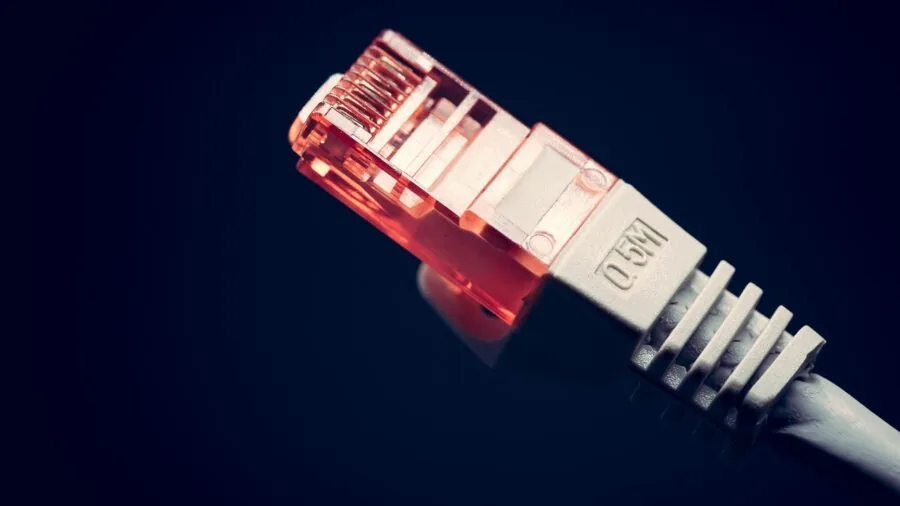
For a machine that will sit on or under a desk in a fixed location, wired Gigabit Ethernet is essential.
Relying solely on Wi-Fi introduces latency variability during video calls and vulnerability to wireless interference in office buildings, which can be crowded with competing signals.
All credible office mini PCs include a Gigabit RJ45 port; the better machines include 2.5 Gigabit Ethernet for future-proofing.
Wi-Fi 6 (802.11ax) is the current standard for wireless, offering improved throughput and reduced congestion compared with Wi-Fi 5, and it is increasingly common across mid-range and premium models.
USB port count and types deserve careful attention. Office workers regularly connect keyboards, mice, webcams, external drives, audio interfaces, and USB hubs. A machine with four or more USB-A ports plus at least one USB-C port provides genuine flexibility.
Bluetooth 5.0 or later is worth verifying if you plan to use wireless peripherals, since older Bluetooth revisions can introduce audio latency or pairing instability with modern devices.
If you use wireless audio like earbuds or headsets at your desk, pairing them with a machine that supports Bluetooth 5.2 or newer makes a real difference in day-to-day reliability.
For desk audio specifically, you might also explore whether a standalone DAC and headphone amplifier improves output quality beyond the mini PC’s built-in audio jack.
Thermal Design, Noise, and Form Factor

Mini PCs occupy a spectrum from palm-sized passive-cooled boxes to slightly larger actively cooled chassis with proper heatsinks and variable-speed fans.
For sustained office workloads, active cooling is important: a machine that throttles its CPU to avoid overheating will feel sluggish during long Zoom calls or document conversions.
Ultra-quiet fan designs, as found in some HP and Dell commercial mini PCs, use intelligent fan curves that keep noise below perceptible levels during normal office tasks while spinning up only when the thermal budget demands it.
VESA mount compatibility is worth checking if you want to tuck the machine behind a monitor. Most mini PCs in this category include or support a VESA bracket, but the bracket itself is sometimes sold separately.
Wall mounting or monitor-back mounting frees up the entire desk surface, which is a genuine ergonomic benefit in tight workspaces. For offices setting up multiple machines, VESA compatibility also simplifies cable management and creates a cleaner visual environment.
If your workspace also relies on portable productivity, consider pairing a mini PC with one of the Chromebooks in our category guide for lightweight mobile tasks.
Why You Should Trust Us
REMOVU is an independent review platform with no manufacturer relationships influencing our recommendations. Every product in this roundup was assessed using the REMOVU Score methodology, a 0 to 10 rating system applied consistently across all models in a given category.
We evaluate each machine against the same criteria: processor generation and real-world capability, memory type and capacity, storage speed and upgradability, display output flexibility, connectivity completeness, thermal design, and value relative to the competition at time of assessment.
We do not conduct our own product trials; our evaluations are grounded in research, published data, expert review consensus, and verified buyer feedback.
This approach allows us to synthesise a broader evidence base than any single reviewer’s experience could represent, while remaining transparent about the nature and limits of our methodology.
Published manufacturer specifications, aggregated professional review data from the wider tech press, and verified purchaser feedback gathered from major retail platforms all inform the REMOVU Score for each product.
REMOVU may earn a commission if you purchase through a link on this page. That affiliate relationship has zero influence on our scores, rankings, or product selection.
Our editorial independence is the foundation of the trust readers place in us, and we protect it without exception. Products are ranked by REMOVU Score, not by commission rate or manufacturer preference.
Final Thoughts
The mini PC market in 2026 offers genuinely strong options at every price tier, from budget-friendly entry points to commercial-grade machines built for demanding office environments.
Our research identified clear winners in each segment, and the danh hiệu below reflect where each top pick earned its place based on REMOVU Score and specific strengths.
- Best Overall: BOSGAME E2 Mini PC earns the top position with the highest REMOVU Score in this roundup, combining a capable AMD Ryzen 5 processor, triple 4K display support, ample NVMe storage, and solid build quality at a competitive price point that undercuts many commercial alternatives.
- Best Premium Office PC: Dell 2026 OptiPlex MFF Desktop is our pick for buyers who prioritise commercial reliability and enterprise-grade support. Its 14th Gen Intel CPU, DDR5 RAM, PCIe SSD, and Wi-Fi 6 combine into a machine built to serve a business workstation for years, backed by Dell’s commercial warranty ecosystem.
- Best for Multi-Monitor Productivity: HP Pro 400 G9 Mini PC stands out for triple 4K display support, ultra-quiet fan design, DDR5 RAM, and Wi-Fi 6 in a package designed for office professionals who need expansive screen real estate without fan noise disrupting their focus.
- Best Mid-Range Value: GEEKOM A5 Mini PC offers a Ryzen 5 7430U, upgradeable dual-slot RAM, 512 GB SSD, quad display output, and a three-year coverage commitment, making it the most versatile option for buyers who want room to grow without paying flagship prices.
- Best Budget Pick: ACEMAGIC Mini PC with AMD Ryzen R2544 delivers a surprising amount of capability for buyers with tighter constraints, including 4K triple display support, a Windows 11 Pro licence, and reasonable everyday performance for core office workflows at an accessible price.
If you are still weighing your options or exploring other computer categories, our computers buying hub covers everything from all-in-one PCs to laptops and gaming desktops, so you can compare form factors side by side before committing.
Frequently Asked Questions
Are mini PCs powerful enough for office work?
For the vast majority of office tasks, yes. Current-generation mini PCs handle email, productivity suites, video conferencing, spreadsheet work, light data analysis, and browser-based applications without difficulty.
Where they fall short is in GPU-intensive workloads like 3D rendering, advanced video editing at high resolutions, or gaming.
For standard knowledge-worker and administrative roles, a mid-range mini PC with a modern Ryzen or 12th-generation-or-newer Intel CPU and 16 GB of RAM is entirely sufficient.
Can a mini PC support multiple monitors?
Many can, and triple 4K output is increasingly a standard feature in this category. Most models in our roundup support at least dual display output via HDMI and DisplayPort, with several supporting a third screen through USB-C DisplayPort Alt Mode.
Always verify the specific port capabilities and the maximum resolution supported per output before purchasing, since marketing claims sometimes conflate total output count with fully independent 4K-capable outputs.
Is Windows 11 Pro worth it over Windows 11 Home for office use?
For most small business and professional office environments, Windows 11 Pro offers meaningful advantages. These include BitLocker drive encryption for data security, Remote Desktop for IT administration, and domain or Azure Active Directory join capability for managed corporate networks.
If your organisation uses centralised device management or handles sensitive data, Pro is the more appropriate choice. Home edition is sufficient for solo freelancers or very small setups where these features are not relevant.
Nearly all mini PCs in this roundup ship with Windows 11 Pro pre-installed, which adds genuine value relative to comparable Home-edition machines.
How does a mini PC compare to an all-in-one desktop for office use?
Mini PCs and all-in-one desktops serve overlapping but distinct needs. All-in-ones integrate the display and computer into a single unit, which simplifies setup but makes individual component upgrades virtually impossible and ties display quality to the machine’s lifespan.
Mini PCs keep the compute unit separate, letting you pair it with any monitor you choose and upgrade the PC independently when performance demands grow.
For offices that already have quality monitors or need flexibility to swap displays across workstations, mini PCs offer more long-term adaptability at comparable or lower cost.
What should I look for in a mini PC for a home office specifically?
Home office buyers should weight silent or near-silent operation highly, since fan noise in a quiet room becomes distracting quickly. VESA mount compatibility is a strong bonus for freeing up desk space.
Wi-Fi 6 matters more in home environments where you may not have easy access to a wired Ethernet run.
If your home office doubles as a media consumption or light creative space, a model with a stronger integrated GPU and USB-C connectivity for modern peripherals adds versatility.
Finally, consider pairing your mini PC with quality wireless peripherals: a Bluetooth 5.2-capable machine works seamlessly with modern wireless earbuds for call audio without a dedicated USB dongle cluttering your ports.
Should I buy a renewed or refurbished mini PC for office use?
Renewed mini PCs can represent strong value, particularly from reputable programmes with documented inspection standards. The main cautions are processor generation and software support longevity.
A renewed sixth or seventh-generation Intel machine may be approaching the end of its Windows support lifecycle depending on when you purchase, which introduces security risks in a business environment.
If budget is the primary constraint, a renewed model with a more recent CPU generation is a better long-term investment than a cheaper machine on an older platform. Always verify the warranty terms included with renewed units before purchasing.
About the author
Beverly covers robot vacuums and mops for REMOVU, weighing cleaning power, smart mapping, and low-fuss maintenance. She helps readers find a model that earns its keep.