The 9 Best Internal Hard Drives for Storage
Capacity alone does not make a great storage drive. This guide compares the best internal hard drives across desktop, NAS, and enterprise workloads to help you find the right balance of speed, reliability, and value.
 By Glen Simmons
Updated July 26, 2026
By Glen Simmons
Updated July 26, 2026
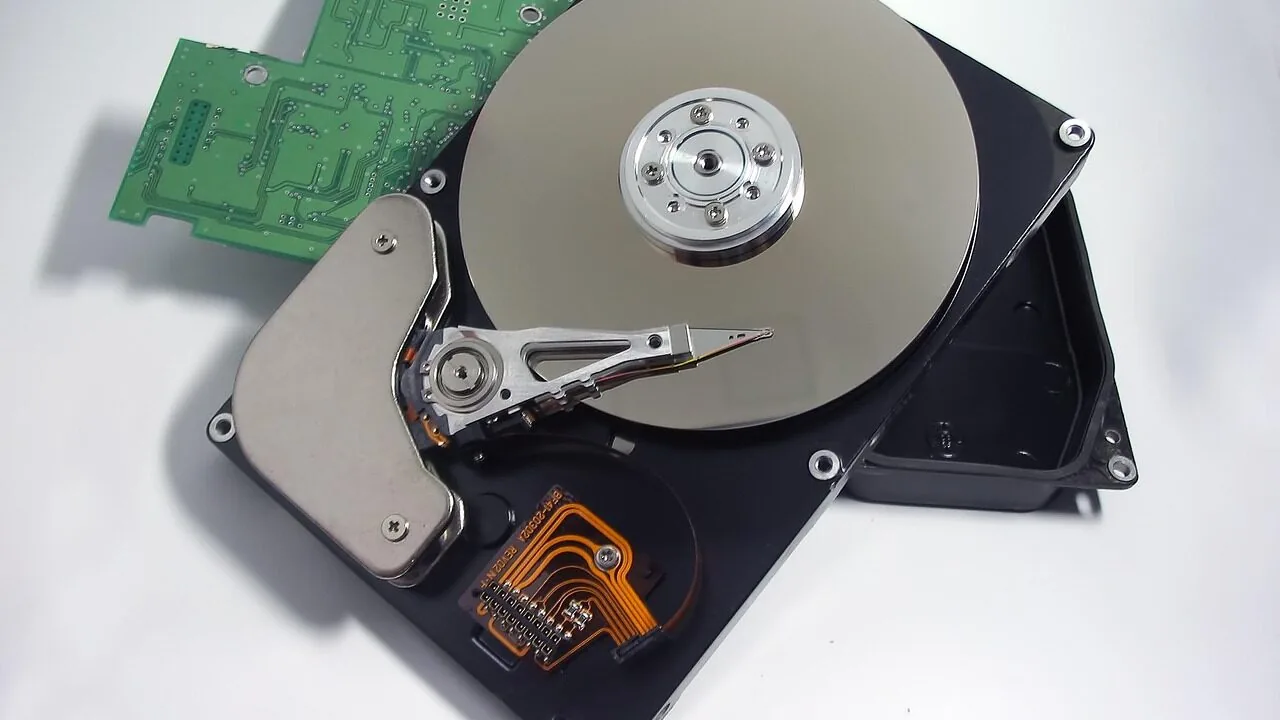
Internal hard drives remain the backbone of high-capacity, cost-effective storage in 2026.
Whether you are building a new desktop PC, expanding a NAS enclosure, or archiving decades of photos and video projects, choosing the right internal HDD affects everything from access speed to long-term reliability.
SSDs have earned their place for boot drives and caches, yet for raw gigabytes per dollar, spinning hard drives still win by a wide margin, making them an essential component for anyone who needs serious storage space without a serious budget hit.
This guide covers a wide range of internal hard drives, from a compact 2.5-inch laptop drive to enterprise-grade 26 TB workhorses.
Our team at REMOVU researched each model by analyzing manufacturer specifications, synthesizing expert review consensus across the industry, and weighing verified buyer feedback to surface the picks that deliver consistent performance and value.
Every drive on this list has been scored using the REMOVU Score system.
If you are shopping across form factors or want to compare specific categories, see our roundup of internal hard drives for every build for a broader starting point. Read on for our top picks below.
| Award | Product | REMOVU Score About REMOVU ScoreThe REMOVU Score is our own rating from 0 to 10, based on performance, design and build, ease of use, and value. It reflects independent research and is never influenced by manufacturers, retailers, or affiliate commissions. Learn more › | Price | |
|---|---|---|---|---|
 WD Blue 12TB 7200 RPM Internal HDD
|
6.2/10 | Buy | ||
| Best Overall |
 Seagate IronWolf 12TB NAS Hard Drive
|
8.6/10 | Buy | |
| Best Premium |
 Seagate Exos X16 16TB Enterprise Hard Drive
|
8.3/10 | Buy | |
 Seagate BarraCuda 2TB 3.5-Inch SATA HDD
|
8.1/10 | Buy | ||
| Best Budget |
 Seagate BarraCuda 1TB 3.5-inch Desktop HDD
|
8.5/10 | Buy | |
 Seagate Exos 26TB Enterprise HDD
|
7.2/10 | Buy | ||
| Best Value |
 Seagate Portable 2TB External Hard Drive
|
7.5/10 | Buy | |
 Hitachi Ultrastar HUS726T4TALE6L4 4TB Enterprise HDD
|
6.2/10 | Buy | ||
 Seagate 1TB Mobile HDD 7mm SATA
|
7.3/10 | Buy |
WD Blue 12TB 7200 RPM Internal HDD
WD's 12TB Blue drive delivers straightforward reliability for everyday desktop and NAS setups, backed by Western Digital's established reputation. The included Acronis cloning software adds practical value for users migrating data or setting up new systems.
Pros
- High capacity at 12TB for storage-intensive workloads
- 7200 RPM spindle speed supports responsive performance for general computing
- Includes free Acronis True Image WD Edition for easy data cloning
- Strong user satisfaction with 4.6-star rating across 57,000+ reviews
- Western Digital brand reliability and warranty backing
Cons
- 3.5-inch form factor limits use to desktop and NAS environments, not portable or laptop-compatible
- SATA interface is slower than modern NVMe alternatives for sequential workloads
- Higher power consumption and heat generation typical of 7200 RPM mechanical drives
Seagate IronWolf 12TB NAS Hard Drive
Built specifically for NAS environments up to 8 bays, this 12TB drive combines high capacity with NAS-optimized reliability. The 256MB cache and 6Gbps data transfer rate support multi-user file sharing without the noise and vibration issues common in general-purpose drives. Best suited for small business and personal network storage setups prioritizing uptime.
Pros
- 12TB capacity with 256MB cache for substantial storage and performance in multi-user NAS setups
- NAS-optimized design reduces wear, vibration, and noise compared to standard drives
- IronWolf Health Management system enables proactive drive monitoring
- 5-year limited warranty plus 3-year data recovery service provides long-term peace of mind
- 1M hours MTBF rating reflects solid reliability for continuous-duty environments
Cons
- Limited to 8-bay NAS systems; not ideal for larger enterprise deployments
- 6Gbps interface is standard but not cutting-edge compared to newer SATA or NVMe alternatives
- 240 GB/s write speed specification appears inconsistent with typical SATA 6Gbps limits, raising clarity concerns
Seagate Exos X16 16TB Enterprise Hard Drive
A 16TB enterprise-class drive engineered for hyperscale data centers and large-scale storage arrays. Built with helium-sealed design and PowerBalance technology to reduce power consumption while maintaining high reliability, making it suited for organizations running distributed systems, cloud infrastructure, or RAID environments.
Pros
- High capacity density at 16TB with low power consumption relative to performance
- Enterprise-grade reliability with 2.5M-hour MTBF rating
- Helium-sealed design ensures uniform density and eliminates porosity issues
- Hardware-based security (SED model) for data-at-rest protection
- PowerBalance feature optimizes IOPS per watt for cost-effective data center operations
Cons
- Renewed/refurbished unit, not new, which may affect long-term warranty coverage
- Enterprise-focused specs mean higher cost than consumer-grade alternatives
- Limited to 10 verified reviews, providing less consumer feedback than mainstream drives
Seagate BarraCuda 2TB 3.5-Inch SATA HDD
A reliable workhorse drive for desktop PCs and gaming builds, the BarraCuda 2TB offers solid performance at a budget-friendly price point. With 7200 RPM speed and 256MB cache, it handles everyday computing, media storage, and gaming without breaking the bank. Best suited for users prioritizing capacity and affordability over speed.
Pros
- Strong 4.7-star rating from over 100,000 verified buyers signals proven reliability
- Includes free Seagate DiscWizard software for straightforward data migration and cloning
- 7200 RPM with 256MB cache delivers adequate performance for gaming and content creation
- Available in multiple capacities to fit different storage needs
- 20 years of BarraCuda innovation backing the product
Cons
- Mechanical HDD technology means slower speeds compared to modern SSDs
- Higher noise and power consumption versus solid-state alternatives
- 3.5-inch form factor limits compatibility to desktop systems only
Seagate BarraCuda 1TB 3.5-inch Desktop HDD
A budget-friendly internal hard drive built for everyday desktop computing and content creation. The BarraCuda 1TB delivers solid read/write performance through multi-tier caching and comes backed by Seagate's 20-year track record of reliability, making it a straightforward upgrade for gamers, photo editors, and video professionals who need extra storage without breaking the bank.
Pros
- Proven reliability with two decades of engineering history
- Multi-tier caching technology for faster data access and file transfers
- Wide range of capacity options available in the BarraCuda line
- Cost-effective storage solution for desktop upgrades
- High customer rating of 4.6 stars across 11,487 reviews
Cons
- Traditional HDD technology is slower than modern SSDs for boot and application launch times
- 1TB capacity is modest by today's standards; higher capacities cost significantly more
- No mention of optional data recovery plan inclusion in base model
Seagate Exos 26TB Enterprise HDD
A 26TB enterprise-grade internal drive built for data center and large-scale storage deployments. The 7,200 RPM spindle and SATA 6Gb/s interface deliver sustained performance for continuous 24/7 operations, making it well-suited for hyperscale infrastructure, backup systems, and archival workloads. Note this is a renewed unit, which may appeal to budget-conscious enterprises.
Pros
- Massive 26TB capacity reduces the number of drives needed for large storage arrays
- Enterprise-class reliability rated for continuous operation with 2.5M MTBF
- 7,200 RPM speed supports demanding workloads and data-intensive applications
- SATA 6Gb/s interface ensures broad compatibility with existing systems
- Strong 4.8-star rating from verified buyers
Cons
- Renewed condition means it is a returned or refurbished unit, not brand-new
- Enterprise-focused specifications may exceed requirements for consumer or small business use
- Limited review sample (7 reviews) provides less long-term reliability data than high-volume consumer drives
Seagate Portable 2TB External Hard Drive
A plug-and-play external drive that works with Windows, Mac, PlayStation, and Xbox without requiring software installation. The 2TB capacity and included USB 3.0 cable make it convenient for portable backup and file storage, though performance and durability depend on typical mechanical drive limitations.
Pros
- Works across multiple platforms: Windows, Mac, PlayStation, and Xbox
- No software installation needed; automatic recognition and drag-and-drop setup
- Includes 18-inch USB 3.0 cable in the box
- 2TB capacity suitable for backup and media storage on the go
- Strong user confidence with 4.6-star rating from 272,000+ reviews
Cons
- Mechanical hard drive technology means slower speeds compared to SSDs and higher vulnerability to physical shock
- Includes only 1-year Rescue Service, limiting long-term data recovery protection
- Storage capacity may vary by region and retailer
Hitachi Ultrastar HUS726T4TALE6L4 4TB Enterprise HDD
A renewed enterprise-class 4TB hard drive designed for data centers and server environments, offering CMR technology, 7200 RPM performance, and a 2 million hour MTBF rating. Built for RAID arrays, NAS systems, and demanding storage workloads requiring 24/7 reliability at scale.
Pros
- 4TB capacity with 550TB/year workload rating ideal for high-density enterprise storage
- SATA 6Gb/s interface ensures broad compatibility across servers and storage arrays
- 7200 RPM with 256MB cache and Non-Volatile Cache for consistent write performance
- Enterprise-grade MTBF rating and dual-stage micro actuator for long-term dependability
- Renewed certification with professional evaluation at significant value
Cons
- No buyer reviews available yet to validate real-world performance claims
- CMR technology may be slower than newer SMR alternatives in certain sequential workloads
- Renewed unit means it's refurbished, not factory-sealed, which may concern some buyers
Seagate 1TB Mobile HDD 7mm SATA
A slim, high-capacity 2.5-inch hard drive designed for laptop upgrades and portable systems. The 7mm form factor keeps weight minimal while delivering up to 1TB of storage, making it practical for users who need substantial capacity without the bulk of traditional 9.5mm drives. Best suited for standard laptops and consumers prioritizing storage expansion over performance.
Pros
- Lightweight 7mm design reduces laptop bulk without sacrificing storage capacity
- Strong storage density at 1TB capacity with reliable SATA 6Gb/s interface for straightforward integration
- Affordable cost-per-TB option compared to SSDs, ideal for capacity-focused upgrades
- Self-Encrypting Drive (SED) option available with FIPS 140-2 validation for security-conscious users
- Solid 4.5-star rating from 1,117 verified reviews indicates consistent user satisfaction
Cons
- Mechanical hard drive with slower performance than SSDs; not ideal for gaming or performance-demanding tasks
- 2-year limited warranty is shorter than some competing laptop drives, which may offer 5+ years
- Spin-based technology generates more heat and power consumption compared to solid-state alternatives
Internal Hard Drives for Storage Buying Guide
Picking the right internal hard drive is not simply about grabbing the largest capacity you can afford.
Form factor, interface, rotational speed, cache size, and intended workload all influence whether a drive will serve you well for years or become a frustrating bottleneck.
The sections below walk through each key factor in plain language so you can match a drive to your actual use case, whether that is a single-bay desktop, a multi-drive NAS enclosure, or a content creation workstation.
Capacity and Cost Efficiency

Capacity is the most obvious spec, but how you interpret it matters.
At the budget end of the spectrum, drives in the 1 TB to 2 TB range offer the lowest upfront cost and work well as secondary storage in a desktop or as a replacement drive in a laptop.
Mid-range drives in the 4 TB to 12 TB window hit the sweet spot for most home users and creative professionals who accumulate large media libraries.
Beyond 16 TB, you move into prosumer and enterprise territory where the per-terabyte cost drops again, but the drives are designed for continuous-duty workloads, so they carry a premium price.
Think carefully about growth before you buy. Buying two mid-capacity drives often costs more than one larger drive of equivalent total capacity, so pricing the whole purchase up front pays off.
Also factor in your case or enclosure: a full-tower desktop can house several 3.5-inch drives, while an ultrabook or compact PC typically limits you to a single 2.5-inch bay. Building a new rig?
The PC components ecosystem offers everything from cases to power supplies that affect how many drives you can install.
If you are on a tighter budget and only need 1 TB to 2 TB, our dedicated roundup of internal hard drives under $100 narrows the field to the best affordable options.
Form Factor: 3.5-Inch vs. 2.5-Inch

Most desktop and NAS builds use 3.5-inch drives. They offer higher maximum capacities, faster rotational speeds, and larger cache buffers than their 2.5-inch siblings, all of which add up to better sustained throughput during large sequential transfers.
If your use case involves streaming 4K video files, managing photo archives, or serving data to multiple network clients simultaneously, a 3.5-inch drive almost always makes more sense.
The 2.5-inch form factor exists primarily to serve laptops and compact mini PCs where physical space is constrained. Performance tends to be lower, particularly for writes, but power consumption is also reduced.
For a laptop upgrade or a secondary drive in a small form factor build, the tradeoff is often worth it.
Check what bays your system has before purchasing, and confirm that your power supply delivers the right connectors as well, since a well-matched power supply is essential for stable drive operation.
Rotational Speed and Cache
Hard drive rotational speed is measured in RPM (revolutions per minute). The two most common options are 5400 RPM and 7200 RPM.
Drives spinning at 7200 RPM complete more read/write cycles per second, resulting in meaningfully faster sequential transfer rates, shorter average latency, and snappier response when navigating large file directories. For a desktop storage drive, 7200 RPM is the standard recommendation.
Cache (also called buffer memory) is the onboard DRAM that temporarily holds frequently accessed data before it is written to or read from the platters.
A larger cache, in the 256 MB range on modern drives, smooths out bursty write operations and reduces the performance dip that occurs when multiple applications compete for the same drive at once.
If you are running a desktop PC that hosts a game library, a media server, or regular bulk backups, prioritize drives with at least 64 MB of cache, and prefer 256 MB where the price difference is small.
Gamers in particular benefit from faster drive response times, so pairing a capable HDD with a high-performance gaming-optimized internal drive strategy makes sense for large game libraries.
Intended Workload: Desktop, NAS, or Enterprise

Hard drives are engineered for different duty cycles. A standard desktop drive like the Seagate BarraCuda series is rated for roughly 55 TB of data written per year, which is more than enough for home and small office use.
NAS-specific drives such as the Seagate IronWolf are built to run 24 hours a day, 7 days a week inside multi-bay enclosures.
They include vibration-compensation technology (sometimes called RV sensors) that prevents adjacent drives from interfering with each other during simultaneous read/write operations.
Enterprise drives like the Seagate Exos line push that further with workload ratings that can reach 550 TB per year, dual-plane balance, and MTBF figures in the millions of hours.
Deploying a desktop drive inside a NAS or server will void the warranty faster and risk premature failure.
For users building or expanding a multi-drive storage array, pairing the right NAS-rated drives with a proper enclosure is critical.
Our guide to NAS hard drives worth buying goes deeper on drive selection specifically for RAID and always-on network storage environments. Also consider the motherboard SATA port count when planning a multi-drive desktop build.
Reliability Metrics: MTBF and Warranty

MTBF (Mean Time Between Failures) is a statistical measure of expected reliability expressed in hours. Consumer-grade drives typically list MTBF figures around 1 million hours, while enterprise drives can reach 2.5 million hours or more.
A higher MTBF does not guarantee an individual drive will last that long, but it reflects engineering choices, like thicker platters, tighter tolerances, and better vibration management, that correlate with longer service life in real-world deployments.
Warranty length is a simpler signal. Most desktop drives carry a two-year warranty; NAS and enterprise drives typically offer three to five years.
If you are buying a renewed or refurbished drive, check whether the seller provides any coverage period, since a renewed drive with a verified warranty can still deliver excellent value if the remaining rated hours are disclosed.
For very large and expensive storage builds, data redundancy through RAID is far more important than warranty length alone, since drives of any tier can fail unexpectedly.
Interface and System Compatibility

Virtually all internal hard drives sold today use the SATA 6 Gb/s interface, which is backward compatible with older SATA II motherboards at reduced bandwidth.
In practice, the mechanical speed of spinning drives means they rarely saturate even SATA II bandwidth, so interface generation rarely matters for HDDs the way it does for SSDs.
What does matter is confirming that your motherboard provides enough SATA ports for the number of drives you plan to install. Entry-level boards may offer only four ports, while mid-range and high-end boards often provide six to eight.
If you need more, a PCIe SATA expansion card is an affordable solution. Check your motherboard specifications before committing to a multi-drive configuration.
Some enterprise drives also support 4Kn (4K native) sector formatting in addition to the more common 512e emulation.
Most consumer operating systems handle 512e without any special configuration, but if you are deploying drives in a server environment, confirm your HBA or RAID controller supports 4Kn before purchasing.
Drives that ship in 512e/4KN dual-mode configurations offer more flexibility but may require a one-time sector format change at initial setup.
Why You Should Trust Us
REMOVU is an independent review publication. We have no manufacturer relationships that influence our rankings, and we receive no payment from brands to feature their products.
Every drive in this guide was scored using the REMOVU Score, a 0 to 10 composite rating built from a consistent set of criteria applied equally across every product we evaluate.
Those criteria include published specifications and performance data, expert review consensus drawn from industry sources, and verified buyer feedback from confirmed purchasers.
We do not conduct our own product trials; our evaluations are grounded in research, published data, expert review consensus, and verified buyer feedback.
This approach allows us to assess a wide range of products systematically and transparently, without the access or sample-size limitations that come with single-reviewer hands-on formats.
Our goal is a trustworthy, repeatable scoring methodology that helps you make a confident purchasing decision.
REMOVU may earn a commission when you purchase through links on this page. That affiliate relationship has no influence on which products appear, how they are ranked, or what REMOVU Score they receive.
Recommendations are determined entirely by research quality and scoring, not by commission rates. We do not handle orders, returns, or warranty claims; those are managed directly by the retailer or manufacturer.
Final Thoughts
After scoring all nine drives across capacity, workload rating, reliability metrics, and overall value, here is how the standout picks break down by use case.
Whether you need a reliable everyday desktop drive, a NAS-optimized workhorse, or an enterprise-grade archive drive, there is a clear recommendation for each scenario.
- Best Overall: Seagate IronWolf 12TB NAS Internal Hard Drive. With the highest REMOVU Score in this roundup, the IronWolf earns top honors for its NAS-optimized engineering, CMR recording technology, 7200 RPM speed, and robust 256 MB cache. It is purpose-built for demanding always-on workloads and multi-drive arrays, making it the most versatile high-performance pick in the group.
- Best for Desktop Builds: Seagate BarraCuda 1TB Internal Hard Drive. The BarraCuda 1TB earns the second-highest REMOVU Score among all picks and represents exceptional everyday desktop performance in a proven 3.5-inch package. Its 7200 RPM spindle speed and SATA 6 Gb/s interface make it a go-to recommendation for desktop PC builders seeking reliable primary or secondary storage.
- Best High-Capacity Enterprise Pick: Seagate Exos X16 16TB Internal Hard Drive. For users who need massive single-drive capacity in a workstation or server environment, the Exos X16 delivers enterprise-grade durability and a strong REMOVU Score. Its 7200 RPM speed and 256 MB cache handle sustained sequential workloads with confidence.
- Best for Expanding a Desktop Array: Seagate BarraCuda 2TB Internal Hard Drive. Stepping up to 2 TB while maintaining 7200 RPM performance and a generous 256 MB cache, this BarraCuda variant is the natural choice for desktop users who have outgrown a single 1 TB drive. Its REMOVU Score reflects a well-rounded balance of speed, capacity, and price-to-performance.
- Best for Laptop Upgrades: Seagate 1TB Mobile HDD 2.5-Inch Internal Bare Drive. The only 2.5-inch entry on this list, this drive is the clear recommendation for upgrading laptop storage or fitting a compact mini PC with more space. It uses the SATA 6 Gb/s interface and a 128 MB cache in a slim, mobile-ready form factor.
If you are also building out the rest of your system, a fast solid state drive for your operating system and applications pairs perfectly with one of these HDDs for bulk storage.
For context on how these drives fit into a complete PC build, the processor, RAM, and graphics card all contribute to overall system throughput and should be chosen alongside your storage strategy.
Frequently Asked Questions
What Is the Difference Between a Desktop and a NAS Internal Hard Drive?
Desktop drives like the BarraCuda series are designed for intermittent workloads in a single-drive environment, typically rated for moderate annual write volumes.
NAS drives such as the IronWolf are engineered to run continuously inside multi-bay enclosures, with vibration-sensing technology to prevent adjacent drives from degrading each other’s performance.
Using a desktop drive in a NAS is not recommended; it will likely fail sooner and may void the warranty. For a deeper comparison, our guide to NAS hard drives walks through the key distinctions in detail.
Should I Buy a New or Renewed Internal Hard Drive?
Renewed drives, like the Seagate Exos X16 and Hitachi Ultrastar options on this list, can offer strong value when the seller is reputable and the remaining rated lifespan is disclosed.
The key considerations are the source of the renewal, whether any warranty period is included, and whether the drive has been recertified to manufacturer standards.
For mission-critical or primary storage, a new drive with a full warranty is generally the safer choice. For secondary or archival use where backups are in place, a well-sourced renewed enterprise drive can be cost-effective.
Do I Need a 7200 RPM Drive, or Is 5400 RPM Good Enough?
For desktop storage, 7200 RPM is almost always worth the modest price premium. The difference shows up in file transfer speeds, game load times from an HDD, and responsiveness when navigating large media folders.
For a laptop drive where heat and power draw are concerns, 5400 RPM is an acceptable tradeoff.
The 2.5-inch Seagate Mobile HDD in this roundup is a good example: it prioritizes efficiency and portability over raw speed, which is the right call for its intended environment.
How Do Internal Hard Drives Compare to SSDs for Storage?
SSDs are significantly faster for random reads and writes, which benefits operating system performance and application load times.
However, for bulk storage of large files, such as video archives, backups, and game libraries, internal hard drives deliver far more capacity per dollar.
The most common and practical approach in a desktop build is to use an SSD as the primary boot drive and one or more HDDs for mass storage.
If you are weighing options across the full solid state drive landscape alongside HDDs, that comparison is worth making before committing to a storage strategy.
How Many Internal Hard Drives Can I Install in My Desktop PC?
The limit depends on two factors: the number of drive bays in your PC case and the number of available SATA ports on your motherboard.
Mid-tower cases typically support two to four 3.5-inch drives, while full towers may accommodate six or more.
If your motherboard runs out of SATA ports before your case runs out of bays, a PCIe SATA expansion card adds additional ports affordably.
Always verify that your power supply has enough SATA power connectors as well, since each drive requires its own connection.
Is CMR or SMR Better for a Storage Drive?
CMR (Conventional Magnetic Recording) and SMR (Shingled Magnetic Recording) differ in how data is written to the platters. CMR writes tracks independently, delivering consistent write performance across all workloads.
SMR overlaps tracks to increase areal density, which reduces cost per terabyte but introduces write slowdowns during sustained operations because affected tracks must be rewritten together. For NAS, RAID, and heavy sequential write workloads, CMR is strongly preferred.
The Seagate IronWolf 12TB on this list is explicitly CMR, which is one of the reasons it scores so highly for NAS and storage applications.
About the author
Glen covers gaming chairs and desks for REMOVU, focusing on ergonomic comfort, build quality, and value for long sessions. He helps readers protect their posture without wrecking their budget.