The 9 Best Internal Hard Drives
Capacity, RPM, cache size, and drive class all shape which internal hard drive fits your build. This guide covers top-ranked picks from Seagate and Western Digital across desktop, NAS, surveillance, and enterprise tiers.
 By Jeffrey Kuhn
Updated July 26, 2026
By Jeffrey Kuhn
Updated July 26, 2026
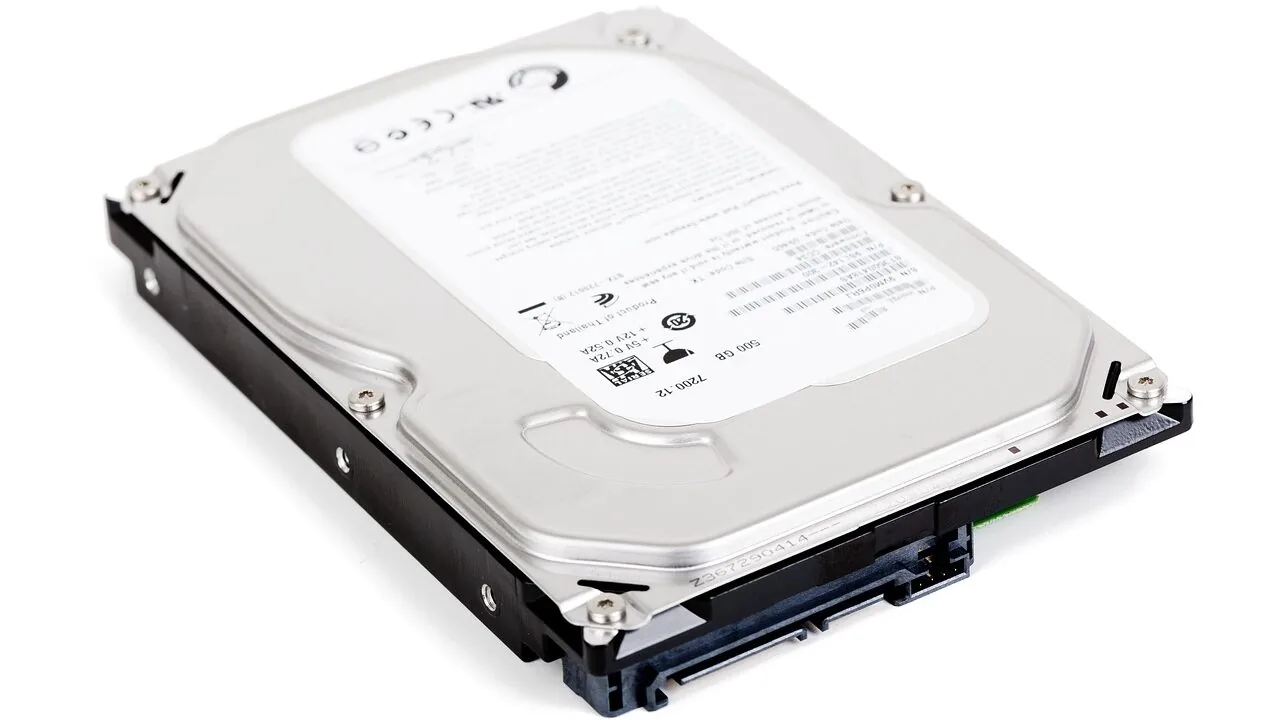
Internal hard drives remain one of the most cost-effective ways to expand storage in a desktop PC, NAS enclosure, or DVR system.
While solid-state drives dominate for speed, solid state drives carry a premium per gigabyte that makes spinning-platter HDDs the clear winner whenever you need bulk capacity at a reasonable price.
Whether you are building a media server, archiving footage, or simply need more room for games and documents, choosing the right internal hard drive means balancing capacity, rotational speed, cache size, and workload rating.
This guide pulls together nine of the most recommended internal hard drives on the market, spanning everyday desktop drives, high-performance workstation options, NAS-optimised models, surveillance-specific units, and enterprise-grade drives.
REMOVU researchers synthesised manufacturer specifications, expert review consensus, and verified buyer feedback to rank each model and surface the most important buying considerations. Read on for our top picks.
| Award | Product | REMOVU Score About REMOVU ScoreThe REMOVU Score is our own rating from 0 to 10, based on performance, design and build, ease of use, and value. It reflects independent research and is never influenced by manufacturers, retailers, or affiliate commissions. Learn more › | Price | |
|---|---|---|---|---|
| Best Overall |
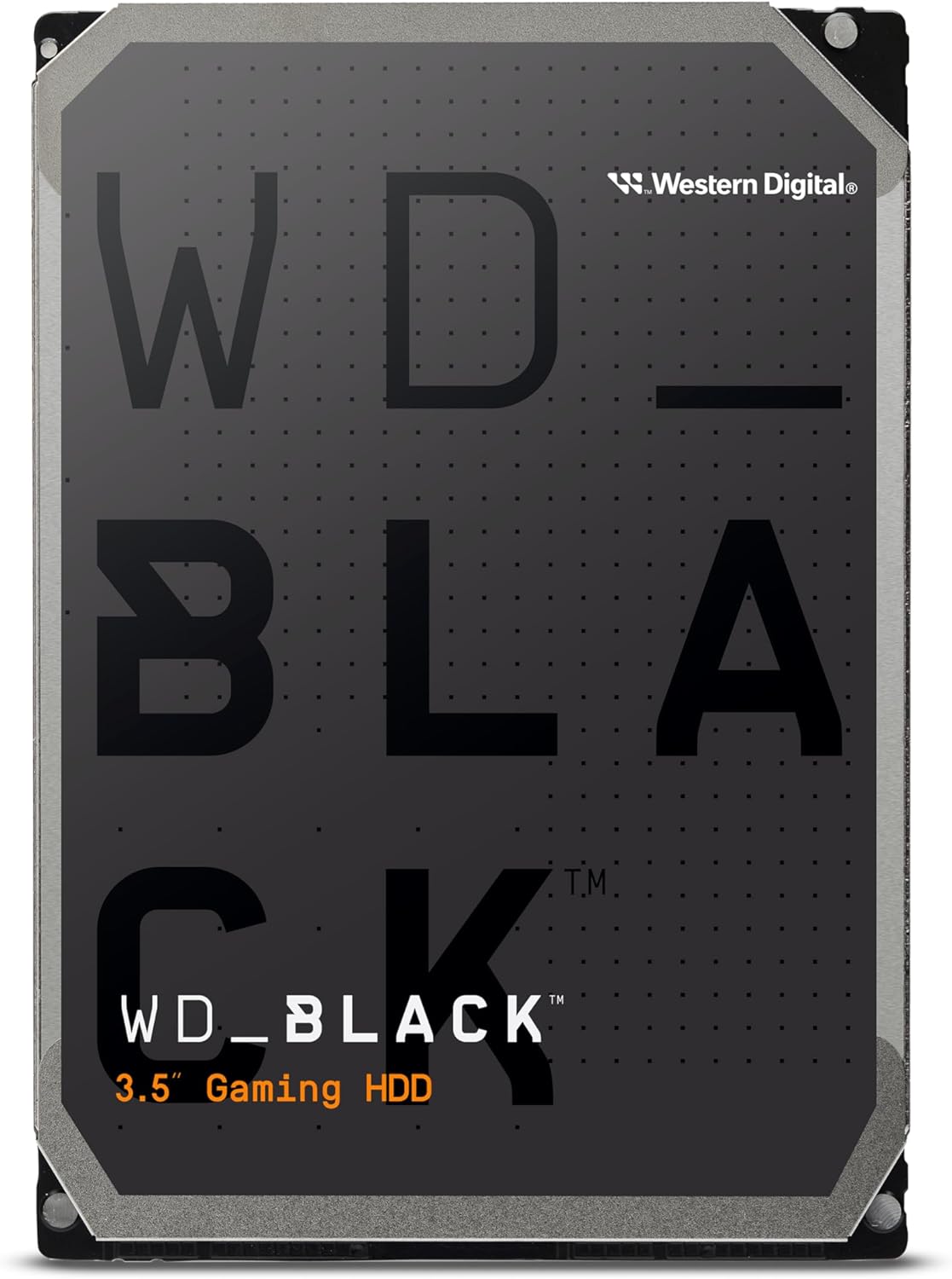 WD Black 10TB Gaming Hard Drive
|
9.1/10 | Buy | |
| Best Value |
 WD Black 4TB 7200 RPM Gaming HDD
|
8.6/10 | Buy | |
 Seagate IronWolf 12TB NAS Hard Drive
|
8.6/10 | Buy | ||
| Best Budget |
 Seagate BarraCuda 2TB 3.5-Inch SATA HDD
|
8.1/10 | Buy | |
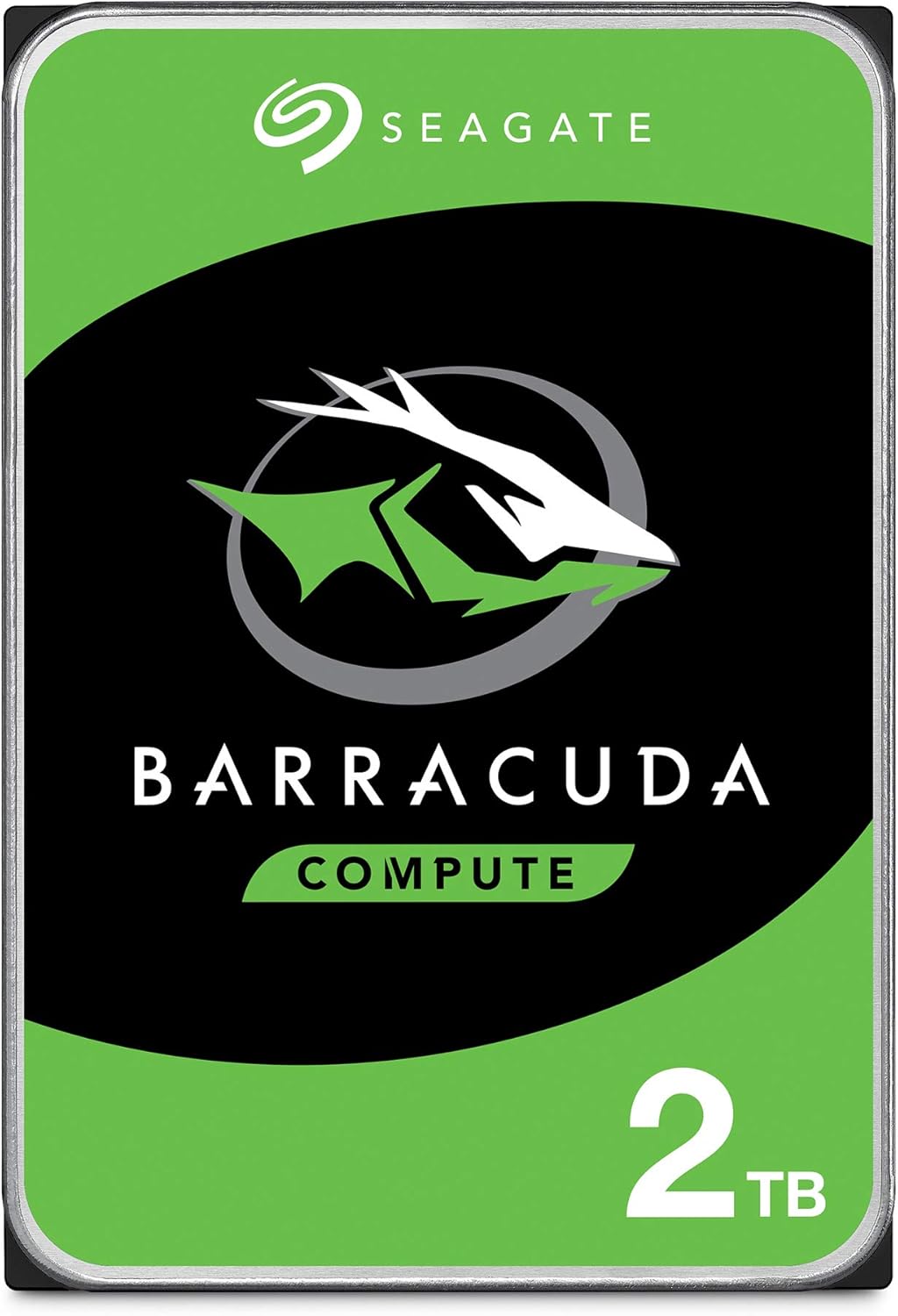 Seagate BarraCuda 2TB 3.5-Inch SATA HDD
|
7.2/10 | Buy | ||
 WD Blue 12TB 7200 RPM Internal HDD
|
6.2/10 | Buy | ||
 WD Ultrastar DC HC310 6TB Enterprise SATA Drive
|
6.5/10 | Buy | ||
 Seagate SkyHawk 4TB Surveillance Drive
|
6.3/10 | Buy | ||
| Best Premium |
 Seagate Exos 26TB Enterprise HDD
|
7.2/10 | Buy |
WD Black 10TB Gaming Hard Drive
This 10TB internal drive targets gamers and creative professionals who need large storage capacity without compromise. WD Black combines high performance with proven reliability technologies, making it a solid choice for building or upgrading a gaming PC or workstation that demands both speed and ample space.
Pros
- Massive 10TB capacity for extensive game libraries and large media files
- 7200 RPM spindle speed delivers consistent desktop performance
- StableTrac and Dynamic Cache Technology enhance reliability and optimize data access
- Designed specifically for gaming and creative workflows
- Strong customer satisfaction with 4.5-star rating across 5,900+ reviews
Cons
- Higher power consumption and heat generation typical of 7200 RPM drives compared to 5400 RPM alternatives
- Mechanical hard drive technology means slower performance than modern SSDs for boot times and application loading
- Larger physical footprint requires 3.5-inch bay compatibility
WD Black 4TB 7200 RPM Gaming HDD
A traditional 3.5-inch hard drive built for gamers and creative professionals who need large storage capacity without breaking the bank. The WD Black combines a 256MB cache and 7200 RPM speed to deliver reasonable performance for gaming libraries and multimedia files, though it trades speed for affordable bulk storage compared to SSDs.
Pros
- Generous 256MB DRAM cache optimizes performance for gaming and creative workloads
- Up to 10TB capacity available for extensive game and media libraries
- 5-year limited warranty demonstrates manufacturer confidence in reliability
- StableTrac and Dynamic Cache Technology improve tracking accuracy during read/write operations
- Designed specifically for gamers, builders, and creative professionals
Cons
- 150 Mbps transfer rate is significantly slower than modern SSDs, affecting load times
- 7200 RPM mechanical design generates more heat and noise than solid-state alternatives
- No reviews available to verify real-world performance claims from actual users
Seagate IronWolf 12TB NAS Hard Drive
Built specifically for NAS environments up to 8 bays, this 12TB drive combines high capacity with NAS-optimized reliability. The 256MB cache and 6Gbps data transfer rate support multi-user file sharing without the noise and vibration issues common in general-purpose drives. Best suited for small business and personal network storage setups prioritizing uptime.
Pros
- 12TB capacity with 256MB cache for substantial storage and performance in multi-user NAS setups
- NAS-optimized design reduces wear, vibration, and noise compared to standard drives
- IronWolf Health Management system enables proactive drive monitoring
- 5-year limited warranty plus 3-year data recovery service provides long-term peace of mind
- 1M hours MTBF rating reflects solid reliability for continuous-duty environments
Cons
- Limited to 8-bay NAS systems; not ideal for larger enterprise deployments
- 6Gbps interface is standard but not cutting-edge compared to newer SATA or NVMe alternatives
- 240 GB/s write speed specification appears inconsistent with typical SATA 6Gbps limits, raising clarity concerns
Seagate BarraCuda 2TB 3.5-Inch SATA HDD
A reliable workhorse drive for desktop PCs and gaming builds, the BarraCuda 2TB offers solid performance at a budget-friendly price point. With 7200 RPM speed and 256MB cache, it handles everyday computing, media storage, and gaming without breaking the bank. Best suited for users prioritizing capacity and affordability over speed.
Pros
- Strong 4.7-star rating from over 100,000 verified buyers signals proven reliability
- Includes free Seagate DiscWizard software for straightforward data migration and cloning
- 7200 RPM with 256MB cache delivers adequate performance for gaming and content creation
- Available in multiple capacities to fit different storage needs
- 20 years of BarraCuda innovation backing the product
Cons
- Mechanical HDD technology means slower speeds compared to modern SSDs
- Higher noise and power consumption versus solid-state alternatives
- 3.5-inch form factor limits compatibility to desktop systems only
Seagate BarraCuda 2TB 3.5-Inch SATA HDD
A reliable workhorse drive for desktop and gaming builds, the BarraCuda 2TB delivers solid performance with 7200 RPM speed and 64MB cache. Backed by two decades of hard drive expertise and a two-year warranty, it's well-suited for content creators and gamers who need dependable bulk storage without premium pricing.
Pros
- Proven track record with 4.6-star rating from over 5,400 verified buyers
- 7200 RPM spindle speed and 64MB cache optimize read/write performance for multitasking
- Two-year limited warranty provides accessible peace of mind
- Wide compatibility across gaming PCs, workstations, and desktop setups
- Established brand with 20 years of hard drive innovation
Cons
- Mechanical hard drive technology means slower boot and load times compared to modern SSDs
- 3.5-inch form factor limits use to desktop systems only, not laptops
- Two-year warranty is shorter than some competing enterprise-grade drives
WD Blue 12TB 7200 RPM Internal HDD
WD's 12TB Blue drive delivers straightforward reliability for everyday desktop and NAS setups, backed by Western Digital's established reputation. The included Acronis cloning software adds practical value for users migrating data or setting up new systems.
Pros
- High capacity at 12TB for storage-intensive workloads
- 7200 RPM spindle speed supports responsive performance for general computing
- Includes free Acronis True Image WD Edition for easy data cloning
- Strong user satisfaction with 4.6-star rating across 57,000+ reviews
- Western Digital brand reliability and warranty backing
Cons
- 3.5-inch form factor limits use to desktop and NAS environments, not portable or laptop-compatible
- SATA interface is slower than modern NVMe alternatives for sequential workloads
- Higher power consumption and heat generation typical of 7200 RPM mechanical drives
WD Ultrastar DC HC310 6TB Enterprise SATA Drive
Enterprise-grade 3.5-inch hard drive built for 24/7 data center and RAID environments. Delivers solid performance with 7200 RPM spindle speed and 255 MB/s sustained transfer rates, backed by a 2 million-hour MTBF rating and 5-year warranty. Best suited for businesses running NAS systems, storage arrays, or distributed storage setups that prioritize reliability over bleeding-edge capacity.
Pros
- Enterprise-class reliability with 2 million-hour MTBF and 550 TB/year workload rating, proven for mission-critical environments
- Fast 7200 RPM performance with 256 MB cache and up to 255 MB/s sustained throughput for consistent multi-drive operations
- Backward-compatible 6 Gb/s SATA interface works with standard server controllers and legacy SATA 3 Gb/s systems
- Vibration-resistant mechanics and dual-stage actuator design minimize latency in dense storage racks
- 5-year limited warranty and proven Ultrastar DC HC300 series track record in enterprise deployments
Cons
- Renewed model may lack original packaging or full documentation; warranty coverage depends on Amazon Renewed terms
- 7200 RPM drives generate more heat and noise than modern CMR alternatives, requiring adequate cooling in tight spaces
- 6 TB capacity sits in mid-range for enterprise; users needing higher density may find newer helium-filled designs more cost-effective per TB
Seagate SkyHawk 4TB Surveillance Drive
Purpose-built for DVR and NVR systems, this drive handles round-the-clock video recording across up to 64 HD cameras without dropping frames. SkyHawk's surveillance-optimized firmware and 180TB/year workload rating make it reliable for security setups, backed by SkyHawk Health Management monitoring and a solid 4.6-star rating from nearly 2,000 verified buyers.
Pros
- 3x higher workload rating than desktop drives (180TB/year) ensures durability in write-intensive surveillance environments
- ImagePerfect firmware with vibration tolerance minimizes dropped frames and maintains video integrity in multi-drive RAID systems
- SkyHawk Health Management included for proactive drive health monitoring and performance optimization
- Supports up to 64 HD cameras and 32 AI streams, scaling from home to small business surveillance needs
- Optional 3-year data recovery plan covers user error, corruption, fire, and flood damage
Cons
- Surveillance-specific design means premium pricing compared to general-purpose hard drives of similar capacity
- 4TB capacity stores approximately 10,000 hours of HD video, which may require additional drives for larger deployments
- Performance gains tied to SkyHawk Health Management are only realized when the entire NVR system uses SkyHawk drives
Seagate Exos 26TB Enterprise HDD
A 26TB enterprise-grade internal drive built for data center and large-scale storage deployments. The 7,200 RPM spindle and SATA 6Gb/s interface deliver sustained performance for continuous 24/7 operations, making it well-suited for hyperscale infrastructure, backup systems, and archival workloads. Note this is a renewed unit, which may appeal to budget-conscious enterprises.
Pros
- Massive 26TB capacity reduces the number of drives needed for large storage arrays
- Enterprise-class reliability rated for continuous operation with 2.5M MTBF
- 7,200 RPM speed supports demanding workloads and data-intensive applications
- SATA 6Gb/s interface ensures broad compatibility with existing systems
- Strong 4.8-star rating from verified buyers
Cons
- Renewed condition means it is a returned or refurbished unit, not brand-new
- Enterprise-focused specifications may exceed requirements for consumer or small business use
- Limited review sample (7 reviews) provides less long-term reliability data than high-volume consumer drives
Internal Hard Drives Buying Guide
Picking the right internal hard drive is less about raw specs and more about matching the drive’s design intent to your actual workload.
A surveillance drive engineered for continuous write cycles will last far longer in a DVR rig than a desktop drive pushed into the same role, and a NAS-rated drive offers firmware-level features that a standard desktop model simply lacks.
The sections below walk through every key criterion you should weigh before buying.
Capacity and Price Per Gigabyte
The most obvious variable is raw capacity, and internal hard drives scale from a couple of terabytes all the way to 26 TB and beyond.
The sweet spot for most desktop users typically sits in the 2 TB to 6 TB range, where price per gigabyte tends to be most competitive.
Once you move into double-digit terabyte territory, you are paying a premium either for sheer volume or for enterprise-class reliability features.
Budget-conscious builders upgrading a video editing workstation should compare cost per terabyte across the lineup rather than fixating on sticker price alone.
A mid-range 4 TB to 6 TB drive often delivers better value than two smaller drives of the same total capacity, and it keeps a drive bay free for future expansion.
If you are archiving large video libraries, the economics shift further in favour of higher-capacity models.
Renewed or refurbished enterprise drives can stretch your budget significantly, but pay close attention to MTBF ratings and warranty terms.
A renewed data-centre drive with a 2.5-million-hour MTBF specification may actually be more resilient than a brand-new desktop-class model, provided you verify the seller’s refurbishment standards.
RPM and Cache Size

Rotational speed (RPM) directly affects sequential throughput and random access latency. The vast majority of drives in this category spin at 7,200 RPM, which is the standard for performance-oriented desktop and workstation storage.
You will find some 5,400 RPM drives marketed for low-noise NAS applications, but for a primary desktop drive, 7,200 RPM is the baseline worth targeting.
Cache (also called buffer memory) acts as a short-term staging area for frequently accessed data. Cache sizes in this roundup range from 64 MB on older or entry-level models up to 512 MB on flagship performance drives.
A larger cache matters most under sustained mixed-read-write workloads, such as editing large media files or running a busy NAS. For light general storage tasks, the difference between 64 MB and 256 MB is less noticeable in daily use.
Paired with a capable processor and sufficient RAM, a high-cache 7,200 RPM drive can handle demanding file-transfer queues without becoming a bottleneck. If your build also includes a fast boot SSD, the HDD serves purely as bulk storage, making cache size slightly less critical.
Drive Class: Desktop, NAS, Surveillance, and Enterprise
Not all hard drives are designed for the same environment. Desktop drives like the Seagate BarraCuda series are optimised for intermittent read-write workloads in a single-drive setup.
They are perfectly suited to a general-purpose PC or a secondary storage drive in a gaming rig.
Running them in a RAID array or a multi-drive NAS enclosure, however, can trigger vibration-related errors and premature failure because they lack the vibration compensation firmware found in NAS-rated models.
NAS drives such as the Seagate IronWolf are purpose-built for always-on, multi-drive environments. They include rotational vibration sensors, extended error recovery settings, and firmware tuned for RAID operation.
If you are building a home media server or a small business NAS, investing in a NAS-class drive pays dividends in long-term stability.
Similarly, surveillance drives like the Seagate SkyHawk are optimised for continuous write cycles from multiple camera streams rather than the bursty read-write patterns of desktop use.
Enterprise and data-centre drives, represented here by models from Western Digital’s Ultrastar line and Seagate’s Exos series, carry the highest MTBF ratings and are designed for 24/7 operation under heavy workloads.
They often arrive in renewed condition at a significant discount compared to new, making them attractive for home lab users who prioritise reliability over a fresh warranty. Check your motherboard’s SATA port count before committing to multiple large drives.
Recording Technology: CMR vs SMR

Conventional Magnetic Recording (CMR) and Shingled Magnetic Recording (SMR) are the two dominant write technologies you will encounter. CMR writes tracks side by side without overlap, giving consistent write performance across all workloads.
SMR writes tracks in overlapping shingle patterns to increase areal density, which improves sequential read performance and capacity per platter but can cause write speed slowdowns when the drive cache fills and the SMR zone must be reorganised.
For most read-heavy archive workloads, SMR drives are perfectly acceptable and often cheaper per terabyte. However, for NAS RAID arrays, surveillance systems, or any application involving heavy sustained writes, CMR is strongly preferred.
The Seagate IronWolf 12 TB in this roundup is explicitly labelled CMR, which is a meaningful specification for NAS buyers.
Always confirm the recording technology in the product listing before purchasing, as manufacturers do not always make this distinction obvious at a glance.
Reliability, Warranty, and MTBF

Mean Time Between Failures (MTBF) is a manufacturer-stated reliability metric expressed in hours. Consumer desktop drives typically rate around 1 million hours MTBF, while enterprise drives can reach 2.5 million hours or higher.
In practice, MTBF does not translate directly to drive lifespan, but it does reflect the engineering rigour and component quality behind the product. A higher MTBF generally correlates with better tolerance for continuous operation and temperature variation.
Warranty length is another practical reliability signal. Most desktop drives carry a two-year warranty, NAS and surveillance drives typically offer three years, and enterprise models often come with five-year coverage.
Renewed drives sold under the Amazon Renewed programme carry a 90-day minimum guarantee, so factor that into your risk tolerance.
Pairing a high-capacity storage drive with a quality power supply that delivers clean, stable voltage also contributes meaningfully to long-term drive health.
Interface, Form Factor, and System Compatibility

Every drive in this roundup uses the standard SATA 6 Gb/s interface and the 3.5-inch form factor, which means compatibility is broad across virtually any desktop motherboard or NAS enclosure built in the past decade.
SATA 6 Gb/s provides a maximum theoretical bandwidth of around 600 MB/s, comfortably exceeding the sustained read/write speeds any spinning-platter drive can achieve, so the interface is never the bottleneck.
If you are installing a drive in a PC case, double-check that you have a free 3.5-inch drive bay or a 2.5-to-3.5-inch adapter bracket, along with an available SATA data port on the motherboard and a free SATA power connector from your PSU.
Builders assembling a new system should also review our overview of PC components to make sure every piece of the puzzle fits before ordering.
For storage-intensive creative work, pairing a large-capacity HDD with an SSD boot drive and a well-matched graphics card gives you a fast, spacious, and balanced system.
Why You Should Trust Us
REMOVU is an independent review publication. We do not accept payment from manufacturers for placement, and our editorial team operates separately from any commercial relationships the site holds.
Every internal hard drive in this guide was evaluated against a consistent set of criteria: capacity, rotational speed, cache size, recording technology, drive class, MTBF, warranty terms, and real-world workload suitability.
Each model receives a REMOVU Score on a 0 to 10 scale reflecting how well it performs across those dimensions relative to its price tier and intended use case.
We do not conduct our own product trials; our evaluations are grounded in research, published data, expert review consensus, and verified buyer feedback.
We cross-reference manufacturer datasheets and published specifications with aggregated buyer experiences and long-term reliability reports from the broader storage community.
This synthesis-driven approach lets us surface patterns, flag known issues, and identify standout performers across a wide range of products without the constraints of a single sample or a single environment.
REMOVU may earn a commission if you purchase through links on this page. That affiliate relationship has no bearing on which products are included, how they are ranked, or what REMOVU Score they receive.
Recommendations are based solely on merit as assessed through our research process.
Final Thoughts
The internal hard drive market in 2026 is rich with options across every capacity tier and workload category. Western Digital and Seagate continue to dominate, offering drives tuned for desktop performance, NAS duty, surveillance recording, and enterprise-grade continuous operation.
Below are our standout picks from this roundup, each earning a distinct recognition based on what it does best.
- Best Overall: WD Black 10TB Performance Internal Hard Drive earns the top spot with the highest REMOVU Score in this roundup, combining a generous 10 TB capacity, 7,200 RPM performance, and a large 512 MB cache into a drive designed for demanding desktop and workstation workloads where both speed and space matter.
- Best High-Capacity Desktop Drive: WD Blue 12TB Internal Hard Drive delivers excellent large-storage value from Western Digital’s mainstream lineup, pairing 7,200 RPM rotation with a 512 MB cache for users who want bulk capacity without moving to enterprise pricing.
- Best for NAS and RAID: Seagate IronWolf 12TB NAS Internal Hard Drive is the clear choice for multi-drive enclosures, offering CMR recording technology, rotational vibration compensation, and NAS-optimised firmware that keeps arrays stable under always-on workloads.
- Best Mid-Range Pick: Seagate BarraCuda 2TB (256 MB Cache) hits an approachable price point while delivering 7,200 RPM speed and a larger cache than its predecessor, making it a reliable everyday desktop drive for budget-minded builders.
- Best Performance 4TB Drive: WD Black 4TB Performance Internal Hard Drive rounds out the premium picks with a 256 MB cache and WD’s performance-tuned firmware, suited to creative professionals and gamers who need fast access to large local libraries.
Whichever drive you choose, matching it to your actual use case, whether that is a home desktop, a dedicated NAS box for media streaming, or a surveillance DVR, will do more for long-term satisfaction than chasing the highest raw capacity at the lowest price.
Pair your new drive with the right PC case for proper airflow and your storage should serve you reliably for years to come.
Frequently Asked Questions
What Is the Difference Between a Desktop HDD and a NAS HDD?
Desktop hard drives are engineered for intermittent workloads in a single-drive environment.
NAS drives are built for continuous 24/7 operation in multi-drive enclosures and include firmware features like rotational vibration compensation and extended error recovery control that prevent one drive’s recovery routine from timing out a RAID array.
Using a standard desktop drive in a NAS is possible but can lead to RAID degradation and shortened drive life under sustained load.
Do I Need a 7,200 RPM Drive or Will a Slower Drive Work Fine?
For a primary storage drive accessed frequently, 7,200 RPM delivers noticeably faster sequential throughput and lower latency than 5,400 RPM alternatives.
If the drive is purely a cold-archive destination that you write to occasionally and rarely read from, a 5,400 RPM model may suffice and will run slightly cooler and quieter.
For anything performance-sensitive, such as scratch storage for camcorder footage or game libraries, stick with 7,200 RPM.
Is It Safe to Buy a Renewed Enterprise Hard Drive?
Renewed enterprise drives can offer outstanding reliability per dollar because data-centre hardware is often retired well before it approaches the end of its mechanical life.
The key considerations are the seller’s refurbishment process, the drive’s SMART data history if accessible, and the stated warranty. Amazon Renewed drives come with a minimum 90-day guarantee.
For non-critical bulk storage or a home lab, a renewed enterprise drive with a high MTBF rating is a pragmatic choice. For irreplaceable primary data, always maintain backups regardless of the drive’s pedigree.
How Many Internal Hard Drives Can I Install in One PC?
The limit is set by your motherboard’s available SATA ports and your case’s drive bays. Most mid-tower cases accommodate two to six 3.5-inch drives, and a typical consumer motherboard offers four to six SATA ports.
If you need more, a SATA expansion card can add additional ports.
Ensure your power supply has enough SATA power connectors for each additional drive, and factor in the modest power draw and heat each spinning drive adds to the system.
Should I Use an HDD or an SSD for a Gaming PC?
The ideal gaming storage setup pairs a fast SSD for your operating system and actively played games with a large-capacity HDD for storing your broader game library, recordings, and media.
SSDs deliver dramatically faster load times, but the cost per terabyte remains much higher. An HDD acting as a secondary drive lets you keep your full game catalogue installed without spending heavily on flash storage.
If you are building or upgrading a gaming system, our guide to gaming laptops also covers storage considerations for portable setups.
What Does CMR Mean and Why Does It Matter?
CMR stands for Conventional Magnetic Recording, the traditional method of writing non-overlapping data tracks. It delivers consistent write performance across all workloads.
The alternative, SMR (Shingled Magnetic Recording), overlaps tracks to increase density but can throttle write speeds when the onboard cache fills and the drive must reorganise data internally.
CMR is the preferred choice for NAS arrays, surveillance systems, and any application with sustained sequential writes. Always verify the recording technology in the product specification before purchasing, as it is not always prominently displayed in listings.
About the author
Jeffrey covers smart displays and home hubs for REMOVU, weighing control, features, and value as the center of a connected home. He helps readers build routines that actually simplify daily life.