The 8 Best Desktop Computers Under $1000
Finding a capable desktop without overspending is easier than ever. This guide breaks down the top-performing towers and compact PCs for work, creativity, and everyday use.
 By Frederick Medina
Updated July 26, 2026
By Frederick Medina
Updated July 26, 2026
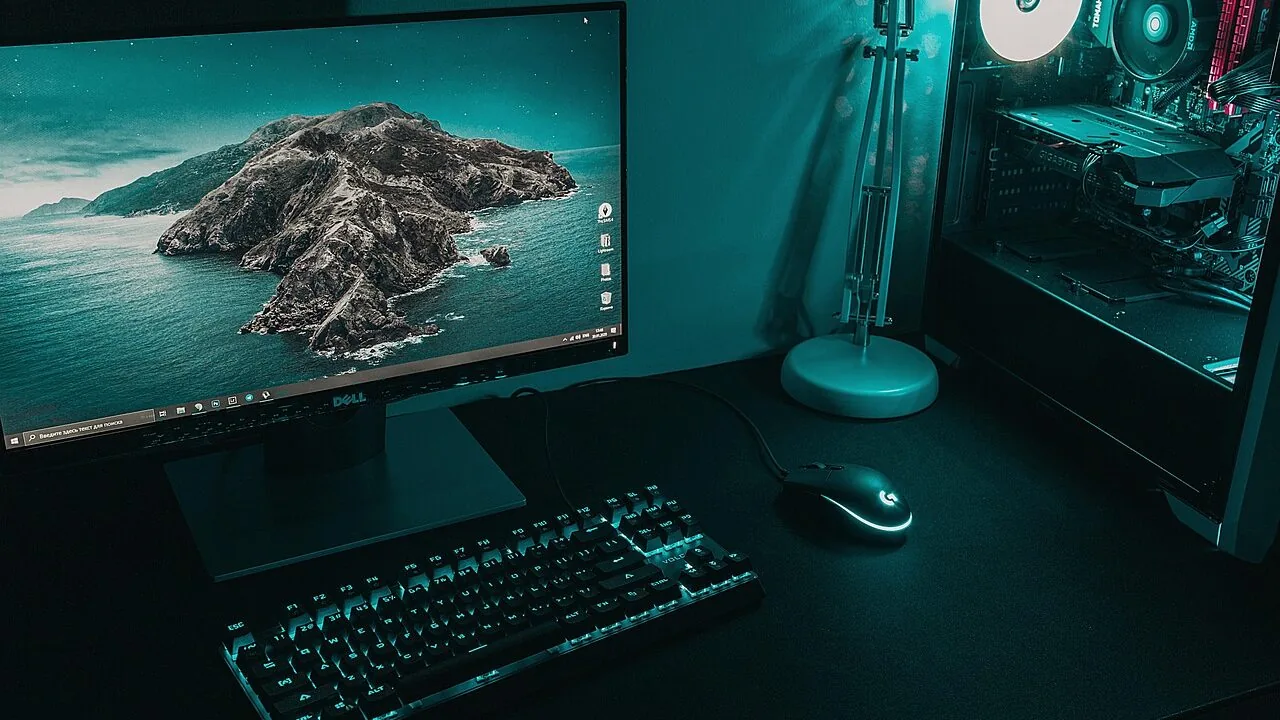
Picking a capable desktop computer without going over budget used to mean settling for sluggish performance or outdated hardware. That’s changed dramatically.
Today, the under-$1,000 price band includes genuine workhorses powered by current-generation Intel Core i7 and AMD Ryzen 5 processors, fast DDR5 RAM, and roomy NVMe SSDs, making them competitive for remote work, creative tasks, coding, and everyday productivity.
Whether you’re building out a home office, setting up a family machine, or replacing an aging tower, there’s real computing muscle available at this price point from brands like ASUS, Dell, Lenovo, and HP.
This guide is built on REMOVU’s synthesis-based research approach: we analyze manufacturer specifications, aggregate expert review consensus, and weigh verified buyer feedback to surface the picks most likely to deliver lasting value.
We also compared form factors, connectivity options, and upgrade paths across all eight models to match different buyer profiles.
If you’re weighing a desktop against a portable solution, our roundup of laptops for video editing and our broader laptops category are good places to start for comparison.
Read on for our top picks in the best desktop computers under $1,000, ranked by REMOVU Score.
| Award | Product | REMOVU Score About REMOVU ScoreThe REMOVU Score is our own rating from 0 to 10, based on performance, design and build, ease of use, and value. It reflects independent research and is never influenced by manufacturers, retailers, or affiliate commissions. Learn more › | Price | |
|---|---|---|---|---|
| Best Overall |
 ASUS V500 Tower with Intel i7-13620H & 32GB DDR5
|
8.9/10 | Buy | |
| Best Premium |
 Dell Pro Tower i3-14100 Desktop, 16GB DDR5/512GB SSD
|
8.2/10 | Buy | |
| Best Value |
 Lenovo ThinkCentre Neo 55s Ryzen 5 SFF Desktop
|
7.8/10 | Buy | |
 Dell Slim Desktop, Core Ultra 5-225, 16GB DDR5
|
7.6/10 | Buy | ||
| Best Budget |
 HP ProDesk 600 G6 SFF, i5-10400F, 16GB/512GB
|
7.3/10 | Buy | |
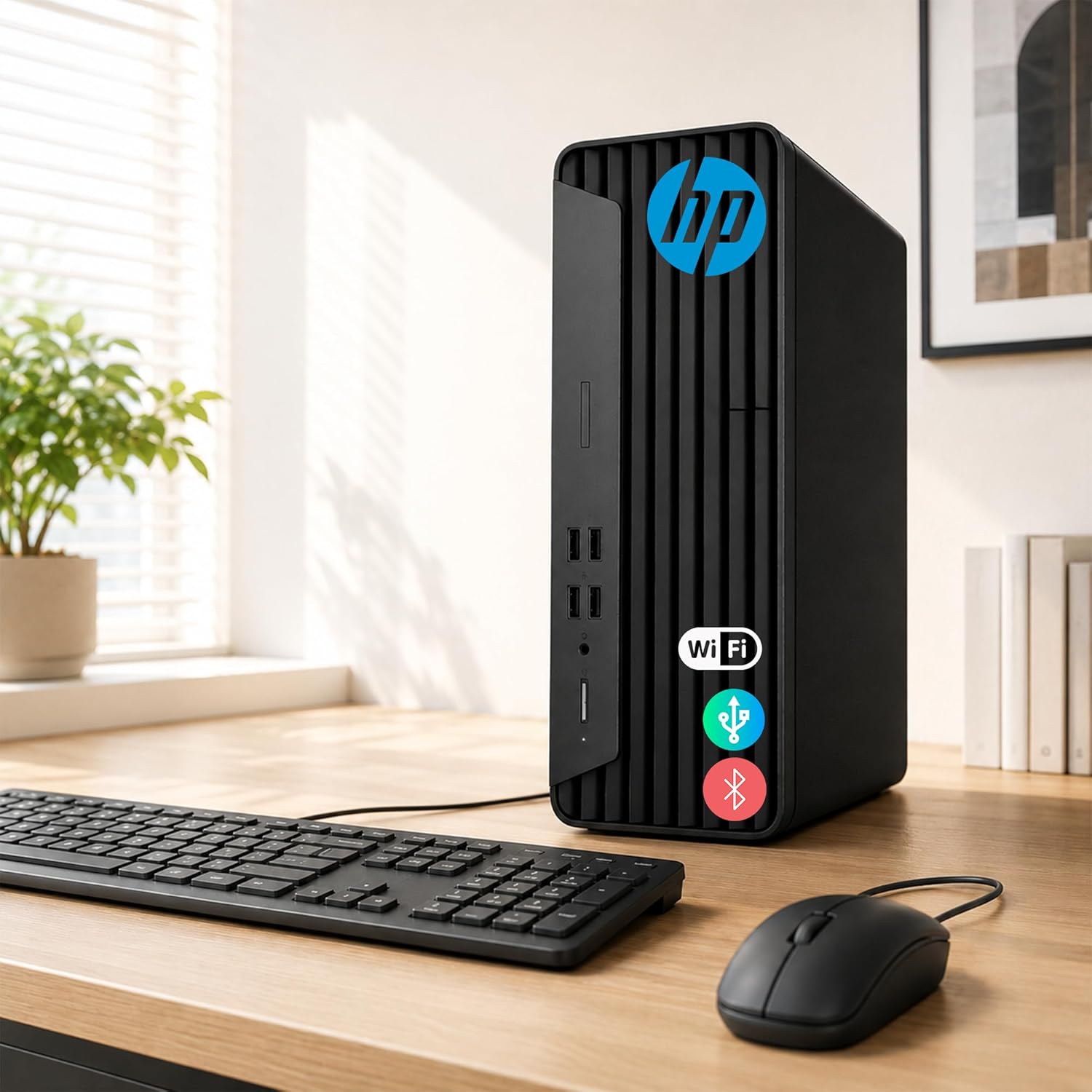 HP ProDesk G7 SFF Desktop, Intel Celeron, 16GB RAM
|
6.8/10 | Buy | ||
 HP ProDesk 400 G7 SFF Desktop, 16GB RAM, 1.5TB Storage
|
6.6/10 | Buy | ||
|
HP ProDesk 400 G7 SFF Desktop, 16GB RAM, 1TB HDD + 256GB SSD
|
6.5/10 | Buy |
ASUS V500 Tower with Intel i7-13620H & 32GB DDR5
A business-focused desktop pairing a 10-core Intel i7-13620H with 32GB DDR5 RAM and 1TB SSD for smooth multitasking and productivity workflows. Multi-display support via HDMI and DisplayPort makes it suitable for office setups, while Windows 11 Pro adds enterprise-grade security and management features. Includes a wired keyboard, mouse, and 64GB USB drive.
Pros
- Strong multi-core CPU performance (10 cores, 16 threads) handles demanding applications and heavy multitasking
- 32GB DDR5 RAM and 1TB SSD provide responsive system performance and adequate storage for business use
- Dual video outputs (HDMI 1.4 and DisplayPort 1.4) support multi-monitor workstation setups
- Windows 11 Pro includes advanced security, BitLocker encryption, and remote desktop capabilities
- Includes keyboard, mouse, and 64GB USB drive in the bundle
Cons
- Upgraded components carry only 1-year warranty from PCOnline US, not original manufacturer coverage
- Integrated Intel UHD graphics limits gaming and GPU-intensive creative work; no discrete graphics option mentioned
- USB 2.0 ports on rear (4x) are slower than modern standards, though front ports offer USB 3.2 speeds
Dell Pro Tower i3-14100 Desktop, 16GB DDR5/512GB SSD
A straightforward business desktop built around Intel's 14th-gen Core i3, paired with 16GB DDR5 memory and fast SSD storage. Windows 11 Pro and dual-display support make it suitable for office work, remote setups, and light creative tasks. Best for users prioritizing stable wired connectivity and professional-grade security over wireless convenience.
Pros
- Responsive multitasking and fast boot times with 16GB DDR5 RAM and 512GB SSD
- Dual 4K display support via HDMI 2.1 and DisplayPort 1.4a for expanded workspace
- Windows 11 Pro with discrete TPM and chassis intrusion switch for business security
- Comprehensive port selection including USB 3.2 Type-C and multiple USB 3.2 Type-A connections
- ENERGY STAR and EPEAT Silver certified for environmentally conscious deployments
Cons
- No Wi-Fi or Bluetooth, limiting flexibility for mobile or wireless-dependent workflows
- Integrated graphics adequate for productivity but not suitable for gaming or heavy 3D workloads
- DDR4 memory listed in description conflicts with DDR5 spec claim, creating specification ambiguity
Lenovo ThinkCentre Neo 55s Ryzen 5 SFF Desktop
A compact business desktop built around AMD's Ryzen 5 220 processor and 16GB DDR5 RAM, designed to fit tight office spaces without sacrificing multitasking performance. The 512GB SSD and Wi-Fi 6 connectivity support professional workflows, while Windows 11 Pro and enterprise-grade security appeal to IT-managed environments. Best suited for small offices and home workstations that need reliable performance in a minimal footprint.
Pros
- Powerful CPU-to-storage pairing avoids bottlenecks common in micro PCs, enabling smooth handling of resource-heavy applications
- Small Form Factor design reduces desk clutter while maintaining thermal efficiency for quiet, long-term operation
- Windows 11 Pro with advanced security features and management tools built for professional environments
- Dual 4K monitor support via HDMI and DisplayPort for expanded productivity
- External DVD drive bundle with USB ports and card readers adds versatility without internal complexity
Cons
- No user reviews available yet, limiting real-world performance validation from actual buyers
- Original warranty coverage limited to 1 year on upgraded components, which may be shorter than some competitors
- AMD Ryzen 5 220 is entry-level within the Ryzen lineup, potentially limiting performance ceiling for heavy workloads
Dell Slim Desktop, Core Ultra 5-225, 16GB DDR5
A compact desktop that prioritizes workspace efficiency without sacrificing performance. Built on Intel Core Ultra 5-225 with 16GB DDR5 memory and 512GB SSD, it handles productivity tasks and light creative work while fitting snugly into small offices or home setups. The tool-less upgradability and multi-monitor support make it practical for professionals who need flexibility.
Pros
- Compact form factor ideal for space-constrained environments
- Tool-less side panel and removable components simplify upgrades and maintenance
- Supports up to four FHD or two 4K monitors via DisplayPort 1.4a and HDMI 2.1
- 8 USB ports (including front-facing options) plus SD card reader for seamless connectivity
- Hardware TPM chip and physical security features (Kensington lock slot, padlock loop) for business use
- Built-in AI capabilities via Intel Core Ultra processor
Cons
- 512GB SSD may require expansion for users with large media libraries or demanding workflows
- Single 16GB DDR5 module limits upgrade path compared to dual-channel configurations
- 1Gbps Ethernet limits throughput for intensive network tasks; no Wi-Fi 6 explicitly confirmed in connectivity specs despite title mention
HP ProDesk 600 G6 SFF, i5-10400F, 16GB/512GB
A compact business desktop built for multitasking and professional workflows. The 6-core Intel processor, 16GB RAM, and dual-monitor support make it practical for accounting, healthcare admin, and small office environments. Comes fully equipped with Windows 11 Pro, keyboard, mouse, and WiFi adapter out of the box.
Pros
- Powerful 6-core i5-10400F processor handles multitasking and business applications efficiently
- Dual-monitor capable with dedicated GT 610 graphics and HDMI/DVI outputs
- Fast 512GB NVMe SSD with sub-10-second boot times
- Small form factor design (10.6" x 3.7" x 11.9") fits tight spaces
- Windows 11 Pro with BitLocker encryption included
- Comprehensive connectivity: USB-C 10Gbps, multiple USB ports, Gigabit Ethernet, plus WiFi adapter
Cons
- GT 610 graphics is entry-level, not suitable for demanding design or video work
- No built-in WiFi; relies on included USB adapter for wireless connectivity
- Limited upgrade options in small form factor chassis
HP ProDesk G7 SFF Desktop, Intel Celeron, 16GB RAM
A compact business desktop built for everyday productivity, with Windows 11 Pro, upgradeable memory up to 64GB, and solid port selection including DisplayPort and HDMI for dual 4K displays. Its small form factor and enterprise-grade build make it practical for office work and home use, though the entry-level Intel Celeron processor limits performance for demanding tasks.
Pros
- Highly upgradeable: supports up to 64GB DDR4 RAM and 2TB PCIe SSD for future-proofing
- Compact design at 11.9 x 10.6 x 3.7 inches, weighing under 9 lbs, ideal for space-constrained environments
- Dual 4K display support via HDMI and DisplayPort for flexible multi-monitor setups
- Rich port connectivity: multiple USB 3.2 and 2.0 ports, RJ-45, headphone/microphone combo, and audio-out
- Windows 11 Pro with integrated Wi-Fi and Bluetooth for business and personal productivity
Cons
- Intel Celeron G5905 is entry-level; adequate for office tasks but insufficient for video editing, 3D work, or gaming
- No dedicated graphics; relies on Intel UHD Graphics 730 integrated solution
- Includes wired keyboard and mouse only; no wireless peripherals despite having Bluetooth capability
HP ProDesk 400 G7 SFF Desktop, 16GB RAM, 1.5TB Storage
A compact business desktop built for everyday office work, email, and web browsing. The Intel Celeron G5905 processor paired with 16GB RAM and dual storage (1TB HDD + 512GB SSD) handles routine productivity tasks smoothly. Its small footprint and included peripherals make it practical for tight workspaces, though it's positioned for light-duty tasks rather than demanding applications.
Pros
- Compact SFF design saves desk space while maintaining connectivity options
- Dual storage setup combines fast SSD boot-up with larger HDD capacity
- Windows 11 Pro with TPM 2.0 and HP Wolf Security for business-grade protection
- Extensive port selection including USB 3.0, DisplayPort, HDMI, and Ethernet
- Includes wired keyboard and mouse, reducing setup costs
Cons
- Intel Celeron G5905 is entry-level; not suitable for multitasking-heavy workflows or creative applications
- No USB Type-C support despite modern positioning
- Single 5-star review limits verified user feedback on real-world reliability
HP ProDesk 400 G7 SFF Desktop, 16GB RAM, 1TB HDD + 256GB SSD
A compact business desktop built for everyday office work, featuring 16GB RAM, dual storage drives, and Windows 11 Pro in a space-saving form factor. Its small footprint and wired peripherals make it practical for budget-conscious offices, though the dual-core processor limits demanding multitasking.
Pros
- Compact SFF design (under 9 pounds) fits tight office spaces without sacrificing storage
- Dual storage setup (1TB HDD + 256GB SSD) balances capacity and boot speed
- 16GB DDR4 RAM handles typical office multitasking smoothly
- Windows 11 Pro with TPM 2.0 and HP Wolf Security for business-grade protection
- Multiple connectivity options including USB 3.0, DisplayPort, HDMI, and Gigabit Ethernet
Cons
- Intel Celeron G5905 dual-core processor is entry-level, limiting performance for heavy applications or sustained multitasking
- No discrete graphics, relies on Intel UHD 610 which is adequate for office work but not creative software
- Wired keyboard and mouse included, which some users may prefer to replace
Desktop Computers Under $1,000 Buying Guide
Shopping for a desktop in this price range means navigating a wide spread of processor generations, storage configurations, and form factors.
The sections below walk through the criteria that matter most, so you can match a machine to your actual workload rather than buying on spec sheet numbers alone.
Processor Generation and Core Count

The CPU is the single biggest determinant of how a desktop will feel day to day and how well it will hold up over a three-to-five-year ownership window.
At this price point you’ll encounter a range of generations, from Intel’s 10th-gen parts in refurbished or value configurations all the way up to Intel Core Ultra 5 and 13th-gen Core i7 silicon in newer builds.
Newer generations bring efficiency improvements, better integrated graphics, and support for faster memory standards like DDR5, all of which compound over time.
Core count matters most for multitasking and lightly threaded creative work. A 6-core or 10-core processor handles simultaneous browser tabs, video calls, and background updates without noticeable slowdown, whereas a 4-core chip can start to feel strained under heavier loads.
For anyone doing photo editing, light video work, or running virtual machines, prioritizing a newer-generation chip with at least 6 performance cores is worthwhile even if it means accepting a slightly smaller SSD at purchase.
If you’re pairing your desktop with resource-hungry peripherals or plan to upgrade the system later, the processor’s memory and PCIe support matters too. DDR5-compatible platforms are more future-proof and pair well with fast desktop RAM if you decide to expand capacity down the road.
RAM Capacity and Upgradability

Sixteen gigabytes of RAM is the practical baseline for a smooth Windows 11 Pro experience in 2026, covering web browsing, office suites, and light creative work without paging to the drive.
Thirty-two gigabytes is noticeably more comfortable if you run multiple applications simultaneously, work with large spreadsheets, or use browser-heavy research workflows.
Several picks in this guide ship with 32 GB from the factory, which is a meaningful advantage for buyers who want to avoid an early upgrade.
Pay attention to whether the system uses soldered memory or socketed DIMMs. SFF and small-form-factor builds sometimes use laptop-style SO-DIMMs or solder RAM directly to the board, limiting upgrade options.
Full tower configurations are more likely to offer accessible DIMM slots. If raw expandability is a priority, our deep dives into 32GB RAM kits can help you plan a future upgrade intelligently.
Storage: SSD Type, Capacity, and Expansion
A PCIe NVMe SSD is the baseline expectation for any desktop in this price range.
SATA SSDs are noticeably slower for large file transfers and application launches, and traditional spinning hard drives should only appear as secondary bulk storage, not primary OS drives.
Several configurations in this roundup bundle an NVMe SSD with a larger HDD for media or backup storage, which is a reasonable compromise as long as Windows and your frequently used apps live on the SSD.
Capacity is worth evaluating against your actual use case. A 512 GB SSD is workable for most users who rely on cloud storage or external drives, while 1 TB gives more breathing room for local media libraries, software installations, and project files.
Tower-class desktops typically have one or more free M.2 slots and an open SATA bay, making storage expansion straightforward if your needs grow.
Form Factor: Tower vs. SFF vs. Mini

The physical footprint of your desktop affects both desk ergonomics and long-term flexibility. Full-size towers offer the most expansion room: extra drive bays, accessible PCIe slots for a discrete GPU, and typically better airflow.
Small-form-factor (SFF) designs like the HP ProDesk 400 and 600 SFF or the Dell Slim Desktop occupy far less desk space and are easier to mount behind a monitor, but they sacrifice upgradeability and can run warmer under sustained loads.
Mini and compact platforms, like the Lenovo ThinkCentre Neo 55s, take the space-saving principle even further and are well-suited for tight workspaces or multi-monitor setups where cable management matters.
If a very compact machine appeals to you, our broader mini PCs category covers the full range of ultra-compact options worth considering.
Tower buyers who value expandability should confirm whether the chassis accepts a standard ATX or Micro-ATX GPU before purchasing, especially if a discrete graphics upgrade is on the horizon.
Display Connectivity and Multi-Monitor Support
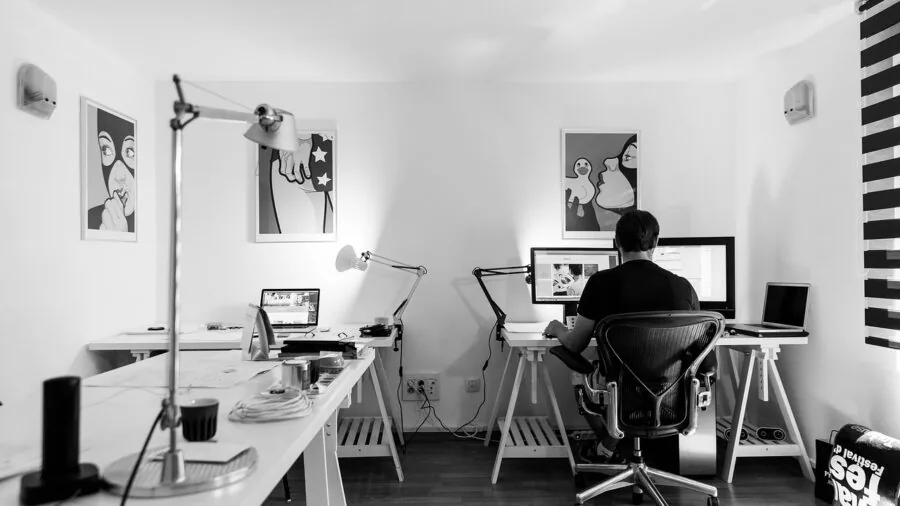
Most desktops in this guide support dual 4K displays through a combination of DisplayPort, HDMI, and USB-C video outputs. That’s a meaningful productivity upgrade for anyone who juggles documents, spreadsheets, or communication tools across screens.
Verify that the specific video outputs on your target machine match the inputs your monitors support, since adapter chains can introduce compatibility headaches.
If your workflow involves video production or capture, integrated graphics from Intel’s 13th-gen or Core Ultra platforms handle light editing and 4K playback competently.
Heavier color-grading or 3D rendering work benefits from a discrete GPU, which is feasible on full-tower configurations with an open PCIe x16 slot.
For those who record or stream their work, pairing a capable desktop with a quality microphone for YouTube or a streaming microphone completes a solid content creation setup.
Connectivity: Ports, Wi-Fi, and Networking

Wi-Fi 6 is the connectivity standard to look for in 2026. It provides materially better throughput and lower latency on congested home networks compared to older 802.11ac (Wi-Fi 5) adapters, which matters if your desktop is far from your router.
All of the picks in this guide include Wi-Fi 6, and several also offer Bluetooth 5.x for pairing peripherals wirelessly without consuming USB ports.
USB port mix is worth a close look, particularly for home office users with multiple peripherals.
USB-A ports remain the dominant standard for keyboards, mice, and storage, but USB-C (and ideally a front-panel USB-C) is increasingly common for fast external drives and modern displays.
A rear RJ-45 Ethernet jack is useful for wired connections when Wi-Fi isn’t ideal. Check whether the chassis includes front-panel audio jacks if you use wired headphones at your desk.
Why You Should Trust Us
REMOVU is an independent review publication. We do not accept payment for placement, and no manufacturer or retailer has editorial influence over our rankings or recommendations.
Every product in this guide is assigned a REMOVU Score on a 0 to 10 scale, derived from a consistent set of criteria: processor generation and core configuration, memory capacity and type, storage speed and layout, form factor and expandability, connectivity and display output, and overall value relative to alternatives in the same price band.
We do not conduct our own product trials; our evaluations are grounded in research, published data, expert review consensus, and verified buyer feedback.
We cross-reference manufacturer-published specifications with the broader body of professional reviews and aggregate owner feedback to assess how each machine performs in real-world conditions over time, not just on a launch-day benchmark sheet.
REMOVU may earn a commission if you purchase through a link in this article. That affiliate relationship has no bearing on which products are included, how they are scored, or where they rank.
Our recommendations are determined solely by the evaluation criteria described above. We also revisit published guides periodically to update scores and swap in newer models when the market shifts meaningfully.
Final Thoughts
The eight desktops in this guide span a broad range of configurations and use cases, but a few clear winners emerge when you weigh performance, connectivity, and long-term value together. Here are our standout picks by category:
- Best Overall: ASUS V500 Home and Business Tower Desktop earns the top REMOVU Score in this roundup on the strength of its 10-core Intel Core i7-13620H processor, 32 GB of DDR5 RAM, and Wi-Fi 6, making it the most comprehensively equipped machine at this price for power users and demanding home offices.
- Best for Business Productivity: Dell Pro Tower Desktop (2026 Edition) scores highest among the Dell lineup with its AI-ready platform, DDR5 memory, and Windows 11 Pro out of the box, positioning it as a forward-looking choice for professionals who need a reliable, manageable business PC.
- Best Compact Pick: Lenovo ThinkCentre Neo 55s Business SFF Desktop stands out as the top-scoring small-form-factor option, pairing an AMD Ryzen 5 processor with DDR5 memory and dual 4K monitor support in a chassis that fits neatly into tight workspaces without sacrificing connectivity.
- Best Value Tower: Dell Slim Desktop with Intel Core Ultra 5-225 brings Intel’s newest Core Ultra architecture to a slim chassis at a mid-range price, offering a capable foundation for everyday productivity and light creative tasks with modern integrated graphics.
- Best Budget-Friendly Option: HP ProDesk 400 SFF Business Desktop offers dual 4K display support and solid connectivity at the lowest price point in the group, making it a sensible entry-level pick for home offices that need a dependable Windows 11 Pro machine without a premium outlay.
Whichever machine you choose, pairing it with quality peripherals makes a meaningful difference to the day-to-day experience. If you’re building a full workstation setup, consider adding capable RAM for your build once you’ve confirmed your platform’s upgrade path.
For creative professionals who record audio alongside their desktop work, a dedicated streaming or recording microphone is a worthwhile complement.
You can also browse our full computers category for alternatives including all-in-one PCs and gaming desktops if your needs stretch beyond the productivity-focused picks here.
Frequently Asked Questions
Is $1,000 enough to get a genuinely fast desktop computer?
Yes, and in most cases comfortably so.
The best desktop computers under $1,000 in 2026 include machines with 10-core Intel processors, 32 GB of DDR5 RAM, and fast NVMe SSDs, which is a configuration that outperforms many desktops that cost significantly more just a few years ago.
For office productivity, remote work, photo editing, and light video tasks, this budget delivers genuine performance headroom rather than a baseline experience.
Should I choose a tower desktop or a small-form-factor machine?
It depends on your space and your plans for the machine. Tower desktops offer easier access to internal components, open PCIe slots for a future GPU, and typically better sustained cooling.
SFF and slim desktops save desk space and often include the same processor and memory options, but they limit upgrade paths and can throttle under prolonged heavy loads.
If you know you’ll want to add a discrete graphics card later, a tower is the safer long-term investment. If your workflow is fixed and desk space is limited, a compact SFF is a practical choice.
How much RAM do I actually need for a desktop in this price range?
Sixteen gigabytes covers most everyday use cases smoothly, including web browsing, office applications, video calls, and light photo editing.
Thirty-two gigabytes becomes worthwhile if you frequently run multiple heavy applications simultaneously, work with large datasets or high-resolution media, or want the machine to remain comfortable for several years without an upgrade.
Several machines in this guide ship with 32 GB, which is worth prioritizing if your budget allows. If you’re curious about upgrade options down the line, our guide to 32GB RAM kits for desktop builds covers the current landscape well.
Can these desktops handle video editing or content creation?
Light to moderate video editing, including 1080p and 4K timeline work in applications like DaVinci Resolve or Premiere Pro, is within reach for the higher-scoring picks in this guide, particularly those with 10-core processors and 32 GB of RAM.
For heavier color grading, 3D rendering, or multi-stream 4K workflows, a discrete GPU becomes important, which is achievable on tower configurations with an open PCIe slot.
Anyone pairing their desktop with a camera-based content workflow should also check out our roundup of compact cameras for every budget and our gaming laptops category if portability is also a consideration.
Do these desktops come with Windows 11 Pro included?
Most of the picks in this guide ship with Windows 11 Pro, which is the preferred operating system for business and power users because it includes features like BitLocker encryption, Remote Desktop, and more granular security policies compared to Windows 11 Home.
A small number of configurations include Windows 11 Home, so it’s worth confirming the OS version before purchasing if Pro features matter to your workflow. All models are verified as Windows 11-compatible hardware.
What’s the difference between Intel Core i3, Core i5, Core i7, and Core Ultra 5 at this price point?
Within this guide, you’ll find Core i3 (entry-level, 4 cores), Core i5 (mid-range, 6 cores), Core i7 (mainstream performance, up to 10 cores), and Intel Core Ultra 5 (a newer architecture with improved efficiency and AI acceleration).
For light productivity tasks, a Core i3 or i5 is adequate. For users who multitask heavily, edit media, or want to future-proof their purchase, the Core i7 and Core Ultra 5 options deliver noticeably more headroom.
AMD’s Ryzen 5 option in this roundup is competitive with Intel’s mid-range in everyday workloads and offers strong integrated graphics. If you’re also shopping for a portable machine to complement your desktop, our convertible laptops guide covers 2-in-1 options worth considering.
About the author
Frederick covers docking stations for REMOVU, judging port selection, display support, and stable performance over a single cable. He helps laptop users turn any desk into a full workstation.