The 10 Best Desktop Computers for Work
Picking the right work desktop means balancing CPU headroom, RAM, storage speed, and form factor against your actual daily workflow. These are the top-rated picks across every budget.
 By Patrick Neal
Updated July 26, 2026
By Patrick Neal
Updated July 26, 2026

Choosing the right desktop computer for work is one of the most consequential technology decisions you can make for your productivity. Unlike laptops, desktops offer a consistent performance ceiling, easier upgradeability, and a stationary setup that rewards deliberate ergonomic planning.
Whether you need a compact machine for spreadsheets and video calls or a high-core-count tower capable of handling video editing and large datasets, the market in 2026 spans a wide range of form factors, processor generations, and price tiers, from budget-friendly entry points to premium AI-ready configurations.
Pairing your desktop with the right RAM configuration can make an especially noticeable difference in day-to-day multitasking responsiveness.
At REMOVU, we cut through the noise by synthesizing manufacturer specifications, expert review consensus from across the industry, and verified buyer feedback to surface only the machines that genuinely deliver in real office and remote-work environments.
We assessed each model against a consistent set of criteria and rated it on our REMOVU Score scale, so you can compare picks across different budgets and use cases at a glance.
Below are our top picks for the best desktop computers for work right now.
| Award | Product | REMOVU Score About REMOVU ScoreThe REMOVU Score is our own rating from 0 to 10, based on performance, design and build, ease of use, and value. It reflects independent research and is never influenced by manufacturers, retailers, or affiliate commissions. Learn more › | Price | |
|---|---|---|---|---|
| Best Premium |
 Dell Pro QCT1250 Tower with i7-14700 and 32GB DDR5
|
8.1/10 | Buy | |
 Lenovo IdeaCentre Tower i3-14100T 16GB DDR5
|
7.9/10 | Buy | ||
 Dell Tower Desktop with Intel Core Ultra 7-265
|
7.6/10 | Buy | ||
| Best Overall |
 HP OmniDesk Core Ultra 7 265 Desktop with Docking Station
|
8.6/10 | Buy | |
 HP ProDesk 400 G9 SFF with Intel i7-14700
|
7.4/10 | Buy | ||
 Dell 2025 i9-12900K Business Desktop, 32GB DDR5
|
7.3/10 | Buy | ||
| Best Budget |
 Dell Pro Tower i3-14100 Desktop, 16GB DDR5/512GB SSD
|
8.2/10 | Buy | |
| Best Value |
 Dell Slim Desktop, Core Ultra 5-225, 16GB DDR5
|
7.6/10 | Buy | |
 HP Pro Tower 290 G9 Desktop with Intel Core i3-13100
|
6.2/10 | Buy | ||
 Dell 24 All-in-One FHD with Intel Core 3 100U
|
6.8/10 | Buy |
Dell Pro QCT1250 Tower with i7-14700 and 32GB DDR5
A well-equipped workstation built for professionals handling demanding multitasking, software development, and remote collaboration. The 20-core i7-14700 processor and 32GB DDR5 RAM deliver solid performance for resource-intensive applications, while Windows 11 Pro and dual 4K support enhance productivity in corporate environments.
Pros
- 20-core/28-thread Intel processor handles heavy multitasking, virtual machines, and code compilation efficiently
- 32GB DDR5 RAM and 1TB PCIe SSD provide responsive performance for professional applications without bottlenecks
- Windows 11 Pro includes enterprise security features like BitLocker encryption and remote desktop capabilities
- Dual 4K monitor support enables efficient workflow with multiple applications visible simultaneously
- Comprehensive port selection (USB-A, USB-C, Ethernet) supports modern peripherals and docking stations
Cons
- No built-in Wi-Fi connectivity, requiring wired Ethernet or external adapter for wireless networking
- 180W Bronze power supply is modest for the component specifications, potentially limiting future upgrades
- No optical drive included, which may inconvenience users needing disc-based media access
Lenovo IdeaCentre Tower i3-14100T 16GB DDR5
A solid business desktop built around Intel's 14th-gen i3-14100T processor and DDR5 memory, designed for office work, video calls, and everyday productivity. The combination of 256GB SSD plus 500GB HDD storage and Wi-Fi 6E connectivity covers typical enterprise needs without premium pricing. Best suited for small teams or individuals prioritizing reliability and modern ports over gaming or heavy creative workloads.
Pros
- Modern connectivity suite including Wi-Fi 6E, Bluetooth 5.2, USB-C, and HDMI 2.1 for flexible office setups
- DDR5 memory and NVMe SSD ensure responsive multitasking and fast boot times for business applications
- Dual storage configuration (256GB SSD plus 500GB HDD) balances speed and capacity for typical office use
- Windows 11 Pro pre-installed, suitable for business deployment and enterprise environments
- 4.5-star rating from 20 verified reviews indicates consistent user satisfaction
Cons
- Intel i3-14100T is entry-level; not recommended for demanding creative work, video editing, or gaming
- 756GB total storage may feel limited for users with large media libraries or demanding applications
- No discrete graphics card mentioned, relying on integrated graphics for video output
Dell Tower Desktop with Intel Core Ultra 7-265
A space-efficient desktop built around Intel's latest Core Ultra 7 processor with integrated AI capabilities. It pairs solid productivity performance with flexible multi-monitor support and user-friendly upgradability, making it suitable for professionals and content creators who value both performance and desk real estate. The 32GB DDR5 RAM and 1TB NVMe SSD provide a capable foundation for demanding workflows.
Pros
- Built-in AI features via Intel Core Ultra processor for productivity gains
- Flexible multi-monitor setup: supports up to four FHD displays or two 4K displays
- Tool-less access and removable side panel make component upgrades straightforward
- Strong connectivity with 8 USB ports, Wi-Fi 6, SD card reader, and multiple video outputs
- Designed with recycled materials and includes security features like TPM chip and padlock loop
Cons
- Single 32GB DDR5 module limits future memory expansion to one additional slot
- Intel UHD Graphics may not satisfy demanding gamers or GPU-intensive creative work
- Requires separate purchase of router for Wi-Fi 6E functionality and availability varies by region
HP OmniDesk Core Ultra 7 265 Desktop with Docking Station
A mid-range desktop built around Intel's Core Ultra 7 265 processor, designed for productivity and light creative work. The 16GB DDR5 RAM and 1TB SSD handle multitasking smoothly, while the included docking station adds practical connectivity. Dark wood finish appeals to professionals seeking a desktop that blends into a home office aesthetic rather than dominating it.
Pros
- Intel Core Ultra 7 265 delivers efficient performance for multitasking and productivity workflows
- 16GB DDR5 RAM and 1TB SSD provide adequate speed and storage for most professional use cases
- Docking station included, reducing the need for separate peripherals and cable management
- Windows 11 Pro pre-installed with security and business-focused features
- Dark wood design integrates well into home office and professional environments
Cons
- No specifications array provided limits detailed assessment of expandability, cooling, or exact component quality
- Zero verified buyer reviews makes real-world reliability and long-term performance difficult to evaluate
- Storage capacity (1TB) may require external drives for users working with large media files or datasets
HP ProDesk 400 G9 SFF with Intel i7-14700
A compact business desktop built around Intel's 14th-gen i7-14700, offering 20 cores and 28 threads in a small form factor chassis. The 16GB DDR5 RAM and 1.5TB storage handle professional workloads and multitasking efficiently, while Windows 11 Pro provides enterprise-grade security. Best suited for offices where desk space is limited but processing power remains essential.
Pros
- Powerful 20-core/28-thread processor handles demanding business applications and multitasking without compromise
- Compact SFF design saves desk space while maintaining full performance, ideal for modern office environments
- Dual display support via HDMI and DisplayPort with multiple USB ports for flexible peripheral connectivity
- Windows 11 Pro included with advanced security and remote management capabilities for enterprise deployments
- 5-star rating from verified reviews indicates strong reliability and user satisfaction
Cons
- 16GB DDR5 RAM is entry-level for a processor this powerful; upgrading to 32GB may be necessary for heavy workloads
- 260W power supply limits future GPU upgrade options if graphics acceleration becomes needed
- Integrated Intel UHD Graphics 770 only, no discrete GPU for graphics-intensive tasks
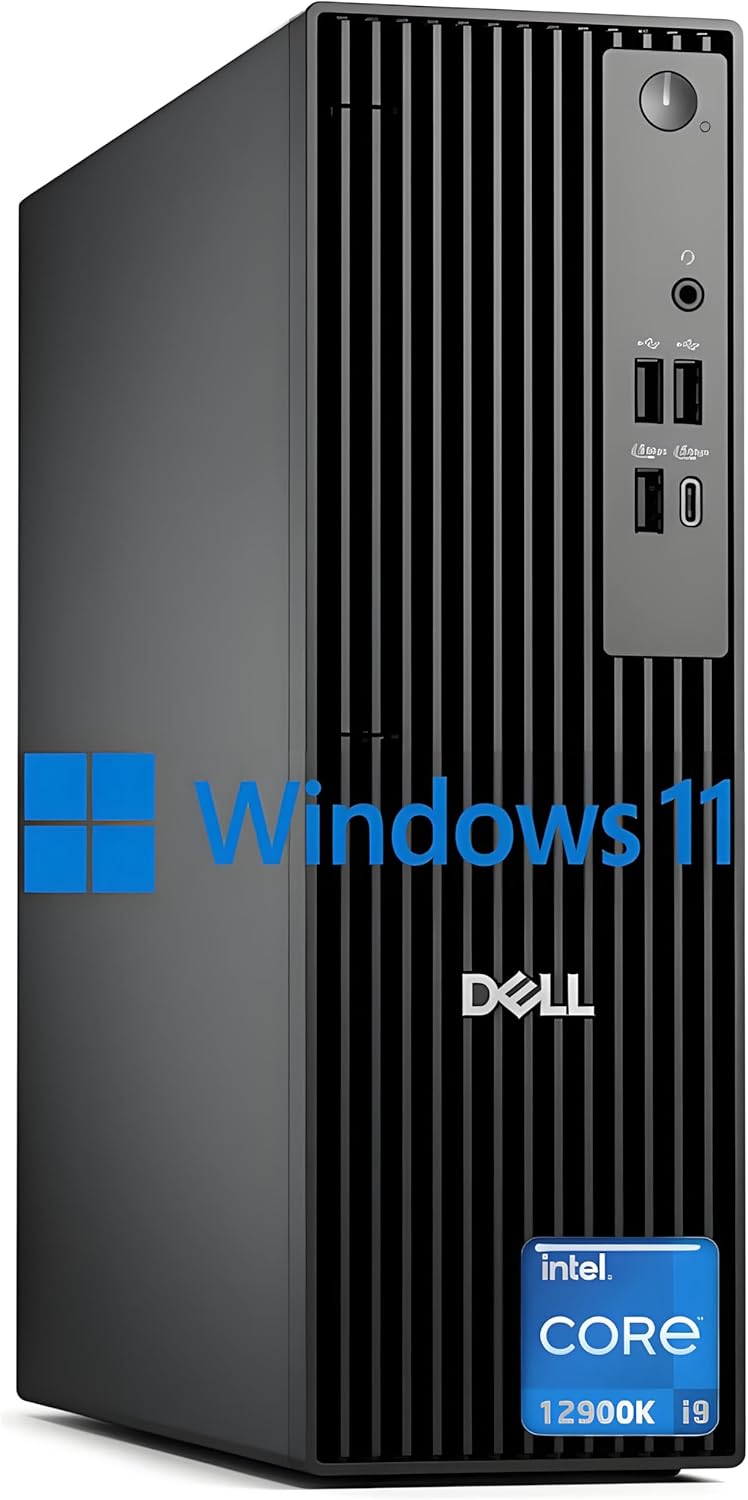
Dell 2025 i9-12900K Business Desktop, 32GB DDR5
A compact business tower built around Intel's high-core-count i9-12900K processor, paired with DDR5 RAM and fast PCIe SSD storage. Designed for professionals handling demanding multitasking, video editing, or data-intensive workflows who value a slim footprint and built-in security features like TPM and cable lock slots.
Pros
- Powerful 16-core, 24-thread processor with up to 5.2 GHz boost for heavy workloads
- Extensive port selection including USB 3.0, DisplayPort, HDMI, and Ethernet for flexible connectivity
- Configurable up to 64GB DDR5 RAM and 2TB+ PCIe SSD for future-proofing
- Windows 11 Pro with hardware TPM security chip and physical lock provisions for business environments
- Compact slim form factor (11.95" width) fits tight desk setups without sacrificing performance
- Includes keyboard and mouse, reducing additional purchase costs
Cons
- No integrated webcam, requiring separate purchase for video conferencing
- Integrated graphics only; no discrete GPU limits video rendering and gaming capability
- 180W power supply may constrain future GPU upgrades if workload expands
- No Wi-Fi 6 or Bluetooth listed in core specs despite marketing mention, relying on wired Ethernet
Dell Pro Tower i3-14100 Desktop, 16GB DDR5/512GB SSD
A straightforward business desktop built around Intel's 14th-gen Core i3, paired with 16GB DDR5 memory and fast SSD storage. Windows 11 Pro and dual-display support make it suitable for office work, remote setups, and light creative tasks. Best for users prioritizing stable wired connectivity and professional-grade security over wireless convenience.
Pros
- Responsive multitasking and fast boot times with 16GB DDR5 RAM and 512GB SSD
- Dual 4K display support via HDMI 2.1 and DisplayPort 1.4a for expanded workspace
- Windows 11 Pro with discrete TPM and chassis intrusion switch for business security
- Comprehensive port selection including USB 3.2 Type-C and multiple USB 3.2 Type-A connections
- ENERGY STAR and EPEAT Silver certified for environmentally conscious deployments
Cons
- No Wi-Fi or Bluetooth, limiting flexibility for mobile or wireless-dependent workflows
- Integrated graphics adequate for productivity but not suitable for gaming or heavy 3D workloads
- DDR4 memory listed in description conflicts with DDR5 spec claim, creating specification ambiguity
Dell Slim Desktop, Core Ultra 5-225, 16GB DDR5
A compact desktop that prioritizes workspace efficiency without sacrificing performance. Built on Intel Core Ultra 5-225 with 16GB DDR5 memory and 512GB SSD, it handles productivity tasks and light creative work while fitting snugly into small offices or home setups. The tool-less upgradability and multi-monitor support make it practical for professionals who need flexibility.
Pros
- Compact form factor ideal for space-constrained environments
- Tool-less side panel and removable components simplify upgrades and maintenance
- Supports up to four FHD or two 4K monitors via DisplayPort 1.4a and HDMI 2.1
- 8 USB ports (including front-facing options) plus SD card reader for seamless connectivity
- Hardware TPM chip and physical security features (Kensington lock slot, padlock loop) for business use
- Built-in AI capabilities via Intel Core Ultra processor
Cons
- 512GB SSD may require expansion for users with large media libraries or demanding workflows
- Single 16GB DDR5 module limits upgrade path compared to dual-channel configurations
- 1Gbps Ethernet limits throughput for intensive network tasks; no Wi-Fi 6 explicitly confirmed in connectivity specs despite title mention
HP Pro Tower 290 G9 Desktop with Intel Core i3-13100
A compact business desktop built around Intel's 13th-gen Core i3, delivering reliable multitasking performance for office work and light content creation. The 8GB RAM and 256GB SSD combo handles everyday workflows smoothly, while the included keyboard, mouse, and Windows 11 Home setup get you productive immediately. Best suited for small offices, home-based professionals, and budget-conscious buyers who value simplicity over cutting-edge power.
Pros
- 13th-gen Intel Core i3 with Turbo Boost to 4.5GHz handles office applications and multitasking without lag
- Compact tower design (11.92 x 6.10 x 13.27 inches) fits tight desk spaces easily
- Complete out-of-box package: Windows 11 Home, Office 365, keyboard, mouse, and USB Wi-Fi adapter included
- Versatile connectivity: HDMI, VGA, RJ-45 Ethernet, 8 USB ports, plus audio jacks for broad device compatibility
- Solid build quality with security features (TPM 2.0, cable lock) and 80 Plus Gold power efficiency option
Cons
- No built-in Wi-Fi, though USB adapter is provided
- 256GB SSD may fill quickly for users with large media libraries or demanding applications
- Integrated Intel UHD Graphics 730 limits gaming and professional GPU-intensive tasks
Dell 24 All-in-One FHD with Intel Core 3 100U
This 24-inch all-in-one combines a vibrant FHD IPS display with practical everyday performance, making it well-suited for home offices and light productivity work. The narrow-border design and blue-light reduction features prioritize eye comfort during extended use, while the integrated 5MP camera and Dolby Atmos speakers handle video calls and media smoothly. It's a space-conscious choice that doesn't demand much from your desktop real estate.
Pros
- 99% sRGB color accuracy and 50% higher contrast for sharp, true-to-life visuals on FHD IPS panel
- Thoughtful eye-comfort features: ComfortView Plus blue-light reduction and flicker-free display for long work sessions
- Versatile connectivity with WiFi 6E, five USB ports, HDMI-in/out, and SD card reader for flexible peripheral support
- Dual 5W speakers with Dolby Atmos spatial audio deliver clear, immersive sound for video calls and media
- Compact footprint with innovative stand design that includes keyboard parking space to minimize clutter
Cons
- Intel Core 3 100U and 8GB DDR5 RAM limit multitasking and demanding software performance compared to higher-tier processors
- 512GB SSD storage may feel tight for users with large media libraries or multiple applications
- FHD resolution on a 24-inch screen means less screen real estate than higher-resolution alternatives at similar sizes
Desktop Computers for Work Buying Guide
Not every work desktop is built the same, and the right choice depends heavily on what you actually do at your desk each day.
The sections below break down the criteria that matter most so you can match a machine to your workflow rather than simply picking the one with the highest headline spec.
Processor Generation and Core Count

The CPU is the single most influential component in a work desktop because it determines how quickly the machine handles everything from browser tabs and email to compiling code and rendering documents.
For general office work, a modern quad-core or six-core processor from Intel’s 12th generation onward or AMD’s Ryzen 5000 series onward is sufficient.
For heavier workloads such as video editing, large spreadsheet modeling, or running multiple virtual machines, stepping up to a 12-core or 20-core processor pays real dividends.
Pay attention to the distinction between performance cores and efficiency cores in Intel’s hybrid architecture. The Core Ultra and Core i7/i9 chips in our lineup use this design to balance sustained throughput with energy efficiency under mixed workloads.
Intel’s Core Ultra 7 265, for example, is positioned squarely at AI-accelerated productivity tasks, and verified buyers consistently note its snappy responsiveness during sustained multitasking sessions.
If your work involves running AI-assisted tools, local language models, or creative software with neural-network features, prioritize machines marketed as “AI-ready”, as these include a dedicated neural processing unit (NPU) that offloads those tasks from the main CPU, keeping the rest of your workflow uninterrupted.
Our picks from Dell and HP both cover this segment well.
RAM Capacity and Memory Type

For most professional workloads in 2026, 16 GB of RAM is the practical floor.
Running a modern browser with dozens of tabs, a video conferencing app, a productivity suite, and a cloud sync client simultaneously will push an 8 GB machine to its limits, causing slowdowns at exactly the moments you can least afford them.
If your workflows involve large files, local databases, or design applications, 32 GB is the more comfortable baseline.
DDR5 memory, which ships in most of the newer configurations in our lineup, offers meaningfully higher bandwidth than DDR4 and pairs well with the latest Intel and AMD platforms.
Beyond raw speed, the memory type determines which upgrade paths are open to you later. Desktops with user-accessible DIMM slots give you room to expand without replacing the whole machine, a long-term cost advantage over sealed all-in-one designs.
For a deeper look at how memory specifications translate to real-world performance, our guide to RAM performance covers the key tradeoffs in detail.
Storage: SSD Size, Speed, and Expandability
A PCIe NVMe SSD is now the baseline expectation for any work desktop worth recommending. Boot times, application launches, and file transfers are dramatically faster compared to SATA SSDs and traditional spinning hard drives.
For most knowledge workers, a 512 GB SSD handles the operating system, primary applications, and a reasonable library of active project files.
Professionals who work with large media assets, archives, or local backups will want 1 TB or more as the primary drive.
Some of the configurations in our lineup combine a smaller SSD for the OS with a larger HDD for bulk storage.
This is a cost-effective approach if you are comfortable managing which files live where, but if simplicity matters, a single large NVMe SSD is the cleaner solution.
Tower desktops generally allow you to add a second drive later, which gives you flexibility to start lean and expand as your storage needs grow.
Form Factor: Tower vs. All-in-One vs. Slim Desktop

Full tower and mid-tower desktops offer the most upgradeability and airflow, making them the preferred choice for power users and IT-managed business environments. They typically support discrete GPU upgrades, additional storage bays, and better long-term serviceability.
If your work ever expands into graphic-intensive tasks, a tower gives you room to add a dedicated GPU without replacing the entire system. Those interested in portable computing alternatives can also explore 2-in-1 laptops as a complement for travel days.
Slim desktops and small form factor (SFF) machines sacrifice some expandability for a dramatically reduced footprint. They are well suited for clean desk setups, shared workspaces, or environments where the computer sits behind a monitor.
All-in-one PCs go a step further by integrating the display, which reduces cable clutter but also ties the lifecycle of the monitor to the computer. Browse our all-in-one PCs category if that form factor suits your workspace.
For most professionals who prioritize longevity and value, a slim tower or compact tower strikes the best balance.
You can also explore the broader computers category for related roundups including mini PCs, which offer an even smaller footprint for light workloads.
Connectivity and Ports

Work desktops are stationary hubs, which means port selection matters more than it does on a laptop where you can rely on a dock.
Look for USB-A and USB-C ports on both the front and rear panels so you can connect peripherals, external drives, and displays without routing cables awkwardly around the machine.
DisplayPort and HDMI outputs determine how many monitors you can drive natively, and dual 4K support is increasingly standard on mid-range and premium configurations.
Wi-Fi 6 or Wi-Fi 6E is the current standard for wireless, offering lower latency and better performance in congested network environments compared to Wi-Fi 5.
For office environments where the desktop sits near a router or switch, a Gigabit Ethernet (RJ-45) port remains the most reliable option for video calls and large file transfers.
Several picks in our lineup include all of the above, which is worth confirming before purchase if your workflow is network-intensive.
Operating System and Business Software Readiness

Most work desktops ship with either Windows 11 Home or Windows 11 Pro. The Pro edition adds features such as BitLocker encryption, Remote Desktop, and domain-join capability, which matter for businesses with managed IT environments.
If you are purchasing for a small office or a team that will be joined to an Active Directory domain or managed through Microsoft Intune, Windows 11 Pro is the practical minimum.
Home editions are fine for freelancers and sole practitioners who manage their own machines.
Some configurations in our lineup include a trial or subscription of Microsoft 365, which is a useful added-value consideration if you are not already covered.
Verify what is included in the box before factoring it into your purchase decision, as software bundles change over time.
Separately, if remote work is central to your setup, confirm that the machine supports Wake-on-LAN and has solid Remote Desktop performance, both of which depend more on network configuration and processor headroom than on any single spec listed on the product page.
Why You Should Trust Us
REMOVU is an independent review platform. We have no affiliation with Dell, HP, Lenovo, or any other manufacturer whose products appear in our roundups.
Every product in this guide was assessed using our standardized research methodology: we analyze manufacturer-published specifications, cross-reference expert review consensus from multiple industry sources, and incorporate verified buyer feedback to build a complete picture of real-world performance and reliability.
We do not conduct our own product trials; our evaluations are grounded in research, published data, expert review consensus, and verified buyer feedback.
Each product is then rated on our REMOVU Score, a 0 to 10 scale that weights performance, value, reliability signals, and user satisfaction against the specific demands of the category.
Scores are assigned independently of price tiers, meaning a budget pick can outscore a premium model if it delivers exceptional value relative to its class. We revisit scores when significant new data or updated firmware changes the real-world picture.
REMOVU may earn a commission if you purchase through links on this page. That affiliate relationship has no bearing on which products are included, how they are ranked, or what scores they receive.
Our recommendations are editorially independent and based solely on the merits of each product.
Final Thoughts
The work desktop market in 2026 is strong across all price tiers. Whether you are equipping a home office for focused individual work or sourcing machines for a small business team, there is a configuration in this lineup that fits.
Here are our standout picks by use case, each earning its place based on REMOVU Score and the criteria outlined in this guide.
- Best Overall: HP OmniDesk Desktop Computer. This machine earns the top REMOVU Score in our lineup thanks to its Intel Core Ultra 7 265 processor, sleek AI-ready design, and Windows 11 Pro out of the box, making it the single strongest all-round choice for serious professional use.
- Best for Business Power Users: Dell Desktop Computers QCT1250 for Business Professionals. With a 20-core Intel Core i7-14700, 32 GB DDR5 RAM, dual 4K monitor support, and Windows 11 Pro, this tower is built for demanding multi-application workflows and earns a strong REMOVU Score in the premium tier.
- Best Budget-Friendly Pick: Lenovo IdeaCentre Business Tower Desktop. Lenovo’s entry delivers a capable 14th-generation Intel processor, DDR5 RAM, Wi-Fi 6E, USB-C, and Windows 11 Pro at an accessible price, earning a competitive REMOVU Score among value-oriented configurations.
- Best for Compact Office Setups: Dell Pro Tower Desktop Computer (2026 Edition, AI-Ready). This Dell punches well above its modest price point with DDR5 RAM, a solid NVMe SSD, and Windows 11 Pro, and its high REMOVU Score reflects strong verified buyer satisfaction for coding, photo editing, and remote work applications.
- Best All-in-One Option: Dell 23.8″ All-in-One Desktop EC24250. For users who prefer an integrated display with zero tower footprint, this Dell AIO brings Wi-Fi 6E, Dolby Atmos speakers, and Windows 11 Home into a single clean package suited to everyday office tasks.
If you are still weighing a desktop against a portable option, our guide to laptops for demanding daily use covers the best portable alternatives, and our gaming desktops category is worth a look if you want a machine that doubles as a workstation with GPU headroom to spare.
Frequently Asked Questions
How much RAM do I actually need for office work?
For most office tasks, including email, documents, video calls, and browser-based apps, 16 GB of RAM is the comfortable standard in 2026. Eight gigabytes is workable for very light use but will feel cramped quickly if you multitask heavily.
If you run creative software, local databases, or keep dozens of browser tabs open simultaneously, 32 GB removes the bottleneck entirely.
The good news is that most tower desktops allow you to add more RAM later, so buying 16 GB today and upgrading when needed is a practical approach.
Is Windows 11 Home sufficient for a work desktop, or do I need Pro?
Windows 11 Home covers the vast majority of individual and freelance use cases. You get the full productivity software ecosystem, Microsoft 365 compatibility, and modern security features.
Windows 11 Pro becomes necessary when you need BitLocker full-disk encryption, Remote Desktop hosting, domain-join for managed IT environments, or Hyper-V virtualization. Several picks in our lineup ship with Pro by default, which is a meaningful value-add for business buyers.
Can I use a work desktop for occasional light gaming or video editing?
Yes, though the degree to which it handles those tasks depends on the CPU tier and whether the machine includes a discrete GPU.
Most of the configurations in our lineup use integrated Intel UHD or Intel Arc graphics, which handle casual gaming, 1080p video playback, and basic editing well but will struggle with GPU-intensive game titles or 4K timeline editing at full speed.
Tower desktops with a PCIe slot give you the option to add a dedicated graphics card later if your needs evolve. Those who want a machine built primarily for graphical performance should explore our gaming desktops roundup instead.
What is the difference between a slim desktop and a small form factor (SFF) desktop?
The terms are often used interchangeably by manufacturers, but “slim desktop” typically describes a low-profile chassis designed to sit horizontally on or under a desk, while “small form factor” (SFF) refers more broadly to any compact chassis that reduces footprint relative to a standard mid-tower.
Both prioritize desk space efficiency over raw upgradeability. They generally use laptop-class power supplies and have limited room for expansion cards, but they are more than capable for professional workloads that do not require discrete graphics.
If you want something even smaller, mini PCs take the compact approach to its logical extreme.
Does dual 4K monitor support require a special GPU?
Not necessarily. Several modern Intel integrated graphics solutions, including those found in Core Ultra processors, support simultaneous 4K output across two displays via HDMI and DisplayPort.
This is sufficient for productivity work such as spreadsheets, document editing, and video calls at high resolution. For video production, color grading, or gaming at 4K, a dedicated GPU will deliver significantly better performance.
Check that the desktop you are purchasing has two independent display outputs if dual-monitor work is central to your setup, as some slim configurations expose only a single display port by default.
Should I buy a desktop now or wait for newer processor generations?
If you have an immediate productivity need, buying now makes sense. The current generation of Intel Core Ultra and 14th-gen Core processors represents a meaningful generational leap for AI-assisted workloads, and prices on those configurations have stabilized into competitive ranges.
Waiting for the next platform generation is a reasonable strategy only if your current machine is still functional and you can afford to delay.
New CPU generations typically bring incremental improvements in efficiency and NPU performance rather than dramatic leaps in raw processing speed, so the machines available today will remain productive for several years with appropriate RAM and storage configurations.
About the author
Patrick covers PC power supplies for REMOVU, weighing efficiency, wattage headroom, and reliability that protects a whole build. He steers readers away from cheap units that put their parts at risk.