The 10 Best Graphics Cards for 4K Gaming
4K gaming demands serious GPU horsepower. We researched specs, expert consensus, and buyer feedback to find the strongest graphics cards across every budget for smooth 4K play.
 By Jim Harvey
Updated July 26, 2026
By Jim Harvey
Updated July 26, 2026

Upgrading to a 4K display is one of the most impactful steps you can take in your gaming setup, but your monitor is only as capable as the GPU pushing pixels to it.
At 3840×2160, even modern graphics cards have to work hard to deliver smooth, high-fidelity visuals, and choosing the wrong card means either bottlenecking a stunning panel or overspending on performance your system cannot fully use.
Whether you are building a high-end rig around the latest NVIDIA Blackwell or Ada Lovelace architecture, or stretching your budget with a competitive AMD RDNA 4 option, the choices available in 2026 are genuinely exciting across every price tier.
At REMOVU, we researched the current GPU landscape by analyzing published specifications, synthesizing expert review consensus from across the enthusiast community, and weighing verified buyer feedback to give each card a REMOVU Score on our 0-to-10 scale.
We evaluated cards across different use cases, from compact builds that need an SFF-ready footprint to demanding setups where maximum 4K frame rates matter most.
Scroll down for our top-ranked picks, each chosen to represent the strongest value at its price point for 4K gaming in 2026.
| Award | Product | REMOVU Score About REMOVU ScoreThe REMOVU Score is our own rating from 0 to 10, based on performance, design and build, ease of use, and value. It reflects independent research and is never influenced by manufacturers, retailers, or affiliate commissions. Learn more › | Price | |
|---|---|---|---|---|
| Best Overall |
 ASUS Prime Radeon RX 9070 XT 16GB
|
8.4/10 | Buy | |
| Best Premium |
 ZOTAC RTX 4070 Ti SUPER Trinity 16GB
|
7.8/10 | Buy | |
 ASUS TUF Gaming RTX 5070 12GB Graphics Card
|
7.5/10 | Buy | ||
 ASUS Prime RTX 5070 SFF-Ready Graphics Card
|
7.8/10 | Buy | ||
| Best Value |
 GIGABYTE RTX 5070 Gaming OC 12GB
|
7.9/10 | Buy | |
 ZOTAC RTX 4070 Super Twin Edge 12GB
|
6.8/10 | Buy | ||
 ASUS Dual Radeon RX 9060 XT 16GB
|
7.6/10 | Buy | ||
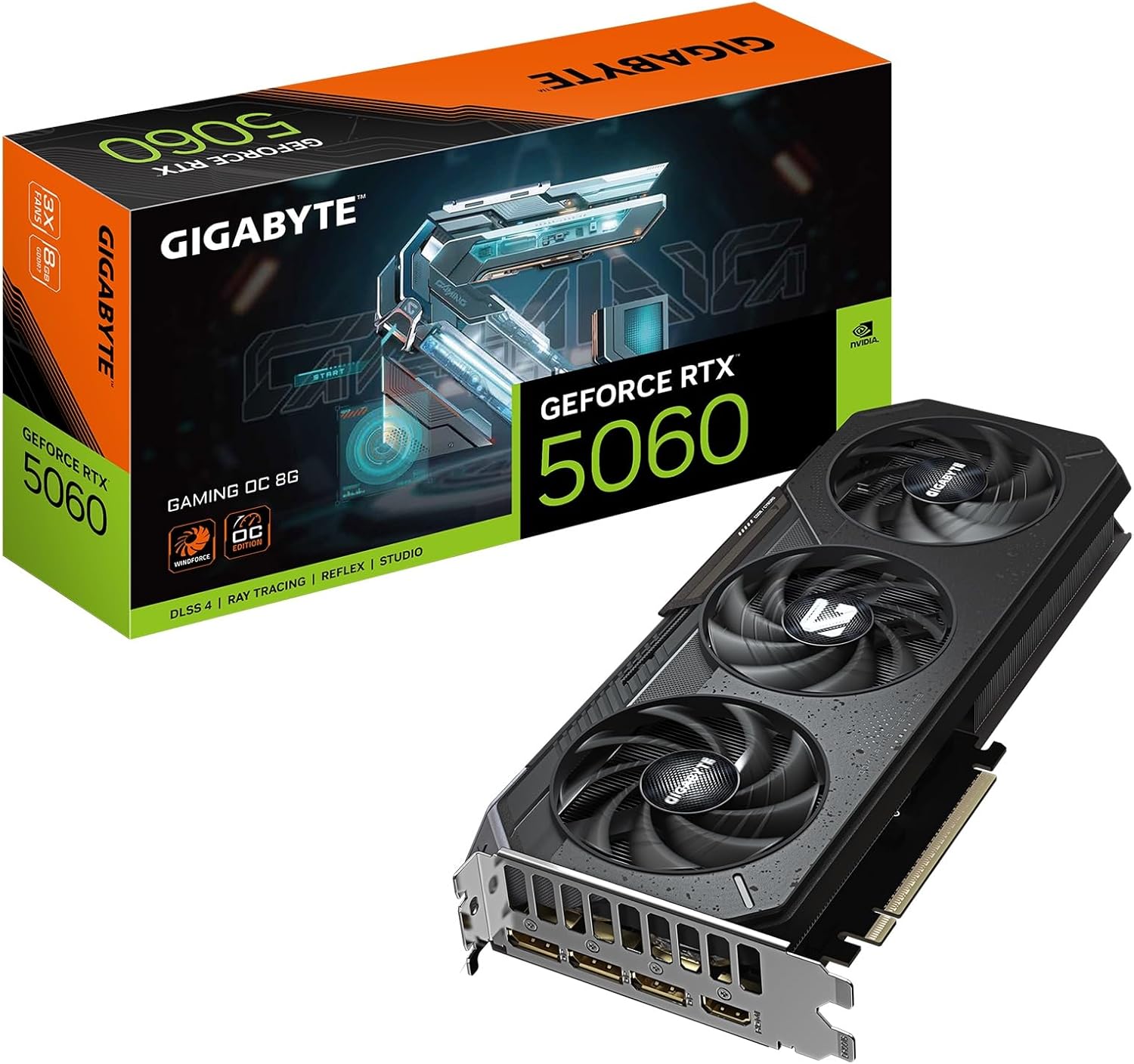 GIGABYTE RTX 5060 Gaming OC 8GB Graphics Card
|
6.2/10 | Buy | ||
| Best Budget |
 ASUS Dual RTX 5060 8GB GDDR7
|
8.2/10 | Buy | |
 ASUS Dual RTX 5060 Ti 16GB GDDR7
|
7.2/10 | Buy |
ASUS Prime Radeon RX 9070 XT 16GB
A mid-to-high-end graphics card built for sustained cooling and durability. The 2.5-slot design with three Axial-tech fans, MaxContact heatspreader, and phase-change thermal pad work together to keep temperatures in check, while dual-ball bearings and reinforced components suggest longevity. Best suited for gamers and creators who value thermal stability and quieter operation over raw performance bragging rights.
Pros
- Effective thermal design with MaxContact heatspreader, phase-change pad, and optimized fan layout that reduces temperatures by up to 2°C
- 0dB fan technology stops cooling below 55°C, enabling silent operation during light workloads
- Dual-ball fan bearings last twice as long as sleeve bearings, enhancing card lifespan
- Dual BIOS modes let you toggle between Performance and Quiet operation depending on your needs
- Protective features including ASUS GPU Guard, reinforced backplate, and stainless steel bracket reduce damage risk
Cons
- 2.5-slot footprint may limit compatibility in compact or tightly packed PC builds
- No specifications provided for clock speeds, power consumption, or memory bandwidth to assess raw performance claims
- Dual BIOS and thermal optimizations target stability over peak performance, which may not appeal to extreme overclockers
ZOTAC RTX 4070 Ti SUPER Trinity 16GB
High-end graphics card built on NVIDIA's Ada architecture with DLSS 3.5 and full ray tracing support. The IceStorm 2.0 cooling system keeps thermals in check with intelligent fan control, while the Trinity design appeals to builders seeking premium aesthetics. Best suited for 4K gaming and content creation workflows demanding top-tier performance.
Pros
- DLSS 3.5 and full ray tracing for modern AAA gaming at high settings
- IceStorm 2.0 Advanced Cooling with FREEZE Fan Stop reduces idle noise
- Includes GPU Support Stand and FireStorm Utility for easy setup and tuning
- SPECTRA RGB Lighting and metal backplate for build aesthetics
- Strong 4.7 rating from 115 verified reviews indicates consistent user satisfaction
Cons
- Premium-tier pricing places it out of reach for budget-conscious builders
- Requires robust PSU and adequate case airflow for optimal performance
- High power consumption typical of flagship GPUs may increase electricity costs
ASUS TUF Gaming RTX 5070 12GB Graphics Card
ASUS brings military-grade durability and robust cooling to the RTX 5070, making it a solid choice for gamers prioritizing system stability and longevity. The card combines Blackwell architecture with reinforced components, phase-change thermal pads, and Axial-tech fans that move significantly more air than standard designs. Best suited for builders who value durability and thermal performance over minimalist aesthetics.
Pros
- Military-grade TUF chokes, MOSFETs, and 5K capacitors rated for 2.5X longer lifespan than standard components
- Advanced cooling with MaxContact design, phase-change thermal pad, and Axial-tech fans delivering up to 31% more airflow
- 0dB fan technology keeps the card silent during light workloads below 50°C
- Protective PCB conformal coating guards against moisture, dust, and debris damage
- 3-year warranty and strong 4.6-star rating from 497 verified reviews
Cons
- 3.125-slot design is relatively large and may not fit all case configurations
- Premium durability features add cost compared to non-TUF alternatives with similar raw performance
- Vented shroud and thick fin array make cleaning more involved than compact designs
ASUS Prime RTX 5070 SFF-Ready Graphics Card
ASUS brings compact efficiency to the RTX 5070 with a thoughtfully engineered 2.5-slot design that fits small-form-factor builds without sacrificing cooling performance. Three Axial-tech fans with longer blades and a phase-change thermal pad work together to maintain stable temperatures under load, while dual BIOS modes let you toggle between performance and quiet operation. Best suited for enthusiasts building high-end systems in tight spaces who want NVIDIA's latest architecture without the bulk.
Pros
- 2.5-slot form factor enables compatibility with small-form-factor and compact builds
- Advanced cooling stack: phase-change thermal pad, MaxContact design, and vented backplate reduce temperatures by up to 2°C
- Dual BIOS with 0dB fan technology balances performance and noise across different workloads
- Robust build quality with dual ball bearings, stainless steel bracket, and ASUS GPU Guard reinforcement
- Includes GPU Tweak III software for detailed monitoring and tuning, plus one month Adobe Creative Cloud access
Cons
- 2.5-slot design still occupies more space than traditional single-slot cards, limiting adjacent expansion slots
- Premium thermal features add cost compared to baseline RTX 5070 models
- No information provided on noise levels at full load to assess real-world quiet operation effectiveness
GIGABYTE RTX 5070 Gaming OC 12GB
GIGABYTE's RTX 5070 Gaming OC pairs NVIDIA's new Blackwell architecture with 12GB of GDDR7 memory and PCIe 5.0 support, delivering strong frame rates and AI acceleration for demanding games and creative work. The WINDFORCE cooling system keeps thermals in check, while DLSS 4 integration enhances performance further. Best suited for 1440p and high-refresh gaming, or creators working with AI-accelerated applications.
Pros
- 12GB GDDR7 memory with 192-bit interface handles high-resolution textures and large datasets
- PCIe 5.0 support provides future-proofing and bandwidth headroom
- WINDFORCE cooling system delivers effective thermal management
- DLSS 4 and Tensor Cores enable AI acceleration for games and creative apps
- Strong user ratings (4.7/5 from 143 reviews) indicate reliable real-world performance
Cons
- Premium positioning means higher entry cost compared to previous-gen cards
- Requires robust PSU and adequate case airflow for optimal cooling performance
- Blackwell architecture is relatively new, so driver maturity may improve over time
ZOTAC RTX 4070 Super Twin Edge 12GB
A compact dual-slot GPU built on NVIDIA's Ada architecture with DLSS 3 support, 12GB GDDR6X memory, and IceStorm 2.0 cooling. Designed for builders with space constraints who need strong 1440p and 4K gaming performance without sacrificing thermal management or upgrading to a larger PSU.
Pros
- Compact 2-slot form factor (9.2" x 4.9") fits smaller cases and builds without compromising performance
- IceStorm 2.0 cooling with FREEZE Fan Stop technology reduces noise during idle and light workloads
- DLSS 3 and Ada architecture deliver significant frame rate gains in supported titles
- Solid 4.8-star rating from 139 verified reviews indicates reliable real-world performance
- Includes FireStorm utility for independent fan speed control and RGB customization
Cons
- Requires 750W recommended PSU (higher than typical for this tier), limiting compatibility with older systems
- Dual 90mm fans may be less effective than larger triple-fan designs under sustained heavy loads
- Limited to 220W max power consumption but demands premium power delivery infrastructure
ASUS Dual Radeon RX 9060 XT 16GB
A compact 2.5-slot graphics card built for gamers who need serious performance without sacrificing case compatibility. The dual Axial-tech fans and 0dB technology keep thermals in check while minimizing noise during lighter workloads, making it a practical choice for both gaming and productivity builds.
Pros
- Compact 2.5-slot design maximizes compatibility with smaller cases while maintaining thermal performance
- 0dB technology stops fans below 55°C, reducing noise during light gaming and everyday tasks
- Dual ball fan bearings offer longer lifespan, rated up to twice as long as traditional sleeve bearings
- Dual BIOS modes let you switch between Performance and Quiet profiles depending on your needs
- Vented backplate and reinforced PCB design enhance heat dissipation and structural durability
Cons
- Limited information on actual power consumption and thermal performance benchmarks in provided data
- Dual BIOS switching requires manual intervention rather than automatic optimization
- No detailed noise level specifications provided for comparison with competing models
GIGABYTE RTX 5060 Gaming OC 8GB Graphics Card
Built on NVIDIA's Blackwell architecture, this mid-range GPU delivers strong 1440p gaming performance with 8GB of fast GDDR7 memory and PCIe 5.0 support. The WINDFORCE cooling system keeps thermals in check, while DLSS 4 and enhanced RT Cores offer meaningful gains for ray-traced games and creative workloads. Best suited for 1440p gamers and content creators seeking reliable performance without flagship pricing.
Pros
- 8GB GDDR7 memory with 128-bit interface provides solid memory bandwidth for gaming and creative tasks
- PCIe 5.0 support ensures future-proofing and compatibility with next-gen systems
- WINDFORCE cooling system offers effective thermal management for sustained performance
- DLSS 4 and Tensor Cores enable AI-accelerated workflows for creators
- High user rating (4.8/5 from 97 reviews) indicates consistent reliability and satisfaction
Cons
- Entry-level RTX 5000 series positioning means it targets 1440p rather than high-end 4K gaming
- Limited specifications data provided makes detailed performance comparison difficult
- WINDFORCE cooling adds size, which may require adequate case clearance
ASUS Dual RTX 5060 8GB GDDR7
A compact mid-range graphics card built for small-form-factor builds without sacrificing thermal management. The RTX 5060 brings DLSS 4 and Blackwell architecture efficiency to 1440p gaming, backed by ASUS's dual Axial-tech fans and 0dB passive cooling. Best suited for budget-conscious builders prioritizing space constraints over flagship performance.
Pros
- 2.5-slot design fits tight builds while maintaining strong cooling through optimized heatsink and heatpipe layout
- 0dB technology keeps fans silent during light loads, reducing noise below 50°C
- Dual ball bearings extend fan lifespan compared to sleeve bearing designs
- Dual BIOS modes let users toggle between Performance and Quiet operation based on workload
- Stainless steel bracket and vented backplate add durability and thermal efficiency
Cons
- Entry-level VRAM at 8GB limits headroom for demanding titles at higher resolutions
- OC clock speeds (2565 MHz) are modest compared to higher-tier RTX 50 series variants
- Compact form factor may restrict upgrade paths in some system configurations
ASUS Dual RTX 5060 Ti 16GB GDDR7
ASUS brings its thermal expertise to the compact RTX 5060 Ti with a carefully engineered 2.5-slot design that doesn't compromise cooling performance. The dual Axial-tech fans and vented backplate keep temperatures in check, while 0dB technology keeps noise minimal during light workloads. Best suited for builders prioritizing space efficiency without sacrificing GPU power.
Pros
- Compact 2.5-slot form factor with flagship-level thermal design, ideal for SFF builds
- 0dB fan mode silences operation below 50°C, balancing performance and noise
- Dual ball-bearing fans rated for longer lifespan than standard sleeve bearings
- Dual BIOS with Performance and Quiet modes for user flexibility
- Protective backplate with stainless steel bracket and ASUS GPU Guard for durability
- 16GB GDDR7 memory with DLSS 4 and PCIe 5.0 support
Cons
- 2.5-slot depth may still challenge tight mini-ITX cases despite compact positioning
- No mention of factory overclocking headroom beyond OC mode specification
- Limited to entry-to-mid tier performance tier, not for high-end 4K gaming demands
Best Graphics Cards for 4K Gaming Buying Guide
Shopping for a 4K GPU involves more tradeoffs than any other tier of graphics card. Raw performance numbers rarely tell the whole story.
Below are the criteria that matter most when you are evaluating whether a card will genuinely deliver a smooth 4K experience, rather than just clearing the resolution on paper.
Raster Performance at 4K Resolution

The most fundamental measure is how many frames per second a card delivers at 3840×2160 in the games you actually play.
At 4K, the GPU is almost always the bottleneck, which means raw shader and compute throughput matters far more than at lower resolutions.
Look for benchmarks in a range of titles, including both highly optimized games and notoriously demanding ones like Cyberpunk 2077, Alan Wake 2, and Microsoft Flight Simulator, rather than relying on a single synthetic score.
Verified buyer feedback consistently reinforces what spec sheets suggest: a card that averages 60 fps at 4K in most titles will feel comfortable for cinematic single-player games, while competitive or fast-paced play benefits significantly from targeting 90 fps or higher.
Understanding your target frame rate before you buy helps you avoid both under-spending and over-spending for your actual needs. Pairing any GPU with capable system RAM at adequate speeds is also important since memory bandwidth affects overall pipeline performance.
Upscaling Technology: DLSS 4, FSR 4, and XeSS

Modern upscaling has fundamentally changed what “4K gaming” means. NVIDIA’s DLSS 4 with Multi Frame Generation, available on RTX 5000-series cards, can dramatically multiply perceived frame rates beyond what native rendering alone could achieve.
AMD’s FSR 4 brings competitive AI-powered upscaling to RDNA 4 cards like the RX 9070 XT, while older FSR versions remain available on any hardware. Intel’s XeSS works across vendors as well.
The practical takeaway is that a card with strong upscaling support can punch well above its rasterization performance in supported titles.
DLSS 4 in particular has received overwhelmingly positive expert consensus for image quality, which means an RTX 5070 can feel much faster than its raw 4K raster numbers suggest.
That said, not every game supports every upscaling technology, so it is worth checking compatibility for your specific library before weighting this factor too heavily in your decision.
VRAM Capacity and Memory Bandwidth
At 4K, texture assets and frame buffers consume significantly more video memory than at 1080p or 1440p.
The current expert consensus is that 12GB of VRAM represents a practical minimum for 4K gaming in 2026, with some demanding titles already pushing beyond that.
Cards with 16GB offer more headroom, especially if you also use your system for content creation, AI workloads, or modded games with high-resolution texture packs.
Memory type matters alongside raw capacity. GDDR7 memory, found on the RTX 5000-series lineup, delivers substantially higher bandwidth than GDDR6X at comparable bus widths, which benefits both gaming and productivity workloads.
The RX 9070 XT uses GDDR6 but with a wider 256-bit bus, achieving strong effective bandwidth at its price tier.
When comparing cards, look at the combined picture of capacity, bus width, and memory speed rather than any single number in isolation.
You can find a broader discussion of memory specifications in our guide to DDR5 RAM for desktop builds, which complements GPU memory planning for a new rig.
Power Consumption and Cooling Efficiency

High-end graphics cards have grown increasingly power-hungry over successive generations, and 4K-capable GPUs are at the top of that curve. A card’s TDP directly affects your power supply requirements, case airflow planning, and long-term electricity costs.
The RTX 5070 and RTX 5070 Ti deliver meaningful improvements in performance-per-watt over their Ada Lovelace predecessors, which makes them more practical in mid-tower builds with standard PSU capacities.
Cooling solution quality is equally important, particularly for cards that will run sustained loads during long gaming sessions.
Multi-fan coolers with large heatsinks, zero-RPM modes at idle, and thick thermal pads on VRAM modules all contribute to sustained performance and longevity.
Premium board partner designs from manufacturers like ASUS and GIGABYTE typically outperform reference coolers in thermal headroom, which translates to better sustained boost clocks and quieter operation under load.
Your PC case choice also plays a meaningful role in how effectively a GPU can exhaust heat.
Connectivity and Display Output

For 4K gaming, display connectivity is more relevant than it might seem at lower resolutions.
HDMI 2.1 and DisplayPort 2.1 are both capable of driving 4K at high refresh rates without compression, and modern cards in this roundup support one or both standards.
If you are gaming on a high-refresh 4K panel, or planning to upgrade to one, confirm that the card you choose can deliver uncompressed 4K at your monitor’s maximum refresh rate over your preferred cable type.
Pairing your GPU with a capable display is where the whole system comes together, and our guide to TVs for movies and gaming covers what to look for on the display side of that equation.
Multi-monitor support is also worth considering if you run a productivity or streaming setup alongside your gaming display. Most cards in this roundup support three or more simultaneous displays.
Cards with dual BIOS switches offer an extra layer of flexibility, letting you toggle between performance and quiet BIOS profiles depending on your workload.
Check the physical slot width of any card you are considering against your motherboard layout and case clearance before purchasing.
Value Relative to Your Use Case

The “best” 4K GPU is not the fastest one available; it is the one that delivers the performance your target games and frame rate goals require at the lowest price.
Flagship cards offer the highest ceilings but carry a significant premium that diminishes returns for most players.
Mid-range options can handle 4K competently in many titles with the help of upscaling, making them far more accessible entry points without sacrificing the resolution advantage.
Budget also extends beyond the GPU itself. A new card may require a PSU upgrade or a larger case, and those costs should factor into your total build planning.
Consider whether you are gaming exclusively at 4K or whether you occasionally drop to 1440p for competitive titles, since that changes how much raw GPU horsepower you actually need on a day-to-day basis.
For players who also care about the broader gaming experience, a quality gaming headset rounds out an immersive setup alongside a powerful GPU.
Why You Should Trust Us
REMOVU is an independent review publication. We do not sell products, take manufacturer direction, or adjust our recommendations based on commercial relationships.
Every graphics card in this roundup was evaluated using our structured research methodology: we analyzed published specifications, synthesized expert review consensus drawn from across the enthusiast and professional reviewer community, and incorporated verified buyer feedback from confirmed purchasers.
We do not conduct our own product trials; our evaluations are grounded in research, published data, expert review consensus, and verified buyer feedback.
Each product is assigned a REMOVU Score on a 0-to-10 scale based on consistent, category-specific criteria applied uniformly across every card we assess.
For graphics cards targeting 4K gaming, our scoring framework weights 4K raster and upscaling performance heavily, alongside VRAM capacity, cooling efficiency, connectivity, and overall value relative to alternatives at the same price tier.
This ensures that a high score reflects genuine usefulness for 4K gaming specifically, not just raw performance in isolation.
REMOVU may earn a commission when you purchase through links in this article. That affiliate relationship has no influence on our rankings, scores, or selection of products. Our recommendations reflect the quality of our research and the merits of each product, not commission rates.
Final Thoughts
After evaluating every card in this roundup against our 4K gaming criteria, a few clear standouts emerge across different buyer profiles. Here are our top category awards, each tied to the product that earned it on merit.
- Best Overall: ASUS Prime AMD Radeon RX 9070 XT 16GB OC Edition earns the top REMOVU Score in this roundup by delivering exceptional 4K performance, a generous 16GB GDDR6 framebuffer, and outstanding value relative to competing cards at higher price points. RDNA 4 architecture and FSR 4 support make it one of the most compelling GPU releases in recent memory.
- Best for AI-Powered Frame Generation: ASUS Dual NVIDIA GeForce RTX 5060 8GB OC Edition stands out as the highest-scoring RTX 5000-series entry-level card in the roundup, bringing DLSS 4 Multi Frame Generation to a more accessible price tier and earning strong verified buyer praise for its compact, efficient design.
- Best Mid-Range RTX Pick: GIGABYTE GeForce RTX 5070 Gaming OC 12G hits a strong balance of GDDR7 memory bandwidth, DLSS 4 capability, and WINDFORCE cooling in a well-regarded package. Expert consensus places it firmly in the sweet spot for 4K gaming without flagship pricing.
- Best for Compact Builds: ASUS SFF-Ready Prime NVIDIA GeForce RTX 5070 is the standout recommendation for small-form-factor builds, combining genuine 4K-capable Blackwell architecture with a 2.5-slot footprint that fits enclosures where full-size cards simply cannot. It earns one of the higher scores in its performance tier.
- Best Budget Entry to 4K: ASUS Dual Radeon RX 9060 XT 16GB GDDR6 offers the most VRAM of any card in this roundup at a mid-range price, making it a practical option for players who want 4K capability with headroom for texture-heavy games and future titles, backed by AMD’s competitive upscaling support.
Whichever card you choose, pairing it with a fast NVMe solid-state drive and a capable processor ensures your GPU is never held back by the rest of your system.
And if you are building your setup from scratch, browsing the full PC components category is a useful starting point for planning every layer of your build.
Frequently Asked Questions
How Much VRAM Do You Need for 4K Gaming?
For most 4K gaming in 2026, 12GB of VRAM is the practical minimum, and 16GB provides comfortable headroom for demanding titles, high-resolution texture mods, and future games.
Some games are already bumping against 12GB limits at 4K with maximum settings enabled. If you also use your PC for content creation or AI workloads, prioritizing a card with 16GB is a sound long-term investment.
Is the AMD RX 9070 XT Really Better Value Than the RTX 5070 for 4K?
Based on the current expert review consensus, the RX 9070 XT delivers 4K raster performance that competes closely with the RTX 5070 while typically carrying a lower price tag and offering 16GB of VRAM versus 12GB.
The RTX 5070 holds advantages in DLSS 4 Multi Frame Generation and ray tracing workloads. The right choice depends on which games you play and whether you prioritize NVIDIA’s upscaling ecosystem or raw raster performance at the lowest cost.
Can an RTX 5060 Ti or RTX 5060 Handle 4K Gaming?
Both cards can run games at 4K resolution, but their native raster performance at that resolution is more limited compared to higher-tier GPUs.
With DLSS 4 enabled, particularly with Multi Frame Generation, the RTX 5060 Ti can produce smooth 4K frame rates in many supported titles.
For players who primarily game at 4K in AAA titles at maximum settings without upscaling assistance, stepping up to the RTX 5070 or RX 9070 XT tier is advisable for a more consistently fluid experience.
Do I Need to Upgrade My Power Supply for a New 4K GPU?
It depends on your current PSU capacity and the card you choose. Mid-range cards like the RTX 5070 and RX 9070 XT are relatively power-efficient for their performance tier, and a quality 750W supply handles them comfortably.
Higher-end configurations or older PSUs with degraded capacity may warrant an upgrade. Always factor your full system’s power draw, including CPU and storage, and consult the manufacturer’s recommended PSU specifications before finalizing your build.
Our guide to power supplies covers what to look for when choosing the right unit.
What CPU Should I Pair With a 4K Graphics Card?
At 4K resolution, the GPU is typically the primary bottleneck, which means CPU requirements are less strict than at 1080p.
That said, pairing a high-end GPU with a significantly underpowered processor can still cause CPU bottlenecks in open-world games with complex AI or physics simulations.
A modern mid-range to high-end CPU from Intel’s Core or AMD’s Ryzen lineup is sufficient for virtually all 4K gaming scenarios. Ensure your motherboard supports PCIe 5.0 if you want to take full advantage of the latest GPU interconnect bandwidth.
Is 4K Gaming Worth It Compared to High-Refresh 1440p?
This is one of the most common debates among PC gaming enthusiasts, and the honest answer is that it depends on your priorities.
4K excels in visual fidelity and image sharpness, particularly in cinematic single-player games viewed on a large display. High-refresh 1440p prioritizes smoothness and responsiveness, which benefits competitive multiplayer significantly.
Many players who invest in a capable 4K GPU enjoy both, since most modern high-refresh 4K monitors also support variable refresh rate at lower resolutions.
For a broader look at display options to pair with any GPU, our roundup of projectors and coverage of large-screen TVs are worth exploring if you are considering alternatives to a traditional gaming monitor.
About the author
Jim covers internal hard drives for REMOVU, comparing capacity, reliability, and value for mass storage and NAS builds. He helps readers store more for less without sacrificing dependability.