Three 2017 and 2018 Thunderbolt MacBook Models Now Obsolete: What It Means for Your Repair Options
The 2017 and 2018 MacBook Pro and 2018 MacBook Air now face limited repair support.
 By Ava Herrera
Updated August 31, 2026
By Ava Herrera
Updated August 31, 2026

Apple has officially moved three MacBook models from its vintage category to obsolete status, a designation that carries real implications for owners considering repairs and upgrades. The affected machines are the 2018 Retina MacBook Air, the 13-inch 2018 MacBook Pro with four Thunderbolt 3 ports, and the 13-inch 2017 MacBook Pro with two Thunderbolt 3 ports. Understanding what this change means can help you make informed decisions about your aging hardware.
What Obsolete Status Means
Apple categorizes products based on how long ago they stopped being distributed for sale. Products enter the vintage list five years after their last sale, and transition to obsolete status at the seven-year mark. When a device becomes obsolete, Apple typically discontinues repair services at its retail locations and authorized service providers. The company stops manufacturing replacement parts for these machines, making repairs significantly more difficult or impossible to obtain through official channels.
Previously, these three MacBook models sat on Apple’s vintage list, which still allowed for repairs if parts remained available. The shift to obsolete status represents a harder line in terms of official support. For owners who purchased these machines between 2017 and 2018, this news signals that the window for obtaining manufacturer-backed repairs is rapidly closing.
Battery Repairs May Still Be Available
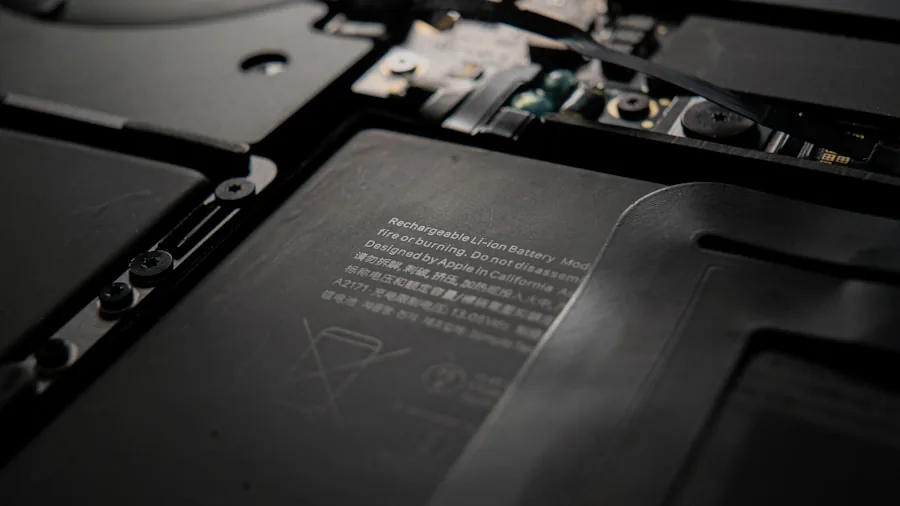
There is one notable exception to the repair restrictions. Apple maintains a battery-only repair policy for Mac laptops for up to ten years after the original sale date. This means that owners of 2017 and 2018 MacBook Air and MacBook Pro models can still potentially obtain battery replacements through Apple or authorized service providers, even though other repairs are no longer available. If your machine’s battery has degraded or no longer holds a charge, this extended battery support window provides a lifeline.
For many users, battery replacement is among the most common repair needs as laptops age. Lithium-ion batteries naturally degrade over time, losing capacity with each charge cycle. The ten-year window gives you roughly three more years from now to pursue battery service for these models, depending on your specific purchase date.
Understanding Thunderbolt 3 Connectivity
Both the 2017 and 2018 MacBook Pro models featured Thunderbolt 3 ports, a high-speed connection standard that was cutting-edge at the time. These ports supported data transfer speeds up to 40 gigabits per second, video output, and power delivery all through a single connector. The 2018 model offered four Thunderbolt 3 ports, while the 2017 version included two.
Thunderbolt 3 connectivity remains relevant even today, which is why many users maintain these machines despite their age. The best Thunderbolt docks for every desk setup continue to support these older machines, allowing you to expand functionality with external storage, displays, and peripherals. If you own one of these models and rely on Thunderbolt-connected accessories like the best external SSDs for photographers, you may want to evaluate your hardware situation before repair options disappear entirely.
Key Features of These Machines

The 2018 MacBook Air represented a significant refresh for that product line. It was the first Air model to include a Retina display with higher resolution and more vibrant colors, a substantial upgrade from the non-Retina screens of earlier generations. The machine also featured a redesigned chassis that was thinner and lighter than its predecessors, plus Touch ID integration. These improvements made the 2018 Air notably different from models that came before.
The 2017 MacBook Pro, meanwhile, used Intel’s Kaby Lake processors in what amounted to a minor update. Apple made few other changes to that generation. By 2018, the lineup received more attention: Apple added True Tone display technology and introduced a new butterfly-switch keyboard, giving the Pro line a more refined experience than the previous year’s model.
Planning Your Next Steps
If you own any of these three machines, consider your repair needs now rather than waiting. While battery replacements will remain available for a few more years, other hardware issues will no longer qualify for official service. If your machine is experiencing problems, pursue repairs sooner rather than later.
For those considering keeping these models long-term, investigate third-party repair options. Independent technicians sometimes offer repair services for older machines even after manufacturers stop supporting them, though you’ll lose the warranty protection and guarantees that come with official service.
Alternatively, this designation may signal that now is a reasonable time to evaluate whether an upgrade makes sense for your workflow. Newer MacBook models offer improved processors, better battery life, and enhanced features. However, if your 2017 or 2018 machine still meets your needs and runs reliably, upgrading may not be necessary. The obsolete designation primarily affects your ability to repair through official channels, not the machine’s actual functionality or performance.
About the author
Ava is REMOVU's laptop writer, balancing speed, battery life, and build quality against price across the whole range. She helps readers find the sweet spot as each new chip shifts what a dollar buys.