Google Antigravity Version 2.29 Rolls Out What Shoppers Need to Know About the Major Update
Discover the redesigned interface, voice control, and remote cloud agents arriving this week.
 By Ava Herrera
Updated November 6, 2026
Google is rolling out a substantial upgrade to its Antigravity platform this week, introducing features that could reshape how professionals and businesses manage cloud-based development tasks. Version 2.29 brings a redesigned interface, voice control capabilities, and remote agent functionality that represents a meaningful leap forward for the company’s agentic development platform across Mac, Windows, and Linux systems.
What’s New in the Interface and Voice Features
The redesigned conversation page relocates the input box to the bottom of the screen, mimicking the layout users know from the Gemini app. A greeting now appears at the top, creating a more welcoming entry point for new users. The platform shifts to Google Sans font by default and adopts an Onyx theme, delivering a cleaner, more consistent visual experience across the application.
One of the standout additions is Voice Mode, powered by Gemini Live technology. This feature allows you to speak directly to Antigravity and delegate requests verbally to the agent. Users can choose from multiple voice options and adjust playback speed anywhere from 0.75x to 2x, accommodating different communication preferences and workflow speeds.
Behind the scenes, the workflow organization has improved significantly. Single-repo projects now combine branch and Git worktree selection into one unified menu, reducing the number of steps required to switch contexts. The agent picker has relocated into the model menu, streamlining the interface and making fewer elements compete for screen space.
Remote Agents: The Game Changer for Continuous Productivity
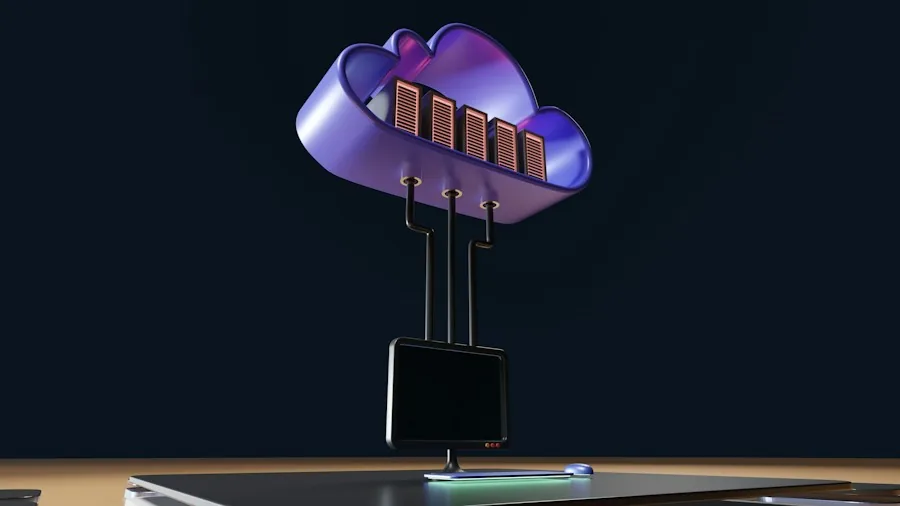
The most significant enhancement arriving this week is Remote Agents in the cloud, now rolling out to paid Google AI Pro and Ultra subscribers. This feature addresses a critical pain point for development teams: the ability to maintain active projects even when you step away from your device.
You can create a remote project in the cloud by connecting either a GitHub repository or a Google Drive folder. Tasks execute within isolated cloud virtual machines, meaning your work continues running independently in the background. This capability eliminates the friction of keeping your laptop open or waiting for local processing to complete. You can manage these remote agents directly from your phone using the existing antigravity.google.com/remote interface, providing genuine flexibility for professionals who work across multiple locations or devices.
The practical workflow improvement is substantial: you launch a task, step away to handle other priorities, approve necessary permissions from your phone if needed, and return to completed work and clean pull requests waiting for review.
Enhanced Automation and Browser Capabilities
The Automations page has been reorganized to improve clarity and management. Automations now display in three distinct categories: Scheduled, Always on, and Paused. Each entry shows Next run and Last run times, and you can access a full-page creation form rather than relying on compact inline editors. Schedule pickers now present as plain menus, removing unnecessary complexity from setup workflows.
The built-in browser receives multiple practical improvements. Downloads now save directly to your downloads folder without triggering blocking prompts, and progress appears in a toolbar downloads drawer for easy visibility. You can set a default download folder under Settings > General to further customize your workflow.
Address bar functionality has expanded with history suggestions that match previous pages you’ve visited, reducing the need to remember exact URLs. You can clear saved history through Settings > General if privacy is a concern. The redesigned address bar itself includes clearer connection security indicators, a thin loading progress bar that spans the top of the page, and an in-page prompt dialog when websites request text input.
Tab Management and Customization Options
The side panel’s New Tab page now allows you to open web addresses or search Google directly from that view. You can drag links into the side panel to open them in the built-in browser, a feature that speeds up multitasking workflows. A new option lets you close all tabs to the left from any tab’s context menu, useful when you’ve accumulated multiple inactive tabs during a session.
Keyboard shortcut customization is now available under Settings > Shortcuts, and you can reset any shortcuts to their default configuration if you want to experiment without permanent changes. Like selecting the right tools for your technology setup, having control over keyboard shortcuts allows you to tailor the platform to your personal preferences.
Performance and Responsiveness Improvements
Under the hood, Antigravity now launches faster on cold start, eliminating dead time when you first open the application. Opening and closing the sidebar and side panel now animate smoothly without layout jumps, creating a more polished user experience.
For users managing multiple projects or automation workflows, ensuring your setup has the infrastructure to support continuous work is as important as the software itself. These performance enhancements ensure the platform keeps pace with your productivity demands without introducing lag or stuttering.
The combination of Voice Mode, Remote Agents, and workflow improvements makes Version 2.29 a substantial step forward for anyone relying on Antigravity for development or automation work. The cloud-based remote agent capability, in particular, reshapes the value proposition by allowing work to continue independent of device availability, a feature that appeals to distributed teams and professionals managing multiple projects simultaneously.
About the author
Ava is REMOVU's laptop writer, balancing speed, battery life, and build quality against price across the whole range. She helps readers find the sweet spot as each new chip shifts what a dollar buys.