The 12 Best Cable Modems for Xfinity
Stop paying Xfinity's monthly rental fee. These twelve approved cable modems span DOCSIS 3.0 to multi-gigabit DOCSIS 3.1, with picks for every plan speed and budget.
 By Donald Fields
Updated July 26, 2026
By Donald Fields
Updated July 26, 2026
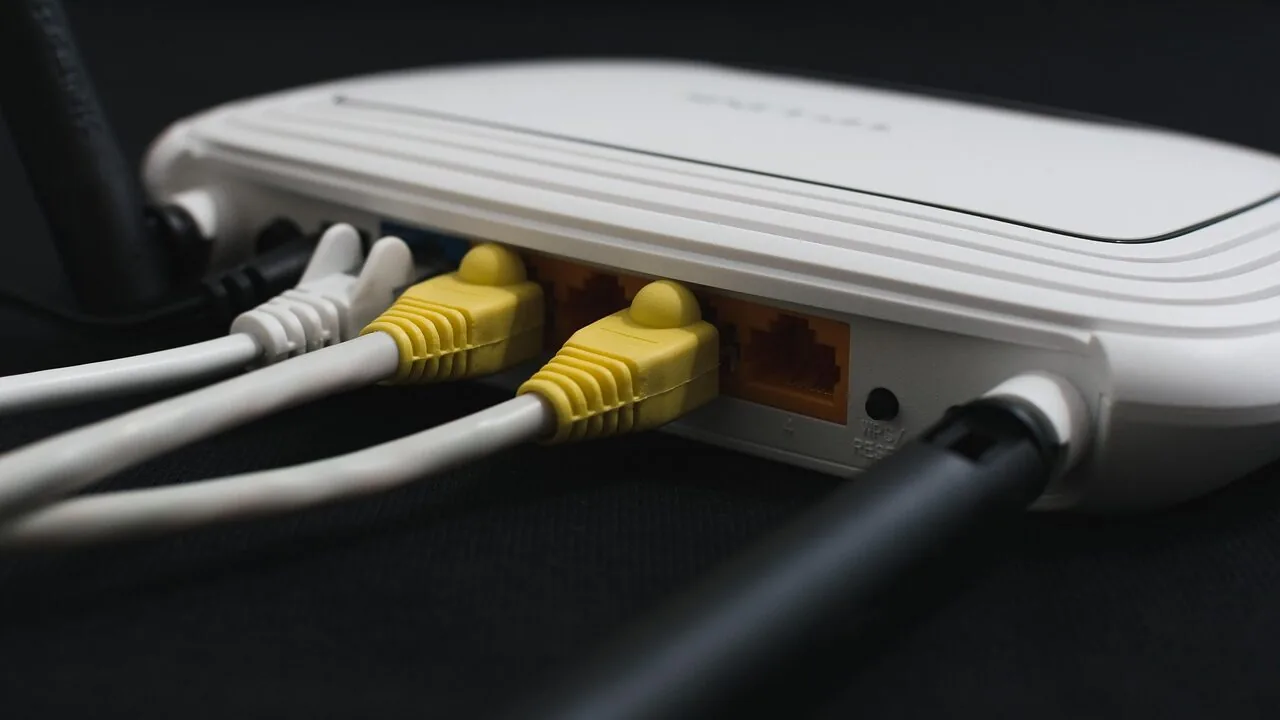
Renting a cable modem instead of buying one costs most Xfinity subscribers a recurring monthly fee that adds up fast.
Owning the right modem lets you skip that fee entirely, choose hardware matched to your actual internet plan, and enjoy a more stable connection without depending on Comcast-supplied equipment.
The cable modem market has expanded considerably with the rollout of multi-gigabit tiers, DOCSIS 3.1 technology, and mid/high-split upstream support, making the decision more nuanced than it was just a few years ago.
This guide covers twelve Xfinity-approved cable modems across a range of plan speeds and budgets, from an entry-level DOCSIS 3.0 unit suited to lighter users all the way to a multi-gigabit DOCSIS 3.1 model for households on Xfinity’s fastest residential tiers.
REMOVU assembled this list by analyzing published specifications, synthesizing expert review consensus, and reviewing verified buyer feedback, so you can make a confident, well-informed purchase.
Read on for our top picks, followed by a practical buying guide to help you find the right match for your setup.

ARRIS SB8200 DOCSIS 3.1 Cable Modem
A DOCSIS 3.1 cable modem delivering up to 2 Gbps speeds with two Gigabit Ethernet ports, designed to eliminate monthly rental fees when you own your equipment. Setup is straightforward, but you'll need a separate Wi-Fi router for home networking.
Pros
- Reliable connection and rock-solid performance when properly configured, with users reporting steady speeds and minimal disconnects
- Significantly faster than DOCSIS 3.0 modems, enabling gigabit-class internet speeds for compatible plans
- Easy activation process through provider apps, typically completed in under 15 minutes
- Strong Arris customer support with immediate phone access and fast replacement authorization if needed
- Future-proofed for higher-speed cable plans with multi-gig DOCSIS 3.1 support
Cons
- Sensitive to signal quality and line errors, requiring proper ISP infrastructure to avoid resets and connection drops
- Requires a separate Wi-Fi router for wireless coverage, adding to total equipment cost
- White plastic design received aesthetic criticism compared to previous black models
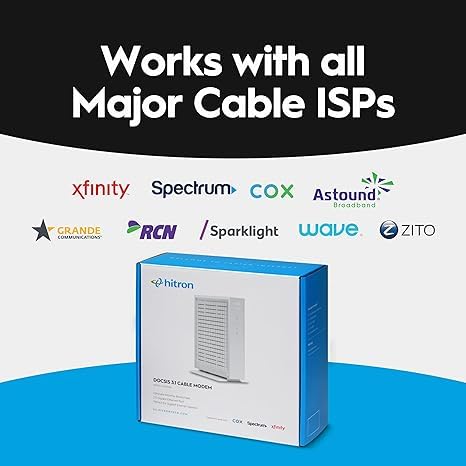
Hitron CODA56 DOCSIS 3.1 Cable Modem, 2.5 Gbps
A modem-only device built for cable internet users seeking faster speeds without monthly rental fees. Delivers solid DOCSIS 3.1 performance for Xfinity, Spectrum, and Cox subscribers, though it requires a separate WiFi router and straightforward setup.
Pros
- Supports up to 2.5 Gbps with single 2.5 Gbps Ethernet port, future-proofs your connection
- Certified with major cable providers (Xfinity, Spectrum, Cox) with proven reliability across verified owner reviews
- Eliminates monthly modem rental fees, potentially saving $168+ annually
- Simple plug-and-play setup requiring minimal configuration steps
- Backward compatible with DOCSIS 3.0 networks with low-latency performance for gaming and streaming
Cons
- Modem-only design requires purchase of a separate WiFi router to get wireless connectivity
- Only works with cable internet (DOCSIS) - incompatible with fiber, DSL, satellite, or fixed wireless services
- Refurbished Amazon Renewed model shows occasional quality control concerns per reviews, though most units perform reliably after setup

NETGEAR Nighthawk CM2500 DOCSIS 3.1 Cable Modem
Mid/high-split DOCSIS 3.1 modem engineered for today's faster cable speeds, delivering up to 2Gbps downloads and 1Gbps uploads with dual gigabit ports. Works across major US providers like Xfinity, Spectrum, and Cox, though it functions as a modem only without routing capabilities.
Pros
- Solid stability and reliability per long-term user reports, with consistent performance for gaming, streaming, and video conferencing
- Easy provisioning process when activating with compatible ISPs
- Future-proofs your connection for years with support for high-speed plans up to 2Gbps
- Compact design that integrates well with existing router setups
Cons
- Only two ethernet ports, limiting direct device connections if link aggregation isn't used
- Non-voice compatible, making it unsuitable for customers who bundle voice services
- Some users report secondary ports may require router setup for multiple device connectivity rather than functioning as independent modem ports
- Limited to US markets only
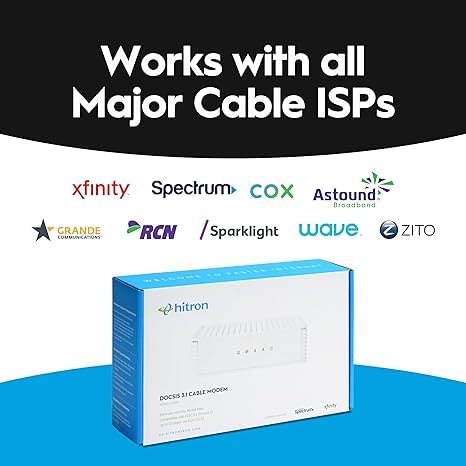
Hitron CODA DOCSIS 3.1 Cable Modem, 1 Gbps
A DOCSIS 3.1 cable modem certified for major ISPs like Xfinity, Spectrum, and Cox, offering up to 1 Gbps speeds with two Gigabit Ethernet ports. Designed to replace rental equipment and eliminate monthly fees, though it requires a separate WiFi router and works only with cable broadband services.
Pros
- ISP certification covers most major cable providers, reducing compatibility risk
- Two Gigabit Ethernet ports enable fast wired speeds to routers, gaming consoles, and streaming devices
- Straightforward setup requiring only coax, power, and Ethernet connections
- Works with both DOCSIS 3.1 and DOCSIS 3.0 networks for flexibility
- Amazon Renewed option provides cost savings on a certified refurbished unit
Cons
- Does not include built-in WiFi router, requiring separate purchase for wireless connectivity
- Incompatible with DSL, fiber, fixed wireless, satellite, and voice-bundled services
- No user reviews available yet to verify real-world performance claims
- Limited warranty details provided (refers to manufacturer website)

NETGEAR CM1000 DOCSIS 3.1 Cable Modem, 1Gbps
A DOCSIS 3.1 cable modem built for gigabit internet plans, certified with Xfinity, Spectrum, and Cox. Works with any Wi-Fi router and supports speeds up to 1 Gbps, though performance depends heavily on your ISP service tier and network setup.
Pros
- DOCSIS 3.1 future-proofs your setup and maintains backward compatibility with DOCSIS 3.0
- Certified compatibility with major cable providers (Xfinity, Spectrum, Cox, Optimum)
- Single Gigabit Ethernet port delivers consistent speeds without ISP-supplied modem bottlenecks
- Works with any Wi-Fi router, giving you flexibility to choose your own wireless system
- 5-minute setup with straightforward activation process
Cons
- Runs notably warm during operation, raising thermal management concerns for some users
- Front-facing LED indicators are difficult to view from certain angles
- Some ISPs (especially Xfinity for gigabit plans) may require technician installation or refuse to activate third-party modems, negating the cost savings
- Not compatible with Verizon, AT&T, CenturyLink, DSL, or voice services

ARRIS SURFboard SB6183 16x4 DOCSIS 3.0 Cable Modem
A proven DOCSIS 3.0 cable modem designed for internet plans up to 400 Mbps, offering reliable performance without the monthly rental fees. Best suited for users on Cox, Spectrum, Xfinity and similar cable providers who want a stable, set-it-and-forget-it device.
Pros
- Eliminates recurring modem rental charges from cable providers
- Reliable and stable performance with a proven track record, praised in reviews for multi-year durability
- Supports up to 686 Mbps download and 131 Mbps upload with 16 downstream and 4 upstream DOCSIS 3.0 channels
- Simple setup via SURFboard Central app without ISP phone calls required
- Compatible with major U.S. cable providers including Cox, Spectrum, Xfinity, Charter, and others
Cons
- Limited to one 1-Gigabit Ethernet port, requiring a separate Wi-Fi router for wireless connectivity
- Does not include Wi-Fi capability or cable telephone support
- No built-in mounting options, designed only to sit on a table or shelf
- Actual speeds may be limited by ISP configuration (some users report ISP caps around 370-500 Mbps regardless of modem specs)
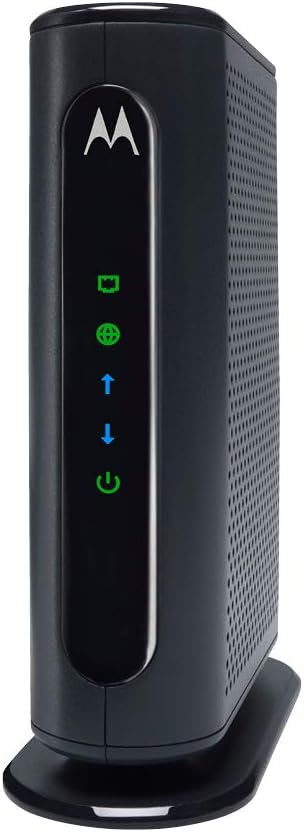
Motorola MB7420 16x4 Cable Modem, 686 Mbps DOCSIS 3.0
A modem-only device certified for major cable providers like Comcast, Cox, and Spectrum, delivering up to 686 Mbps download speeds without built-in WiFi. Best for users seeking to eliminate monthly rental fees and pair the modem with their own router.
Pros
- Pays for itself within 9 to 12 months by eliminating monthly rental charges (typically $10-15 per month)
- Fast setup: connects with just power, coax, and ethernet cables, activation takes 10-20 minutes on average
- 16 downstream and 4 upstream channels provide stable performance during peak usage times
- Compatible with most major cable providers and works with any WiFi router featuring an ethernet WAN port
- Compact design and 2-year manufacturer warranty with USA-based technical support
Cons
- Not compatible with fiber optic services like Verizon and AT&T, or DSL and satellite providers
- Some units report a chemical odor when heated, though this appears to be rare based on review distribution
- Slightly higher power consumption and heat output compared to older 8x4 models, though justified by performance gains
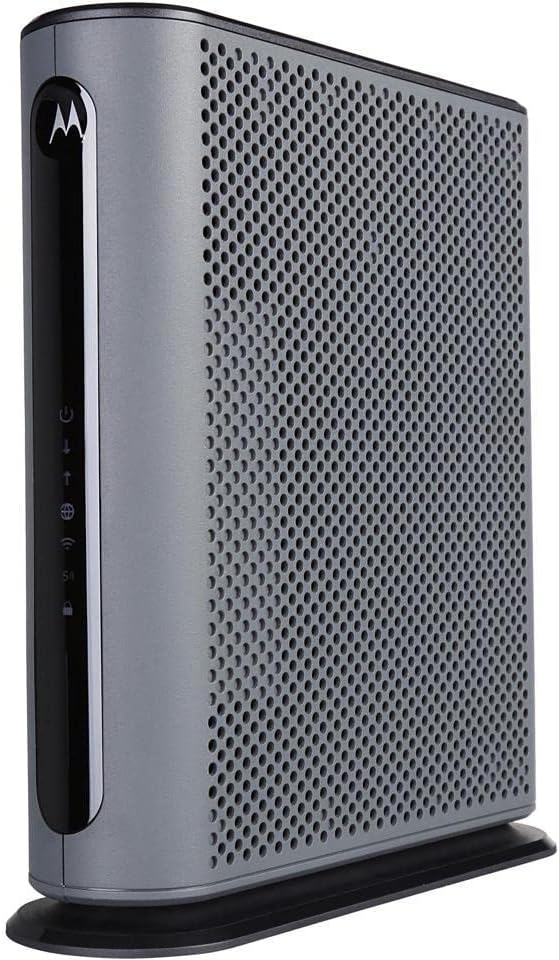
Motorola MG7550 16x4 Cable Modem WiFi Router Combo
This 16x4 DOCSIS 3.0 modem-router combo delivers up to 686 Mbps and AC1900 dual-band WiFi with Power Boost for extended range, certified by Comcast Xfinity, Cox, and Charter Spectrum. It's a practical choice for cable internet users looking to eliminate monthly rental fees while consolidating hardware into a single unit.
Pros
- Eliminates modem rental fees, potentially saving $150+ annually depending on provider
- AC1900 WiFi with Power Boost and dual-band (2.4 GHz and 5 GHz) reaches multiple rooms effectively
- Easy installation requiring only coax and power connections, plus phone app activation
- DFS support reduces WiFi interference from neighboring networks
- Four Gigabit Ethernet ports for wired devices and solid 4.3-star rating from 7,251 verified reviews
Cons
- Not compatible with fiber, DSL, or satellite services (Verizon, AT&T, CenturyLink), limiting audience
- Some users report ISP provisioning can change admin credentials, restricting personal configuration access
- Recommended for speeds up to 375 Mbps, not suitable for higher-tier cable plans exceeding 600 Mbps

Netgear CM600 DOCSIS 3.0 Cable Modem (24x8)
A reliable DOCSIS 3.0 modem engineered without the problematic Puma 6 chipset, delivering stable performance for cable plans up to 400 Mbps. Best suited for users seeking a straightforward, durable modem to replace rental fees, paired with a separate router of your choice.
Pros
- Avoids Intel Puma 6 chipset issues found in higher-end competitors, resulting in more stable connections
- Saves up to $168 annually by eliminating monthly modem rental fees from cable providers
- Compatible with major cable providers including Xfinity by Comcast, Spectrum, Cox, and others
- Simple 5-minute setup with straightforward activation process
- 24x8 channel bonding supports sustained speeds for HD streaming and heavy household use
Cons
- Limited to DOCSIS 3.0 technology; not suitable for gigabit-tier or DOCSIS 3.1 plans
- Firmware updates only provided by ISP, limiting user control and potentially creating provisioning delays
- Some users reported durability issues and hardware failures beyond the 1-year warranty period
- Not compatible with DSL, Verizon, AT&T, or bundled voice services

NETGEAR CM700 DOCSIS 3.0 Cable Modem
A budget-friendly cable modem supporting speeds up to 800 Mbps across major providers like Xfinity, Spectrum, and Cox. Rated 4.4/5 by over 6,400 users, it's praised for simple setup and solid performance, though compatibility varies by ISP and some units have reported hardware issues.
Pros
- Eliminates monthly modem rental fees, saving up to $168 per year
- 32x8 channel bonding with DOCSIS 3.0 delivers reliable speeds up to 800 Mbps
- Compact design and straightforward 5-minute setup with just coax, power, and ethernet cables
- Works with any Wi-Fi router, giving you flexibility to choose your own wireless solution
- Certified for all major cable providers including Xfinity, Spectrum, and Cox
Cons
- Not compatible with DSL, fiber (Verizon, AT&T, CenturyLink), or bundled voice services on some carriers
- Some users report PUMA 6 chipset concerns causing latency issues, though severity varies by hardware revision
- Single Gigabit Ethernet port limits direct connections; requires a router for multiple wired devices

Netgear Nighthawk C7000 Cable Modem Router Combo
A 2-in-1 modem and router for cable internet plans up to 800 Mbps, compatible with Xfinity and Cox but not Spectrum or Verizon. Delivers solid AC1900 WiFi coverage across 1,800 sq ft with four Ethernet ports, though the refurbished model may have inconsistent reliability.
Pros
- Stable performance on supported cable providers (Xfinity, Cox) with consistent speeds reported by users
- Four Ethernet ports allow direct connections for VOIP, security cameras, and other wired devices
- Compact design and small footprint reduce clutter versus separate equipment
- App-based management with Netgear Genie application for settings access
- Significant long-term savings by eliminating monthly modem rental fees
Cons
- NOT compatible with Spectrum, Verizon, AT&T, or DSL providers, limiting addressable market
- Refurbished units show mixed reliability, with some users reporting frequent disconnections while others experience years of trouble-free operation
- Official Nighthawk app lacks support for this model, requiring use of older Netgear Genie app or manual IP address configuration
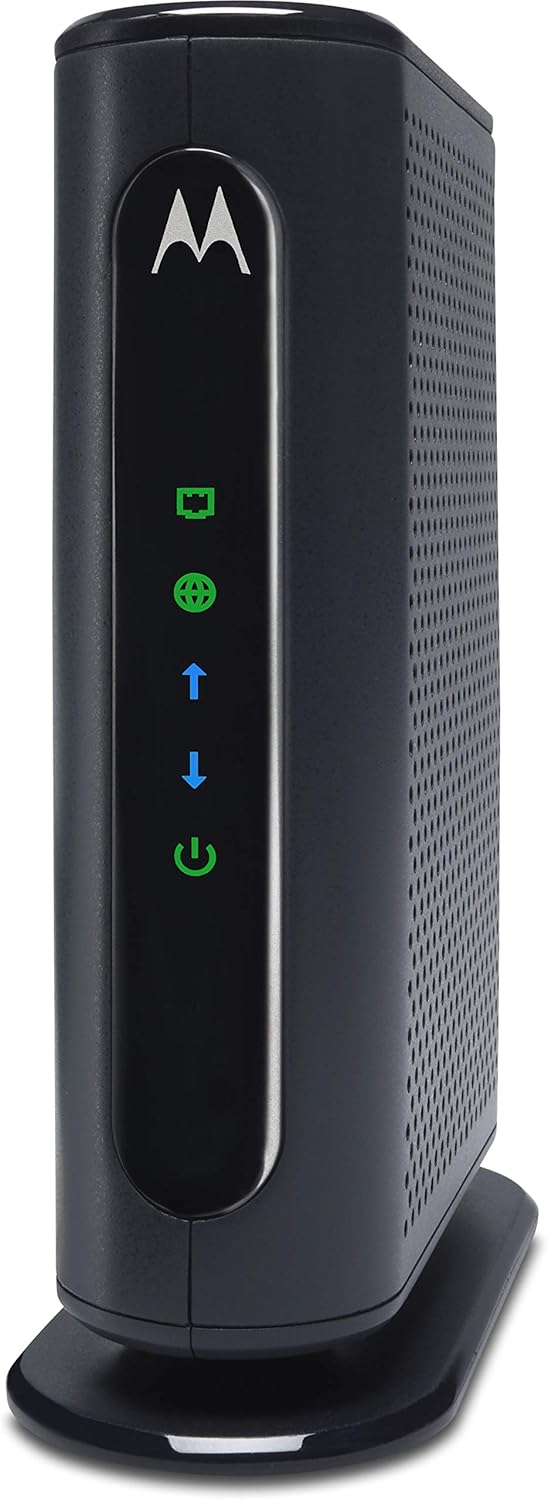
Motorola MB7220 8x4 Cable Modem, 343 Mbps DOCSIS 3.0
This 8x4 DOCSIS 3.0 cable modem delivers reliable performance for standard cable internet plans up to 150 Mbps and eliminates monthly rental fees. Best suited for light-to-moderate users on a budget who connect via ethernet or pair it with a separate router for WiFi.
Pros
- Significant long-term cost savings versus monthly rental fees
- Straightforward setup and activation process
- Reliable ethernet connection for wired devices, verified by multiple users
- Flexible design allows pairing with any router brand
- Good thermal design with multiple ventilation points
Cons
- Limited to 8 downstream channels, which may struggle during network congestion or high simultaneous device usage
- No built-in WiFi or phone ports, requires separate router and cannot replace combo units
- Not compatible with fiber, DSL, or satellite providers (Verizon, AT&T, CenturyLink, etc.)
Cable Modems for Xfinity Buying Guide
Picking the right cable modem is less about brand loyalty and more about matching the hardware to your specific Xfinity plan, your home’s wiring, and how you connect your devices.
The sections below walk through every meaningful decision point so you can filter the twelve picks above to the one that truly fits your situation.
If you also need to think about the router side of the equation, our coverage of Wi-Fi routers and mesh Wi-Fi systems can help you round out your home network.
DOCSIS Version: 3.0 vs. 3.1

DOCSIS (Data Over Cable Service Interface Specification) is the protocol that governs how cable modems communicate with your ISP’s network.
DOCSIS 3.0 modems bond multiple downstream and upstream channels together to deliver speeds up to roughly 1 Gbps in ideal conditions, but real-world throughput on Xfinity’s gigabit and multi-gigabit plans consistently outpaces what DOCSIS 3.0 hardware can sustain.
DOCSIS 3.1 uses wider channel bonding and orthogonal frequency-division multiplexing (OFDM) to support download speeds well beyond 1 Gbps, which is why Xfinity’s fastest residential tiers require or strongly recommend it.
For subscribers on plans up to around 400 Mbps, a well-specified DOCSIS 3.0 modem is perfectly adequate and typically available at a more accessible price point.
If you are on a gigabit plan or plan to upgrade soon, a DOCSIS 3.1 modem is the more future-proof investment and will serve you well as Xfinity continues to expand its faster service tiers.
Mid/high-split DOCSIS 3.1 models also offer meaningfully faster upstream throughput for households that upload large files, video conference heavily, or run cloud backups in the background.
Several of the picks in this list are available as Amazon Renewed units, which can offer a cost-effective path to DOCSIS 3.1 hardware at a reduced outlay.
Renewed products carry Amazon’s own condition guarantee, so they are worth considering if the original retail price is a barrier.
Channel Bonding and Plan Speed Compatibility

Channel bonding notation like 16×4 or 24×8 describes the number of downstream by upstream bonded channels a DOCSIS 3.0 modem can use. More channels mean higher aggregate throughput potential and more resilience when individual channels are congested.
An 8×4 modem is sufficient for plans up to about 300 Mbps, a 16×4 unit handles plans up to roughly 600 Mbps comfortably, and a 24×8 modem provides headroom for plans pushing closer to 1 Gbps on DOCSIS 3.0.
Xfinity publishes an approved modem list on its website, and every model in this guide has appeared on that list.
It is still good practice to cross-reference Xfinity’s current compatibility tool with your specific plan tier before purchasing, because approval status and speed tier ceilings do occasionally change when Xfinity updates its network infrastructure.
A modem rated for a lower speed tier than your plan will create a bottleneck that no router or wiring upgrade can fix.
Standalone Modem vs. Modem-Router Combo
A standalone modem paired with a separate router gives you the most flexibility.
You can upgrade either component independently, choose the exact Wi-Fi standard you need (Wi-Fi 6, Wi-Fi 6E, or Wi-Fi 7), and avoid the performance compromises that sometimes arise in all-in-one designs.
For households that already own a capable router or plan to invest in one, a standalone modem is almost always the better long-term architecture.
If you are building out a whole-home network, pairing a standalone modem with a dedicated mesh system keeps each piece of hardware working at its optimum.
Modem-router combos reduce cable clutter and eliminate one power outlet, which matters in apartments or smaller homes where simplicity is a priority.
The Motorola MG7550, for example, integrates a 16×4 DOCSIS 3.0 modem with an AC1900 dual-band router, making it a reasonable all-in-one choice for users who want a single-device setup without managing two separate units.
The tradeoff is that when one component needs replacing or upgrading, you replace the entire unit. Keep that lifecycle cost in mind when weighing combos against standalone options.
Ethernet Port Speed and Multi-Gigabit Readiness
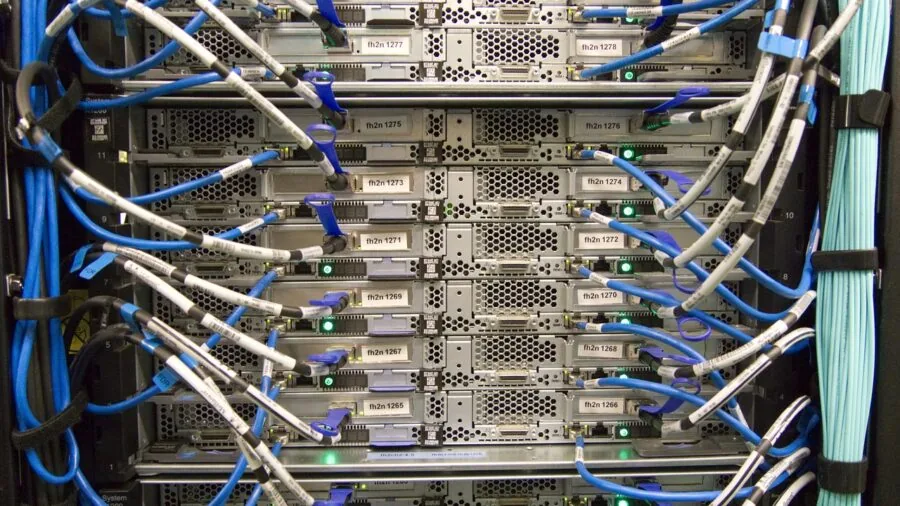
The Ethernet port on the back of your modem is just as important as the DOCSIS version.
Most DOCSIS 3.0 modems ship with a single Gigabit Ethernet (1 GbE) port, which creates a ceiling of around 940 Mbps of usable throughput to your router regardless of what the modem’s downstream channels can theoretically deliver.
For plans at or below 1 Gbps, a 1 GbE port is not a limiting factor. For multi-gigabit plans, however, a 1 GbE port becomes the bottleneck.
DOCSIS 3.1 modems designed for multi-gigabit service increasingly ship with 2.5 GbE ports. The Hitron CODA56, for instance, provides a 2.5 Gbps Ethernet port that allows the full benefit of Xfinity’s fastest residential tiers to reach your router.
To take advantage of that speed end to end, your router also needs a 2.5 GbE WAN port, so factor that into your overall network planning.
This is the kind of holistic compatibility check that prevents paying for premium hardware only to have an older component limit your throughput.
Xfinity Voice Service Compatibility

If you subscribe to Xfinity’s voice (home phone) service, you need a modem or gateway that includes an embedded multimedia terminal adapter (eMTA), sometimes called a telephone modem or voice-capable modem. A standard data-only modem will not support Xfinity Voice.
None of the twelve picks in this guide are voice-capable eMTA devices; they are all data-only modems or modem-router combos. Xfinity voice subscribers should confirm voice compatibility separately before purchasing any third-party modem.
For most households that rely on mobile phones and VoIP apps rather than a traditional landline, this distinction is irrelevant.
But it is worth a quick check of your Xfinity bill to confirm which services you actually subscribe to before committing to a data-only modem purchase.
Long-Term Value and Payback Period

Xfinity’s monthly equipment rental fee varies by market and plan, but it is a recurring charge that accumulates year after year.
Purchasing your own modem eliminates that fee from your monthly bill, and most modems pay for themselves within a year or two depending on the rental rate in your area.
Higher-end DOCSIS 3.1 models carry a larger upfront cost, but the math still favors ownership for anyone planning to stay with Xfinity for more than a year.
Modem lifespan is another factor. A well-regarded DOCSIS 3.1 modem from a reputable brand like ARRIS or NETGEAR typically remains on Xfinity’s approved list and continues to receive firmware support for several years.
Budget-tier DOCSIS 3.0 modems may be phased off approval lists sooner as Xfinity upgrades its infrastructure, so spending a bit more on a future-proof model often delivers better value over the ownership period.
Consider pairing your networking setup with NAS devices or a capable networking and storage stack for a fully self-managed home network.
Why You Should Trust Us
REMOVU is an independent review publication. We have no affiliation with Xfinity, Comcast, ARRIS, NETGEAR, Motorola, or Hitron, and we do not sell any of the products featured on this site.
Every modem in this guide was evaluated by our editorial team using a consistent, research-driven methodology: we analyze published technical specifications, synthesize expert review consensus from across the networking and consumer-electronics press, and weigh verified buyer feedback from confirmed purchasers.
We do not conduct our own product trials; our evaluations are grounded in research, published data, expert review consensus, and verified buyer feedback.
Each product receives a REMOVU Score on a scale of 0 to 10, assigned against a standardized rubric that accounts for performance potential relative to plan speed, build quality signals, Xfinity approval status, channel bonding or DOCSIS generation, port specifications, long-term value, and the overall pattern of user satisfaction among verified buyers.
A higher REMOVU Score reflects a stronger consensus across all of those dimensions, not simply a higher price or a more well-known brand name.
REMOVU may earn an affiliate commission if you purchase through links on this page. That relationship has no bearing on which products are included, how they are ranked, or what scores they receive.
Our editorial recommendations are driven entirely by the quality of each product relative to its category, not by commission rates or manufacturer relationships. We apply the same criteria whether a product costs a modest amount or a premium price.
Final Thoughts
After synthesizing specifications, expert review consensus, and verified buyer feedback across twelve Xfinity-compatible modems, a clear picture emerges: the right modem depends on your current plan speed, your willingness to invest in multi-gigabit readiness, and whether you prefer a standalone modem or an integrated combo.
Below are our standout picks with the awards they earned.
- Best Overall: Hitron CODA56 Multi-Gigabit DOCSIS 3.1 Modem. This renewed unit earned the highest REMOVU Score in the group thanks to its 2.5 Gbps Ethernet port, full DOCSIS 3.1 capability, and certification across Xfinity, Spectrum, and Cox. It is the most capable modem on the list for households on multi-gigabit plans.
- Best for Gigabit Xfinity Plans: ARRIS SURFboard SB8200 DOCSIS 3.1. The SB8200 is one of the most consistently well-regarded standalone DOCSIS 3.1 modems available, with a strong REMOVU Score reflecting its wide approval history, proven reliability, and solid upstream performance for plans up to 1 Gbps.
- Best for Future-Proofing Upstream Speeds: NETGEAR Nighthawk CM2500 DOCSIS 3.1 Mid/High-Split. Mid/high-split capability gives this modem a meaningful advantage for subscribers who upload large files, work from home on video calls, or anticipate Xfinity rolling out faster upstream tiers in their area. Its REMOVU Score reflects both its technical forward-compatibility and its premium positioning.
- Best Budget Pick: ARRIS SURFboard mAX Pro DOCSIS 3.0. For households on mid-range Xfinity plans who want a reliable name-brand modem without a premium outlay, the ARRIS SURFboard mAX Pro delivers a solid REMOVU Score at an accessible price point. It is a no-frills, dependable choice backed by ARRIS’s strong Xfinity approval track record.
- Best All-in-One Option: Motorola MG7550 Cable Modem Plus AC1900 Router. For users who prefer a single-device setup, the MG7550 combines a 16×4 DOCSIS 3.0 modem with a dual-band router, reducing cable clutter and simplifying network management. It earns a respectable REMOVU Score as an integrated solution for smaller homes and apartments.
Whichever modem you choose, the payoff of eliminating Xfinity’s rental fee and gaining control over your own hardware is real and immediate.
Pair your new modem with a router suited to your home’s size and device count, and you will have a home network that performs on your terms rather than Comcast’s schedule.
For related networking decisions, our guides to network switches and external drives can help you build out the rest of your home infrastructure.
Frequently Asked Questions
Which cable modems are approved for Xfinity in 2026?
Xfinity maintains a live compatibility list on its website that you can filter by plan speed.
All twelve modems featured in this guide have been approved for use on Xfinity’s network, but approval status can change as Xfinity updates its infrastructure.
Before purchasing, it is worth taking a moment to confirm that the specific modem and your specific plan tier are still listed as compatible on Xfinity’s current device compatibility page.
DOCSIS 3.1 models from ARRIS, NETGEAR, and Hitron have consistently maintained broad approval across Xfinity’s plan lineup.
Do I really save money by buying my own cable modem for Xfinity?
Yes, in virtually every case. Xfinity charges a monthly equipment rental fee for its supplied gateway, and that charge recurs indefinitely. Purchasing your own approved modem eliminates that line item from your bill.
Most modems pay for themselves within one to two years depending on your rental rate, and a quality DOCSIS 3.1 modem can remain on Xfinity’s approved list for several years, extending the savings window considerably.
The higher the rental fee in your market, the faster a purchased modem reaches its payback point.
What is the difference between a cable modem and a modem-router combo for Xfinity?
A standalone cable modem handles only the connection between your home and Xfinity’s cable network. It needs to be connected to a separate router, which then distributes Wi-Fi and wired connections throughout your home.
A modem-router combo integrates both functions in a single device. Combos are simpler to set up and manage, but they limit your flexibility to upgrade each component independently.
A standalone modem paired with a dedicated router or mesh Wi-Fi system generally delivers better performance, easier upgrades, and a longer useful life for each component.
Can I use a DOCSIS 3.1 modem on a lower-speed Xfinity plan?
Yes. DOCSIS 3.1 modems are backward-compatible with DOCSIS 3.0 networks, so they work fine on any Xfinity plan regardless of speed tier.
The benefit is that you are investing in hardware that will not become a bottleneck if you upgrade to a faster plan later.
If you are currently on a modest plan but anticipate upgrading, or if you simply want to avoid replacing your modem again in a few years, buying a DOCSIS 3.1 model now is a reasonable long-term decision even if you are not yet on a gigabit tier.
Does Xfinity Voice service work with a third-party cable modem?
Standard data-only modems, including all twelve picks in this guide, do not support Xfinity’s landline voice service. Xfinity Voice requires a voice-capable modem with an embedded multimedia terminal adapter.
If you subscribe to Xfinity Voice, you would need to either retain Xfinity’s supplied gateway for voice and add a separate data modem, or find a compatible voice-capable third-party device.
Most households that rely on mobile phones or internet-based calling apps are unaffected by this limitation. Check your current Xfinity subscription details to confirm whether you are paying for a voice tier before purchasing.
How do I activate a new cable modem on Xfinity?
Xfinity supports self-activation for approved modems through its Xfinity app or website. The process involves connecting the modem to your coaxial cable line and Ethernet, then following the activation prompts in the app or at xfinity.com/activate.
You will need to provide the modem’s MAC address and serial number, which are printed on a label on the device. The activation process typically takes a few minutes.
If your modem is not recognized automatically, Xfinity’s support line can assist with manual provisioning. Keeping the packaging and documentation from your modem makes the process smoother if any issues arise.
Related Guides
About the author
Donald is REMOVU's Bluetooth speaker writer, judging sound that punches above its size, battery life, and how well each speaker survives a splash or a drop. He compares pocket models and backyard boomboxes to find honest value.