The 10 Best Cable Modems
Stop paying monthly modem rental fees. These picks cover every cable plan tier, from entry-level DOCSIS 3.0 to multi-gig DOCSIS 3.1, with ISP compatibility confirmed across Xfinity, Spectrum, and Cox.
 By Christine Allen
Updated July 26, 2026
By Christine Allen
Updated July 26, 2026
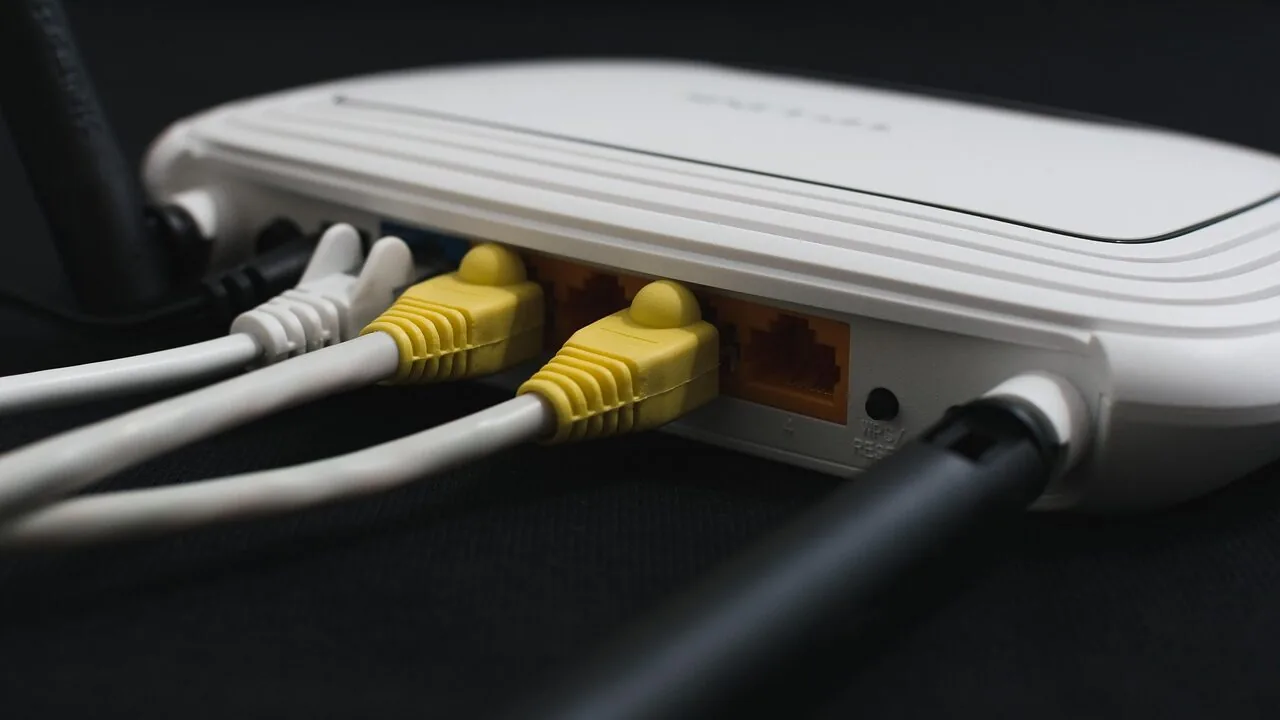
Owning your cable modem instead of renting one from your ISP is one of the smartest networking upgrades you can make.
Rental fees typically run anywhere from a few dollars to well over ten dollars per month, meaning the cost of a quality modem pays for itself within a year or two while giving you full control over your hardware.
As internet plans push beyond gigabit speeds and Wi-Fi routers grow more capable, the modem connecting you to the outside world matters more than ever.
This guide covers the best cable modems available in 2026, spanning entry-level DOCSIS 3.0 units for modest plans all the way to cutting-edge DOCSIS 3.1 modems built for multi-gigabit service from providers like Xfinity, Spectrum, and Cox.
REMOVU assembled these picks through comprehensive research: we analyzed manufacturer specifications, synthesized expert review consensus across the industry, and combed through verified buyer feedback to surface the most reliable, future-ready options at every price tier.
Read on for our ranked top picks.
| Award | Product | REMOVU Score About REMOVU ScoreThe REMOVU Score is our own rating from 0 to 10, based on performance, design and build, ease of use, and value. It reflects independent research and is never influenced by manufacturers, retailers, or affiliate commissions. Learn more › | Price | |
|---|---|---|---|---|
| Best Overall |
 NETGEAR Nighthawk CM3000 DOCSIS 3.1 Cable Modem
|
8.6/10 | Buy | |
 NETGEAR CM1000 DOCSIS 3.1 Cable Modem, 1Gbps
|
7.8/10 | Buy | ||
 NETGEAR Nighthawk CM2500 DOCSIS 3.1 Cable Modem
|
7.8/10 | Buy | ||
| Best Budget |
 ARRIS SB8200 DOCSIS 3.1 Cable Modem
|
8.4/10 | Buy | |
| Best Value |
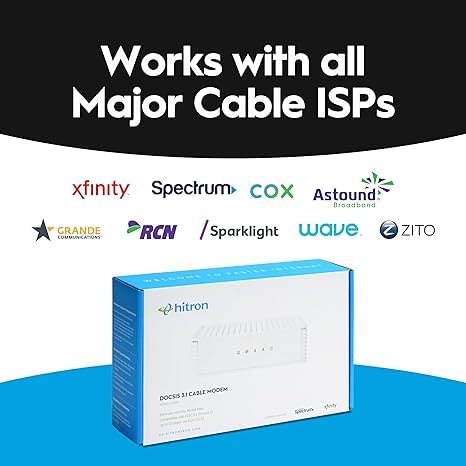
 Hitron CODA56 2.5 Gbps Cable Modem
|
8.2/10 | Buy | |
 Hitron CODA DOCSIS 3.1 Cable Modem, 1 Gbps
|
7.5/10 | Buy | ||
 Hitron CODA DOCSIS 3.1 Cable Modem, Up to 1 Gbps
|
7.6/10 | Buy | ||
| Best Premium |
 Netgear Nighthawk CAX30 WiFi 6 Modem Router Combo
|
8.2/10 | Buy | |
 ARRIS SB6183 DOCSIS 3.0 Cable Modem
|
6.2/10 | Buy | ||
 Netgear CM500 DOCSIS 3.0 Cable Modem
|
6.2/10 | Buy |
NETGEAR Nighthawk CM3000 DOCSIS 3.1 Cable Modem
A mid/high-split DOCSIS 3.1 cable modem built for gigabit-class speeds up to 2.5Gbps download and 1Gbps upload, compatible with all major US providers. Best suited for users who need maximum speed capacity and can pair it with a separate WiFi router.
Pros
- Future-ready speeds with mid/high-split DOCSIS 3.1 support, enabling access to the fastest current and upcoming cable plans
- Excellent upload performance at 1Gbps, useful for remote work, gaming, and file transfers
- Works seamlessly across all major US ISPs with straightforward activation
- Strong user feedback on stability and reliability, with quick setup reported by verified buyers
Cons
- No built-in WiFi, requires a separate router for wireless connectivity
- Premium pricing at $269 compared to entry-level DOCSIS 3.1 alternatives
- One user reported compatibility issues with security camera systems, though most reviewers experienced smooth operation
NETGEAR CM1000 DOCSIS 3.1 Cable Modem, 1Gbps
A DOCSIS 3.1 cable modem built for gigabit internet plans, certified with Xfinity, Spectrum, and Cox. Works with any Wi-Fi router and supports speeds up to 1 Gbps, though performance depends heavily on your ISP service tier and network setup.
Pros
- DOCSIS 3.1 future-proofs your setup and maintains backward compatibility with DOCSIS 3.0
- Certified compatibility with major cable providers (Xfinity, Spectrum, Cox, Optimum)
- Single Gigabit Ethernet port delivers consistent speeds without ISP-supplied modem bottlenecks
- Works with any Wi-Fi router, giving you flexibility to choose your own wireless system
- 5-minute setup with straightforward activation process
Cons
- Runs notably warm during operation, raising thermal management concerns for some users
- Front-facing LED indicators are difficult to view from certain angles
- Some ISPs (especially Xfinity for gigabit plans) may require technician installation or refuse to activate third-party modems, negating the cost savings
- Not compatible with Verizon, AT&T, CenturyLink, DSL, or voice services
NETGEAR Nighthawk CM2500 DOCSIS 3.1 Cable Modem
Mid/high-split DOCSIS 3.1 modem engineered for today's faster cable speeds, delivering up to 2Gbps downloads and 1Gbps uploads with dual gigabit ports. Works across major US providers like Xfinity, Spectrum, and Cox, though it functions as a modem only without routing capabilities.
Pros
- Solid stability and reliability per long-term user reports, with consistent performance for gaming, streaming, and video conferencing
- Easy provisioning process when activating with compatible ISPs
- Future-proofs your connection for years with support for high-speed plans up to 2Gbps
- Compact design that integrates well with existing router setups
Cons
- Only two ethernet ports, limiting direct device connections if link aggregation isn't used
- Non-voice compatible, making it unsuitable for customers who bundle voice services
- Some users report secondary ports may require router setup for multiple device connectivity rather than functioning as independent modem ports
- Limited to US markets only
ARRIS SB8200 DOCSIS 3.1 Cable Modem
A DOCSIS 3.1 cable modem delivering up to 2 Gbps speeds with two Gigabit Ethernet ports, designed to eliminate monthly rental fees when you own your equipment. Setup is straightforward, but you'll need a separate Wi-Fi router for home networking.
Pros
- Reliable connection and rock-solid performance when properly configured, with users reporting steady speeds and minimal disconnects
- Significantly faster than DOCSIS 3.0 modems, enabling gigabit-class internet speeds for compatible plans
- Easy activation process through provider apps, typically completed in under 15 minutes
- Strong Arris customer support with immediate phone access and fast replacement authorization if needed
- Future-proofed for higher-speed cable plans with multi-gig DOCSIS 3.1 support
Cons
- Sensitive to signal quality and line errors, requiring proper ISP infrastructure to avoid resets and connection drops
- Requires a separate Wi-Fi router for wireless coverage, adding to total equipment cost
- White plastic design received aesthetic criticism compared to previous black models
Hitron CODA56 2.5 Gbps Cable Modem
A dedicated cable modem supporting up to 2.5 Gbps speeds via DOCSIS 3.1 technology, compatible with major US providers like Xfinity, Spectrum, and Cox. Designed for users with their own router who want to eliminate monthly modem rental fees without extra features like WiFi or phone service.
Pros
- Strong price-to-performance value compared to competitors, often cheaper than premium alternatives while supporting multi-gigabit speeds
- Proven reliability across multiple cable providers with overwhelmingly positive customer feedback on speed delivery and stability
- Clean, modem-only design eliminates redundant features, giving you control over your router choice
- DOCSIS 3.1 standard with 32x8 channel bonding provides future-proof performance for upgraded plans
Cons
- No WiFi or router built-in, requires separate purchase and setup of compatible WiFi router
- Does not support telephone or voice service of any kind
- Not compatible with fiber, DSL, or satellite internet, only cable providers (check ISP compatibility before buying)
- Single Ethernet port limits aggregation capabilities compared to multi-port alternatives
- Some users report slow boot times and occasional provisioning issues with certain ISPs
Hitron CODA DOCSIS 3.1 Cable Modem, 1 Gbps
A DOCSIS 3.1 cable modem certified for major ISPs like Xfinity, Spectrum, and Cox, offering up to 1 Gbps speeds with two Gigabit Ethernet ports. Designed to replace rental equipment and eliminate monthly fees, though it requires a separate WiFi router and works only with cable broadband services.
Pros
- ISP certification covers most major cable providers, reducing compatibility risk
- Two Gigabit Ethernet ports enable fast wired speeds to routers, gaming consoles, and streaming devices
- Straightforward setup requiring only coax, power, and Ethernet connections
- Works with both DOCSIS 3.1 and DOCSIS 3.0 networks for flexibility
- Amazon Renewed option provides cost savings on a certified refurbished unit
Cons
- Does not include built-in WiFi router, requiring separate purchase for wireless connectivity
- Incompatible with DSL, fiber, fixed wireless, satellite, and voice-bundled services
- No user reviews available yet to verify real-world performance claims
- Limited warranty details provided (refers to manufacturer website)
Hitron CODA DOCSIS 3.1 Cable Modem, Up to 1 Gbps
A budget-friendly DOCSIS 3.1 cable modem for Xfinity, Spectrum, and Cox users seeking gigabit speeds without monthly rental fees. Requires a separate WiFi router and works exclusively with coaxial cable internet, not fiber.
Pros
- Delivers advertised gigabit speeds when paired with compatible router and plan, confirmed by verified buyers across multiple ISPs
- Significantly cheaper than branded alternatives while supporting same major cable providers; pays for itself within a year versus rental fees
- Easy activation with ISP app or phone call, minimal setup friction for Xfinity customers in particular
- Stable performance over extended periods, with users reporting months of uninterrupted operation after initial setup
Cons
- No built-in WiFi or router functionality, mandatory separate router purchase adds total cost
- Cable internet only; will not work with fiber, DSL, or 5G home internet services
- Does not support phone/voice services and activation requires ISP provisioning call
Netgear Nighthawk CAX30 WiFi 6 Modem Router Combo
A 2-in-1 modem and router that combines DOCSIS 3.1 technology with WiFi 6 to deliver stable speeds up to 1 Gbps across 2,000 sq. ft. Most users praise its easy setup, strong signal coverage, and reliable performance for streaming and gaming, though a few report early hardware failures and note that customer service responsiveness varies.
Pros
- Setup is straightforward and typically takes under 30 minutes with included instructions
- Consistent performance for 4K streaming, gaming, and heavy concurrent device use reported by verified buyers
- Superior WiFi range compared to previous-generation routers, reaching rooms that previously needed extenders
- Works with major ISPs including Xfinity, Spectrum, and Cox
- Sleek compact design with clear LED indicators for connection status
Cons
- Some isolated reports of hardware failure within weeks of purchase, with mixed customer service experiences during troubleshooting
- Not compatible with Verizon, AT&T, CenturyLink, DSL providers, or bundled voice services
- Limited to 1 Gbps modem speed, whereas higher-tier models like CAX80 support up to 2 Gbps
ARRIS SB6183 DOCSIS 3.0 Cable Modem
The SB6183 is a DOCSIS 3.0 modem designed for standard cable internet users seeking reliable speeds without premium pricing. It bonds 16 downstream and 4 upstream channels to deliver up to 686 Mbps download speeds, making it suitable for households with moderate to heavy streaming and browsing needs.
Pros
- Strong performance for the price tier, delivering speeds suitable for 4K streaming and video conferencing
- Wide compatibility across major U.S. cable providers reduces setup concerns
- Solid customer satisfaction with high review count and 4.3-star rating indicating reliable long-term performance
- Dual IPv4/IPv6 support future-proofs basic internet connectivity
Cons
- DOCSIS 3.0 is older technology; DOCSIS 3.1 modems offer significantly faster theoretical speeds for future-proofing
- Requires compatible cable internet service; not all providers support all models, necessitating verification before purchase
- No built-in WiFi or router functionality, requiring separate equipment for wireless connectivity
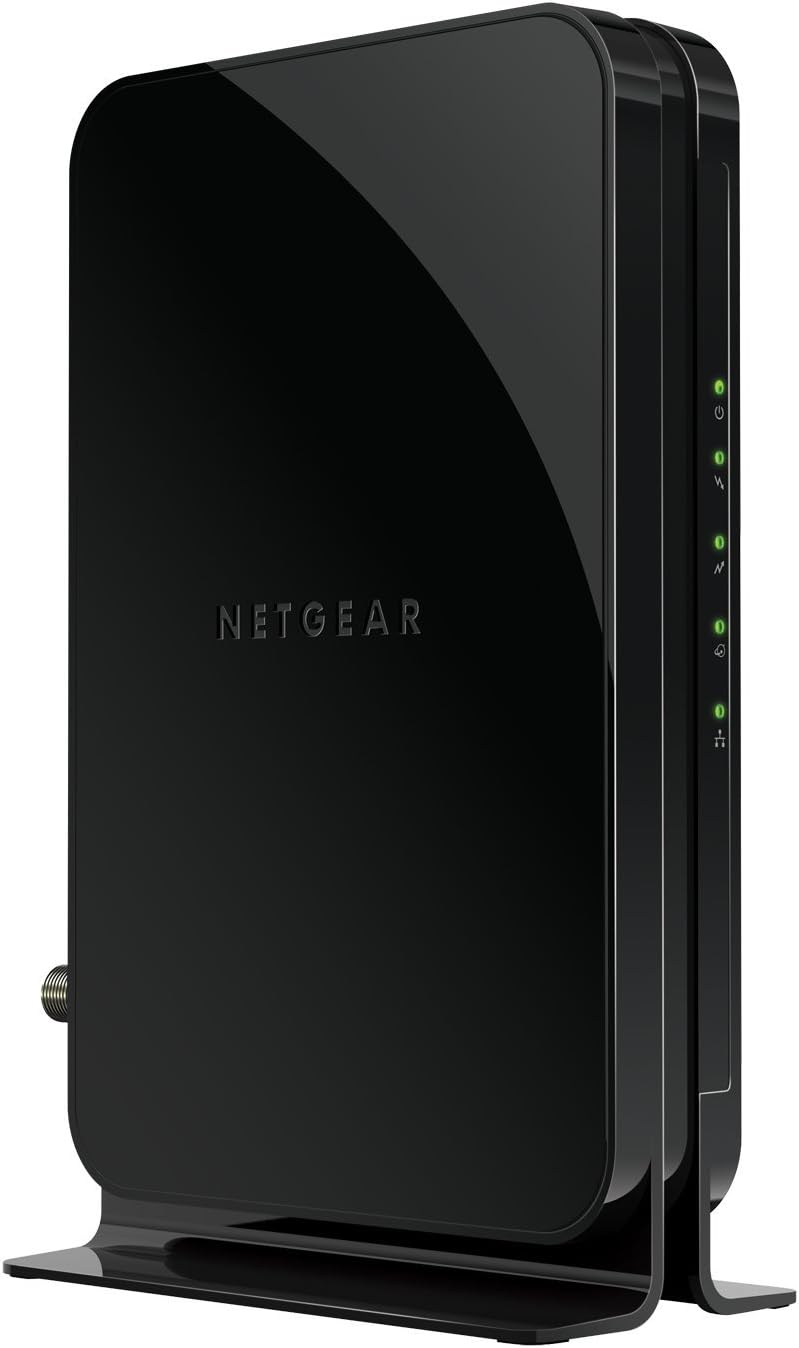
Netgear CM500 DOCSIS 3.0 Cable Modem
Budget-friendly cable modem designed for internet plans up to 400 Mbps, certified for Xfinity and Cox. Compact design and straightforward setup make it practical for users wanting to eliminate rental fees, though it lacks built-in WiFi and works best paired with a separate router.
Pros
- Long-term cost savings outweigh purchase price within one year of typical monthly rental fees
- Reliable performance over extended use, with verified buyers reporting 5+ years of consistent operation
- Compatible with any separate WiFi router, avoiding vendor lock-in
- Simple activation process available online through Xfinity and Cox portals
- Delivers advertised speeds consistently according to verified user feedback
Cons
- No integrated WiFi, requiring purchase of a separate router to support wireless devices
- Customer support experiences vary significantly, with some users reporting long hold times and difficulty obtaining replacements
- Compact size means minimal signal reach without pairing to a quality external router
Cable Modems Buying Guide
Picking the right cable modem involves more than grabbing whatever your ISP recommends.
The sections below walk through every factor that meaningfully separates a great modem from a mediocre one, so you can match hardware to your actual internet plan, household size, and upgrade timeline.
If you are also shopping for mesh Wi-Fi systems to distribute that signal throughout your home, keep in mind that your modem choice will set the ceiling on every device downstream.
DOCSIS Version: 3.0 vs. 3.1

DOCSIS (Data Over Cable Service Interface Specification) is the protocol your cable modem uses to communicate with your ISP’s infrastructure.
DOCSIS 3.0 uses channel bonding to deliver practical speeds up to roughly 400 Mbps downstream, which remains more than adequate for single-gigabit plans on legacy networks.
DOCSIS 3.1, by contrast, uses OFDM (Orthogonal Frequency-Division Multiplexing) to deliver multi-gigabit throughput, lower latency, and more headroom as providers roll out faster tiers.
If your current plan sits at 400 Mbps or below and you have no plans to upgrade, a solid DOCSIS 3.0 modem at a budget price remains a perfectly rational choice.
However, anyone on a plan above 500 Mbps, or anyone who expects to upgrade within the next two to three years, should buy DOCSIS 3.1 today.
The price gap between the two standards has narrowed considerably, and DOCSIS 3.1 modems are approved by major ISPs including Xfinity, Spectrum, and Cox for their fastest residential tiers.
A newer wrinkle worth knowing: some ISPs are deploying “mid/high-split” or “extended spectrum” DOCSIS 3.1 networks that unlock higher upload speeds, not just downloads.
If your provider supports this and you subscribe to a symmetrical or near-symmetrical gigabit-plus plan, look specifically for modems that carry mid/high-split certification rather than standard DOCSIS 3.1 approval.
Maximum Plan Speed and Channel Bonding

Every modem has a rated maximum download and upload speed. These figures are not marketing fluff in isolation, but they only matter in the context of your actual subscribed plan.
Buying a modem rated for 2.5 Gbps when your plan tops out at 300 Mbps delivers zero benefit today, though it does future-proof your setup.
More practically, ensure the modem you choose is rated at least 20 to 30 percent above your current plan speed to account for overhead and congestion headroom.
On DOCSIS 3.0 hardware, channel bonding configurations like 16×4 (16 downstream, 4 upstream channels) are a key spec. A 16×4 modem handles mainstream plans comfortably.
On DOCSIS 3.1, channel count is less important than OFDM channel width, but you should still verify that the modem is approved by your specific ISP for your specific tier.
ISP certification lists are published on provider websites and are the most reliable compatibility check available.
ISP Compatibility and Certification
This is arguably the single most important factor and the one buyers most often overlook. A modem that works flawlessly on Xfinity may be entirely unsupported on Cox, and vice versa.
Before purchasing any modem, cross-reference the model against your ISP’s official approved device list. Xfinity, Spectrum, and Cox all publish these lists publicly.
Providers that use fiber infrastructure (Verizon Fios, AT&T Fiber) do not use cable modems at all, so every option in this guide is irrelevant for fiber service.
Certification also affects which plan tiers a modem can unlock. Some DOCSIS 3.1 modems are approved for gigabit service but not for a provider’s 2 Gbps or multi-gig tier.
If you are subscribing to an advanced plan, confirm that the specific modem you want carries the right certification, not just generic DOCSIS 3.1 compliance.
Hitron’s CODA-series and NETGEAR’s Nighthawk CM-series both publish detailed ISP approval matrices on their respective support pages.
Ethernet Port Speed

A modem’s Ethernet port is the physical handoff point between cable infrastructure and your home network. On most DOCSIS 3.0 modems, this port is a standard Gigabit Ethernet (1 GbE) connection, which is the practical bottleneck for plans up to around 900 Mbps.
If you subscribe to a multi-gig plan (1.2 Gbps and above), you need a modem with a 2.5 GbE or faster port to avoid leaving subscribed bandwidth on the table.
Check whether your router’s WAN port can match that speed as well. Pairing a 2.5 GbE modem with a router that only has a 1 GbE WAN input caps your throughput at 1 Gbps regardless of modem capability.
Modern Wi-Fi routers increasingly ship with 2.5 GbE WAN ports, so this is becoming less of a friction point, but it remains worth confirming before you buy.
Standalone Modem vs. Modem Router Combo

A standalone modem paired with a separate router gives you the most flexibility: you can upgrade each component independently, choose the best router for your coverage needs, and avoid the complexity of a single all-in-one device failing and taking your whole network down.
This is generally the approach REMOVU recommends for households that already own a capable router or that want to pair their modem with a dedicated mesh Wi-Fi system for whole-home coverage.
Modem router combos (sometimes called gateways) trade flexibility for simplicity. They eliminate the need for an extra device, reduce cable clutter, and can be a smart choice for renters or anyone who wants a single setup-and-forget solution.
The tradeoff is that when one component becomes outdated or fails, the entire unit needs replacing.
NETGEAR’s Nighthawk CAX30, included in our picks, illustrates how far combo units have come: it integrates a DOCSIS 3.1 modem with a WiFi 6 router capable of multi-gigabit wireless performance.
For a deeper look at pairing strategies, our network switches section can help you plan a more complete home network build.
Warranty, Firmware Support, and Longevity

Cable modems occupy an unusual hardware category: they tend to run for years without much active management, but they also sit in a regulatory and certification environment where ISPs can and do remove devices from approved lists over time.
Buying from an established brand with a track record of firmware updates and responsive ISP recertification is a form of risk management.
ARRIS and NETGEAR both carry multi-year limited warranties on their modem lines and have consistent histories of maintaining certification across provider updates.
Renewed or refurbished modems occupy a cost-sensitive niche worth acknowledging. Amazon Renewed products like the Hitron CODA renewed unit in our list carry manufacturer-equivalent refurbishment standards and a limited return window.
For budget-minded buyers who need DOCSIS 3.1 performance without the premium price, a reputable renewed modem is a reasonable option, though warranty coverage is typically shorter than new-in-box alternatives. Weigh that tradeoff against your risk tolerance.
Why You Should Trust Us
REMOVU is an independent review publication. We do not conduct our own product trials; our evaluations are grounded in research, published data, expert review consensus, and verified buyer feedback.
Every modem in this guide was assessed against a consistent set of criteria: DOCSIS version and certified speed tier, ISP compatibility breadth, Ethernet port specification, firmware and longevity track record, and overall value relative to the competitive field.
Each product receives a REMOVU Score on a scale of 0 to 10, reflecting how well it performs across those criteria relative to everything else in the category. Scores are determined by our editorial research process, not by manufacturer relationships or advertising.
REMOVU may earn an affiliate commission if you purchase through links in this article. That relationship has no bearing on our scores, rankings, or product selection.
We recommend what we believe is genuinely best for readers based on the evidence we find.
Final Thoughts
The cable modem market in 2026 spans a wider range of capabilities and price points than it did just a few years ago, making it easier than ever to find a unit that fits your plan, your budget, and your upgrade horizon.
Whether you are cutting the modem rental fee for the first time or replacing aging DOCSIS 3.0 hardware before your ISP’s next speed tier launch, the picks above cover every realistic use case. Below are the standout designations from our research.
- Best Overall: NETGEAR Nighthawk CM3000 earns the top spot with the highest REMOVU Score in the group, combining mid/high-split DOCSIS 3.1 certification with approval for plans up to 2.5 Gbps, making it the most future-proof standalone modem in our lineup.
- Best for Gigabit Plans: ARRIS SURFboard SB8200 is the consensus pick among verified buyers and expert reviewers for standard 1 Gbps cable service, offering dependable DOCSIS 3.1 performance at a mid-range price that is hard to argue with.
- Best for Multi-Gig Uploads: Hitron CODA56 stands out with its 2.5 Gbps capability and straightforward single-port design, making it an excellent choice for power users on advanced Xfinity, Spectrum, or Cox tiers who want maximum throughput without the combo unit complexity.
- Best Modem Router Combo: NETGEAR Nighthawk CAX30 integrates a DOCSIS 3.1 modem with a WiFi 6 router in one chassis, earning a strong REMOVU Score for households that want a single, capable gateway rather than separate devices.
- Best Budget Pick: NETGEAR CM500 delivers reliable DOCSIS 3.0 performance for plans up to 400 Mbps at a genuinely affordable price, making it the rational choice for anyone on a modest plan who simply wants to stop paying a monthly rental fee.
If you are building out a more complete home network alongside your new modem, pairing it with quality mesh Wi-Fi systems or reviewing our full networking and storage coverage can help you put together a setup that handles everything from 4K streaming to home office demands without bottlenecks.
Frequently Asked Questions
Do I really need a DOCSIS 3.1 modem, or is DOCSIS 3.0 still fine?
It depends entirely on your subscribed internet plan. DOCSIS 3.0 handles plans up to roughly 400 Mbps reliably and remains a cost-effective choice if your household stays within that range.
If your plan exceeds 500 Mbps now, or if you expect to upgrade within the next two or three years, DOCSIS 3.1 is the smarter long-term investment.
The price premium over DOCSIS 3.0 has shrunk substantially, and DOCSIS 3.1 modems are approved by all major cable providers for their top-tier residential plans.
Will any cable modem work with my ISP?
No. ISP compatibility is not universal. Each provider maintains an approved device list, and a modem that works on Xfinity may not be supported on Cox or Spectrum.
Before buying, visit your ISP’s website and confirm the specific model appears on their certified modem list for your plan tier. This is the most important check to make, regardless of a modem’s overall quality rating.
Also note that cable modems are incompatible with fiber-based services (such as Verizon Fios or AT&T Fiber). If your home receives internet over a fiber connection, none of the modems in this guide will apply to your situation.
Is a modem router combo better than buying separate devices?
Combo units offer simplicity: one device to set up, one device to troubleshoot, and one less cable run.
For renters, small apartments, or anyone who wants a clean and minimal setup, a well-rated combo like the NETGEAR Nighthawk CAX30 is a genuinely good option.
The downside is flexibility: if the modem component becomes outdated or your ISP drops support, the whole unit needs replacing.
Separate modem and router setups let you upgrade each piece independently and give you far more choice when selecting a router matched to your home’s layout, especially if you are considering a mesh Wi-Fi system that covers multiple floors or a large footprint.
How long does a cable modem typically last before it needs replacing?
Most cable modems remain functional for five to eight years from a hardware standpoint.
The more common reason to replace a modem early is not hardware failure but ISP certification changes: providers periodically update their approved device lists and can remove older models when they upgrade their infrastructure.
Buying a current-generation DOCSIS 3.1 modem from a brand with a strong certification maintenance track record (such as ARRIS or NETGEAR) reduces the risk of premature obsolescence.
Keep an eye on your ISP’s approved device page once every year or two to confirm your modem remains on the list.
What does the Ethernet port speed on a modem actually affect?
The modem’s Ethernet port is the physical link between the cable network and your router or computer. A standard Gigabit Ethernet port (1 GbE) limits throughput to roughly 940 Mbps in real-world conditions, which is sufficient for plans up to about 900 Mbps.
If your ISP plan exceeds 1 Gbps, you need a modem with a 2.5 GbE port (or faster) to actually receive the full speed you are paying for.
Make sure your router’s WAN port can match that spec as well; a mismatch at either end will cap your speeds regardless of what the modem is rated to deliver.
Pairing high-speed modems with capable network switches can also help distribute multi-gig bandwidth across a wired home network.
Are renewed or refurbished cable modems worth buying?
Renewed modems from reputable sources can offer real value, particularly for buyers who need DOCSIS 3.1 capability at a lower outlay.
The key considerations are the refurbishment standard applied, the warranty coverage offered, and whether the specific model remains on your ISP’s approved list. Amazon Renewed products carry a defined return and replacement policy.
The primary tradeoff versus new-in-box hardware is a shorter warranty window and the possibility that the unit is closer to its firmware support end-of-life.
For budget-focused buyers who understand that tradeoff, a renewed DOCSIS 3.1 modem is a reasonable option rather than a red flag.
Related Guides
About the author
Christine writes about pet tech for REMOVU, focusing on reliable cameras, feeders, and trackers that keep owners connected to their animals. She helps readers pick gear that works when it matters.