The 10 Best Nas Devices for Backup
Protecting your files starts with the right hardware. We researched top NAS devices from Synology, BUFFALO, and UGREEN to help you find reliable backup storage for any home or office.
 By Kristen Jennings
Updated July 26, 2026
By Kristen Jennings
Updated July 26, 2026

Losing irreplaceable files, whether years of family photos, critical business documents, or a creative project you’ve poured hours into, is one of the most frustrating experiences in modern computing.
A network-attached storage device gives you a dedicated, always-on home for your backups that hard drives and cloud subscriptions alone can’t fully replicate.
NAS devices sit quietly on your network, automatically pulling copies from every computer, phone, and tablet in your household or small office, so your data is protected even when you forget to think about it.
If you’re also looking at complementary external drives or want to understand how NAS fits into a broader networking and storage setup, those resources can help round out your data protection plan.
This guide covers ten models spanning two-bay home units to four-bay business-grade rackmounts, including picks from Synology, BUFFALO, and UGREEN, as well as a pair of UPS battery backups that protect your NAS from power surges and outages.
Every pick was selected through REMOVU’s research-driven evaluation process, drawing on published specifications, expert review consensus, and verified buyer feedback. Read on for our top-ranked picks, then use the buying guide below to find the right fit for your situation.
| Award | Product | REMOVU Score About REMOVU ScoreThe REMOVU Score is our own rating from 0 to 10, based on performance, design and build, ease of use, and value. It reflects independent research and is never influenced by manufacturers, retailers, or affiliate commissions. Learn more › | Price | |
|---|---|---|---|---|
| Best Budget |
 Synology DS223 2-Bay NAS
|
8.2/10 | Buy | |
| Best Premium |
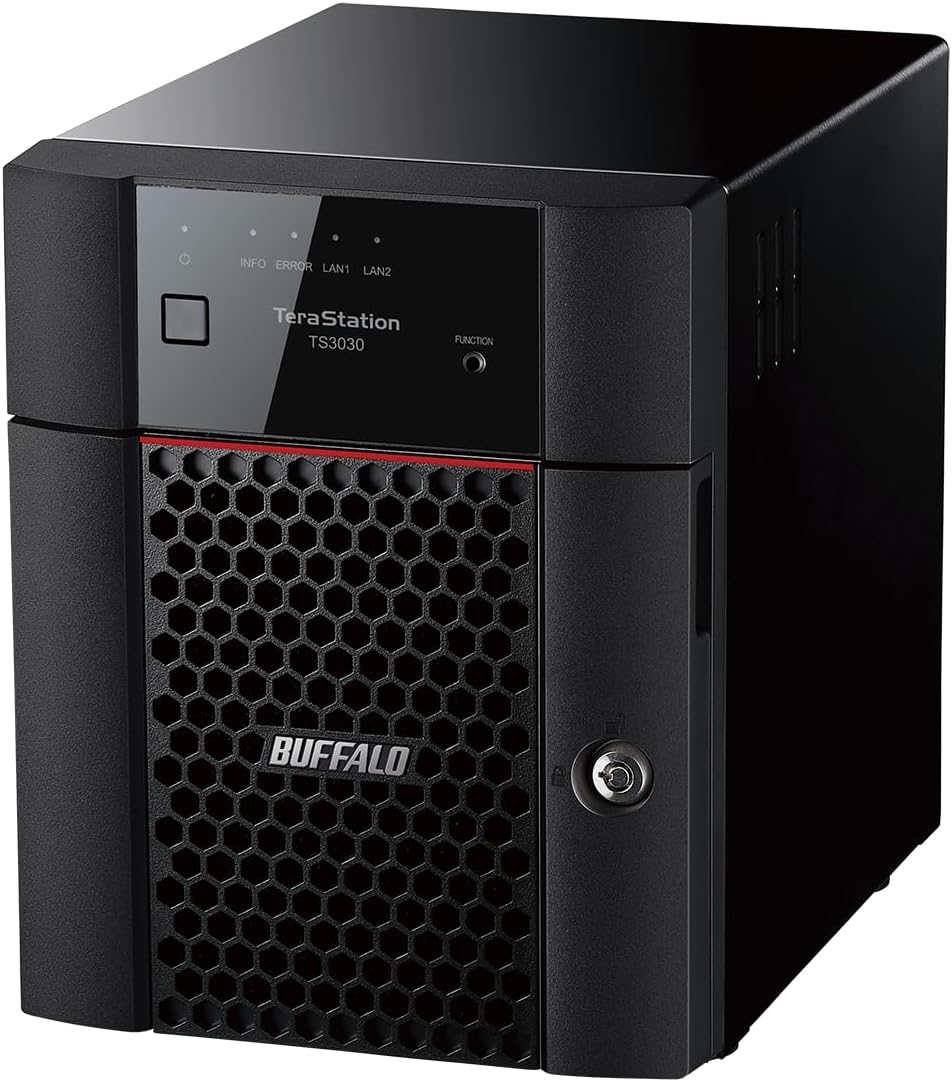 Buffalo TeraStation 3430DN 4-Bay NAS, 4TB
|
8.4/10 | Buy | |
 Buffalo TeraStation 3420RN 4-Bay 8TB Rackmount NAS
|
6.2/10 | Buy | ||
| Best Value |
 Synology DS425+ 4-Bay NAS with 278 MB/s Speed
|
8.1/10 | Buy | |
| Best Overall |
 Synology DS225+ 2-Bay NAS with Intel Celeron J4125
|
9.1/10 | Buy | |
 UGREEN DXP4800 Plus 4-Bay NAS with Intel Pentium Gold CPU
|
6.9/10 | Buy | ||
 Synology DS223j 2-Bay NAS
|
7.8/10 | Buy | ||
 UGREEN DXP2800 2-Bay NAS with Intel N100
|
7.5/10 | Buy | ||
 APC Back-UPS BE600M1 600VA Battery Backup
|
6.2/10 | Buy | ||
 CyberPower EC850LCD 850VA UPS with LCD Display
|
6.2/10 | Buy |
Synology DS223 2-Bay NAS
Entry-level 2-bay NAS that consolidates files from multiple devices into a private cloud with license-free backup tools for Windows, Mac, Android, and iOS. Delivers intuitive setup and reliable performance for home and small office use, though limited processor power may constrain advanced features.
Pros
- Smooth out-of-box setup with DSM interface that works across browsers and devices
- License-free backup and sync solutions eliminate subscription costs for cloud alternatives
- Supports mixed drive sizes via SHR without requiring matching capacity
- Silent, reliable operation with 2-year warranty and ongoing software updates
- Verified buyers praise fast LAN access, secure remote QuickConnect access, and stable performance for family backups
Cons
- Weak Realtek processor (1.7GHz quad-core) limits transcoding, heavy concurrent loads, and advanced features like video processing
- QuickConnect remote access and Synology Drive sync reported as slow or unresponsive by some users, reducing usability for remote collaboration
- Requires learning curve and network knowledge to unlock full functionality beyond basic file storage; setup can be time-consuming compared to external USB drives
Buffalo TeraStation 3430DN 4-Bay NAS, 4TB
A business-focused NAS with hard drives and RAID pre-configured out of the box, designed for small offices needing centralized storage and backup with strong security features. Setup is straightforward for direct connection, though rack installation can be complex.
Pros
- Everything ships ready to use, no separate drive purchasing or complex initial configuration needed
- Robust security stack including abnormal login detection, encryption, and 2FA mitigates ransomware risk
- Expandable from 4TB to 32TB with two empty bays for future growth
- Award-winning 24/7 support and data recovery service for registered units
- Handles 10-40 user environments reliably with optimized performance for high-volume data operations
Cons
- Rack-mounted installation reported as difficult and time-consuming by verified users, requiring up to 4 hours to configure
- Remote access when away from office requires browser-based management, no dedicated native app mentioned
- Only 2GB RAM and quad-core 2.0GHz processor, limiting performance compared to higher-tier models with more specifications
Buffalo TeraStation 3420RN 4-Bay 8TB Rackmount NAS
A fully-populated rackmount NAS built for small business environments needing reliable 24/7 storage with minimal setup. Ships with NAS-grade drives pre-configured in RAID, 256-bit encryption, and cloud sync capabilities across S3, Dropbox, and Azure.
Pros
- Fully populated 4-bay unit with 8TB usable capacity (in RAID 5) eliminates expansion complexity for small teams
- Closed operating system architecture reduces security exposure compared to general-purpose NAS platforms
- NAS-grade drives and RAID pre-configuration provide immediate reliability without technical setup
- Flexible RAID options: RAID 1, 5, 6, or 0 allow users to balance redundancy versus capacity based on needs
- Comprehensive warranty and data recovery service provide peace of mind for business-critical storage
Cons
- Limited to 1GB RAM and 1.4 GHz quad-core processor, which may constrain performance under heavy concurrent access compared to higher-tier models
- Single 2.5 GbE port (plus one 1GbE fallback) limits bandwidth for multi-user environments approaching 30 users
- No built-in anomaly detection or snapshot capabilities, requiring external monitoring tools for advanced threat detection
Synology DS425+ 4-Bay NAS with 278 MB/s Speed
A capable network storage solution designed for small teams and offices needing fast file sharing, centralized backups, and multi-layered data protection. Supports up to 10+ concurrent users and includes surveillance integration, though it's positioned as a premium investment for business-critical environments.
Pros
- Fast transfer speeds at 278 MB/s support efficient team collaboration and large file operations
- Multi-layered protection combines RAID redundancy, automated backups, and snapshots against data loss
- Granular access controls and audit logs provide security and compliance tracking for company data
- Surveillance capability supports up to 30 IP cameras with motion detection and remote access
- 3-year warranty and dedicated enterprise support available for mission-critical setups
Cons
- Diskless unit requires separate drive purchases, adding to total ownership cost
- Premium positioning and enterprise support structure may exceed needs for small home office users
- 4-bay capacity is modest compared to larger NAS systems for growing teams with expanding storage demands
Synology DS225+ 2-Bay NAS with Intel Celeron J4125
A compact, budget-friendly NAS that consolidates home storage, backups, and media streaming with Synology's polished DSM interface. Best suited for individuals and small households seeking private cloud control without monthly subscription fees.
Pros
- Excellent software experience: DSM is considered the most user-friendly NAS operating system available, with seamless setup and point-and-click management
- Works with standard third-party drives despite past compatibility concerns, verified by multiple reviewers using non-Synology branded HDDs
- Handles home essentials reliably: photo/music/video storage, multi-device backups, Plex media serving, and lightweight Docker applications
- Compact footprint and energy-efficient design suitable for home offices and small deployments
- Strong customer satisfaction: 4.7/5 rating across 178 reviews, with consistent praise for ease of use and dependable performance
Cons
- Limited raw processing power: Intel Celeron J4125 lacks hardware video transcoding, so simultaneous remote streams or transcoding unusual formats may cause performance issues
- Base 2GB RAM is tight for advanced workloads; expansion to 6GB requires additional purchase
- Single 2.5GbE port (plus one 1GbE port) limits networking flexibility compared to higher-tier 25+ series models with dual 2.5GbE ports
UGREEN DXP4800 Plus 4-Bay NAS with Intel Pentium Gold CPU
A powerful 4-bay desktop NAS built for small offices and media enthusiasts, featuring Intel 5-core processing, dual network ports (10GbE and 2.5GbE), and support for Docker and virtual machines. Strong choice for backup, Plex streaming, and centralized storage without breaking the bank.
Pros
- Dual high-speed network ports (10GbE and 2.5GbE) enable rapid file transfers and flexible connectivity
- Upgradeable 8GB DDR5 RAM and two M.2 NVMe slots for caching boost performance significantly
- Supports Docker and virtual machines natively, making it ideal for running Plex servers and custom applications
- User-friendly UGOS interface with straightforward setup, plus AI-powered photo organization and cross-platform access (Windows, macOS, Linux, iOS, Android)
- Up to 144TB capacity potential with broad drive compatibility across Western Digital, Seagate, Toshiba, and others
Cons
- Drives not included; requires separate purchase of compatible HDDs/SSDs, adding to total investment
- Theater and Music apps have documented issues (theater struggles with numbered filenames; music app ignores track numbers), limiting usefulness for some media libraries
- Limited official support for 20TB+ drive capacities, restricting future expansion flexibility
Synology DS223j 2-Bay NAS
A compact, affordable network storage solution that doubles as a private cloud hub for backup, file sharing, and surveillance. Buyers praise its intuitive interface, reliable performance for family photo backups and local media serving, though it requires some tech comfort for advanced features.
Pros
- Easy initial setup and intuitive web interface compared to competitors like WD MyCloud
- Reliable performance streaming 4K content and handling multiple simultaneous tasks
- Quiet operation suitable for living rooms, with configurable power schedules
- Strong ecosystem of built-in apps (Photos, Surveillance Station, file sharing protocols)
- 2-year warranty backed by ongoing software updates
Cons
- Drives not included; requires separate purchase of compatible NAS-rated drives (WD Red, Seagate IronWolf recommended)
- Software interface has learning curve for non-tech users; advanced configuration requires IT familiarity
- Limited to Synology's approved application catalog; no sideloading of third-party apps
UGREEN DXP2800 2-Bay NAS with Intel N100
A compact 2-bay NAS built for content creators and home users who want local storage without cloud subscriptions. Features Intel N100 quad-core CPU, 8GB DDR5 RAM, dual M.2 NVMe slots, and 2.5GbE connectivity for fast transfers up to 312.5MB/s.
Pros
- Fast setup and intuitive software even for NAS beginners
- Strong CPU performance handles 4K transcoding and AI tasks like Immich effortlessly
- Two M.2 NVMe slots let you cache metadata and databases for responsive app performance
- Metal build feels premium compared to plastic competitors
- One-time purchase model eliminates ongoing cloud subscription fees
Cons
- Single RAM slot means upgrading requires replacing the 8GB module rather than adding another; maximum expandable to 16GB
- Chassis can amplify HDD vibration noise during heavy writes with large drives, though reviewers note silicone pads resolve this
- Setup documentation lacks beginner-friendly network configuration details; requires outside research for non-technical users
APC Back-UPS BE600M1 600VA Battery Backup
Compact UPS that keeps computers, routers, and modems running for about 23 minutes during outages at 100W load, with built-in surge protection across 7 outlets and USB charging. Rated 4.5 stars from nearly 30,000 verified buyers, with most praising reliability and quiet operation.
Pros
- Proven long-term reliability: multiple verified buyers report 8+ years of continuous use with minimal issues
- Quiet operation and instant failover prevents disruption to connected devices
- Well-spaced outlets accommodate larger power adapters without blocking adjacent sockets
- Straightforward setup with battery arriving pre-charged
- Responsive customer service with warranty replacements for out-of-warranty units
Cons
- Intermittent beeping occurs when operating on battery power, which some users find annoying (can be disabled)
- 23-minute runtime only sufficient for graceful shutdown at typical computer loads, not extended operation
- Must plug directly into wall outlet for optimal performance; extension cords can trigger battery mode unnecessarily
CyberPower EC850LCD 850VA UPS with LCD Display
A compact, mid-range UPS designed for desktop computers and home networks, offering 510W of battery backup power with simulated sine wave output and an easy-to-read LCD panel. Best suited for brief outages and safe system shutdowns rather than extended runtime.
Pros
- Clear LCD screen displays battery level and load percentage in real-time
- Well-spaced outlet design accommodates larger power bricks without blocking adjacent ports
- Compact horizontal form factor fits easily under desks or on shelves
- Affordable mid-range pricing for an 850VA unit with battery coverage included
- Free PowerPanel Personal software provides PC monitoring and graceful shutdown automation
Cons
- Simulated sine wave output may cause compatibility issues with modern graphics cards or 80 Plus certified power supplies
- ECO Mode has limited usefulness, turning off outlets only when PC powers down rather than offering flexible scheduling
- Runtime of 2-3 minutes at full load is sufficient only for safe shutdown, not extended operation
NAS Devices for Backup Buying Guide
Shopping for a NAS backup device is more nuanced than picking the largest capacity or lowest price.
The right unit depends on how many devices you need to protect, how fast your network runs, whether you want to expand storage later, and how hands-on you’re willing to be with setup and maintenance.
The sections below break down the decisions that matter most.
Number of Bays and Scalability

Bay count is the single biggest structural decision you’ll make. A two-bay NAS is the right starting point for most home users and small home offices.
It lets you run one drive as a live backup and a second as a RAID mirror, so a single drive failure won’t cost you your data.
Units like the Synology DS223 and DS223j fit comfortably in this category, offering simplicity without sacrificing reliability.
If you’re protecting several computers, managing media libraries alongside backups, or running a small team, a four-bay chassis gives you room to grow.
You can start with two or three drives and add more as your storage needs increase without buying a new enclosure. The BUFFALO TeraStation lineup and the Synology DS425+ are good illustrations of how four-bay designs serve growing workloads.
For mixed environments where storage sits alongside other network switches and infrastructure gear, a rackmount four-bay like the BUFFALO TeraStation 3420RN can integrate cleanly into an equipment rack.
Keep in mind that more bays also mean higher upfront drive costs if you’re buying hard drives separately. Diskless models give you flexibility to choose your own drives; units sold with drives pre-installed remove that decision but may bundle drives you wouldn’t have chosen yourself.
Processor and RAM

The CPU and RAM inside a NAS determine how many tasks it can handle at once.
Entry-level NAS devices use ARM-based or budget x86 processors that are perfectly capable of running scheduled backups, serving files over the network, and basic media streaming.
The Synology DS223j falls into this category and handles household backup duties without complaint.
Step up to an Intel processor and the picture changes considerably.
The UGREEN DXP2800 ships with an Intel N100 quad-core chip and 8 GB of DDR5 RAM, enabling it to run multiple services simultaneously, handle 4K HDMI output, and still keep backups running in the background.
The UGREEN DXP4800 Plus goes further with an Intel Pentium Gold 8505 five-core processor and a built-in 128 GB SSD cache, which can noticeably accelerate frequently accessed files.
The Synology DS225+ pairs an Intel CPU with hardware transcoding support, making it particularly capable when backup duties overlap with media server use.
As a general rule, if you plan to run only backup software and occasional file access, a modest processor is fine.
If you want the NAS to simultaneously serve as a media server, run Docker containers, or host virtual machines, prioritize a unit with a capable x86 chip and at least 8 GB of RAM.
Network Connectivity and Transfer Speed
Network speed is the bottleneck that most buyers overlook. Standard 1 GbE ports, found on many entry-level units, cap throughput at around 125 MB/s in ideal conditions, which is adequate for routine backups over home networks.
If your router supports faster speeds, or if you’re transferring large video files or performing initial backups of terabytes of data, a 2.5 GbE port makes a meaningful real-world difference.
The UGREEN DXP2800 includes a 2.5 GbE port, and the DXP4800 Plus raises the stakes with both a 10 GbE port and a 2.5 GbE port, enabling very fast local transfers when paired with a compatible Wi-Fi router or switch infrastructure.
BUFFALO’s TeraStation 3430DN is similarly equipped for business-grade local throughput.
For homes running only wireless devices, check that your mesh Wi-Fi system can actually deliver the sustained bandwidth a faster NAS port promises before paying a premium for 2.5 GbE or 10 GbE connectivity.
Also look for multiple LAN ports if link aggregation is on your radar. Bonding two 1 GbE connections can approximate 2.5 GbE throughput using hardware you may already own, and it adds redundancy if one cable or port fails.
Backup Software and Ecosystem

A NAS is only as useful as the software running on it. Synology’s DiskStation Manager (DSM) operating system is widely regarded as one of the most polished NAS platforms available.
It includes Hyper Backup for multi-destination backup strategies, Active Backup for Business to protect PCs and servers without per-device licenses, and Moments or Photos for organizing images.
This software maturity is a key reason Synology devices consistently earn strong scores from expert reviewers and rank highly with verified buyers.
BUFFALO’s TeraStation series runs its own firmware optimized for straightforward small business use, with Active Directory integration and failover options that IT administrators appreciate.
UGREEN’s NAS OS is newer and evolving, but its powerful hardware means it can also run third-party platforms and Docker containers for users who prefer more control over their software stack.
Before buying, confirm that the NAS supports backup clients for every operating system in your home or office. Most Synology units support Windows, macOS (Time Machine compatible), Linux, iOS, and Android.
Also verify cloud-sync compatibility if you want the NAS to push copies to services like Backblaze B2 or Amazon S3 as part of a 3-2-1 backup strategy.
Drive Configuration and RAID Options

RAID is not a backup, but it is an important layer of protection against hardware failure.
RAID 1 (mirroring) is the standard starting point for two-bay NAS users: if one drive fails, the second retains all your data and you have time to replace the faulty drive without data loss.
Four-bay units open up RAID 5 and RAID 6 configurations that balance usable capacity with redundancy, tolerating one or two drive failures respectively.
Synology’s Hybrid RAID (SHR) is worth mentioning for users who might mix drives of different sizes over time. SHR optimizes usable capacity across mismatched drives and makes future upgrades less complicated than traditional RAID levels.
BUFFALO’s pre-configured TeraStation units ship with drives already installed and RAID configured, which removes setup complexity but also removes flexibility.
Also consider M.2 NVMe slots, which the UGREEN DXP2800 and DXP4800 Plus both include. These slots accept SSDs that can serve as read/write caches to accelerate performance, or in some configurations as tiered storage.
This is particularly useful if your NAS doubles as a working storage device alongside its backup role.
For a deeper look at storage fundamentals, our overview of internal hard drives for storage covers drive selection criteria that translate directly to NAS drive buying as well.
Power Protection with a UPS

A NAS writing data to spinning hard drives is vulnerable to power cuts and surges. An unexpected power loss mid-write can corrupt a drive’s file system or, in a worst case, damage the drive itself.
A UPS (uninterruptible power supply) sits between the wall outlet and your NAS, providing battery power long enough for the NAS to finish writes and shut down safely.
This is why two UPS units appear in this guide alongside the NAS devices themselves.
The APC BE600M1 offers a compact and affordable entry point, with enough runtime to gracefully shut down a small NAS and connected router during a brief outage.
The CyberPower EC850LCD steps up with a larger battery and an LCD display for monitoring load and estimated runtime at a glance.
Both units also provide surge protection as a baseline, which is worth having regardless of how often your power actually flickers.
Synology DSM can communicate directly with APC and CyberPower UPS units via USB, triggering an automatic safe shutdown when battery reaches a low threshold.
If you’re pairing a NAS with other always-on gear like a cable modem, sizing your UPS to cover the combined load is important for keeping your whole backup pipeline running during a brief outage.
Why You Should Trust Us
REMOVU is an independent review publication with no manufacturer relationships that influence our rankings.
Every product in this guide was evaluated using our structured research process: we analyze published specifications, synthesize consensus from expert reviewers across multiple authoritative sources, and weigh patterns from verified buyer feedback to understand real-world reliability and usability.
Each device then receives a REMOVU Score on a 0 to 10 scale, assigned according to consistent criteria applied across the entire category.
We do not conduct our own product trials; our evaluations are grounded in research, published data, expert review consensus, and verified buyer feedback.
This approach lets us cover a wider range of products more thoroughly than any single reviewer could assess through direct use alone, and it keeps our assessments grounded in broad evidence rather than individual experience.
REMOVU may earn a commission if you purchase through links in this article. That affiliate relationship has no bearing on which products appear in our rankings, what scores they receive, or how we describe their strengths and limitations.
Our editorial process is independent of commercial considerations, and products are ranked solely on the merit of our research findings.
Final Thoughts
Choosing the right NAS for backup comes down to matching hardware capability to your actual data protection needs. A two-bay diskless enclosure is the right call for most home users who want reliable, automatic backups without overcomplicating their setup.
A four-bay unit with faster networking and a stronger processor makes sense once you’re managing multiple heavy users, large media libraries, or a small business environment.
And regardless of which NAS you choose, pairing it with a UPS is one of the most underrated steps you can take to protect the investment.
Below are our top picks by category, each linked directly to its product listing for easy reference.
- Best Overall: Synology DS225+ earns the top spot with the highest REMOVU Score in this guide, combining an Intel CPU with hardware transcoding, full DSM software support, and a versatile two-bay design that handles both backup and media duties with equal confidence.
- Best for Small Business: BUFFALO TeraStation 3430DN delivers enterprise-friendly features including Active Directory integration, drives pre-installed, and business-grade reliability at a competitive price for SMB environments.
- Best Budget Two-Bay: Synology DS223 is the ideal entry point for home users who want the full Synology DSM ecosystem, Hyper Backup support, and rock-solid backup reliability without paying for hardware power they won’t use.
- Best for Power Users and Creators: UGREEN NAS DXP2800 stands out with its Intel N100 quad-core processor, DDR5 RAM, dual M.2 NVMe slots, and 4K HDMI output, making it the most capable two-bay option for users who want a NAS that doubles as a capable workstation companion.
- Best Four-Bay for Media and Backup: Synology DS425+ brings Synology’s mature software ecosystem to a four-bay chassis, supporting simultaneous backup, media serving, and cloud sync for households and small teams with growing storage demands.
Frequently Asked Questions
What Is the Difference Between a NAS and an External Hard Drive for Backup?
An external hard drive is a single storage device you connect to one computer at a time. A NAS connects to your entire network, so every device in your home or office can back up to it automatically and simultaneously.
NAS devices also typically support RAID configurations that protect against drive failure, run backup software independently of any connected computer, and can be accessed remotely over the internet.
For households with multiple computers, a NAS is a more robust and scalable solution than a standalone external drive.
Do I Need to Buy Hard Drives Separately for a NAS?
It depends on the model. Diskless NAS units like the Synology DS223, DS223j, DS225+, DS425+, UGREEN DXP2800, and UGREEN DXP4800 Plus ship without drives, giving you full control over which drives you install and at what capacity.
BUFFALO’s TeraStation models come with drives pre-installed, which simplifies setup but removes flexibility.
When buying drives for a NAS, look for models rated for NAS use, such as drives from the WD Red, Seagate IronWolf, or Toshiba N300 lines, which are designed for the 24/7 operating conditions a NAS demands.
Is RAID the Same as a Backup?
No, and this is one of the most important distinctions to understand before buying a NAS. RAID protects you from hardware failure: if one drive dies, your data survives on the other drives in the array.
But RAID does not protect against accidental deletion, ransomware, file corruption, or theft of the device itself.
A proper backup strategy follows the 3-2-1 rule: three copies of your data, on two different media types, with one copy stored off-site or in the cloud.
Your NAS should be one layer of that strategy, not the entire strategy. The NVMe SSDs guide and our look at internal hard drives for storage can help you think through additional local storage layers.
Why Should I Add a UPS to My NAS Setup?
A NAS writes data continuously in the background. A sudden power cut while drives are actively writing can corrupt the file system or, in serious cases, damage the drive’s internal structures, putting your backups at risk.
A UPS provides battery power during an outage, giving the NAS time to complete pending writes and shut down safely. Many NAS platforms, including Synology DSM, can communicate with compatible UPS units over USB to automate this shutdown process.
Given that a UPS also protects against power surges that can silently degrade drive electronics over time, it’s one of the highest-value additions to any NAS backup setup.
Can I Access My NAS Backup Remotely?
Yes, most modern NAS platforms support remote access. Synology’s QuickConnect service lets you reach your NAS from anywhere without configuring port forwarding, and it’s available on both desktop and mobile.
BUFFALO’s TeraStation units support remote access via VPN, which is generally preferred in business environments for security reasons.
Remote access is useful for retrieving files while traveling, but it also means your NAS software and firmware should be kept updated to minimize exposure to security vulnerabilities.
If your home network uses a mesh Wi-Fi system, verify that it supports the port forwarding or VPN passthrough your NAS platform requires for remote connectivity.
How Do I Choose Between a Two-Bay and a Four-Bay NAS?
A two-bay NAS is the right choice for most home users and solo professionals who need reliable backup for a handful of devices and don’t anticipate rapid storage growth. It’s compact, energy-efficient, and less expensive to populate with drives.
A four-bay unit makes more sense when you’re protecting many devices, running a small team, hosting large media libraries alongside backups, or want the option to scale to tens of terabytes without replacing the enclosure.
If you’re on the fence, consider how your storage needs have grown over the past three years and project that trend forward: a four-bay chassis is worth the additional upfront cost if you expect to outgrow two bays within two or three years.
About the author
Kristen writes about smartwatches for REMOVU, comparing features, battery life, and ecosystem fit. She helps readers tie together health tracking, notifications, and apps on the right watch.