The 11 Best TVs for Sports
Fast sports action demands a TV that can keep pace. This guide covers the top picks across OLED, QLED, and LED panels, ranked for motion clarity, brightness, and refresh rate.
 By Patrick Neal
Updated July 26, 2026
By Patrick Neal
Updated July 26, 2026
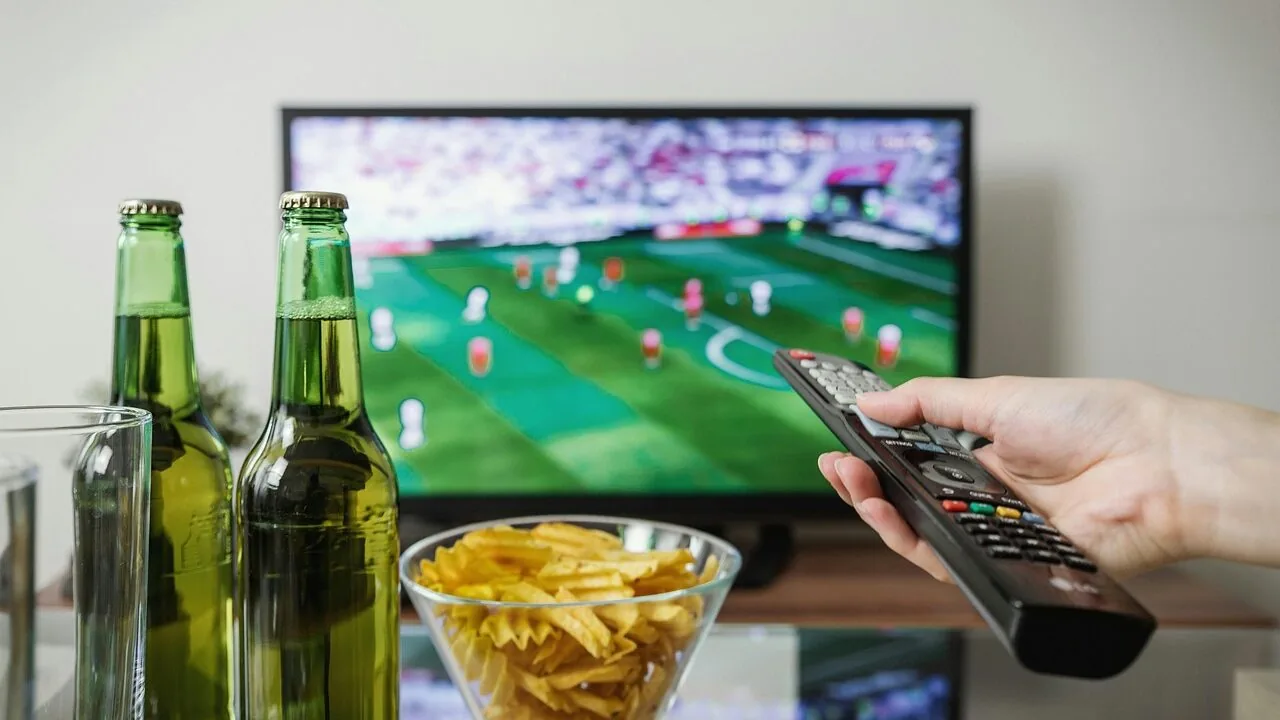
Watching sports on the right TV transforms the experience entirely. Fast-moving action, tight close-ups, and split-second replays demand a display that can keep pace without blur, washout, or lag.
Whether you follow football, basketball, soccer, or motorsports, the panel technology, refresh rate, and brightness of your TV determine whether you catch every detail or miss the moment.
With so many models competing for attention across OLED, QLED, and LED platforms, picking the right one takes more than a glance at the spec sheet.
At REMOVU, we researched and evaluated every model on this list by analyzing manufacturer specifications, synthesizing expert review consensus across the display community, and weighing verified buyer feedback from confirmed purchasers.
Each TV earns a REMOVU Score on our 0 to 10 scale based on consistent criteria weighted for sports performance. Our picks span a wide range of budgets and room sizes, from flagship OLED panels to capable budget options for smaller spaces.
Scroll down to see our top picks for the best TVs for sports right now.
| Award | Product | REMOVU Score About REMOVU ScoreThe REMOVU Score is our own rating from 0 to 10, based on performance, design and build, ease of use, and value. It reflects independent research and is never influenced by manufacturers, retailers, or affiliate commissions. Learn more › | Price | |
|---|---|---|---|---|
| Best Overall |
 TCL 75QM6K QD-Mini LED 144Hz Smart TV
|
8.9/10 | Buy | |
| Best Premium |
 Samsung S90F 65-Inch OLED 4K AI TV
|
8.6/10 | Buy | |
 TCL 75T7 4K QLED 144Hz Gaming TV
|
7.8/10 | Buy | ||
 LG C3 77-inch OLED evo 4K Smart TV
|
8.6/10 | Buy | ||
| Best Value |
 Samsung 55QN80H Neo QLED 144Hz Smart TV
|
8.1/10 | Buy | |
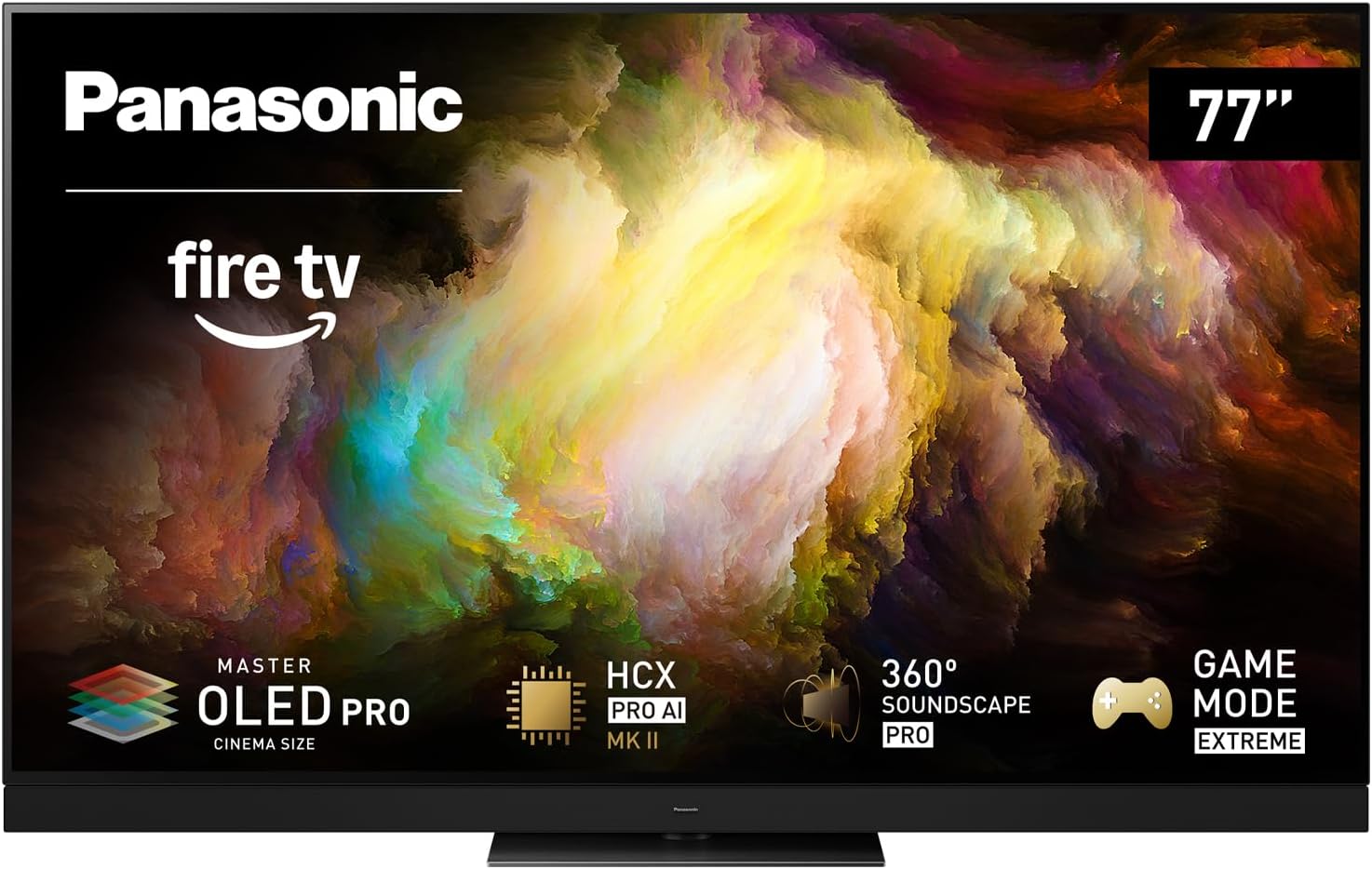 Panasonic Z8 77-inch OLED 4K Fire TV
|
7.2/10 | Buy | ||
 Roku 75-Inch Pro Series 4K QLED Mini-LED TV
|
7.5/10 | Buy | ||
 Samsung 65U8000H 65-Inch Crystal UHD Smart TV
|
6.5/10 | Buy | ||
| Best Budget |
 Samsung 55M70H 55-Inch Mini LED Smart TV
|
6.5/10 | Buy | |
 Roku Select Series 32-Inch HD Smart TV
|
6.2/10 | Buy | ||
 Roku Select Series 65-Inch 4K Smart TV
|
6.2/10 | Buy |
TCL 75QM6K QD-Mini LED 144Hz Smart TV
TCL's QM6K brings mini LED precision and quantum dot color to a 75-inch 4K panel with 144Hz refresh rate, making it a solid choice for sports fans and competitive gamers. The Halo Control System handles local dimming without blooming, while the Onkyo 2.1 speaker system with subwoofer delivers spatial audio. Google TV and voice remote integration keep streaming and control straightforward.
Pros
- QD-Mini LED technology combines brightness with rich color and superior contrast to standard QLED
- 144Hz native refresh rate and Motion Rate 480 deliver smooth motion clarity for sports and gaming
- TCL Halo Control System reduces haloing and improves shadow detail in dark scenes
- Dolby Vision, HDR10+, and HDR10 support across multiple HDR formats
- Built-in Onkyo 2.1 speaker system with subwoofer and Dolby Atmos for immersive sound
Cons
- No wide viewing angle support noted in specs, limiting off-axis picture quality
- 144Hz panel and Game Accelerator 288 appeal primarily to gamers; casual viewers won't leverage these features
- No anti-reflection coating mentioned for bright rooms, potentially affecting visibility in high-light environments
Samsung S90F 65-Inch OLED 4K AI TV
Samsung's flagship OLED delivers sharp 4K visuals powered by the NQ4 AI Gen3 processor, which upscales lower-resolution content and enhances motion for sports and gaming. The 144Hz refresh rate suits competitive gamers, though peak performance requires a compatible PC setup. Best for viewers seeking premium picture quality and AI-driven content enhancement.
Pros
- Advanced AI upscaling transforms SDR and lower-resolution content to near-4K quality using 128 neural networks
- OLED HDR+ contrast with Pantone-validated color for detailed, vibrant visuals
- Motion Xcelerator delivers smooth action at up to 4K 144Hz, ideal for fast-paced gaming and sports
- AI Motion Enhancer reduces blur on moving objects, keeping fast action sharp and readable
- Vision AI with built-in Alexa integration for voice control and scene optimization
Cons
- 4K 144Hz gaming requires a high-end PC graphics card and compatible games, limiting real-world usability
- AI upscaling quality depends on source content quality; results may vary with poor-quality streams
- Premium OLED panel increases burn-in risk with static images over extended periods
TCL 75T7 4K QLED 144Hz Gaming TV
TCL's T7 brings gaming-focused features to a mainstream QLED package, pairing a 144Hz panel with Game Accelerator 288 and Auto Game Mode for responsive gameplay. The QLED quantum dot tech and HDR PRO+ deliver vibrant colors and strong contrast across movies and sports, while Motion Rate 480 with MEMC smooths out fast action. Best suited for gamers and sports fans who want a large, capable screen without premium pricing.
Pros
- 144Hz refresh rate with Game Accelerator 288 and ALLM for low-latency gaming
- QLED quantum dot technology with HDR PRO+, Dolby Vision, and HDR10+ for rich color and contrast
- Motion Rate 480 with MEMC frame insertion minimizes blur during fast scenes
- High Brightness Direct LED backlight improves visibility in bright rooms
- TCL AIPQ Pro Processor intelligently optimizes picture quality per scene
- Comprehensive audio with Dolby Atmos and DTS:X spatial sound
Cons
- No anti-reflection coating for bright room viewing, unlike higher-end models
- Limited wide viewing angles compared to premium competitors
- 144Hz panel may show diminishing returns for non-gaming content versus standard 60Hz TVs
LG C3 77-inch OLED evo 4K Smart TV
LG's 2023 flagship OLED delivers exceptional picture quality with the a9 AI Processor Gen6 and Brightness Booster Max for luminous images even in bright rooms. The 77-inch panel pairs excellent gaming credentials (0.1ms response, 120Hz native, four HDMI 2.1) with comprehensive smart features via webOS 23 and Alexa integration, making it a strong choice for cinephiles and serious gamers willing to invest in premium display technology.
Pros
- Self-lit OLED pixels produce perfect blacks and exceptional contrast without backlight blooming
- Brightness Booster Max delivers 70 percent brighter images, addressing traditional OLED brightness limitations
- Comprehensive gaming suite includes VRR, FreeSync Premium, G-Sync, and Game Optimizer with customizable settings
- Dolby Vision and Dolby Atmos provide cinema-grade color, contrast, and immersive audio
- webOS 23 with AI-powered content discovery and Magic Remote simplifies navigation across 300+ free channels
Cons
- Premium pricing positions this as a high-end investment rather than mainstream option
- OLED technology historically susceptible to burn-in with static images, though LG includes protections
- Brightness Booster benefits exclude 42 and 48-inch models, limiting advantage across full size range
Samsung 55QN80H Neo QLED 144Hz Smart TV
Samsung's 2026 flagship 55-inch Neo QLED delivers impressive picture quality through Quantum Mini LED backlighting and real-time AI enhancement via the NQ4 Gen2 processor. Gamers and sports fans benefit from 144Hz motion smoothing, while the AI upscaling brings older content closer to 4K clarity. Best suited for those prioritizing image processing power and high-refresh gaming over budget considerations.
Pros
- Quantum Mini LED full array with precise lighting zones for superior contrast and shadow detail
- NQ4 AI Gen2 processor enhances content in real time across sharpness, motion, and color
- Motion Xcelerator 144Hz with variable refresh rate eliminates stutter in fast-action games and sports
- 4K AI upscaling and Auto HDR remastering improve lower-resolution streaming content
- Strong 4.7-star rating across 33 verified reviews
Cons
- 144Hz gaming requires compatible PC graphics card and games that support 4K 144Hz specifications, limiting practical use cases
- AI upscaling quality varies based on source content, not guaranteed to match native 4K
- Premium pricing typical of flagship Neo QLED models may exceed budget-conscious buyers
Panasonic Z8 77-inch OLED 4K Fire TV
Panasonic's flagship OLED delivers cinematic picture quality with Master OLED PRO technology and adaptive HDR that adjusts to your room's lighting. The 144Hz gaming panel pairs with AMD FreeSync Premium and NVIDIA G-SYNC support, while 360 Soundscape Pro with Technics tuning creates directional audio through front, side, and upward-firing speakers plus a 170W system. Fire TV integration and hands-free Alexa make it a complete entertainment hub for both casual viewers and competitive gamers.
Pros
- Master OLED PRO panel with enhanced brightness and contrast, plus micro-lens-array and HCX Pro AI Processor MKII for color accuracy
- 144Hz refresh rate with VRR and dual gaming sync standards (AMD FreeSync Premium, NVIDIA G-SYNC) for responsive gaming
- 360 Soundscape Pro with Technics tuning offers four directional sound modes and 170W total output across 7 channels plus subwoofer
- Comprehensive HDR support including HDR10+, Dolby Vision IQ, and Dolby Atmos with automatic room brightness optimization
- Fire TV built-in with hands-free Alexa voice control for seamless content discovery and smart home integration
Cons
- 77-inch size limits placement flexibility and may overwhelm smaller living spaces
- Premium OLED panel and gaming features position this at the high end of the TV market
- No information on brightness peak performance or specific gaming input lag specs provided in available data
Roku 75-Inch Pro Series 4K QLED Mini-LED TV
Roku's Pro Series delivers theater-grade visuals with quantum dot color and mini-LED backlighting, plus a 120Hz refresh rate that keeps up with live sports and gaming. The included Voice Remote Pro features backlit buttons, rechargeable battery, and lost remote finder. Best suited for living rooms where you want premium picture quality without the premium price tag, and appreciate Roku's straightforward smart TV interface with 500+ free channels.
Pros
- Mini-LED backlighting with local dimming produces vivid contrast and deeper blacks across the large 75-inch screen
- 120Hz refresh rate handles sports and gaming smoothly without motion blur
- Dolby Vision IQ and HDR10+ support for enhanced picture quality across compatible content
- Voice Remote Pro includes backlit buttons, rechargeable battery, and lost remote finder for convenience
- Built-in access to 500+ free TV channels plus major streaming apps, reducing subscription fatigue
Cons
- Premium pricing sits at the higher end for a 75-inch TV, narrowing appeal for budget-conscious buyers
- Wi-Fi 6 and Ethernet connectivity are strong, but no mention of advanced gaming features like HDMI 2.1 bandwidth for next-gen consoles
- Dolby Atmos audio support is present, but relying on the TV's built-in speakers alone may disappoint cinephile viewers seeking immersive surround sound
Samsung 65U8000H 65-Inch Crystal UHD Smart TV
Samsung's 2026 65-inch Crystal UHD delivers sharp 4K visuals powered by a dedicated processor that enhances color and upscales lower-quality content. Built-in motion optimization suits sports and gaming fans, while 2,700+ free streaming channels reduce subscription fatigue. Best for viewers seeking a feature-rich smart TV without breaking the bank on premium models.
Pros
- Crystal Processor with 4K upscaling sharpens details and colors across all content types
- Motion Xcelerator smooths gaming and sports at up to 4K 60Hz for clearer action sequences
- Massive free content library with 750+ subscription-free channels via Samsung TV Plus
- Color Booster intensifies on-screen hues for more vibrant visuals
- Solid 4.4-star rating from 413 verified buyers
Cons
- Samsung Account required to unlock smart features and streaming apps, creating an extra setup barrier
- Free content channels vary by location and are subject to change without notice
- No details on native refresh rate, panel type, or input lag for competitive gamers
Samsung 55M70H 55-Inch Mini LED Smart TV
Samsung's M70H brings cinema-quality contrast and color accuracy to a 55-inch frame through Mini LED backlighting and advanced processing. The set excels for mixed content viewing, with strong gaming credentials via Motion Xcelerator and a robust free streaming library through Samsung TV Plus. Best suited for living rooms prioritizing picture depth over cutting-edge premium features.
Pros
- Mini LED HDR delivers noticeably deeper blacks and brighter highlights compared to standard LED TVs
- Pure Spectrum Color technology produces vibrant, lifelike colors across a billion-color palette
- Extensive free content ecosystem with 750+ subscription-free channels via Samsung TV Plus
- Motion Xcelerator with 120Hz refresh rate optimization handles gaming and sports smoothly
- Gaming Hub consolidates console, cloud, and app-based games in one interface
Cons
- Supreme Mini LED dimming is software-based rather than full-array hardware dimming, limiting absolute contrast performance
- DLG 120Hz mode trades image sharpness for motion clarity, requiring trade-off adjustments for gaming
- Requires Samsung Account and internet connection for smart features; local content only via HDMI or terrestrial tuner without login
Roku Select Series 32-Inch HD Smart TV
Roku's Select Series brings straightforward streaming to smaller spaces with a clean, beginner-friendly interface. The 720p HD panel pairs with Dolby Audio and a voice remote for hands-free navigation, making it ideal for bedrooms, kitchens, or secondary rooms where premium picture quality isn't the priority.
Pros
- Simple Roku OS with quick app launches and customizable home screen
- Access to 500+ free live TV channels including news, sports, and Roku Originals
- Voice remote with push-to-talk for easy content discovery
- Bluetooth headphone mode for private listening
- Auto speech clarity and night mode for better viewing in different conditions
Cons
- 720p HD resolution is basic by today's standards, no 4K or HDR support
- Wi-Fi 5 and basic Dolby Audio lack the connectivity and sound depth of higher-tier models
- No local dimming or advanced picture processing features
Roku Select Series 65-Inch 4K Smart TV
Roku's Select Series delivers solid 4K picture quality and the brand's famously intuitive smart TV interface without premium pricing. The 65-inch model pairs HDR10 support with Roku Smart Picture upscaling, free live TV access, and an enhanced voice remote that actually finds itself when lost. Best suited for streamers who value simplicity and don't need high-end audio or the latest Mini-LED backlighting.
Pros
- Intuitive Roku OS with customizable home screen and 500+ free TV channels built in
- Enhanced voice remote with lost remote finder and personalized shortcuts across apps
- Clear audio design optimized for speech clarity, plus Bluetooth headphone mode for private listening
- Automatic software updates keep features and apps current
- Seamless compatibility with Alexa, Google Assistant, Siri, and AirPlay
Cons
- Standard direct-lit LED panel lacks local dimming found in higher-tier Pro and Plus series
- Dolby Audio only, no Dolby Atmos support, limiting immersive sound compared to premium models
- Wi-Fi 5 connectivity trails the Pro series Wi-Fi 6, potentially slower app launches on congested networks
Best TVs for Sports Buying Guide
Choosing a sports TV involves balancing several interconnected factors. A high refresh rate matters little without good motion processing, and great picture quality is wasted if the room setup creates glare or reflections during a daytime game.
This guide breaks down the criteria that matter most so you can match the right screen to your viewing habits, your room, and your budget.
Pair your pick with a quality soundbar with a subwoofer to complete the home stadium experience.
Refresh Rate and Motion Handling

Refresh rate is the single most-cited specification in sports TV discussions, and for good reason.
A display that refreshes at 120Hz natively renders twice as many frames per second as a 60Hz panel, which makes a visible difference when tracking a fast break, a curling free kick, or a sprint finish.
Several models on this list go further, supporting up to 144Hz, which provides additional headroom for gaming-capable households that also double the TV as a console display.
The raw refresh number is only part of the story. Motion interpolation technologies such as Samsung’s Motion Xcelerator, TCL’s motion processing pipeline, and similar proprietary systems synthesize intermediate frames to smooth playback.
When tuned well, these features reduce the soap-opera effect and keep content looking cinematic while still eliminating blur. Look for native refresh rates rather than effective or interpolated figures quoted in marketing, as those can inflate the real-world number significantly.
For live sports broadcast in 1080p or upscaled 4K, a native 120Hz panel is the practical sweet spot. 144Hz panels give you additional flexibility, especially as sports streaming platforms gradually push toward higher frame-rate delivery.
If budget is a constraint, a well-implemented 60Hz panel with good motion processing can still perform adequately for casual viewers, though enthusiasts will notice the difference side by side.
Panel Technology: OLED vs. QLED vs. LED

OLED panels deliver per-pixel illumination with true blacks, infinite contrast ratios, and near-instant pixel response times, which translates to virtually zero motion blur on fast content.
LG’s OLED evo technology and Samsung’s QD-OLED architecture both appear in our top picks and consistently earn high scores from expert reviewers for their sports and film performance.
The tradeoff is that OLED screens can be susceptible to image retention in extreme long-term scenarios, though modern anti-burn-in algorithms have substantially reduced real-world risk for typical viewing patterns.
QLED and Mini LED QLED panels use quantum dot filters and dense backlighting arrays to push brightness well beyond what most OLED screens achieve.
This makes them particularly well-suited for bright living rooms where sunlight competes with the display during afternoon games.
TCL’s QM6K Mini LED QLED and Samsung’s Neo QLED lineup exemplify the performance ceiling of this technology, offering wide color gamut, high peak brightness, and impressive local dimming that keeps bright highlights punchy without blooming into adjacent dark areas.
Entry-level LED and Crystal UHD panels represent the budget tier. They trade peak brightness, contrast depth, and color volume for affordability. For secondary rooms, dorms, or viewers who want a reliable picture without a premium outlay, these screens remain practical.
However, anyone placing sports viewing at the top of their priority list will find the picture quality gap versus Mini LED QLED or OLED panels meaningful at larger sizes.
Brightness and HDR Performance
HDR, or High Dynamic Range, expands the luminance and color range of a picture beyond standard specifications.
For sports, this means stadium lighting, sun glare on a pitch, or the gleam of ice in an arena can look genuinely lifelike rather than flat.
The key HDR formats you will encounter are Dolby Vision IQ, HDR10+, and standard HDR10.
Dolby Vision IQ and HDR10+ are adaptive formats that adjust tone mapping based on the ambient light in your room, a useful feature for mixed-light viewing environments.
Peak brightness in nits is the practical measure behind HDR impact. OLED screens typically deliver between 700 and 1,500 nits peak depending on the model and content window size, while high-end Mini LED QLED panels can exceed 2,000 nits in small bright areas.
For rooms with controlled lighting, OLED’s contrast advantage can outweigh the raw brightness gap. For naturally bright or south-facing rooms, a high-brightness QLED is often the more practical choice for daytime sports viewing.
When evaluating HDR, prioritize real-world HDR brightness and the quality of the tone mapping engine rather than peak nit figures alone.
Expert review consensus consistently highlights that a well-calibrated 1,000-nit panel with accurate tone mapping will outperform a poorly calibrated 2,000-nit screen in actual sports content. Look for independent display measurements in expert reviews to compare models on equal footing.
Screen Size and Viewing Distance

Screen size choice for sports is more formula than preference.
The Society of Motion Picture and Television Engineers recommends a viewing angle of around 30 degrees for an immersive experience, which translates roughly to one seating distance of 1.5 times the screen diagonal for 4K content.
In practice, most living rooms support 65-inch to 77-inch screens at a comfortable sofa distance of around eight to ten feet, while smaller apartments or bedrooms may be better served by a 55-inch model.
The economics of screen size have shifted considerably. Larger 75-inch panels have become more accessible across budget tiers, making them attainable even without a flagship price.
The TCL QM6K and TCL T7 both appear in the 75-inch class at competitive price points, offering strong value for viewers who want a large-format sports screen without an OLED price tag.
Meanwhile, 55-inch options remain relevant for secondary rooms, offices, or tighter spaces where a full 75-inch panel would dominate the sightlines uncomfortably.
Resolution matters less than panel size at close viewing distances for 1080p broadcast sports content, since most live sports is still delivered at 1080i or 1080p.
However, 4K upscaling quality becomes relevant because every TV on this list is a 4K panel rendering sub-4K source material.
Strong upscaling engines, particularly AI-assisted processors found in Samsung’s NQ4 Gen3 and LG’s AI processor, visibly sharpen the presentation of broadcast sports even when the source is not natively 4K.
Smart TV Platform and Sports App Ecosystem

The smart TV platform running on your screen determines how easily you can access live sports streaming services.
Google TV, found on TCL’s range, integrates Google’s content aggregation layer, which surfaces live sports recommendations from services like YouTube TV, Peacock, and ESPN+ directly from the home screen.
Roku’s platform, found on the Roku Select and Pro Series, is widely praised for its straightforward interface and broad app compatibility, making it easy to find live sports across dozens of streaming services without navigating complex menus.
Samsung’s Tizen and LG’s webOS platforms occupy the high end of the smart TV ecosystem with responsive interfaces, deep Alexa and Google Assistant integration, and dedicated sports mode features on select models.
Samsung’s Gaming Hub and LG’s Game Optimizer further serve dual-purpose households where the TV doubles as a gaming display on non-game days.
Amazon’s Fire TV, embedded in Panasonic’s Z8 series on this list, offers strong Prime Video integration and Alexa voice control throughout.
Voice remotes bundled with modern TVs have become genuinely useful for live sports.
Searching for a game, switching between broadcast and streaming, or launching a specific sports app by voice is faster than navigating menus manually during a fast-moving match day.
All models on this list ship with voice-enabled remotes, though the depth of voice command integration varies by platform.
Input Lag and Gaming Mode
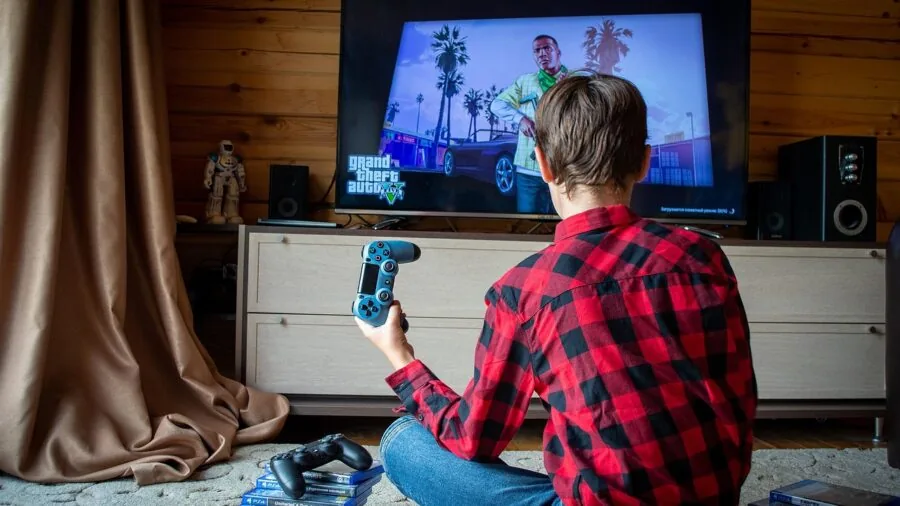
While input lag is most commonly discussed in gaming contexts, it matters for interactive sports viewing too, particularly for households where the sports TV doubles as a console gaming screen.
Input lag is the delay between a signal being sent to the TV and the image appearing on screen.
Flagship OLED TVs typically achieve sub-1ms input lag in game mode, while high-end QLED panels generally fall in the 5ms to 15ms range, both of which are imperceptible in normal use.
Budget LED panels can have higher input lag, which is worth checking in expert reviews before committing.
Game mode on modern TVs disables some post-processing to minimize input lag, but it can affect picture quality settings.
Many newer TVs, including those with HDMI 2.1 support and Auto Low Latency Mode (ALLM), automatically switch to game mode when a console is detected, then revert to the cinema or sports picture profile when you switch back to broadcast content.
This makes the dual-use case far more seamless than it was a generation ago. For households that care about both sports viewing and wireless gaming headsets for late-night sessions, this automatic switching is a practical feature to look for.
Why You Should Trust Us
REMOVU is an independent review platform. We have no affiliation with any TV manufacturer, retailer, or streaming service featured in this article.
Every product on this list was assessed using our consistent REMOVU Score methodology, which rates each model on a 0 to 10 scale based on a structured set of criteria specific to its category.
For sports TVs, our scoring framework weights motion handling, refresh rate, HDR and brightness performance, smart platform quality, and value relative to the competitive set.
We do not conduct our own product trials; our evaluations are grounded in research, published data, expert review consensus, and verified buyer feedback.
Our research process synthesizes display measurement data from recognized display analysis sources, aggregated expert review consensus from across the specialist press, and verified purchaser feedback gathered from confirmed buyers.
Where expert reviewers or buyer communities surface consistent strengths or weaknesses for a given model, those patterns are factored directly into the REMOVU Score and our editorial commentary.
REMOVU may earn an affiliate commission if you purchase through links in this article. That relationship does not influence rankings, scores, or editorial selection in any way.
Products are ranked on merit as determined by our scoring criteria, not by commercial relationships. We are committed to transparent, conflict-free recommendations that help you make a confident buying decision.
Final Thoughts
The market for sports TVs in 2026 is genuinely strong across every price point, with Mini LED QLED technology pushing the value tier upward and OLED performance continuing to set the benchmark for motion clarity and contrast.
Below are our standout picks from this list, each earning a specific role based on what it does best for sports viewers.
- Best Overall: TCL 75-Inch QM6K Mini LED QLED 4K earns the top position with the highest REMOVU Score on this list, combining Mini LED local dimming, a 120Hz to 144Hz variable refresh rate, Onkyo-tuned audio, and Google TV’s sports-friendly ecosystem at a compelling price for its class.
- Best OLED for Sports: LG C3 OLED evo 77-Inch remains the gold standard for motion clarity, delivering near-instant pixel response and infinite contrast that makes fast-action sports look breathtakingly sharp in any lighting condition that suits OLED’s strengths.
- Best OLED Value: Samsung 65-Inch OLED S90F matches the LG C3’s REMOVU Score while bringing Samsung’s NQ4 AI Gen3 processor and Motion Xcelerator 144Hz to a QD-OLED panel at a lower entry price than the larger 77-inch LG, making it a smart choice for rooms where a 65-inch screen fits best.
- Best Mid-Range QLED: Samsung 55-Inch Neo QLED QN80H brings Quantum Mini LED full-array local dimming and Motion Xcelerator 144Hz to a mid-range price tier, offering sports fans a strong HDR and brightness package without stepping up to flagship OLED pricing.
- Best Budget Pick: Samsung 65-Inch Crystal UHD U8000H delivers a large 65-inch 4K screen with Samsung Vision AI and Alexa at an entry-level price, making it a practical option for secondary rooms or budget-conscious buyers who prioritize screen real estate over premium panel performance.
Whichever model you choose, consider rounding out your setup with audio that matches the picture quality. A capable soundbar for smaller rooms can dramatically improve crowd noise and commentary clarity without the complexity of a full surround system.
For a broader look at everything in the TV and home theater space, browse our TV and home theater category for projectors, Blu-ray players, and more.
Frequently Asked Questions
What refresh rate do I need for watching sports?
A native 120Hz refresh rate is the practical minimum for serious sports viewing. It provides significantly smoother motion than 60Hz panels when tracking fast-moving objects like a puck, a ball, or a sprinting athlete.
Some TVs on this list support up to 144Hz, which adds further headroom, especially if you also use the TV for gaming.
Be cautious of marketing figures like “effective 240Hz” that describe motion interpolation rather than the panel’s native refresh rate.
Is OLED or QLED better for sports?
Both technologies are excellent for sports, but they suit different viewing environments. OLED delivers unmatched contrast, true blacks, and near-zero motion blur thanks to self-emissive pixels, making it ideal for rooms with controlled or dim lighting.
QLED, particularly Mini LED QLED, produces higher peak brightness that holds up better in bright rooms with lots of ambient light.
If you watch weekend afternoon games in a sun-filled living room, a high-brightness Mini LED QLED will typically outperform an OLED in those conditions.
Does picture mode matter for live sports?
Yes, and it is one of the most overlooked adjustments new TV owners skip. Most TVs ship in a vivid or dynamic mode that oversaturates colors and applies aggressive sharpening, which can make live sports look artificial.
Switching to a calibrated cinema or filmmaker mode as a baseline and then adjusting brightness and motion smoothing to taste typically produces a more accurate and pleasing result.
Many TVs also include a dedicated sports picture mode that boosts brightness and color saturation specifically for broadcast sports, which some viewers prefer for its punchy presentation.
How big a TV do I need for sports?
The most commonly cited guideline is to choose a screen where the diagonal measurement is roughly equal to half your seating distance in inches.
For a sofa placed eight feet from the wall, that points to a 55-inch to 65-inch screen. At ten feet, a 75-inch panel becomes comfortable.
Larger is generally better for sports because wide-angle stadium shots and split-screen formats benefit enormously from additional screen real estate. Budget permitting, most living room setups benefit from choosing one size larger than you initially think you need.
Do I need HDMI 2.1 on a sports TV?
For pure sports viewing from a cable box, satellite receiver, or streaming stick, HDMI 2.1 is not strictly necessary.
The format becomes important if you also connect a PlayStation 5 or Xbox Series X and want to take advantage of 4K at 120Hz gaming.
Most flagship and mid-range TVs on this list include at least one HDMI 2.1 port, making them future-ready for both sports streaming and next-generation console gaming.
Check the specific port count and labeling in the TV’s full specification sheet before purchasing if this matters to your setup.
Can I use a projector instead of a TV for sports?
Projectors can deliver a genuinely immersive large-screen sports experience, but they come with trade-offs.
Most projectors require a darkened room to produce a satisfying image, which makes daytime sports viewing challenging unless you invest in an ultra-short-throw laser model with high lumen output.
Screen size flexibility is a real advantage, as a projector can fill a wall that no TV budget could match. For more on this alternative, explore our projectors category for options suited to home theater and sports use.
About the author
Patrick covers PC power supplies for REMOVU, weighing efficiency, wattage headroom, and reliability that protects a whole build. He steers readers away from cheap units that put their parts at risk.